
Interseller Is Shutting Down Dec 15, 2026: 9 Interseller Alternatives
Interseller is being sunset on December 15, 2026. The notice sits on Interseller's own site: "Interseller will be sunset on December 15 2026. Please transition any remaining work before that date." If your team runs sourcing sequences through Interseller, that date is when the sequences, the contact database, and the connected mailboxes stop being available, so the real deadline for picking a replacement is months earlier, not December.
What happens to Interseller on December 15, 2026
The hiring playbook, in your inbox
One email a week - benchmarks, AI screening tactics, and short interview templates from the 100Hires team. No product pitches.
- The standalone product is retired. Greenhouse acquired Interseller in 2021 and rebuilt the technology into its own paid add-on, Sourcing Automation. Interseller as a separate product is what goes away.
- The Greenhouse replacement is not a like-for-like move. Greenhouse documentation describes Sourcing Automation as an add-on available with its Core, Plus and Pro subscription tiers. If you are a staffing agency or an in-house team that does not run Greenhouse as your ATS, moving to Sourcing Automation means buying a different ATS, not migrating a tool.
- No public migration path has been published. The sunset notice asks users to transition remaining work before the date. Greenhouse has not published a customer-facing article covering data export or automatic migration for standalone Interseller accounts, so plan to pull your own data out and ask Interseller support in writing what export they can provide.
- The integrations end with the product. Interseller synced into Bullhorn, Crelate, JobAdder, PCRecruiter, Recruiterflow, Workable, Recruitee, JazzHR and CRMs such as HubSpot, Pipedrive and Salesforce. Those syncs stop when the product does, which is the part that usually breaks a recruiting workflow first.
What to export from Interseller before the shutdown
Pull this out while the account is still live, and do it before you start evaluating replacements, because some of it cannot be reconstructed:
- Your unsubscribe and do-not-contact list. This is the one that hurts. If it is lost, your first campaign on a new tool emails people who already opted out.
- Contacts with their enriched emails and phone numbers, including the ones you paid lookup credits for.
- Sequence templates and step timing, so the cadence you tuned over years is not rewritten from memory.
- Sent message history and replies, which is both your context on a candidate and your record if a recipient ever disputes consent.
- Campaign statistics, so you have a baseline reply rate to hold a new tool against.
- Anything already synced into your ATS or CRM should be verified rather than assumed, since Interseller's syncs push in one direction.
Then give yourself a parallel run. Email deliverability does not transfer with a contact export: a new sending setup needs its domain warmed and its volume ramped, which takes weeks. Teams that wait until December end up cold-starting their outreach in the middle of a hiring cycle.
Are you tired of dealing with incorrect email data and limited contact details? Frustrated by high costs and a restrictive pricing structure? Experiencing integration and synchronization issues? It may be time to explore Interseller alternatives. With a plethora of options available, you can find tools that offer more accurate data, affordable pricing, seamless integrations, and extensive features to streamline your workflow and enhance your user experience. Discover the top ten Interseller alternatives that could revolutionize your recruiting process.
Interseller Alternatives
Interseller Chrome extension vs 100Hires
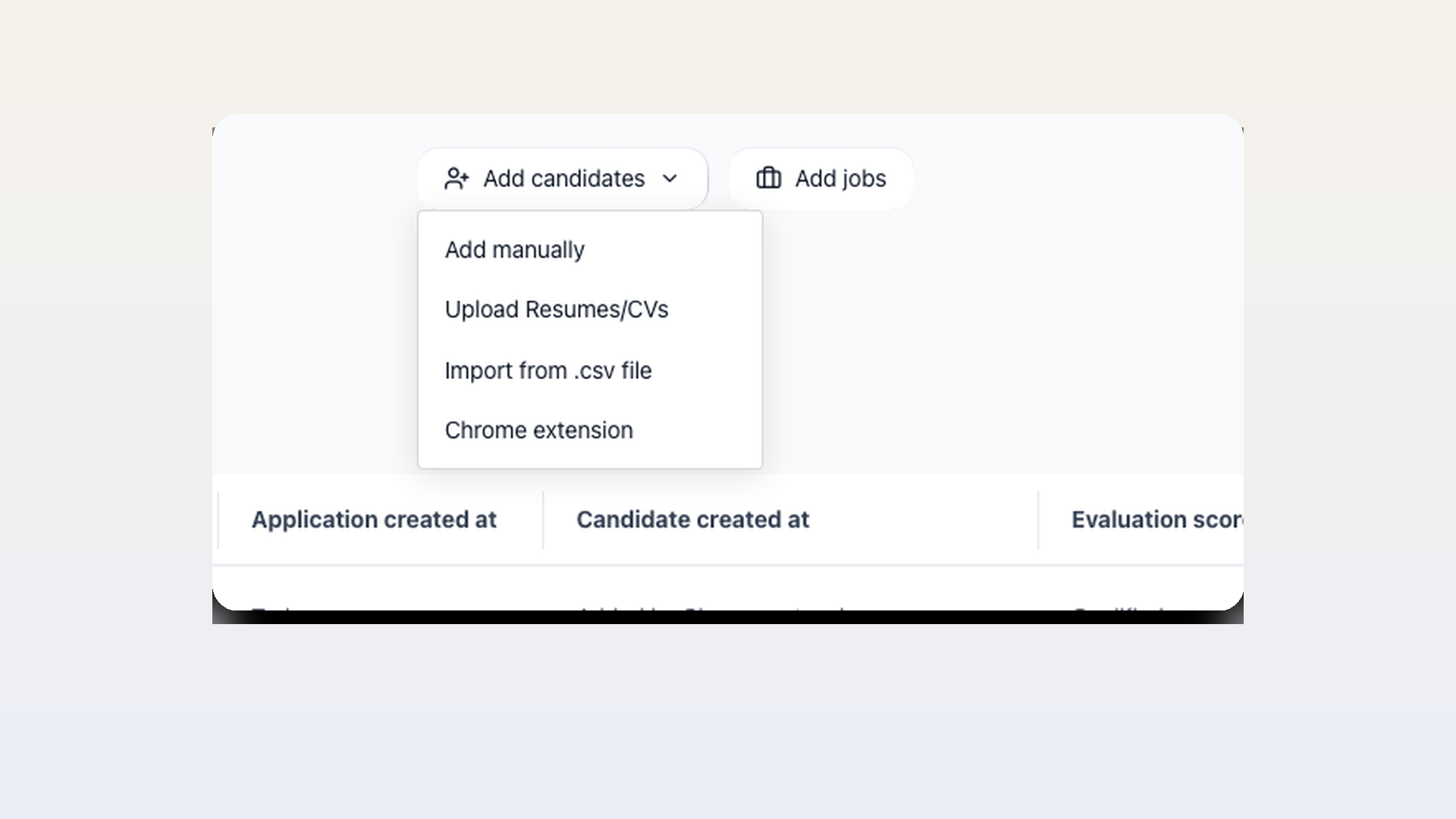
Interseller's extension is primarily an email-finding and sequence-entry tool. The 100Hires extension is an ATS capture tool first, with enrichment and outreach handled after the candidate record is created. That difference matters if a recruiter needs to save promising people even when no hidden email is found.
| Capability | Interseller Chrome extension | 100Hires Chrome extension |
|---|---|---|
| Primary sourcing workflow | Individual LinkedIn lookups, manual lookup, and LinkedIn Recruiter bulk import | Candidate capture across 14 named sites, including LinkedIn, GitHub, Indeed, Gmail, and professional communities |
| LinkedIn profile capture | Most LinkedIn account types use the profile's saved PDF; bulk lookup is limited to LinkedIn Recruiter | Imports supported visible profile data and does not depend on an email lookup to create the candidate record |
| Contact lookup | Finds one email per contact using lookup credits; phone lookup is not available in the extension | Hidden email and phone enrichment is a separate Pro workflow using a recruiter's connected provider |
| Record handoff | Adds a contact with an email address to an Interseller sequence and can sync through connected integrations | Adds the candidate to a selected job and pipeline stage in 100Hires and records the source |
| Outreach focus | Optimized for immediate email sequence enrollment | Keeps sourcing, candidate history, outreach, scheduling, and pipeline work in the ATS |
Interseller is a focused fit for teams whose first goal is finding an email and starting a sequence. 100Hires is the broader alternative when recruiters need to preserve and manage the candidate in an ATS even if contact enrichment is incomplete.
Review the 100Hires Chrome extension for recruiters and its ATS handoff.
100Hires
100Hires is a very popular ATS among small and mid-sized companies, it holds numerous G2 badges, including ‘Leader’ in Recruitment Marketing and Candidate Relationship Management, ‘Most Implementable’ for Small-Business and Mid-Market, and ‘Best Usability’ across multiple categories. Ready to experience 100Hires? Get a demo or start your free trial today to see how 100Hires can optimize your hiring process. For more information on plans and options, check out our pricing page.
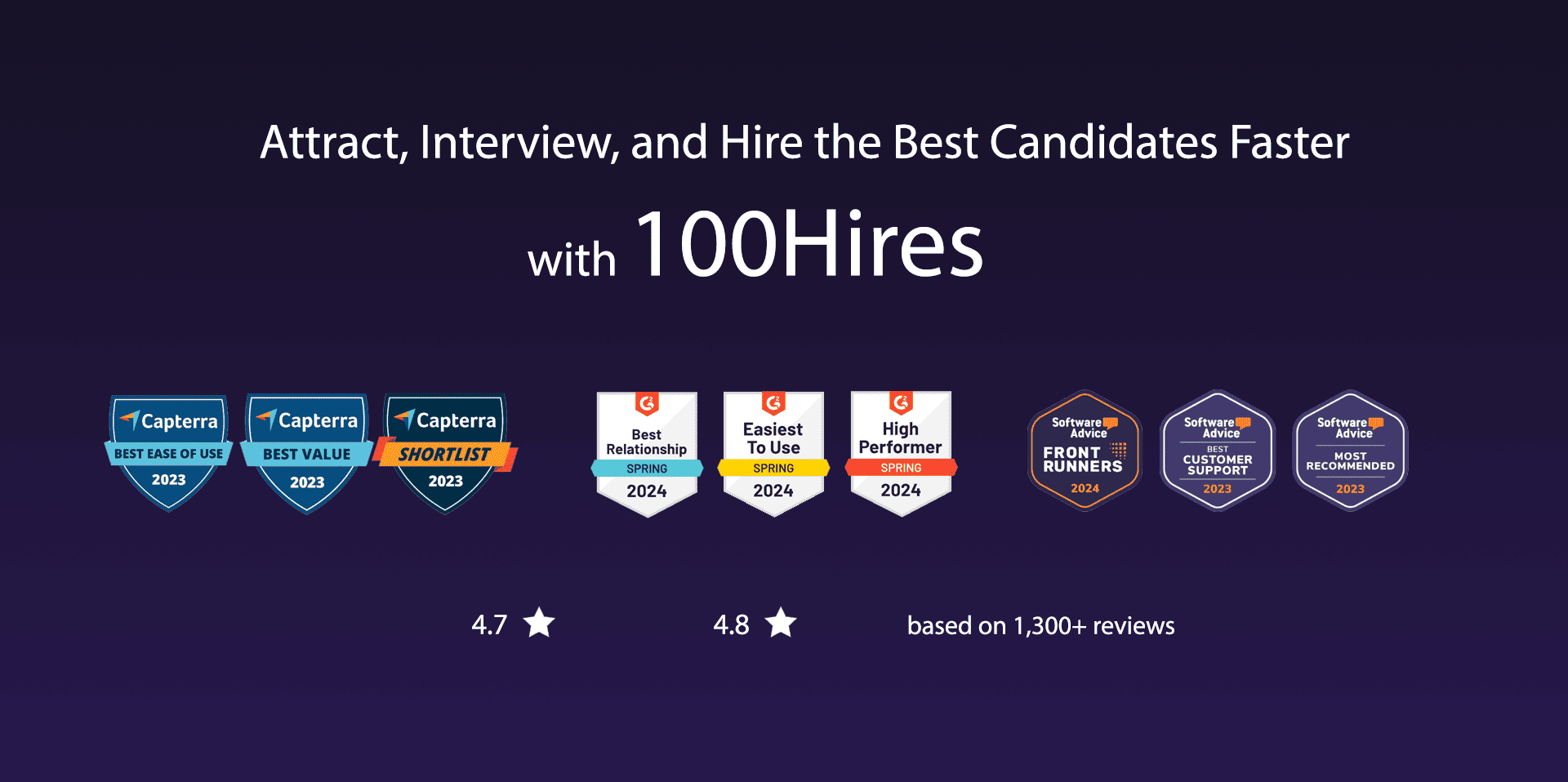
G2 rating: 4.8/5 based on 831 reviews.
Capterra rating: 4.9/5 based on 742 reviews.
1. Enhanced Candidate Sourcing and Outreach:
- Efficiently import candidates from LinkedIn, GitHub, and other platforms with a browser extension, improving sourcing speed and reach.
- Access up to 37% more personal emails and phone numbers using a multi-level contact finder, enabling more personalized outreach.
- Automated, multichannel follow-ups (emails, SMS) and email warmup features boost response rates and help maintain consistent candidate engagement.
2. Centralized Candidate Management:
- A comprehensive database keeps all candidate information accessible and organized, reducing duplicate communication.
- Track interaction history and application statuses in one place, ensuring that candidates are effectively moved through the pipeline.
3. Time Savings with AI-Driven Tools:
- AI-powered tools generate job descriptions, rank candidates, and screen resumes, streamlining administrative tasks so recruiters can focus on high-value activities.
- Automated candidate matching helps prioritize the best candidates, saving time on manual screening.
4. Automation to Streamline Workflows:
- Integrate Google or Outlook calendars for simplified scheduling across time zones, eliminating the hassle of manual interview coordination.
- Automate reminders, follow-ups, and candidate updates to maintain clear communication and optimize the hiring timeline.
100Hires Pricing:
100Hires offers three pricing tiers: Start at $49/month (billed annually) for companies with minimal hiring needs, supporting up to 3 jobs and 1 user. The Advanced plan, at $199/month, includes unlimited jobs, candidates, and users, plus features like automated emails and a custom domain. The Pro plan, at $399/month, adds advanced sourcing tools, contact enrichment, and onboarding support, ideal for sourcing passive candidates.
Linkedin Recruiter
LinkedIn Recruiter, founded in 2002, is a recruitment software.
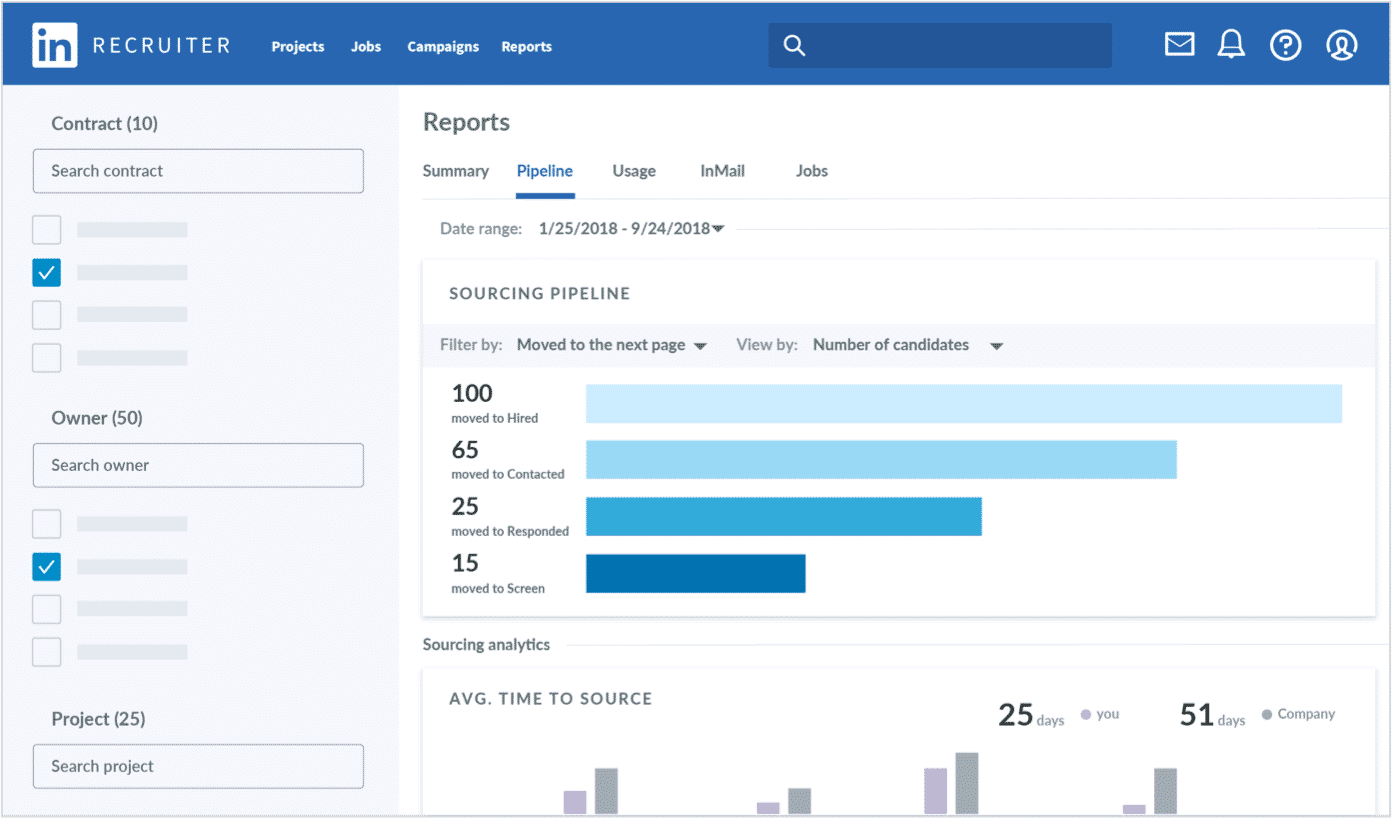
G2 rating: 4.4/5 based on 366 reviews.
Capterra rating: 4.6/5 based on 101 reviews.
LinkedIn Recruiter’s typical customers are primarily based in the United States (29.98%), with significant shares in India (10.51%), the United Kingdom (6.86%), Brazil (4.78%), and Canada (4.27%). Key industries include Staffing and Recruiting (22%), Human Resources (10%), Information Technology and Services (10%), Health, Wellness and Fitness (4%), and Education Management (4%).
According to G2, 48% of customers have 51-1000 employees, 34% have fewer than 50 employees, and 18% have more than 1000 employees. Capterra reviews show 21.1% of customers with 1-10 employees and 21.1% with 51-200 employees, along with smaller shares across other size categories.
Linkedin Recruiter Pricing:
LinkedIn offers three main plans:
Recruiter Lite: Costs $170/month for a single license or $270/month per license for 2-5 seats ($1,680/year for a single license or $2,670/year per license for 2-5 seats). It provides access up to the user’s 3rd-degree network, 20+ filters, 30 InMail messages per month, limited collaboration (up to 5 seats), and does not include ATS integration or advanced reporting.
Recruiter Professional Services: Aimed at staffing firms, this plan includes full network access, 40+ filters, 100 InMail messages per month, pooled InMails, bulk messaging, advanced collaboration features, ATS integration with 28+ partners, and extensive reporting. Contact Sales for pricing.
Recruiter Corporate: Designed for corporate companies, this plan offers full network access, 150 InMail messages per month, comprehensive collaboration, ATS and LinkedIn integrations, advanced reporting, and OFCCP tracking. Contact Sales for pricing.
Linkedin Recruiter Pros:
- Advanced Search Capabilities (mentioned 38 times): Users praise LinkedIn Recruiter for its robust search functionalities, including Boolean search, various filters, and the ability to be very granular in targeting candidates, which allows them to efficiently find specific talent.
- User-Friendly Interface and Ease of Use (mentioned 32 times): The platform is noted for its intuitive and easy-to-navigate interface, making it accessible for users to manage their recruitment processes effectively.
- Effective Candidate Outreach and Messaging (mentioned 31 times): The InMail feature and the ability to message candidates directly through the platform are highly valued for engaging potential candidates and maintaining communication.
Linkedin Recruiter Cons:
- High Cost (mentioned 25 times): Users frequently cite the expense of LinkedIn Recruiter as a significant downside, noting that it is pricier compared to other platforms and the costs can add up quickly, especially with premium features.
- Limited Search/Filter Accuracy and Options (mentioned 20 times): Some users find the search filters and boolean search options limited or inaccurate, particularly with features like “years of experience” and industry-specific searches that do not always meet user needs.
- Technical Issues and Glitches (mentioned 18 times): Users report occasional technical glitches and system crashes, especially when using advanced search functions or managing large amounts of data.
- Inadequate Candidate Information and Outdated Profiles (mentioned 15 times): There are complaints about incomplete or outdated candidate profiles, which can hinder the recruitment process.
- InMail Limitations (mentioned 14 times): Users dislike the limitations on the number of InMails they can send, especially given the platform’s high cost. There are also mentions of the challenges with response rates and the management of InMail credits.
- Interface and Usability Issues (mentioned 12 times): Some users find the user interface less intuitive or encounter difficulties with certain functionalities like the inbox or messaging system.
- Integration and Compatibility Issues (mentioned 10 times): Challenges with integrating LinkedIn Recruiter with other systems or ATS (Applicant Tracking Systems) are mentioned, along with frustrations about the compatibility with various recruitment workflows.
- Limited Access to Full Candidate Details (mentioned 8 times): Users express frustration over the inability to access full contact details or complete profiles without additional payments or unlocking credits.
- Customer Support Concerns (mentioned 7 times): Slow response times and inadequate support from the LinkedIn team are points of dissatisfaction among some users.
- Overwhelming Amount of Profiles and Information (mentioned 5 times): A few users feel overwhelmed by the sheer volume of profiles and information available, which can make it challenging to navigate and find relevant candidates efficiently.
Nymeria
Nymeria, founded in 2017, is a recruitment software.
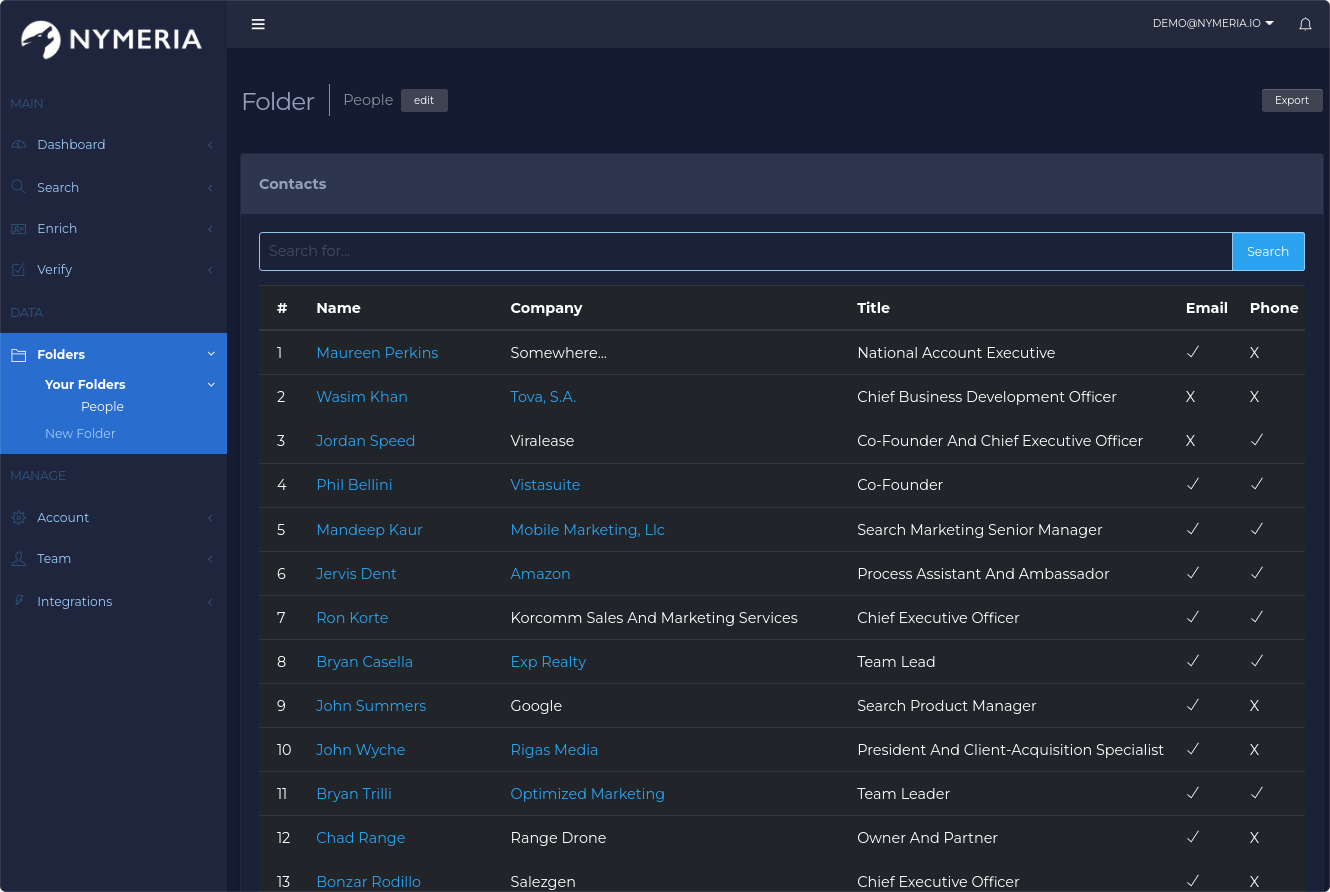
G2 rating: 4.7/5 based on 6 reviews.
Capterra rating: /5 based on reviews.
Nymeria’s typical customers are primarily based in India (36.66%), with significant shares in the United States (17.3%), Romania (16.87%), Canada (6.87%), and the United Kingdom (4.19%).
According to G2, 83.3% of customers have between 51-1000 employees, while 16.7% have fewer than 50 employees.
Nymeria Pricing:
Nano: $39/month, includes 100 credits per month, unlimited team members, and access to search, bulk, and API.
Micro: $79/month, includes 300 credits per month, unlimited team members, and access to search, bulk, and API.
Kilo: $159/month, includes 1,000 credits per month, unlimited team members, and access to search, bulk, and API.
Custom: Pricing available upon request, includes bulk credits up front, customizable data fields, premium support, unlimited team members, and access to search, bulk, and API.
Nymeria Pros:
- Ease of Use (Mentioned 4 times). Users appreciate the tool’s simplicity and effectiveness, especially in integrating seamlessly with other platforms.
- Superior Access to Contact Information (Mentioned 3 times). Nymeria offers more access to personal contact information compared to competitors like Lusha and ZoomInfo, making it a preferred choice for users.
- Seamless Extension Integration (Mentioned 2 times). Users love the ease with which the extension integrates with other software, enhancing user experience.
Nymeria Cons:
- Concerns Over Accuracy (Mentioned 3 times). Users have raised concerns about the accuracy of the contact information provided, noting that it can often be outdated.
- Desire for More Up-to-Date Information (Mentioned 2 times). There’s a wish for the tool to have more current emails, as many are outdated and lead to bounced messages.
- No Negatives for Some Users (Mentioned 1 time). A user reported having no negative experiences, finding the tool fast and user-friendly.
- Interface Usability Issues (Mentioned 1 time). A user mentioned difficulty with the interface, specifically that contact points are too close together and change order unexpectedly, leading to selection errors.
- Bugs and Downtime (Mentioned 1 time). Users have experienced bugs and downtime, with specific mention of often incorrect professional emails.
- Emails Sometimes Outdated (Mentioned 1 time). There’s a repetition of the concern that emails provided by the tool can be outdated and unreliable.
Seekout
Seekout, founded in 2017, is a recruitment software that raised $188.6 million and was last valued at $1.2 billion. The company recently laid off 30% of its workforce.
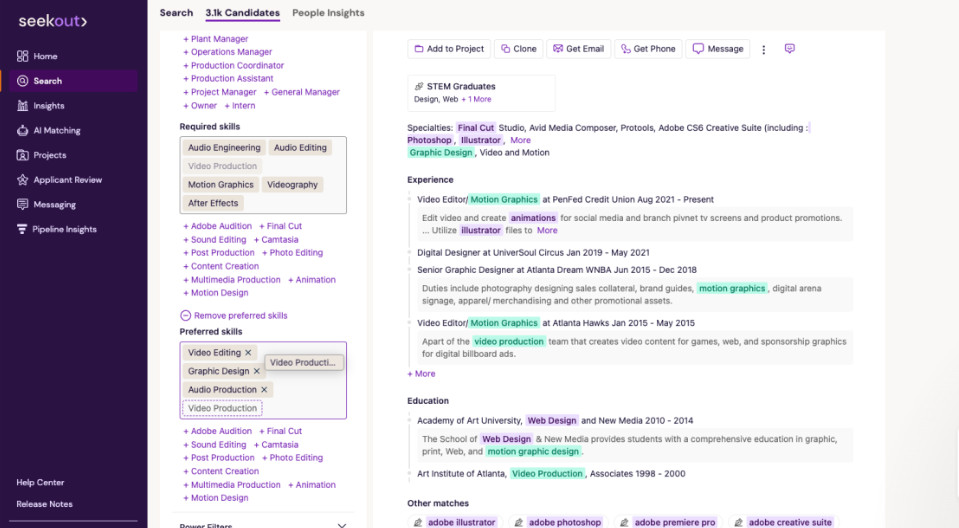
G2 rating: 4.5/5 based on 758 reviews.
Capterra rating: 4.7/5 based on 188 reviews.
SeekOut’s typical customers are primarily based in the United States (47.87%), with significant shares in Canada (13.79%), India (10.93%), the United Kingdom (5.26%), and France (2.43%). Key industries include Human Resources (15%), Computer Software (14%), Staffing and Recruiting (13%), Information Technology and Services (10%), and Retail (4%).
According to G2, 66% of customers have more than 1000 employees, 20% have 51-1000 employees, and 14% have fewer than 50 employees. Capterra reviews show 42.2% of customers with 10,001 or more employees, along with smaller shares across other size categories.
Seekout Pricing:
SeekOut offers flexible pricing starting at $1,200 per month, with basic plans beginning at $499, Pro plans at $999, and Enterprise plans at $1,999 per month. Annual pricing averages around $5,500, though custom options are available for larger needs. SeekOut’s Professional plan targets individuals and small teams with candidate search tools, while the Enterprise plan adds AI-assisted search and team collaboration features. The Ultimate plan enhances recruitment with tools like Applicant Review and Pipeline Insights, and the Grow package focuses on internal talent management.
Seekout Pros:
- Diversity and Power Filters (mentioned 12 times): Users appreciate the ability to source diverse candidates and the detailed, customizable filters that allow for strategic sourcing initiatives.
- Comprehensive Candidate Profiles from Multiple Sources (mentioned 10 times): SeekOut’s aggregation of candidate profiles from various platforms, including LinkedIn, GitHub, and publications, is highly valued for providing a comprehensive view of candidates.
- AI and Advanced Boolean Search Capabilities (mentioned 9 times): The AI search features and the ability to use advanced Boolean strings for precise candidate searches are highlighted as particularly useful.
Seekout Cons:
- Outdated or Inaccurate Candidate Information (mentioned 3 times): Users note that candidate profiles can sometimes be outdated or not match their current status on LinkedIn.
- Limited Diversity Recruiting Efficiency (mentioned 2 times): Some users wish for stronger and more efficient diversity recruiting capabilities.
- Time-Consuming Contact Information Retrieval (mentioned 1 time): Users find it time-consuming to grab contact information in bulk, especially for high-volume sourcing.
- Email Messaging UI/UX (mentioned 1 time): Some users feel the email messaging tool’s user interface and user experience could be improved and find it a bit outdated compared to other tools.
- Integration Issues (mentioned 1 time): There are compatibility issues with some company systems, particularly with email campaigns feature due to restrictions with Microsoft email accounts.
- Bugs and Glitches (mentioned 1 time): Users have encountered bugs, but appreciate the prompt response from the SeekOut team to fix these issues.
- LinkedIn Integration Limitations (mentioned 1 time): Users wish for better integration with LinkedIn, especially for those without a premium LinkedIn subscription.
- Clunky Communication Functions (mentioned 1 time): The communication functions within SeekOut are described as a bit clunky by some users.
- Steep Learning Curve (mentioned 1 time): For some users, there is a steep learning curve to fully utilize all of SeekOut’s features effectively.
- Desire for More Integration with CRMs and ATSs (mentioned 1 time): Users express a desire for SeekOut to integrate more seamlessly with their current CRM and ATS systems for a smoother workflow.
Signalhire
SignalHire, founded in 2016, is a recruitment software based in Poland.
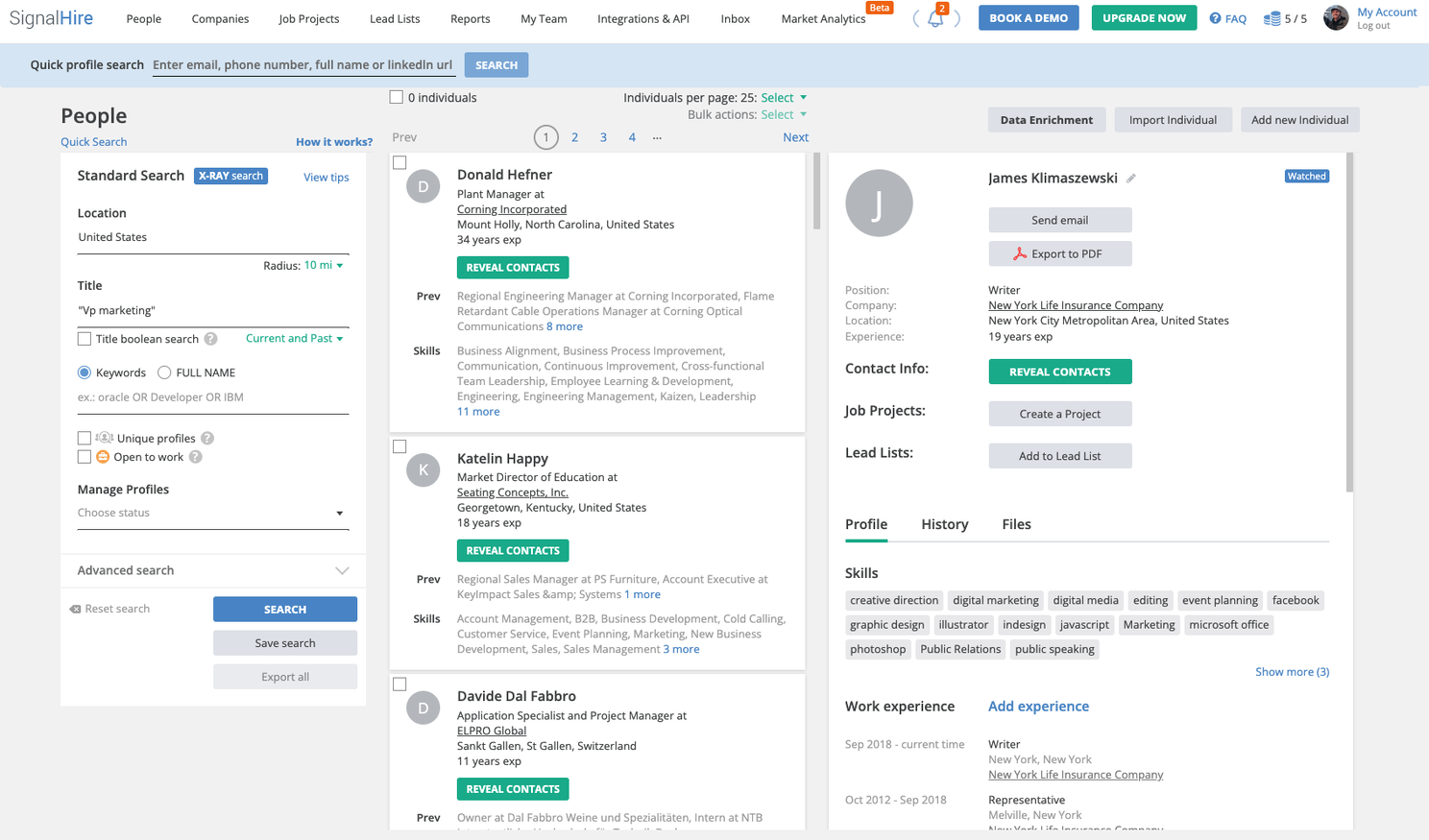
G2 rating: 3.6/5 based on 44 reviews.
Capterra rating: 4.4/5 based on 33 reviews.
SignalHire’s typical customers are primarily based in the United States (29.67%), with significant shares in India (20.49%), Canada (6.2%), Australia (5.59%), and Indonesia (2.49%). Key industries include Staffing and Recruiting (22%), Human Resources (15%), Information Services (11%), Marketing and Advertising (7%), and Computer Software (7%).
According to G2, 65.9% of customers have fewer than 50 employees, 26% have between 51-1000 employees, and 7.3% have more than 1000 employees. Capterra reviews indicate that 37.5% of customers have 1-10 employees, with smaller shares across other size categories.
Signalhire Pricing:
Free: $0/month, includes 5-10 credits monthly.
Emails: $49/month for 350 credits, providing email-only access, CSV export, team management, and API access.
Phones: $49/month for 100 credits, focused on phone numbers with similar features to the Emails plan.
Emails & Phones: $49/month for 100 credits, includes both emails and phone numbers.
Scale: Custom pricing, designed for large-scale prospecting with unlimited users and advanced features.
Signalhire Pros:
- Ease of Use and User-Friendly Interface (mentioned 15 times): Users appreciate SignalHire for its intuitive and easy-to-navigate design, making it accessible and simplifying the recruitment process.
- Accurate Contact Information (mentioned 14 times): The tool is praised for providing precise and reliable contact details, including emails and phone numbers, which significantly aid in lead generation and recruitment efforts.
- Effective LinkedIn Integration (mentioned 12 times): SignalHire’s seamless integration with LinkedIn, especially through its Chrome extension, allows users to easily find and extract contact information from LinkedIn profiles.
Signalhire Cons:
- Accuracy Issues (mentioned 14 times): Many users reported that the accuracy of the contact information is low, with a significant number of emails and phone numbers being outdated or incorrect.
- Loss of Unused Credits (mentioned 7 times): Users are frustrated by the loss of unused credits at the end of the subscription period, which does not roll over to the next month if not renewed.
- High Cost and Limited Free Credits (mentioned 6 times): The cost of the tool is considered high by some users, and the limited number of free credits (only 10) is not enough to adequately evaluate the tool’s effectiveness.
- Confusing Initial Interface (mentioned 5 times): The initial interface can be confusing for new users, requiring time and experience to get used to it.
- Subscription-Based Pricing Complications (mentioned 5 times): The subscription model, which requires users to pay for a fixed number of credits per month, is seen as inflexible and complicated for varying usage needs.
- Technical Issues and Crashes (mentioned 4 times): Users experienced frequent crashes and technical issues, which required contacting support for resolutions.
- Customer Service Problems (mentioned 4 times): Some users reported unresponsive or unhelpful customer service, particularly when dealing with subscription issues or technical problems.
- Data Management and Filter Limitations (mentioned 3 times): The data management and search filters are seen as needing improvement to be more effective and user-friendly.
- Privacy and Security Concerns (mentioned 2 times): Concerns were raised about the permissions required by the Chrome extension, including access to authentication data, which caused some users to stop using the tool.
- Deduction of Credits for Incomplete Information (mentioned 2 times): Users are dissatisfied with the tool deducting credits even when no contact details are found or only providing LinkedIn profile links.
SourceWhale
SourceWhale, founded in 2019, is a recruitment software based in the United Kingdom.
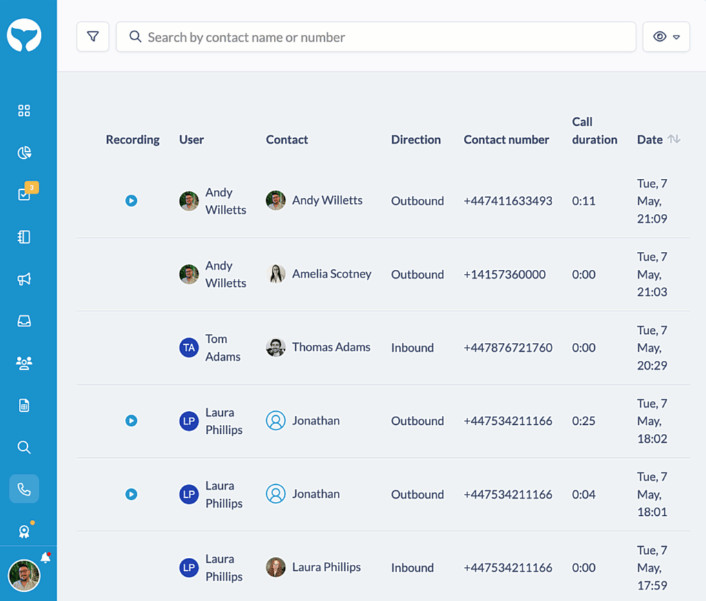
G2 rating: 4.9/5 based on 144 reviews.
Capterra rating: 4.3/5 based on 4 reviews.
SourceWhale’s typical customers are primarily based in the United Kingdom (51.82%), with significant shares in the United States (27.57%), India (15.46%), Germany (1.88%), and Australia (1.77%). The key industries represented include Computer Software (25%), Hospital & Health Care (25%), Staffing and Recruiting (25%), and Human Resources (25%).
According to G2, 88% of customers have fewer than 50 employees, while 10% have between 51-1000 employees, along with smaller shares across other size categories. Capterra reviews indicate that 75% of customers have 1-10 employees, with 25% having between 201-500 employees.
SourceWhale Pricing:
SourceWhale’s pricing typically falls around $3,000 per user annually, with packages often ranging between $2,500 and $3,500 per user per year based on selected features and user count. The basic package, including website building and analytics, is priced at $499, while custom quotes are provided for tailored needs. Some users report monthly licensing at approximately $195–$250, with additional costs for extra email credits. SourceWhale does not offer a free trial or free version.
SourceWhale Pros:
- Time-saving and automation (12 mentions): Allows for easy setup of automated email campaigns and sequences, reducing manual outreach efforts and saving time with LinkedIn and CRM integrations.
- User-friendly and intuitive platform (12 mentions): A straightforward and intuitive UI that simplifies campaign creation, making it accessible for non-technical users.
- Effective outreach and response rates (11 mentions): Enables personalized messaging and efficient targeting, improving response rates for business development and sourcing candidates.
SourceWhale Cons:
- No Dislikes (mentioned 14 times): Many users expressed satisfaction with SourceWhale, highlighting its effectiveness and stating that they have no significant complaints or dislikes about the tool.
- LinkedIn InMail Automation (mentioned 5 times): Users desire improved automation of LinkedIn InMail actions, seeking smoother workflows for sending InMails and better integration with campaigns.
- Integration Issues (mentioned 4 times): Some users experienced challenges with integrating SourceWhale into their existing ATS or CRM systems, noting discrepancies in data syncing and overall connectivity.
- Manual Processes (mentioned 4 times): Users mentioned that some aspects, particularly those related to LinkedIn InMails and outreach, require more manual effort than they would like.
- Data Quality (mentioned 4 times): Users highlighted issues with data quality, including outdated or missing information that affected outreach and engagement efforts.
- User Interface (mentioned 3 times): Certain users reported issues with the platform’s user interface, such as slow performance or a cumbersome experience that can hinder productivity.
- Limited Phone Number Functionality (mentioned 2 times): Users requested improved phone number features, such as better handling of direct numbers and the ability to dial directly from the platform.
- Campaign Management (mentioned 2 times): Users expressed the need for better campaign automation, particularly regarding LinkedIn responses affecting campaigns and ensuring new campaigns remain in ‘pause’ mode until activated.
- Video Integration (mentioned 1 time): There was a request for better video integration, particularly with external tools like Vidyard, to gather detailed analytics and insights.
- Search Functionality (mentioned 1 time): One user suggested adding or enhancing search functionality within the platform to improve efficiency and effectiveness.
Swordfish
Swordfish, founded in 2019, is a recruitment software.
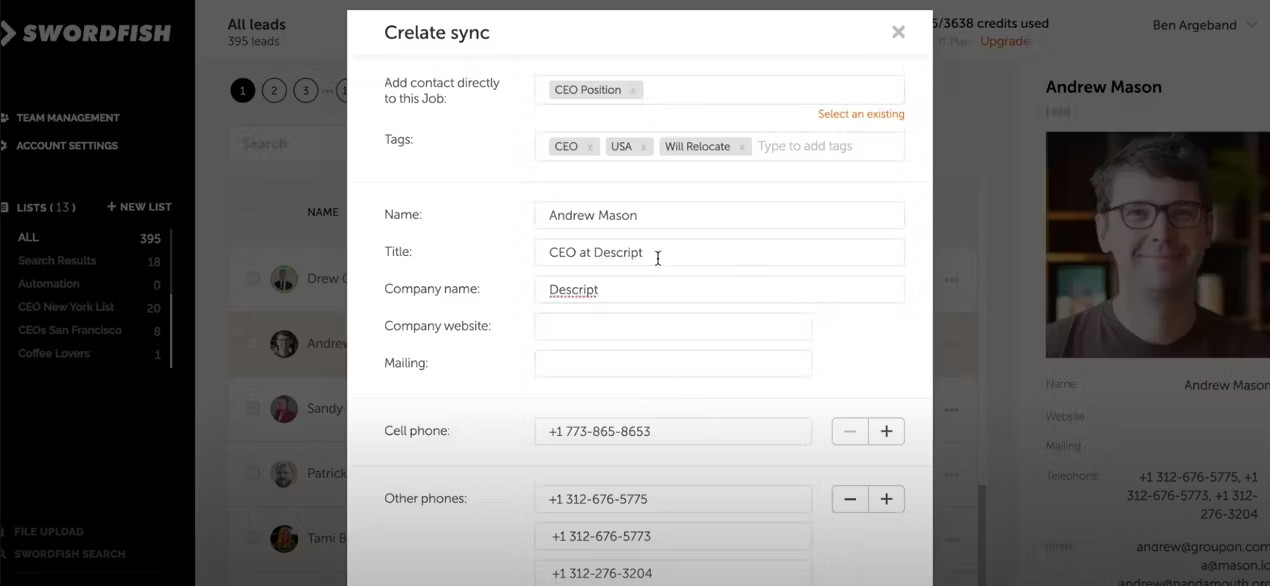
G2 rating: 4.5/5 based on 85 reviews.
Capterra rating: 4.6/5 based on 12 reviews.
Swordfish’s typical customers are primarily based in the United States (25%), with significant shares in India (11.58%), the Philippines (8.3%), Australia (6.9%), and South Africa (6.47%). The key industries represented include Human Resources (25%), Marketing and Advertising (17%), Legal Services (8%), Financial Services (8%), and Architecture & Planning (8%).
According to G2, 84% of customers have fewer than 50 employees, while 14% have between 51-1000 employees, and 2% have more than 1000 employees. Capterra reviews indicate that 50% of customers have 1-10 employees, with smaller shares across other size categories, including 16.7% for self-employed and for those with 11-50 employees.
Swordfish Pricing:
Swordfish offers several pricing tiers, beginning with a free 7-day trial that includes 5 credits. The Starter plan provides 100 credits at $99 per user per month, while the Starter Plus plan offers 300 credits for $199 per user per month. Custom pricing is available for more extensive usage needs.
Swordfish Pros:
- Ease of Use (10 mentions): Many users praised the tool’s ease of use, noting the simple and user-friendly interface and seamless Chrome extension integration.
- High Accuracy (9 mentions): Users appreciated the high accuracy of contact information, particularly mobile phone numbers, which were frequently around 70% accurate.
- Effective Candidate Outreach (8 mentions): Swordfish enabled users to reach more candidates and access contact details that would otherwise be difficult to obtain.
Swordfish Cons:
- Credit Limitations (8 mentions): Many users mentioned running out of credits quickly or desiring more free credits.
- Pricing (6 mentions): The tool was considered expensive by some users, with pricing options being limited or costs increasing over time.
- Accuracy of Data (5 mentions): Some users found the data to be inaccurate at times, particularly with contact information, though it was still considered better than most tools.
- Issues with Extensions and User Interface (4 mentions): The Chrome extension was considered too large or overlapping with other tools, and the SalesNav integration was not user-friendly.
- Limited Data Availability (4 mentions): Users highlighted limited or inaccurate data, especially for mobile numbers, Twitter identification, and global databases.
- Slow Speed (3 mentions): Some users experienced slow performance, particularly when searching for contact information.
- Customer Experience (3 mentions): Issues with complimentary credits, invoicing, and concerns about policies or potential scams were noted.
- GDPR and Privacy Concerns (1 mention): One user was concerned about GDPR compliance for German data, which could lead to a loss of access to certain data.
- Integration with Zapier and Bulk Upload (1 mention): Users noted the lack of phone and email verification with Zapier integration and bulk upload features.
- Extension Side Tab Position (1 mention): The Chrome extension side tab was found to overlap with other tools, making it hard to access both.
ZoomInfo TalentOS
ZoomInfo TalentOS, founded in 2000, is a recruitment software that raised $8.6 million and acquired Comparably, Ringlead, Chorus.ai, Insent, EverString, Clickagy, Komiko, and Datanyze. It was acquired by DiscoverOrg.
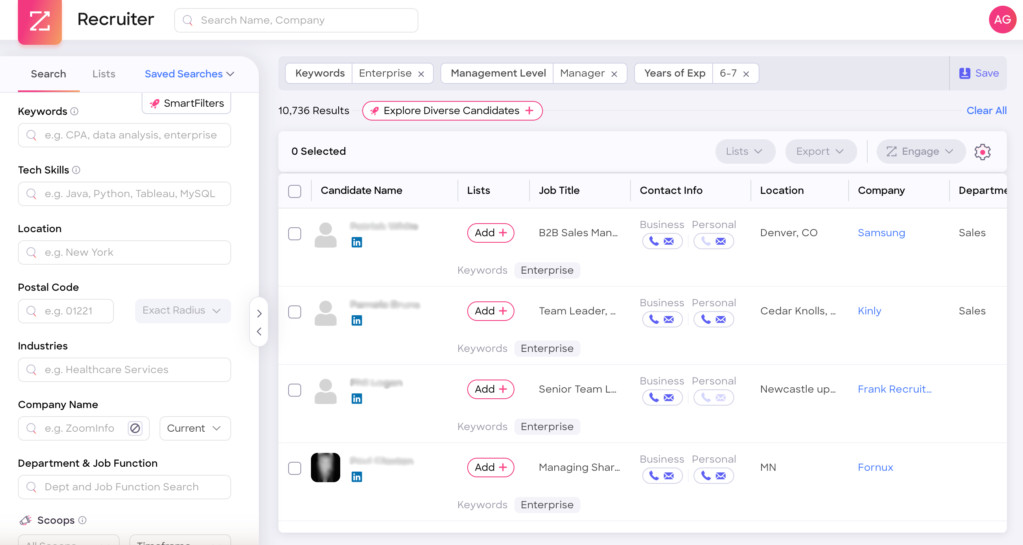
G2 rating: 4.5/5 based on 118 reviews.
Capterra rating: 4.3/5 based on 3 reviews.
ZoomInfo TalentOS’s typical customers are primarily based in the United States (56.81%), with notable shares in Canada (8.92%), India (7.97%), Australia (3.37%), and the United Kingdom (2.9%). The key industries represented include Staffing and Recruiting (33%), Utilities (33%), and Public Relations and Communications (33%).
Company size distribution indicates that 66% of customers have fewer than 50 employees, while 26% have between 51-1000 employees, and 8% have more than 1000 employees, according to G2 reviews. Capterra reviews show that all customers (100%) in their data have between 51-200 employees.
ZoomInfo TalentOS Pricing:
ZoomInfo’s pricing varies widely, with costs influenced by platform choice, user count, credits, and add-ons. Basic plans start around $49 per month, while standard monthly plans often begin at $1,250. Annual packages range from $15,000 for the Professional Plan to over $39,000 for the Elite Plan. Customized packages, such as the Advanced+ with data enrichment and integrations, are available starting at $50,000 annually. Pricing for ZoomInfo Talent is negotiated based on specific organizational needs and can range significantly, with enterprise accounts reported at $30,000 per year or more.
ZoomInfo TalentOS Pros:
- Access to Contact Information (mentioned 38 times): Users appreciate the ability to obtain direct contact details, such as phone numbers and email addresses, which facilitates easier outreach to potential candidates.
- Advanced Search Capabilities (mentioned 34 times): The platform’s robust search options, including Boolean searches and detailed filters, are valued for efficiently finding the right candidates across various industries and locations.
- User-Friendly Interface (mentioned 30 times): The intuitive design and user-friendly nature of ZoomInfo TalentOS make it easy for users to navigate and utilize the platform effectively.
ZoomInfo TalentOS Cons:
- Outdated or Inaccurate Data (mentioned 25 times): Users frequently mention that contact information, including phone numbers and email addresses, can be outdated or incorrect, which leads to inefficiencies and potential miscommunications.
- Integration Issues (mentioned 20 times): Some users report difficulties integrating TalentOS with other platforms like LinkedIn Recruiter or ATS systems, which can hinder seamless workflow processes.
- Limited or Incomplete Profile Information (mentioned 15 times): There are complaints about missing details in candidate profiles, such as incomplete contact information or lack of current employment status, which can complicate outreach efforts.
- Search Functionality Problems (mentioned 12 times): Users express dissatisfaction with the search functions, noting that filters do not always work as expected or that it is hard to find specific individuals even when their details should be available.
- High Cost and Contract Issues (mentioned 10 times): Concerns about the high cost of the service and issues with contract terms, such as auto-renew clauses without adequate notification, are significant pain points for some users.
- User Interface and Usability (mentioned 8 times): Several users find the user interface to be less intuitive or user-friendly than desired, particularly when searching by specific skills or navigating through the platform.
- Customer Support and Responsiveness (mentioned 5 times): Dissatisfaction with the level of customer support and the speed of response to issues are noted, which can affect user satisfaction and platform utility.
- Lead Scoring and Data Relevance (mentioned 3 times): There are concerns about the relevance and accuracy of lead scoring, particularly in fast-moving industries where data needs to be updated in real-time to remain useful.
- Limited Geographic Coverage in Search Options (mentioned 2 times): Users mention limitations in the geographic search options, which can hinder the ability to find candidates in specific, smaller locations.
- Quality of Supplementary Features (mentioned 1 time): Some users find additional features like video quality and the Engage function to be lacking, which affects the overall utility of the platform for their recruitment needs.
Jobin.cloud
Jobin.cloud, founded in 2020, is a recruitment software based in Ireland.
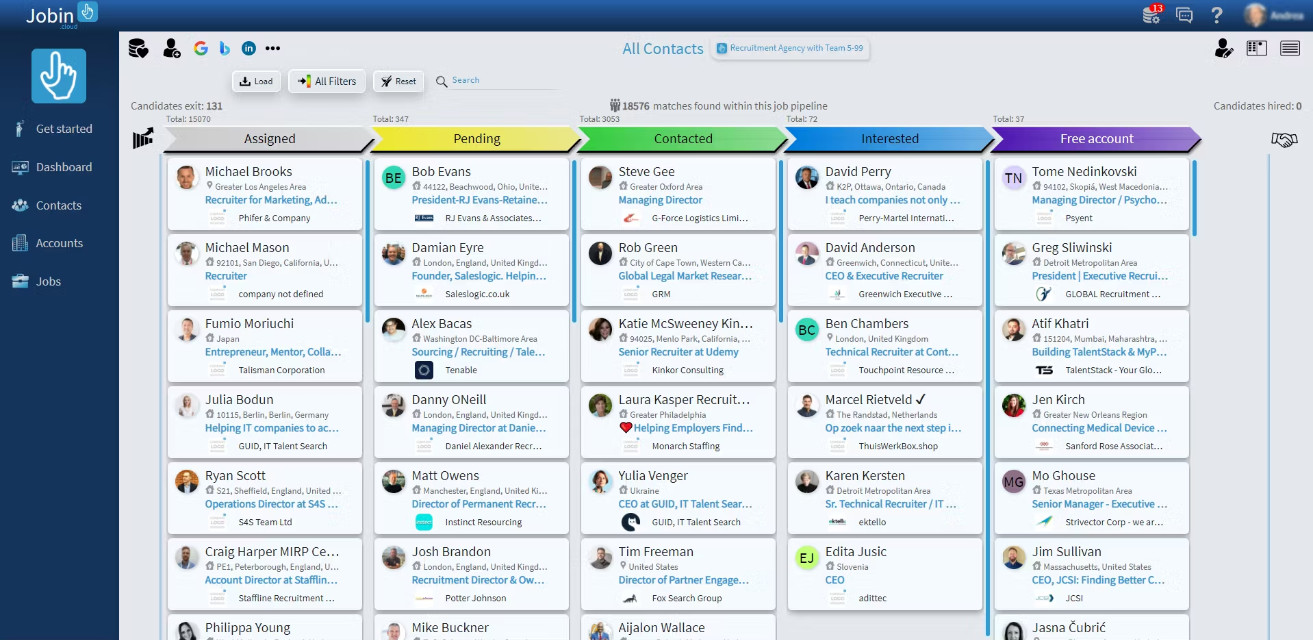
G2 rating: 3.5/5 based on 2 reviews.
Capterra rating: 4.6/5 based on 160 reviews.
Jobin.cloud’s typical customers are primarily located in the United States (72.69%), followed by India (7.19%), the United Kingdom (4.21%), Australia (3.56%), and Denmark (3.21%). The main industries represented include Staffing and Recruiting (35%), Human Resources (12%), Information Technology and Services (10%), Marketing and Advertising (6%), and Internet (2%).
According to G2 reviews, all customers (100%) have fewer than 50 employees. Capterra reviews indicate that 16.8% of customers are self-employed, 52.8% have 1-10 employees, with smaller shares across other size categories.
Jobin.cloud Pricing:
Free: Limited features including 1 job posting, 5 contact enrichments, 15 people finder credits, and 30 ChatGPT queries.
Starter ($11.99–$25.99/month): Includes LinkedIn automation, 10 job openings, 150 contact enrichments, 1500 people finder credits, and 1300 ChatGPT queries.
Pro ($31.99–$51.99/month): Adds unlimited LinkedIn messaging, automated ATS, 300 contact enrichments, 3000 people finder credits, and 3000 ChatGPT queries.
Ultimate ($51.99–$116.99/month): Offers unlimited outreach features, job openings, and ATS capabilities, with 700 contact enrichments, 7000 people finder credits, and 8000 ChatGPT queries.
Jobin.cloud Pros:
- Seamless Integration with LinkedIn (mentioned 30 times): Users highly value Jobin.cloud’s seamless LinkedIn integration, allowing for bulk connection requests, messaging, and automated profile management. This feature streamlines networking and lead generation directly on LinkedIn.
- Ease of Use and User-Friendly Interface (mentioned 25 times): The intuitive and simple interface of Jobin.cloud makes it easy to navigate, with many users highlighting the graphical view and visual tools as major assets.
- Effective Customer Support (mentioned 20 times): The responsive and knowledgeable support team receives praise for helping users set up and utilize the platform effectively, often through live chats, calls, and personalized assistance.
Jobin.cloud Cons:
- Cumbersome Resume and Candidate Tracking (mentioned 12 times): Users find the lack of built-in resume storage and candidate tracking to be a significant drawback, often leading them to store resumes externally, which is inconvenient and time-consuming.
- Outdated User Interface (mentioned 10 times): The UI is frequently described as clunky and outdated, with many users wishing for a more modern and visually appealing design.
- Steep Learning Curve (mentioned 9 times): Many users find the platform complex to learn initially, with numerous features that can be overwhelming, especially for beginners.
- Limited Integration with Other Tools (mentioned 8 times): Users express a desire for more integration options with external tools such as Bullhorn, Indeed, and Glassdoor, which would streamline their workflows.
- Limited Analytics and Reporting Capabilities (mentioned 7 times): The existing analytics tools are often seen as basic, with users hoping for more detailed tracking options, such as open rates, response rates, and prospect conversion statistics.
- Issues with LinkedIn Sync and Data Updates (mentioned 6 times): Users report slowness in updating data from LinkedIn and occasional issues with syncing, requiring page reloads to see accurate information.
- Lack of Candidate Submission and Communication Tracking (mentioned 5 times): Users would like a submittal function to track candidate communications and activities directly within the platform, which is not currently available.
- Price and Confusing Pricing Model (mentioned 4 times): Some users feel that the pricing structure is confusing or slightly high, especially when additional integrations are needed.
- Limitations in File and Data Handling (mentioned 4 times): Users note restrictions in uploading and exporting certain data formats, such as JSON and PDF, which can interrupt workflow efficiency.
- Complex Navigation and Lack of Customization Options (mentioned 3 times): The navigation is noted as unintuitive, and users express a desire for more customizable options to better tailor the tool to their specific recruitment needs.
Interseller shutdown FAQ
Is Interseller really shutting down?
Yes. Interseller's own website carries the notice that the product will be sunset on December 15, 2026, and asks users to transition any remaining work before that date.
Why is Interseller being shut down?
Greenhouse acquired Interseller in 2021 and built its sourcing and outreach technology into a Greenhouse add-on called Sourcing Automation. Retiring the standalone product leaves one sourcing tool inside the Greenhouse platform instead of two overlapping ones.
Can I just move to Greenhouse Sourcing Automation?
Only if you are willing to run Greenhouse as your ATS. Greenhouse documents Sourcing Automation as an add-on to its Core, Plus and Pro subscriptions, so it is not sold as a standalone sourcing tool the way Interseller was. Agencies and teams on Bullhorn, Crelate, JobAdder, Recruiterflow, Workable or any other system are choosing a new tool, not upgrading an old one.
Will my Interseller data be migrated automatically?
Assume it will not. The sunset notice asks customers to transition their own work, and there is no published Greenhouse support article describing an automatic migration or a data export window for standalone Interseller accounts. Export your contacts, sequences, message history and unsubscribe list yourself, and get any promise of help from support in writing.
What happens to my Bullhorn, Crelate or Recruiterflow sync?
It ends with the product. Interseller's native integrations are what put sourced contacts and reply activity into those systems, so after December 15, 2026 that path has to be replaced by whatever tool you move to.
When should I switch?
Start the parallel run in early autumn rather than in December. A replacement needs its sending domain authenticated and warmed, its volume ramped, and its sequences rebuilt and tested, which realistically takes four to six weeks before reply rates settle.
Is 100Hires a direct Interseller replacement?
It covers the same job, from a different starting point. Interseller was a sourcing and outreach layer bolted onto whatever ATS you already had. 100Hires is the ATS, with the sourcing extension, contact enrichment, automated email and SMS follow-up, and email warmup built into the same system, so the sourced candidate, the sequence and the pipeline stay in one place instead of syncing between two products. Teams that only want an outreach add-on for an ATS they are keeping will find that a narrower tool fits better, and the comparison list above covers those.
Moving off Interseller
The deadline is fixed and the export is manual, so the useful order is: pull your data out first, shortlist second, and run the new tool in parallel while Interseller still works. If you would rather stop stitching a sourcing tool to an ATS and keep sourcing, outreach and the pipeline in one system, start a free trial of 100Hires or book a demo and bring your exported contacts with you.
Try 100Hires for free
No credit card. 14-day trial. Forbes Advisor #1 ATS for SMBs.

