
Small Business Hiring Software
Set your hiring bar once and see only the qualified applicants. Built for founders and office managers who run recruiting alongside everything else.






At five employees you hired from your network. At twenty, you posted a job and got seventy applications in a week. Forty of them had nothing to do with the role.
At fifty, spreadsheets stop working entirely and qualified candidates go cold while you're still reading the pile.
100Hires is small business hiring software built for that gap: past the spreadsheet, not yet ready for a six-week enterprise implementation.
Post to 13 named job boards, filter unqualified applicants automatically, and run structured interviews, all from one place your whole team can use from day one.
Earlier-stage and still calling yourselves a startup? Our ATS for startups page covers the startup-specific setup.
Create a job once, post it everywhere candidates actually look
Writing the same job description into Indeed, LinkedIn, and three other boards takes two hours per role. 100Hires posts it once. Toggle the boards you want and the listing goes live across Indeed, LinkedIn, ZipRecruiter, Google Jobs, Glassdoor, Adzuna, Jooble, Trovit, and more.
Every application lands in one pipeline, not a separate inbox per board.
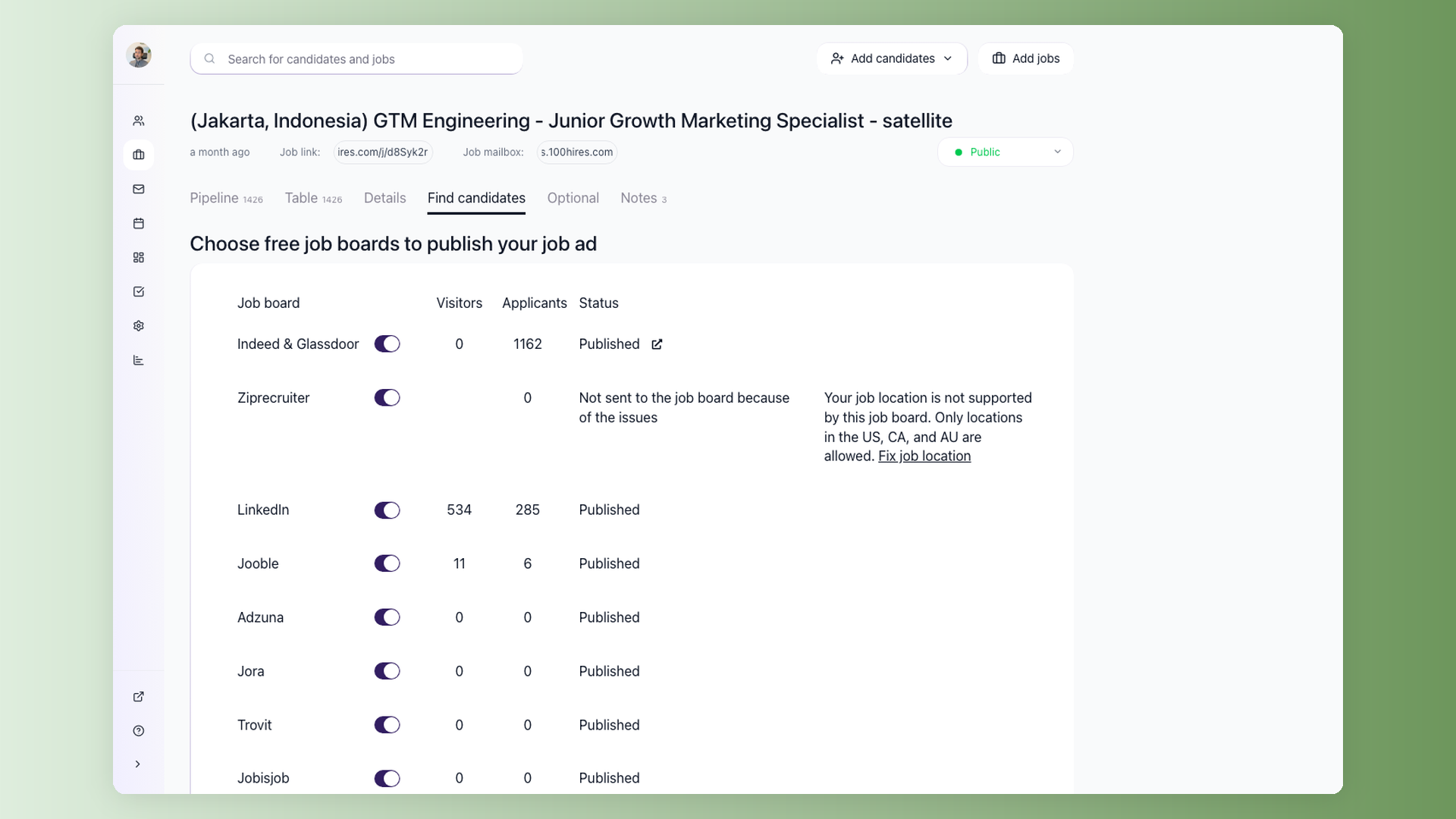
Post once, watch applications arrive from every board
Toggle the job boards you want. 100Hires distributes the listing instantly and tracks how many visitors and applicants each board sends back. Switch boards on or off without editing the job description.
- Indeed, LinkedIn, ZipRecruiter, Google Jobs + 9 more
- Visitor and applicant count per board
- One pipeline for every source, no separate inboxes
- Sponsored vs organic toggle per board
Read the eight qualified applicants, not all hundred and forty
Job boards send everyone. Knockout questions stop applicants who miss a hard requirement before they reach your inbox. AI Score ranks the ones who pass, so the strongest candidates are first, not buried at page four.
Knockout questions eliminate first-pass review for applicants who miss a hard requirement, so you only spend time on candidates who cleared the bar.
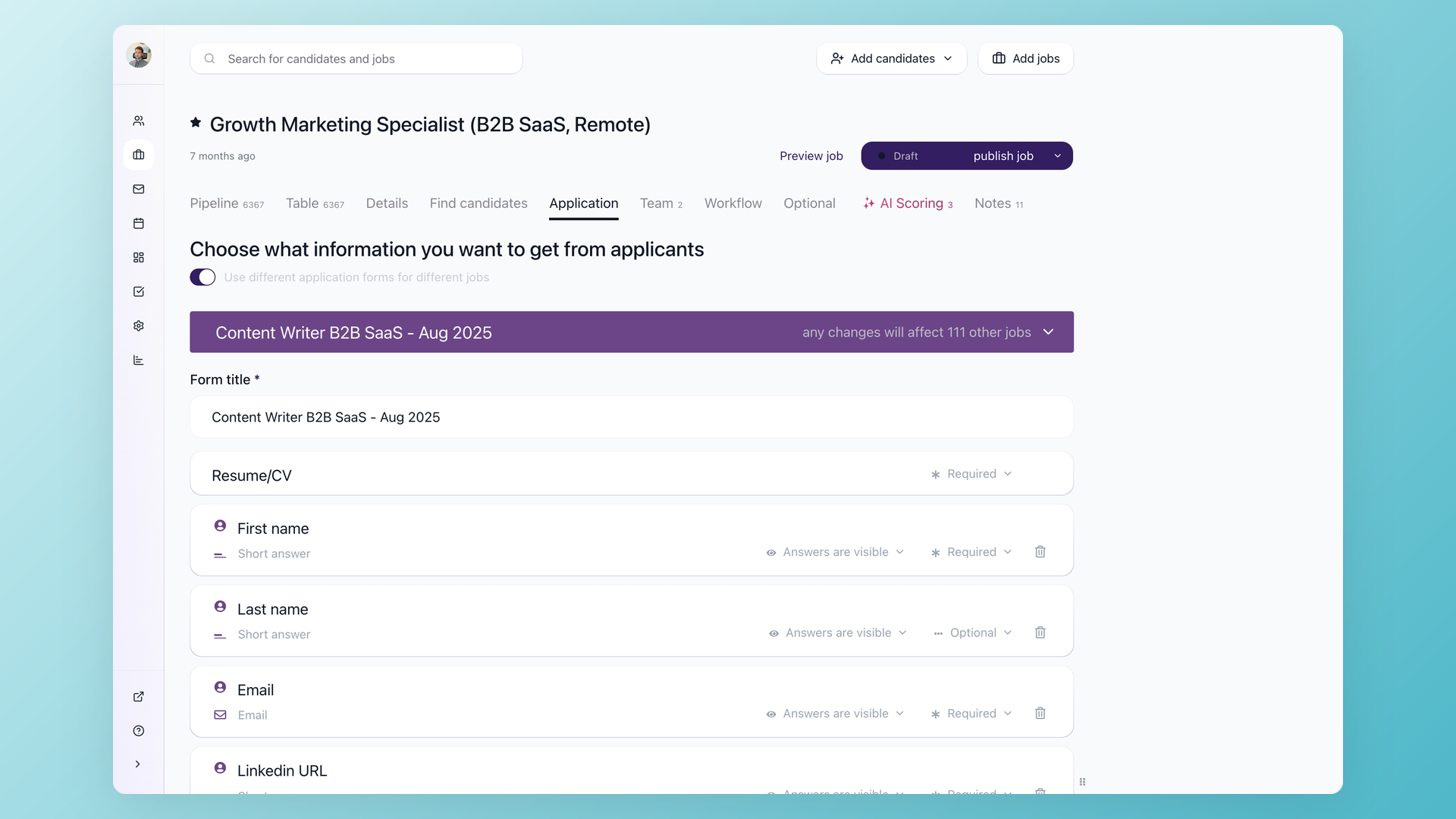
Filter the pile before you touch it
Add knockout questions to your application form: yes/no eligibility checks, salary range, location, work authorization. Applicants who fail a knockout are filtered out automatically. The ones who pass are ranked by fit, so you start with the strongest match.
- Yes/No, multiple choice, and open knockout questions
- Auto-disqualify on any deal-breaker answer
- AI Score ranks remaining applicants by fit
- Set criteria once per job, reuse across similar roles
 100Hires

It solved all of my recruitment problems and offered all of the features I was looking for. It can automate most of my recruitment processes.

I’d happily recommend it to my industry peers. I’m able to use the platform with ease and don’t have to think twice about which function to use.

The system is very user-friendly. Even people with no experience will find it easy to understand its functionality.
Stop losing track between email, spreadsheet, and notes app
When two people are hiring at the same time, spreadsheets break. Candidates wait a week for a reply while feedback sits in someone's inbox.
100Hires keeps every email, note, evaluation score, and stage change on a single candidate page, the one place your whole team can open without asking for access.
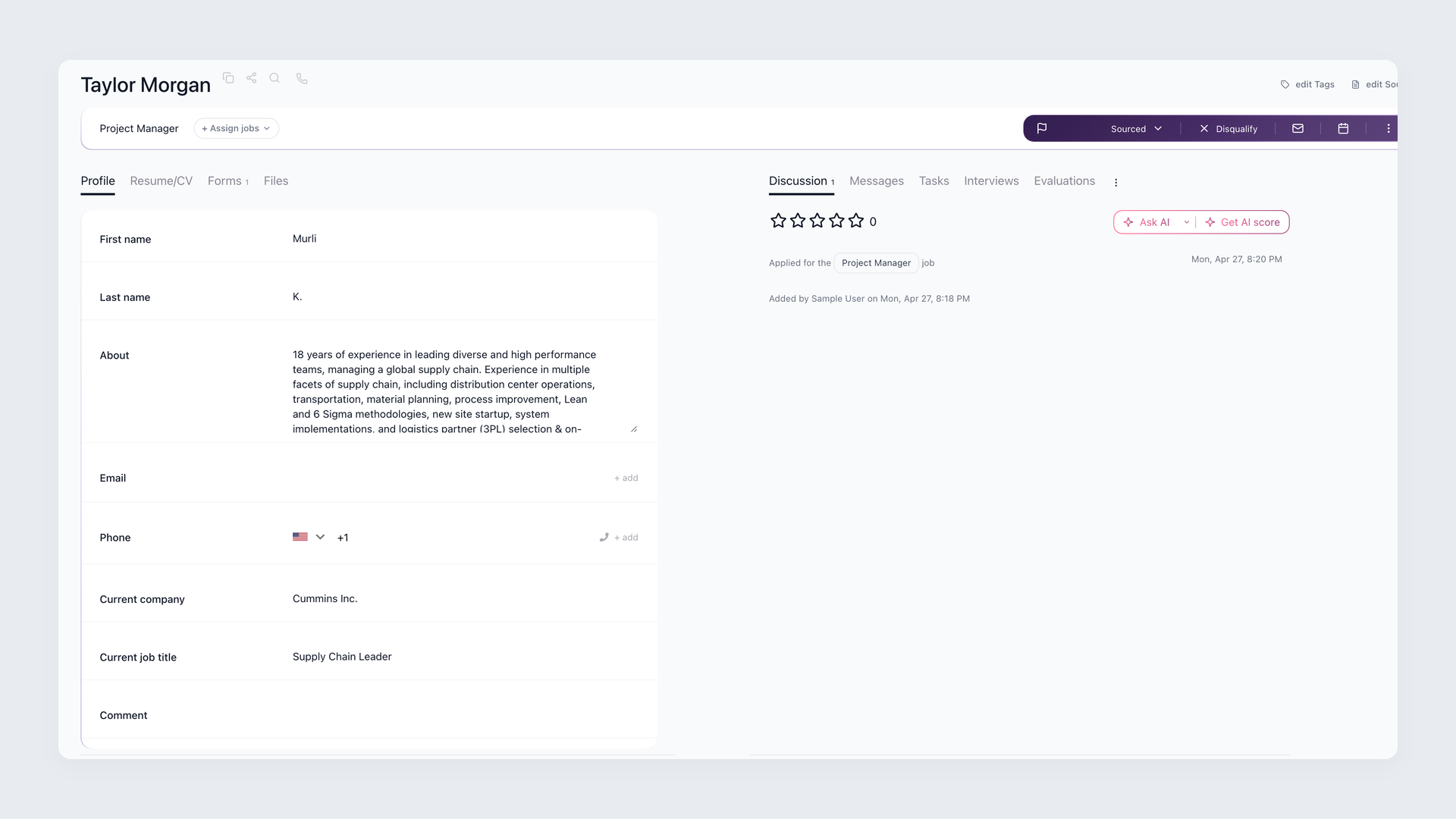
Every conversation in one place, from first application to offer
The candidate profile shows the resume, application answers, full email thread, interview notes, and ranking on one page. Teammates leave comments and @mentions without a meeting. You know exactly where every candidate stands and who moved them there.
- Resume, answers, and emails on one page
- Team @mentions and inline comments
- Stage history: who moved it and when
- No extra login for hiring managers
Every pipeline stage triggers the right message, automatically
Most small business owners send stage-update emails manually. The same confirmation message goes out thirty times a week, by hand, from the same inbox where real work happens.
100Hires sends it automatically the moment a candidate moves to a new stage. The right message goes to the right person, with no manual trigger.
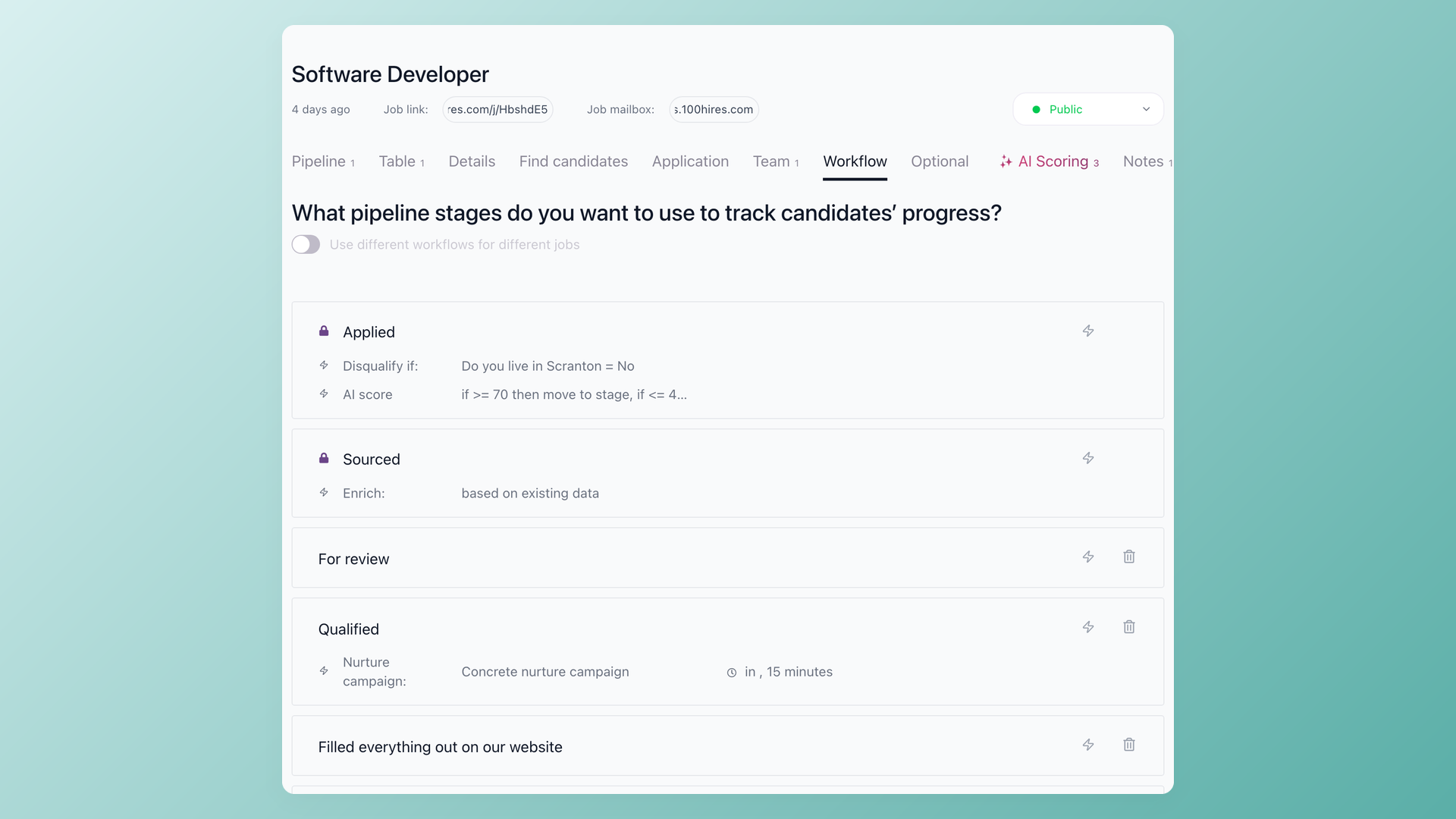
Stage automations run while you focus on something else
Set a rule once per pipeline stage: when a candidate moves to Phone screen, send the confirmation email and notify the interviewer. When they're moved to Rejected, a professional rejection email goes out automatically. You stop doing the same task thirty times a week.
- Trigger emails by pipeline stage
- Notify teammates on stage change
- Customise per job, not one template for all
- SMS and email on the same trigger
Interviews that end with a decision, not a gut feeling
When interviewers score on different criteria or leave feedback in different formats, the debrief becomes a negotiation instead of a decision.
100Hires removes the back-and-forth in two places: candidates book their own slot with a self-scheduling link, and every interviewer fills the same Evaluation Form, so scores are comparable when the team meets.
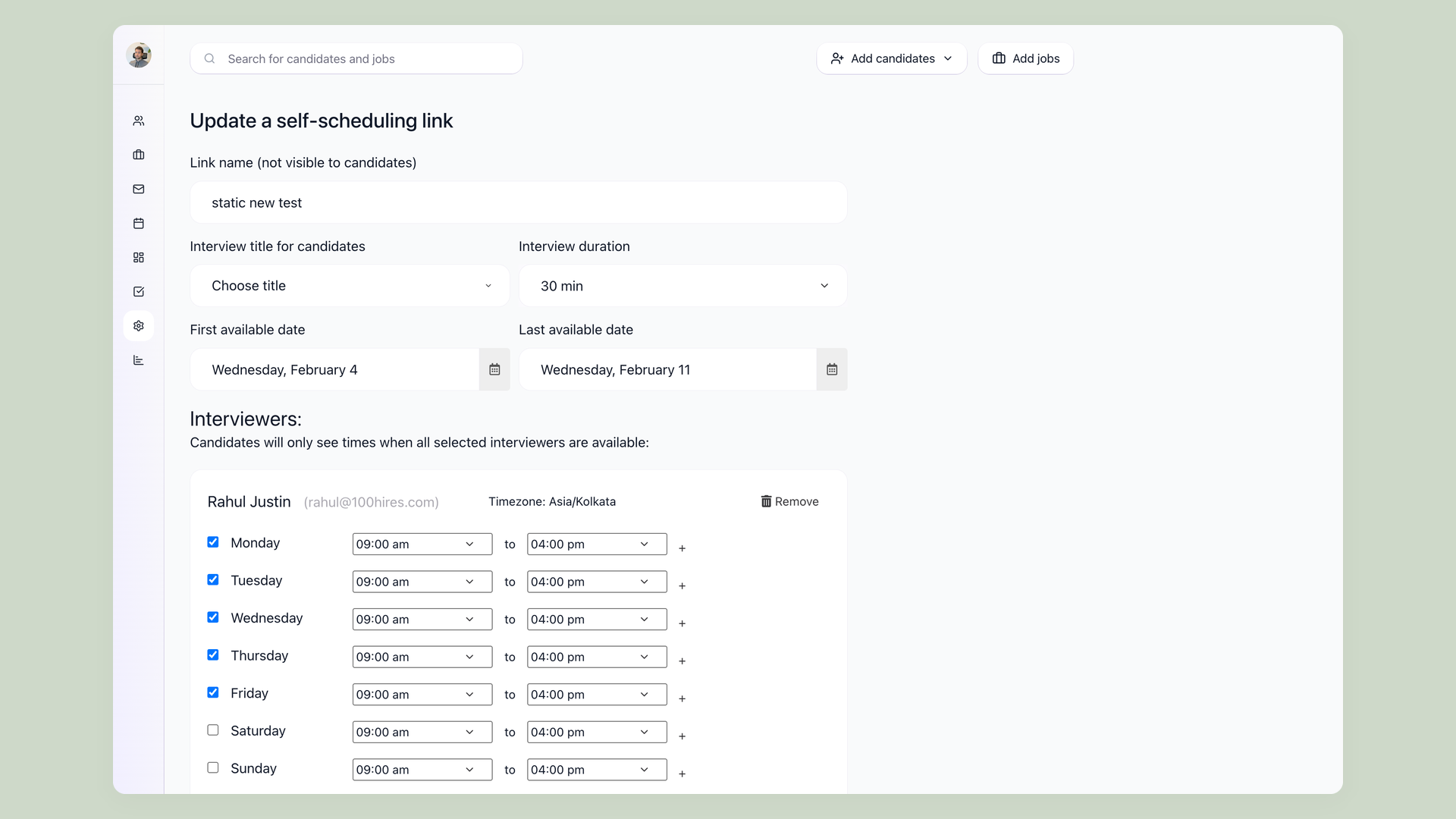
One link to book, one form to score
Send a self-scheduling link and candidates pick a slot from your availability. No email back-and-forth. After the interview, the Evaluation Form opens automatically. Every interviewer rates the candidate on the same criteria. Scores, comments, and the final recommendation appear on the candidate page before the debrief even starts.
- Self-scheduling links: candidates book without your help
- Evaluation Forms: structured criteria per role
- Scores visible to the whole hiring team
- Zoom integration built in
The hiring playbook, in your inbox
One email a week - benchmarks, AI screening tactics, and short interview templates from the 100Hires team. No product pitches.