
ATS for Recruiters
Every application gets scored before you review one. Hiring managers see candidates without a login. The ones you almost hired come back when the next role opens.
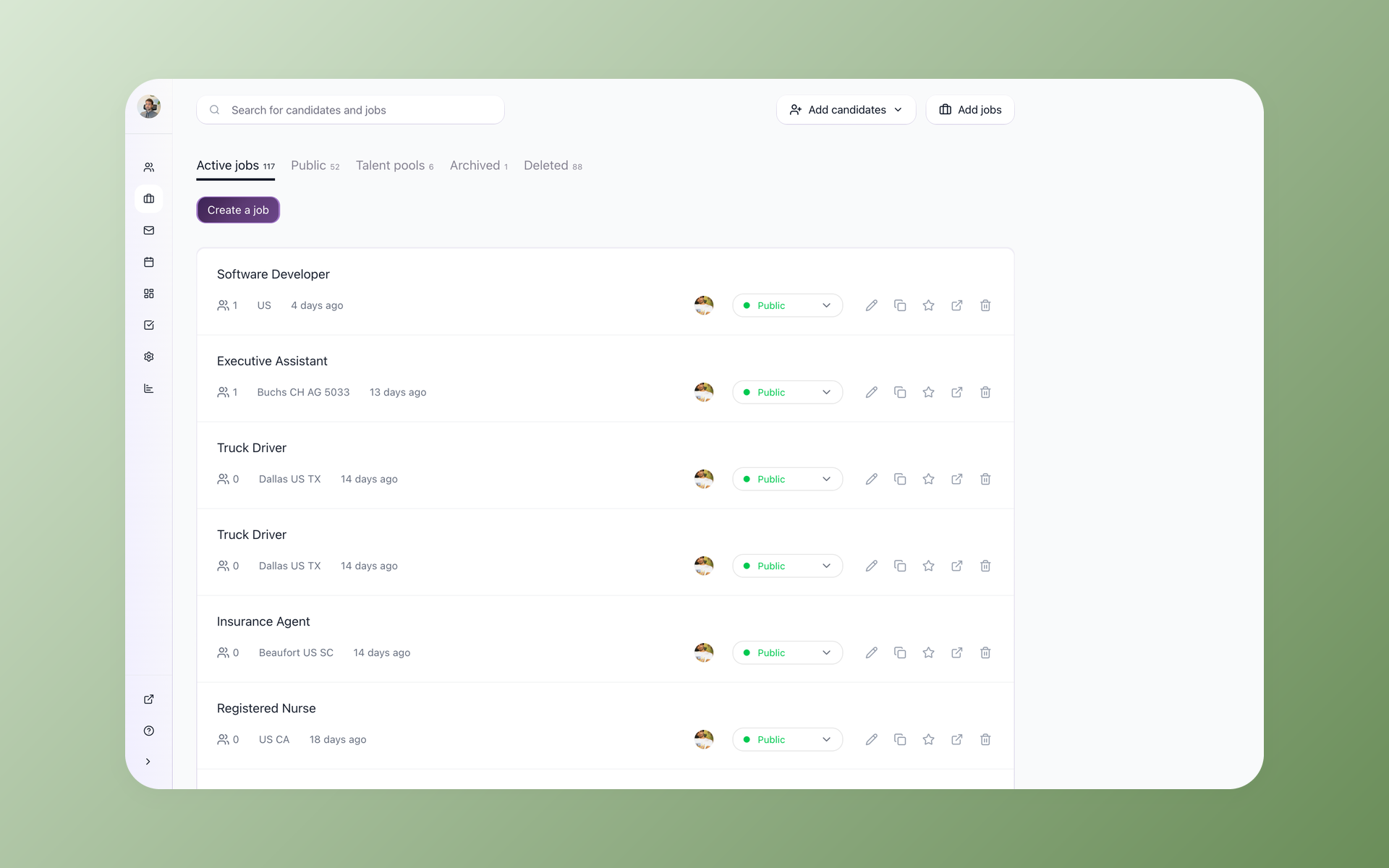






Many ATS tools assume more recruiting ops support than a small in-house team has. If you are the recruiter, the coordinator, and the person who finally convinced the hiring manager to leave feedback, 100Hires was built for how you actually work.
If you have looked at five ATS tools this week and they all feel similar, the difference shows up on day 30 - not in the demo.
That is when you are running ten open roles at once, the hiring manager has not logged in once, and you have 180 resumes waiting. 100Hires is built for that day.
What an ATS should actually do for an in-house recruiter
Screen volume without reading everything
AI Score ranks every applicant 0-100 against your job requirements before you open the first resume. Knockout questions filter out mismatches right at the application stage.
Keep hiring managers in the loop
Share a candidate with one link. The hiring manager reviews the profile and fills in the Evaluation Form without creating an account or using a seat.
Automate the coordination, not the judgment
Self-scheduling links, stage automations, and Nurture campaigns handle the back-and-forth so you spend your hours on candidates worth talking to.
Find the best applicants before reading every resume
When 200 applicants use AI to rewrite their resumes to match your job description, they all look qualified on paper.
100Hires AI Score looks beyond keywords - it evaluates each applicant against the requirements that matter for the specific role and returns a ranked list with a written explanation for each candidate, before you open a single file.
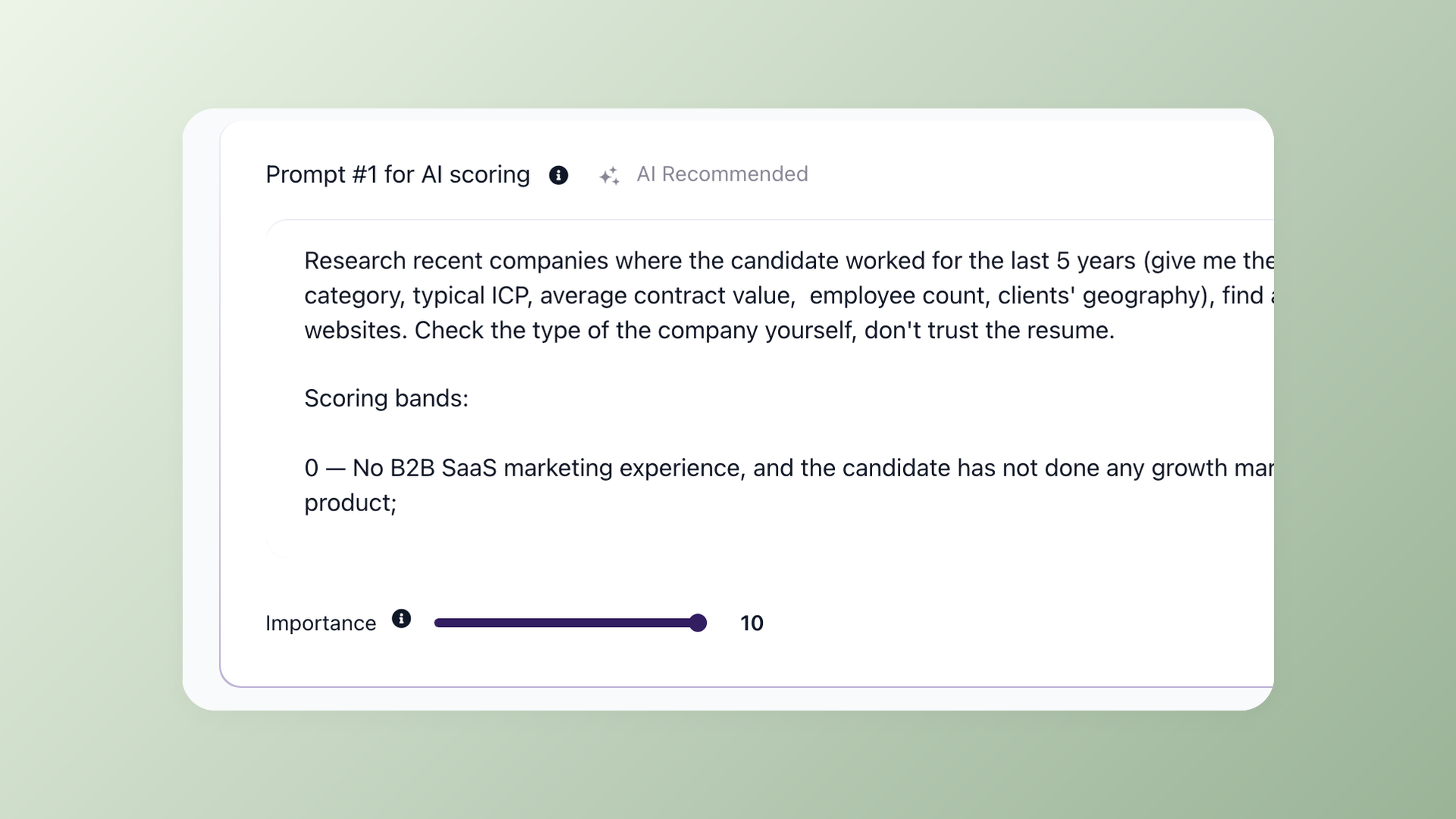
Read the top 20 resumes, not all 200
Set scoring criteria once per job. 100Hires ranks every incoming applicant from 0 to 100, with a visible explanation of what matched and what did not - so you can refine criteria without starting over. Sort by AI Score and focus your calls on candidates who already meet the threshold. The score is a starting point for your judgment, not a replacement for it.
- Score 0-100 with written reasoning per applicant
- Knockout Questions auto-disqualify at the application stage
- Sort any pipeline view by AI Score
- Criteria update applies retroactively to existing applicants
Filter unqualified candidates before they reach your shortlist
A phone screen with a candidate who clearly cannot relocate costs 30 minutes you do not have. Knockout Questions in 100Hires catch that at the application stage.
Each answer can auto-advance or auto-reject based on rules you set once - and the filters run before anyone reads a resume.
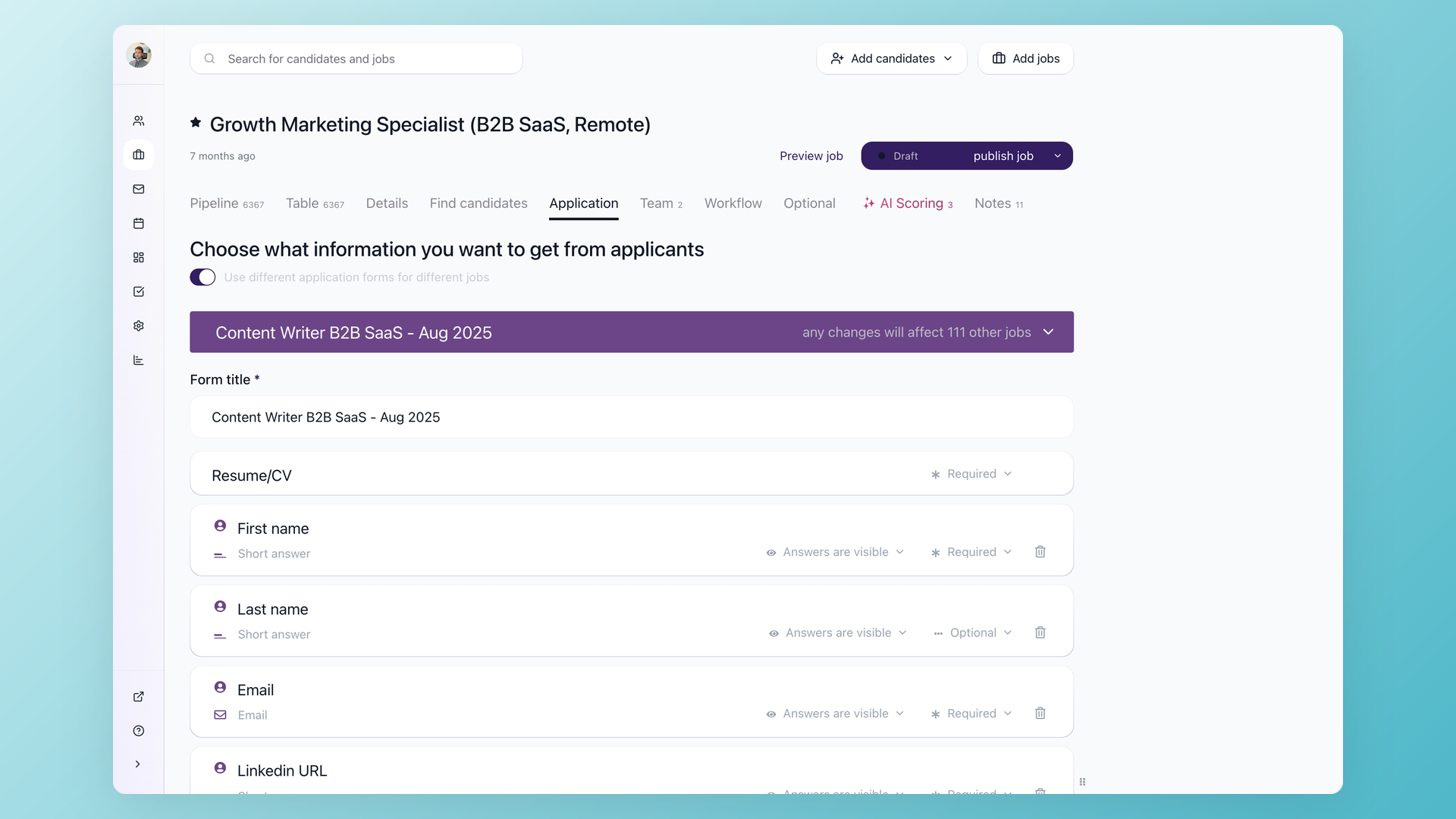
Only eligible candidates reach your scored queue
Add Knockout Questions to any application form in 100Hires. Location, compensation range, required certifications, work authorization - each question can trigger an instant disqualification or an automatic advance before the candidate enters your pipeline. Combine with AI Score and you start each day with a shortlist of candidates who already told you they qualify.
- Auto-advance or auto-reject by answer
- Separate form configuration per job
- Works alongside AI Score
- Disqualification reasons stored on the candidate record
100Hires vs a Typical ATS
Most ATS tools charge per user - which means every hiring manager you add costs more. 100Hires Advanced plan charges a flat monthly rate, so you can add your full hiring team without calculating seats.
 100Hires
Get hiring manager feedback without another login
Hiring managers who skip the ATS are not being difficult - they are being efficient. A tool that requires a new login and a new workflow for a one-time review will always lose to a quick Slack message.
100Hires shares a candidate profile via link. The hiring manager opens it, fills in the Evaluation Form, and the feedback lands in your pipeline.
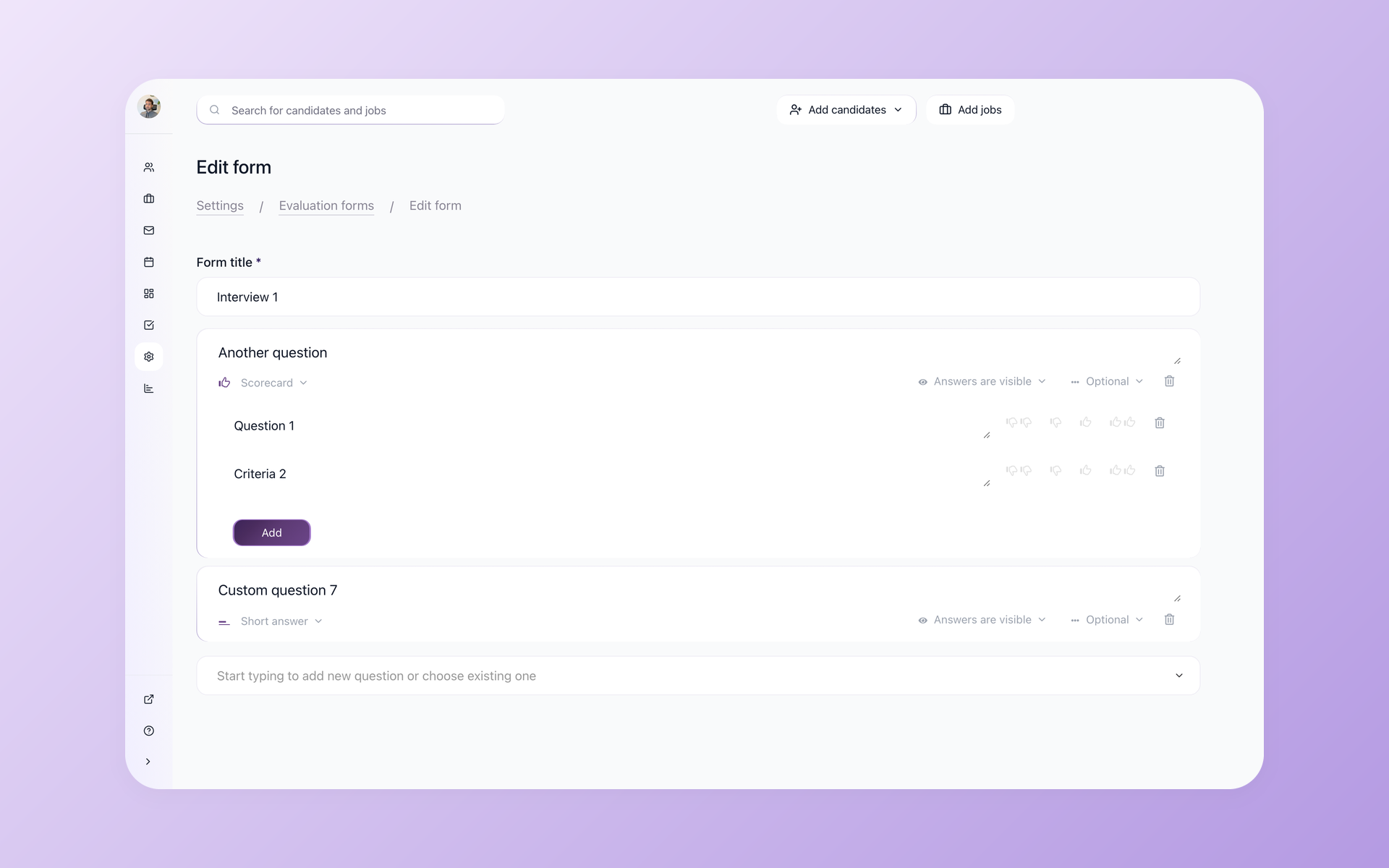
Structured feedback from every reviewer, in the pipeline
Build an Evaluation Form once per role in 100Hires - Scorecard questions, short answers, yes/no flags. Attach it to any candidate you share. The reviewer scores and comments without creating an account. Their input appears on the candidate record the moment they submit, alongside every other evaluation on that role. You see structured feedback instead of five different Slack threads.
- Evaluation Forms configurable per role
- Scorecard, short answer, Yes/No, and date question types
- Reviewer access via link - no 100Hires account needed
- All evaluations visible on the candidate record
Book five interviews without one scheduling email
Coordinating interview slots across three calendars can take a full day of threads. Self-scheduling links in 100Hires remove that entirely - candidates pick from your real availability, the meeting lands on both calendars, and the Evaluation Form is already attached.
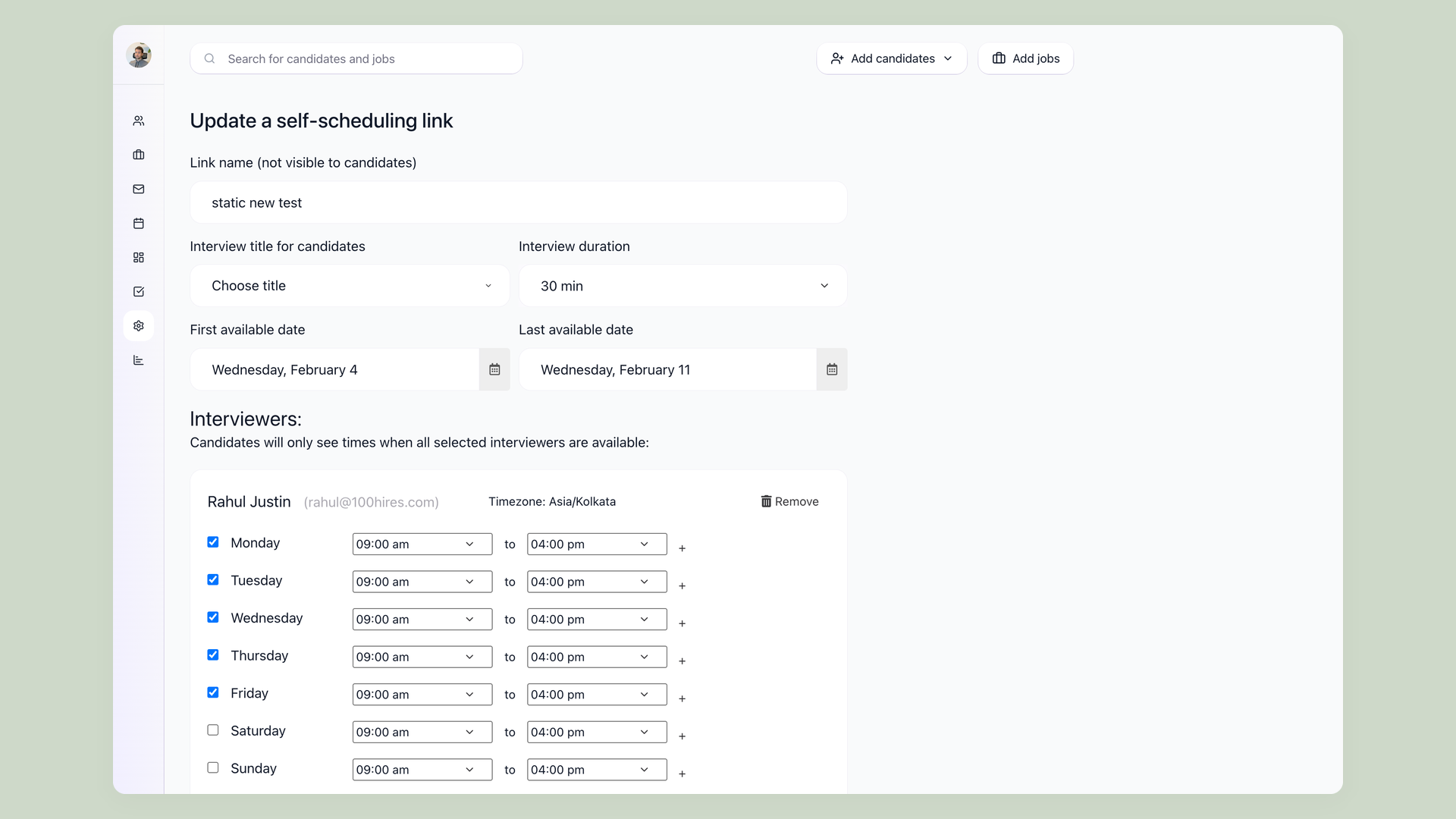
Candidates book their own slot - you get the interview, not the coordination
Create a self-scheduling link for any interviewer or panel in 100Hires. Set your availability windows once. Drop the link into your outreach and let the candidate choose. The calendar event is created automatically, the Evaluation Form is attached to the invite, and the interview is logged to the candidate record before anyone picks up the phone.
- Candidates book directly from your real calendar availability
- Google Calendar and Outlook sync
- Evaluation Forms attached to every interview invite
- Panel interviews book only when all interviewers are free
Turn strong candidates you almost hired into your next hire
The candidate who finished second in your last search is often the right person for the next opening. Without a system, they disappear into a spreadsheet. 100Hires Talent Pools keep them organized and a Nurture campaign brings them back when the timing is right.
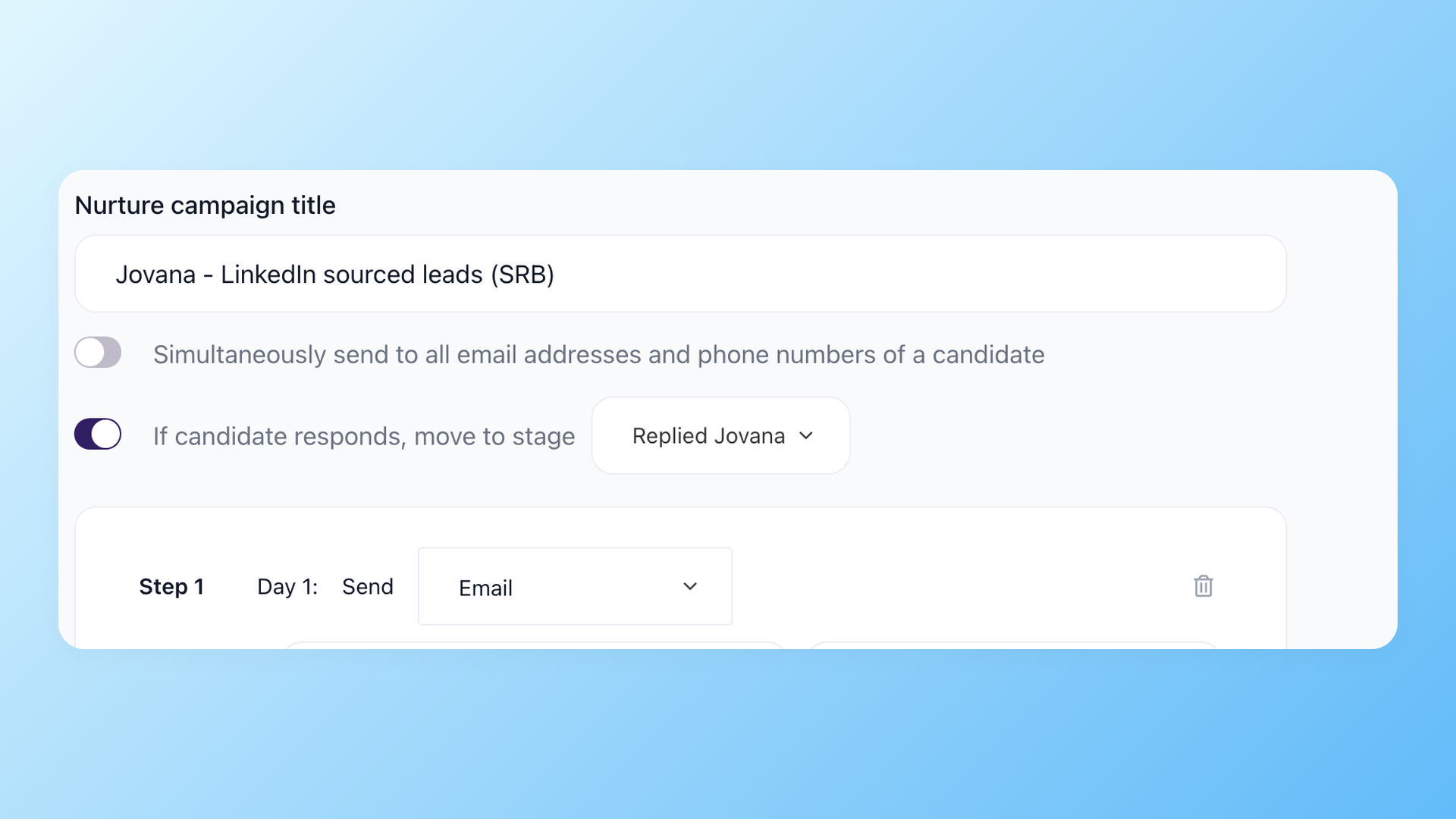
Your pipeline compounds instead of starting over each req
Add any candidate to a Talent Pool in 100Hires - silver medalists, candidates who withdrew, people who were a strong fit for a role you have not opened yet. Attach a Nurture campaign and 100Hires sends them a series of messages when you trigger it - or automatically when a matching job opens. Six months later, your first sourcing step is a message to people who already know your company.
- Talent Pools organized by role type, team, or stage
- Automated Nurture campaigns with multi-step sequences
- Triggered manually or by pipeline stage
- Full candidate history preserved across every pool

It solved all of my recruitment problems and offered all of the features I was looking for. It can automate most of my recruitment processes.

I’d happily recommend it to my industry peers. I’m able to use the platform with ease and don’t have to think twice about which function to use.

The system is very user-friendly. Even people with no experience will find it easy to understand its functionality.
See how 100Hires works for in-house recruiters
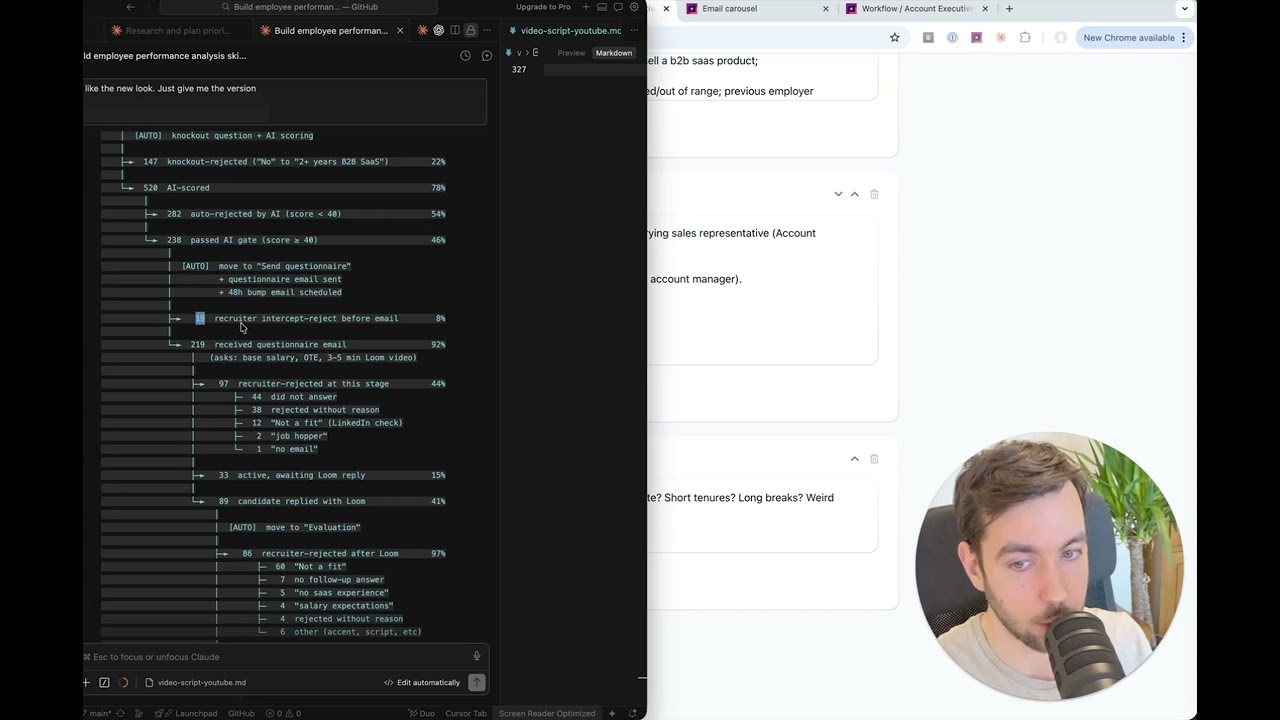
A live hiring funnel walkthrough - AI Score, Knockout Questions, Nurture campaigns, and funnel analytics in action.
The hiring playbook, in your inbox
One email a week - benchmarks, AI screening tactics, and short interview templates from the 100Hires team. No product pitches.
Related 100Hires resources: Explore interview scheduling software.