TURN MORE VISITORS INTO APPLICANTS

Job Application Form Builder for Hiring Teams

Build a short, branded online application form in minutes. Applications land straight in your hiring pipeline, so your team reviews candidates instead of re-keying resumes from email attachments.

4.7
4.8
based on 1,300+ reviews
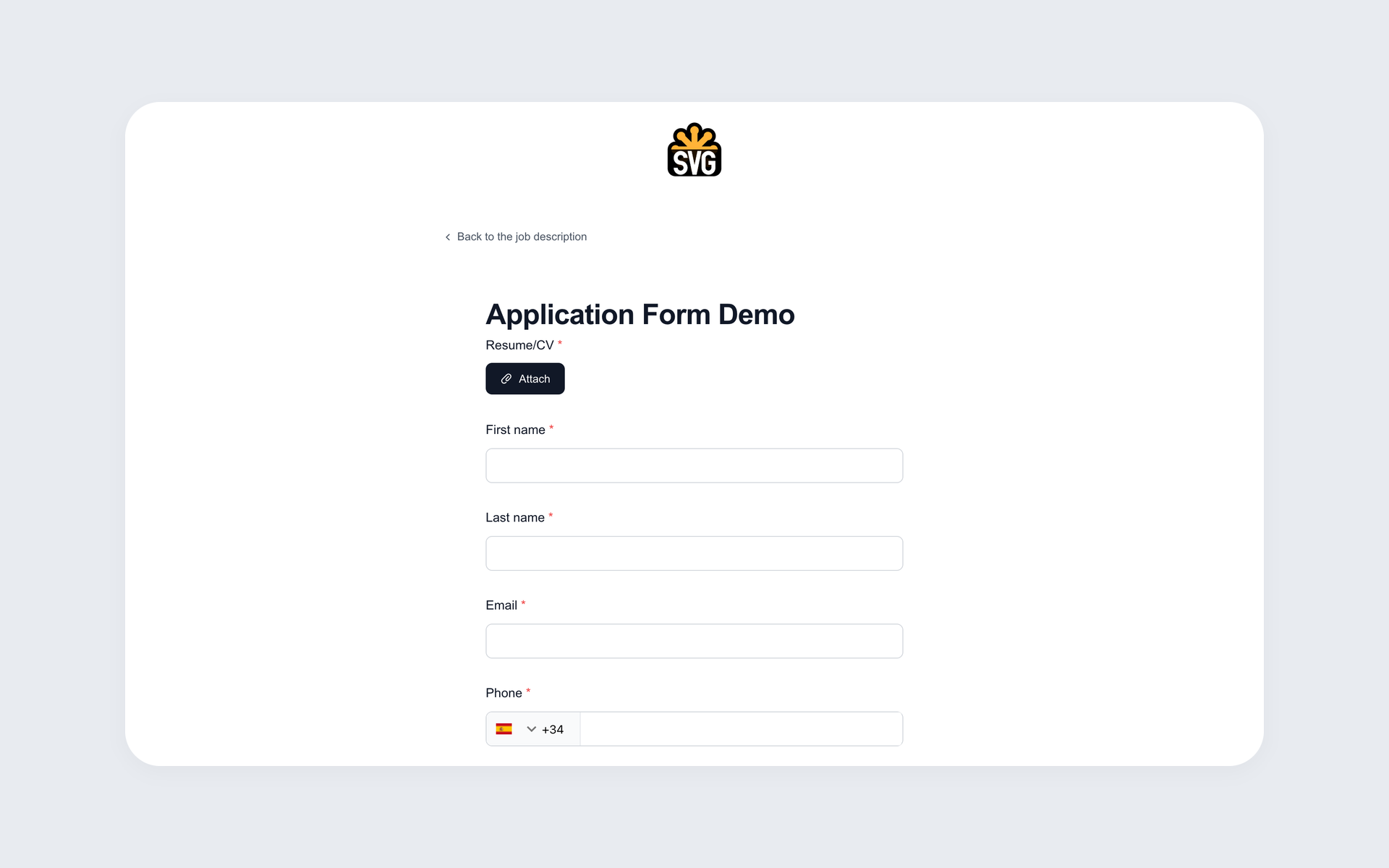
Branded online job application form built with 100Hires, with resume upload, first name, last name, email and phone fields
72%
Less time
screening candidates
96%
Higher candidate
response rates
81%
Reduced
time to fill
53%
Lower cost
per hire

Collect applications online and turn more visitors into candidates

Most small teams start hiring with Google Forms or an email inbox. Someone applies, a PDF lands in your mail, and then someone copies the details into a spreadsheet by hand.

It works until it doesn't - a busy week and you realise you missed three good candidates buried in a thread.

100Hires replaces that stack with a single online application form. Each submission lands in your applicant tracking system as a candidate record, with the resume attached and the applicant ready to review - nothing to copy, nothing to forward.
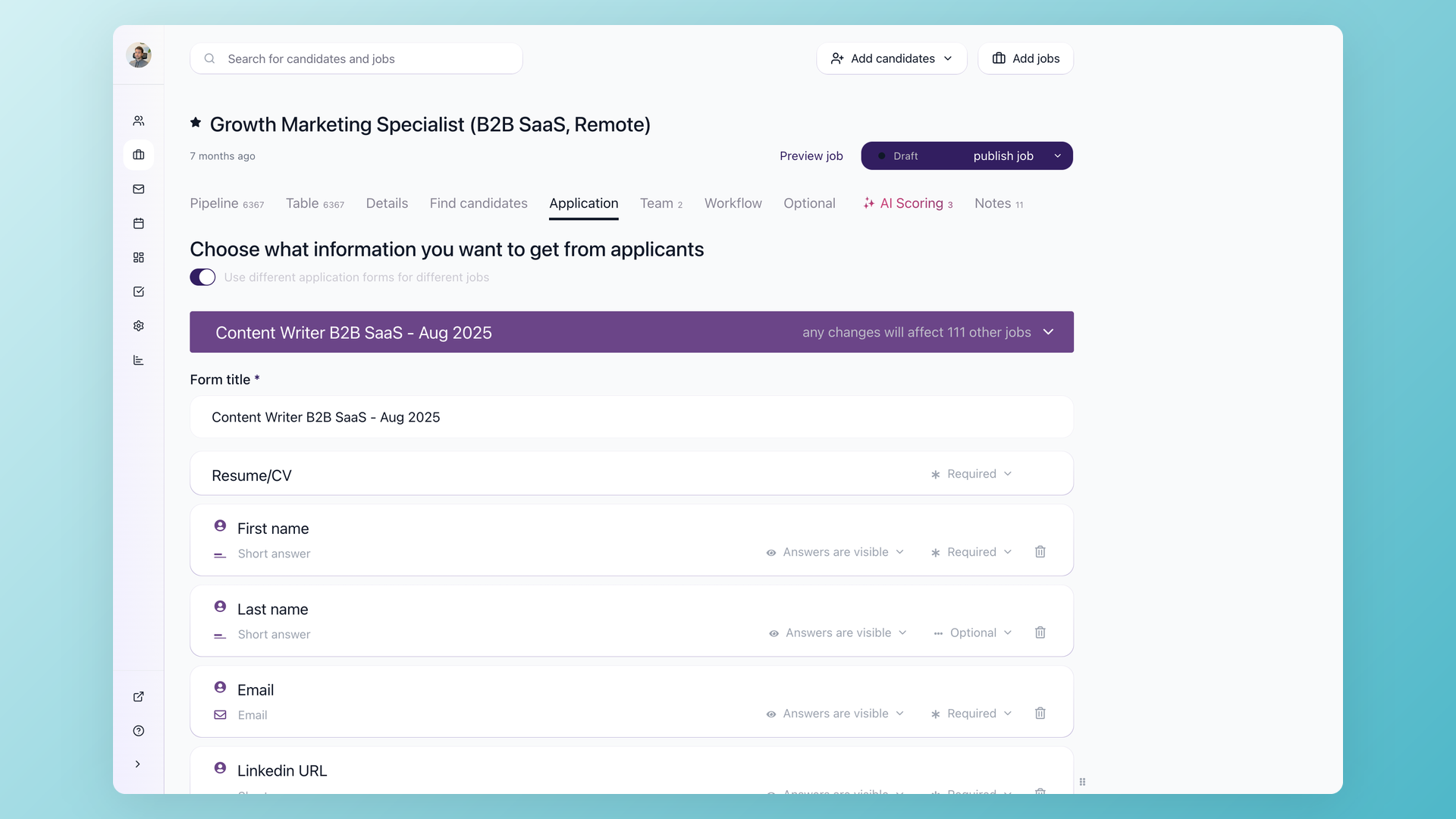
100Hires Application tab showing the form field list and knockout question builder with required and optional toggles

Keep the form short and more people finish it

The fastest way to lose applicants is a form that asks for everything up front. 100Hires lets you trim the application to the few fields that matter at apply time - name, email, a resume, maybe one or two questions - and move heavier screening to a questionnaire you send after someone applies. Shorter form, higher completion, more candidates in the pipeline. Build the form once in Settings > Forms and reuse it across roles, or switch on a different form per job when a role needs to ask something specific.

  • Required or optional toggle per field
  • Per-job presets, or one form reused everywhere
  • Resume upload built into the form
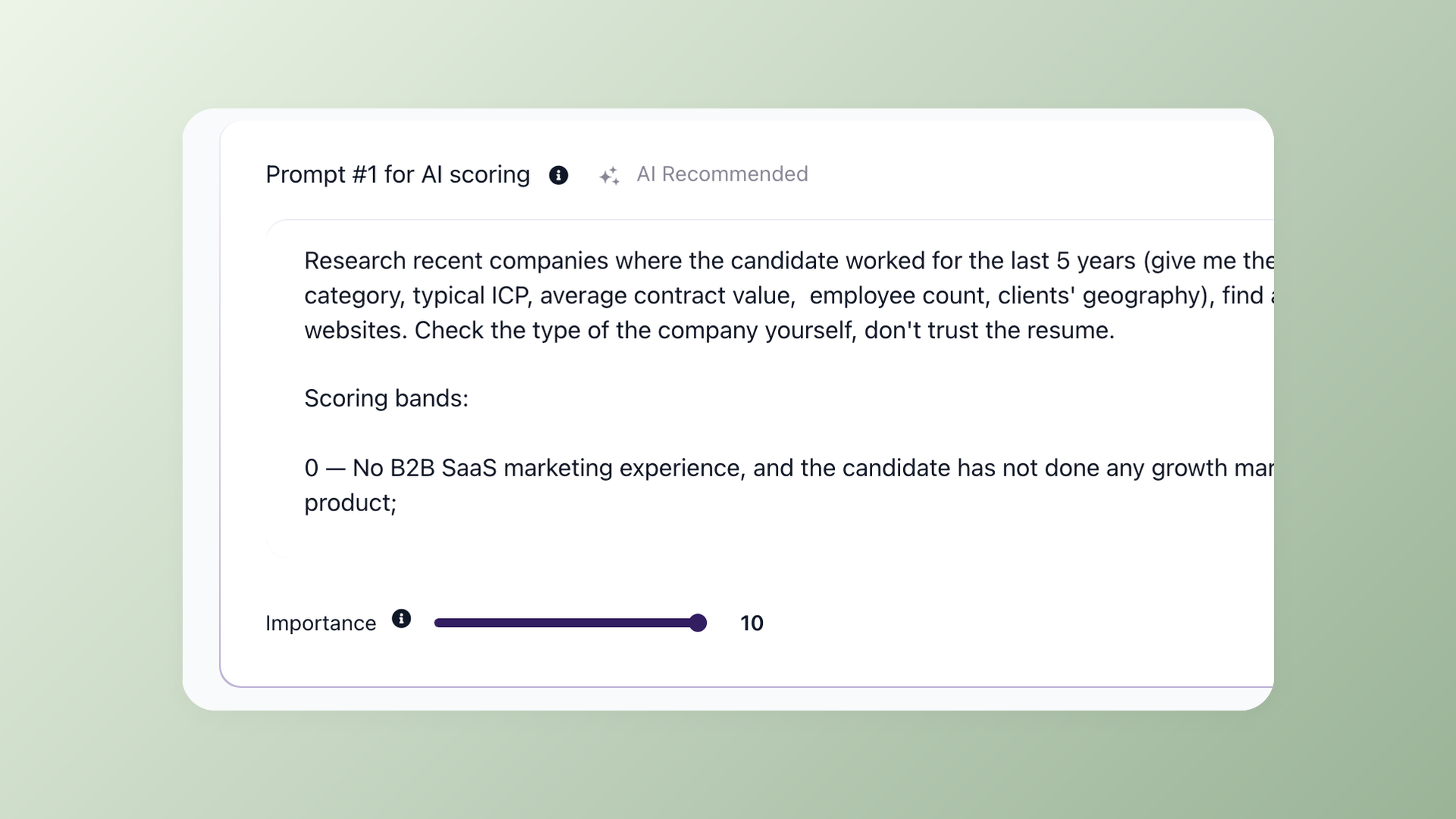
100Hires AI scoring setup showing weighted criteria and scoring bands used to rank and disqualify applicants

Let the form do your first-pass screening

Add yes or no questions to the form, then turn on knockout rules to disqualify anyone who misses a hard requirement. For more nuanced screening, set up AI scoring to weight each answer and rank applicants against your criteria, so stronger matches surface first instead of getting lost in a long list. You set the rules once and 100Hires applies them to every new applicant.

  • Knockout rules on any yes or no answer
  • Weighted AI score with a disqualify threshold
  • Stronger matches ranked first

Get more applicants with less manual work

Free trial. No credit card required.

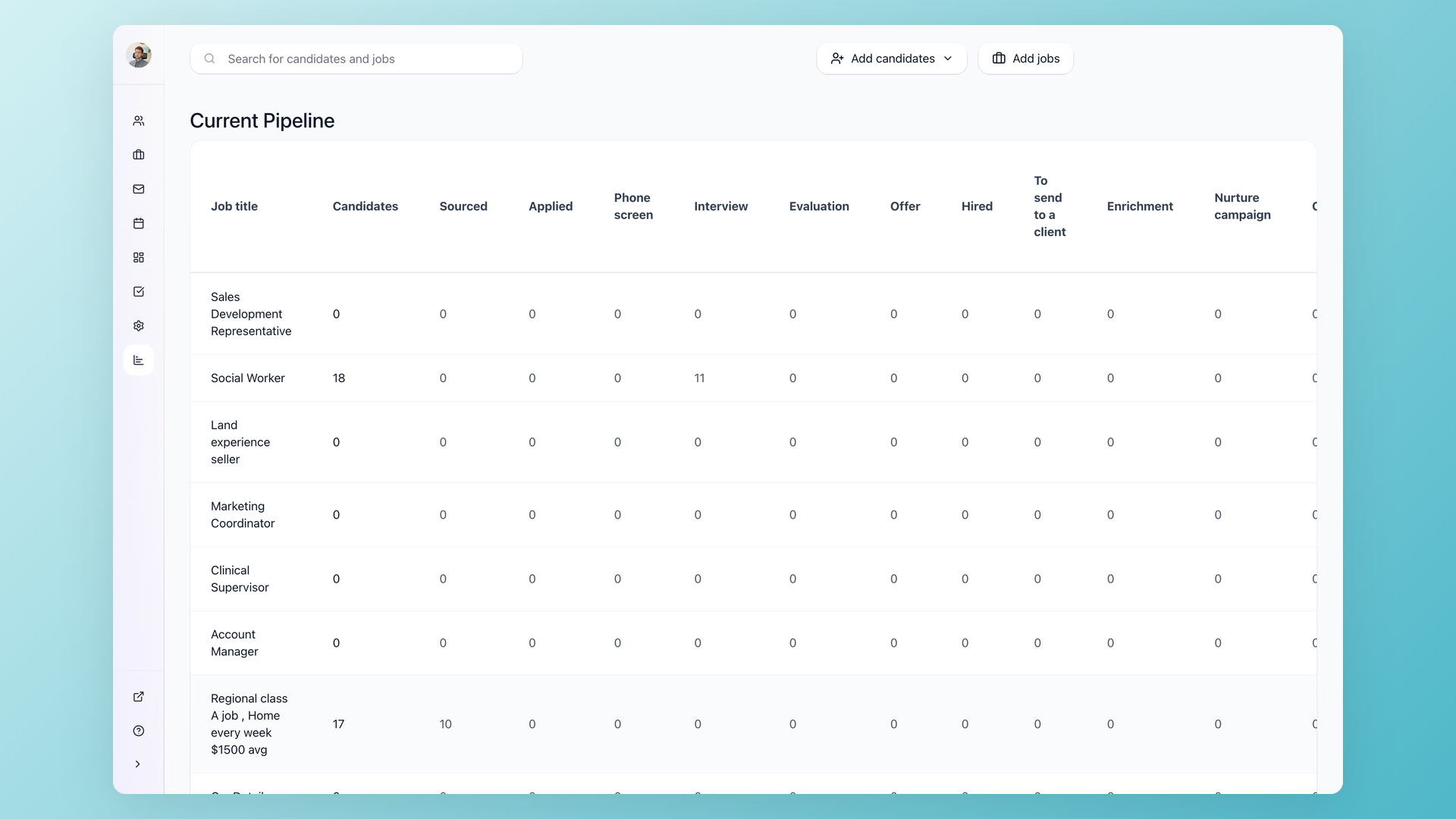
100Hires pipeline view with applicants spread across stages and per-stage candidate counts

Every application becomes a tracked candidate

When someone submits the form, 100Hires creates a candidate profile in your pipeline with the resume attached, the location detected from their IP, and the source captured, so you can see which channel is working. Turn on new-application notifications and your hiring team gets an email the moment one comes in, with the candidate already in the right stage and ready to move.

  • Resume on the candidate profile
  • Source captured per trackable link
  • New-application email notifications

Most teams host the form on a branded careers page so candidates apply without ever leaving the company's site.
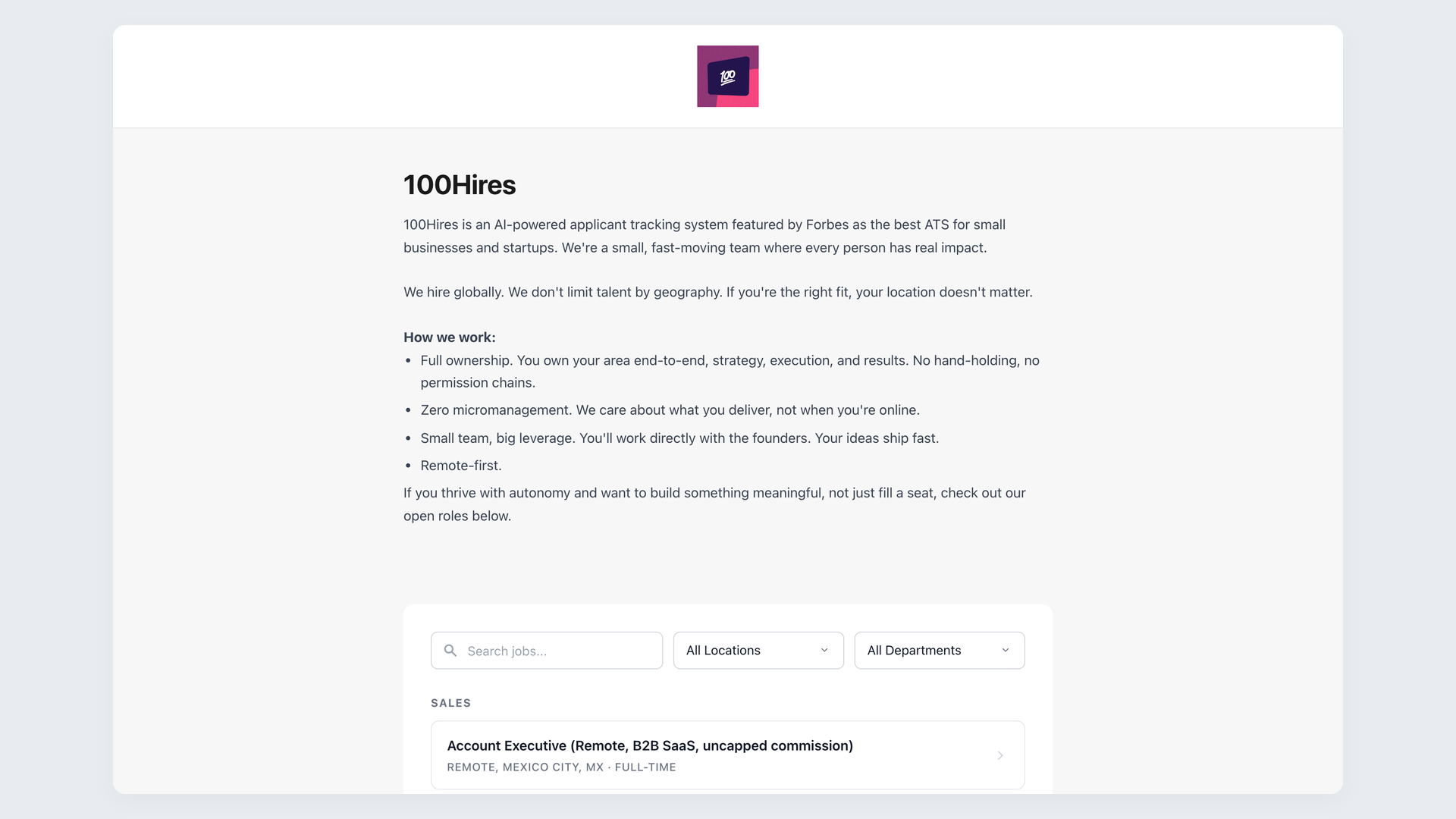
Branded 100Hires careers page showing a company logo, job listings and apply buttons that open the application form

Put your form where candidates already are

Your application form lives on a branded careers page hosted by 100Hires with your logo, colors and job list, and you can embed that page on the site you already run through an iframe or the WordPress plugin. Candidates apply without leaving your brand, and the submissions still flow straight back into 100Hires.

  • Branded page with your logo and colors
  • Embed via iframe or WordPress plugin
  • Career Site API for full custom design

Stop copying applicants out of a separate form

Free PDF templates and standalone form builders collect answers, then leave you to move every applicant into your hiring tool by hand. A form built into the ATS skips that step entirely.

Here is how the 100Hires application form compares with a standalone form connected to a typical ATS.

100Hires
From $49 per month
Typical ATS
Online application form builder
Short form plus post-apply questionnaire
Trim the form, screen after they apply
-
Knockout questions
Sometimes
AI scoring with disqualify threshold
Add-on
Applications become candidate profiles automatically
Resume attached to every applicant
Sometimes
Branded careers page built in
Add-on
Free trial, no credit card
-
Atiq Arshad
Technical Recruiter @Kidan

It solved all of my recruitment problems and offered all of the features I was looking for. It can automate most of my recruitment processes.

Source: G2
Philipp Maschelski
Talent Acquisition Partner @G42

I'd happily recommend it to my industry peers. I'm able to use the platform with ease and don't have to think twice what function to use.

Source: Capterra
Teodora Franich
HR Manager @TeachMeSkills

The system is very user-friendly. Even people with no experience will find it easy to understand its functionality.


Source: G2
Capterra Shortlist 2026 Capterra Best Ease of Use 2026 Capterra Best Value 2026 Software Advice Front Runners 2026 Software Advice Most Recommended 2026 G2 Leader Winter 2026 G2 Users Love Us 2026
4.7
4.8
based on 1,300+ reviews
Frequently asked questions
+ What is a job application form?
It is the online form a candidate fills out to apply for a job, usually their name, contact details, a resume, and a few role-specific questions. In 100Hires you build it inside the ATS, so every submission becomes a candidate profile instead of an email attachment.
+ Can I replace Google Forms for collecting job applications?
Yes. 100Hires gives you an online application form that works like Google Forms but sends every submission straight into your hiring pipeline. No more copying answers into a spreadsheet or forwarding email attachments - each applicant becomes a candidate record the moment they apply.
+ How do I create an online job application form?
Open Settings > Forms, add the fields and questions you want, and assign the form to a job on its Application tab. You can keep one default form or use a different form per job.
+ Can I customize the form for each job?
Yes. Turn on different application forms per job, then pick a preset or build a new one. Each field can be set to required or optional.
+ How do I stop applicants from dropping off a long form?
Keep the application short - name, email, resume, and one or two questions - and move detailed screening to a questionnaire you send after someone applies. Shorter forms finish more often, so you collect more applicants.
+ Can the form screen or score applicants automatically?
Yes, once you set them up. Knockout rules disqualify applicants who miss a hard requirement, and AI scoring ranks the rest against your criteria with an optional disqualify threshold.
+ Where do applications go after someone applies?
Each submission creates a candidate profile in your pipeline with the resume attached and the source captured. Turn on new-application notifications and your team gets an email for each one.
+ Can I embed the application form on my own website?
Yes. Host it on your branded 100Hires careers page, or embed that page on your site with an iframe or the WordPress plugin. For full design control, render the form through the public Career Site API.
+ Is there a free job application form template?
You can start free and use the built-in form as your template, then adjust the fields and publish. There is no paper PDF to print, the form is online and collects applications straight into 100Hires.
+ Do I need a developer to set it up?
No. You can build and assign the form in settings without code. A developer is only needed if you want to render the form yourself through the Career Site API.
23,000+ recruiters & business owners read this newsletter

The hiring playbook, in your inbox

One email a week - benchmarks, AI screening tactics, and short interview templates from the 100Hires team. No product pitches.

Start collecting applications online today

Free trial. No credit card required.

We use cookies to offer you our service. By continuing to use this site, you consent to our use of cookies as described in our policy