
Pre-Screening Questionnaire Software for Hiring Teams
Phone-screen fewer dead-ends, decide who clears the bar by reading the answers instead of asking the questions, and hand the next step to your teammate without opening the candidate.
A pre-screening questionnaire is a short form you send to a candidate after they apply, with the short list of questions you would normally ask on the phone screen. Eligibility, location, salary expectation, certifications, availability, deal-breaker conditions. The SHRM screening toolkit walks through the legal frame for these questions, and our orientation here is the same: keep them structured, keep them lawful, keep them tied to the role. Candidates answer in their own time, the answers come back on the candidate profile, and the call later is spent on the parts that actually need a human voice.
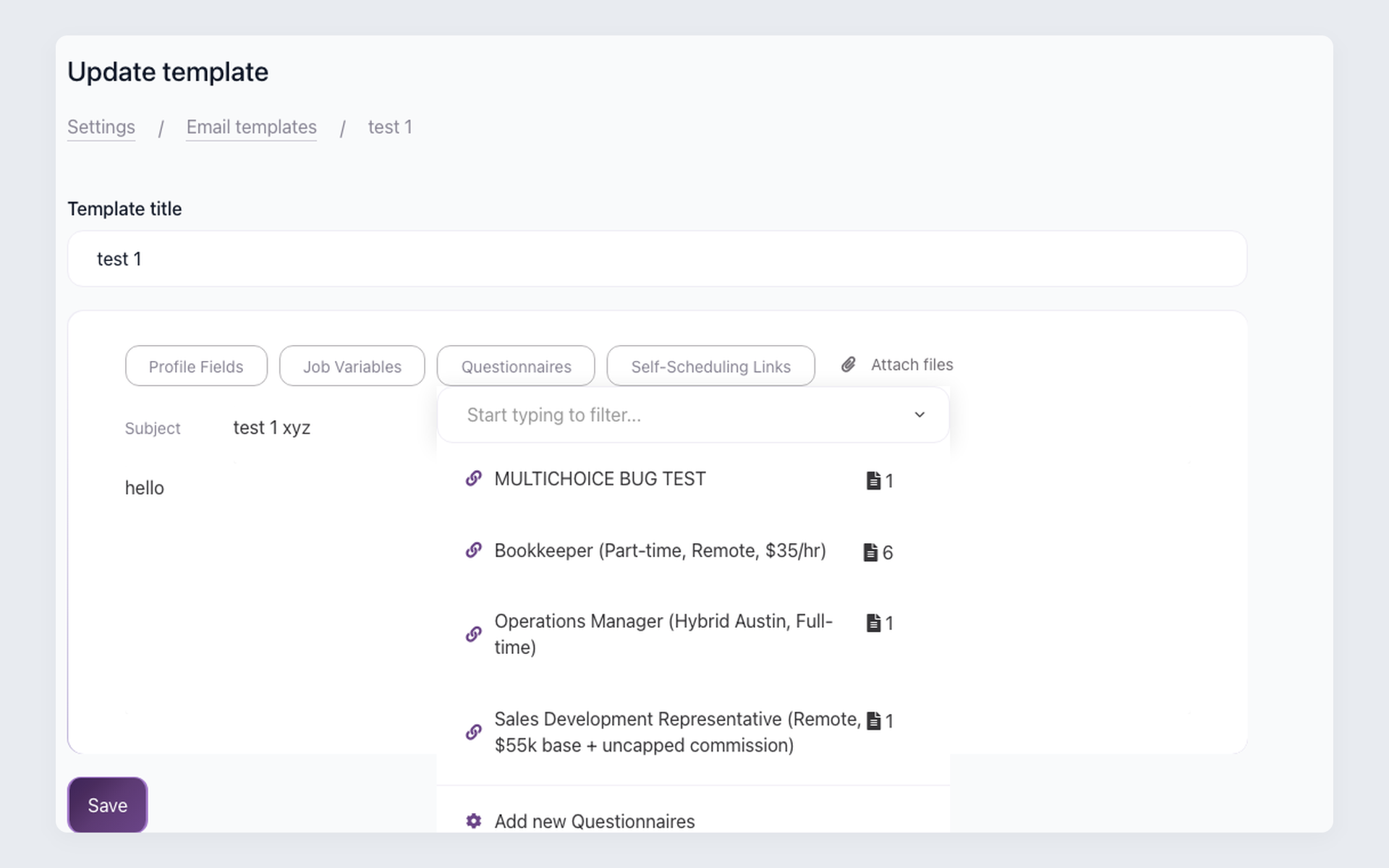
100Hires keeps the questionnaire inside the applicant tracking system where the rest of hiring lives, alongside the rest of the candidate record. Build the form once in Settings. Open any screening email template, click the Questionnaire dropdown, and the link drops into the body. When you send, 100Hires generates a personalized URL for that specific candidate, the link disables the moment they submit, and the answers land on the profile timeline. Wire a workflow rule, and a single answer can advance the stage and email a teammate.
What is a pre-screening questionnaire
A pre-screening questionnaire sits between the application form and the phone screen. The application form captures resume, contact info, and one or two knockout questions that the candidate sees before they submit. The questionnaire is the next step: a short follow-up you send to a candidate worth a closer look, asking for the structured facts that decide whether the phone screen is worth a 30-minute slot. Work authorization, target salary, location, required certifications, start-date window. Five to ten questions, binary or numeric where possible, so the answers feed an automation cleanly. Anything that needs nuance, judgment, or a back-and-forth conversation belongs in the call.
The questionnaire is not an assessment. Asking thirty essay questions about a candidate's leadership philosophy turns a five-minute checkpoint into homework, and good candidates abandon. The format is short, binary, and tied to a workflow downstream.
Pre-screening questionnaire vs phone screen
The questionnaire does not replace the phone screen. It decides who gets the phone screen. Two different jobs, in sequence.
The questionnaire is for binary, numeric, or single-choice facts that gate the conversation. Work authorization, location, salary range, required certification, start date, comfort with a deal-breaker condition. The candidate answers when it suits them, the answer feeds an automation if the rule fits, and by the time you read the profile you know whether the call is worth scheduling. The phone screen is for everything the questionnaire cannot do well. Motivation, communication style, how they describe a hard project, the small judgment calls that decide whether they fit a specific team. The interview scheduling after the questionnaire is the human moment that the questionnaire made room for.
The volume math is the reason this split is worth setting up. A role that pulls 400 applications might land 15 or 20 truly qualified candidates on the other side - recruiters in the recruiting subreddits trade that math back and forth, and it shows up in our own sales calls too. The questionnaire is the cheap first cut that takes the obvious mismatches off the phone-screen list, so the calls you do schedule are the calls worth taking. The 100Hires angle here is that the questionnaire answers are already on the profile when you open the call brief, alongside the resume, the AI score, and the timeline of every prior touch. The 30 seconds you used to spend hunting for the salary expectation are 30 seconds you spend reading the answer.
Ten questions that gate the phone screen for you
The questions below are written for workflow automation, not for collecting sample questions. Each one returns a binary or numeric answer that a 100Hires workflow rule can read, and each one maps to a specific downstream action. Use them as starting blocks - the actual wording belongs to your role and your tone.
| Question (field type) | Answers | Why it works |
|---|---|---|
| Are you authorized to work in [country] without sponsorship now or in the future? (dropdown) | Yes / No / Will need sponsorship later | Routes Yes to the standard pipeline, sponsorship-later to a Bench stage with a notify-head-of-recruiting email |
| Are you currently located in [target metro]? (dropdown) | Yes / No | If No, the rule moves the candidate to a Relocation Required sub-stage so the hiring manager sees the geography before the call |
| Are you open to [hybrid / remote / in-office] based in [city]? (dropdown) | Yes / No / Conditional | Conditional answers go to a Manual Review stage; clear Yes goes straight to scheduling |
| Is our posted salary band of $X-$Y in line with your expectations? (dropdown) | Yes / Higher / Lower | Higher routes to a compensation-conversation stage before the phone screen, so the call is not wasted on a mismatch |
| Are you currently entertaining other offers we should know about? (dropdown) | Yes / No / Open to listening | Yes triggers a fast-track automation that loops in the hiring manager earlier than the standard pipeline cadence |
| Do you hold [required certification, e.g. CPA, RN, driver's license class N] in good standing? (dropdown) | Yes / No / In progress | No is a knockout for hard-required certs; In progress moves to a follow-up stage with a date capture |
| How many years of hands-on experience do you have with [tool or function]? (number) | 0-20 range | Numeric rule advances candidates above your floor and routes the rest to a Bench-or-Reject decision stage |
| When could you realistically start? (dropdown) | 30 days / 30-60 / 60-90 / 90+ / Serving notice | Start-date answer feeds the offer-planning workflow weeks ahead of the actual offer |
| Are you available for [shift pattern, e.g. weekend rotation, night shift]? (dropdown) | Yes / No / Partial | Partial routes to a hiring-manager review so the schedule conversation happens before scheduling the call |
| Are you comfortable with [role-specific deal-breaker, e.g. background check, drug test, weekend on-call]? (dropdown) | Yes / No | No is a clean knockout, and the automation can fire a 3-hour-delayed rejection email so the candidate is not ghosted |
If a question needs more than one of those answer types, it is probably a phone-screen question. Move it there and keep the questionnaire short.






screening candidates
response rates
time to fill
per hire
Stop maintaining ten copies of the same screening form
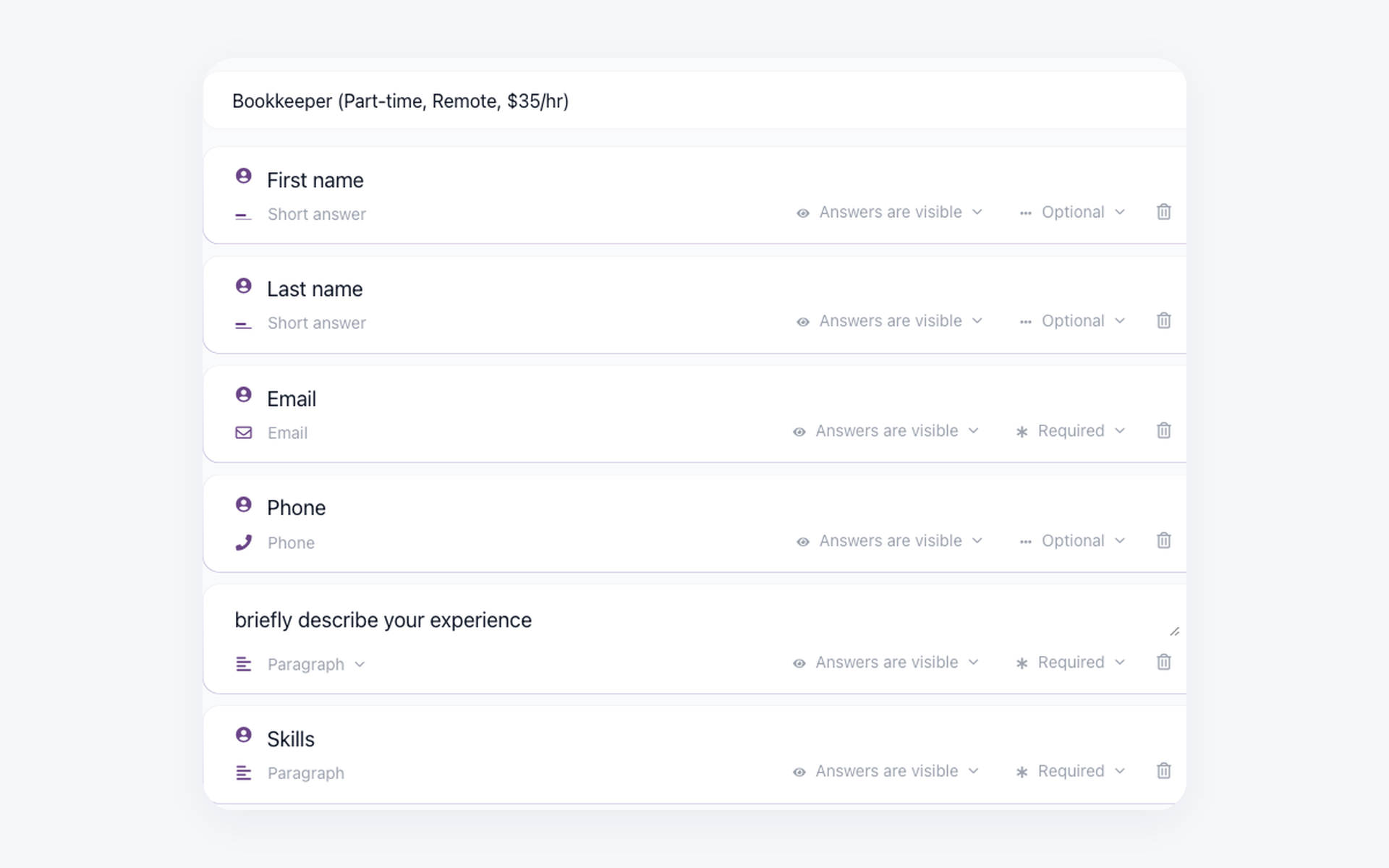
In Settings, Forms, drag in fields for the answers that actually unblock the phone screen. Location, work authorization, salary band, required certification, start-date window, weekend availability. Pick field types that work for automation later: dropdown for single-choice, checkbox for yes-or-no, short text for a number. The form is one configuration. Every job posting can pull from the same library, and editing the form once updates it across every job that uses it.
- Dropdown, checkbox, short-text, long-text field types
- Required vs optional toggle per field
- Reuse one questionnaire across multiple jobs
- Edit centrally, every job picks up the change
Skip the copy-paste between form tools and your ATS
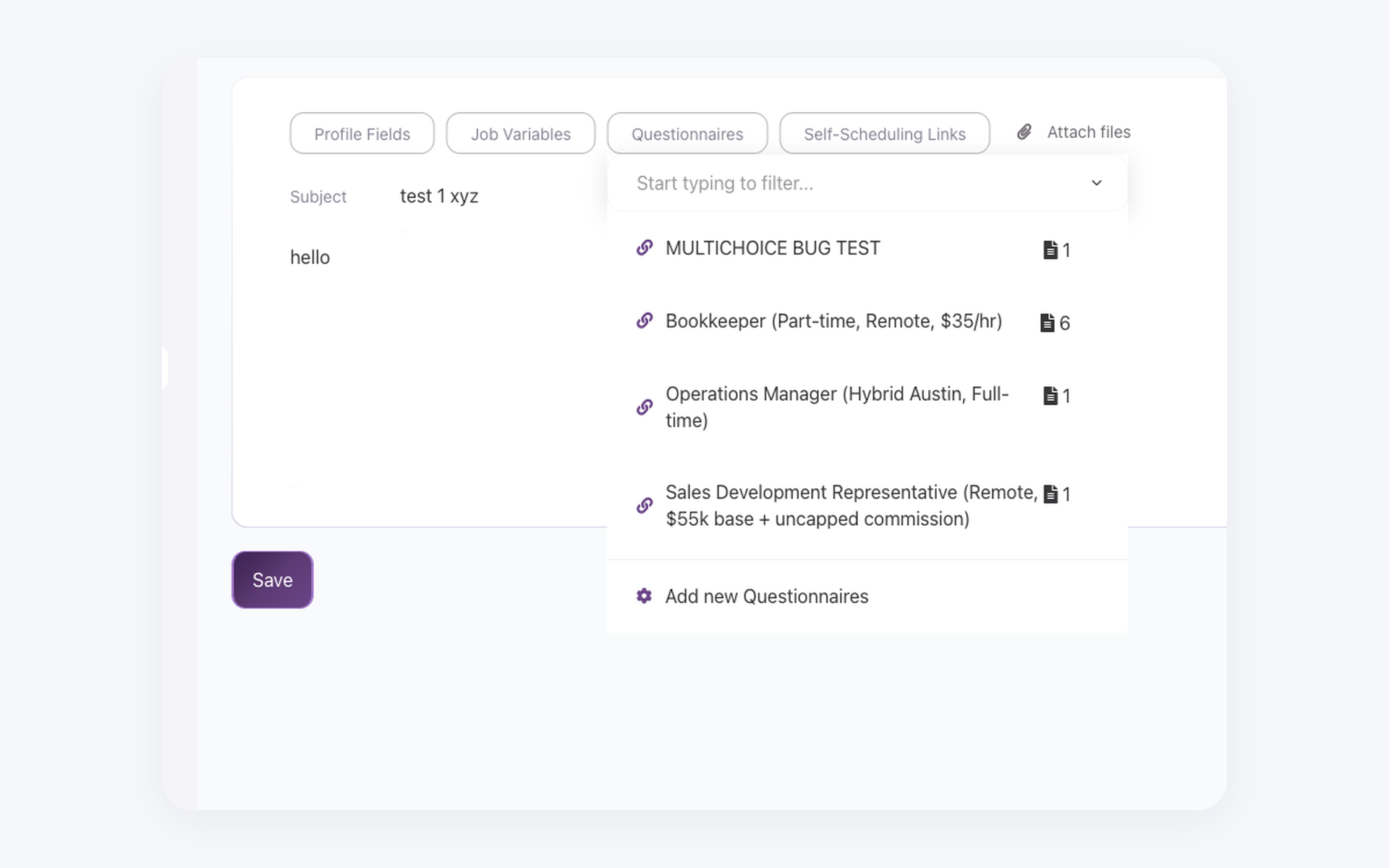
When you write a screening email template, or compose a one-off message to a candidate, the toolbar has a Questionnaire dropdown. Pick the form, click insert, and 100Hires drops the link placeholder into the body. Write the rest of the email the way you always have. Greeting, why this role, what to expect next. The questionnaire is one line in the body, attached the same way you would attach a calendar slot.
- Dropdown lives in the email template toolbar
- Works in any template - screening, technical, references
- Personalization tags resolve alongside (first name, role title)
- Preview shows exactly what the candidate sees
Trust that the answers came from the candidate you emailed
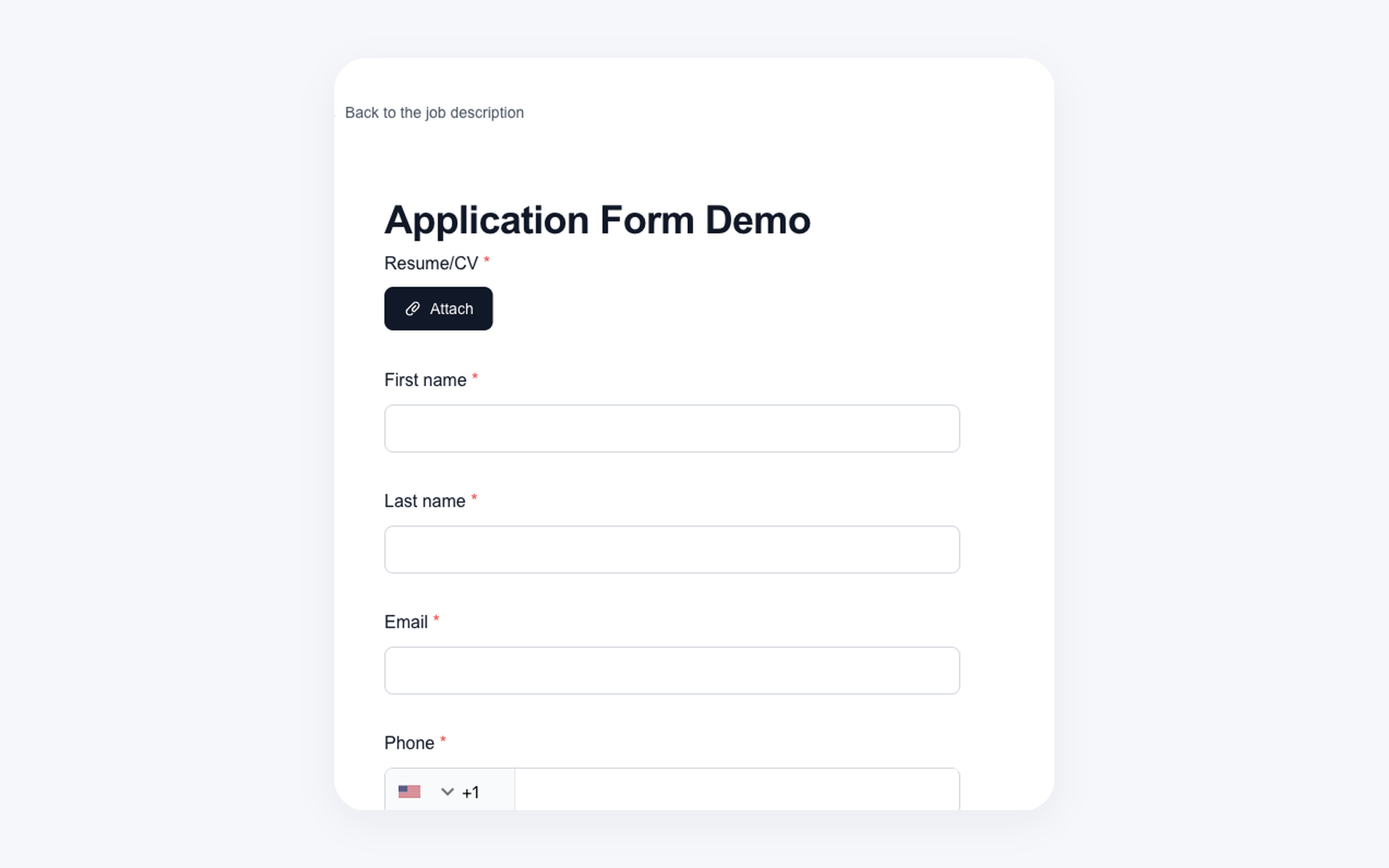
When you hit send, 100Hires generates a unique URL tied to that specific candidate. The page opens with their first and last name already filled in, so they know the email was meant for them and not a forwarded copy. They answer the questions, hit submit, and the link goes dead. No second submission to game the automation, no copy passed to a friend who answers in their place, no rehearsed answer after they saw the questions once. You see the answers on the candidate profile within seconds, and you know they came from the person you actually emailed.
- Unique URL per candidate, generated on email send
- Name pre-filled in the form header
- Link auto-disables after one submission
- Answers land on the profile timeline automatically
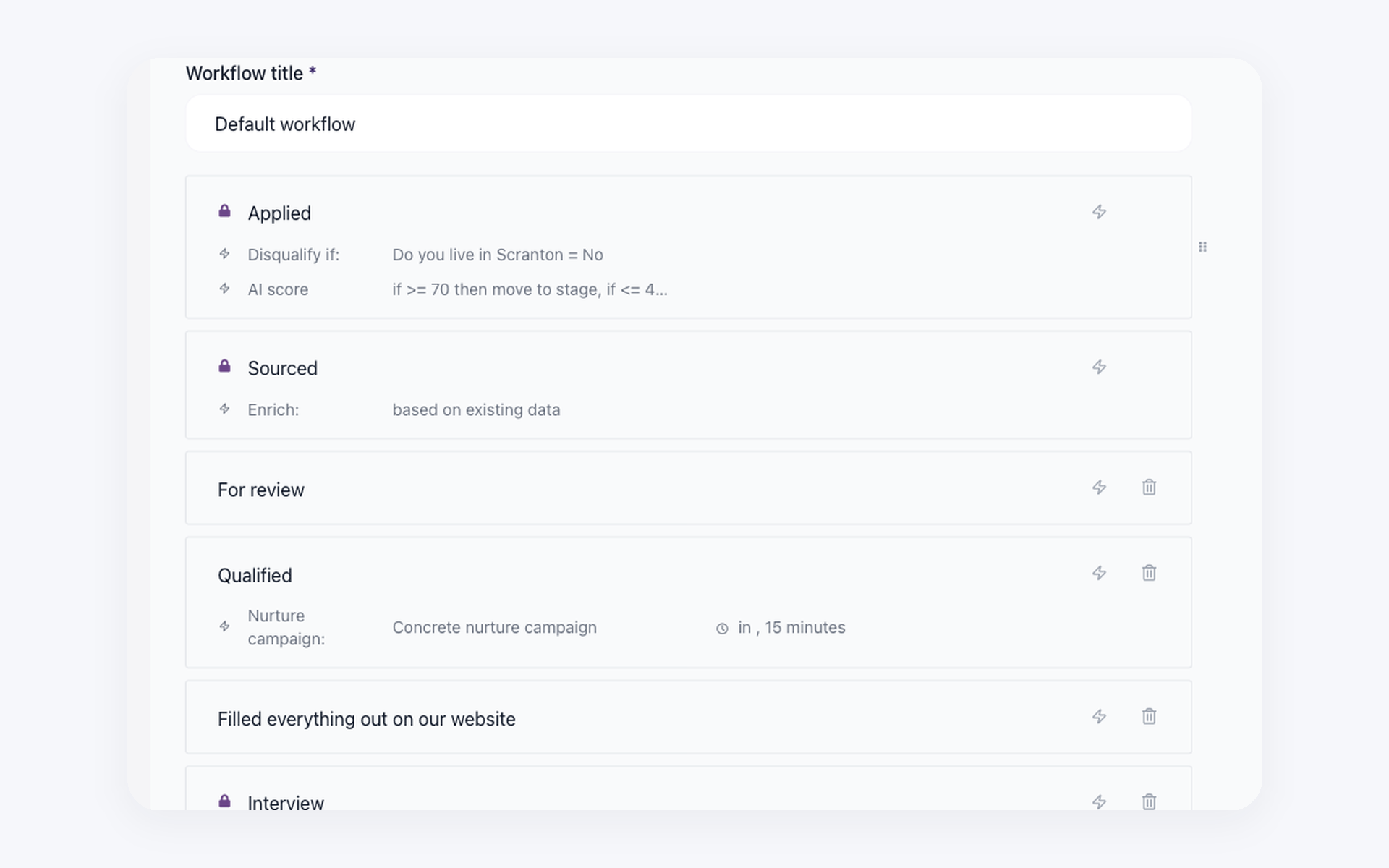
Turn one answer into the next hiring step
In Workflow Settings, you write a Form-Field automation that reads one of the questionnaire answers. If the candidate says they can start in 30 days, move them to Hiring Manager Review and email Sarah to take the next step. If they say 90+ days, move them to Bench and email yourself the timing. The automation runs the moment the answer hits the profile. By the time you open the candidate, the stage is already correct and the right teammate is already in the loop. The rule works cleanly on binary and numeric answers. Open-text answers stay open-text, and the phone screen is the place to read them.
- Reads dropdown, checkbox, and numeric answers from the questionnaire
- Chains into Move-to-Stage and Send-Email-to-Teammate automations
- Default 3-hour delay before candidate-facing rejection emails fire
- Open-text answers stay manual - that is what the phone screen is for
How 100Hires compares to a typical ATS for pre-screening
Most ATS pages bury screening inside the application form or general candidate management. The eight rows below are the differences that show up in day-to-day use - who the link belongs to, what happens after a submission, where the answers go, and what the workflow can do with them.
 100Hires

It solved all of my recruitment problems and offered all of the features I was looking for. It can automate most of my recruitment processes.

I’d happily recommend it to my industry peers. I’m able to use the platform with ease and don’t have to think twice about which function to use.

The system is very user-friendly. Even people with no experience will find it easy to understand its functionality.







 4.7
4.7
 4.8
4.8
The hiring playbook, in your inbox
One email a week - benchmarks, AI screening tactics, and short interview templates from the 100Hires team. No product pitches.