
WordPress job board plugin, backed by a real ATS
Show your open roles on your own WordPress site, then screen, score, and hire every applicant from one place, instead of bolting plugins onto plugins.
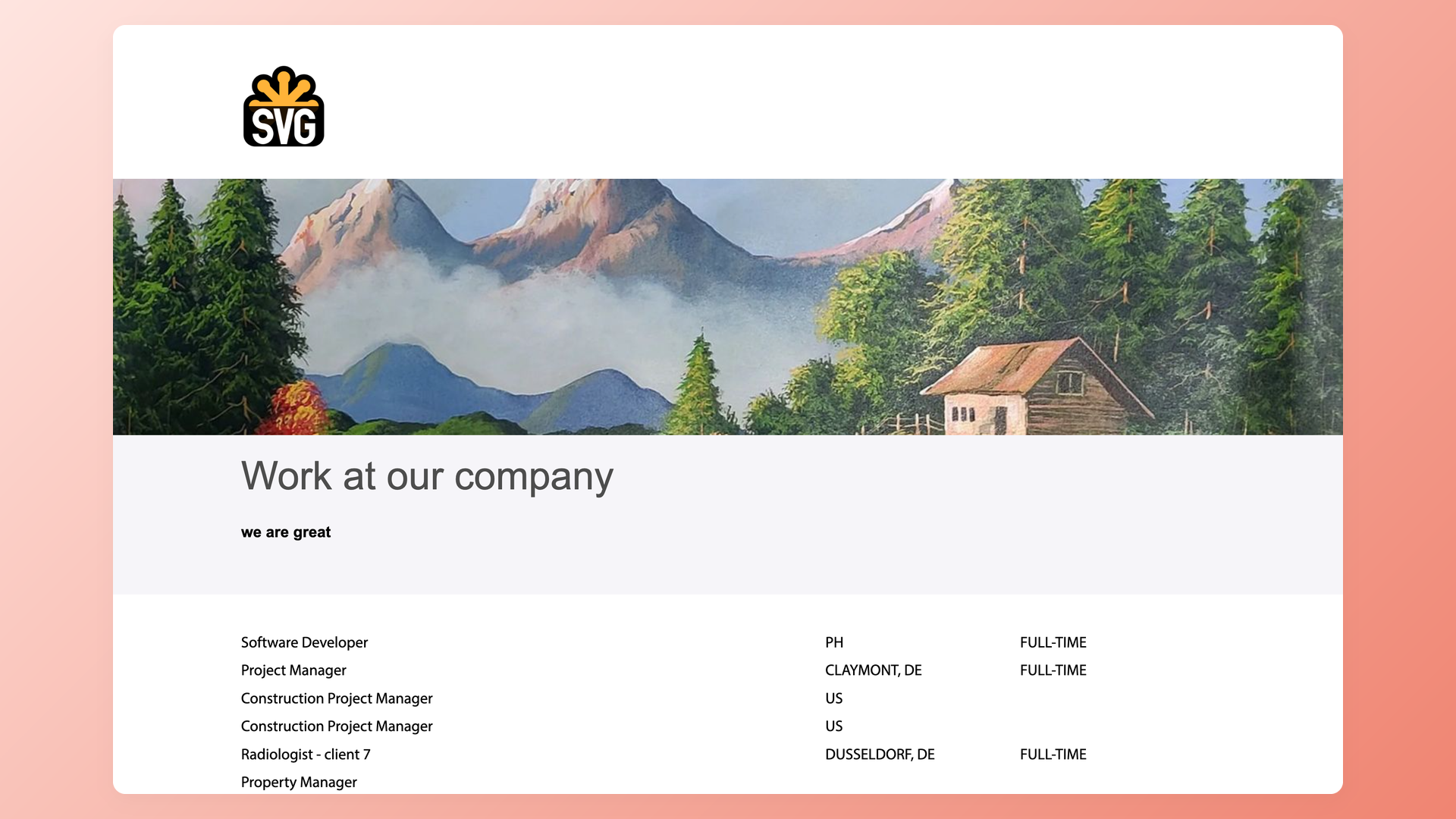






screening candidates
response rates
time to fill
per hire
100Hires connects to WordPress so your open roles show up on your own site, and every applicant flows straight into a real applicant tracking system. Paste one line of code into a WordPress page, or use the WordPress plugin, and your live job list renders on your domain and stays in sync.
This page covers how the WordPress integration works day to day, what you get that a standalone job board plugin cannot give you, and where it is not the right fit.
A WordPress job board plugin shows jobs. It does not hire for you
Running a job board on WordPress usually means assembling a stack: a base plugin, a compatible theme, a page builder, a forms plugin, and a few paid add-ons before you can post a single role.
The free core usually covers job display, while application tracking, resume handling, and anti-spam tend to sit behind paid add-on bundles.
Then the real work starts. Applicants pile up in a WordPress admin list with no scoring and no stages, spam slips through unless you wire up a captcha yourself, and getting the same job onto Indeed or LinkedIn is usually a manual copy-paste, board by board.
A WordPress integration backed by a real ATS splits the job in two. WordPress keeps doing what it is good at, showing your roles on your own brand, while 100Hires catches every applicant, screens and scores them, and keeps them as candidates you own. Here is how that works.
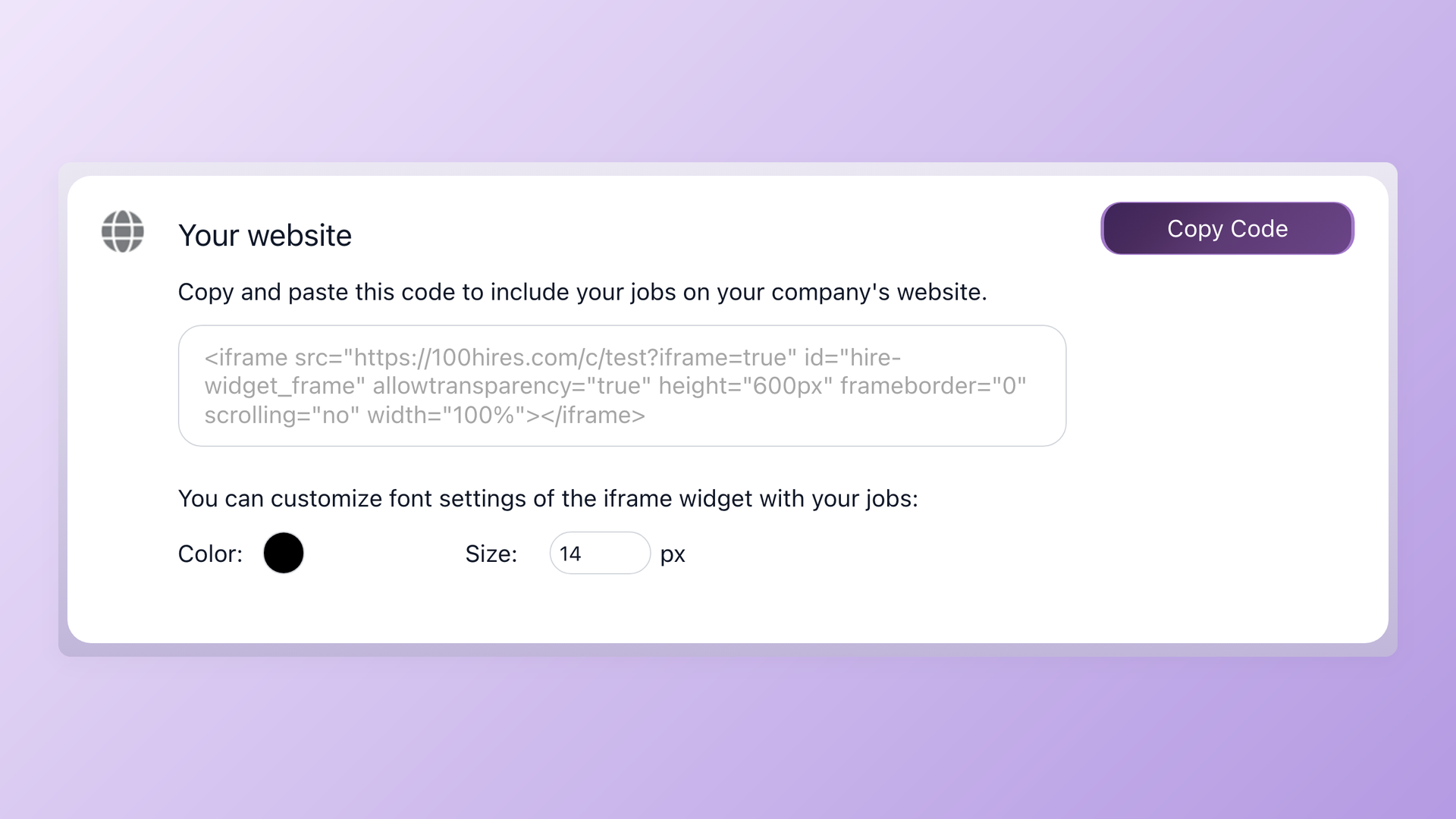
Show your live jobs on your WordPress site in minutes
Copy the embed snippet from Settings: Integrations in 100Hires and paste it where the careers section should live, or set up the 100Hires WordPress plugin. The job list renders on your own domain and updates itself: publish a role and it appears, close it and it disappears, with no re-export and no developer ticket. The same one-line embed works on Squarespace, Webflow, or any site that accepts an iframe, so you are not locked to one stack.
- One-line embed or the WordPress plugin
- Jobs auto-sync on publish and close
- No developer, about two minutes
- Same snippet works on any CMS
| Method | How it works | Best for |
|---|---|---|
| One-line embed (iframe) | Copy a snippet from Settings: Integrations and paste it into any WordPress page | Fastest setup, and it works on Squarespace, Webflow, and other CMSs too |
| WordPress plugin | A WordPress-native option that renders your live 100Hires job list on the site | Teams who want a WordPress-native display, with jobs still managed in 100Hires |
| Public Career Site API | Pull the open job list and submit applications through 100Hires endpoints, no authentication needed to read jobs | Full custom design, multi-language pages, and analytics control |
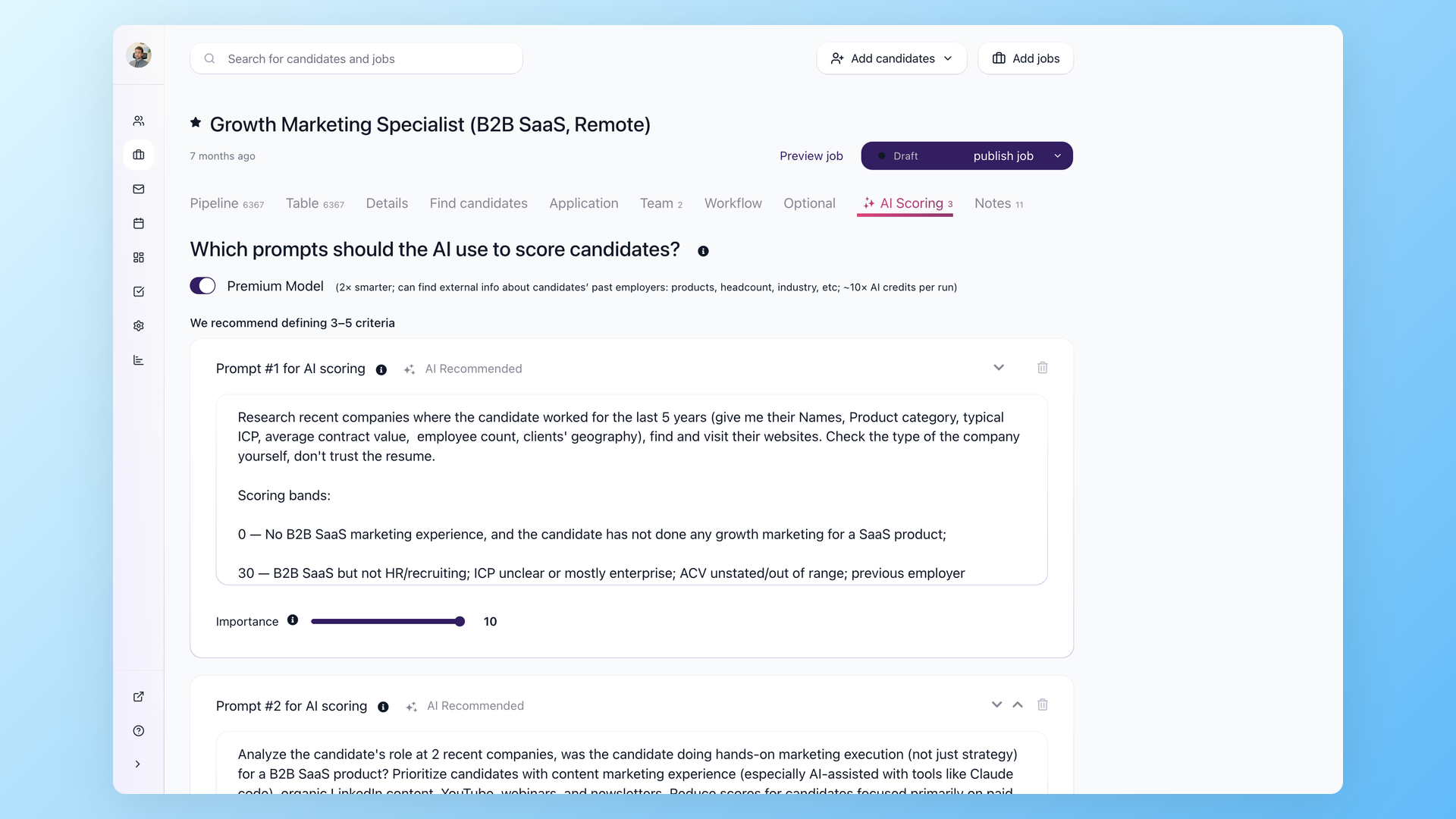
Every applicant lands in a real pipeline, not a WordPress inbox
Applications from your WordPress site flow into the same 100Hires pipeline as every other source, so nothing gets re-keyed by hand. Knockout questions auto-reject anyone who misses a hard requirement the moment they apply, and AI Score rates the rest from 0 to 100 against your own criteria, so the strongest people sit at the top before you read a single resume. Stages, automations, Talent Pools, and a searchable candidate database all come with it, which is everything a plugin admin list is not.
- Kanban pipeline with stages and automations
- AI Score from 0 to 100 on every applicant
- Knockout questions reject misses on apply
- Searchable candidate database you keep
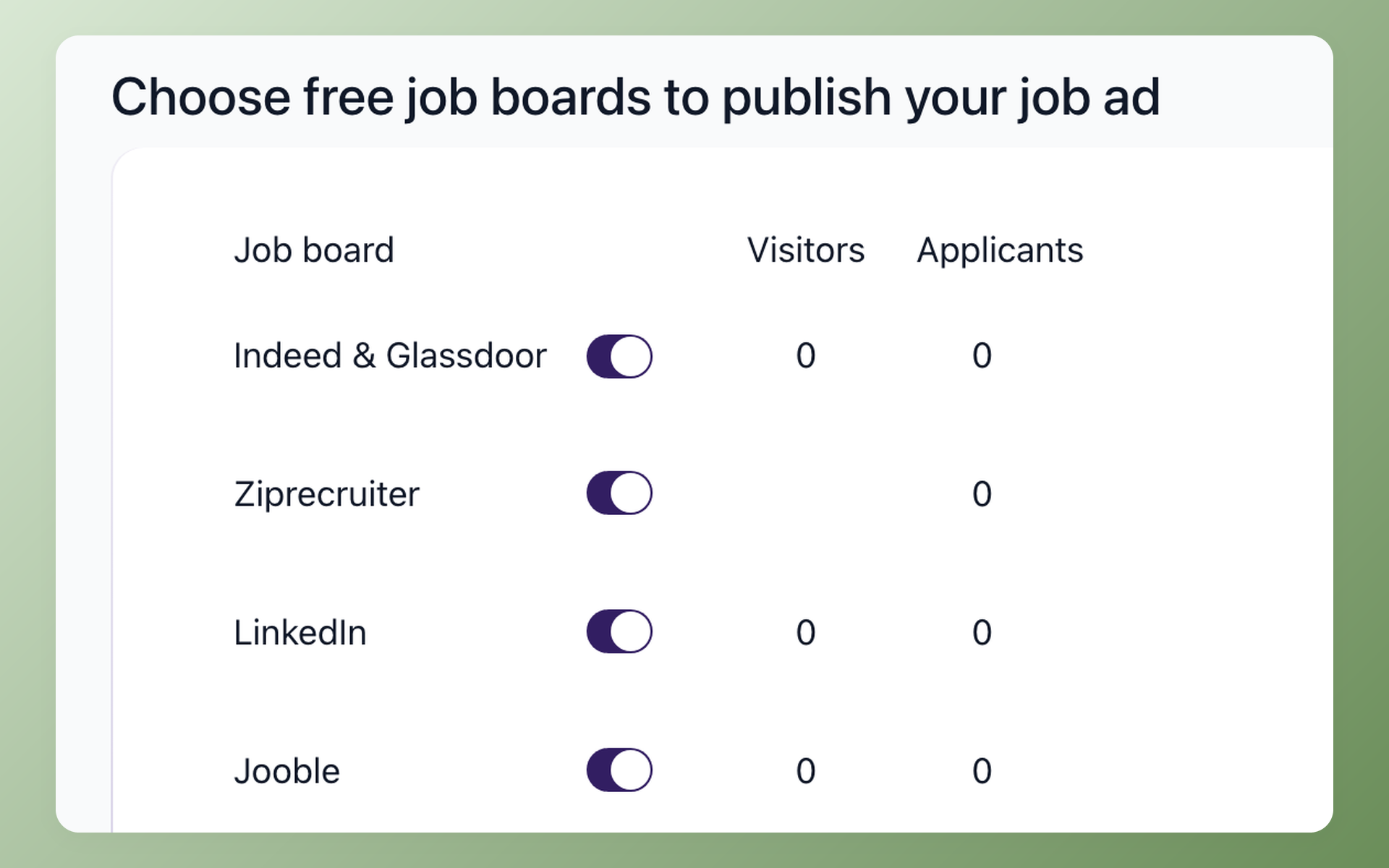
Reach beyond your own site with 13 named job boards
A standalone plugin shows a role on your own site, and reaching external boards from it usually takes add-ons or manual posting. 100Hires publishes the same job to your WordPress careers page and syndicates it to 13 named boards, including Indeed, LinkedIn, ZipRecruiter, Glassdoor, and Google for Jobs, from one screen with no per-board fee. Trackable links cover any channel that is not on the list, like a niche board or a subreddit, and the Sources report shows which one actually produced the hire. Posting to external boards needs a verified company account, a quick one-time step.
- 13 named boards from the same job
- Indeed, LinkedIn, ZipRecruiter, Glassdoor and more
- Trackable links for any other channel
- Per-board applicants and hires in Sources
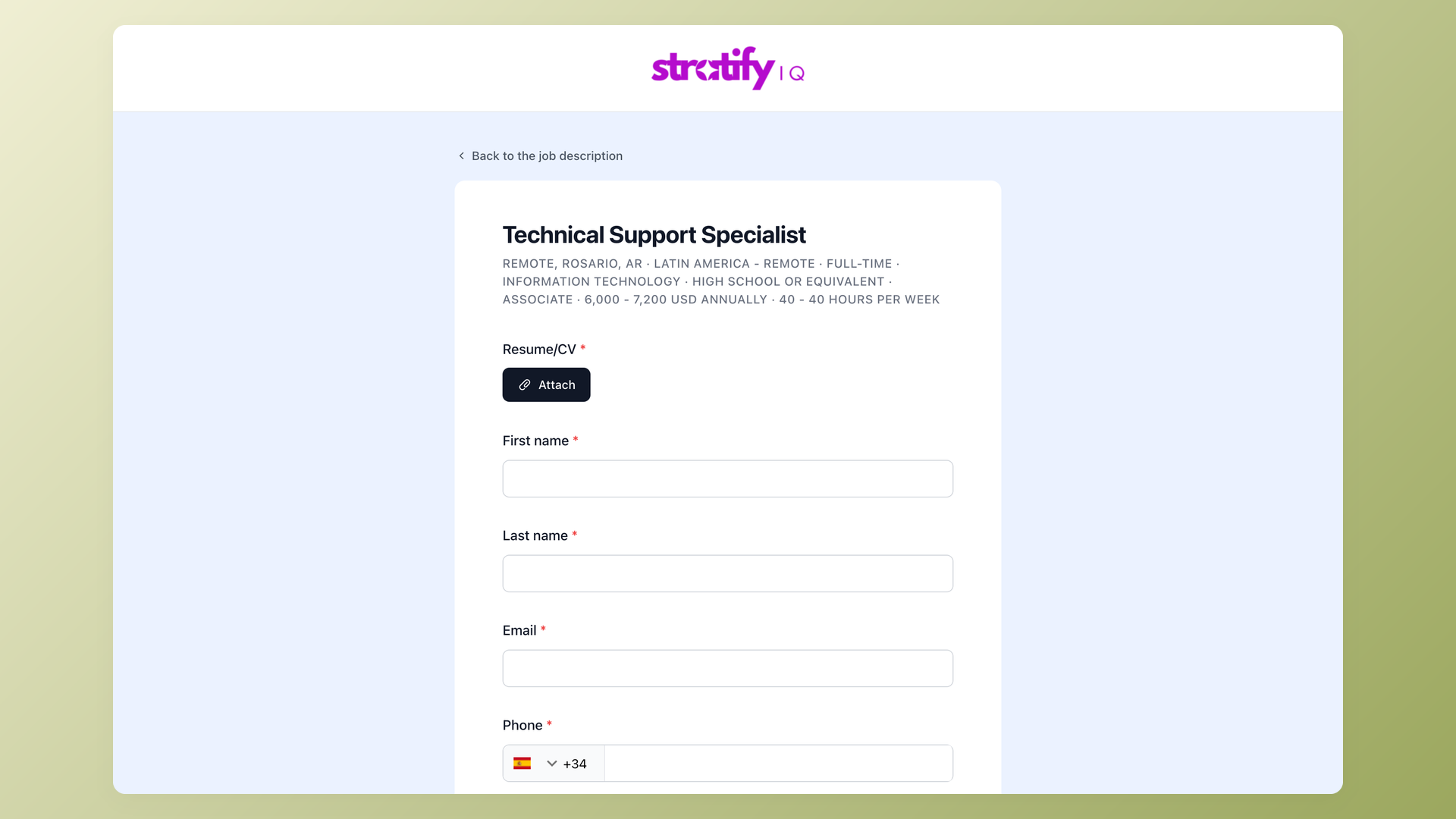
Collect applications on your brand, score them on a shared scorecard
The application form carries your logo and brand color, not a generic page, with per-role pre-screening questions you set: short text, multiple choice, file upload, yes or no, and more, each field required or optional. After the interview, Evaluation Forms keep your team grading on the same criteria, and blind evaluation hides everyone else's scores until each interviewer submits their own. That is a long way past a plugin's basic contact form.
- Branded application form, your logo and color
- Per-role pre-screening questions
- Evaluation Forms for structured interview scoring
- Blind evaluation across the team
Why not just run a WordPress job board plugin
A WordPress job board plugin is fine for a single one-off hire on a small site. But a plugin is a display layer first.
Teams that try to run real hiring on one hit the same wall. Applicants sit in a WordPress list with no scoring, there is no candidate database to re-engage later, and the form and anti-spam are add-ons you assemble.
Every plugin, theme, and add-on update is yours to keep compatible, and distribution usually stops at your own domain.
With 100Hires you keep the part WordPress does well, your roles on your own brand, and add an ATS that is yours: pipeline stages, AI Score, Evaluation Forms, self-scheduling links, nurture campaigns, and a candidate database you keep. WordPress shows the jobs; 100Hires is where you hire.
100Hires versus a standalone WordPress job board plugin
 100Hires
Where 100Hires is not the answer: if you want a public, multi-employer job board where outside companies post and pay for their own listings, a dedicated WordPress job board plugin is built for that and 100Hires is not. 100Hires is for hiring your own roles.
If you want to go further, start with the branded careers page guide. For distribution and intake, see posting a job to multiple boards and the branded application form.

It solved all of my recruitment problems and offered all of the features I was looking for. It can automate most of my recruitment processes.

I’d happily recommend it to my industry peers. I’m able to use the platform with ease and don’t have to think twice about which function to use.

The system is very user-friendly. Even people with no experience will find it easy to understand its functionality.







 4.7
4.7
 4.8
4.8
The hiring playbook, in your inbox
One email a week - benchmarks, AI screening tactics, and short interview templates from the 100Hires team. No product pitches.