
Education recruiting software that fills teaching and staff roles before the term starts
Screen applicants for the license, certification, and clearance eligibility a school role actually requires, post every opening across your district in one click, and keep a warm bench of teachers, substitutes, and support staff ready before the next school year.
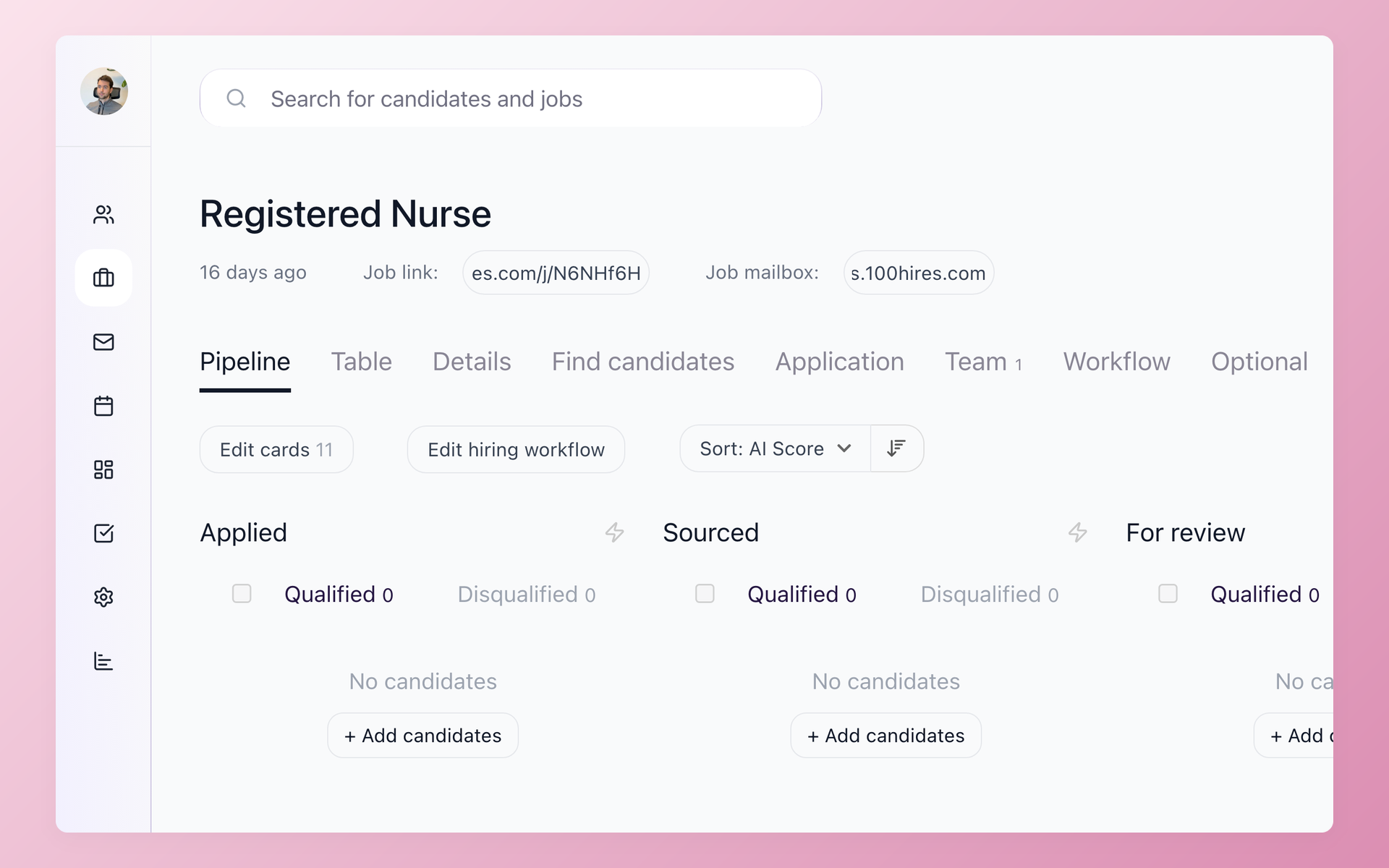






screening candidates
response rates
time to fill
per hire
Most schools only start hiring once the vacancy is already open
School hiring runs on a calendar. A teacher resigns in May, a grant funds a new aide in August, and the search starts late against every other district hiring for the same August start date.
The strong applicants get hired by whoever moves first. Meanwhile, checking each applicant for a valid license, the right endorsement, and clearance eligibility eats the hours your HR office does not have before students arrive.
Education recruiting software is the applicant tracking system that runs that hiring for you. It pulls applicants from the job boards you post to into one pipeline, screens them for what the role requires, and moves the qualified ones to an interview.
The education-specific part is screening for the license, certification, and background-check eligibility a school demands, and doing it fast enough to reach qualified educators before another district does.
The rest of this page shows how K-12 districts, private and charter schools, and higher-ed institutions use 100Hires to reach more candidates, screen faster, and build a bench before the school year starts.
Under the hood it is the same high-volume hiring software engine, tuned for school hiring calendars.
For the multi-board mechanics in depth, see how 100Hires handles multiposting to job boards.
Running a staffing or recruiting agency placing teachers and school staff across client sites? See our staffing agency software page.
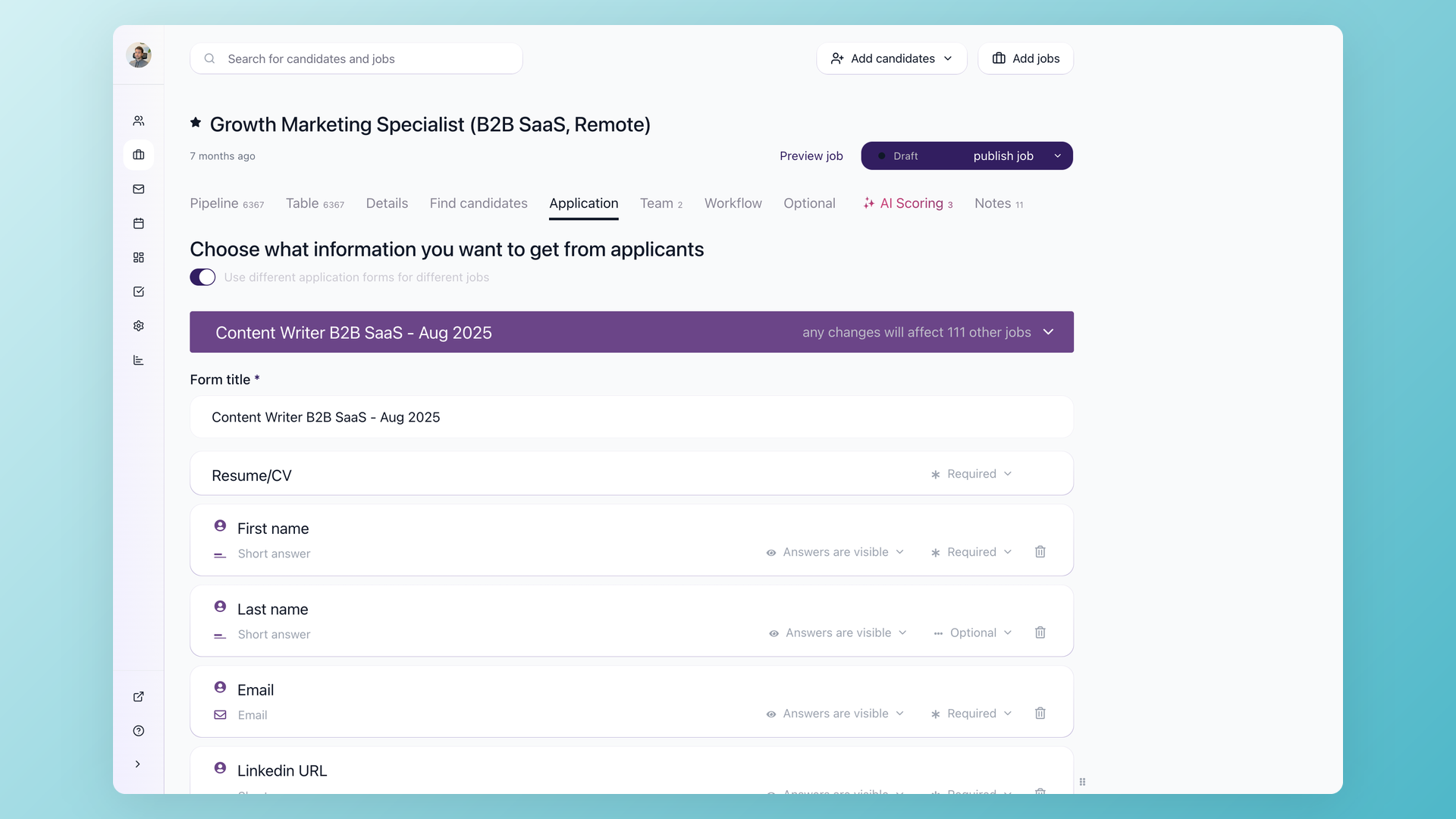
Stop phone-screening applicants who are not eligible to teach the role
Knockout questions on the application form disqualify the wrong applicants before anyone reads a word. Filter for a valid teaching license, the state certification and subject endorsement the role needs, the grade level, eligibility for a background check and fingerprint clearance, work authorization, and years in the classroom. The answers arrive the moment someone applies, so the people who reach your phone already clear the bar you set. 100Hires captures those requirements at the application stage, which is screening, not ongoing license tracking.
- Auto-disqualify on license, endorsement, and clearance eligibility
- Capture certification and grade level at the application stage
- Custom knockout logic per role
Knockout questions are best for the objective dealbreakers a document will later confirm. See how knockout questions work for the full setup.
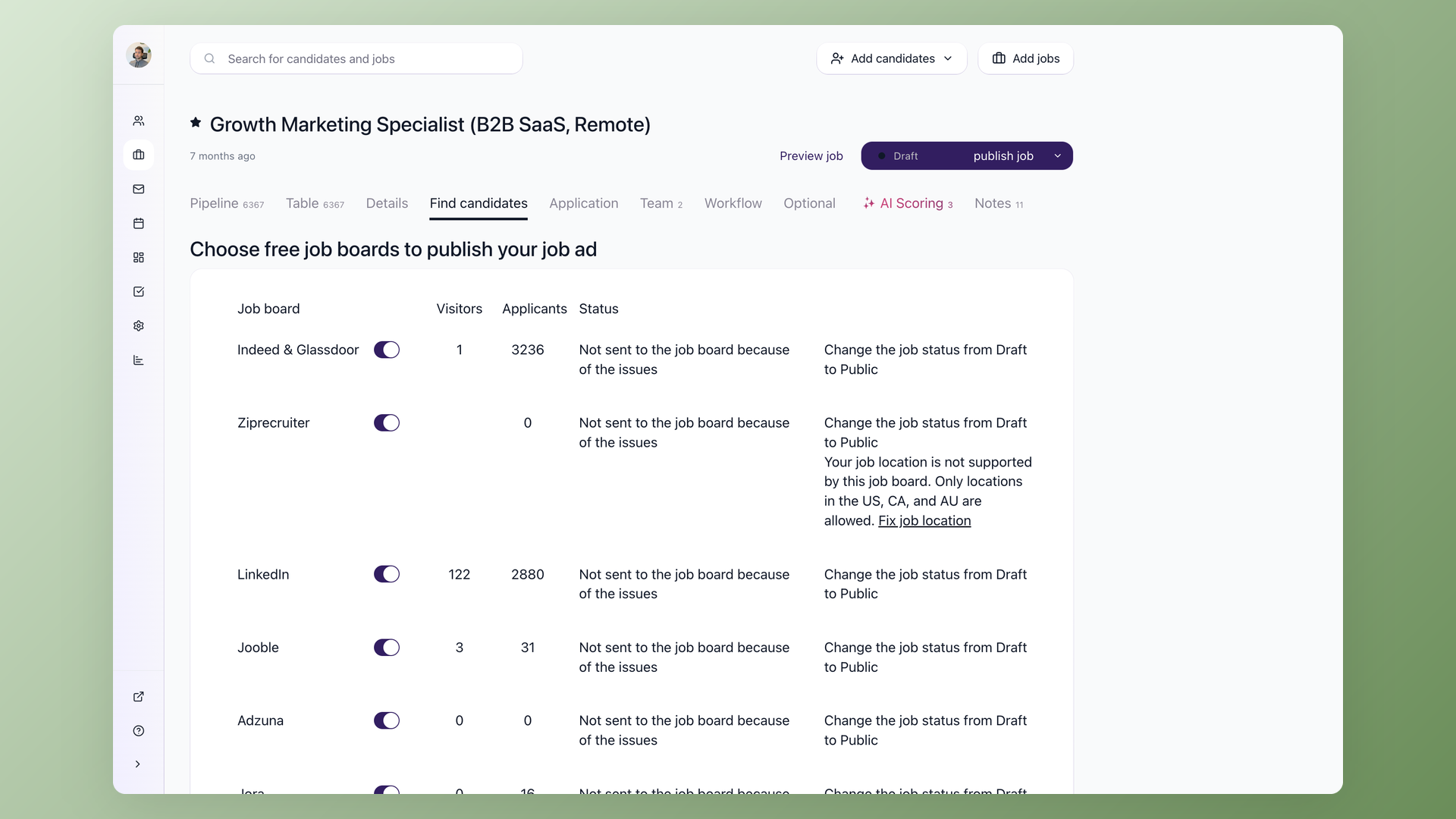
Reach more qualified educators by tonight
Post one opening to 13 named job boards, including Indeed, ZipRecruiter, and Glassdoor, in a single click, and every applicant lands in one pipeline instead of scattered inboxes. The application is short and mobile-first, so a teacher or aide applies from a phone in a couple of minutes. AI Copilot can draft the job description for a hard-to-fill role, such as a special education teacher, a bilingual paraprofessional, or a school psychologist, from a title and a few requirements before you post.
- 13 named job boards, one click
- Mobile apply in a couple of minutes
- Every applicant in one pipeline
The same opening can run across every school in the district at once, and the boards you can reach in one place are covered in posting to job boards.
Teacher recruitment software for K-12 schools and districts
Teacher recruitment software is the K-12 slice of this category: the district or school hires classroom teachers, aides, and substitutes directly, and the screening pivots on license, endorsement, and clearance eligibility.
In 100Hires that means knockout questions tuned per teaching role, postings that go out before the summer scramble, and a bench of substitutes and student teachers ready before August.
An applicant tracking system for higher education staff and faculty
For colleges and universities, a higher education applicant tracking system means staff and faculty hiring: search committees, multi-campus coordination, and a process that stays consistent and defensible.
Evaluation Forms give a faculty search committee one shared scorecard, Blind Evaluations keep early opinions from anchoring the panel, and every campus funnels into one 100Hires pipeline.
To be explicit: this is staff and faculty hiring, not student admissions or enrollment software.
Hiring interns and new grads on campus is a separate motion; see campus recruiting software for early-career hiring. For process defensibility, see how 100Hires supports an audit-ready, compliant hiring process.
Build a bench before the school year starts
The schools that never scramble in August do not start on Indeed when a teacher resigns. They pull from a bench they have been building all year.
Talent Pools keep substitutes, student teachers, past applicants, referral leads, and the strong finalists you could not place last cycle in one organized list, tagged by subject, grade level, certification, and campus.
The day a role opens, you start with a shortlist instead of a blank search.
See how teams build and reuse a talent pool across hiring cycles so the next opening starts from a list, not from zero.
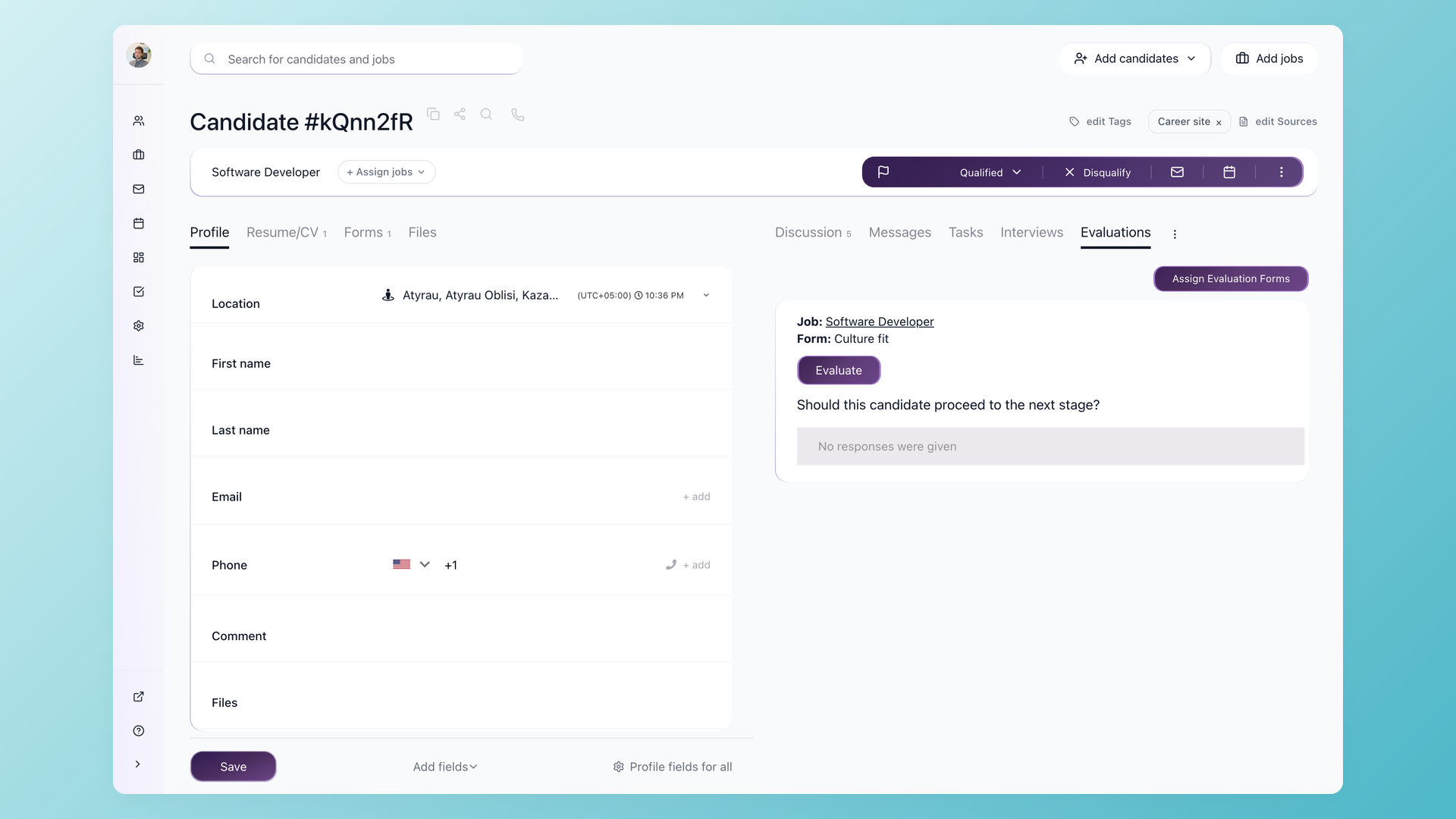
Get the hiring committee to a decision without making anyone log in
Evaluation Forms give the principal, department chair, or search committee a shared scorecard so feedback is structured and comparable instead of scattered across email. Each reviewer scores on a five-point thumbs scale, and Blind Evaluations can hide peer scores until a reviewer submits their own, so the first opinion does not anchor the panel. When an applicant clears your knockout questions, an automation emails a committee member a link to that candidate, and self-scheduling links let candidates book their own interview slot. The recruiter sets it up once per role and the pipeline runs itself.
- Shared Evaluation Forms with a five-point thumbs scale
- Blind Evaluations that hide peer scores until each reviewer submits
- Auto-email a reviewer and let candidates self-schedule
Evaluation Forms are how a committee stays comparable across a dozen interviews. See how teams set up an interview scorecard before the first panel.
What education hiring throws at you, and where 100Hires handles it
Every recurring school hiring headache maps to a specific part of the product. Here is the short version of what goes where.
| Education hiring challenge | How 100Hires handles it | Where it lives |
|---|---|---|
| Need more applicants than referrals bring in | Post one opening to 13 named job boards in a single click | Job > Multiposting |
| Only hire once the vacancy is already open | Talent Pools keep substitutes and past applicants warm to pull from | Talent Pools |
| Flood of applicants who miss the basics | Knockout questions and AI Score filter and rank applicants before a human reviews them | Workflow tab |
| A license, endorsement, or clearance to confirm | Knockout questions capture the requirement at the application stage | Application form |
| Committee feedback scattered across email | Evaluation Forms give the panel one shared scorecard with Blind Evaluations | Evaluation Forms |
| Principal or chair will not log into software | Automations email a reviewer a candidate link when screening clears | Workflow automations |
| Hiring across every school in the district | One opening runs across campuses and funnels into one pipeline | Job > Multiposting |
| Term starts and a role is still open | Talent Pools plus self-scheduling links turn an opening into interviews fast | Candidates |
100Hires next to a typical ATS for education
Most ATS platforms were built for one salaried office role at a time, not for a district hiring teachers, aides, and substitutes against an August deadline. The difference shows up exactly where school hiring hurts.
 100Hires

It solved all of my recruitment problems and offered all of the features I was looking for. It can automate most of my recruitment processes.

I’d happily recommend it to my industry peers. I’m able to use the platform with ease and don’t have to think twice about which function to use.

The system is very user-friendly. Even people with no experience will find it easy to understand its functionality.







 4.7
4.7
 4.8
4.8
Where 100Hires fits in your education stack
100Hires is the front of your hiring funnel: sourcing, screening, interviewing, and the hire decision. It is not a student information system, an HRIS, or payroll, and it does not run background checks or track certification expiration after someone is hired.
It captures and screens for licenses and certifications at the application stage, then hands off to your HR, payroll, and compliance tools through Zapier, the REST API, and webhooks. Candidate texting runs through the Twilio integration, so you connect your own Twilio account.
One more boundary worth stating plainly: this is staff and faculty hiring, not student admissions or enrollment. If any of that is a dealbreaker for your stack, a demo is the fastest way to check the fit before you commit.
The hiring playbook, in your inbox
One email a week - benchmarks, AI screening tactics, and short interview templates from the 100Hires team. No product pitches.