
Recruitment analytics software that replaces spreadsheet reporting
See where every hire comes from, how long each role takes, and where candidates drop off, without rebuilding a single spreadsheet.






screening candidates
response rates
time to fill
per hire
Recruitment analytics that lives where you hire, not in a separate tool
Recruitment analytics software turns every application, interview, offer and rejection into reports your team can act on. 100Hires builds source, pipeline and time-to-hire reporting right into the ATS, so you answer where your hires come from and where they stall without exporting anything to Excel or standing up a separate BI tool.
It is built for founders, hiring managers and recruiters who need hiring numbers they can defend in a leadership review, without leaning on a data team. And because candidates also get an AI Score, your analytics include a quality signal, not just speed and volume.
The recruiting metrics that change decisions, in one place
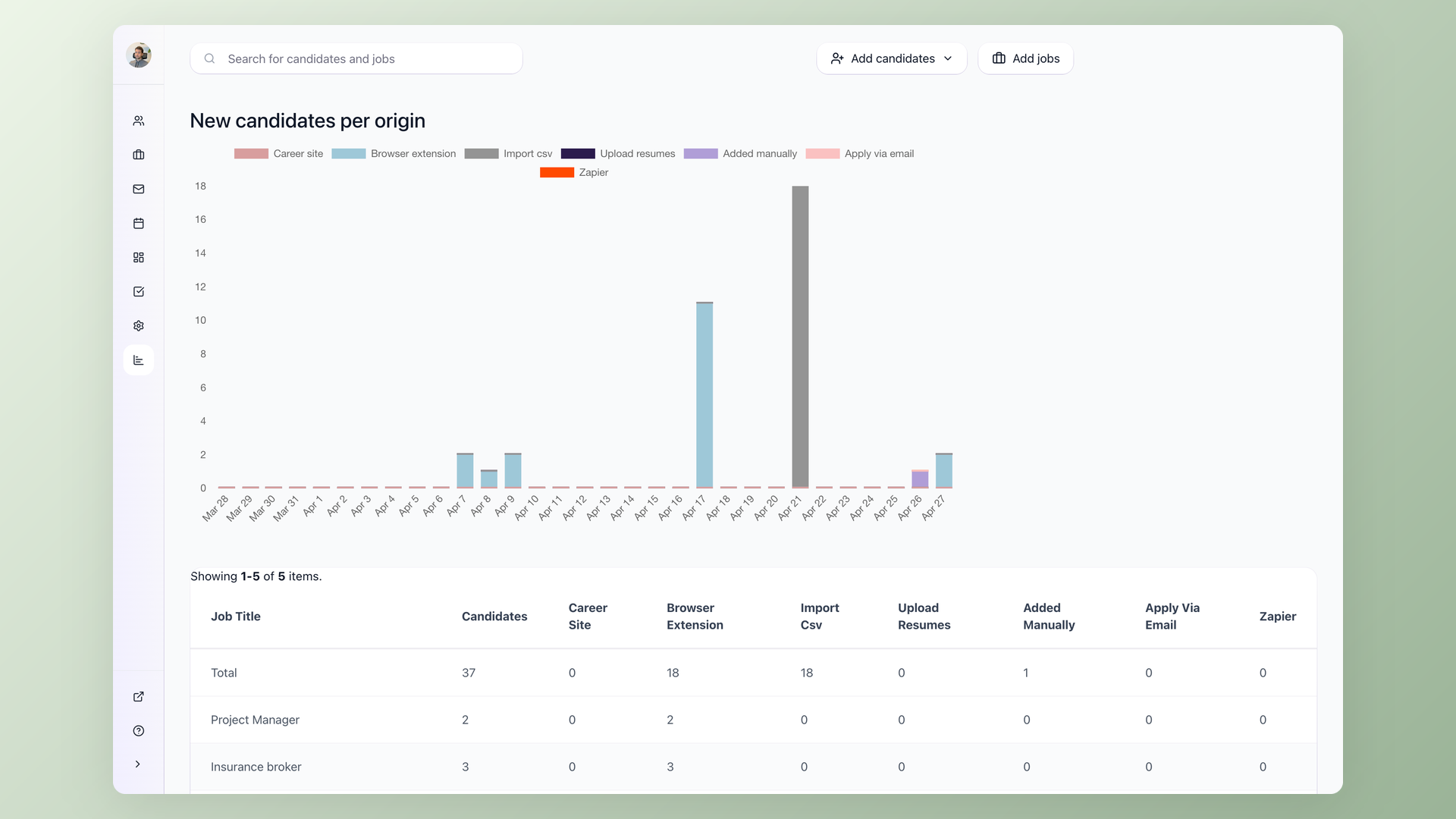
Recruiters do not need another dashboard nobody opens. They need the few numbers a hiring manager or a founder will act on. 100Hires focuses its recruiting analytics on four of them: where candidates come from, where they stall, how long roles take, and how strong each candidate is.
Source of hire reports that cut wasted spend
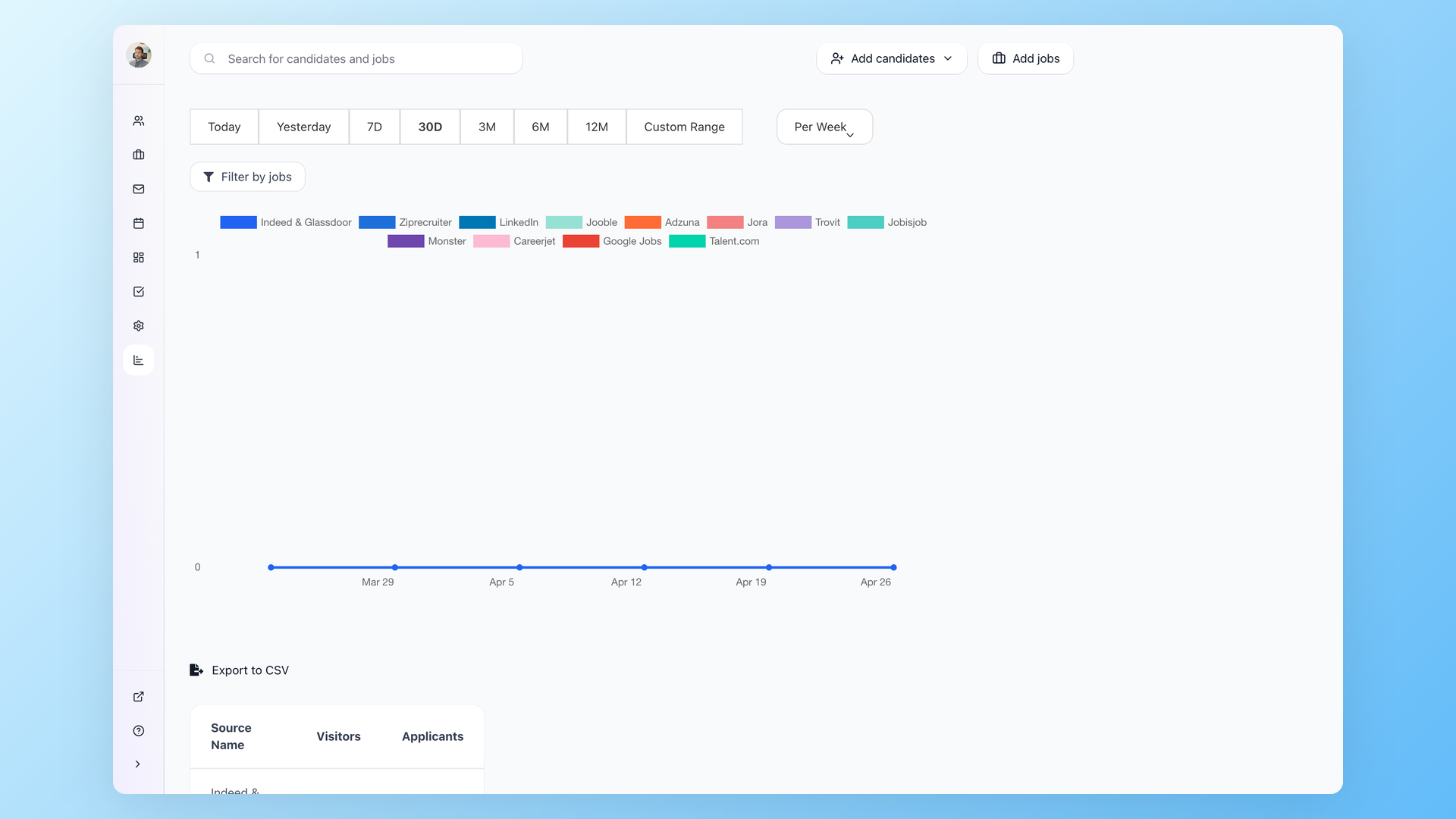
The Source report shows how many candidates each channel produced, with a percentage and a trend over time. Filter it by date range and by job, then group it by day or week. The payoff is simple: stop renewing the job board that floods you with applicants but never works out, and move that budget to the channels that actually fill roles.
- Candidates and hires per channel
- Filter by date range and by job
- Trackable links for finer attribution
- One-click export to CSV
Pipeline conversion analytics that show where candidates drop off
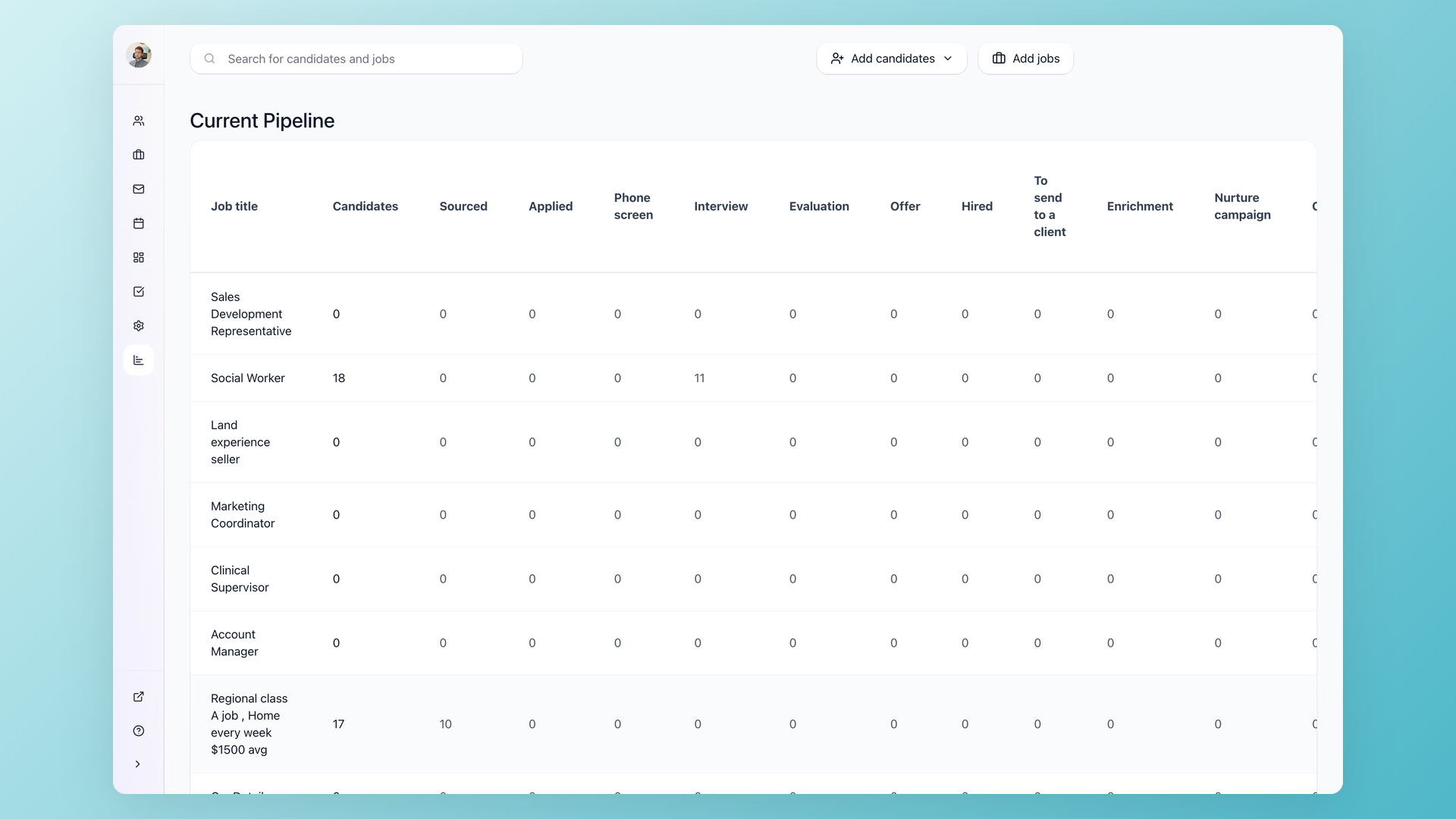
The Current Pipeline report lays out how many candidates sit in each stage and the conversion between them. When conversion from screening to interview drops, or offers stall, the bottleneck stage is obvious instead of buried in a tracker. It is a current snapshot of the funnel, so you read the pipeline as it stands now, not a stale export from last Friday.
- Candidate count per stage
- Stage-to-stage conversion
- Spot the bottleneck stage fast
- Current snapshot, not a stale export
Time-to-hire reporting you can defend in a leadership review
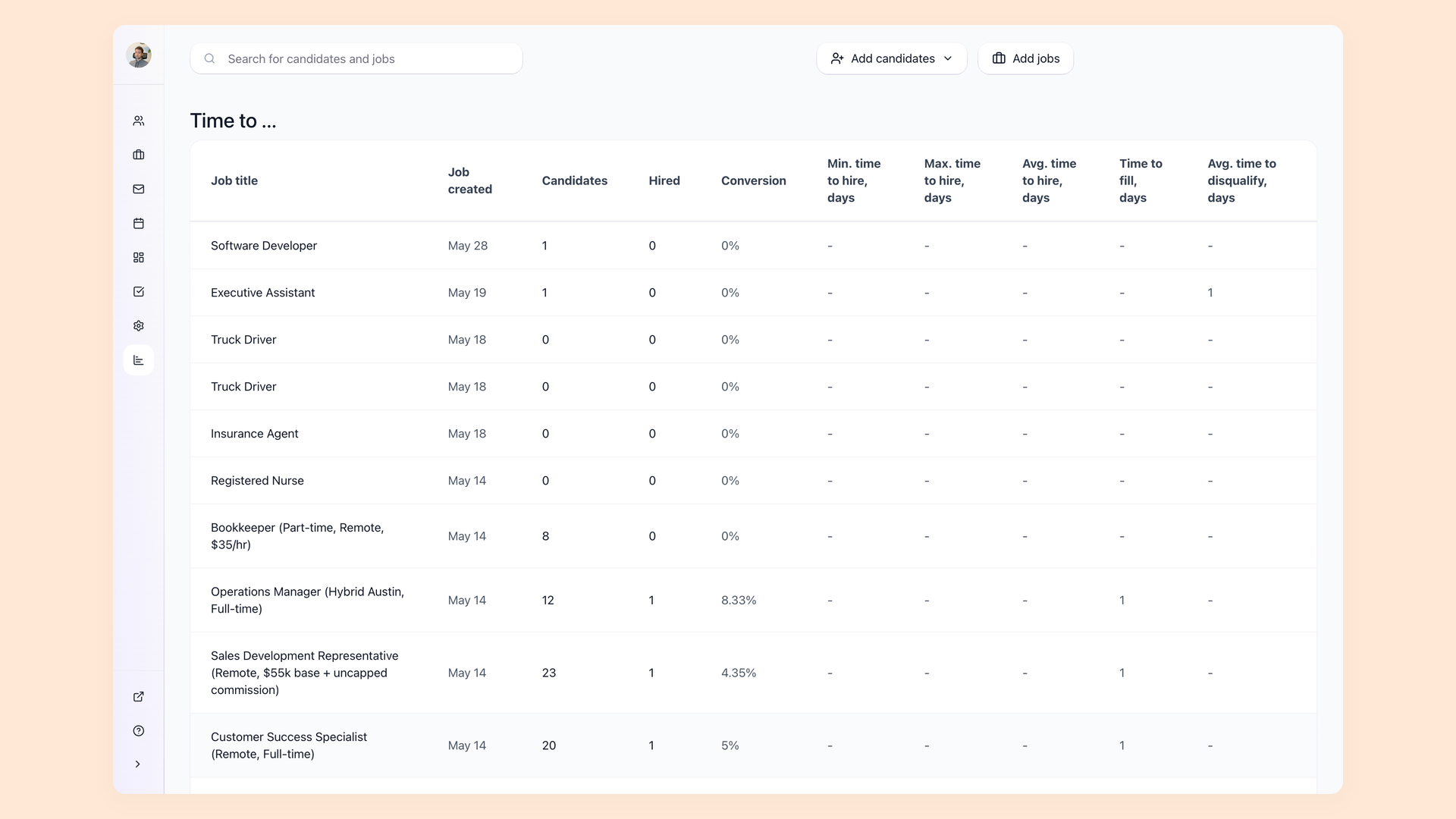
The Time to Hire report breaks each job into candidates, hires, conversion rate, and the minimum, maximum and average days to hire, plus average time to disqualify. Read it per job so a six-week engineering search is not averaged against a one-week support hire. When leadership asks how long hiring takes, you bring one consistent number instead of an argument.
- Min, max and average days to hire
- Conversion rate per job
- Average time to disqualify too
- Read it role by role
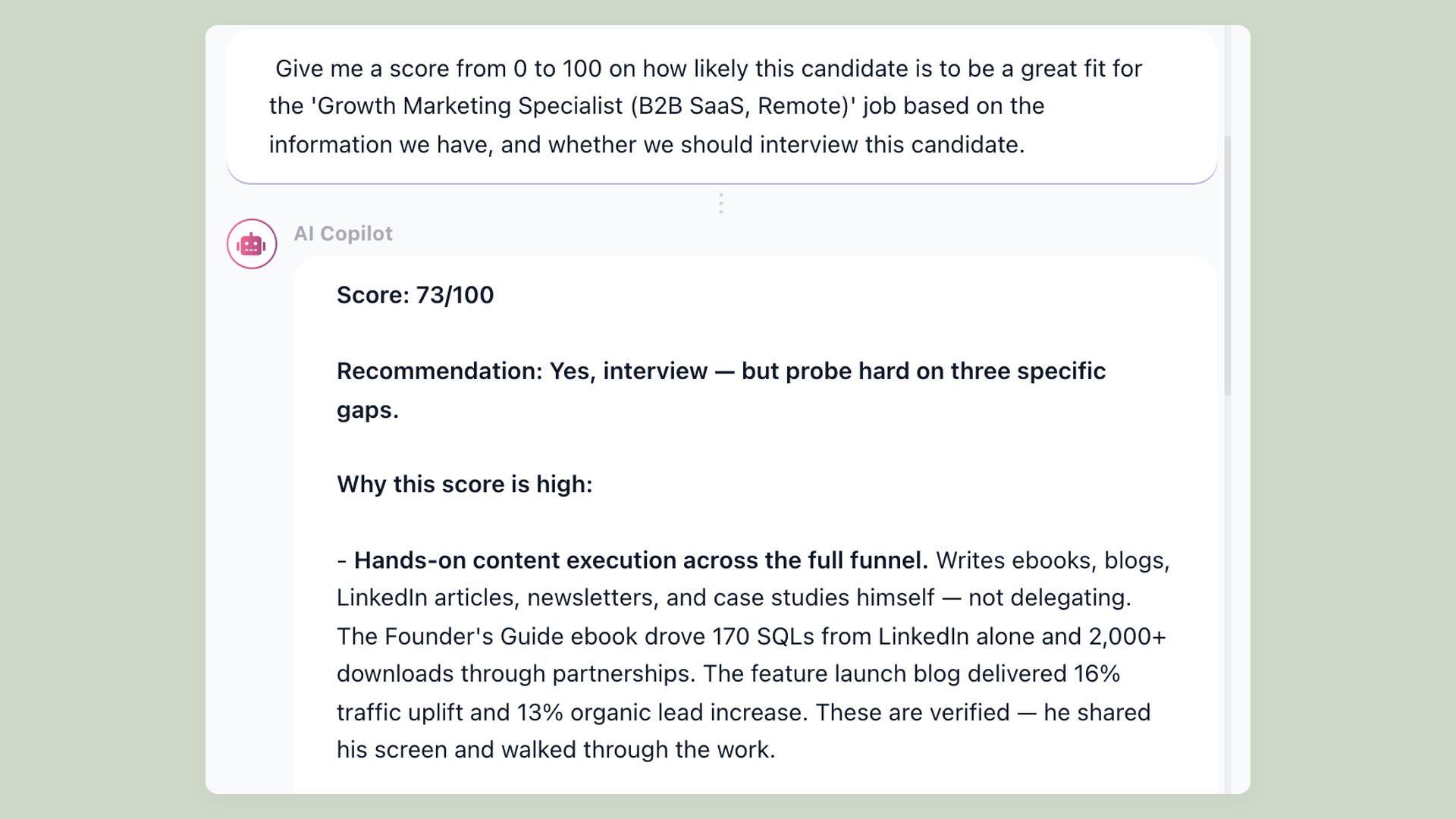
An AI score that adds quality to the speed-and-volume numbers
Most recruiting analytics only measure speed and volume. 100Hires also scores candidates against the role with an AI Score from 0 to 100, sortable across the whole pipeline, so your reporting includes a fit signal. Treat it as a screening signal to triage faster, not a hiring verdict. It judges only what the application documents, so a sparse resume scores low and a real review still matters.
- 0 to 100 score per candidate
- Sort candidates by fit score
- A signal, not a verdict
- Runs on monthly AI credits
A recruitment dashboard that is ready on day one
For many teams a recruitment dashboard means a BI project: pick a tool, connect the data, keep it maintained. In 100Hires the hiring dashboard comes built in. Source, Current Pipeline and Time to Hire read live pipeline data, so the recruiting analytics your team opens on Monday morning already include the candidates who applied over the weekend. And when leadership wants a custom view, with widgets like cost per hire, retention or cohorts, the free Looker Studio integration turns the same data into recruitment dashboards you design yourself.
| Report | What it answers | Who relies on it |
|---|---|---|
| Source | Which channels your candidates come from | Recruiters, finance |
| Current Pipeline | Where candidates stall between stages | Recruiters, hiring managers |
| Time to Hire | How many days each role takes, by job | TA leads, execs |
| AI Score | A 0 to 100 quality signal per candidate | Recruiters, hiring managers |
| Disqualification reasons | Why candidates get rejected, with a required reason | TA leads |
| Nurture campaign stats | Open, reply and click rates per outreach step | Sourcers |
| Email deliverability | Sent, scheduled, failed and queued messages | Anyone running email |
| CSV export | Raw data for your own pivots and dashboards | Spreadsheet owners |
| Looker Studio + API | Custom reports: cost per hire, retention, cohorts | Ops, leadership |
What recruitment analytics software is, and what 100Hires does not try to be
Recruitment analytics software is the layer that turns raw ATS activity into the handful of reports that change hiring decisions. 100Hires keeps that layer inside the same place you screen and score candidates, so the report and the pipeline never drift apart. If you want to compare the wider market first, see our roundup of the best recruitment analytics software.
It is built to be operational, not predictive. You get source, funnel and time reports plus an AI quality signal, and you can export to CSV or connect Looker Studio for the rest. The reports share the same ATS data behind candidate tracking, the scoring from the AI recruiter, and source attribution from multiposting and trackable links. 100Hires is not a compliance suite or a standalone business intelligence platform, and the comparison below says so plainly.
How 100Hires analytics compares to a typical ATS
Most ATS products include some reporting. The gap is usually how much you get out of the box, whether quality has a number on it, and how easily you own your own data. The comparison below is against a generic ATS baseline, not any specific named product.
 100Hires

It solved all of my recruitment problems and offered all of the features I was looking for. It can automate most of my recruitment processes.

I’d happily recommend it to my industry peers. I’m able to use the platform with ease and don’t have to think twice about which function to use.

The system is very user-friendly. Even people with no experience will find it easy to understand its functionality.







The hiring playbook, in your inbox
One email a week - benchmarks, AI screening tactics, and short interview templates from the 100Hires team. No product pitches.