
Candidate tracking software that keeps every candidate in one shared profile
Track every applicant across every job in one record. Resume, emails, interview notes, evaluations, AI score, tasks, and full history on a two-panel view your team can share with one URL. Free 14-day trial, no credit card.
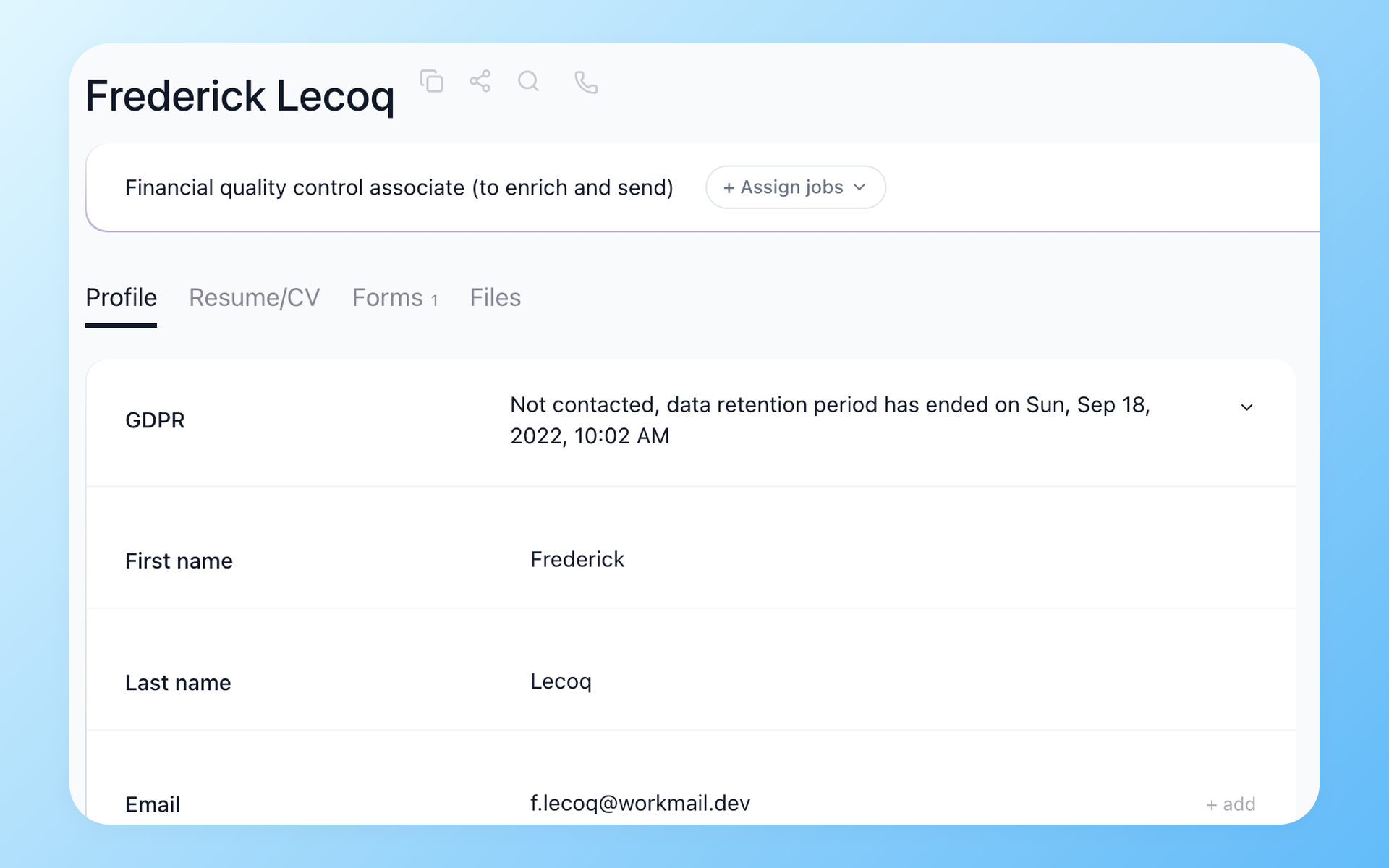
Candidate tracking software keeps a single record of every applicant. Resume, emails, evaluations, interview notes, AI score, and stage history live in one place, so your team always knows where each person stands and why.
100Hires unifies that record across every job a candidate ever applied to. No duplicate profiles, no split history.
Open any candidate, see resume on the left and discussion thread on the right, switch tabs to view emails, scheduled interviews, evaluation responses, and tasks. Share the profile link with a hiring manager and they see what you see.






How 100Hires compares to a typical ATS
Most teams searching for candidate tracking software are comparison shopping. Here is the short version of where 100Hires sits next to a typical mid-market ATS, by the eight axes that come up most often in G2 and Capterra reviews of established platforms.
 100Hires
| Data type | Where it's stored | How you find it |
|---|---|---|
| Resume + profile fields | Top of the candidate record | Free-text search across resume content and custom fields |
| Email + message history | Discussion thread, right rail | Filter by sender, type, or pipeline stage |
| Interview notes + scorecards | Per-interview tab | Auto-pulled into the AI Score input for that role |
| AI Score | Per job application | Sortable column on every job-board view |
| Stage history | Timeline panel | Auto-logged on every stage move - never manually entered |
| Files + attachments | Files tab | Bulk upload via CSV import or Chrome extension |
| Tags + custom fields | Settings > Profile Fields | Filterable in any candidate view or saved search |
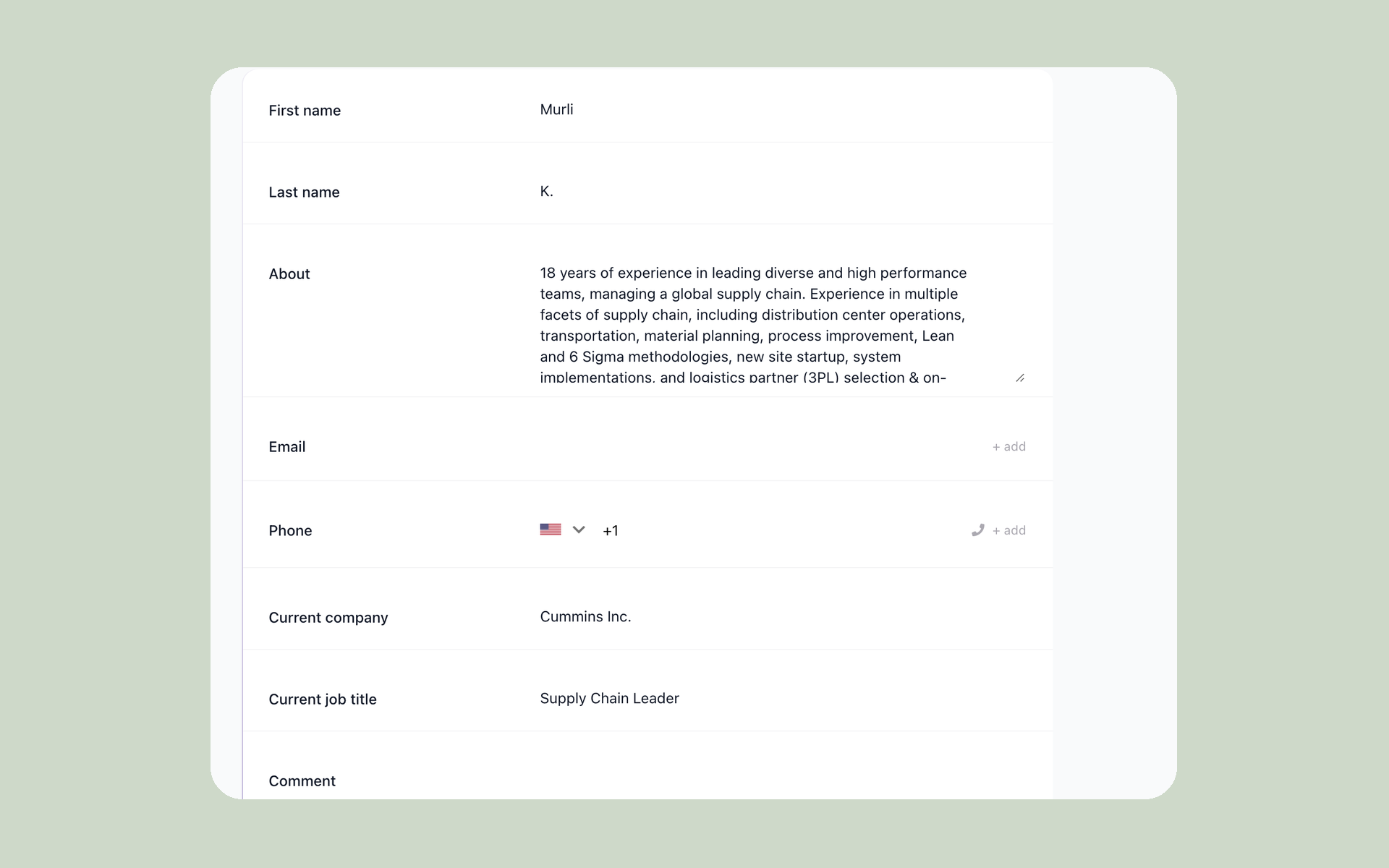
Every candidate in one record - across every job
Open any candidate and 100Hires loads the structured record in one place: resume data, profile fields, intake forms, uploaded files, and the full team conversation. Switch panels without losing context, and 100Hires remembers the layout per user.
- Left panel: Resume, Profile fields, Forms, Files
- Right panel: Discussion, Messages, Tasks, Interviews, Evaluation
- Customizable panel layout, saved per user
- Custom fields live in Settings > Profile Fields
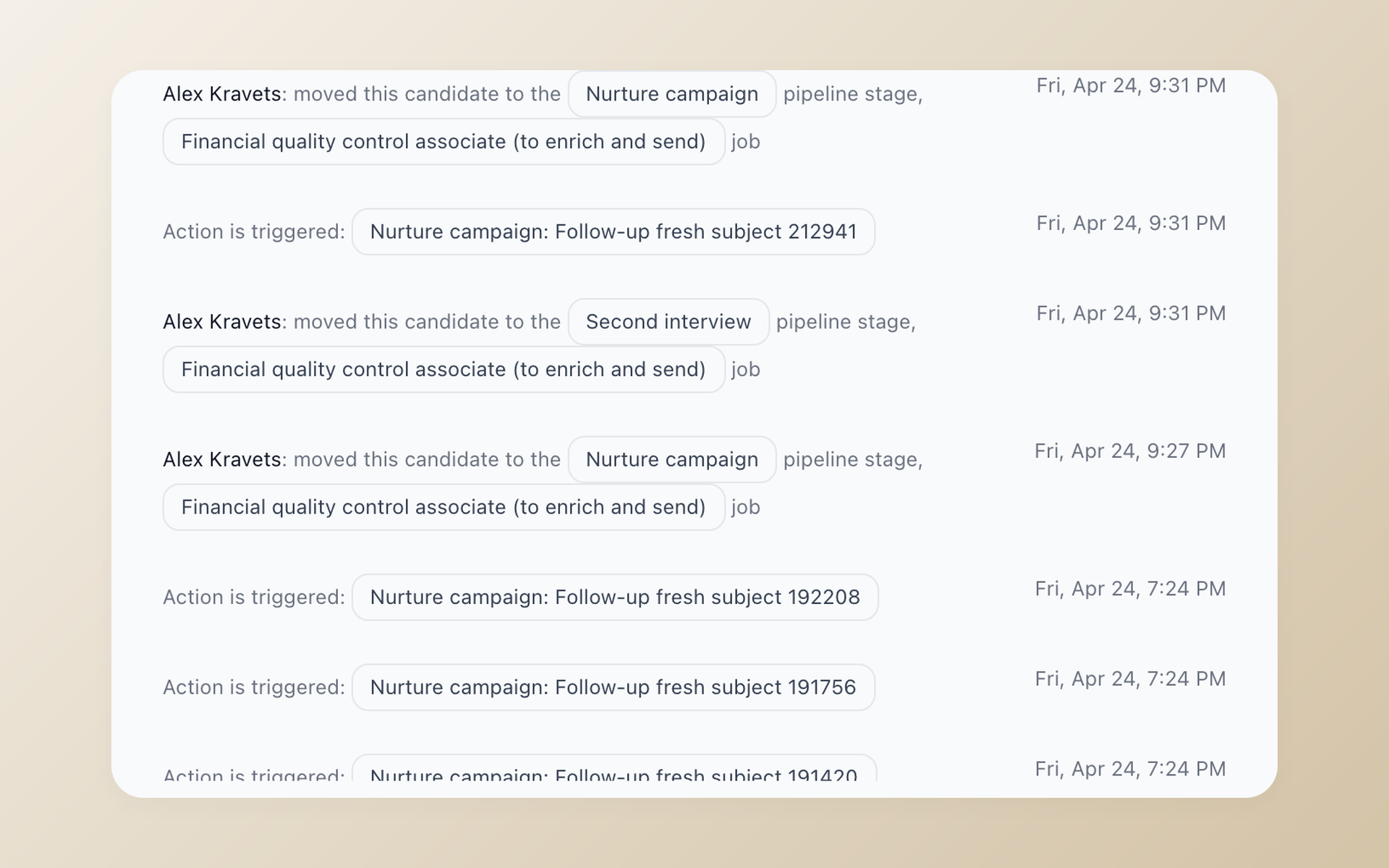
A full activity timeline, automatically logged
Every action in the candidate journey logs itself. Stage changes, disqualifications, emails, evaluations, automation actions, and team notes are timestamped in the candidate profile so a new recruiter can read the full history later.
- Stage changes, disqualifications, and automation actions
- Two-way email sync with Gmail and Outlook
- @mentions notify teammates and keep replies in context
- Note visibility settings: everyone, admins only, or private
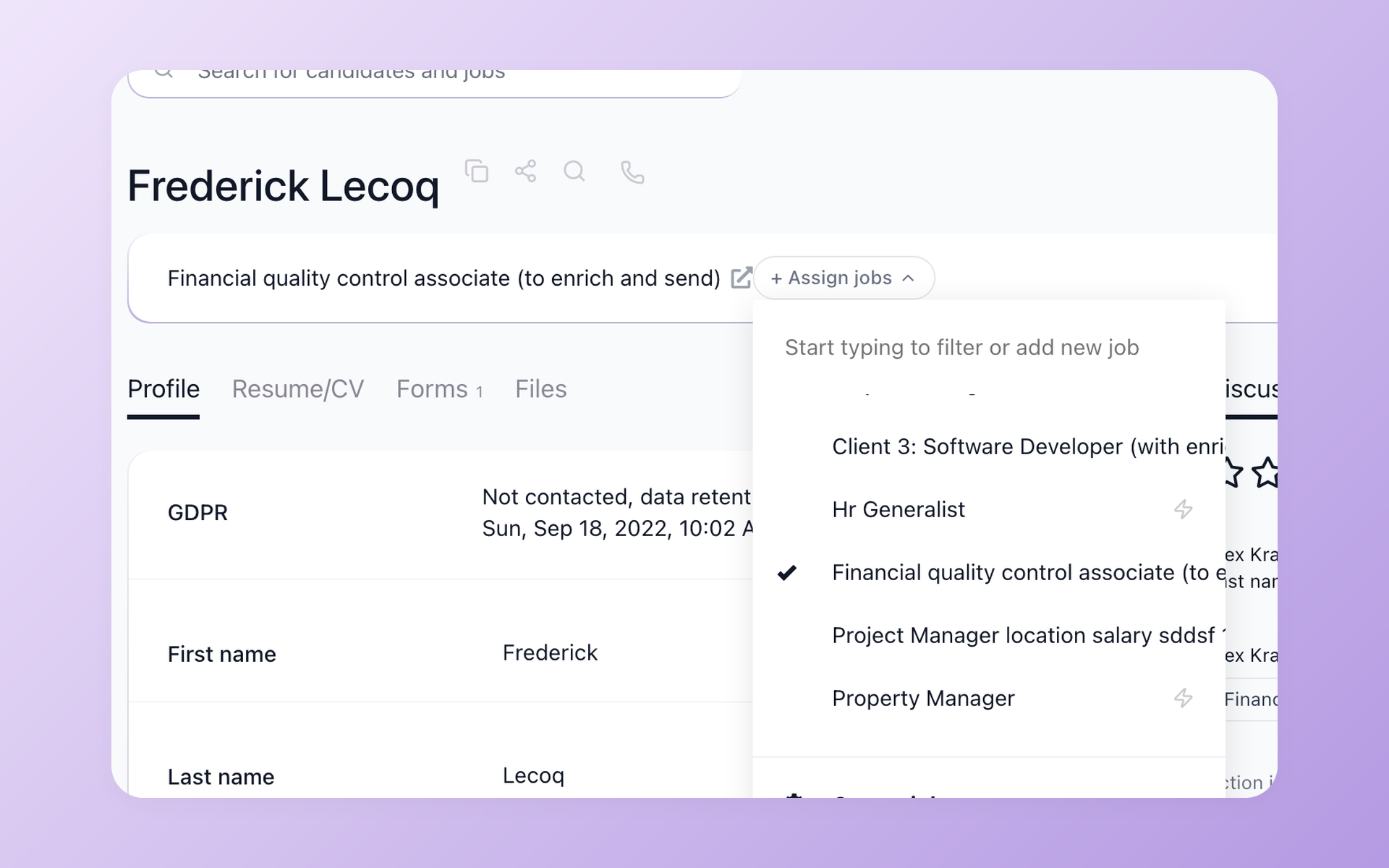
One person, one record - even across multiple roles
When a candidate applies to two jobs, 100Hires keeps the person as one profile with one history. Open them from any role, see the full picture, and assign additional jobs straight from the profile header.
- Auto-merge duplicates by email or LinkedIn URL
- Full history visible from every linked job
- Assign more jobs from the profile in one click
- Tags and sources are multi-select and follow the candidate
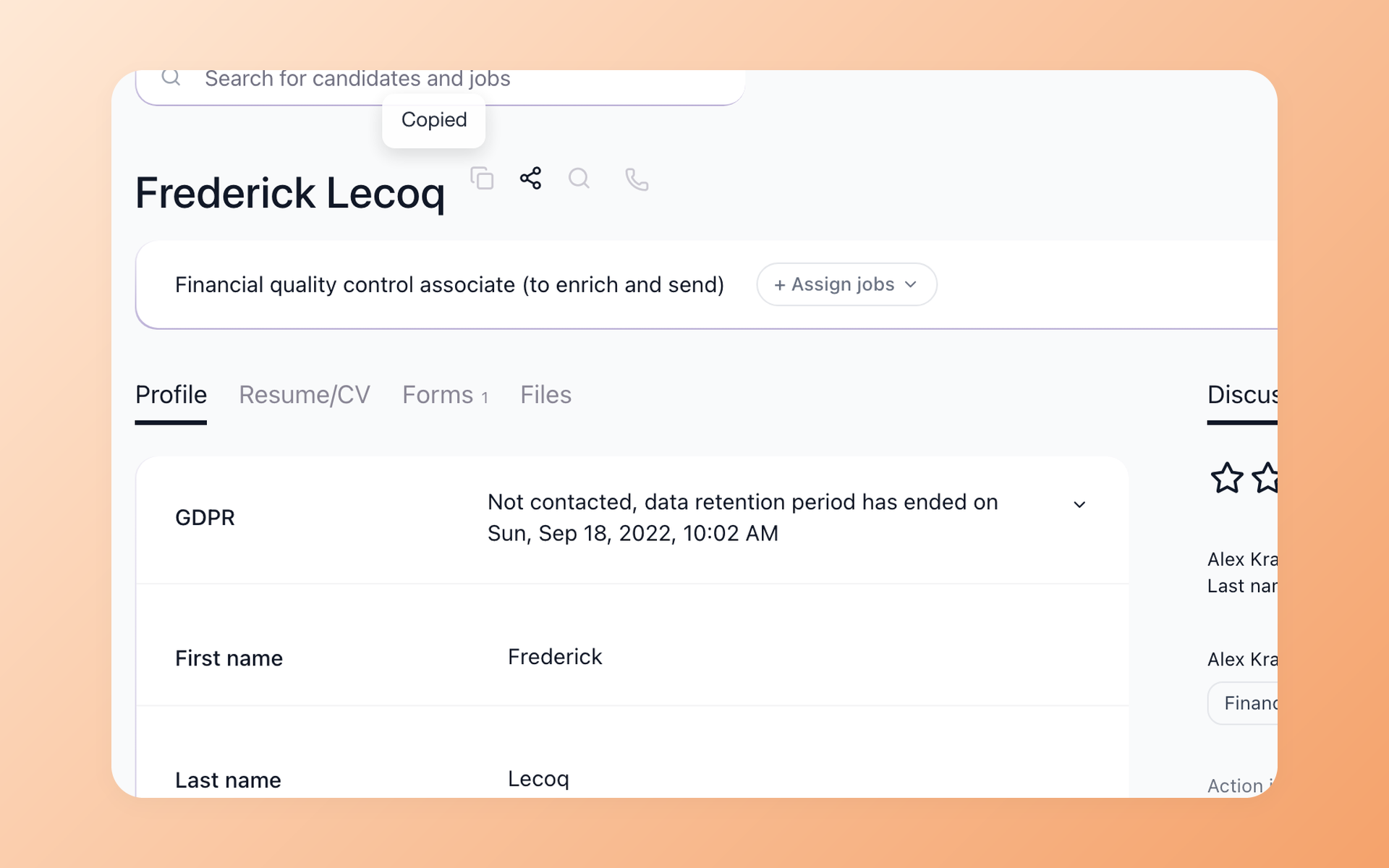
Share any candidate profile with one URL
Copy the profile link from the header and send it to a hiring manager, external interviewer, or colleague. They open the same candidate record, filtered by the visibility rules you set.
- Shareable URL per candidate profile
- Visibility controls per discussion note
- One-click Google search shortcut from the profile header
- Bulk export selected candidates to CSV with any custom field
What is candidate tracking software?
Candidate tracking software is the system recruiters and hiring teams use to keep one organized record per candidate as they move through hiring. It pulls together resumes, emails, interview notes, evaluations, AI score, and stage history.
The whole team looks at the same data, not three separate tabs. Most candidate tracking software lives inside a broader applicant tracking system (ATS). The moment you track candidates, you start managing jobs, scheduling interviews, sending offers, and reporting on the funnel.
The "candidate tracking" piece is the candidate-facing data model: one record per person, one timeline of activity, one shared view.
Candidate tracking software vs an applicant tracking system
The terms get used interchangeably, but they describe different things. Candidate tracking software is the data layer - one record per candidate, with their resume, emails, evaluations, AI score, and full timeline.
An applicant tracking system (ATS) is the broader workflow that wraps around that record: posting jobs, collecting applications, scheduling interviews, sending offers, and reporting on the funnel.
Most products on the market do both. Typical enterprise ATS platforms bundle candidate tracking inside a full hiring workflow, and 100Hires does too. The difference is where the design center sits.
100Hires is built around the candidate record itself. You spend less time clicking between modules and more time looking at one shared profile per person.
Running 500+ employees with a dedicated talent ops team? The bigger platforms make more sense. Running a 2-100 person team that wants visibility without spending a quarter on implementation? 100Hires is built for you.

It solved all of my recruitment problems and offered all of the features I was looking for. It can automate most of my recruitment processes.

I’d happily recommend it to my industry peers. I’m able to use the platform with ease and don’t have to think twice about which function to use.

The system is very user-friendly. Even people with no experience will find it easy to understand its functionality.
Candidate database - search any candidate by any field
Every candidate you have ever sourced, imported, or interviewed lives in one searchable database. Filter by stage, by job, by tag, by custom field, or run free-text search across resumes and notes.
The search hits the actual content of resumes, not just titles. A search for "Kubernetes" surfaces the engineer who mentioned it once in a 2022 interview note.
Bulk-select candidates from any search result and export them to CSV with any combination of fields, including custom ones. Use the same database to build talent pools for future roles instead of re-sourcing from scratch every time a similar opening comes up.
ATS database - your single source of hiring truth
The ATS database is where every candidate, every job, every interview, and every note lives together. With auto-merging duplicates, the database stays clean past thousands of applications. Team access controls let you decide who sees what.
A contract recruiter sees only their assigned jobs. An admin sees the entire pipeline. An external interviewer sees just one candidate.
Pull any subset of the database into a custom report, an exported CSV, or a programmatic feed via the 100Hires API if you need to push data into another tool.







The hiring playbook, in your inbox
One email a week - benchmarks, AI screening tactics, and short interview templates from the 100Hires team. No product pitches.
screening candidates
response rates
time to fill
per hire