
Hiring Tasks
Turn the hiring tasks every role repeats, from screening to scheduling to references to the offer, into assigned, dated next-actions on each candidate, so nothing slips between interviews
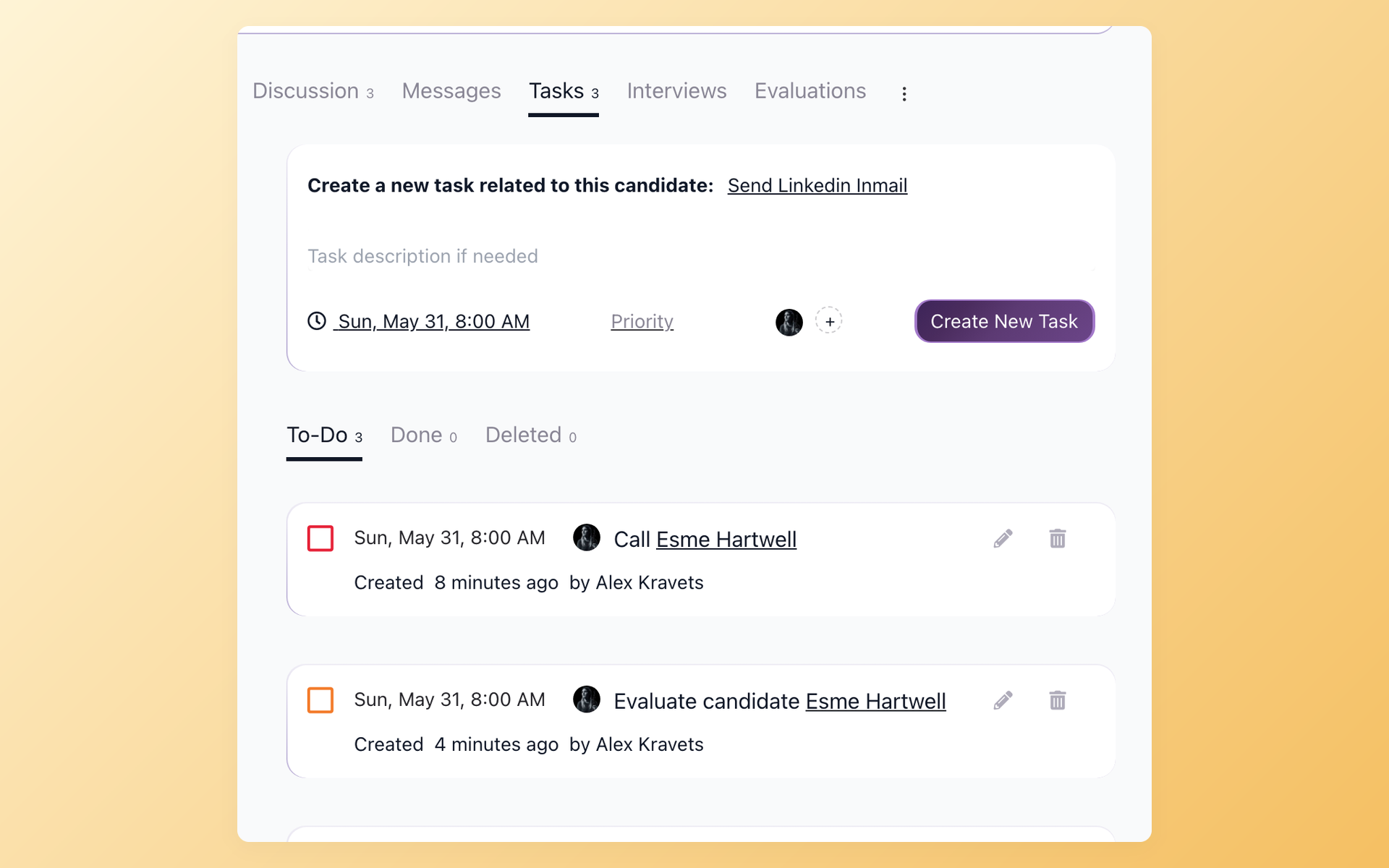
Hiring tasks are the small next-actions that move a hire forward: screen the resume, book the interview, send the thank-you, check references, send the offer. Every role runs through the same list, and on a busy week the list is what gets dropped.
On a competitive market, the hiring task with no due date is often the one that costs you the candidate.
100Hires keeps that list out of your head and your spreadsheet. Each hiring task becomes an assigned, dated item on the candidate it belongs to, and every task you own shows up on one My Tasks page.





What are hiring tasks?
Hiring tasks are the recurring to-do items a hiring team works through for every open role, from the first resume review to the signed offer. Most teams keep them in a checklist, a shared doc, or memory, which holds up until two roles are open at once.
The list barely changes between hires. What changes is who owns each task and when it is due, and that is the part a static checklist cannot track.
| Stage | Typical hiring tasks | In 100Hires |
|---|---|---|
| Open the role | Confirm the need and budget, write the job description, pick the hiring team | Create the job and assign the setup tasks |
| Source and post | Post to job boards, source and add candidates | Multiposting, then a task to chase referrals |
| Screen | Review resumes, run phone screens, send pre-screening questions | Knockout questions, then a task to review the shortlist |
| Interview | Write questions, schedule interviews, collect scorecards | Interview scheduling and Evaluation Forms, plus a task to chase missing feedback |
| Decide and follow up | Compare feedback, send thank-you and rejection notes, check references | A dated task per candidate so no follow-up is missed |
| Offer and close | Send the offer, collect documents, hand off to onboarding | A task to send the offer and a task to start onboarding |
A checklist in a doc is where these tasks go to die. The recruiter who owns the offer is out sick, the reference check sits in an inbox, and the candidate hears nothing for a week.
Because every 100Hires task sits on the candidate record next to the resume, emails, and interview notes, it travels with the rest of the history your team already keeps in candidate tracking software.
How 100Hires compares to a typical ATS
Most applicant tracking systems let you leave a note on a candidate. Fewer let you assign that note to a teammate, set a priority, give it a due date, and see it in one list. That gap is where hiring tasks slip.
 100Hires
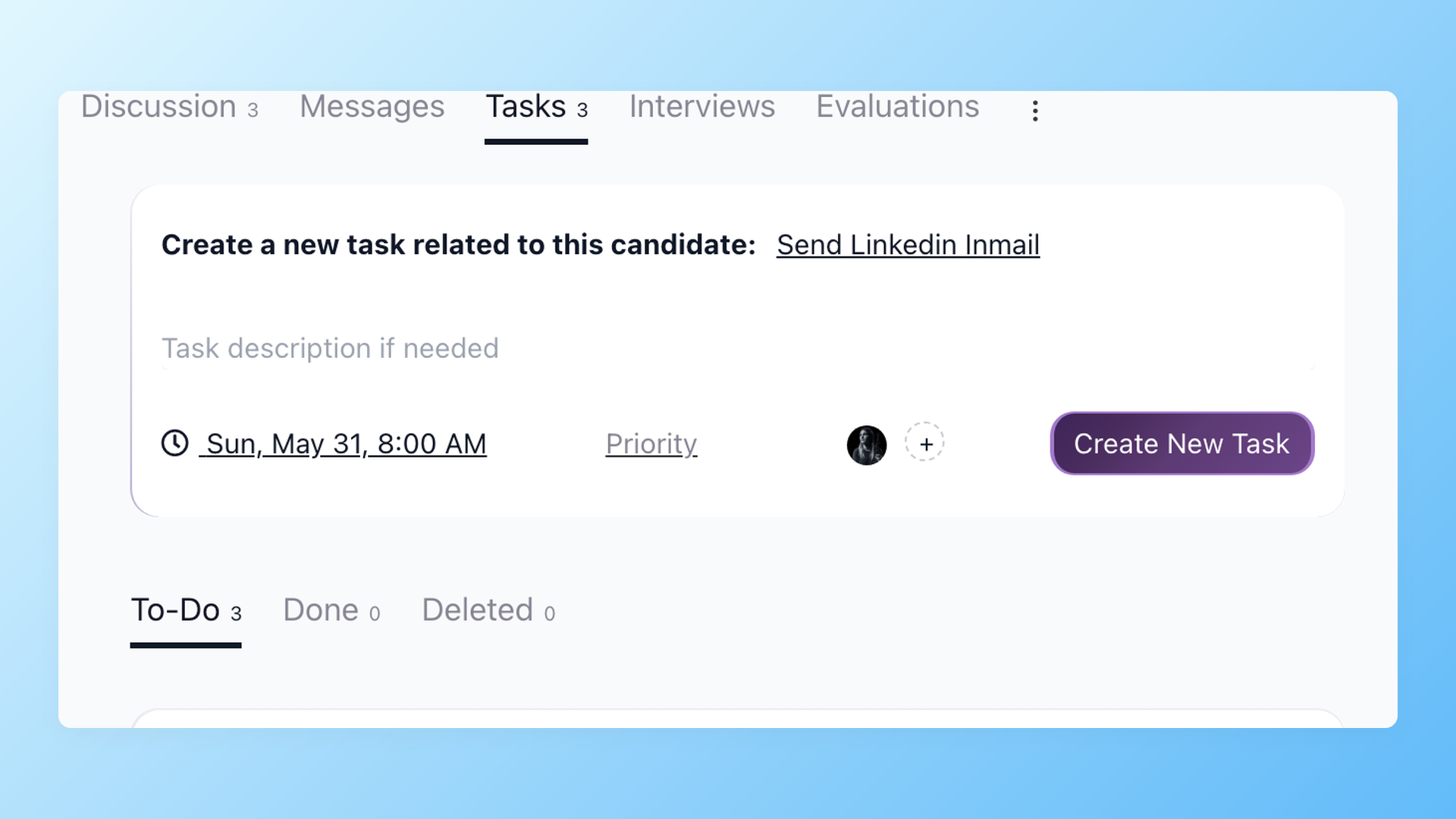
Hand the next step to the right person, not the group chat
Create a hiring task on any candidate, pick the teammate who owns it, and 100Hires emails them the moment it lands. The task carries the candidate, the due date, and the priority, so the owner opens it already knowing what to do next.
- Assign to a teammate or yourself
- Email notification on assign
- Task type, due date, priority
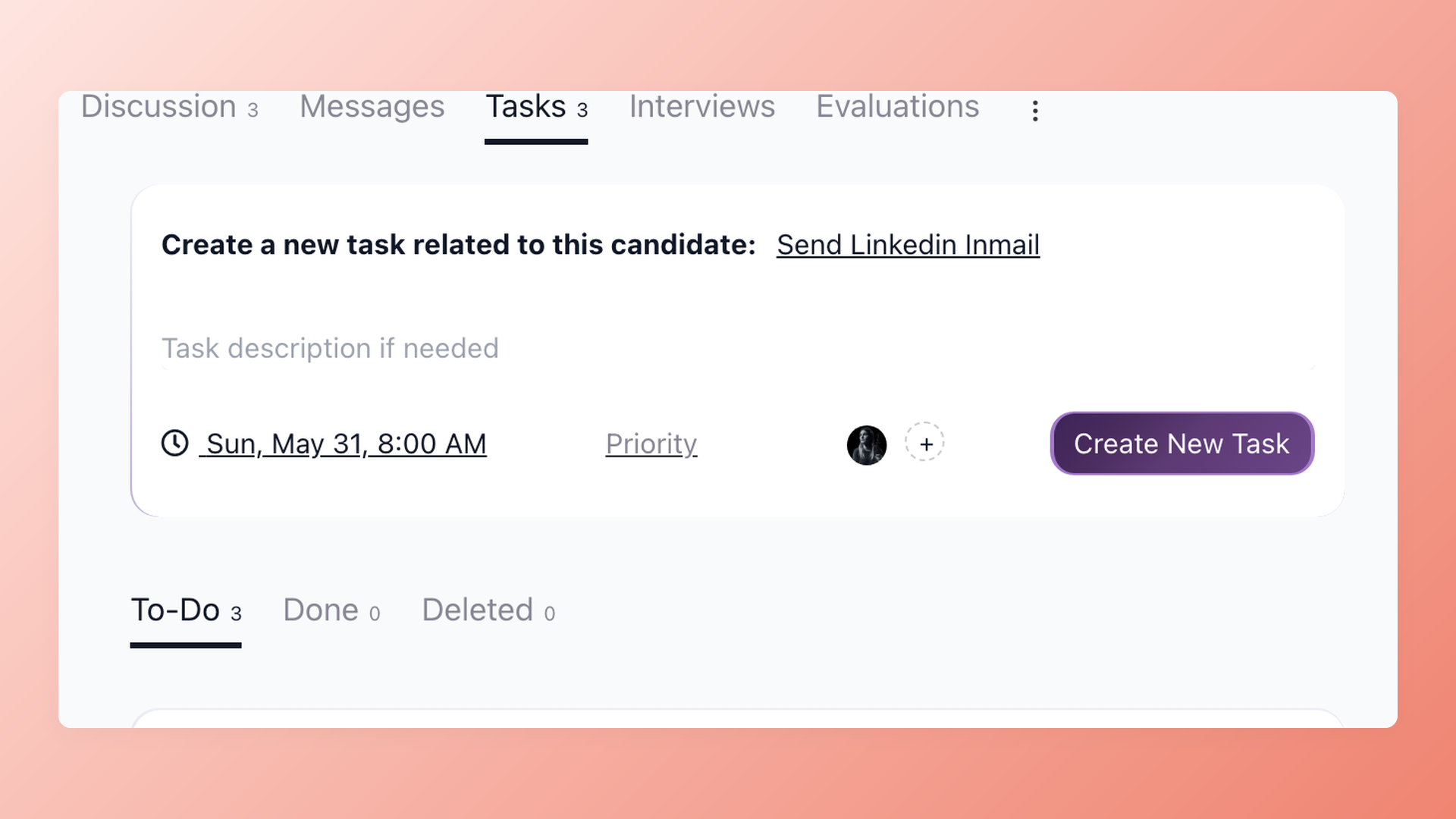
Give every interview a task before it goes on the calendar
A task like sending the Zoom link or confirming the panel falls through when nobody owns it. In 100Hires you create it on the candidate, assign it, set the due time, and the assignee gets an email right away. The interview step that used to depend on memory now depends on a due date.
- Task per interview step
- Assignee notified by email
- Due date prevents last-minute gaps
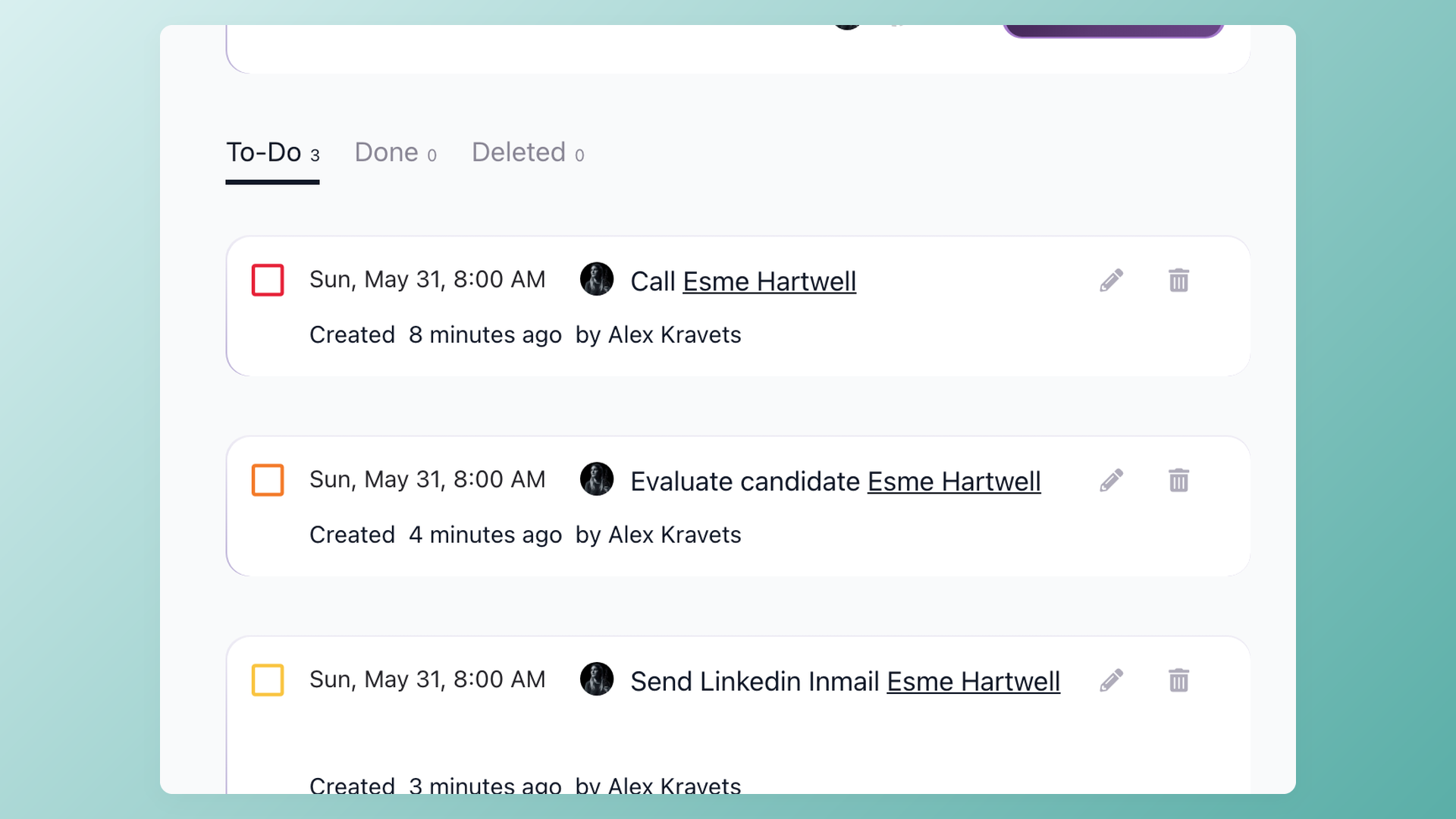
Do the urgent thing first, not the loudest thing
Every hiring task gets a priority from P1 to P5 and a due date, so the offer that has to go out today sits above the resume you can read tomorrow. The To-Do tab sorts the noise into an order your team can actually work down.
- Priority P1 to P5
- Due date on every task
- To-Do, Done, Deleted tabs
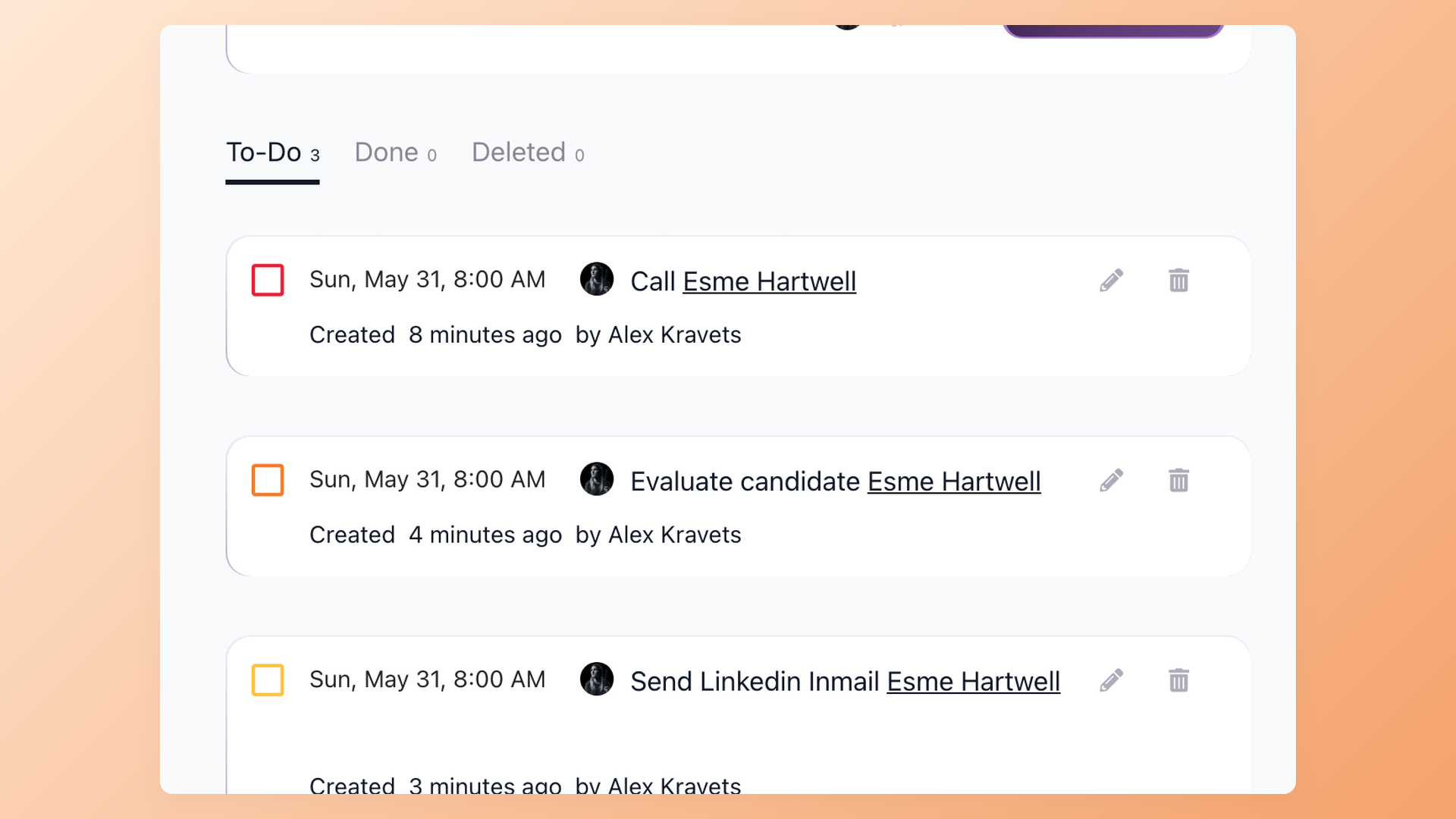
See what you owe across every open role in one scroll
Running fifteen open roles means fifteen sets of follow-ups, rejections, and reference checks. The My Tasks page in 100Hires pulls every task assigned to you across every job and every candidate into one list, sorted by priority and due date, so nothing falls off just because you are busy.
- All jobs in one view
- Sorted by priority and due date
- No candidate forgotten in a busy week
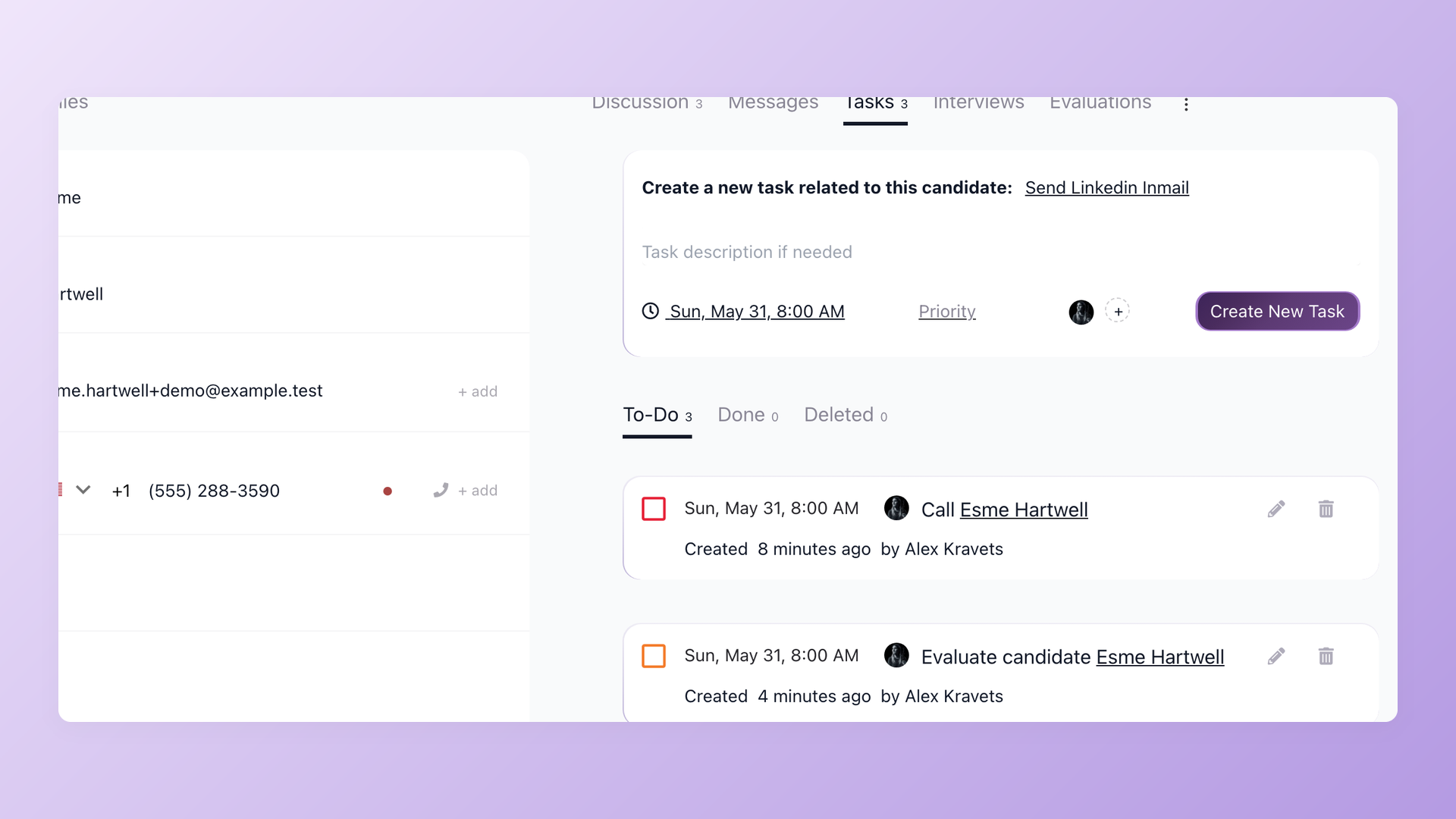
Every hiring task stays on the candidate it belongs to
Open a candidate and the Tasks tab sits next to their messages, interviews, and evaluations. No task is stranded in a separate tool, so whoever picks up the hire sees the full story and the next step in one place.
- Tasks tab on every candidate
- Next to messages and interviews
- Custom task types
Hiring tasks do not live alone. When the next step is an interview, interview scheduling sends the candidate a self-scheduling link, so the task closes itself once they book.
And when you would rather not create tasks by hand, an automation can add one the moment a candidate reaches a stage, the same way 100Hires already runs recruitment automation for email and AI scoring.







The hiring playbook, in your inbox
One email a week - benchmarks, AI screening tactics, and short interview templates from the 100Hires team. No product pitches.