
AI Candidate Screening Software
Score every resume against the job, ask the knockout questions that actually filter, and spend your day on the shortlist worth a real conversation - all inside a full ATS.






screening candidates
response rates
time to fill
per hire
Candidate screening software for the AI resume era
Candidate screening software reads every application, scores it against your job, and hands you a shortlist worth calling.
100Hires builds that screening into a full ATS: AI resume scoring, knockout questions, and pre-screening questionnaires in one login, with a human making every final call.
The reason you need it is what screening has become. A single open role can pull 200 to 500 applicants in a few days, and most resumes now arrive polished by AI to mirror the job description.
Everyone reads the same, each document tells you less than it used to, and first-pass review turns into detective work.
The cost is time you do not have. Reading a stack by hand runs into dozens of hours per hire. The average role takes about six weeks to fill while the strongest candidates are gone in ten days. Good applicants drop out because nobody answered them.
Screening software exists to clear that noise so your hours go to real conversations, not a triage pile. Done right, it scores what the resume claims against what the job needs and gets you to a shortlist you can defend.
What is candidate screening software?
Candidate screening software is any tool that evaluates applicants against your requirements before a recruiter invests real time in them.
In practice the category covers four layers: resume screening and parsing, screening questions - knockout questions and pre-screening questionnaires - plus skills assessments and video or phone screens. Most products do one layer and hand you a CSV export for the rest.
One thing experienced recruiters will tell you: an ATS does not secretly auto-reject resumes on their content. The automated filters that actually run are the ones an employer configures - screening questions with disqualifying answers.
That is good news, because it means the screening layer is fully under your control: what gets asked, what disqualifies, and what a strong answer looks like.
100Hires covers the resume and question layers natively and scores both with AI: resumes are parsed and rated 0 to 100 against criteria you write, and knockout questions handle the true dealbreakers.
Pre-screening questionnaires capture deeper answers without bloating your application form. If skills tests or one-way video are part of your process, run those alongside; the pipeline, the scores, and every decision stay in the ATS.
How AI candidate screening works, from resume to shortlist
AI resume screening reads each application and rates it against the role, not against a list of keywords. The point is not to hand the decision to a machine. It is to do the reading at the top of the funnel so a human uses judgment where it counts.
Inside 100Hires the flow is five steps:
- Import and parse. Drag in resumes in bulk and 100Hires pulls each one into structured profile fields - name, experience, education, skills, location.
- Score against the job. AI Score rates each candidate 0 to 100 against the criteria you write for that role, so the number reflects your bar, not a generic match.
- Sort. Order the whole pipeline or table by AI Score and the strongest applicants rise to the top of a 300-person pile.
- Review. You read the shortlist, not the whole pile. Nothing is deleted behind your back, so a non-standard strong candidate still shows up for a look.
- Route, if you want. Once you trust the criteria for a role, a workflow rule can move strong candidates forward and disqualify the clear no-gos.
Because the score lives on the candidate record inside the applicant tracking system, the next step - message, schedule, evaluate, hire - happens in the same place. There is no export, no second tool, no copy-paste.
This is not a keyword filter with an AI label on it. You write the criteria in plain language and the AI reads each resume for meaning against them, so a candidate who phrased things differently still scores well and a keyword-stuffed one does not coast through.
| What matters when you screen | AI resume screening (100Hires) | ATS keyword filter | Manual review |
|---|---|---|---|
| Speed on 300 applicants | Minutes | Instant but shallow | Days |
| Same standard for resume #1 and #500 | Yes | Yes, but literal | Drifts with fatigue |
| Reads context, not just exact words | Yes - scores against the role | No - exact-match only | Yes, if there is time |
| Surfaces the non-standard strong candidate | Yes - ranks, never deletes | No - misses candidates who do not use the exact words | Yes, if you reach them |
| You can see and change the rules | Yes - edit criteria, re-score | Limited keyword lists | It lives in your head |
| Triggers the next hiring step | Yes - route by score | Needs separate rules | Manual |
Start with the applicants most worth reviewing
See who fits the job before you open a single resume
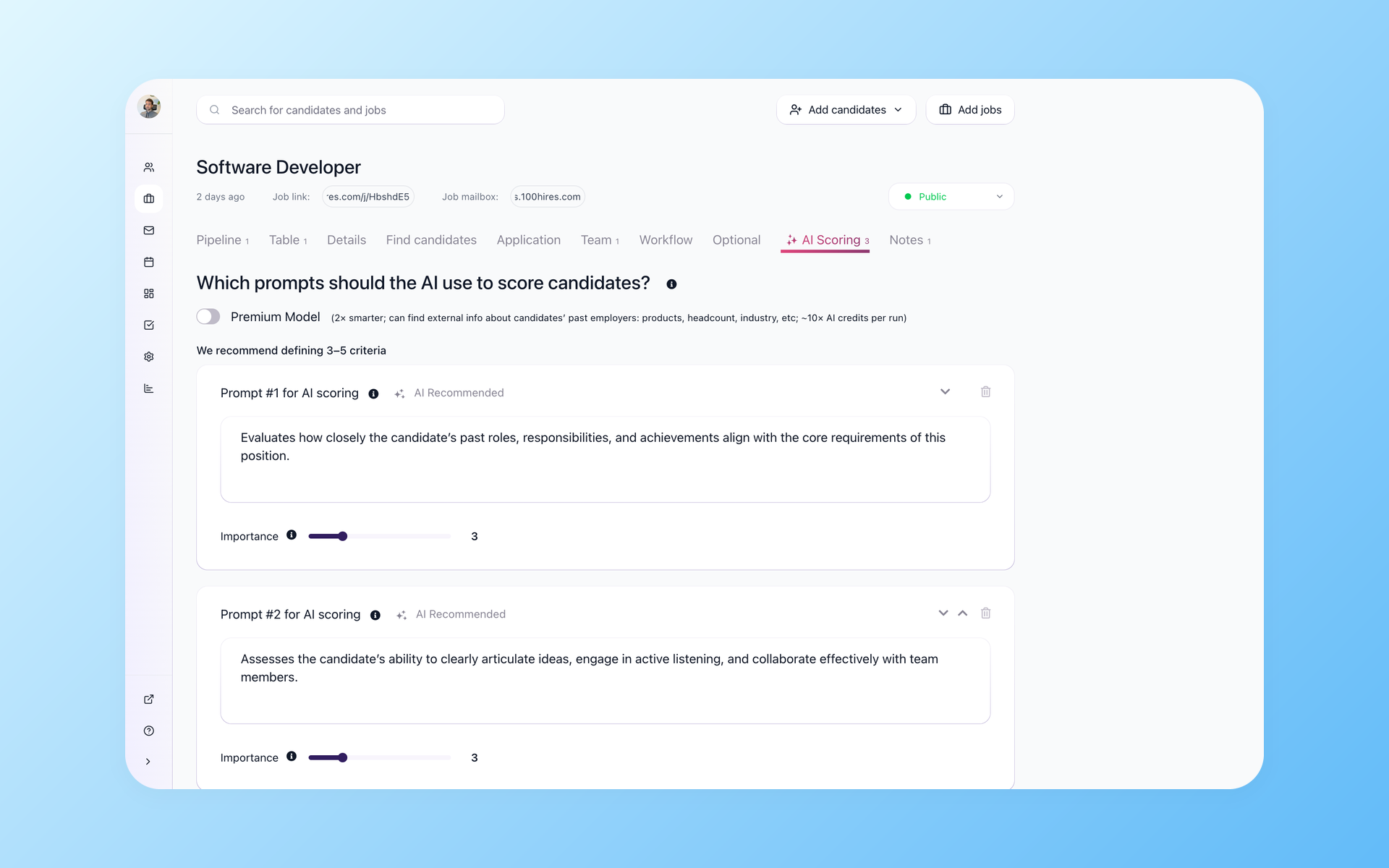
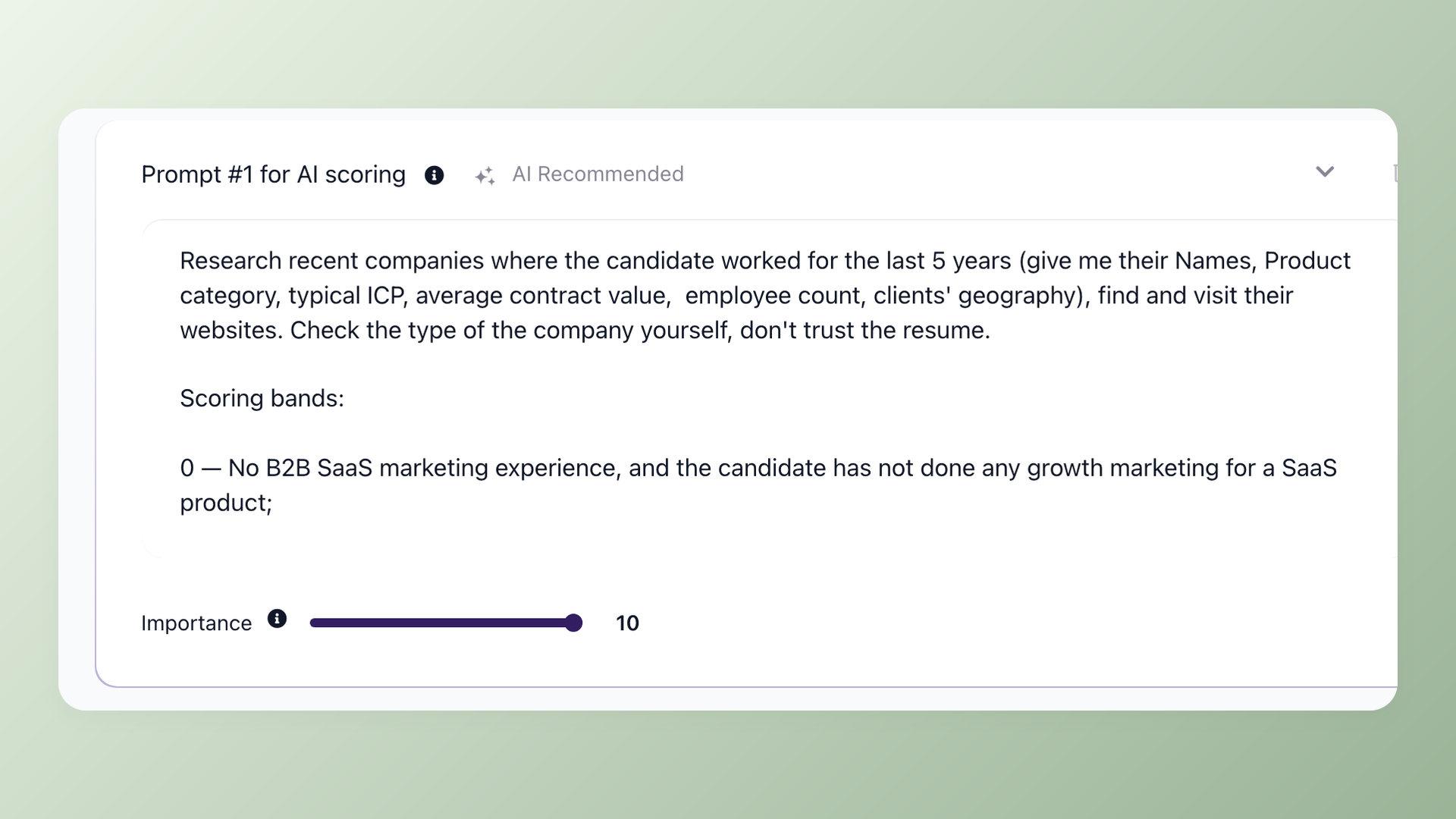
AI Score rates each candidate from 0 to 100 against the criteria you set for the role. A real number, not a vague match label, means the highest-scoring applicants in a 300-person pile rise to the top for review. You start the day reading the ten people worth a call instead of scrolling resume number 187. The premium AI model can look past the resume and weigh outside signals about the candidate when the role needs it.
- 0 to 100 AI Score on every candidate
- Sort pipeline and table by AI Score
- Recommended 3 to 5 scoring criteria per role
- Premium AI model looks beyond the resume
Trust the score because you wrote the rules behind it
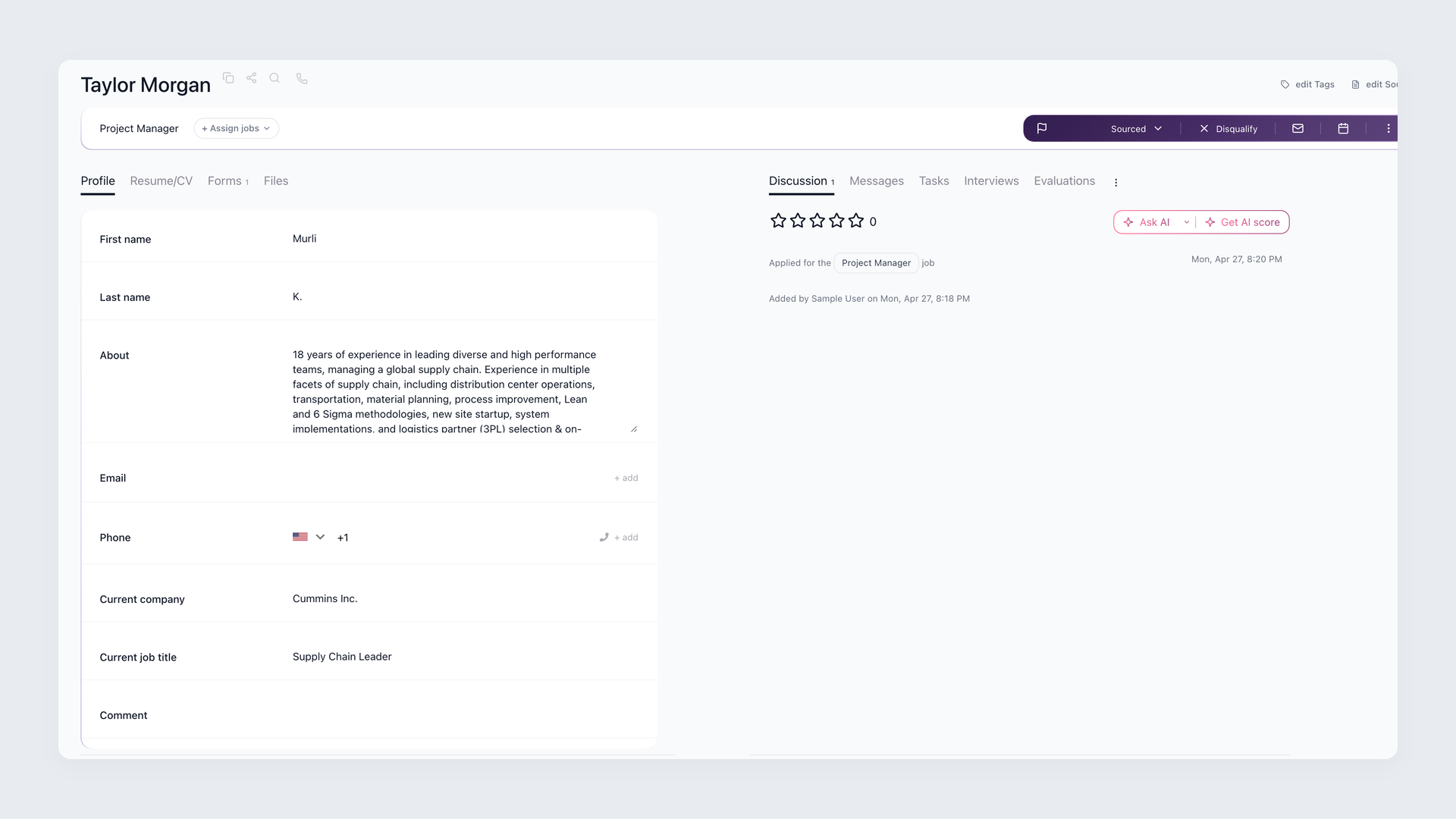
Recruiters distrust a magic number they cannot question, and they are right to. In 100Hires you write each scoring criterion yourself as a plain-language prompt and set how much it weighs, so the AI Score reflects your bar for the role rather than a vendor black box. Disagree with where someone landed? Edit a criterion or change a weight and re-score the pile in place. And because 100Hires ranks and surfaces instead of silently rejecting, the Vue developer who applied for a React role stays available for your review rather than vanishing on a keyword miss.
- Criteria are your own prompts plus weights
- Edit criteria and re-score anytime
- Ranks and surfaces - nothing auto-deleted
- Private Job Notes feed the score, and candidates never see them
Find real fit behind a polished AI-generated resume
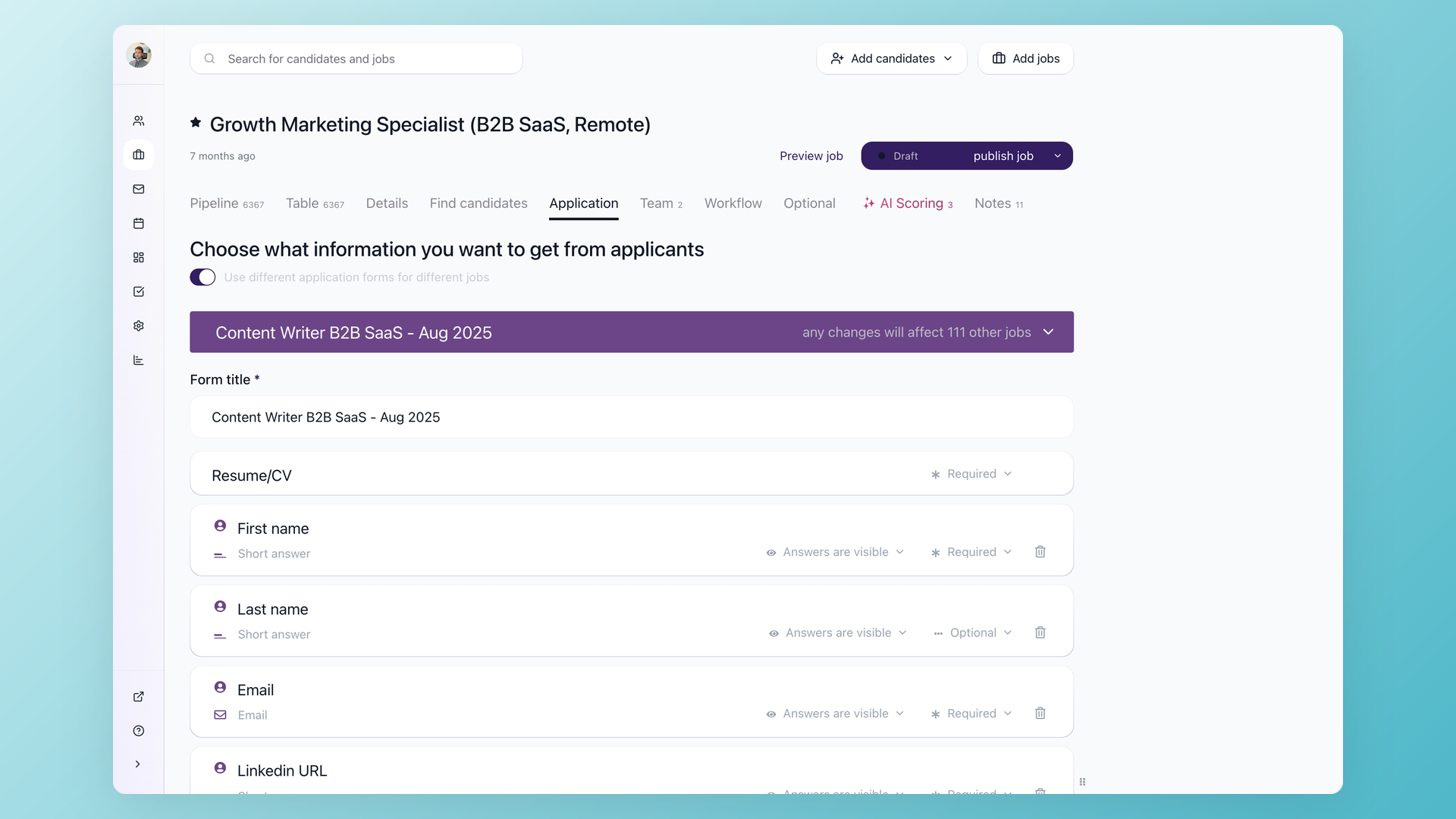
When the resume is written by AI, the answer is to use more than the resume when you screen. Drop in resumes in bulk and 100Hires parses each one and answers the yes or no questions you set - valid license, five years in the field, work authorization - before anyone enters your pipeline. Add knockout questions to auto-disqualify on true dealbreakers, and move the heavier screening questions into a pre-screening questionnaire to keep your application form short and help protect your application rate. The AI can score those questionnaire answers too, so what a candidate actually tells you feeds the score alongside the resume.
- AI answers your yes or no checks at resume import
- Knockout questions auto-disqualify dealbreakers
- Pre-screening questionnaire keeps the form short
- AI Score reads questionnaire answers too
Route high-volume applicants faster, on your terms
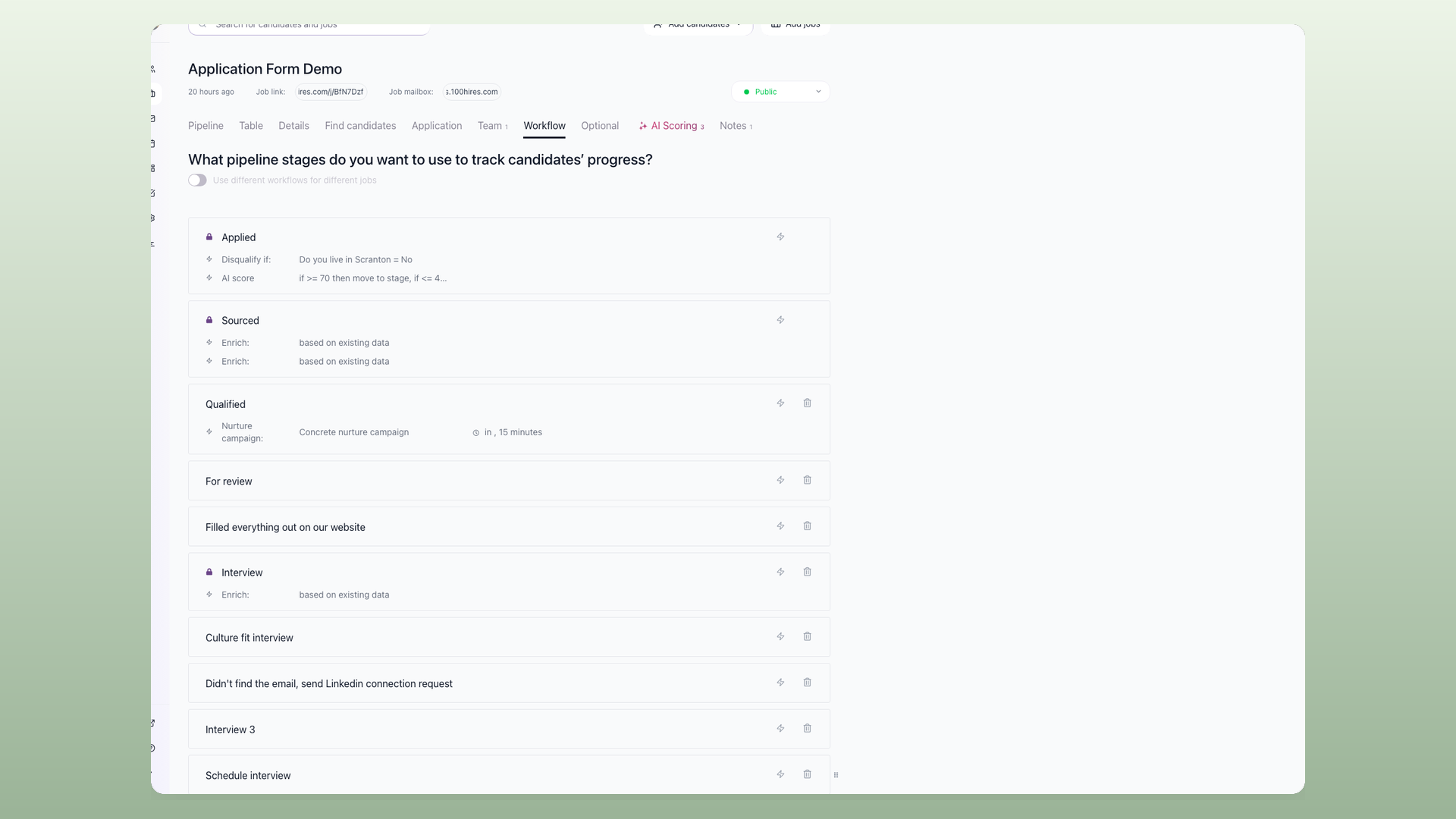
For a role pulling hundreds of applicants, sorting by score is the start, not the finish. Because the AI Score is a real number, a workflow rule can move strong candidates straight to the interview stage and disqualify the ones below a threshold you set. Most teams keep it on sort-and-review first and switch on threshold routing per role once they have watched the scores and trust the criteria. Tools that only return a match-or-no-match label have no number to trigger a rule like that, so the high-volume work stays manual.
- Route or disqualify by an AI Score threshold
- Strong to interview, weak to disqualified
- Sort-and-review is the default, routing is opt-in
- Turn it on per role when you trust the scores
What AI resume screening gives you back
The point is not that AI is smarter than your best recruiter. It is that the same standard reaches resume number 500 as resume number one, with no Friday-afternoon fatigue. Consistency at the top of the funnel is where candidate screening software earns its place.
The hours you save on first-pass reading go to the parts no tool can handle: the fifteen-minute call, the hiring-manager debrief, the close. And because you answer applicants in days instead of weeks, fewer good ones ghost you for a faster employer.
Those replies draw on the same candidate context through the AI Email Composer, so a fast, personal answer does not cost you the afternoon.
Where AI resume screening helps most, and where to keep a human in front
AI candidate screening earns its keep on high-volume roles with a clear job description - hourly, junior, remote, anything pulling hundreds of applicants where the first pass is the bottleneck.
For executive search, where the role is loosely defined and the shortlist comes from referrals, use AI Score as a summarizer rather than a ranker. A number means less across twelve candidates than across six hundred.
Two honest limits worth naming. AI can underrate a non-standard strong candidate, which is exactly why 100Hires defaults to sort-and-review and not blind auto-reject - keep a human on the borderline pile and recalibrate the criteria after the first batch.
AI can also reflect bias in the data it reads, so 100Hires keeps you in control of the criteria and keeps a person making the final call.
100Hires does not yet offer resume anonymization, so if bias-blind first-pass screening is a hard requirement for your team, weigh that before you commit.
What to look for in candidate screening software
The market splits into three shapes: a point tool you upload resumes to and get a ranking back, a chat-interview bot that screens by talking to candidates, and a full ATS with screening built in.
The first two see one slice of the candidate and leave you exporting results into whatever system actually runs your hiring.
Whichever you pick, hold it to five things: a score you can explain, criteria you can edit yourself without filing a vendor ticket, a human kept in the loop by design, screening that lives where the rest of your pipeline lives, and a clear answer on data handling and bias.
Then ask one more question: will anyone actually use the score? Recruiters who have implemented a dozen systems say most ATS scoring ships as a checkbox nobody opens, because the number neither explains itself nor does anything.
A score earns its keep when it drives the work - sort the pipeline by it, trigger a workflow rule on it, act on a whole page of candidates at once - and when you can open the criteria behind it and change them mid-search.
100Hires is the third shape: screening, knockout questions, pre-screening questionnaires, scoring, and the pipeline in one login. The broader AI recruiter reads the full candidate file once you are past the first cut.
One more thing recruiters warn about: an AI screen that looks flawless in the demo and breaks on a slightly non-standard role. The fix is criteria you can edit yourself and re-score per role, so the tool adapts to your messy real openings instead of a clean demo.
How 100Hires AI resume screening compares to a typical ATS
Most applicant tracking systems bolt a keyword filter onto the application and call it screening, or gate real AI behind a higher tier. Here is the difference where it counts.
 100Hires

It solved all of my recruitment problems and offered all of the features I was looking for. It can automate most of my recruitment processes.

I’d happily recommend it to my industry peers. I’m able to use the platform with ease and don’t have to think twice about which function to use.

The system is very user-friendly. Even people with no experience will find it easy to understand its functionality.







 4.7
4.7
 4.8
4.8
The hiring playbook, in your inbox
One email a week - benchmarks, AI screening tactics, and short interview templates from the 100Hires team. No product pitches.