
Resume Database
Most resume databases rent you access to someone else's pool. 100Hires parses, deduplicates, and stores the candidates who applied to your jobs, interviewed with your team, or were sourced by your recruiters - searchable forever, with no per-unlock fees. 14-day free trial, no credit card.
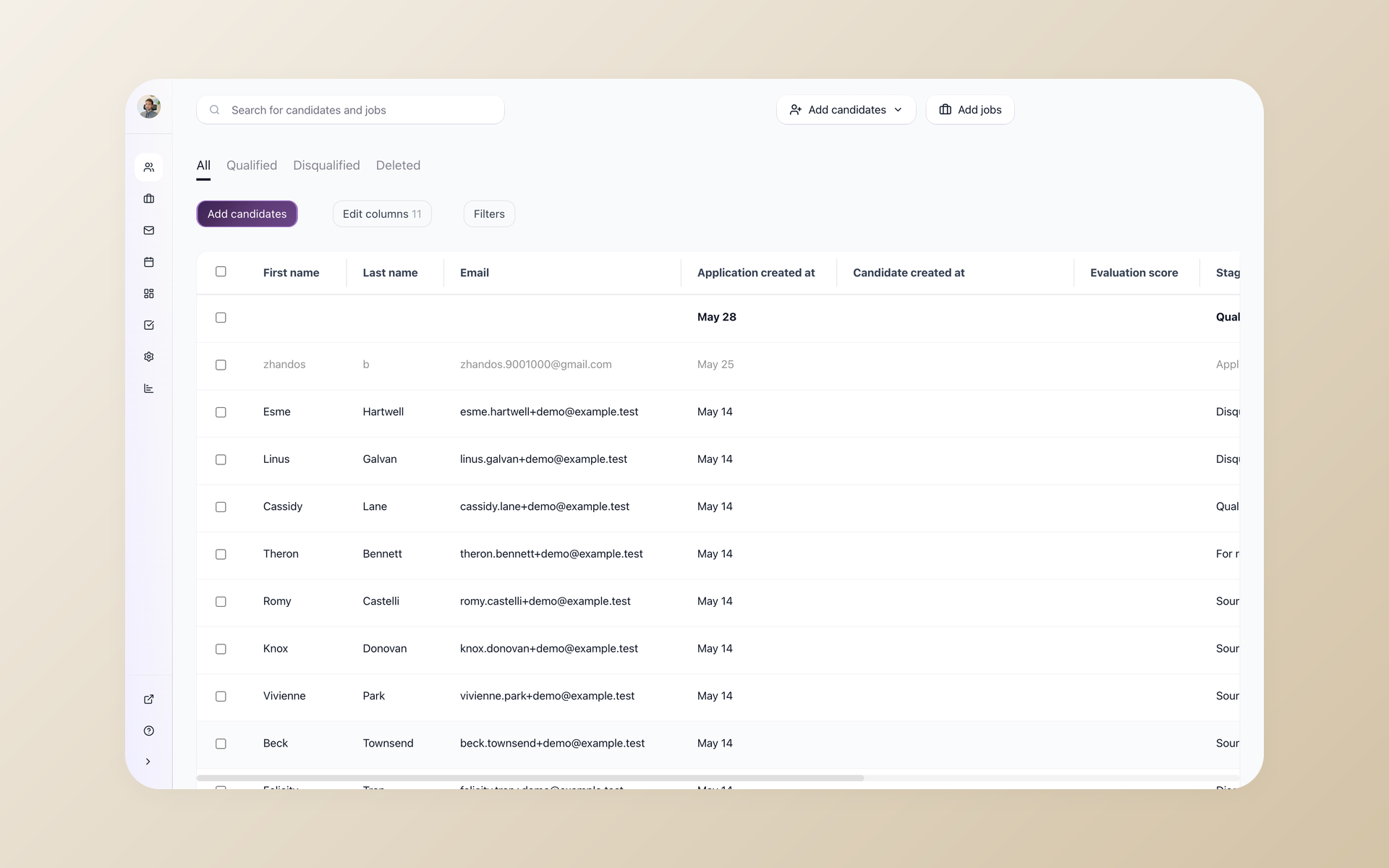
100Hires is not a pre-collected database of strangers' resumes. It is the searchable record of every candidate who has ever applied to your jobs, been added by your team through the Chrome extension or a CSV upload, or interviewed for a role that almost worked out. You came here looking for a resume database. The vendor pools that rank above this page sell pay-per-unlock access to resumes scraped from the same people you already met. 100Hires takes the candidates you already have and makes them findable, not the other way around.






screening candidates
response rates
time to fill
per hire
The resume database problem is not access - it is memory
Ten years ago, a recruiter could log into a resume database, scan that day's new submissions, and pick up the phone. The big-name pools that powered that workflow have aged badly - the quality of the records dropped, the pricing climbed into per-unlock territory, and the recruiters who used to defend those platforms now spend more time complaining about them than searching them. The recruiting community has been openly discussing this collapse for at least two years.
Agency recruiters say it. In-house talent teams say it. Founders running their first hire say it. The complaint is the same one - you talked to three hundred good candidates last year, you can name maybe twelve of them today, and there is no fast way to bring the other 288 back into an open requisition when you need them. Spreadsheets work until five hundred names. Notion and Airtable work until two thousand. Then the search stops finding what you remember writing down, the duplicates pile up, and the silver medalist from eight months ago is gone. 100Hires keeps that record searchable: by skill, by tag, by source, by full-text resume content, by every custom field your team needs.
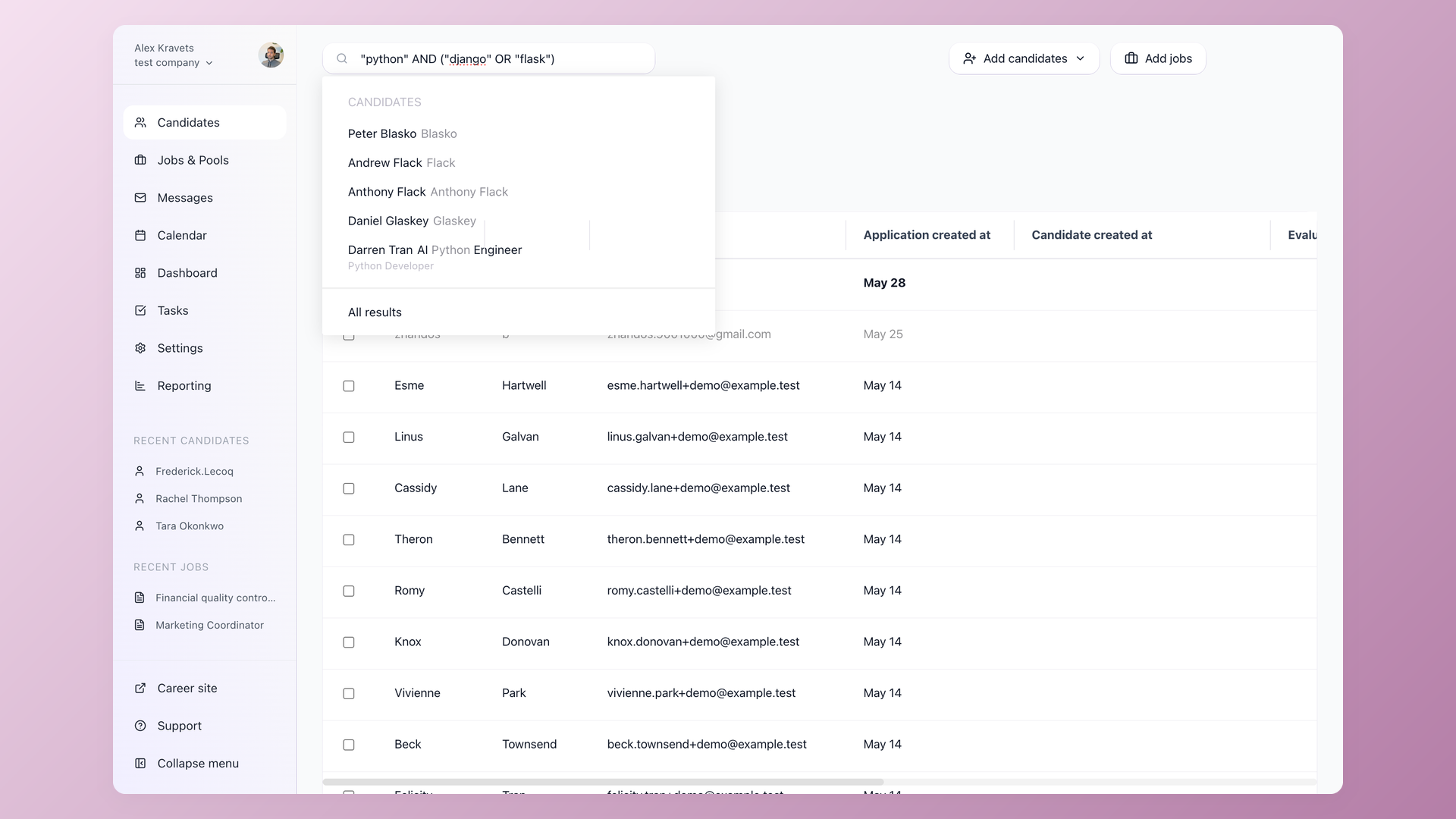
Find one candidate among ten thousand in your resume database
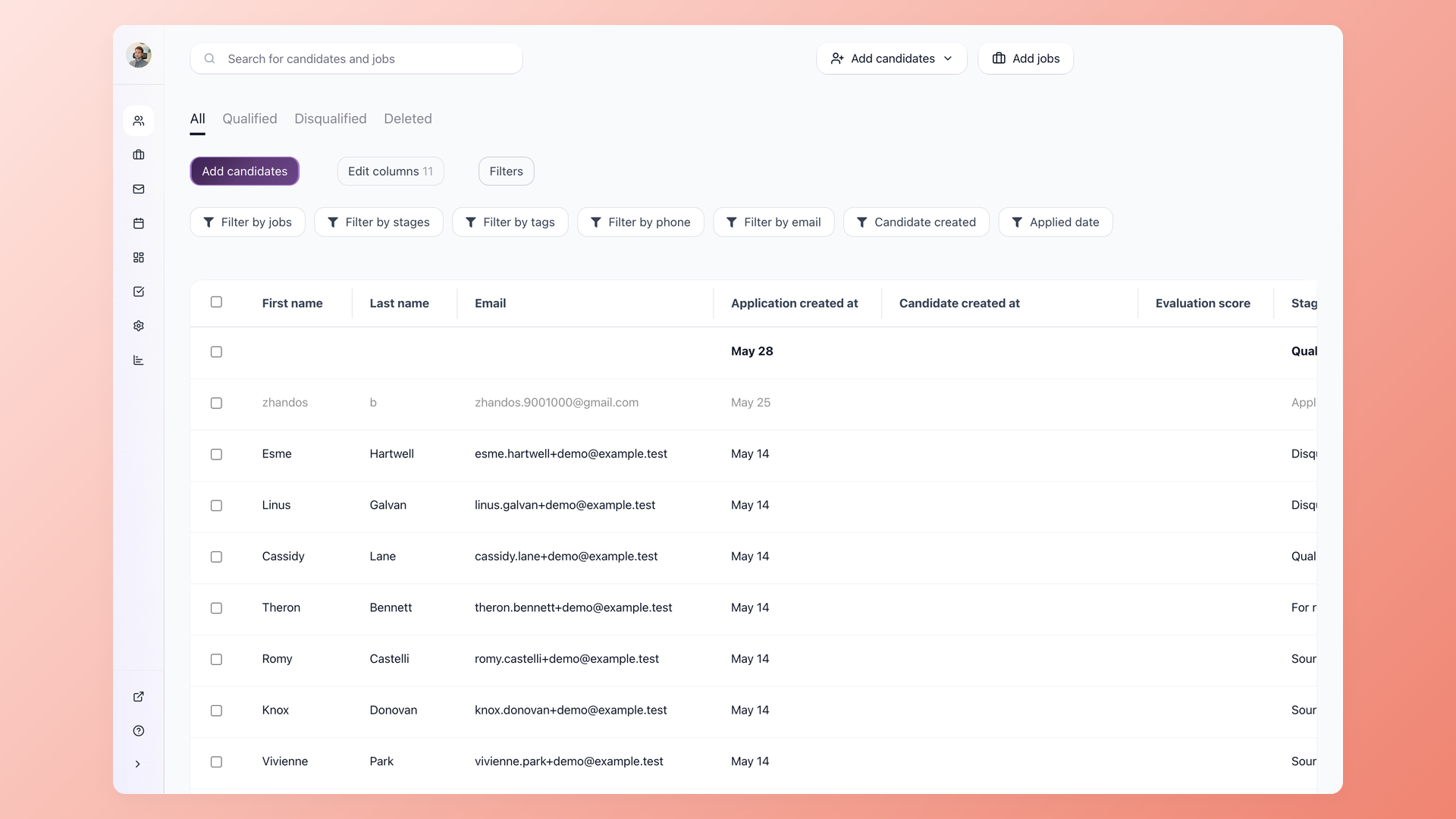
Open the candidate list, type a skill, and narrow the results by source, tag, custom field, job, application stage, or the text inside the resume itself. Bulk export the result to CSV when a hiring manager wants the long list as a deliverable. The vocabulary your team already uses to describe candidates - the skills, the past employers, the city, the source - maps to filters and tags, not to remembering where you put the note.
- Full-text resume search
- Tags, sources, custom fields
- Filter by job, stage, applied date
- Bulk CSV export
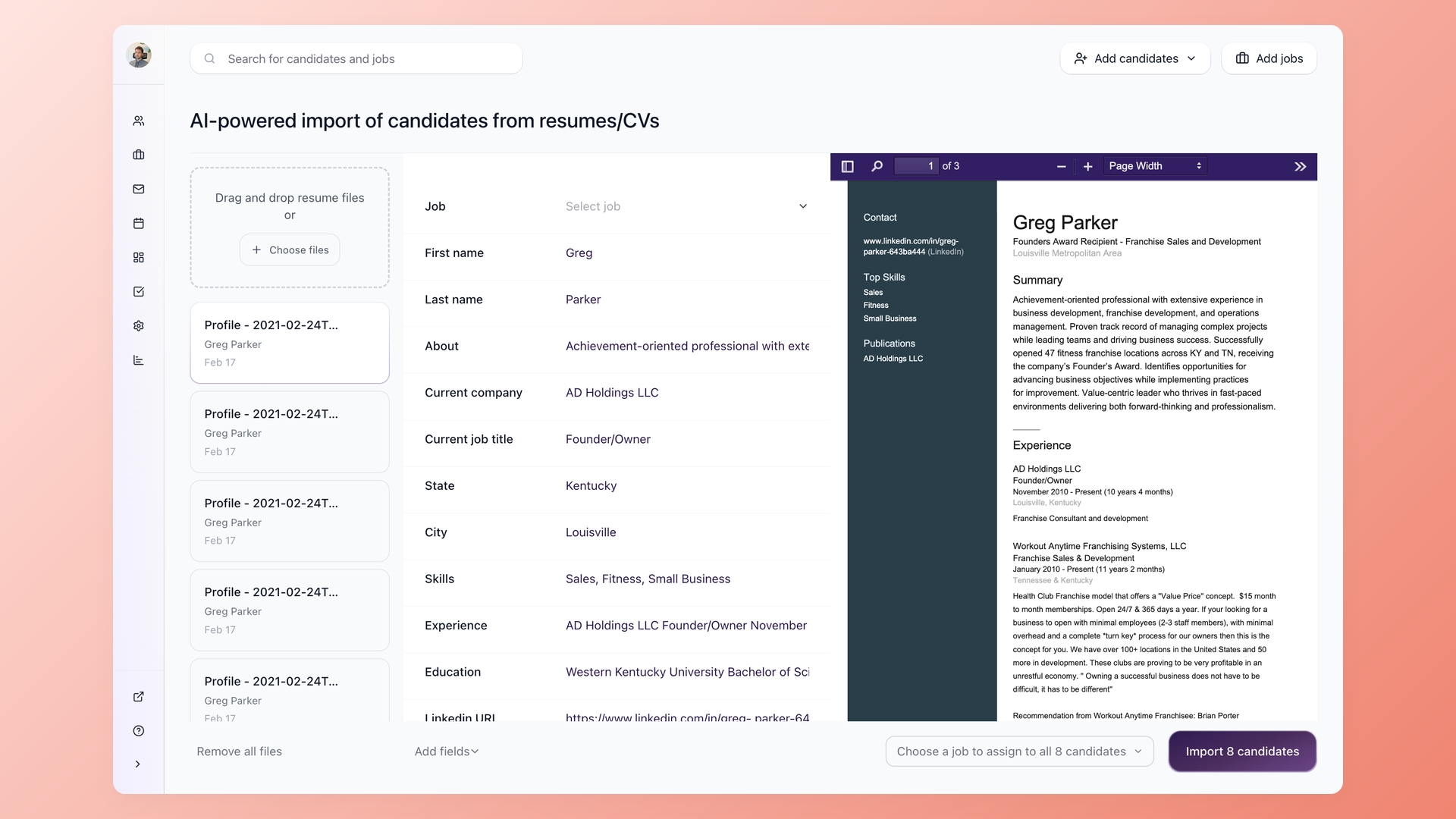
Drop two hundred resumes - get two hundred indexed candidate records
Drag a folder of PDFs or DOCX files into 100Hires. The AI extracts name, email, phone, skills, and years of experience into your custom profile fields. Yes-or-no screening questions answer themselves from the resume during the import - higher education, work authorization, languages spoken - so the records arrive pre-qualified, not just pre-loaded. Preview the parsed results for the first ten records, fix the column mapping if anything looks off, then run the rest.
- Multi-PDF and DOCX upload
- AI field auto-extraction
- Yes/no screening at import
- Sample-first preview
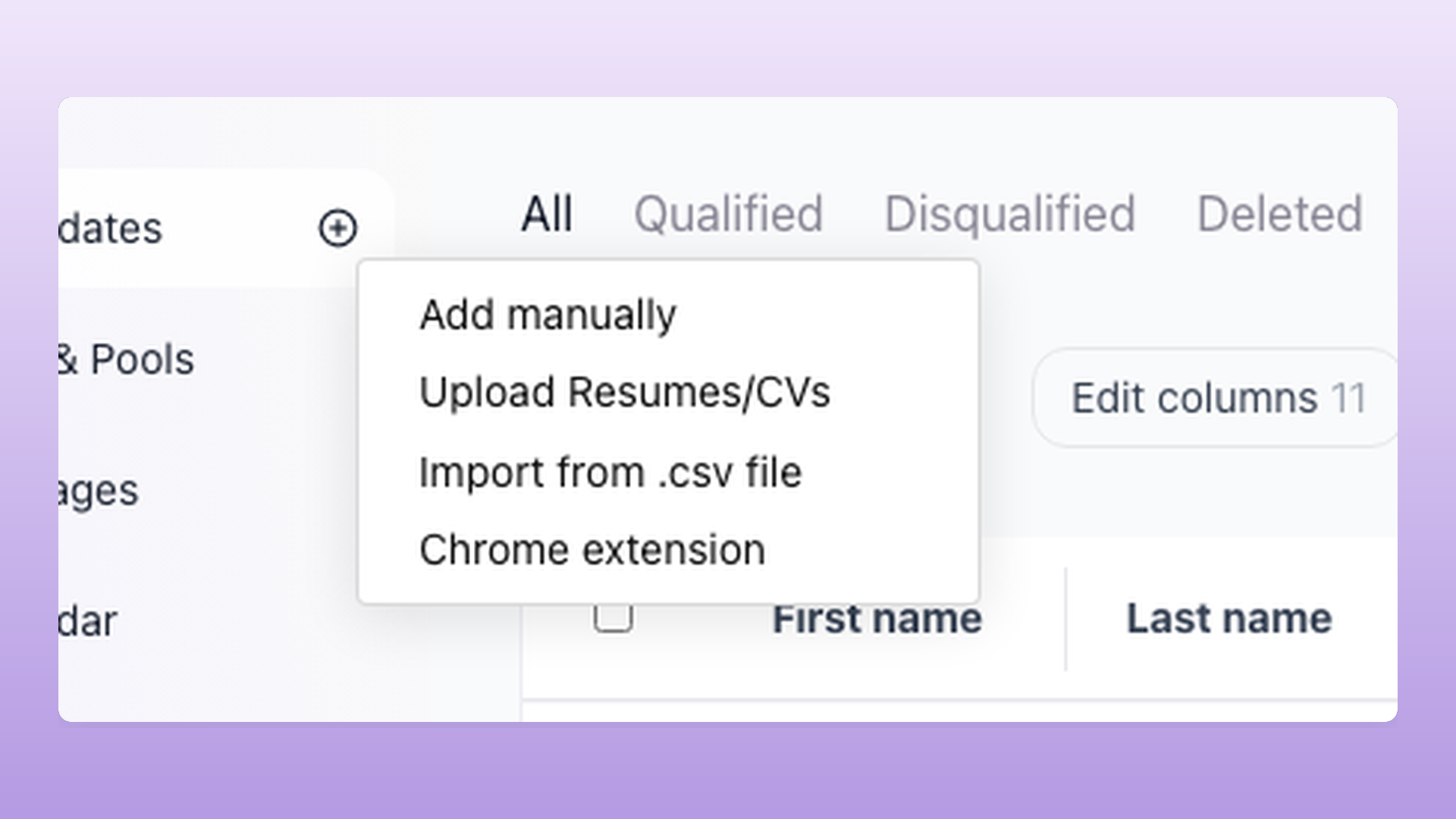
Source from LinkedIn or Indeed without leaving the page you are already on
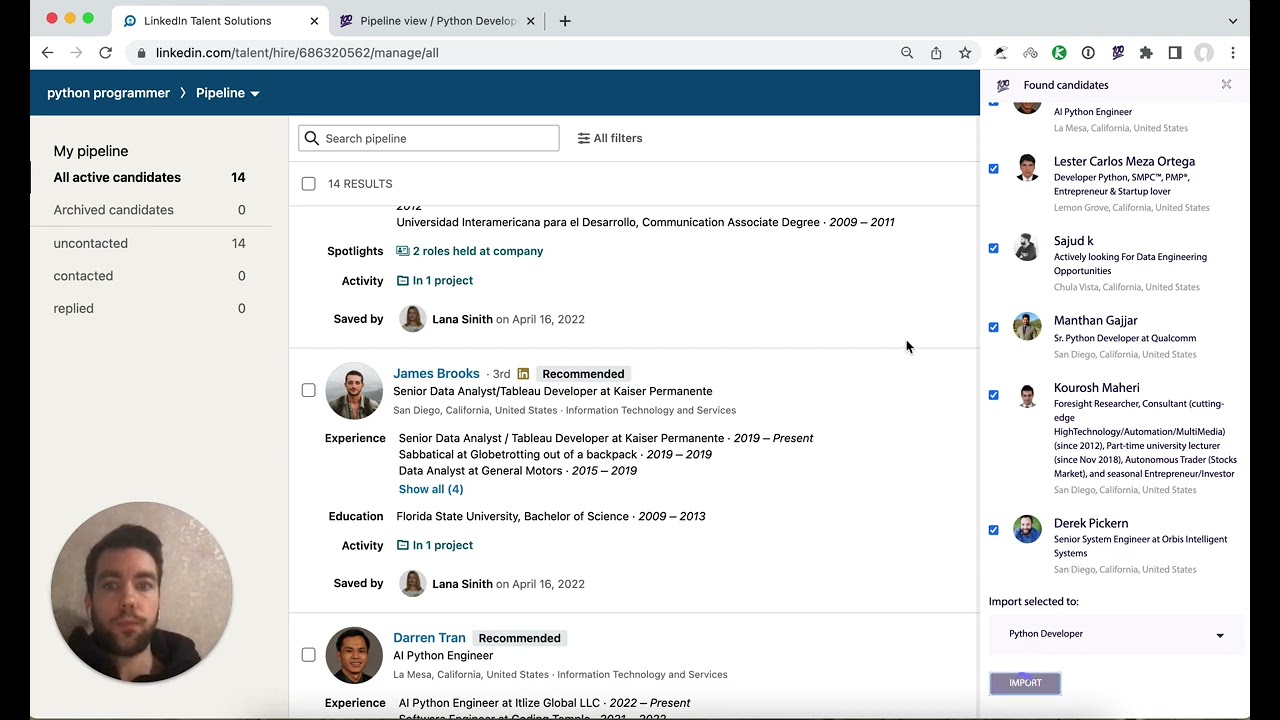
The 100Hires Chrome extension captures profiles from LinkedIn, Indeed, Upwork, and Google search results. On a LinkedIn search page the extension picks up every candidate visible, flags the ones already in your database so you do not create duplicates, and lets you import the rest as a batch into the job you have open. You stay in charge of which resumes you have permission to use - 100Hires handles the parsing, deduplication, storage, and audit log after that.
- LinkedIn, Indeed, Upwork, Google
- Import a full page of candidates in one batch
- Auto-dedup against your database
- Imports straight into your open job
14 LinkedIn candidates imported in 50 seconds
Pull silver medalists back into an open requisition
Tag a candidate as a silver medalist when an offer goes elsewhere. Group candidates into talent pools by skill, region, or role family. When a similar requisition opens, one click pulls the past finalist into the new pipeline - they already cleared screening, your team already wrote the evaluation notes, and the AI score is already on file. The candidates you spent the most time on are the ones your database returns first.
- Talent pools per role or region
- Silver-medalist and skill tags
- Pull into a new job in one click
- Evaluation notes follow the candidate
Keep the database fresh without anyone on the team chasing data
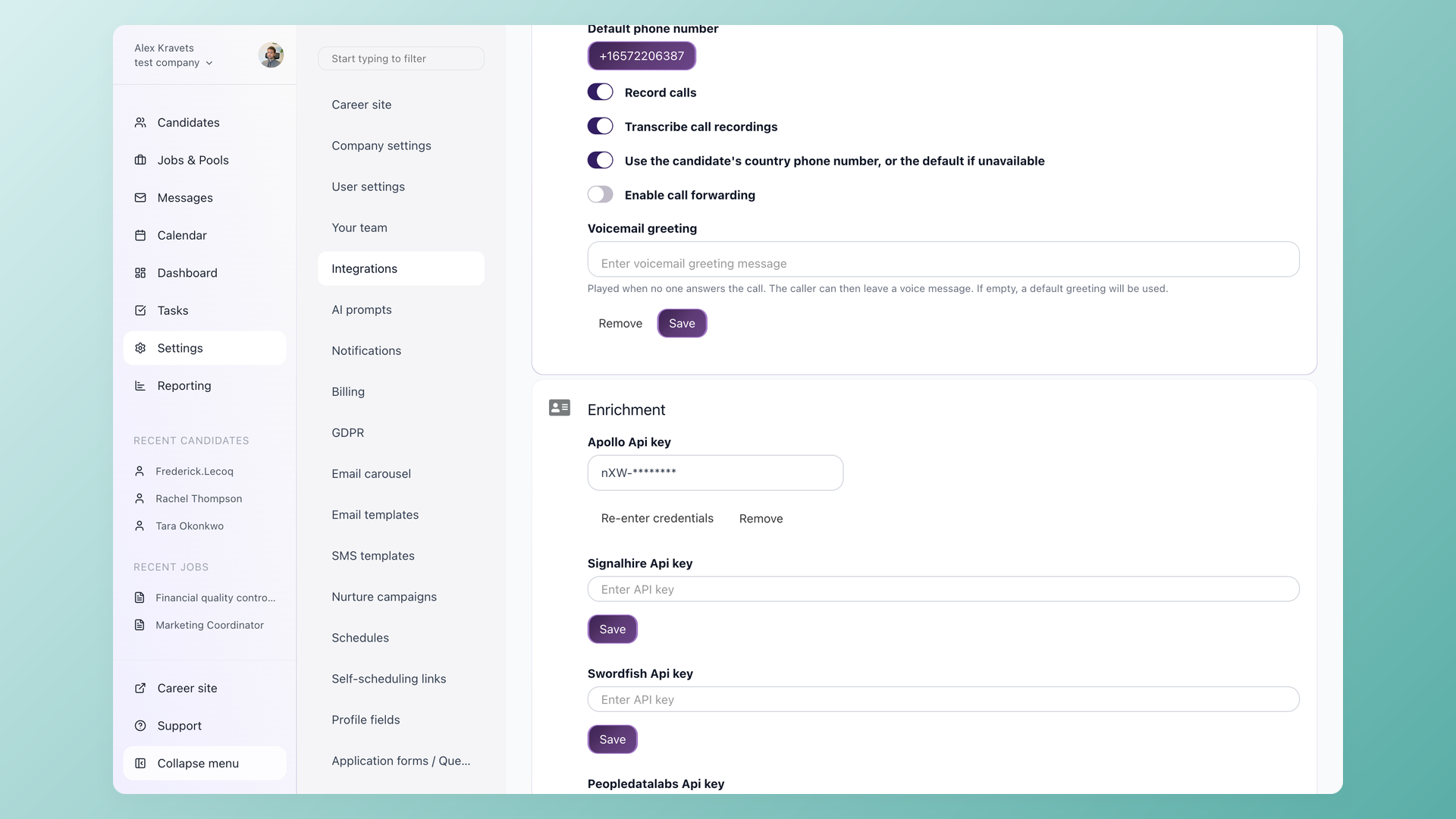
Contact enrichment refreshes email and phone the moment a recruiter opens a record that has gone cold - no manual lookup, no separate sourcing tool. Tag-based archive lets your team retire stale records on a schedule you set, then revive them later if a relevant role opens. Database freshness becomes a workflow built into the candidate record, not a quarterly clean-up project.
- Contact refresh on record open
- Tag-based archive and revive
- No quarterly cleanup project
Delete, export, or audit any candidate record on your schedule
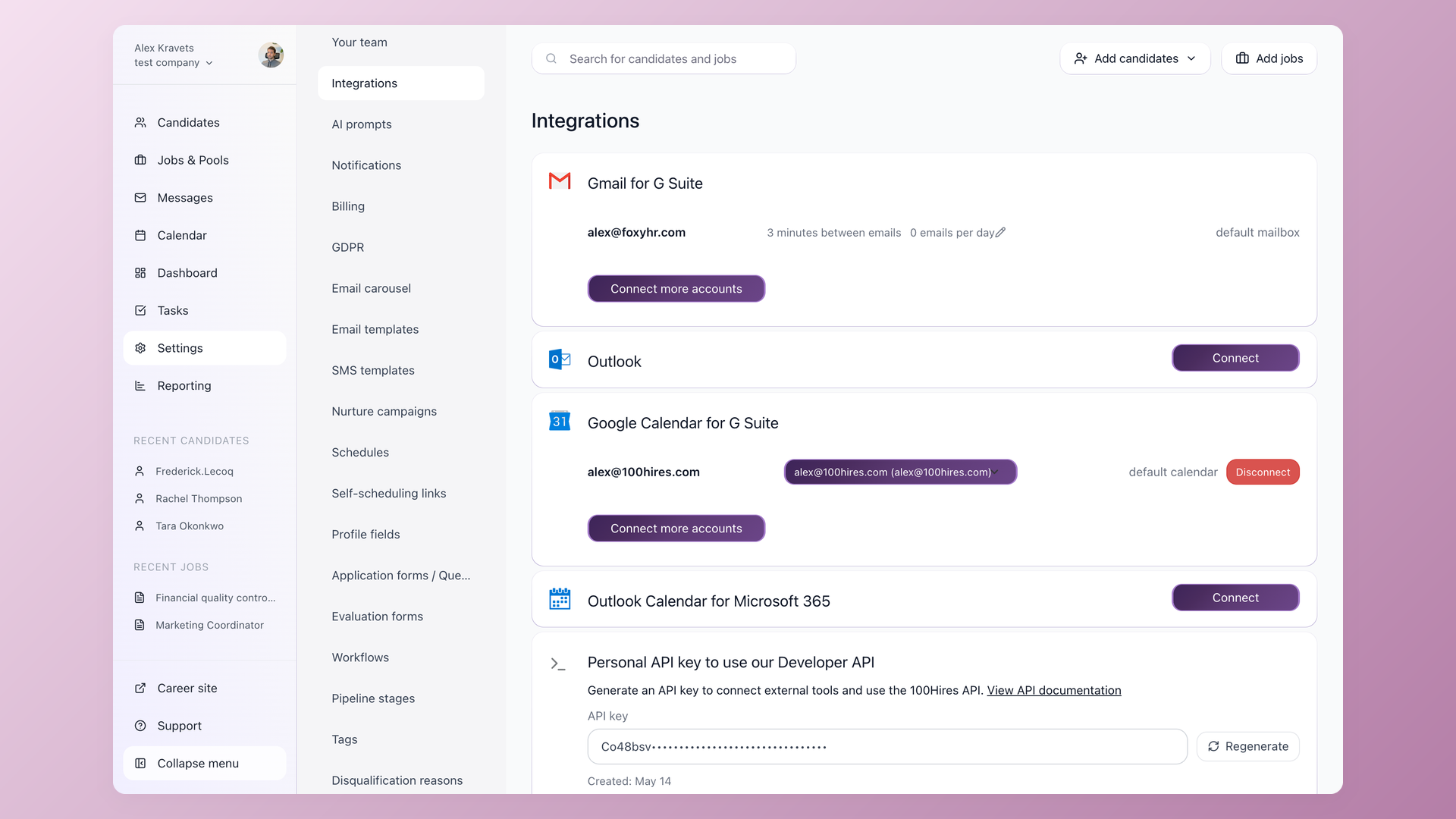
Role-based visibility lets individual recruiters keep sourced candidates private from the rest of the company - the answer to the peer-poaching concern that agency teams raise the most. The audit log records every access and edit for compliance reviews. GDPR and CCPA deletion or export requests run from the candidate profile, not through a support ticket. Standard CSV export means your resume database remains yours even on the day you switch tools.
- Per-user candidate visibility
- Access audit log
- GDPR / CCPA delete and export
- Standard CSV portable data
What is a recruiting database, and how is it different from a resume pool?
A recruiting database is the system of record for every candidate your team has ever added: applicants, sourced profiles, referrals, and the silver medalists from closed roles. It differs from a rented resume pool in one decisive way - the records belong to you, and they get richer every time your team writes an evaluation, adds a note, or tags a candidate. In 100Hires, the recruiting database is the candidate list itself: parsed resumes, tags, sources, notes, AI scores and full-text search in one place, exportable to CSV whenever you want the data somewhere else.
How 100Hires compares to a typical vendor resume pool
The comparison most recruiters end up doing is not "100Hires vs another ATS" but "100Hires vs the resume database I rent today." The seven rows below cover the day-to-day cost of each model. Plan pricing on every row is the entry-tier rate - the full breakdown by team size lives on the pricing page.
 100Hires

It solved all of my recruitment problems and offered all of the features I was looking for. It can automate most of my recruitment processes.

I’d happily recommend it to my industry peers. I’m able to use the platform with ease and don’t have to think twice about which function to use.

The system is very user-friendly. Even people with no experience will find it easy to understand its functionality.







 4.7
4.7
 4.8
4.8
Comparing paid pools like Indeed Smart Sourcing and ZipRecruiter? See our guide to the best resume databases for recruiters. Paying for LinkedIn search instead? See what LinkedIn Recruiter costs per seat.
The hiring playbook, in your inbox
One email a week - benchmarks, AI screening tactics, and short interview templates from the 100Hires team. No product pitches.
Related 100Hires resources: Explore chrome extension for recruiters.