
Embed jobs on your website
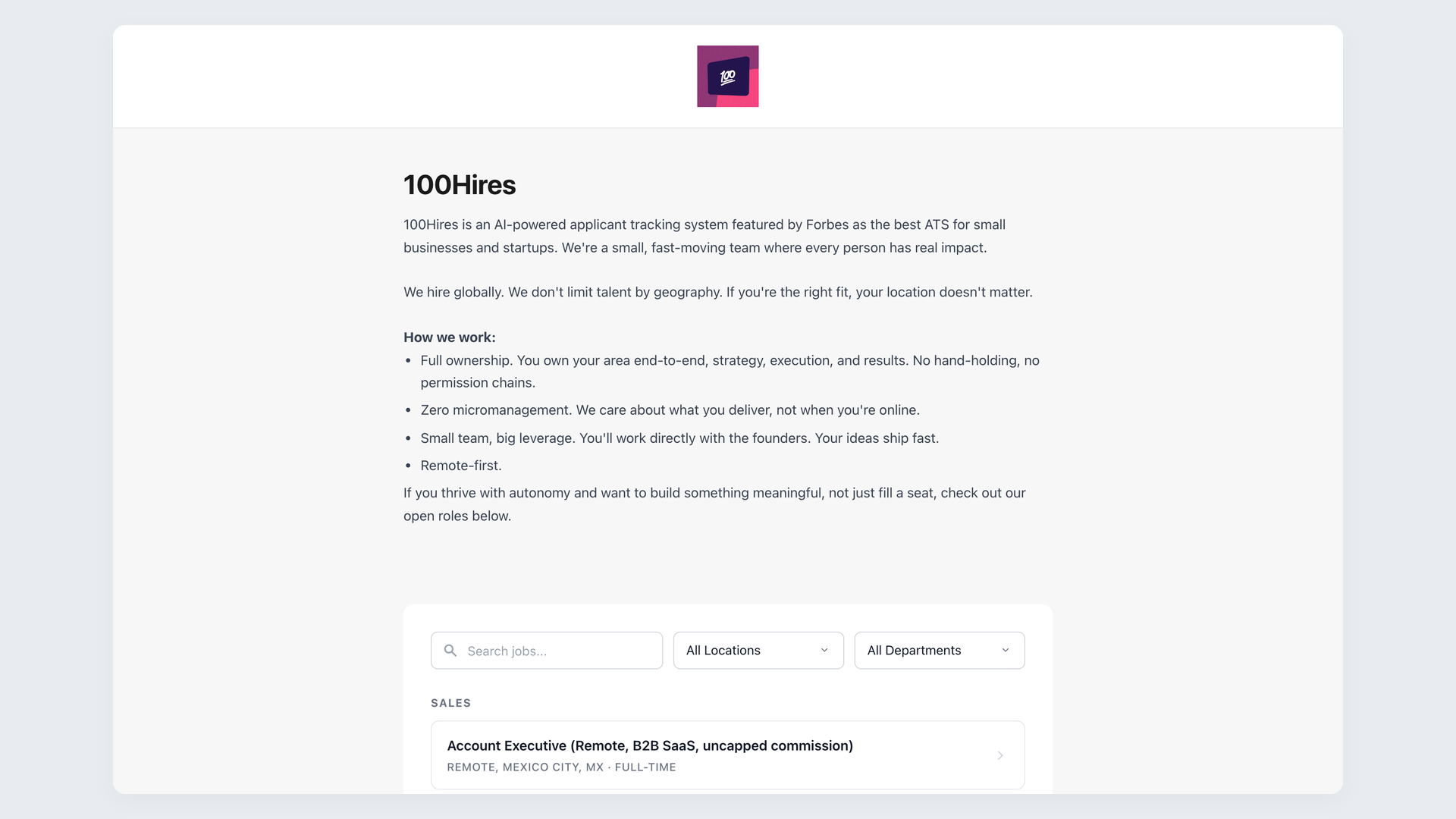
Post a job once in 100Hires and your live openings show up on your own website automatically, styled to match your brand, with every application landing straight in your hiring pipeline.






screening candidates
response rates
time to fill
per hire
Most teams post a role in their ATS, then retype every opening onto their own website by hand. The page drifts out of date the moment a job closes, and keeping the careers section current turns into a chore nobody owns.
With 100Hires the openings live in the ATS and render on your own site through one embed, so the list visitors see is always the list you are actually hiring for.
How to embed jobs on your website with 100Hires
The jobs widget works on WordPress, Wix, Squarespace, Webflow, and any site that accepts an iframe. Three steps and you are live:
- Publish the jobs you want to show in 100Hires.
- Open Settings, Integrations and copy the iframe snippet from the "Your website" panel with one click.
- Paste it into a Custom HTML or embed block where the jobs should appear, then save. The live list renders inline and stays in sync as you open and close roles.
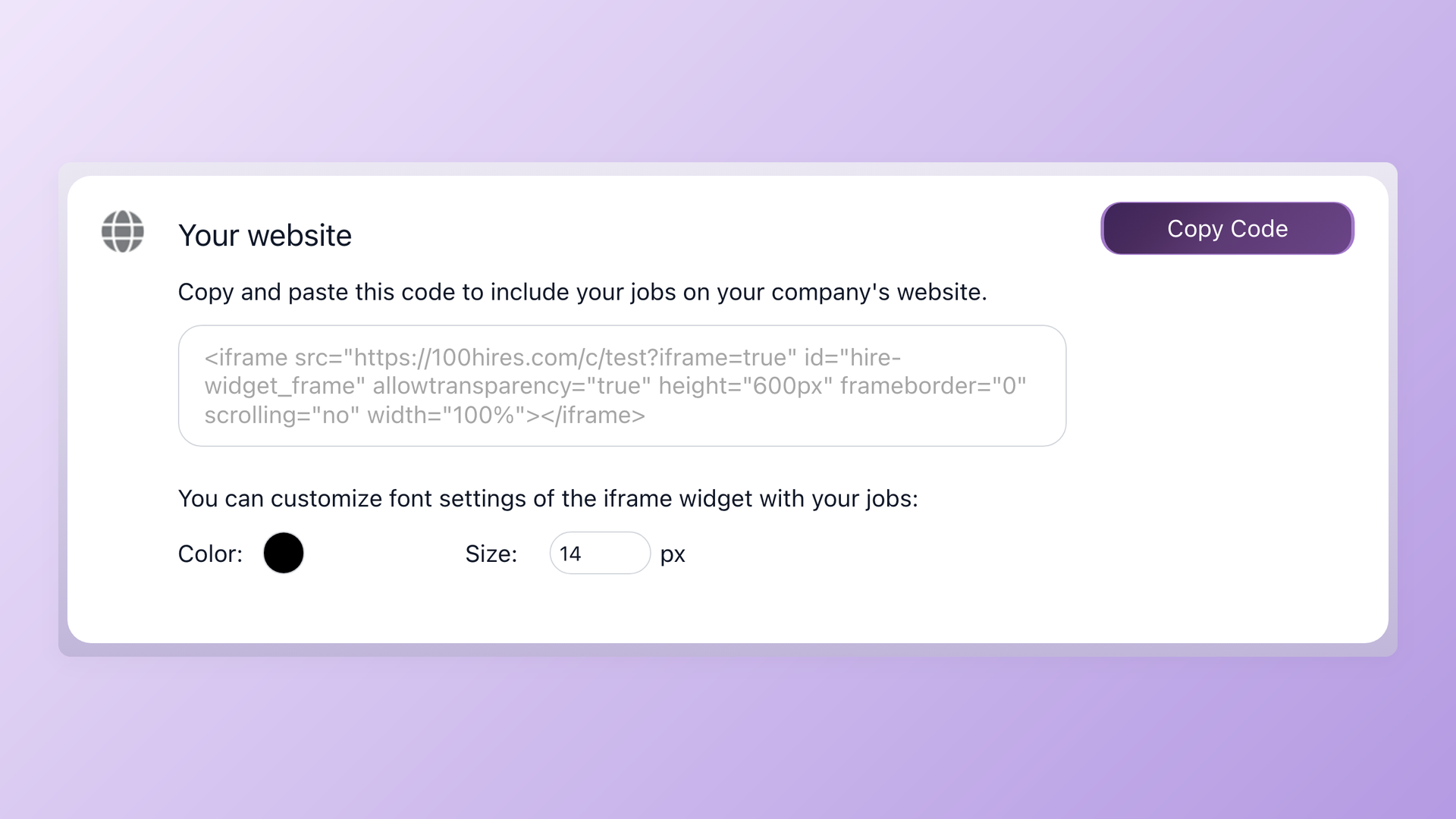
Go live with one copy-paste
The jobs widget lives under Settings, Integrations, in a panel called Your website. Click Copy Code, paste the snippet where your jobs should appear, and match the font color and size to your site so it blends in instead of looking like a bolted-on white box. No developer, no support ticket, no second tool to learn.
- One-click Copy Code
- Font color and size matching
- Self-updating job list
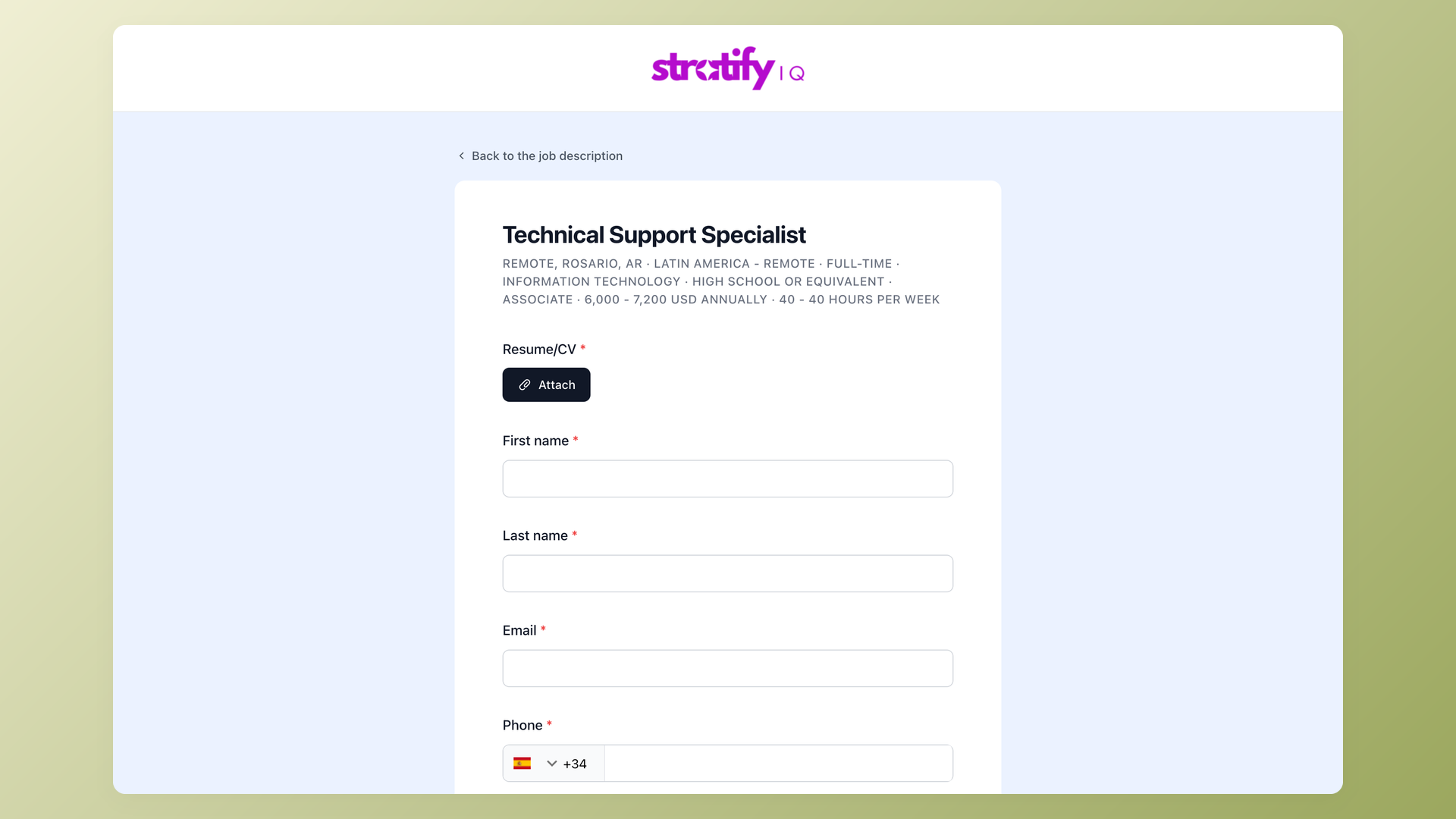
Candidates apply on a branded form, applications land in your pipeline
Candidates apply through a form with your logo and colors, not a generic page. You pick the fields and add pre-screening questions per role. Every submission becomes a candidate in your 100Hires pipeline with the resume attached, just like applications from direct traffic and job boards, so the embed feeds a real hiring pipeline, not a dead-end listings widget.
- Branded application form
- Per-role pre-screening questions
- Straight into your pipeline
| Where it goes | How it works | No code? |
|---|---|---|
| WordPress | Native 100Hires WordPress plugin, or paste the iframe snippet | Yes |
| Wix, Squarespace, Webflow | Paste the iframe snippet into a Custom HTML or embed block | Yes |
| Any HTML site | Drop the iframe snippet where the jobs should appear | Yes |
| Your own domain | Point a CNAME at your hosted careers page (careers.yourcompany.com) | Yes |
| Fully custom build | Pull jobs and post applications through the public Career Site API | Developer |
The embed shows the same roles as your branded 100Hires careers page, and every applicant flows through the same application form into your pipeline. Agencies that run a separate site per client can embed a different job list on each site with the white-label ATS.
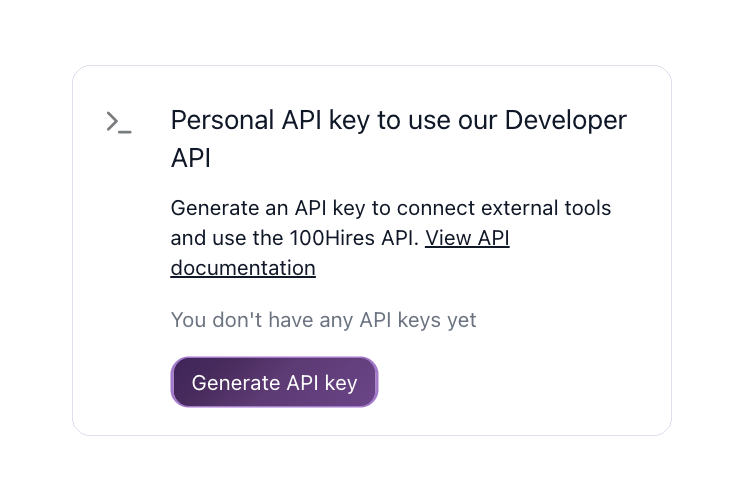
Get full design control with the public API
When the iframe is not enough, the 100Hires public Career Site API reads your open roles through public job-list endpoints, renders them in your own HTML and CSS, and posts applications back into the pipeline. Use it for a non-English page, an A/B test, a bespoke form, or your own analytics tools, such as Meta Pixel and GTM.
- Job list and submit endpoints
- Your own HTML, CSS, and JS
- Multi-language, A/B, analytics
100Hires vs a typical ATS for embedding jobs
 100Hires
Will Google index jobs embedded in an iframe?
An iframe shows your live 100Hires openings to visitors on your own page, which is what most teams want. Search engines do not reliably credit jobs shown in an iframe to your own domain, so the embed is built for display and applications.
For openings you want crawled and ranked under your own brand, point a CNAME at your hosted 100Hires careers page or render the list through the public Career Site API.
Use the iframe to show jobs. Reach for the hosted page or the API when search visibility on your domain matters.
The hiring playbook, in your inbox
One email a week - benchmarks, AI screening tactics, and short interview templates from the 100Hires team. No product pitches.