
Knockout Questions
Knockout questions are yes/no dealbreaker questions on your application form. Candidates who answer the disqualifying option are moved to the Disqualified tab automatically and sent a polite rejection email - before anyone on your team reads the resume. Built into 100Hires workflow automation, configured on the same screen as the form, no IT ticket.
See knockout questions in a real hiring funnel
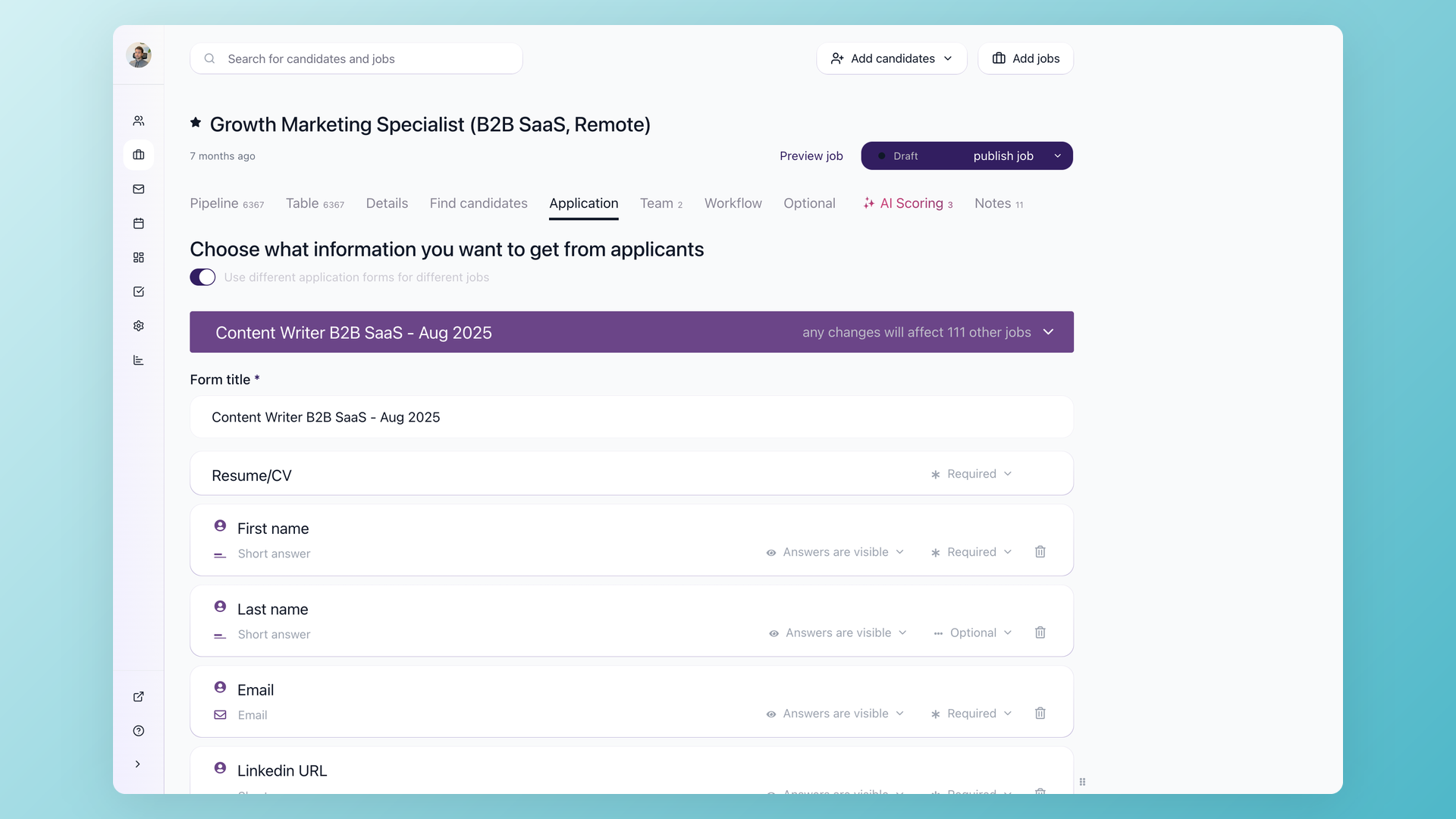
100Hires founder Alex Kravets walks through a live hiring funnel where 22% of applicants are auto-disqualified at the knockout stage - and explains how he iteratively tightens the rules.
Filter applicants before your team reads a resume
Recruiters tell us the same story across every industry. A job goes live, hundreds of applications roll in overnight, and the first hour of the day is spent rejecting people who never had a chance because they lack the hard requirement named in the first sentence of the job description.
The cost is not the rejection itself. The cost is the recruiter time spent making it.
100Hires solves this with two pieces working together: a yes/no question on the application form, and a Disqualify If automation on the first pipeline stage.
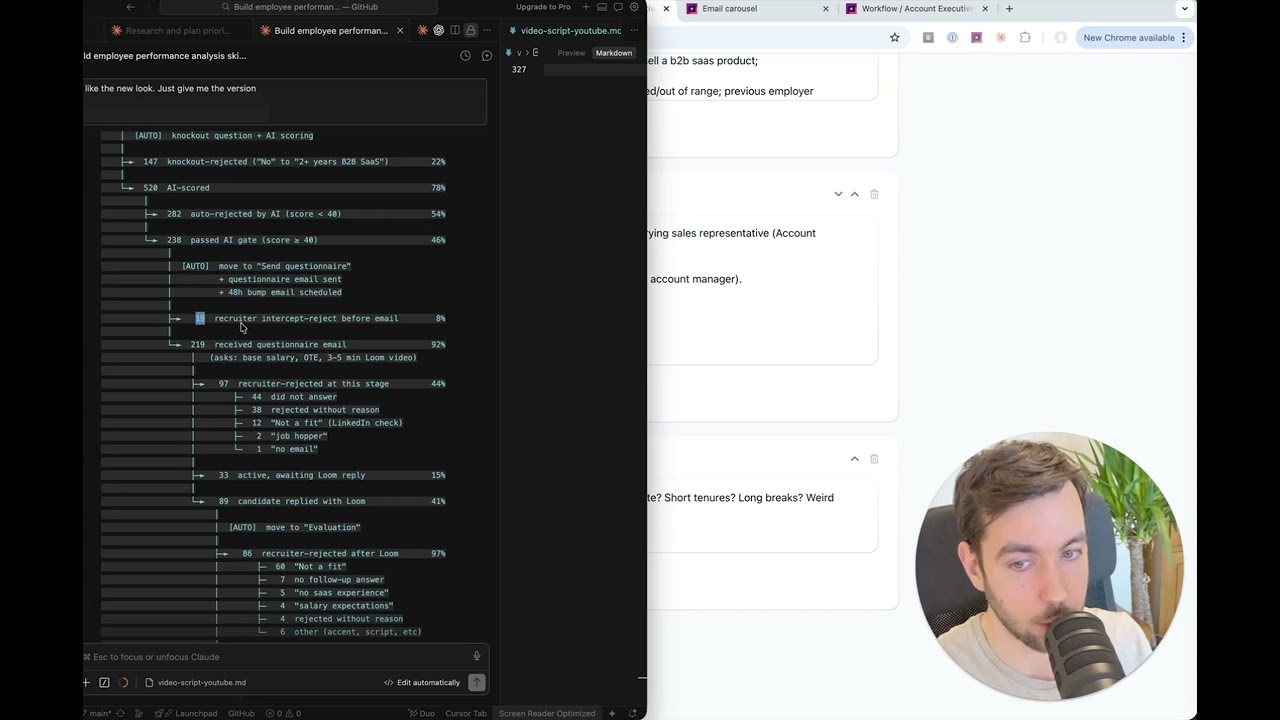
The candidate answers the question when they submit the application. The automation reads the answer. The candidate either continues to the Qualified tab in the Applied stage, or moves to the Disqualified tab with a customizable rejection email scheduled after a delay you choose.
Set up knockout questions on the workflow tab, no IT ticket
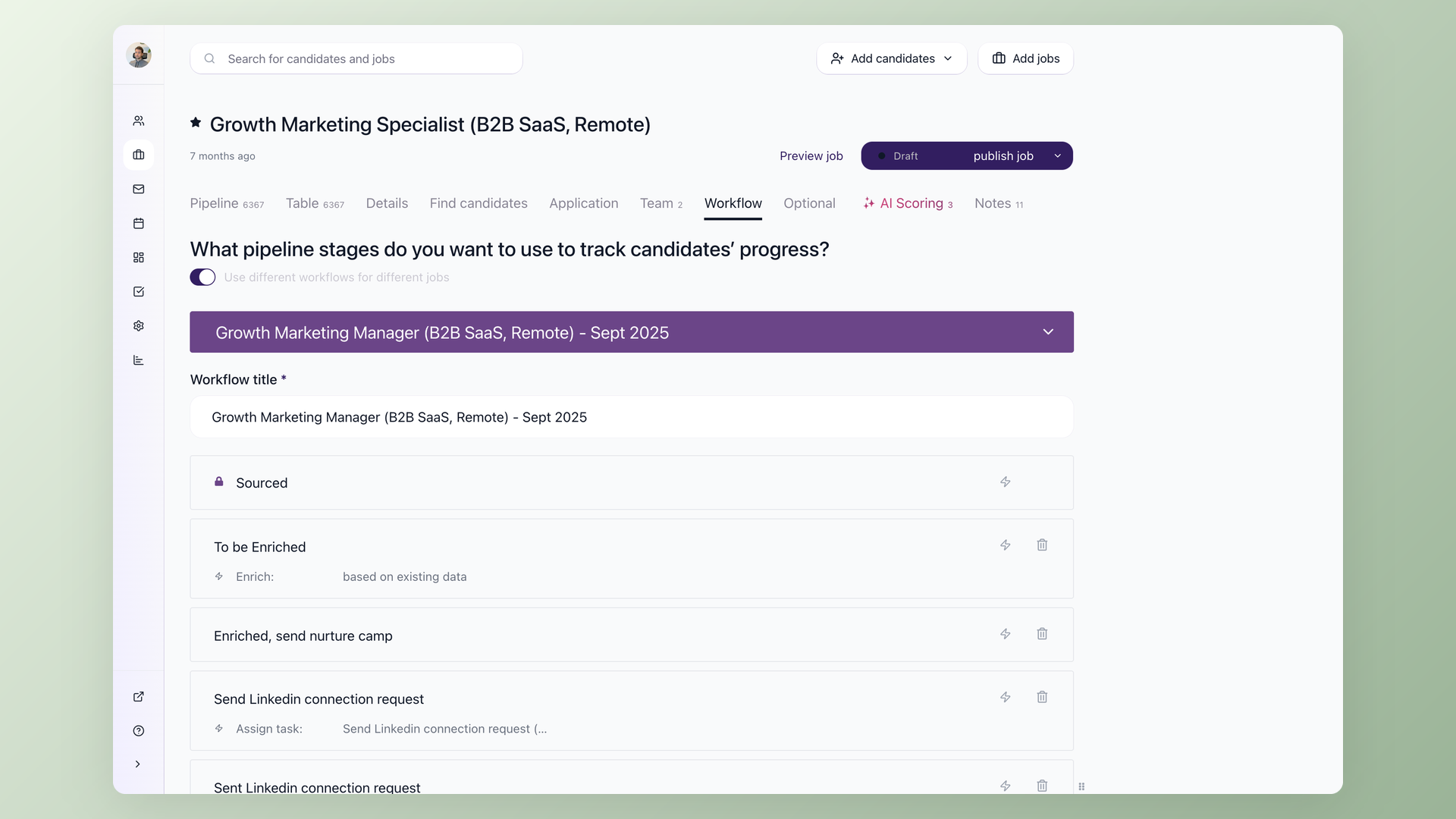
The whole configuration lives on one screen. Add a yes/no question to your application form. Open the workflow tab of the same job. Create a Disqualify If automation on the first pipeline stage and select that question. That is the setup - no separate admin module, no implementation consultant, no waiting on your ops team.
- Y/N question on the application form
- Disqualify If automation on the first stage
- Auto-rejection email with custom delay (default 3 hours)
- Disqualified tab per stage for audit
Knockout question examples that move the rejection rate
The questions that earn their keep are yes/no questions tied to a fact you can verify at offer: do you hold an active CDL, are you authorized to work without sponsorship, can you commit to the 6am-2pm shift, do you have a Secret clearance. The candidate either has it or doesn't, and the answer matches a document you will see later.
Soft-skill claims and inflated years of experience are where self-reporting breaks down. Those signals belong in AI Scoring, not in a binary knockout. The examples below are the ones that show up most often on 100Hires application forms in high-volume hiring contexts.
Examples from real application forms
ATS knockout questions and the resume knockout questions you find on most job-seeker sites cover the same set of objective signals. Pick the two or three that map to your hard requirements - more than four starts to feel like an interrogation and depresses completion rates. Tune by reviewing your disqualified tab after the first batch: too many good candidates filtered, drop a question; still drowning in unqualified applications, add one.
- Work authorization / sponsorship requirement
- Age 18+ or 21+ for regulated roles
- Valid license or certification by role
- Active security clearance level
- Commute distance or relocation commitment
| Knockout question | Use when | Why it works |
|---|---|---|
| Are you legally authorized to work in [country] without sponsorship? | Sponsorship is a hard no for the role | Verifiable against the offer paperwork - candidate cannot fake this past the I-9 |
| Do you hold an active [license name]? | Healthcare CNA / LPN / RN, transportation CDL, electrical, real estate | License number cross-checks against the state registry - lying is detectable |
| Are you 18 (or 21) years or older? | DOT-regulated roles, alcohol service, security clearances | Birth date verifiable from documentation at offer |
| Do you hold an active [Secret / Top Secret] clearance? | Defense contracting, federal IT work | Clearance level is verifiable through standard channels |
| Are you available to start within [N] days? | Time-sensitive roles, seasonal hiring, replacement hires | Start date is a near-term commitment, not a 5-year claim |
| Are you available for the [6am-2pm / overnight / weekend] shift? | Senior living, hospitality, manufacturing, healthcare | Shift availability is objective and matches the operational reality |
When binary screening breaks down - layer knockouts with AI Scoring
The universal recruiter complaint about knockout questions is that candidates lie on them. They click yes on a certification they don't hold. They claim five years of experience when the resume shows under one. They check the "willing to commute to Northern Virginia" box from an address in Texas.
The binary itself is fine for objective facts that can be verified. It falls apart on softer claims the candidate is incentivized to fudge.
Catch softer signals with AI Scoring on top of knockouts
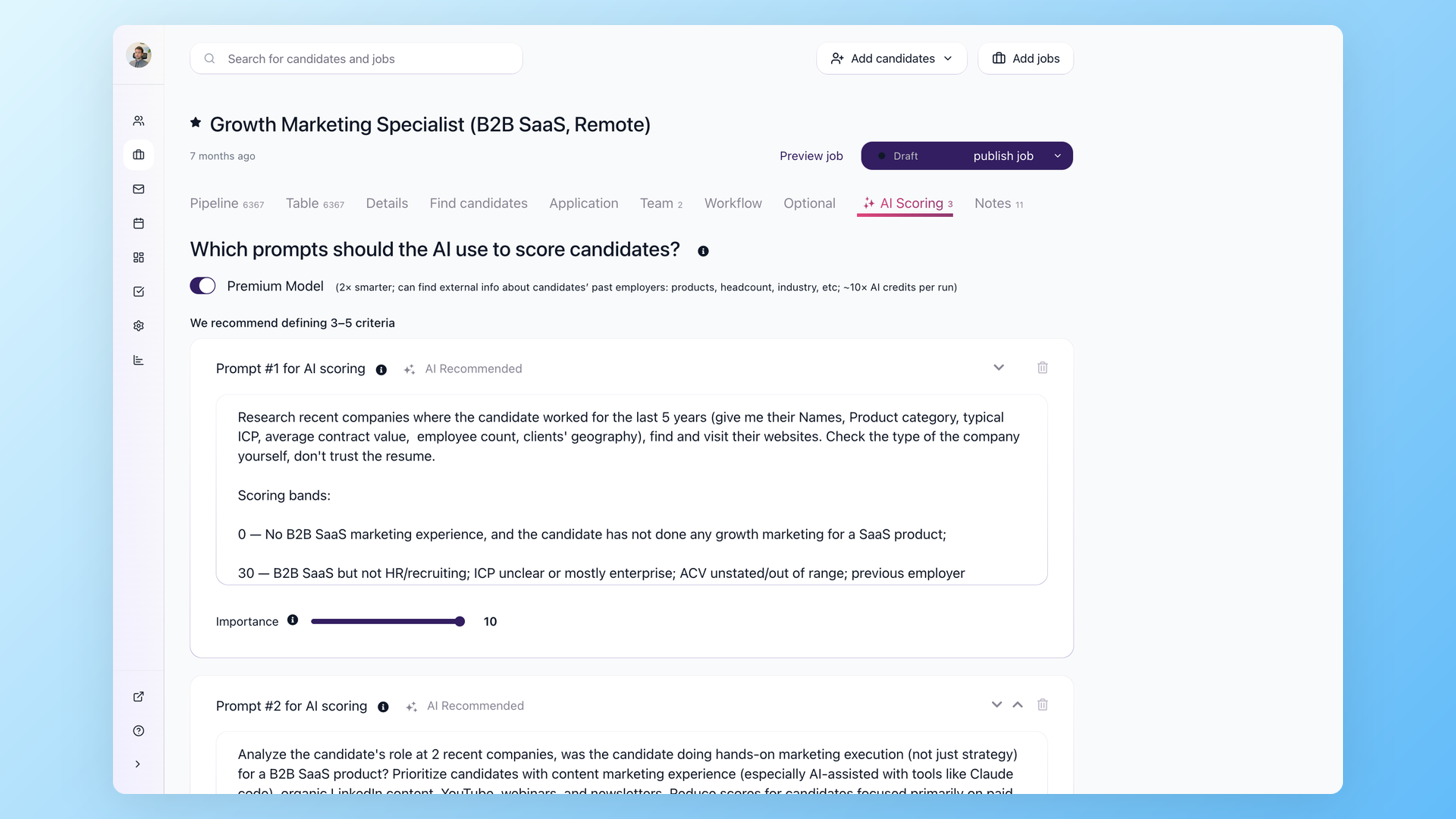
100Hires AI Scoring assigns each surviving applicant a score from 0 to 100 against custom criteria you define. Add multiple yes/no questions to the application form, then configure AI Scoring with weighted points and a threshold. Candidates whose self-reported claim disagrees with their resume content drop below the threshold and are routed to a human review queue instead of auto-rejecting. Once you've calibrated the scoring against a batch of 30-50 candidates and confirmed it matches your judgment, you can tighten the automation.
- Weighted points per criterion (1-10 importance)
- Cross-checks self-reported answers against resume
- Borderline candidates route to human review
- Tightens as you calibrate against actual hires
The layered approach is the answer to the problem of candidates lying on yes/no knockout questions, which the recruiter community has been complaining about for years. Hard knockouts for requirements that documentation can verify. AI Scoring for everything else.
The two automations run on the same workflow tab and send candidates to the same Disqualified or Qualified tabs.
Defensible by design - compliance and audit trail
Auto-disqualification is an employment selection procedure. The EEOC has flagged automated tools as procedures that can create adverse impact risk, and class-action activity around algorithmic screening has surfaced.
Use only job-related criteria for your knockout questions. Use your company's approved wording for work authorization questions. Review your rejection rates across candidate groups periodically.
100Hires keeps the trail defensible. Every disqualified candidate stays visible in the Disqualified tab of the stage where they exited, with the question and answer that triggered the rejection preserved on the candidate record.
Rejection emails use a customizable template so candidates know they were screened rather than ghosted, with the delay you set. If a knockout misfires on a real qualified candidate, unreject them back into the pipeline in one click.
For deeper context on layering knockouts with AI Scoring in a complete workflow, see our walkthrough on how to screen job applications.
Why teams switch to 100Hires for knockout questions
Many SMB ATS platforms either don't support knockout questions at all, or reserve them for enterprise tiers, or require an implementation consultant to configure.
100Hires ships knockouts on every plan, including the 14-day free trial. Configuration lives on the same workflow tab any recruiter already uses to manage automations.
 100Hires
The pattern shows up most clearly in high-volume healthcare hiring. Senior-living recruiting teams processing ten thousand applications a month verify CNA, LPN, and RN credentials before scheduling an interview, with knockouts on license validity and shift availability.
Adjacent verticals where credential gates apply equally well include transportation (CDL, DOT physical), construction (state licenses, OSHA), and security clearance work.
Knockout questions on the application form keep the recruiter inbox focused on candidates who already cleared the credential bar.
The hiring playbook, in your inbox
One email a week - benchmarks, AI screening tactics, and short interview templates from the 100Hires team. No product pitches.
Related 100Hires resources: Explore resume screening software and recruitment automation software.