
ATS implementation: the 8 steps that get your team live
A practical guide to rolling out your applicant tracking system: the steps in order, a free checklist, real timelines, and when it pays to have a 100Hires specialist set it up with you.






screening candidates
response rates
time to fill
per hire
ATS implementation is the work of taking a new applicant tracking system from an empty account to a system your team actually hires with: your data moved in, your pipeline built, your email and job boards connected, and your team trained.
This guide walks through the 8 steps in order, gives you a free checklist you can copy, and puts honest numbers on how long each path takes.
It also covers the part most guides skip: when doing it yourself is fine, and when paying for ATS implementation services is the cheaper option once you count your own hours.
The 8 steps of ATS implementation
Rollouts rarely fail on the software itself. The risk practitioners describe again and again is the setup: it lands on someone with no time, the system stays half configured, and the team never fully moves in. The steps below exist to prevent exactly that.
1. Assign an owner and free up their time
The most repeated warning from people who have led an ATS switch: the setup landed on a recruiter or HR coordinator as a side project, on top of a full workload. Their advice is consistent - do not take the project without getting other duties reduced.
Name one owner, give them real hours for it, and agree up front who decides when a configuration question comes up. The owner does not have to be technical. They have to have time.
2. Map your hiring process before touching settings
Write down how you actually hire today: stages, who reviews, who interviews, where candidates come from. Recruiters should dictate this map, not IT or finance. Systems configured by people who never work the pipeline end up fighting the team that does.
Resist redesigning your whole process during the rollout. Build the system around the process that exists, then improve it once the team is comfortable.
3. Treat data migration as its own project
Moving jobs, candidates, resumes and notes out of an old system is where practitioners report implementations breaking.
People who have run migrations describe history and interview feedback that did not map cleanly and needed manual cleanup, and exports so weak that active candidates were re-entered by hand.
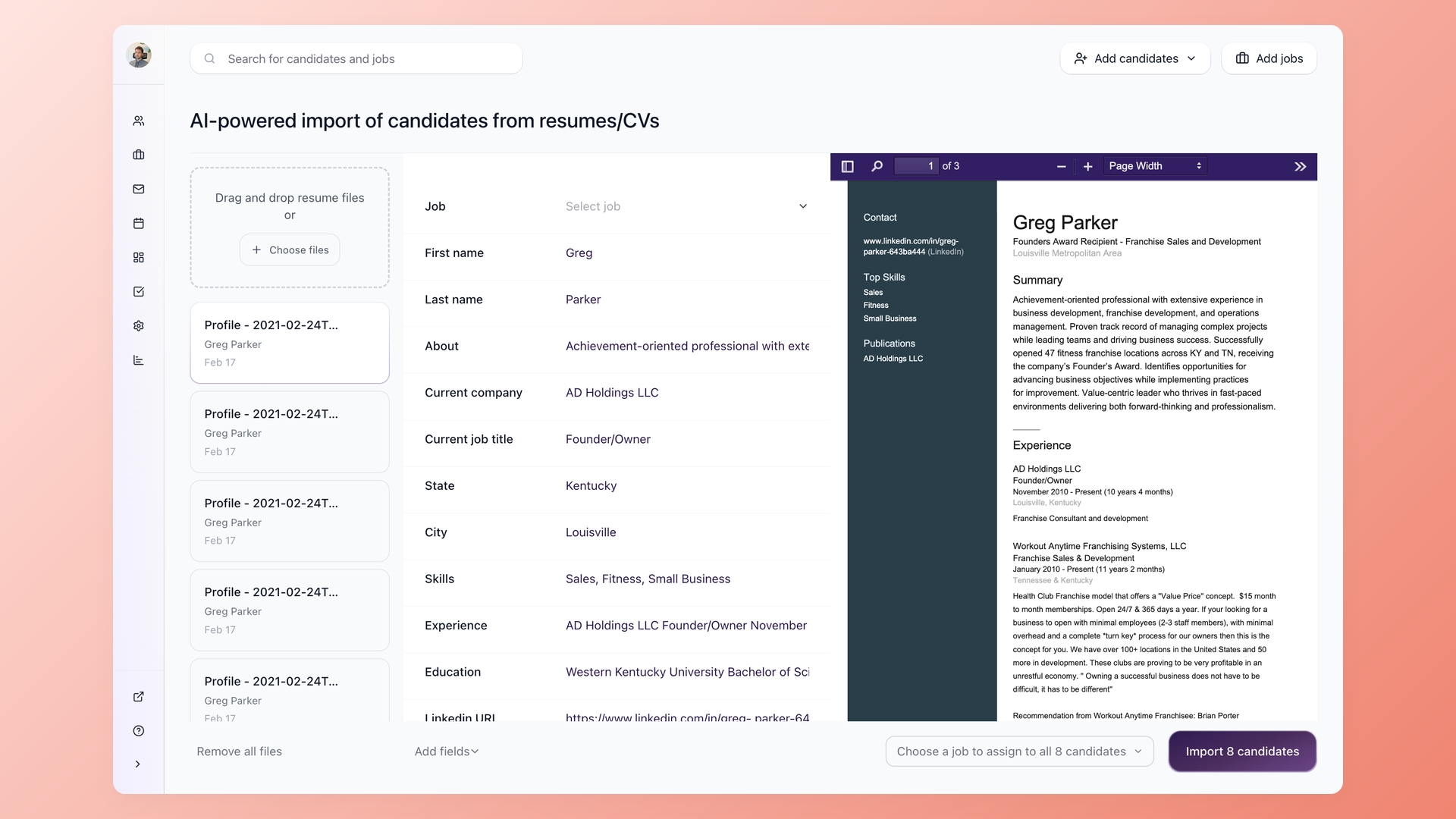
Start from your real candidates, not an empty system
Our data migration service moves your jobs, candidates and resumes from your old system. On top of that, the specialist sets up your profile fields and parsing so resumes arrive structured and searchable, and your history is ready to work the day you log in.
- Jobs, candidates and resumes moved in by our team
- Profile fields set up for clean, searchable records
- Bulk resume parsing checked before anything imports
- Duplicates flagged so the database stays clean
In 100Hires, the move itself is handled by our data migration service, so your side of this step is checking the result: spot-check imported records against the old system before you retire it.
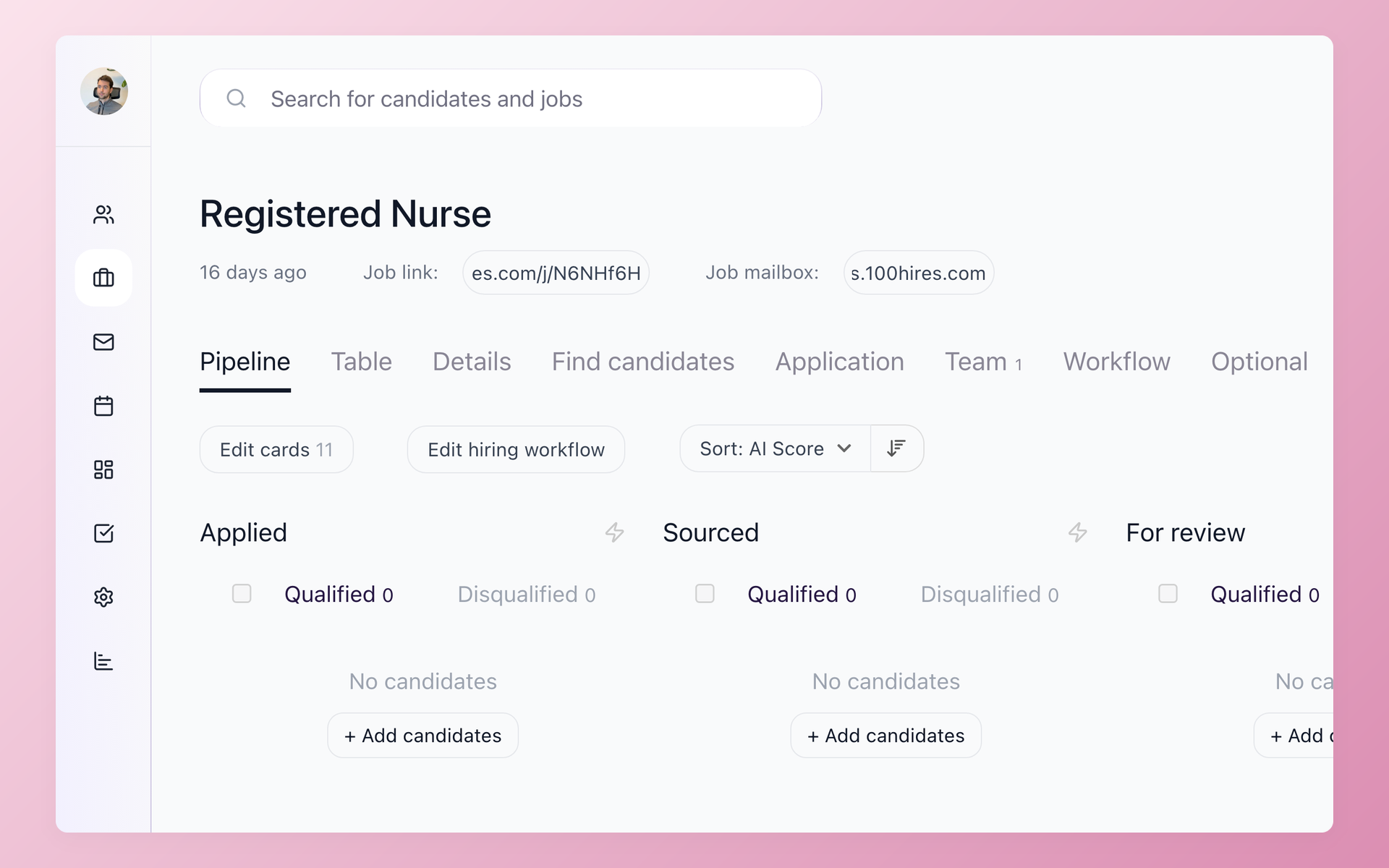
4. Build your pipeline and automations around real stages
Now configure the stages from your step 2 map, then add the automation that saves manual work: stage-triggered emails, nurture follow-ups, and scoring tuned to the roles you fill.
Configure knockout questions deliberately. They are the mechanism that actually auto-rejects candidates in every major system, and a misconfigured one screens out qualified people silently. Decide each question on purpose, never leave defaults on.
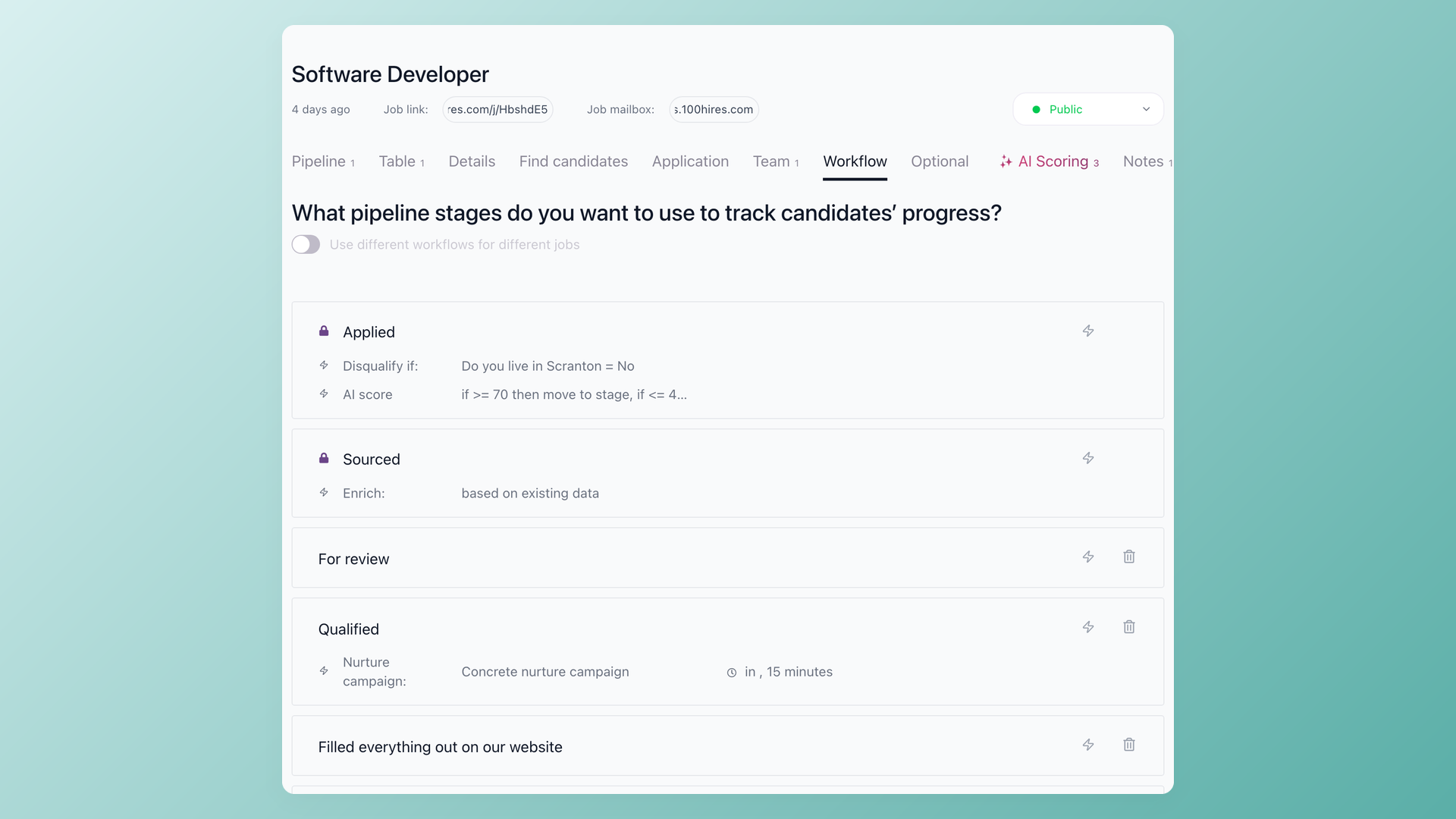
Built around how you hire, not a generic template
The specialist builds your pipeline stages, then wires the automations that save the manual work: stage-triggered emails, nurture follow-ups, knockout questions that screen at the apply step (Advanced plan and up), and AI Score and Evaluation Forms tuned to the roles you fill. You approve the logic, they build it.
- Custom pipeline stages for your roles
- Knockout questions screen at the apply step (Advanced plan and up)
- AI Score and Evaluation Forms tuned to your jobs
- Stage-triggered emails and nurture set up for you
5. Connect and test email, calendar and job boards
Connect your corporate email, link calendars for interview scheduling, and switch on the job boards you actually post to.
Then test each connection with a real job and a real message, so the first thing a candidate receives from the new system is not the discovery of a broken setup.
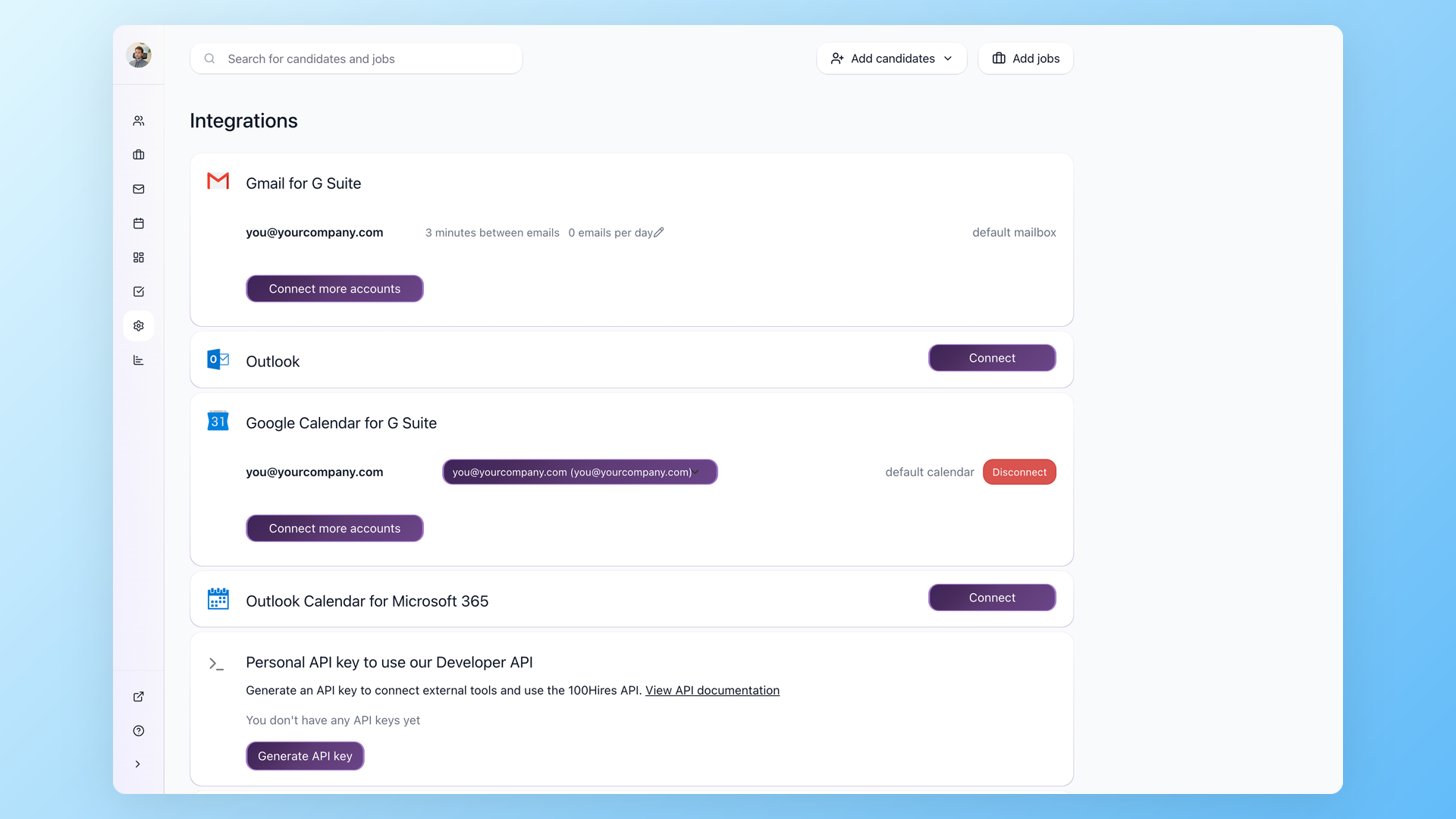
Your tools connected and tested, so nothing breaks on the first send
The specialist connects your corporate email on Gmail or Outlook, links your calendar for self-scheduling, switches on the job boards you post to, and sets up texting through Twilio if you use it. Everything is tested with a real job before your team touches it, so the first message and the first interview invite go out clean.
- Corporate email on Gmail or Outlook connected
- Calendar linked for interview self-scheduling
- Job boards switched on for one-click posting
- Zapier, webhooks or the API wired if you need them
6. Brand your careers page and count the application screens
Put your logo and colors on the careers page, build the application form, and then count the screens a candidate clicks through. More than 3 or 4 screens, a forced account signup, or making people re-type what is already on their resume will cost you applicants, fast.
Practitioners who watched their applicant volume collapse after an ATS switch traced it to exactly this: a longer application flow than the old one. Keep the form to the questions you will actually use to screen.
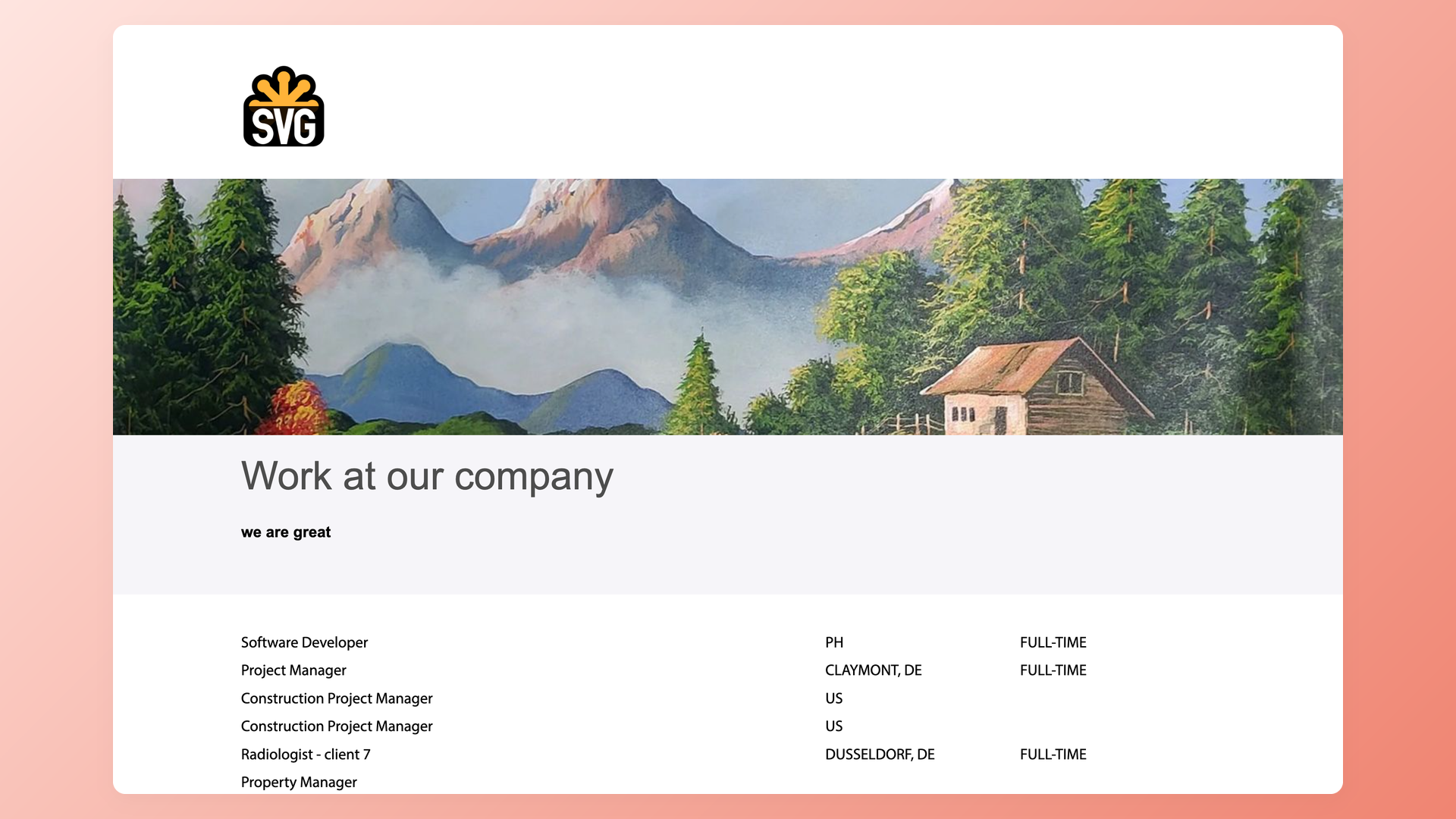
A branded careers page candidates actually complete
Your careers page and application form get your logo, colors and the questions that matter for your roles. The specialist publishes it on your domain and walks your team through posting a job, so the first candidate sees a branded page and your hiring managers know exactly where to look.
- Careers page branded with your logo and colors
- Application form built with the questions you need
- Published on your own domain
- Hiring managers shown where to review candidates
7. Apply to your own job before go-live
The single most upvoted piece of advice from recruiters who have lived through a rollout: go through your own application as a candidate, end to end, before you launch. Then do it again after go-live.
Check what a candidate actually experiences: every screen, every required question, the confirmation email, on both a desktop and a phone. Anything that annoys you will be turning candidates away.
8. Train the team and run both systems in parallel
Train on real requisitions, not demo data: have each hiring manager review actual candidates in a live session. Then run the old and new systems side by side for about two weeks, verify records made it over, and watch applicant volume per posting against pre-switch numbers.
Only retire the old system when both checks hold. That two-week window is what catches migration gaps while you can still fix them.
Free ATS implementation checklist
The same 8 steps as a working checklist. Copy it into your task tracker or print it. No email required, it is all on this page.
| Phase | Task | Owner |
|---|---|---|
| Before you start | Name one rollout owner and reduce their other duties | Leadership |
| Before you start | Map current hiring stages the way they really run | Owner + recruiters |
| Before you start | List must-have integrations and reports before committing | Owner |
| Data | Move jobs, candidates, resumes and notes from the old system | 100Hires team |
| Data | Spot-check imported records against the old system | Recruiters |
| Configuration | Build pipeline stages from the process map | Owner |
| Configuration | Set up automations and review every knockout question | Owner |
| Integrations | Connect corporate email and calendar, send a real test message | Owner |
| Integrations | Switch on the job boards you actually use | Owner |
| Careers page | Brand the page and cut the application to 3-4 screens | Owner |
| Testing | Apply to your own job as a candidate, end to end | Whole hiring team |
| Go-live | Run old and new systems in parallel for about two weeks | Owner |
| Go-live | Compare applicant volume per posting to pre-switch numbers | Owner |
| First month | Train hiring managers on live requisitions, then retire the old system | Owner + specialist |
How long does ATS implementation take?
It depends on what you are moving from, so distrust any single number. Vendor guides quote anything from a few weeks to several months, usually without saying which situation gets which.
The practitioner reports are more concrete at the extremes. People who led a full replacement of a deeply embedded legacy system at a large organization report timelines around a year, and those starting one budget for up to a year and a half.
On a self-serve system like 100Hires, a specialist-run setup delivers a working configuration in days rather than weeks.
Whatever the size, budget the roughly two-week parallel run from step 8 before switching off the old system. And the advice that repeats across every timeline story: the owner having real allocated time matters more than any tool choice.
ATS implementation services: when to bring in a specialist
You can run all 8 steps yourself. 100Hires is built to be self-serve, and plenty of teams configure it on their own with the checklist above. ATS implementation services exist for the cases where that math stops working.
Doing it yourself makes sense when you run a handful of jobs, the default stages fit, and someone on the team genuinely has the hours.
Bring in a specialist when there is no internal owner to free up, your process needs custom stages and automations, or you are migrating years of history on a deadline.
For scale on what setup help can cost: one staffing firm reported being quoted about $25,000 for implementation alone on a legacy staffing platform, on top of per-user subscription fees.
That is a single reported quote, not list pricing, but it shows why the setup line item deserves scrutiny.
100Hires prices it the opposite way: by the hour, scoped on a free call, so you only pay for the help you need.
The specialist builds your pipeline, connects your tools, brands your careers page, and trains your team on a live screen share. Setup for the everyday pieces is included, from resume parsing to interview scheduling to your careers page.
| Step | What happens | Who does it | Billed |
|---|---|---|---|
| 1. Scoping call | We look at your jobs, your team and your current tools, then estimate the hours | 100Hires specialist | Free |
| 2. Migrate | Your jobs, candidates and resumes move into 100Hires | 100Hires team | Separate service |
| 3. Build and connect | Pipeline, automations, integrations, careers page and forms set up around your process | 100Hires specialist | Hourly |
| 4. Train, coach and hand off | Live sessions and hiring-practice coaching until your team can run it on their own | 100Hires specialist | Hourly |
The goal of every hour is the same: the system you bought gets used. Training covers the hiring habits that make the setup pay off, and the same care extends to recruitment automation and collaborative hiring once the basics run.
 100Hires

It solved all of my recruitment problems and offered all of the features I was looking for. It can automate most of my recruitment processes.

I’d happily recommend it to my industry peers. I’m able to use the platform with ease and don’t have to think twice about which function to use.

The system is very user-friendly. Even people with no experience will find it easy to understand its functionality.







 4.7
4.7
 4.8
4.8
The hiring playbook, in your inbox
One email a week - benchmarks, AI screening tactics, and short interview templates from the 100Hires team. No product pitches.