
Hiring Manager Software
Walk into every debrief with the shortlist already ranked by AI fit score, your evaluation form pre-assigned, and the last two weeks of recruiter notes summarized in one paragraph.
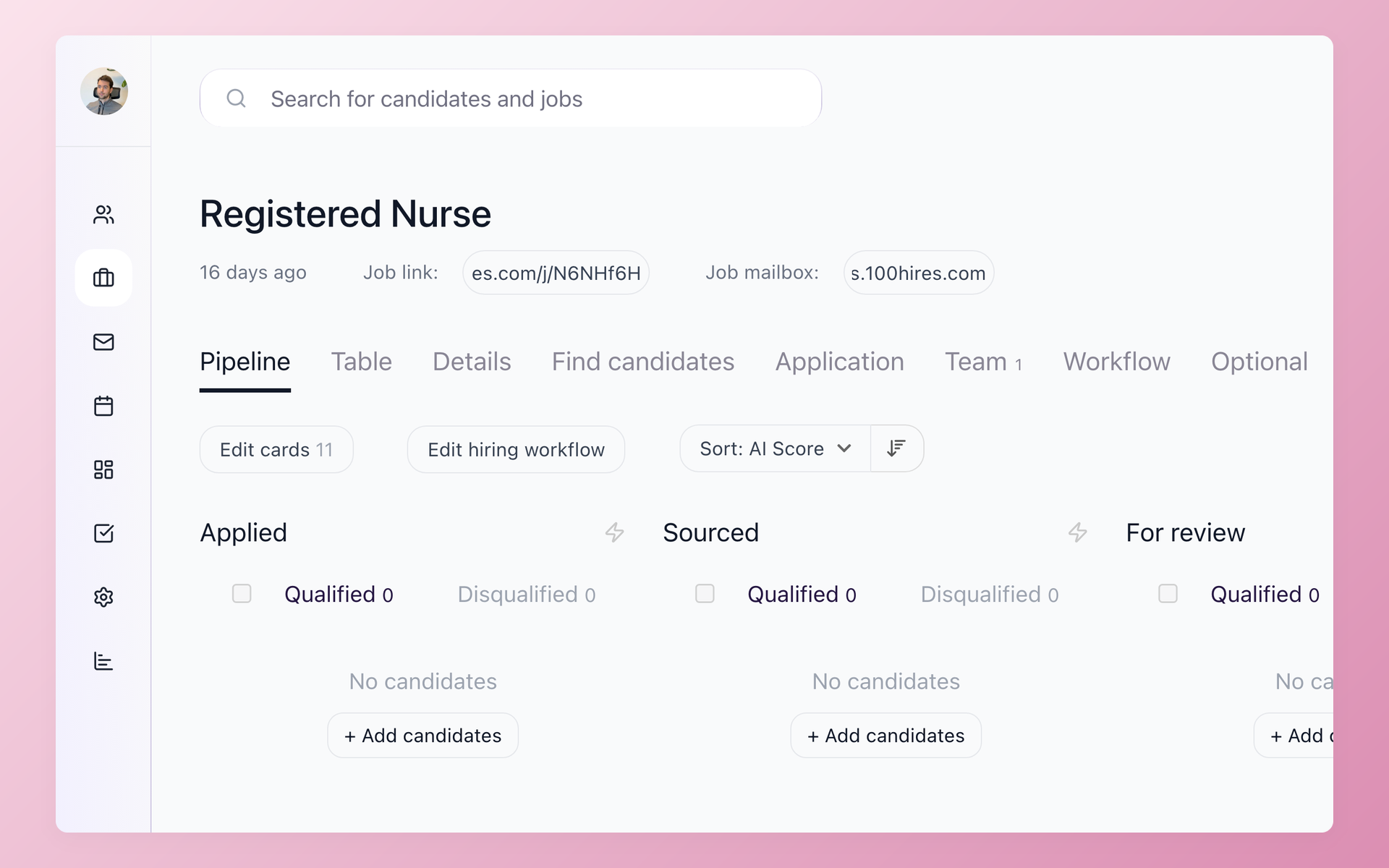
Hiring managers are not recruiters. They carry a full job alongside every req they are added to. The standard ATS gives them the same interface as the recruiter: every candidate in the company, every job, every settings tab.
Most hiring managers log in once, feel lost, and go back to email.
The recruiter ends up relaying information manually. Feedback lands in a Slack message or a one-line reply to a calendar invite. A week later the team disagrees on who to advance and nobody can find the notes.
A candidate who waited nine days for a shortlist decision has almost certainly accepted another offer. That is not a sourcing problem. It is a loop problem: the recruiter cannot close the loop alone if the hiring manager is not in the tool.
100Hires gives the hiring manager a scoped view of the tool: only the jobs they are on, only the candidates who made the cut, with an AI score already attached. No setup, no per-seat license to negotiate. The recruiter adds them to the job and the hiring manager gets an invite.
What is hiring manager software
Hiring manager software is an applicant tracking system that includes a purpose-built view for the people who make the final hiring call, separate from the full recruiter interface.
Instead of navigating a system designed for daily recruiter use, the hiring manager sees only their active reqs, receives structured evaluation prompts after each interview, and can review candidates and submit feedback without touching sourcing, job board settings, or billing.
In 100Hires the hiring manager role is called Interviewer. It is part of the broader collaborative hiring workflow alongside the full Recruiter and Administrator roles.






Everything a hiring manager needs, nothing they don't
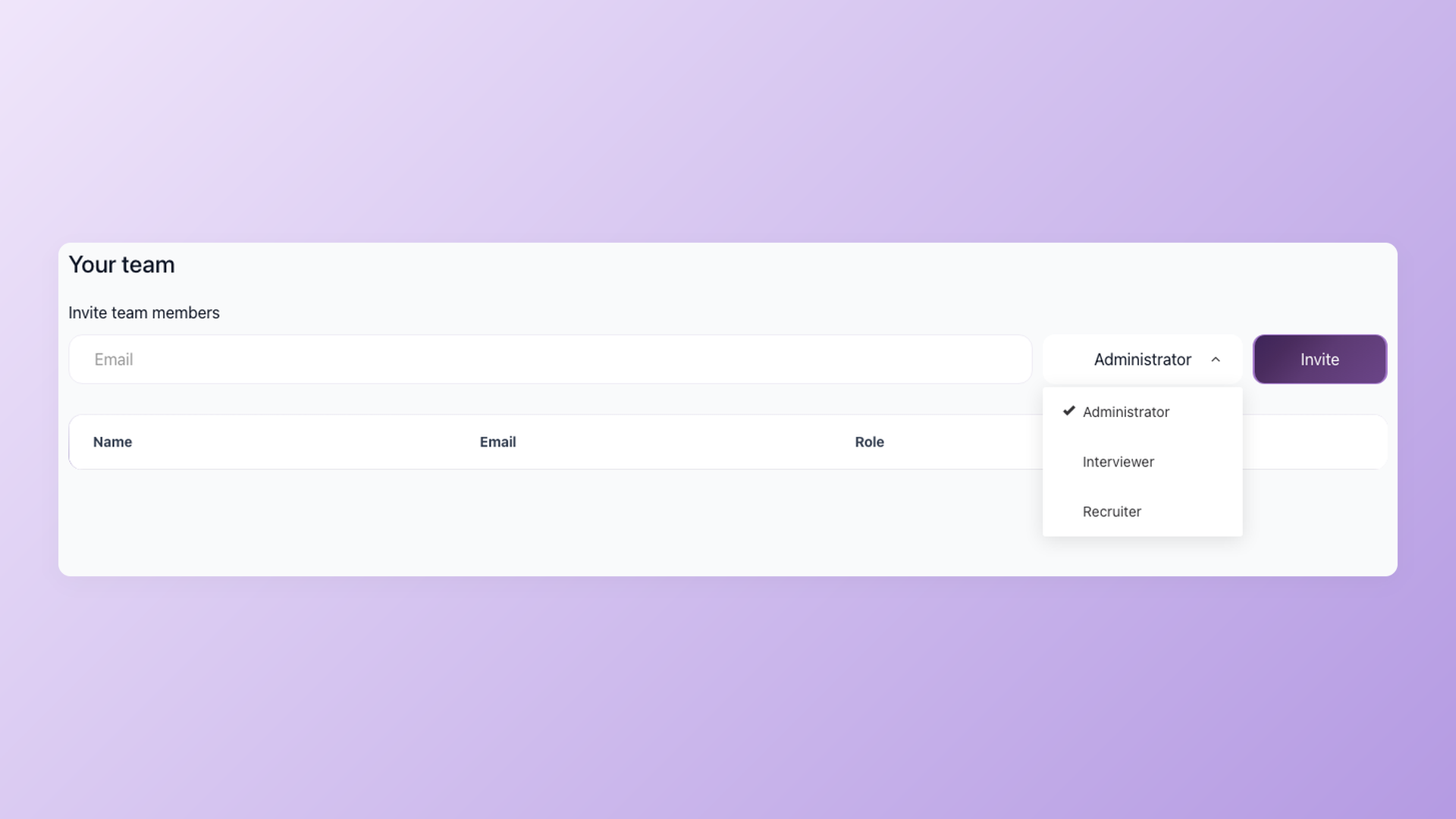
See your jobs, skip everything else
When a recruiter adds you to a job's Hiring team, you see that job and its candidates. Nothing else loads: no other teams' pipelines, no settings tabs, no billing. The 100Hires Interviewer role shows you only what you actually need. Because the view is live, you can check where a req stands at any point without emailing the recruiter. On the Advanced and Pro plans there is no per-seat charge for hiring managers, so the tool bill never keeps anyone out of the loop.
- Interviewer role scoped per job
- Unlimited users on Advanced and Pro plans
- Added by the recruiter in one click
- Check pipeline status any time, no email to the recruiter
Read the shortlist, not the full stack
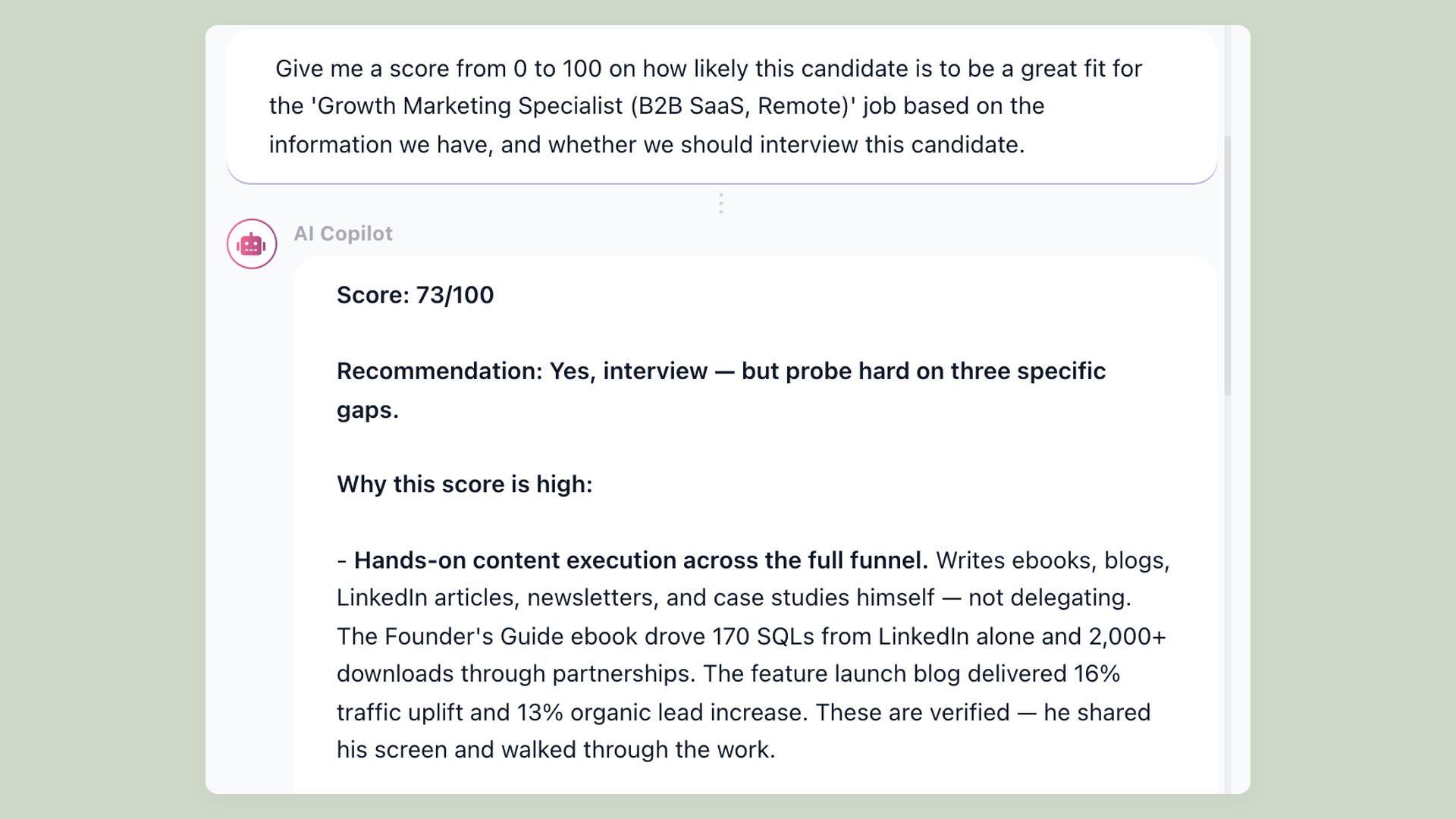
Before you open a single candidate's profile, 100Hires AI Score has reviewed every applicant against the criteria the recruiter set: skills, experience depth, location, or whatever the role requires. Each applicant gets a 0-to-100 score. The pipeline sorts by that score. You spend your review time on the top three, not on filtering out obvious mismatches.
- AI Score 0-100 per candidate
- Criteria set once by recruiter or admin
- Sort pipeline by score, not application date
Everyone scores the same way, or the debrief is guesswork
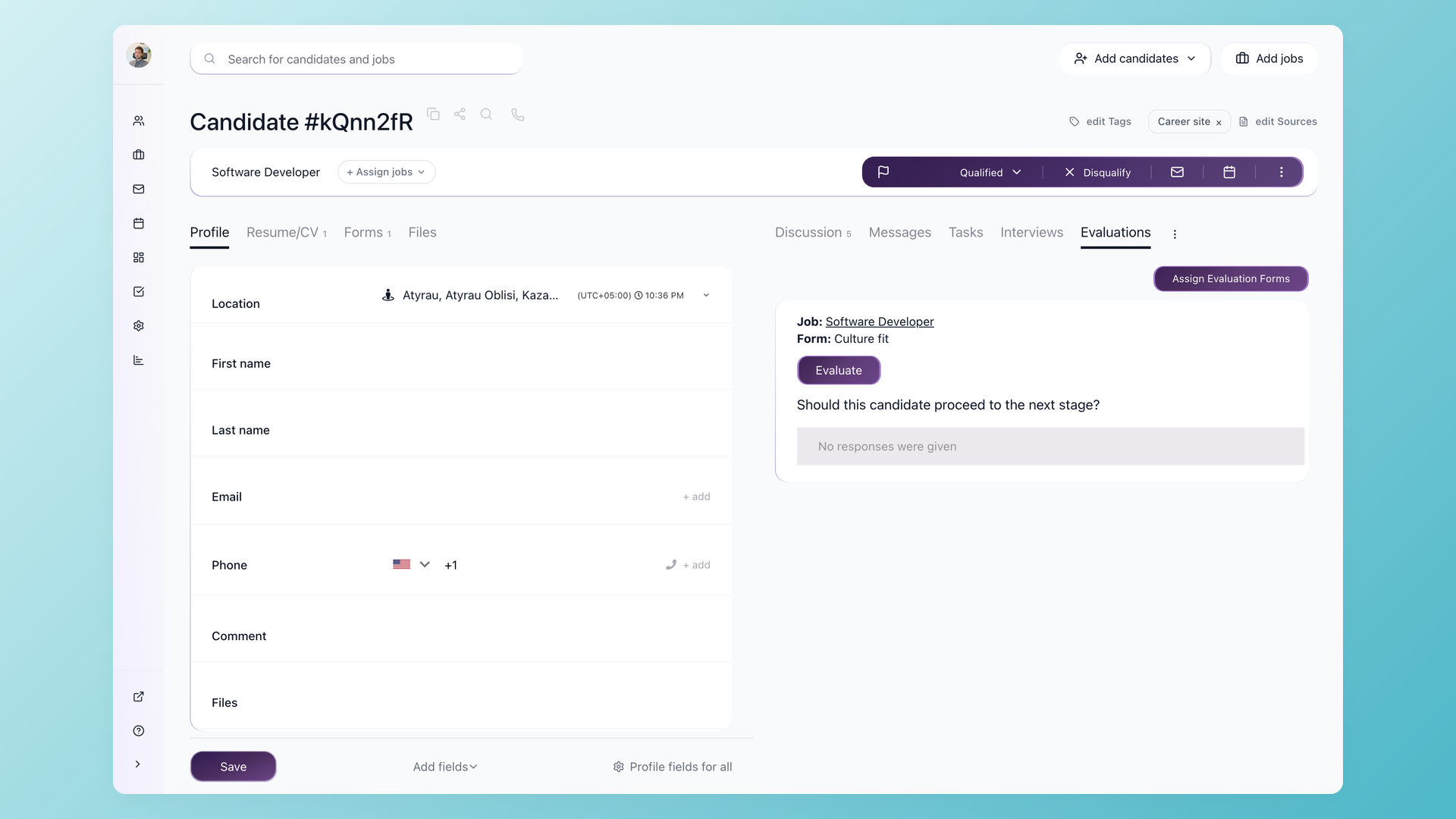
When every interviewer submits feedback in a different format, the debrief turns into a vibes contest. 100Hires Evaluation Forms give every interviewer the same questions and the same scale. After the interview ends, a daily reminder email goes out until the form is submitted, one click from inbox to done. For roles with multiple interviewers, blind mode hides everyone's responses until you submit your own, so the debrief is about evidence, not the loudest voice in the room.
- Custom Evaluation Forms per interview stage
- Daily reminder until submitted
- Blind mode - see others only after you submit
Get up to speed before the call opens
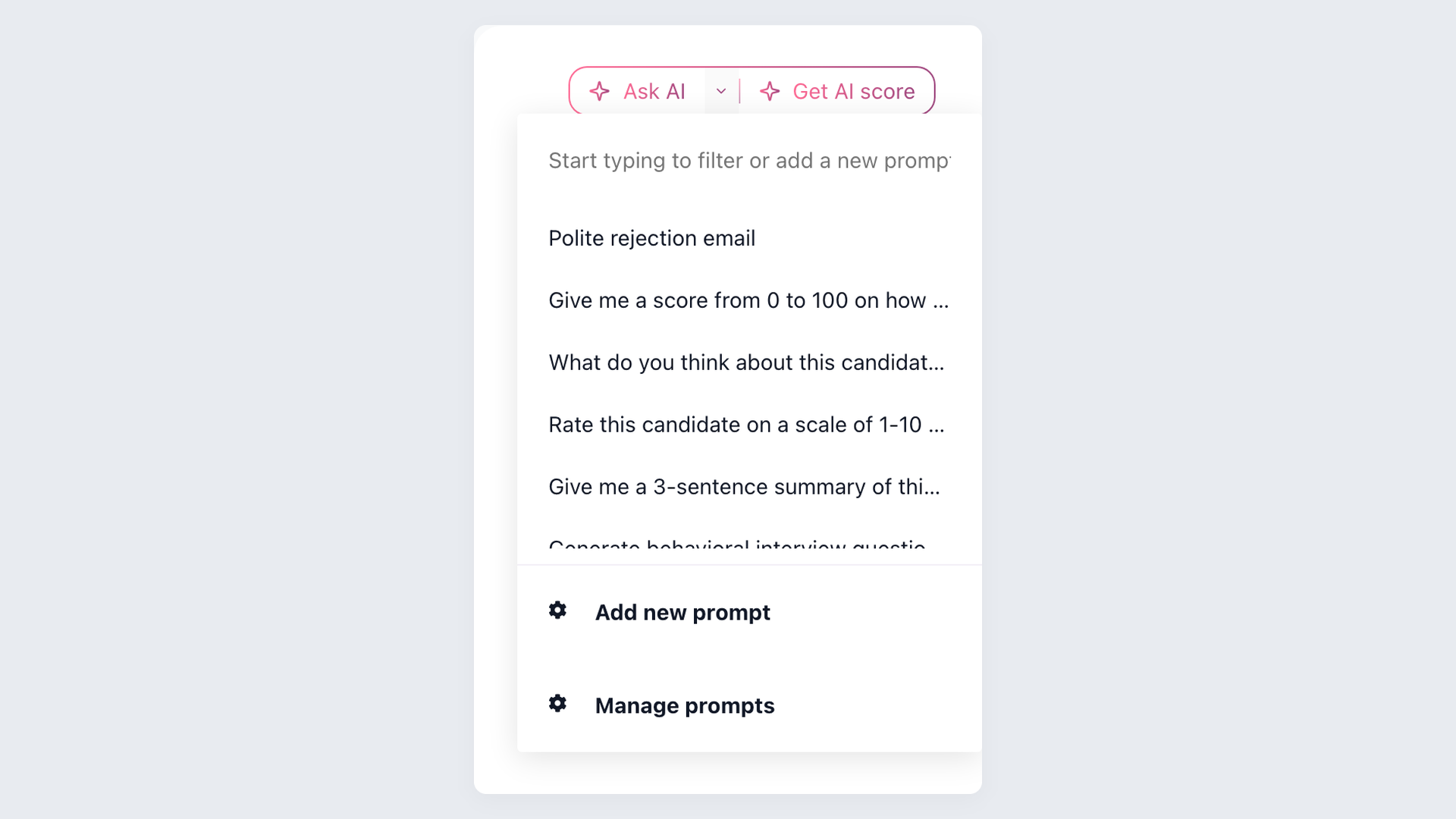
The candidate profile holds the resume, every email in the thread, the AI score breakdown, prior evaluation answers, and the Discussion timeline where the recruiter has been tagging notes. The AI Copilot reads all of it and writes a one-paragraph summary on demand: who this person is, what stands out, what the team has not yet tested. A hiring manager who has not touched the req in two weeks is back up to speed in thirty seconds.
- AI Copilot summary on demand
- Discussion thread with @mentions
- Full email history on the profile
screening candidates
response rates
time to fill
per hire
100Hires vs a typical ATS for hiring managers
Most applicant tracking systems were designed for full-time recruiters. Adding a hiring manager means adding another paid seat and giving them the same cluttered view.
100Hires includes the hiring manager as a first-class participant: a scoped role, structured evaluation prompts, and automatic follow-ups built in on every plan.
 100Hires
100Hires is built for companies of ten to five hundred employees hiring directly. It is not designed for staffing agencies or enterprise talent acquisition teams running fifty-plus open reqs per recruiter. If that is your situation, an enterprise suite will serve you better.

It solved all of my recruitment problems and offered all of the features I was looking for. It can automate most of my recruitment processes.

I’d happily recommend it to my industry peers. I’m able to use the platform with ease and don’t have to think twice about which function to use.

The system is very user-friendly. Even people with no experience will find it easy to understand its functionality.







 4.7
4.7
 4.8
4.8
The hiring playbook, in your inbox
One email a week - benchmarks, AI screening tactics, and short interview templates from the 100Hires team. No product pitches.
Related 100Hires resources: Explore candidate tracking software.