Zoom integration that creates the meeting link for every interview
Schedule an interview in 100Hires, pick Zoom for the call, and the meeting link is created and added to the invite for you.
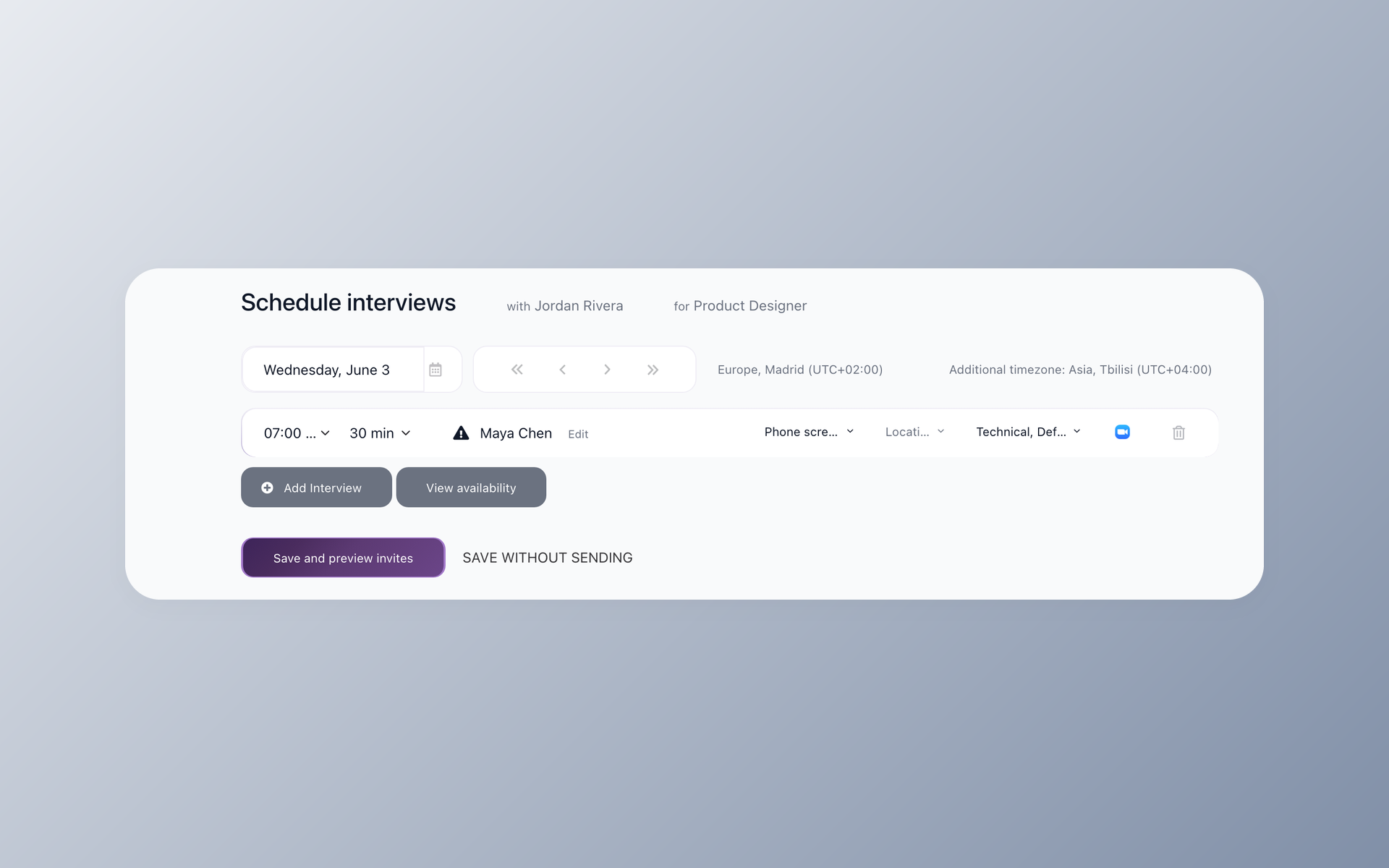





Zoom integration, right where you schedule interviews
Yes, 100Hires works with Zoom. Connect your Zoom account once, then choose Zoom whenever you schedule an interview and 100Hires creates the meeting link for you.
The link is added to the interview invite that goes to the candidate and every interviewer, so nobody has to make a link or paste one in.
Without it, you make the link yourself. Open Zoom in another tab, create a meeting, copy the link, then paste it into the invite. Do that for every interview and links end up on the wrong invite or missing on the day.
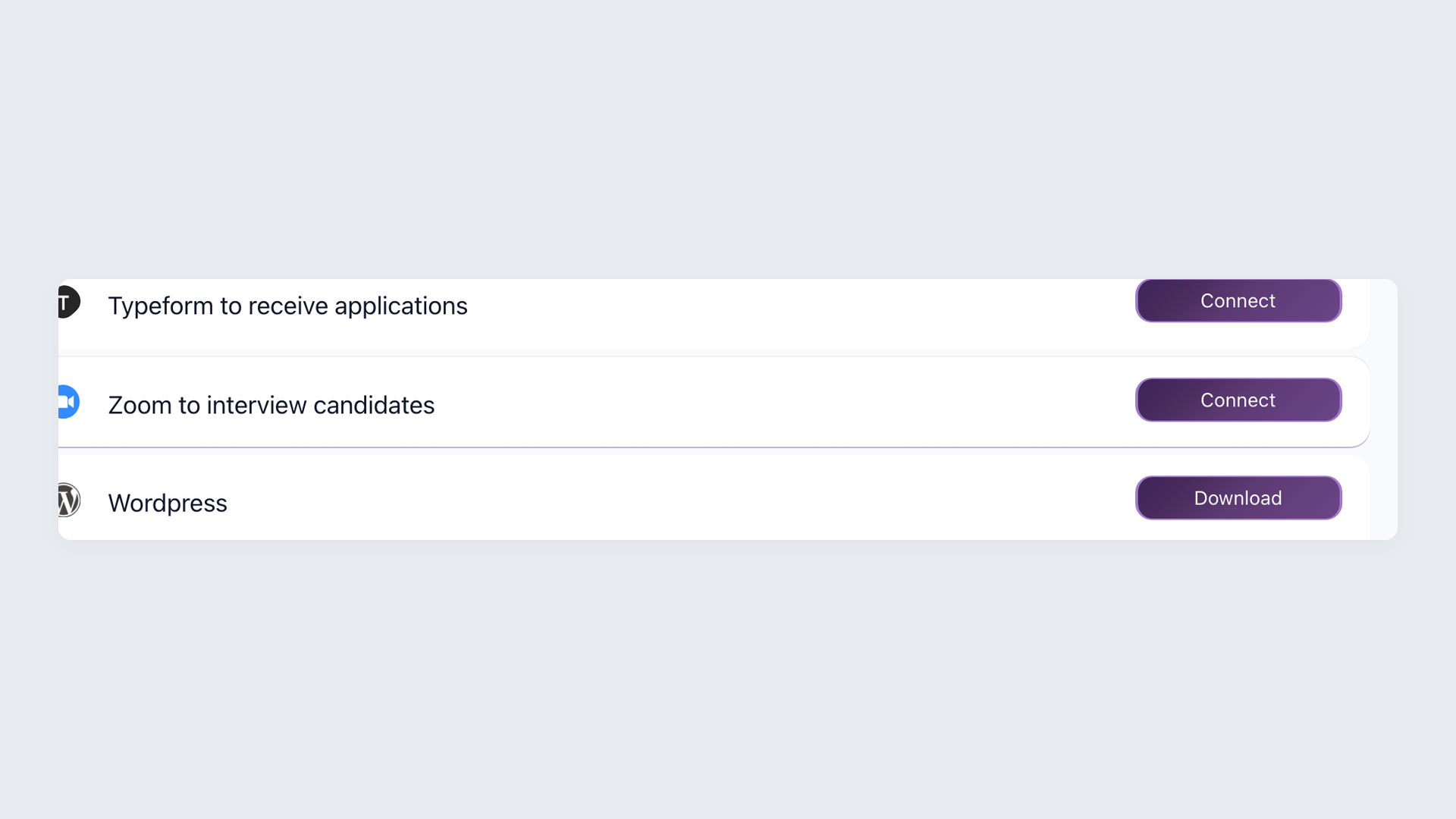
Connecting Zoom takes one click
Open Settings, Integrations and click Connect on the Zoom card. There are no API keys to copy. The Zoom integration is included in 100Hires; you just connect your own Zoom account.
- Settings, Integrations
- One-click Connect
- No API keys
- Included in 100Hires
How Zoom interviews work in 100Hires
For your team it is a short, repeatable flow, and only the first step is a one-time setup.
- In Settings, Integrations, click Connect on the Zoom card.
- Schedule an interview in 100Hires and pick Zoom for the meeting.
- 100Hires creates a fresh meeting link for that interview.
- Check the link in the invite preview before the invite is sent.
- Send, and the link is on the invite for the candidate and every interviewer.
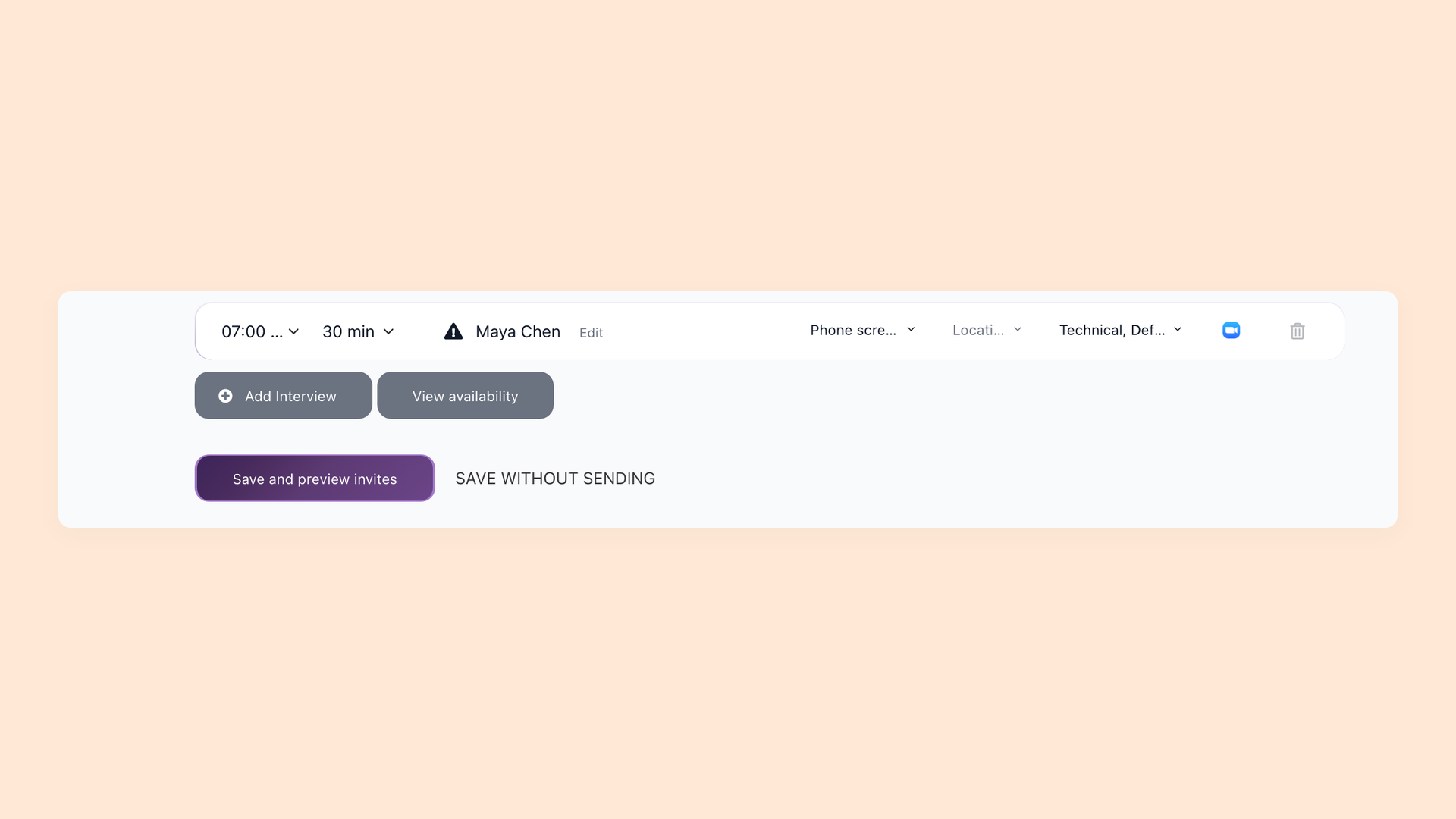
Everyone gets the Zoom link without you sending it
When you pick Zoom while scheduling, 100Hires creates a new meeting for that interview and adds the join link to the invite for the candidate and the whole panel. No copy-paste, and no candidate asking where the link is on the day.
- A fresh link per interview
- Shown in the invite preview
- Candidate and panel on one link
What the Zoom integration is for
This is for live, scheduled candidate interviews. 100Hires handles the link and the invite; the call itself runs in Zoom the way your team already uses it.
If you want the wider picture of self-scheduling, panel availability and calendar sync, that lives on the interview scheduling page, and you can see everything 100Hires connects to on the integrations page.
Manual Zoom scheduling vs 100Hires with Zoom connected
The difference is who creates the link, and whether it is added to the invite automatically.
 100Hires
The hiring playbook, in your inbox
One email a week - benchmarks, AI screening tactics, and short interview templates from the 100Hires team. No product pitches.
Related 100Hires resources: Explore interview scorecard.