
Talent pool software that fills roles from candidates you already know
Stop re-sourcing from zero every time a role opens: keep the strong candidates you already met in organized pools, re-engage them automatically, and pull a warm shortlist into a live req the day you need it.
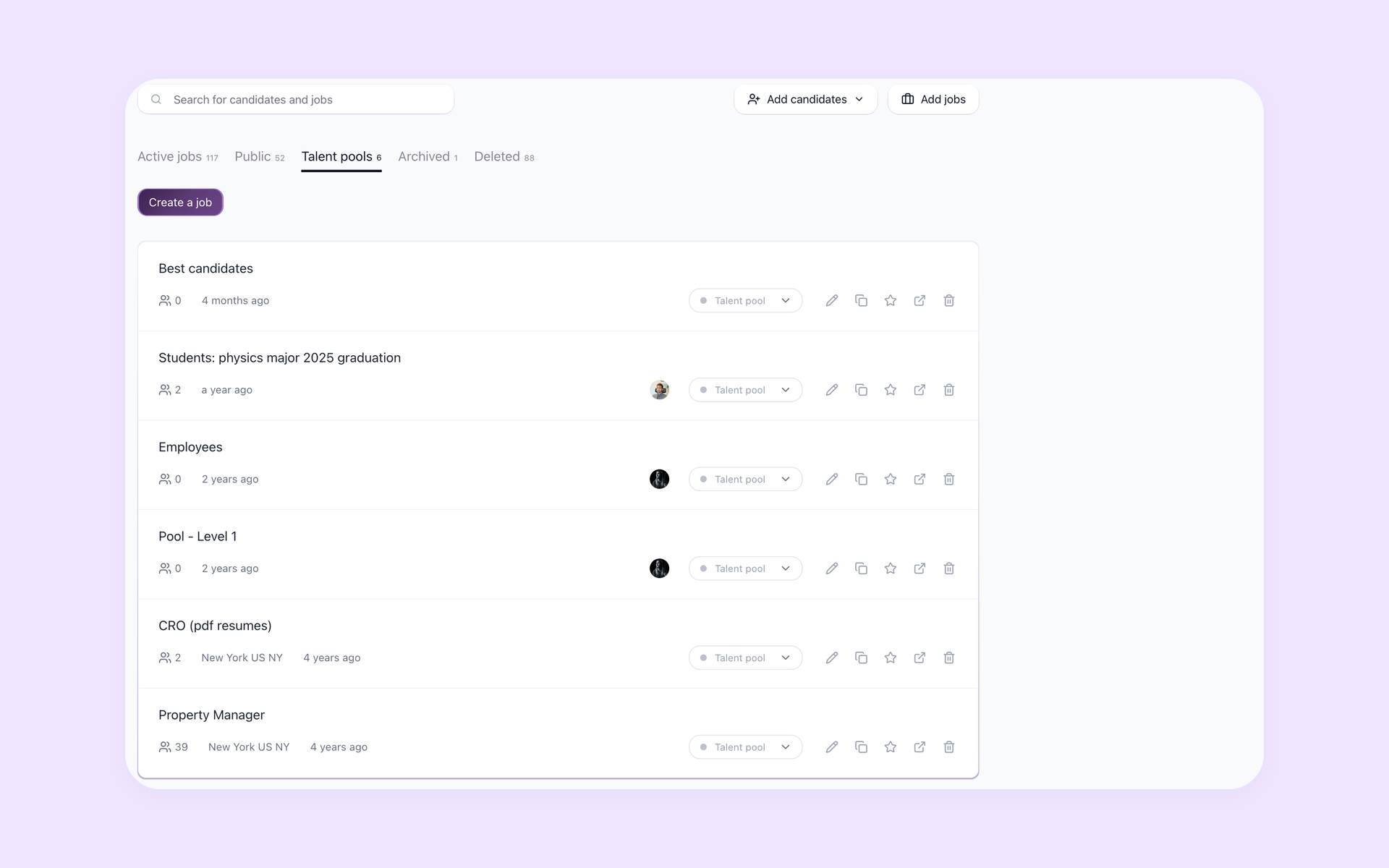
A talent pool is the group of people you have already met or attracted - past applicants, interview runners-up, sourced leads, referrals - kept on hand so the next opening starts warm instead of from scratch. The problem is rarely that you do not know good people. It is that they are scattered across spreadsheets, inboxes, and saved LinkedIn searches, and nobody circles back. 100Hires turns that scattered memory into named, searchable Talent Pools you can re-engage with automated email sequences.






screening candidates
response rates
time to fill
per hire
Stop losing the good candidates you already met
You talked to dozens of strong candidates last quarter. You can probably name a handful of them today. The runner-up who narrowly lost out in March is sitting in someone's inbox, the speculative applicant from a careers-page form is in a spreadsheet no one opens, and the three sourced leads who were "not quite ready" have no home at all. When a similar role opens, the search begins again as if none of those conversations ever happened.
Recruiters describe the same trap on every forum. Keeping a pool warm feels like unpaid busywork next to live reqs, so it never gets done. "We will keep your resume on file" almost never turns into a real follow-up. Pools go stale as contact data decays. The fix is not more discipline - it is software that stores the people you already met, keeps them warm without manual effort, and surfaces them the moment a matching role opens.
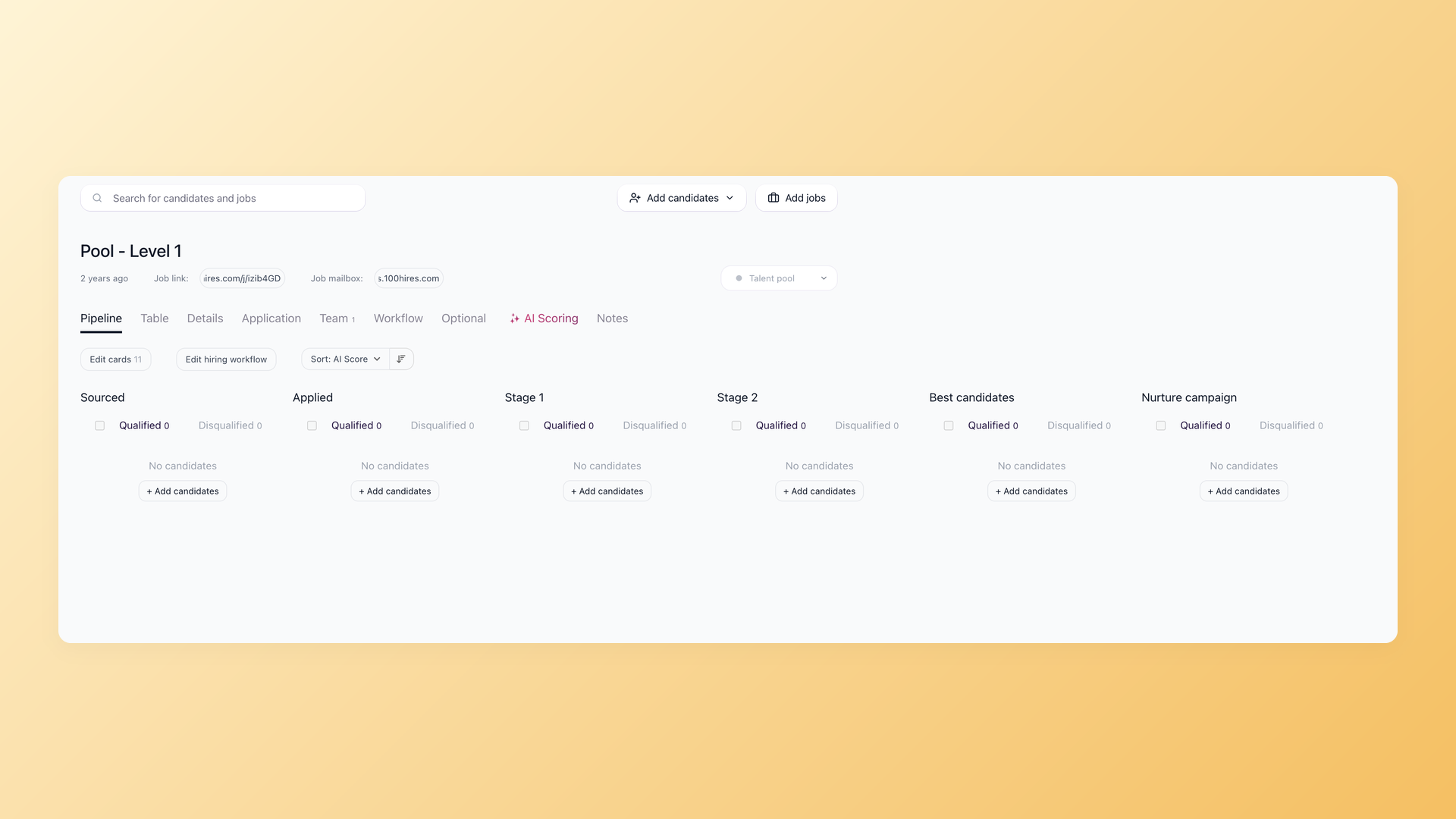
Keep next quarter's shortlist ready before the role opens
In 100Hires a Talent Pool is a hidden job: it is never posted to job boards or your careers page and no one can apply to it, but it keeps the full pipeline stages, so you can sort members by how ready they are. Build one pool per role family like Senior Frontend or Store Managers, one per source like 2026 silver medalists, or one per hiring event. When the role finally opens you are not launching a search. You are opening a folder that is already full.
- Hidden job status, never on boards
- Keeps full pipeline stages
- One pool per role family, source, or event
What a talent pool actually is, and how it differs from a pipeline or a database
The three terms get used as if they mean the same thing, and that confusion is exactly why pools get neglected. A talent pool is proactive: a curated, re-engageable group you build before the vacancy exists. A talent pipeline is the active flow of qualified people moving toward one specific role that is open now. A candidate database is the raw store of everyone your team has ever captured. The database is the raw material; you carve pools out of it; you pull from a pool to build a pipeline when a real role opens.
| What it is | Tied to a specific role? | How you keep it alive | |
|---|---|---|---|
| Talent pool | A curated, named segment of candidates you already met or attracted | No, grouped by role family, skill, or source | Nurtured over time and re-engaged when a role opens |
| Talent pipeline | The active flow of candidates moving toward one open role | Yes, tied to a specific live or imminent req | High-touch and time-bound until the role is filled |
| Candidate database | The raw searchable store of everyone your team ever captured | No, it holds everybody | Passive, you search it but you do not nurture it |
If you want the active pipeline side of this, the talent pipeline page covers moving candidates toward a live role, and the resume database page covers searching the raw store of everyone. This page is about the layer in between: the pools you deliberately segment and keep warm.
When a talent pool earns its keep
- Evergreen or high-volume roles you hire for again and again
- Seasonal spikes and sudden backfills where speed decides the hire
- Hard-to-fill niche skills worth nurturing for months
- Post-interview silver medalists who already cleared your bar
- Building ahead of planned headcount before the req is approved
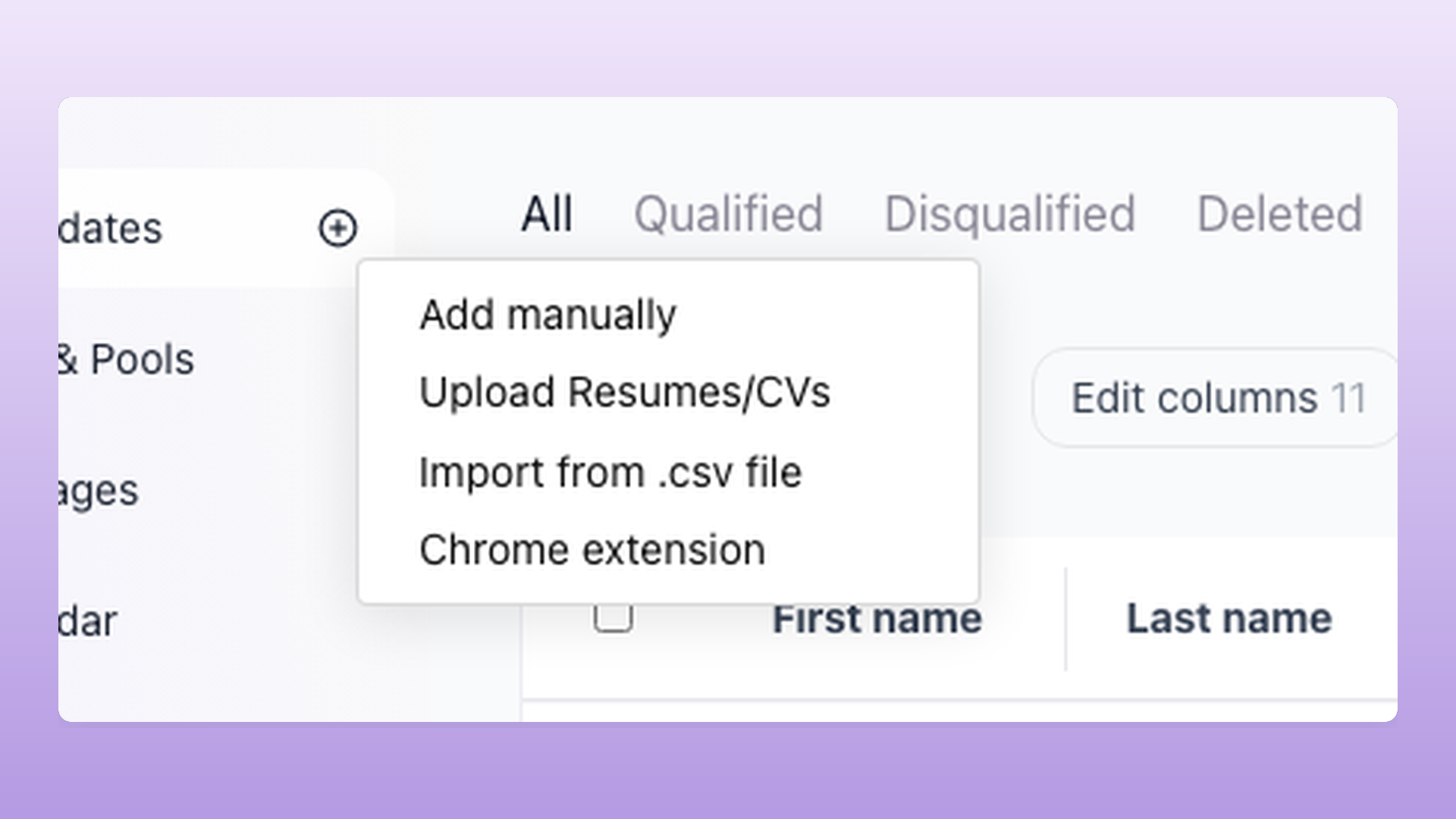
Fill a pool without retyping a single candidate
Filling a pool should not mean retyping anyone. Bulk-import from the 100Hires Chrome extension on LinkedIn or Indeed straight into a chosen pool, drag a folder of resumes in for AI parsing, import a CSV with your own field mapping, or assign an existing candidate to a pool from their profile. Auto-merge by email or LinkedIn URL keeps one record per person across every pool and job, so the runner-up you add today links to the application they sent last year instead of becoming a duplicate.
- From past applicants and interview runners-up
- From Chrome-extension sourcing on LinkedIn and Indeed
- From referrals, events, and your existing candidates
- Auto-merge duplicates, one record per person
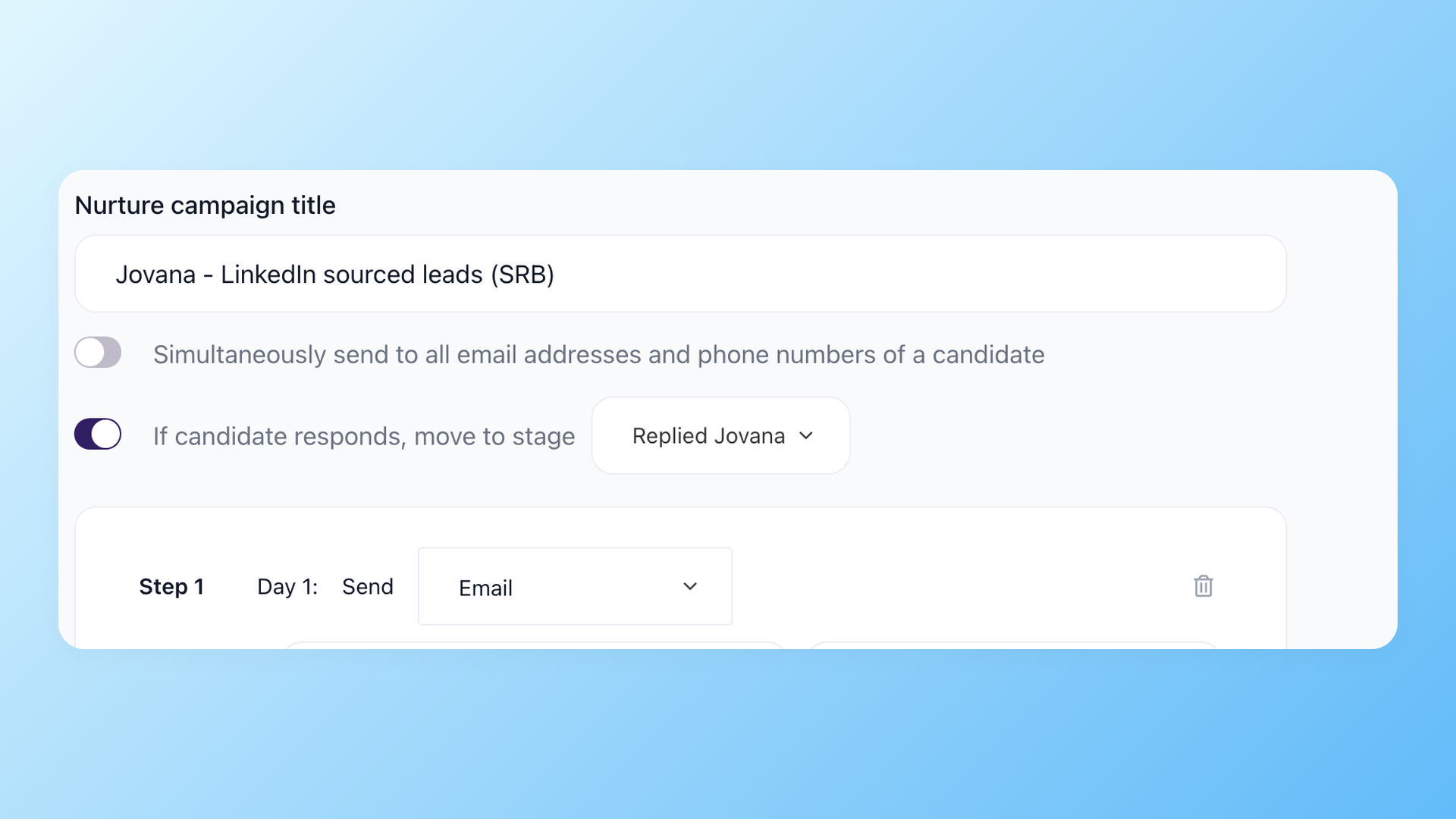
Keep the pool warm without sending five hundred emails by hand
This is the step that usually never happens. 100Hires Nurture Campaigns are multi-step automated email sequences with delays and conditions between steps. Attach one to a pool and members get periodic, relevant touches on their own. The if-candidate-responds rule moves anyone who replies into a stage for you, and campaign stats show who opens emails and re-engages. The pool stays warm on a schedule instead of dying in a spreadsheet, and you never spend an afternoon copy-pasting the same check-in.
- Multi-step automated email sequences
- Auto-move candidates who reply into a stage
- Re-engagement stats per campaign
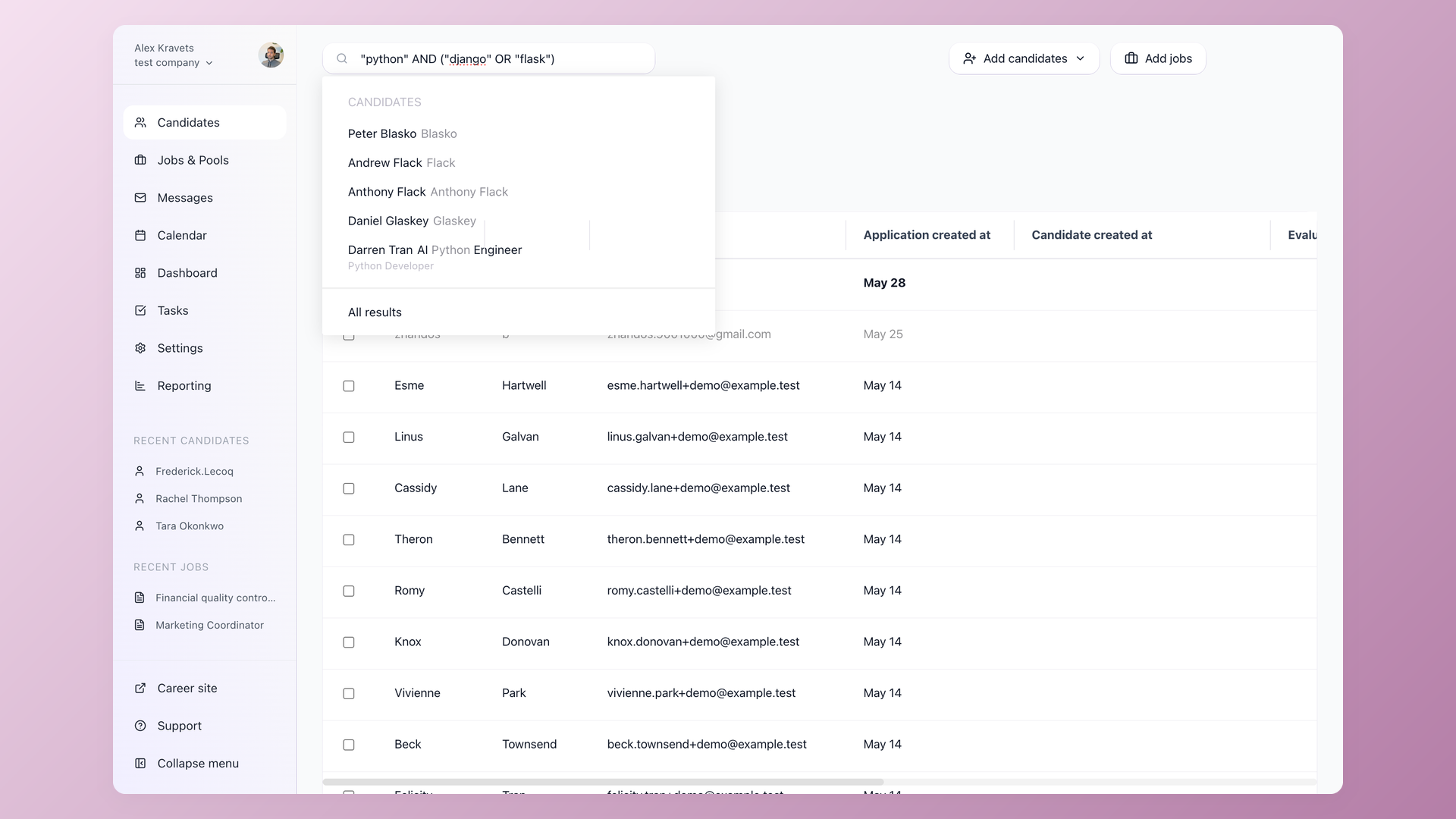
Open a role and pull a warm, ready shortlist into it
When the req goes live, search across your pools with Boolean and semantic queries, then filter by tag, source, custom field, or stage to surface the right people in a few clicks. Contact enrichment fills in missing emails and phone numbers and email validation checks deliverability first, so re-engagement actually lands instead of bouncing. One action assigns the matches to the open job. They arrive already vetted and already warm, which is how a first shortlist shows up on day one instead of week three.
- Boolean and semantic search across pools
- Filter by tag, source, or stage
- Enrichment and email validation keep contacts live
- Assign pool members to a live req in one click
100Hires Talent Pools vs a typical ATS
Most applicant tracking systems can store past candidates. Far fewer turn that storage into a pool you actually re-engage. The rows below cover the day-to-day difference. Entry-tier pricing is shown on the 100Hires row; the full breakdown by team size lives on the pricing page.
 100Hires
One honest note: 100Hires is built for in-house recruiting teams. If you run a staffing agency placing hundreds of contractors a month and need a dedicated agency sourcing-CRM, that is a different category of tool. For a company building pools for its own future roles, the Talent Pools workflow above is the right fit.

It solved all of my recruitment problems and offered all of the features I was looking for. It can automate most of my recruitment processes.

I’d happily recommend it to my industry peers. I’m able to use the platform with ease and don’t have to think twice about which function to use.

The system is very user-friendly. Even people with no experience will find it easy to understand its functionality.







 4.7
4.7
 4.8
4.8
The hiring playbook, in your inbox
One email a week - benchmarks, AI screening tactics, and short interview templates from the 100Hires team. No product pitches.