LinkedIn job board integration that keeps every applicant inside a real ATS
Post your open roles to the LinkedIn job board for free without leaving 100Hires, work an already-scored shortlist instead of a raw inbox, and see what LinkedIn produced next to every other board.





screening candidates
response rates
time to fill
per hire
100Hires connects to the LinkedIn job board so you publish roles to LinkedIn from inside your ATS, and every applicant flows straight into your pipeline. LinkedIn is one of 13 named boards 100Hires posts to, with no per-board fee and no second tab to babysit.
This page covers how the LinkedIn integration works day to day, what stays free, what actually costs money, and what happens once LinkedIn starts sending you applicants.
LinkedIn gives you one free job, your hiring needs more
Posting on LinkedIn directly comes with a quiet cap: one active free job at a time. The free post pauses itself after about two weeks, and reposting the same title too soon pushes you toward paid promotion.
So you either pay to promote every role, or you ration which jobs get LinkedIn at all. Either way the applicants land on a platform you do not control, and the screening still falls on you.
A LinkedIn job board integration fixes both halves. LinkedIn keeps putting your role in front of professionals, while a real ATS catches that volume, screens it, and keeps the candidates as yours. Here is how that works in 100Hires.
Send a role to the LinkedIn job board without opening LinkedIn
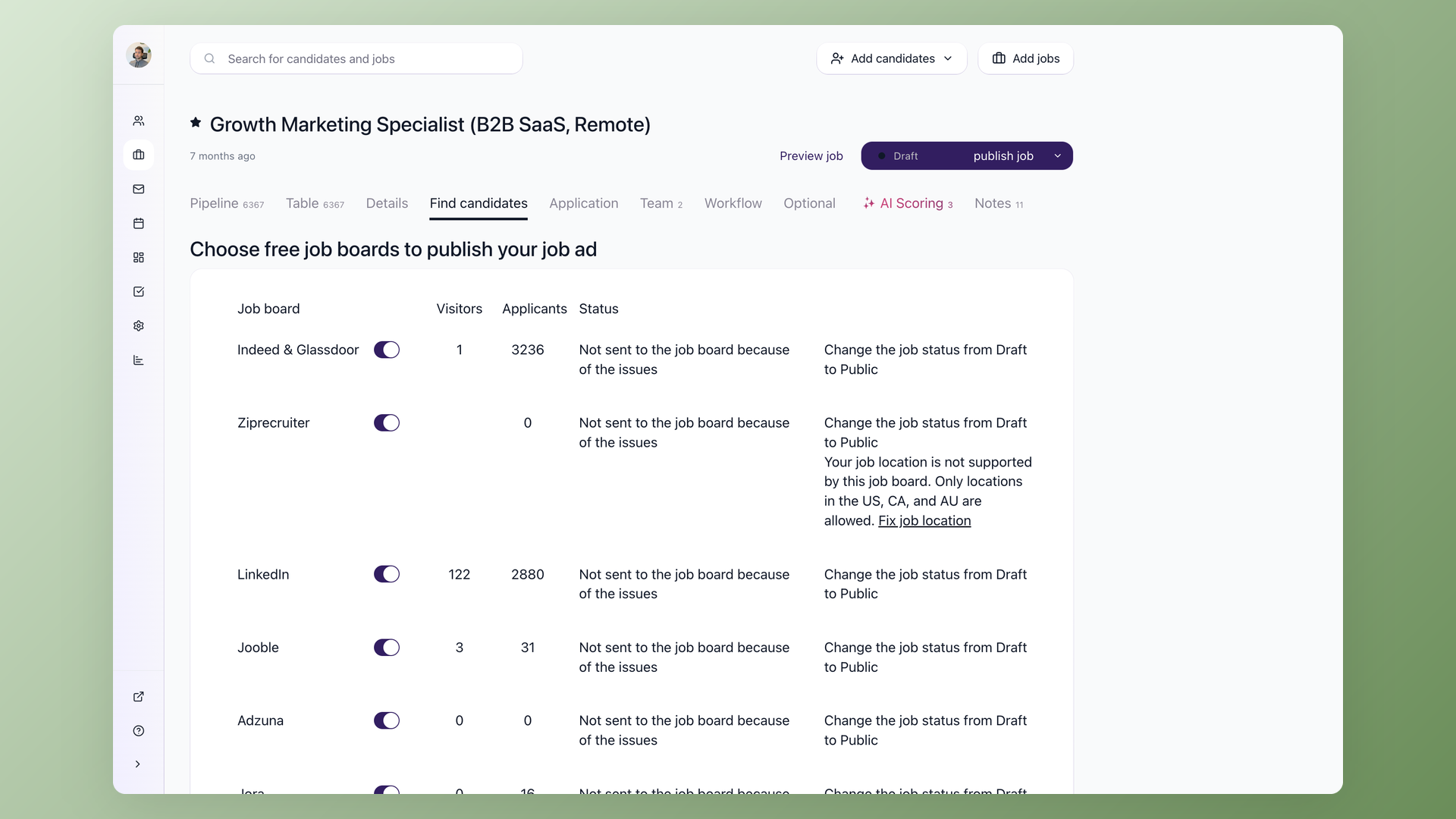
Open a job, go to the Find candidates tab, and flip the LinkedIn toggle. 100Hires publishes the free listing to LinkedIn on an active 100Hires plan, with no copy-pasting and no separate LinkedIn login. LinkedIn sits next to Indeed, ZipRecruiter, Glassdoor and nine more boards on the same screen, and each one shows its own live visitor and applicant counts, so you watch LinkedIn perform without leaving the job.
- Find candidates tab, one toggle per job
- Free LinkedIn listing, no per-board fee
- 12 more boards on the same screen
- Live visitor and applicant counts per board
Work a scored shortlist, not a raw LinkedIn inbox
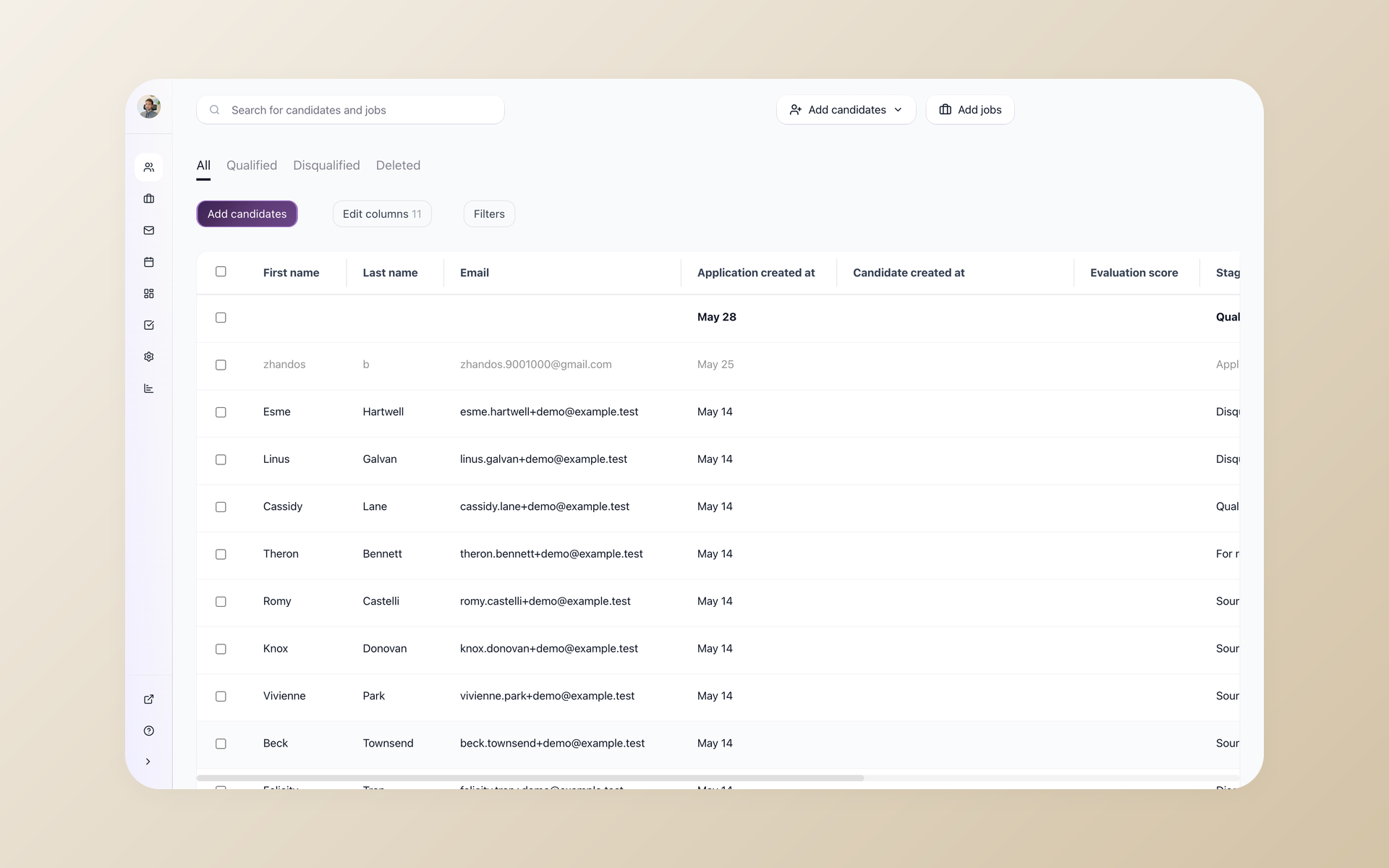
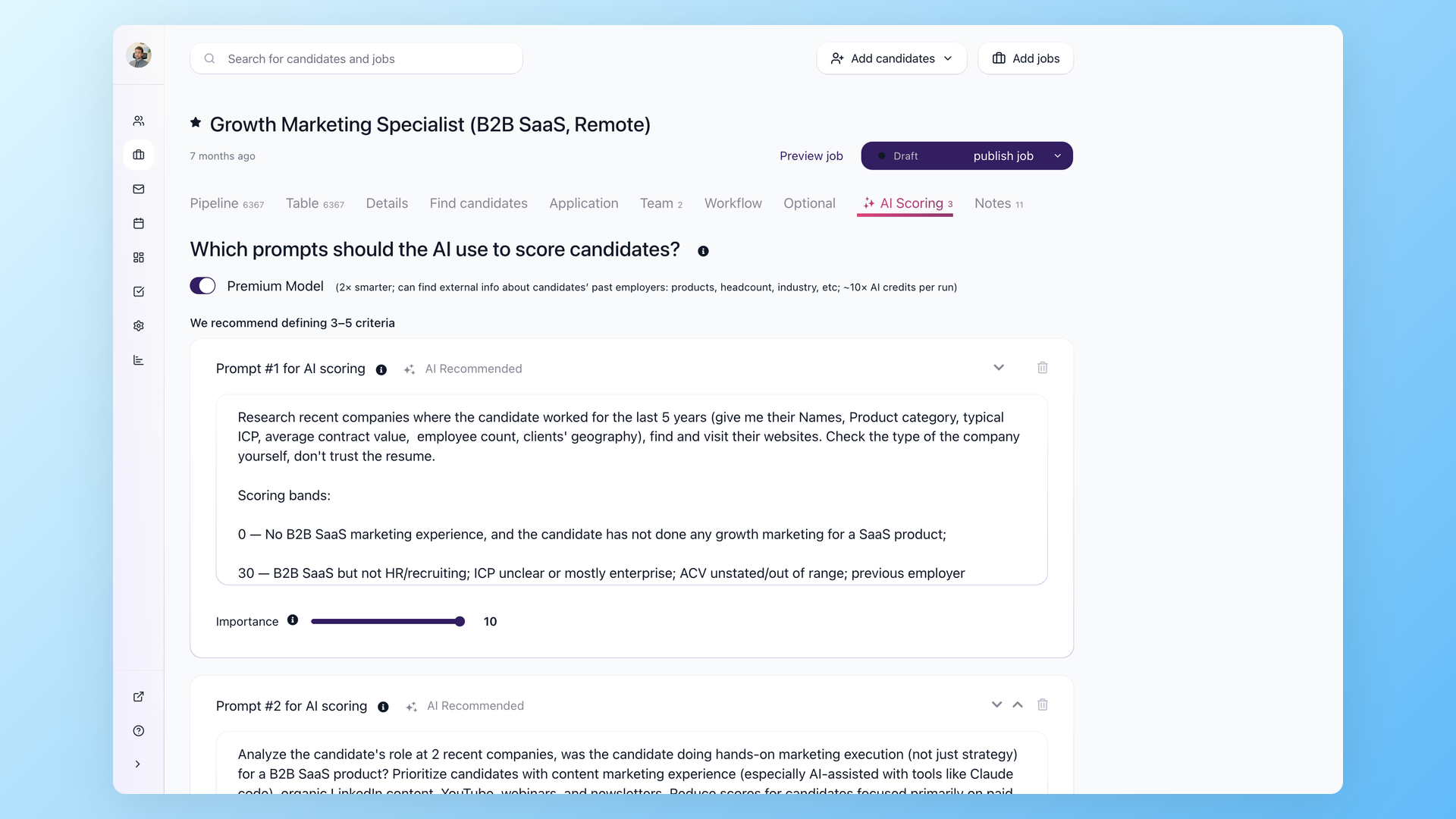
Every LinkedIn applicant lands in your 100Hires pipeline with its source set to LinkedIn, so nothing gets re-keyed by hand. Knockout questions auto-reject anyone who misses a hard requirement the moment they apply, and AI Score ranks the rest so the strongest matches sit at the top before you read a single resume. A busy LinkedIn role turns into a list you can actually work through.
- Source set to LinkedIn automatically
- Knockout questions auto-reject on apply
- AI Score ranks who to read first
- Talent Pools keep candidates for the next role
Know whether LinkedIn actually produced hires
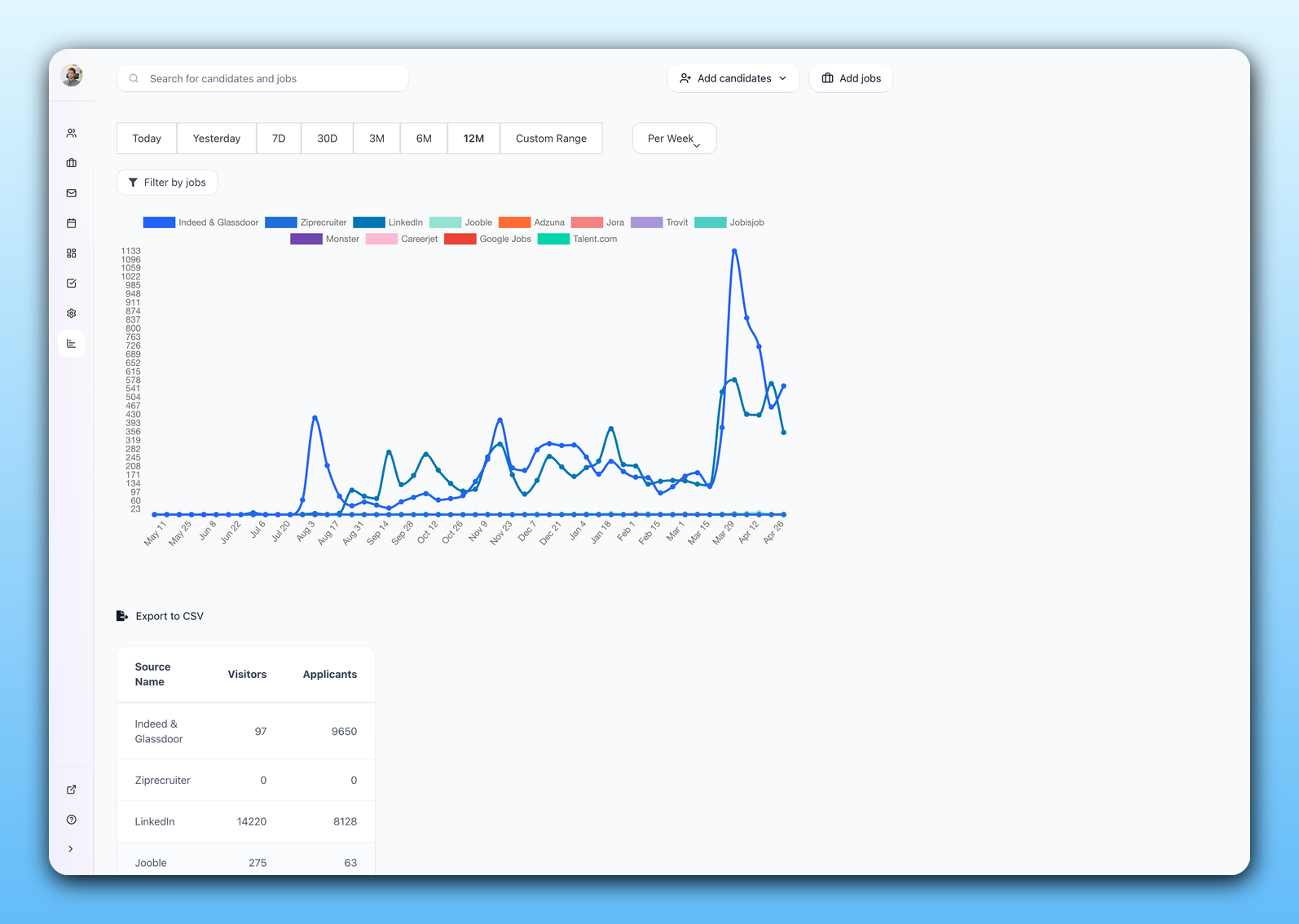
The Sources report breaks every applicant and hire down by board, so you see what LinkedIn actually produced next to Indeed, Glassdoor and the rest. Instead of guessing, you keep the boards that turn into hires and drop the ones that only burn budget. The same live counts show on the job itself in the visitor and applicant columns.
- Per-board applicants and hires in the Sources report
- LinkedIn measured against every other board
- Live counts on the job itself
- Keep what hires, cut what only clicks
What is free, what costs money, and who bills you
Posting to the LinkedIn job board through 100Hires does not quietly turn into a bill. The organic listing is part of your plan; promoting a role is an optional, separate spend that goes to LinkedIn, not to us. The table makes the split clear.
LinkedIn does not publish one fixed promotion price. Pricing varies by market and competition, and employers control spend with a daily average or total budget. See our LinkedIn job posting cost guide for current details and realistic budget scenarios.
| Free organic listing | Promoted on LinkedIn | |
|---|---|---|
| Cost to post | Included in your 100Hires plan, no per-board fee | Variable marketplace pricing; set a daily average or total budget |
| Who bills you | Nobody extra, it is part of 100Hires | LinkedIn bills you directly, never 100Hires |
| Placement | Shows in LinkedIn search and ages down over time | LinkedIn shows it higher while the budget runs |
| Set up where | The LinkedIn toggle on the Find candidates tab | Choose a budget in the same publish flow |
| Best for | Steady and ongoing roles | Urgent or hard-to-fill roles you need filled fast |
Does LinkedIn have its own ATS, and why route through 100Hires
LinkedIn gives you tools to collect and message applicants, and LinkedIn Recruiter adds sourcing for teams that pay for it. That is fine for a one-off hire or a dedicated sourcing seat. But LinkedIn is a job board and a network first.
Teams that try to run real hiring on it hit the same wall: you do not own a searchable candidate database to re-engage later, the built-in hiring tools are thin for a multi-stage pipeline, and your funnel depends on one platform's rules and pricing.
With the 100Hires LinkedIn integration you get LinkedIn reach plus an ATS that is yours: pipeline stages, Evaluation Forms your whole team scores on, self-scheduling links, nurture campaigns, and a candidate database you keep. LinkedIn finds the people; 100Hires is where you decide.
100Hires and LinkedIn versus posting on LinkedIn alone
 100Hires
Where 100Hires is not the answer: if you make a single hire a year, LinkedIn's own tools may be enough, and promoted placement is always paid to LinkedIn at rates LinkedIn sets.
100Hires also does not replace LinkedIn Recruiter. If your team sources through Recruiter and InMail, keep doing that; 100Hires handles the job posting and everything after the applicant arrives.
To push the same role to every board at once, see posting a job to multiple job boards, or the full guide to multiposting and Satellite Jobs.

It solved all of my recruitment problems and offered all of the features I was looking for. It can automate most of my recruitment processes.

I’d happily recommend it to my industry peers. I’m able to use the platform with ease and don’t have to think twice about which function to use.

The system is very user-friendly. Even people with no experience will find it easy to understand its functionality.






 4.7
4.7
 4.8
4.8
The hiring playbook, in your inbox
One email a week - benchmarks, AI screening tactics, and short interview templates from the 100Hires team. No product pitches.