
Build a Talent Pipeline You Can Actually Hire From
Keep qualified candidates warm through every stage, fill a new opening from people you already screened instead of starting over, and let automation move the pipeline forward while your team focuses on decisions.






screening candidates
response rates
time to fill
per hire
Every open role should not start from a cold search
Most teams hire reactively. A role opens, and only then does the search start: post the job, wait, screen a fresh stack of strangers, and hope someone good shows up before the deadline.
The runner-up from your last search already cleared screening, your team already wrote the notes, and the AI score is on file. Three months later you reopen a near-identical role and source it from scratch, because nobody kept that person warm or remembered they existed.
A talent pipeline fixes that. Instead of a fresh hunt every time, you keep qualified candidates moving through defined stages and nurture the rest until the timing is right, so the next opening starts with a shortlist instead of a blank page.
Talent pool, talent pipeline, candidate database: what is actually different
These three terms get used interchangeably, and the mix-up quietly costs you hires. Each one is a different layer of the same system.
A candidate database is the raw store: every resume and profile your team has ever collected, searchable but undifferentiated. A talent pool is a curated segment you group on purpose, like past finalists or strong frontend engineers, so you can find and re-engage them later.
A talent pipeline is the active, moving line: candidates you have screened and are progressing toward a specific upcoming role, stage by stage, while you nurture the rest until the timing is right. Pool is potential. Pipeline is progression.
Talent pipeline management is the work of keeping that line moving, deciding who advances, who is nurtured, and who is set aside, so a role opening means a head start.
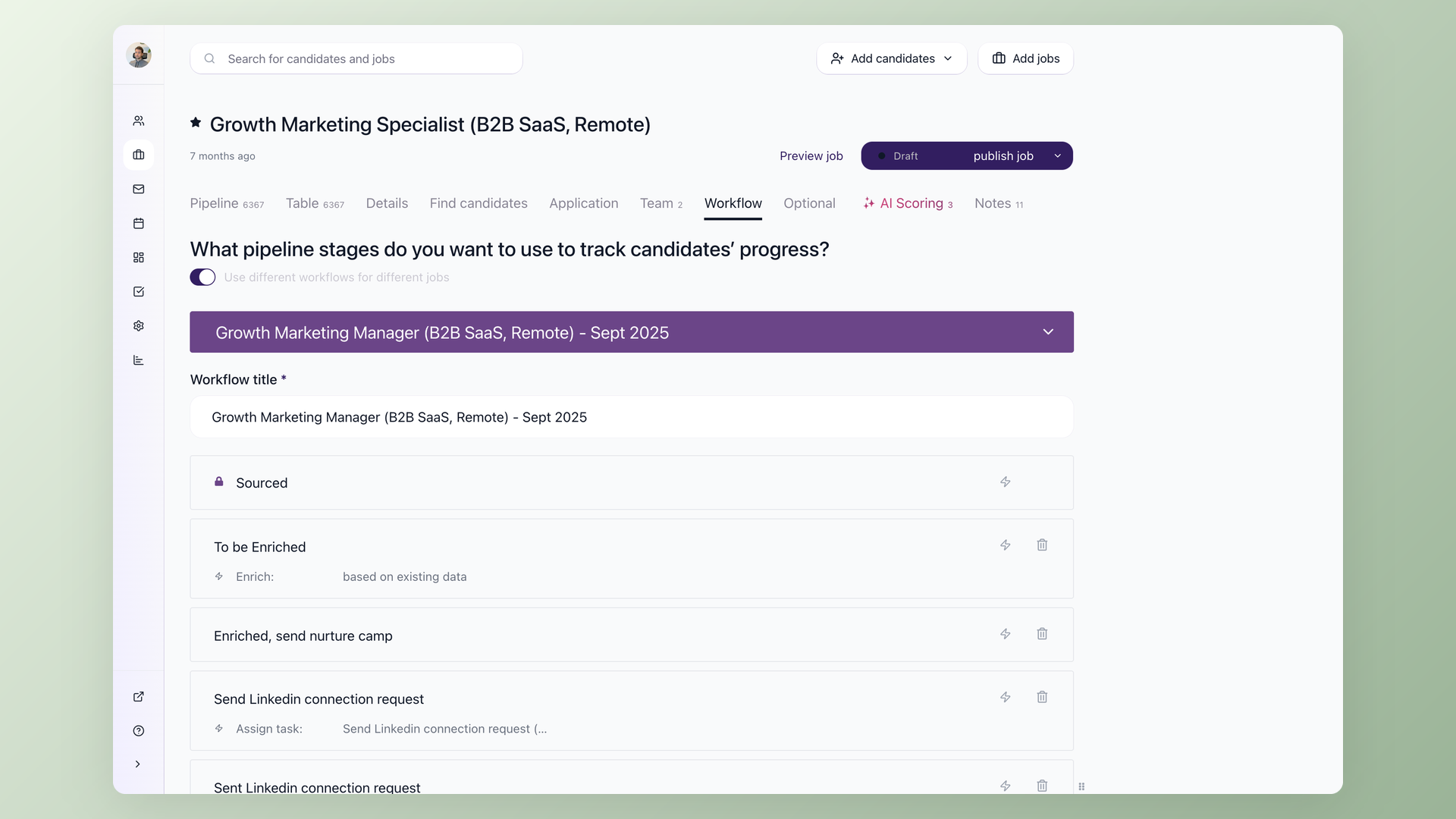
Run each role through its own pipeline, not one generic funnel
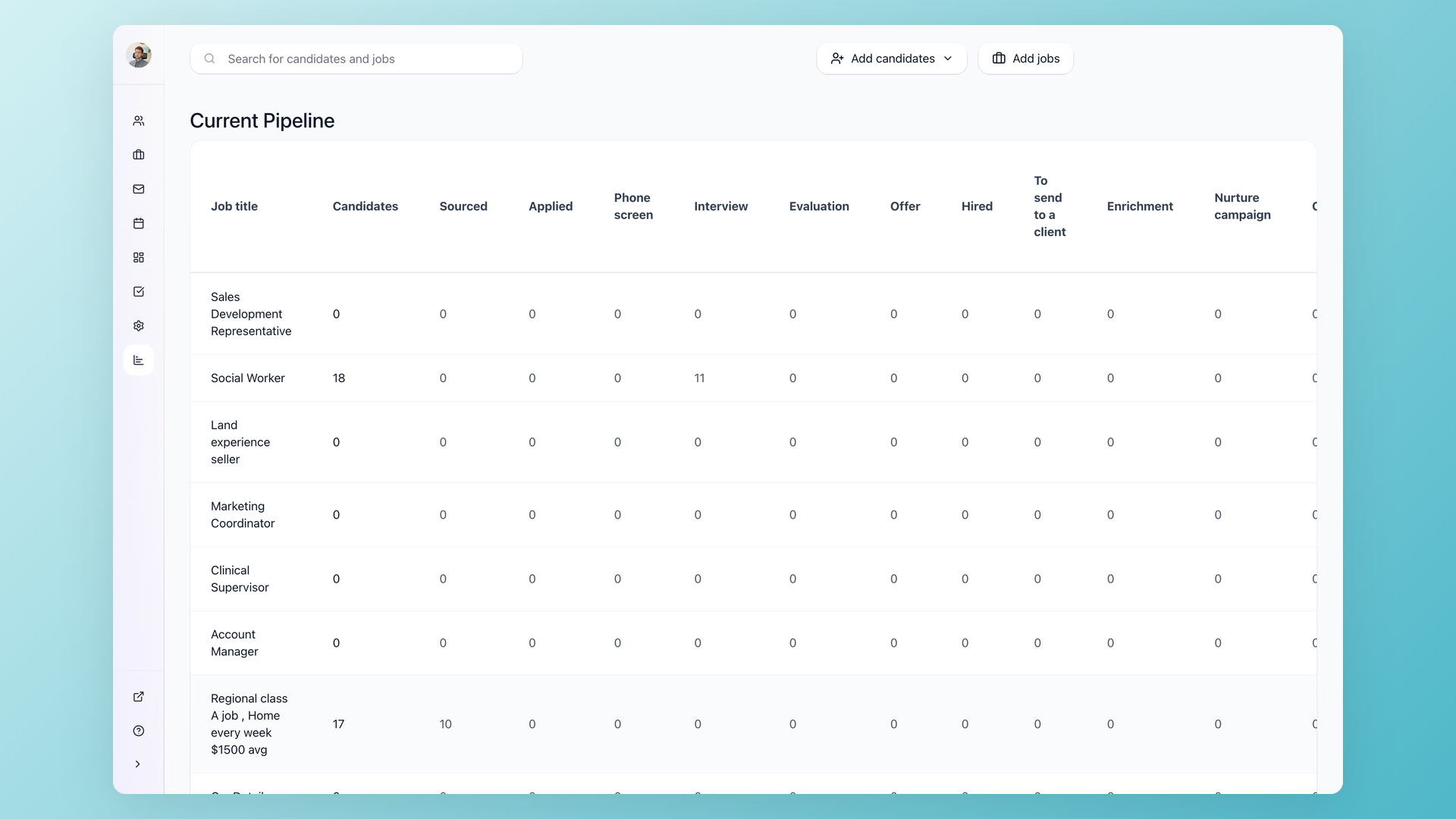
Open any job and the Pipeline tab shows every candidate across your stages, from Sourced to Applied, Interview, Offer and Hired. Add custom stages, or run different workflows per role, so designers move through Culture Fit while developers hit a Technical Interview and Bar Raiser. Sort any stage by AI Score to float the strongest fit to the top, and check the Qualified and Disqualified tabs to see where candidates drop off.
- Default Sourced, Applied, Interview, Offer, Hired, plus your own stages
- Different workflow presets per role
- Sort any stage by AI Score, 0 to 100
- Qualified and Disqualified tabs on every stage
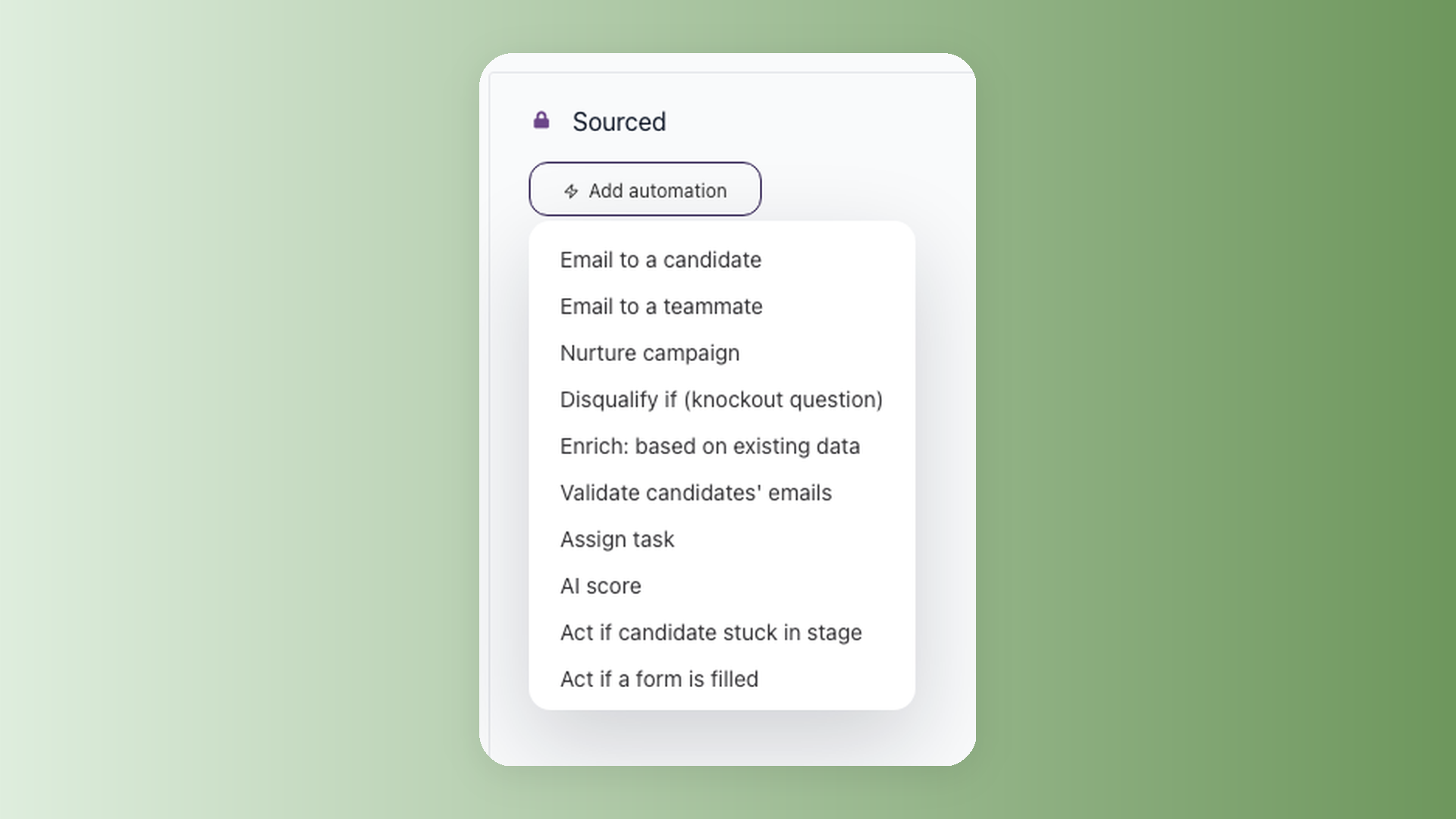
Let the pipeline move itself while you work the shortlist
Click the bolt icon on any stage to add automated actions. 100Hires can email a candidate the moment they land, notify the hiring manager when someone reaches Review, auto-move a candidate to the next stage when they reply, and run a nurture sequence across email, SMS and voicemail on a schedule that respects the candidate's time zone. Knockout questions disqualify anyone who misses a hard requirement, and the act-if-stuck automation chases or moves candidates who have not budged in a set number of days.
- Auto-move to the next stage on candidate reply
- Nurture sequences across email, SMS and voicemail
- Knockout questions auto-disqualify on hard requirements
- Act if a candidate is stuck for too many days
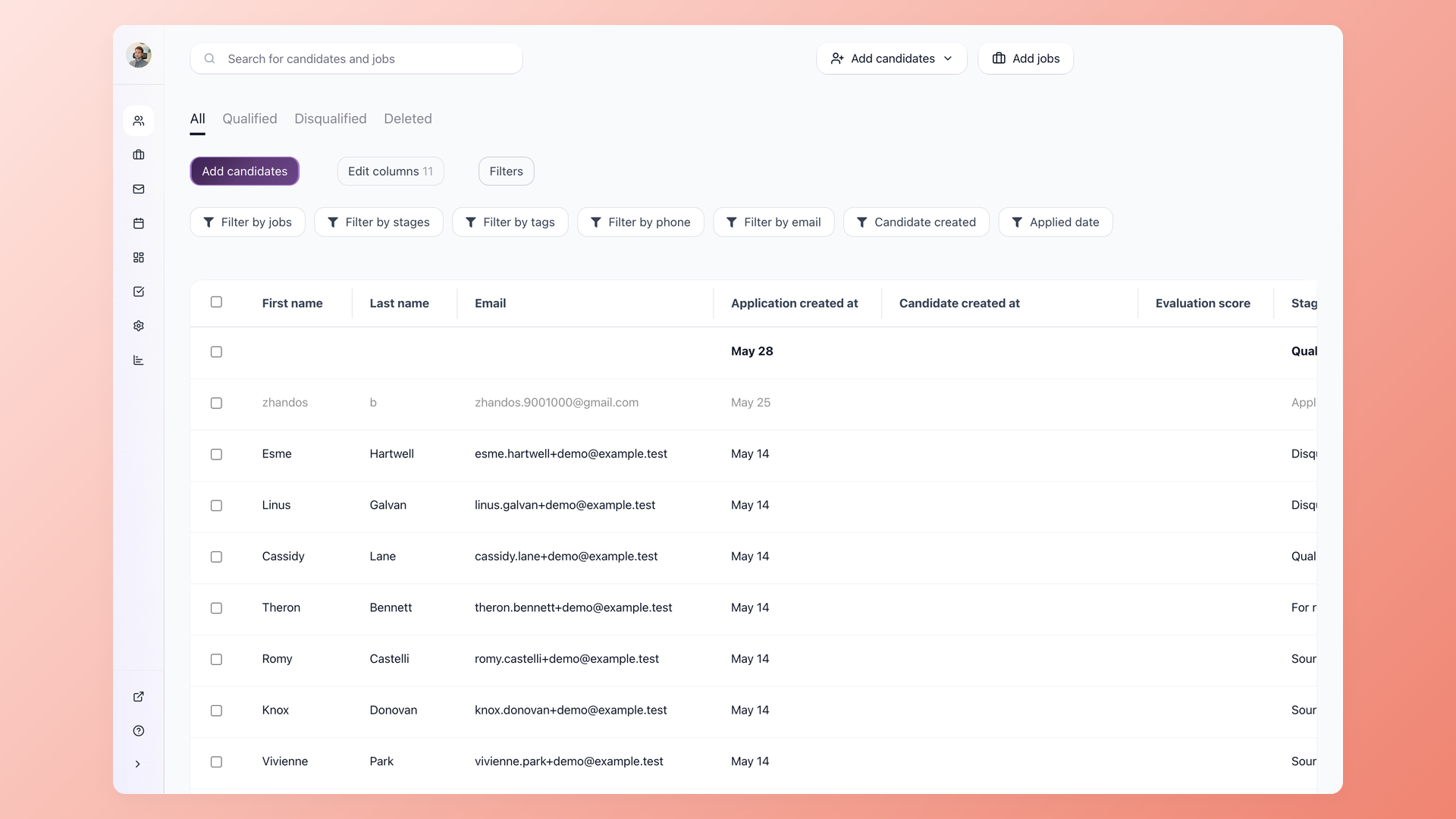
Fill the next role from people you already screened
When a new req opens, you do not start cold. Set a finished search to Talent Pool status and it keeps its workflow and stages, ready to feed the next role. Pull a past finalist into the live pipeline in one click and their evaluation notes and AI Score come with them, so your team is not re-reading the same resume from scratch. Nurture campaigns keep the rest of the bench warm with multi-step sequences until a fitting role opens.
- Re-add past candidates with one click
- Evaluations and AI Score follow the candidate
- Talent Pools keep finalists ready for the next req
- Nurture keeps the bench warm between roles
Bring every hiring manager in without paying for another seat
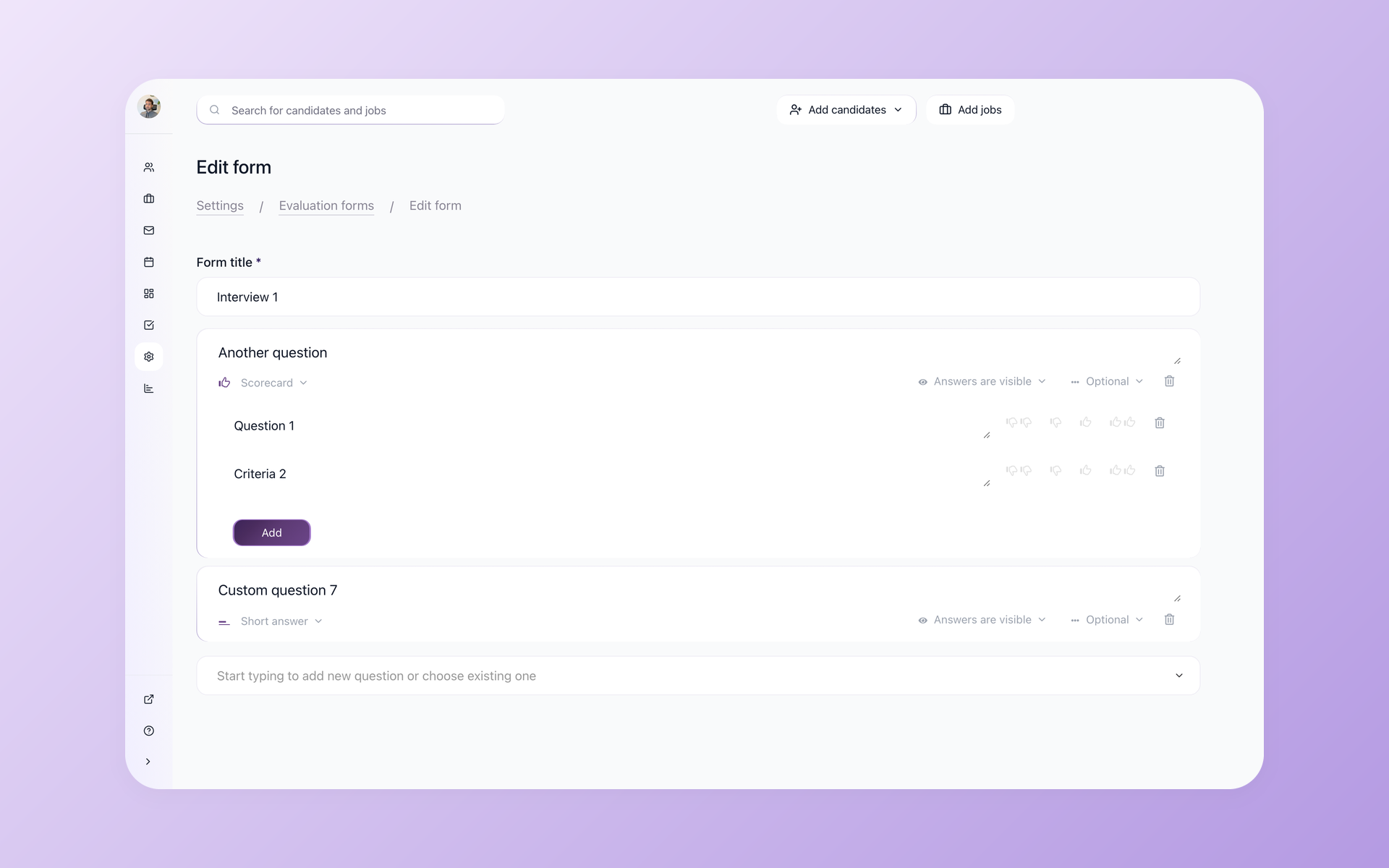
A pipeline only works if the whole hiring team can see it. 100Hires does not bill per seat: on the Advanced plan and up, users are unlimited, so hiring managers, interviewers and coordinators all join at no extra cost. Share a candidate or a job by URL and the right people open it without a new login, leave structured feedback through Evaluation Forms, and keep every decision attached to the candidate record.
- Unlimited users on Advanced and up, no per-seat fees
- Share a candidate or job by URL, no extra login
- Structured feedback with Evaluation Forms
- Every note stays on the candidate record
How a 100Hires talent pipeline compares to a typical ATS
Most ATS products give you stages and somewhere to store candidates. The difference is whether the pipeline moves on its own, whether your whole team can see it without a per-seat bill, and whether the finalists from your last search are one click away or gone for good.
The comparison below is against a generic ATS baseline, not any specific product.
 100Hires
Where 100Hires is not the right fit: if you need a standalone candidate-relationship platform with marketing-grade landing pages and event management bolted on, a dedicated CRM suite goes deeper than our pipeline does.
100Hires keeps the pipeline, nurture and stages inside the ATS so a lean in-house hiring team runs it without a separate contract, which is the trade we make on purpose. See pricing for what each plan includes.
How to build a talent pipeline in six steps
The concept is simple; the discipline is in keeping it moving. Here is how to build one, mapped to where each step lives in 100Hires.
- Forecast your hiring needs. Look at the roles you reopen every few months and the skills you always scramble for, and treat those as pipelines to fill ahead of time.
- Define the role and the candidate it needs. Set the pipeline stages and AI Scoring criteria for that role so every candidate is measured the same way.
- Source proactively. Pull people in from your sourcing channels, your careers page, referrals and your existing candidate database, not just whoever applies this week.
- Engage and nurture. Run nurture campaigns over email, SMS and voicemail so passive candidates stay warm, and re-add past finalists from your Talent Pools.
- Assess and move. Let automations score, tag and advance candidates through the stages, and disqualify the ones who miss hard requirements with knockout questions.
- Measure and tune. Watch the Qualified and Disqualified tabs and the stage-by-stage drop-off, then adjust where candidates stall.

It solved all of my recruitment problems and offered all of the features I was looking for. It can automate most of my recruitment processes.

I’d happily recommend it to my industry peers. I’m able to use the platform with ease and don’t have to think twice about which function to use.

The system is very user-friendly. Even people with no experience will find it easy to understand its functionality.







 4.7
4.7
 4.8
4.8
How a virtual hiring team keeps candidates engaged with nurture campaigns
The Tipton Agency runs a fully virtual hiring process and leans on nurture campaigns and automation to keep candidates engaged between touchpoints, which they credit with turning would-be no-shows into filled roles. They also replaced several paid point tools with the same built-in features.
The hiring playbook, in your inbox
One email a week - benchmarks, AI screening tactics, and short interview templates from the 100Hires team. No product pitches.