
Staffing Agency Software
Post every client role to 13 job boards in one click, let AI rank every applicant before you read a resume, and re-engage last quarter's near-misses before sourcing anyone new.






screening candidates
response rates
time to fill
per hire
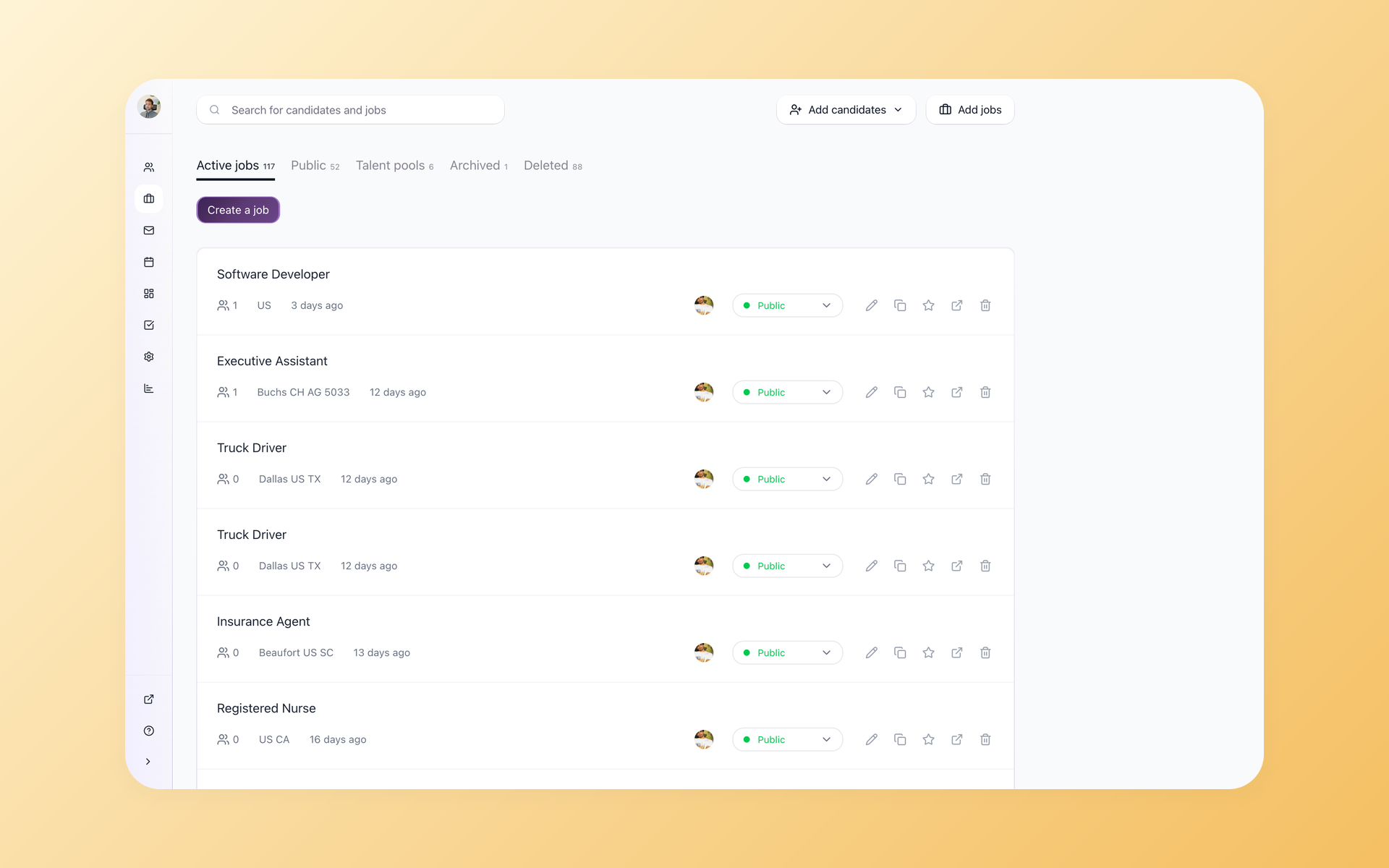
Many staffing agencies run 8 to 15 open roles for multiple clients at once, and staffing agency software has one job: keep that whole board moving. A tool that needs five clicks to move a candidate between stages is a daily tax on every recruiter.
The enterprise ATS tools that dominate this market were built for in-house corporate HR. They charge for SMS separately, lock reporting behind add-on modules, and price contracts assuming you have a VP of HR to manage the vendor relationship.
Many new agencies pick them because the brand is recognized - and discover after the fact that they are paying enterprise prices for features a placement team of 8 does not need.
Staffing agencies need speed and margin, not enterprise overhead.
100Hires is built for placement and contract recruiting agencies: post fast, screen with AI, and fill the role before your competitor reaches the same candidate.
Advanced and higher include multiposting, AI scoring, knockout questions, nurture campaigns, and talent pools at one flat company price - not per seat.
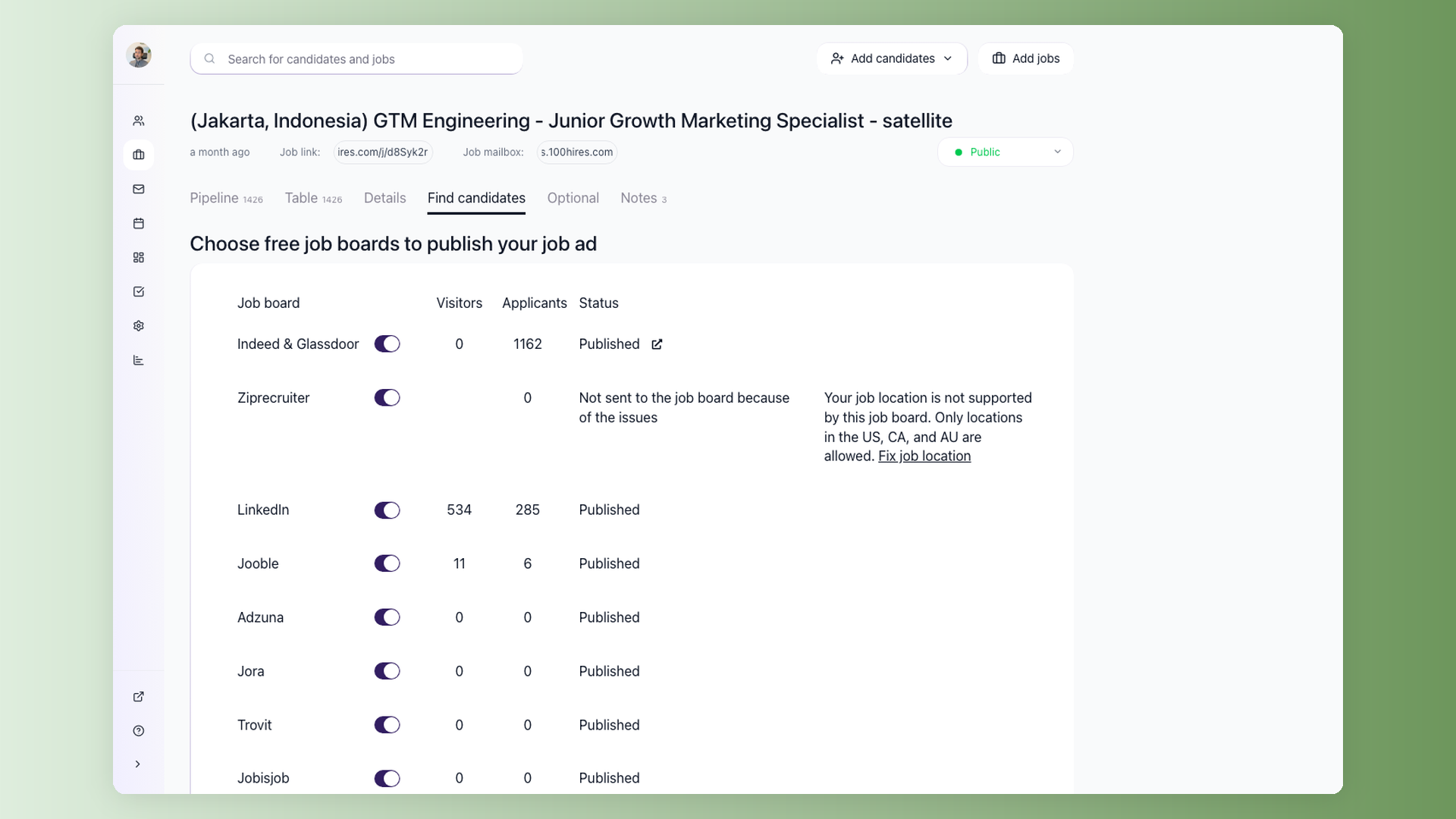
Post a client role to 13 job boards in the time it takes to write one email
When a client calls with an urgent hire, every hour before the first applications arrive is a missed opportunity. 100Hires sends the role to 13 job boards including Indeed, LinkedIn, Glassdoor, ZipRecruiter, Jooble, and Adzuna from the same job record where you track every application. One toggle per board. All applicants land in one pipeline sorted by AI score - no tab-switching, no duplicate records to merge.
- 13 named boards in one click
- Indeed, LinkedIn, Glassdoor, ZipRecruiter included
- All applicants land in one ranked pipeline
- Source tracking per board, per role
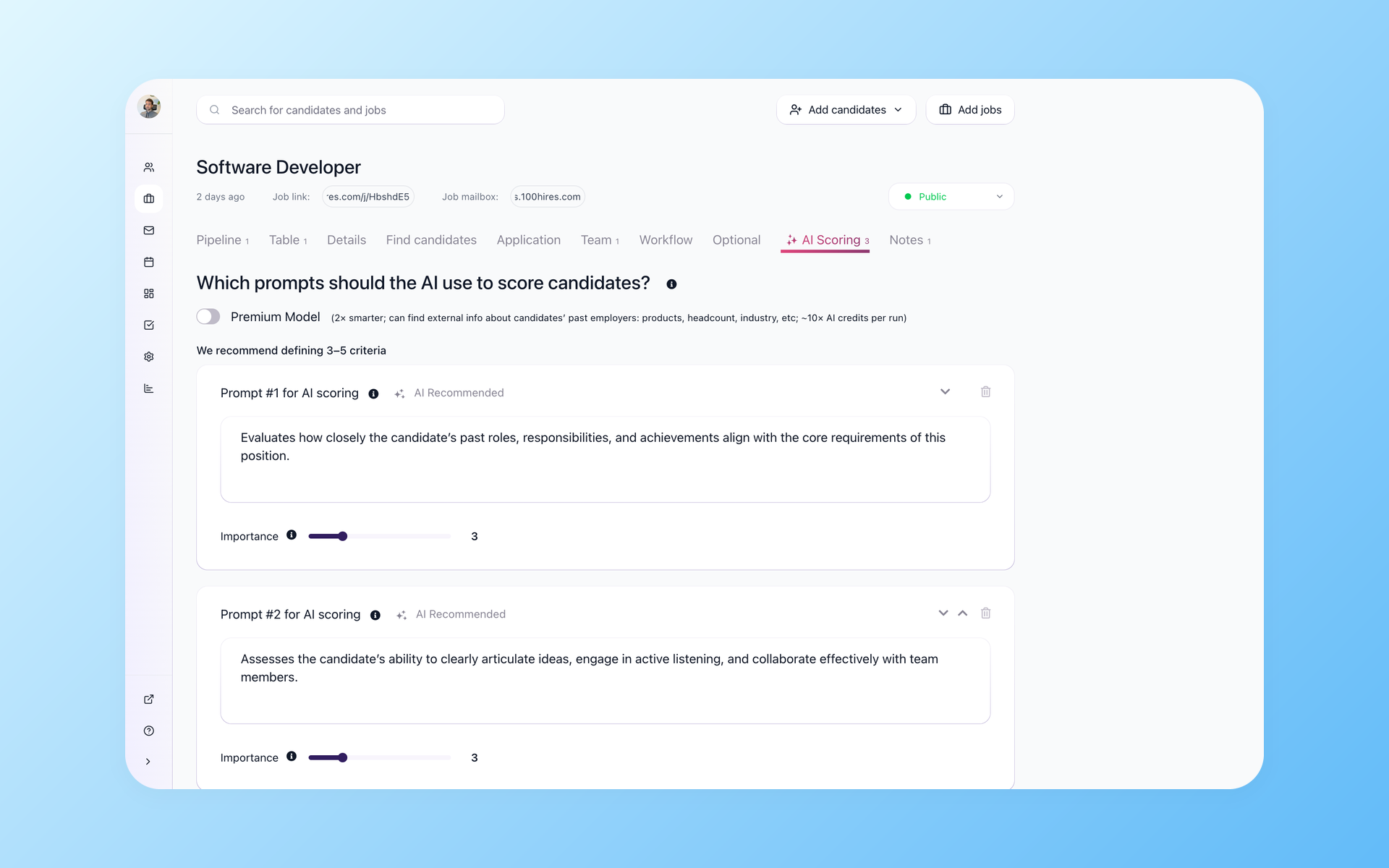
Shortlist 200 applicants to 12 who clear the bar - before you read one resume
High-volume roles attract hundreds of applications. Reading each one before deciding who to contact delays the fill and burns recruiter time on candidates who do not meet the basics. 100Hires AI Score ranks every applicant the moment they apply, scored against the criteria you define for the role - experience, seniority, location, compensation expectations. Knockout Questions remove anyone who misses a hard requirement before they reach your pipeline. By the time you review the pipeline, the people worth calling are already at the top.
- AI Score ranks every applicant on arrival
- Knockout questions filter before pipeline entry
- Custom scoring criteria per role or client type
- Score breakdown shows which criteria each candidate met and missed
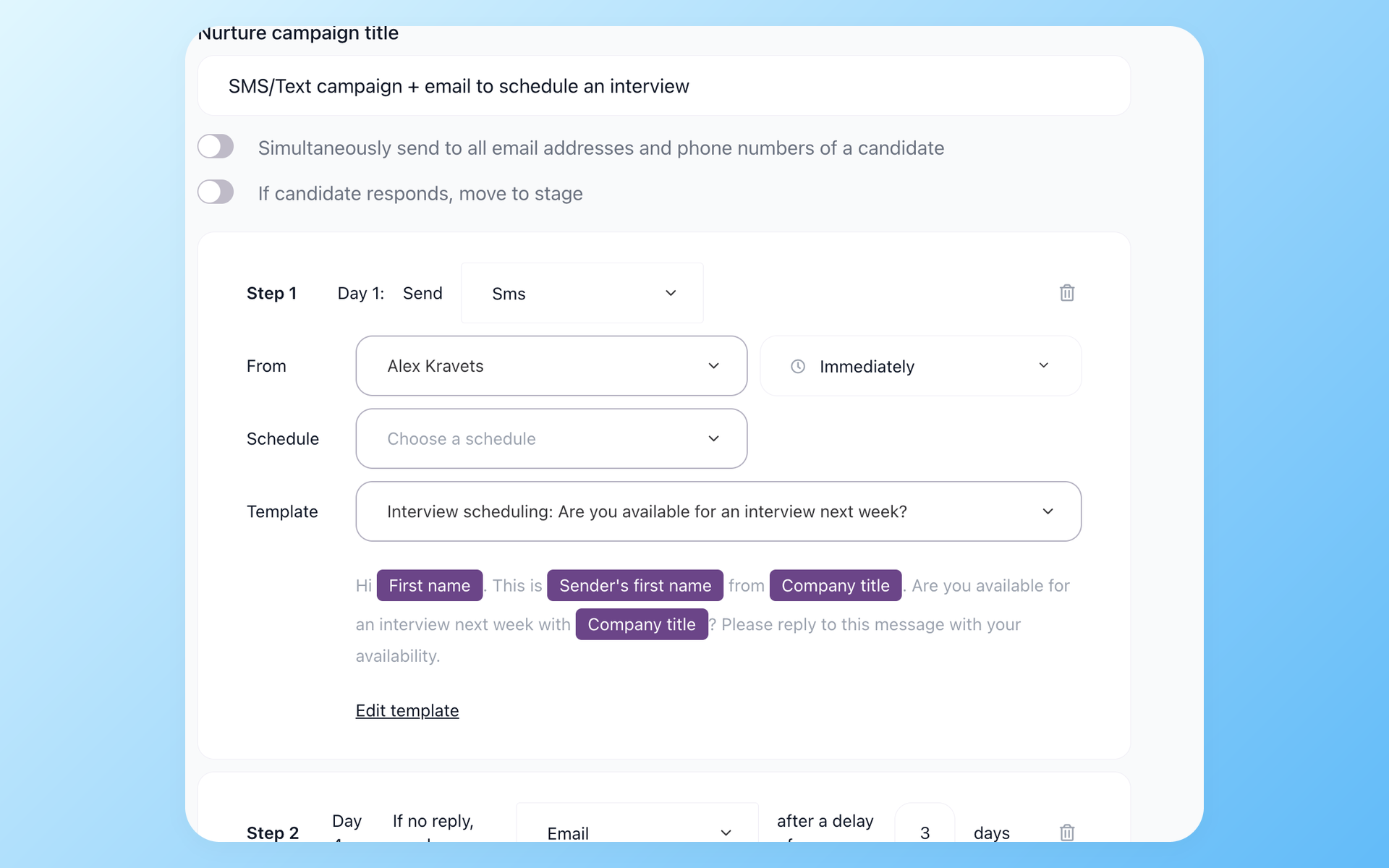
The candidates you declined last quarter become the placements you make this quarter
Smaller agencies compete with larger staffing firms by activating their existing pipeline before sourcing anyone new. The bench-depth advantage bigger players have disappears when your previous near-misses are already engaged on the new role. Every time a candidate misses a specific role, they go into a database that most agencies never touch again. 100Hires Nurture Campaigns fire automatically when a new role matches a candidate already in your pipeline - email, SMS, or both. You define the trigger and the message once. The re-engagement runs without anyone on your team tracking it.
- Automated re-engagement on new role match
- Email and SMS steps in one sequence
- Move candidate to stage when they reply
- Re-source from your existing pipeline first
Under the hood these are 100Hires candidate engagement tools: email, SMS, and voicemail sequences that stop the moment someone replies.
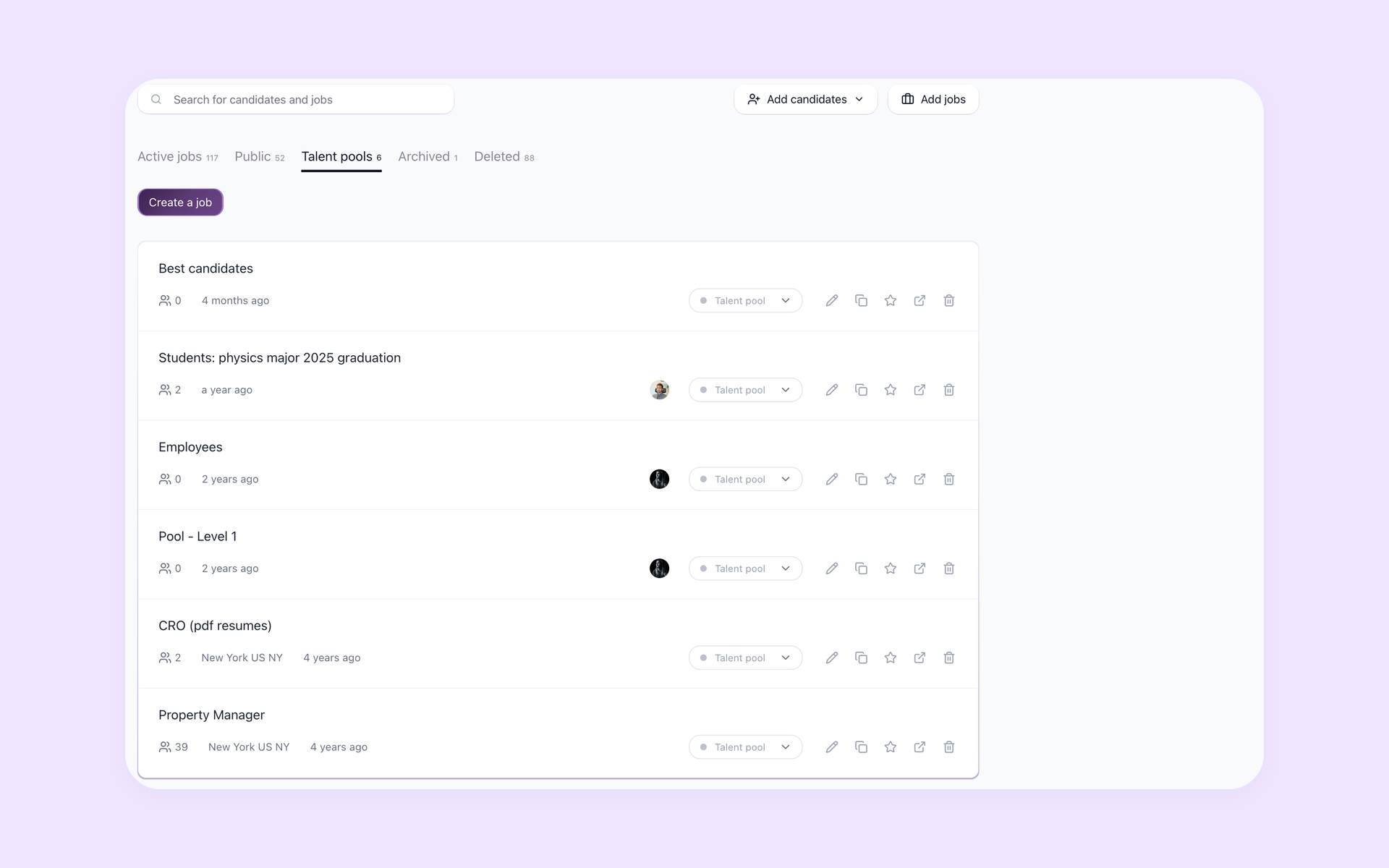
Keep every client mandate in its own lane without juggling spreadsheets
Agencies running 10 or more active mandates need a clear view of where each one stands - which roles have qualified candidates ready to present, which are stalling at the screening stage, and which need more sourcing effort this week. Talent Pools let you segment candidates by skill type, location, or client category, so you know which pool to draw from when a new mandate comes in. Your best candidates from previous searches are a filter away, not buried in past searches.
- Segment pools by skill, location, or client type
- Separate pipeline per role or job order
- Best candidates from past searches, a filter away
- Custom AI scoring criteria per client role
Staffing software vs a staffing agency ATS: which one you actually need
Staffing software in the broad sense covers two different jobs. The front office finds, screens, and places candidates. The back office runs what happens after the placement: timesheets, payroll, invoicing, and compliance.
Most definitions of software for staffing agencies include both halves, and the all-in-one suites are built that way: TempWorks, Avionte, and JobDiva bundle payroll and billing, and none of the three publishes pricing.
Bullhorn splits the difference. Its published plans start at $99 per user per month (Starter) and $165 (Core), while the Pro tier and the back-office add-ons are quote-gated. Third-party buyer reports put full Bullhorn contracts in five figures a year.
For many perm-placement and contract desks, recruitment software for staffing agencies means the front office only: multi-client pipelines, sourcing, outreach, and moving candidates through to placement. They never run payroll inside their ATS.
One agency owner described spending more time on admin than on recruiting - juggling sourcing, compliance documents, shifts, and invoices across five tools. That is a back-office problem. A lean desk has the opposite problem: it needs one fast front-office tool.
100Hires covers recruiting up until the candidate is hired: AI scoring, knockout questions, multiposting to 13 named job boards, and nurture campaigns; Pro adds contact enrichment. It does not do payroll, timesheets, or invoicing - for those, look at the suites above.
Running a temp desk with shift scheduling? See our temp staffing software page. Comparing agency platforms head to head? Start with the Bullhorn alternatives guide.
Flat-price staffing agency software (not per-seat)
Recruitment agency software is priced per seat almost everywhere: Bullhorn from $99 per user per month, Loxo from $169, Recruiterflow from $149, Crelate from $85, Tracker-RMS from $79, and Zoho Recruit from $25 - all list prices verified on the vendors' pages in July 2026.
Six of the twelve staffing platforms we checked publish no pricing at all. The number appears after the demo.
100Hires is flat per company. Advanced is $199 per month billed annually ($249 month to month) with unlimited users, so a 5-recruiter desk pays one flat price. The same five seats at Bullhorn Core's published list price come to $825 per month, monthly-equivalent.
Start is $49 per month billed annually ($99 month to month) for a single user with up to 3 jobs - an honest entry point for a solo desk. Full plan details are on the pricing page.
100Hires vs a typical ATS
Enterprise ATS tools were built for corporate HR departments, not for agencies billing by the placement. Here is how 100Hires stacks up on the features that matter most when you are running multiple client mandates at the same time.
 100Hires

It solved all of my recruitment problems and offered all of the features I was looking for. It can automate most of my recruitment processes.

I’d happily recommend it to my industry peers. I’m able to use the platform with ease and don’t have to think twice about which function to use.

The system is very user-friendly. Even people with no experience will find it easy to understand its functionality.
How The Tipton Agency saves hundreds per month on integrations
The Tipton Agency recruits and trains insurance agents across Georgia with multiple recruiters hiring simultaneously. After switching to 100Hires, the team cut several hundred dollars per month by replacing disconnected third-party tools with 100Hires built-in integrations - and built nurture campaigns that keep candidates moving through the pipeline without manual follow-up.
How to choose software for your staffing agency
Start with the front-office vs back-office question. If you run temp payroll and shifts, you need a suite. If you place candidates and bill separately, you need an ATS for staffing agency work: pipelines, screening, outreach, placements.
Do the per-seat math at your real headcount, then ask what the price becomes at twice the team. Per-user staffing software gets expensive exactly when you grow.
Budget migration in months, not weeks. Recruiters who have switched platforms consistently report that data migration takes longer than vendors quote.
Prefer vendors that publish pricing. If a platform will not show a number before a demo, plan for a negotiation, an annual contract, and a renewal conversation.
Weigh vertical fit last: healthcare, light-industrial, and professional placement desks have different volume patterns, and the right tool differs more by desk type than by brand.
The hiring playbook, in your inbox
One email a week - benchmarks, AI screening tactics, and short interview templates from the 100Hires team. No product pitches.