EARLY CAREERS + CAMPUS HIRING

Campus Recruiting Software

Screen the application flood for new-grad, intern and entry-level roles, rank hundreds of look-alike resumes by fit in minutes, and book interview days without chasing anyone over email.

4.7
4.8
based on 1,300+ reviews
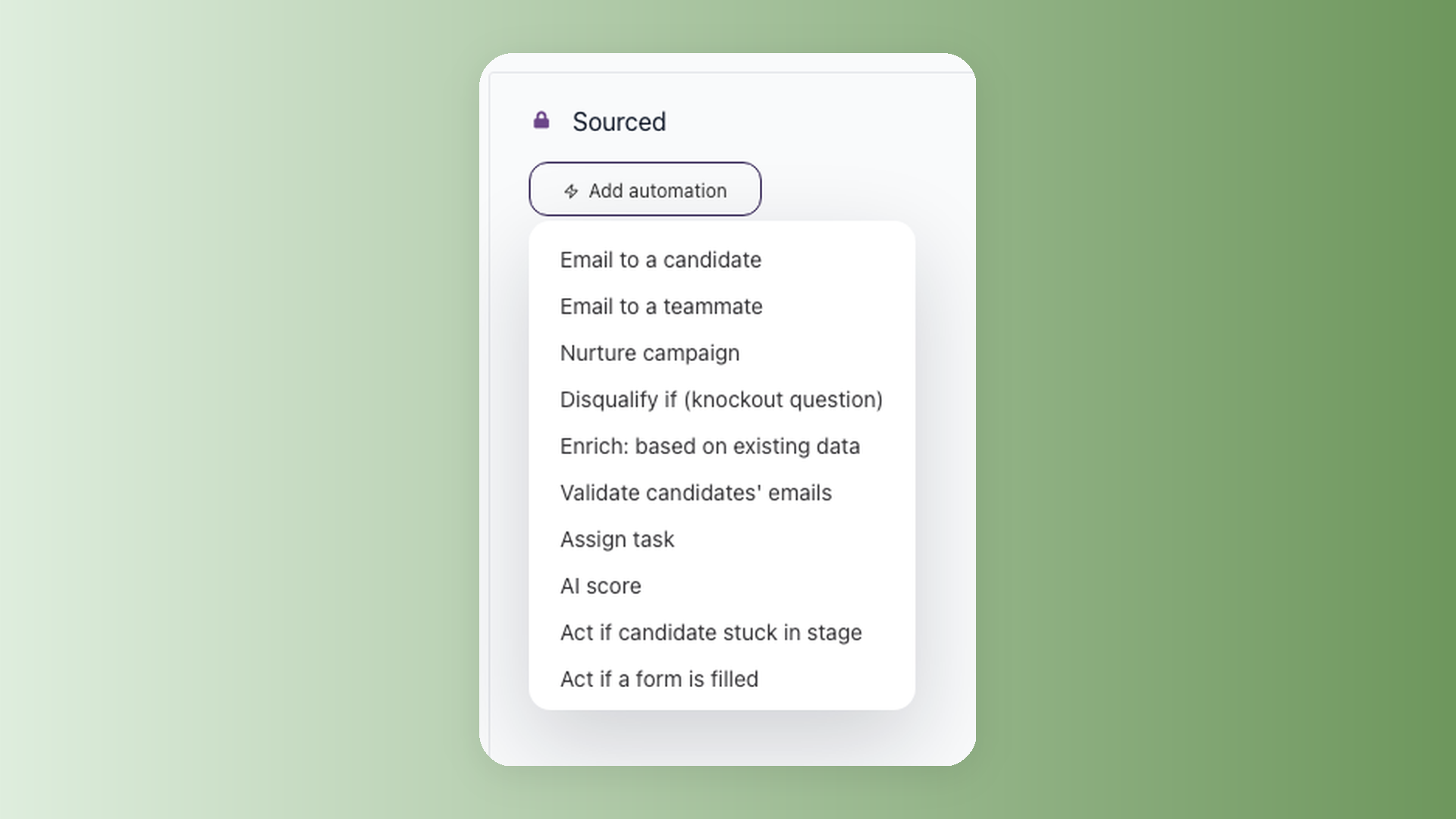
100Hires workflow with the Add automation menu open, showing Disqualify if and AI Score for early-careers screening
72%
Less time
screening candidates
96%
Higher candidate
response rates
81%
Reduced
time to fill
53%
Lower cost
per hire

Early-careers hiring is a volume problem before it is a selection problem

A single graduate, intern, or entry-level opening can draw hundreds of applications in a few days. The resumes are thin and look alike, and AI lets one person apply to fifty roles at once, so genuine interest is hard to read. Shortlisting becomes the slowest part of hiring.

Most software built for this targets the wrong buyer. Enterprise campus suites run career-fair logistics, school relationship management, and video interviewing across thousands of campuses, with five- and six-figure contracts.

A general ATS, at the other end, is rarely configured for early-careers filters out of the box. You can capture a graduation date or a work-authorization answer, but you are building it yourself, role by role.

100Hires is built for the 10 to 200-person company hiring interns, new grads, and entry-level staff in volume, not for an enterprise with a dedicated campus events team. It is not a career-fair manager, and it does not connect to Handshake or university job boards.

It is the applicant tracking system that handles the application flood, from the first submission to the offer. The sections below show how that works for early-careers roles.
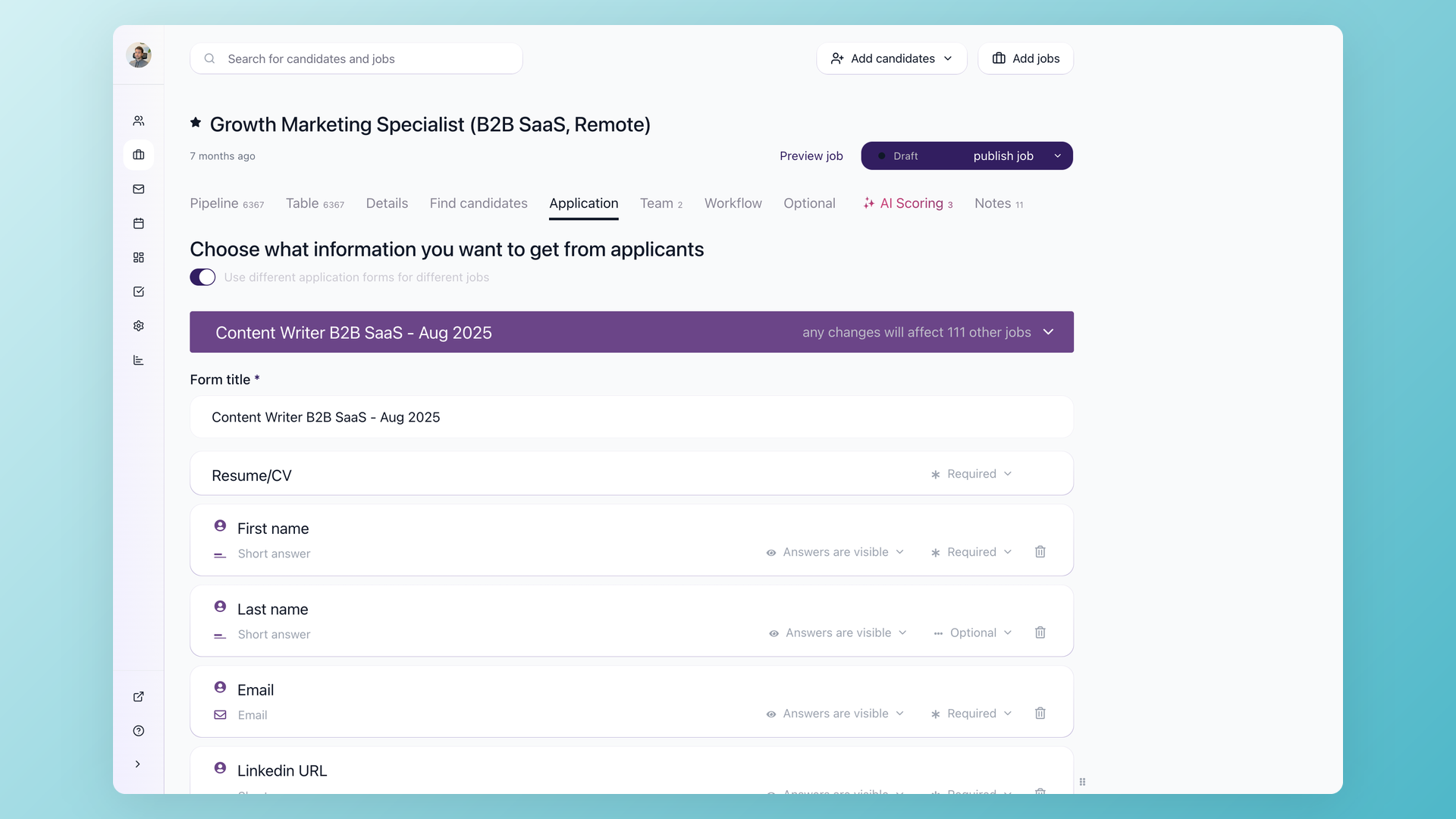
100Hires application form builder with knockout questions for graduation date and work authorization

Start your review with a shortlist, not the whole stack of applications

Early-careers roles have hard eligibility floors: graduation date, degree or major, work authorization, location, and intern availability. 100Hires lets you add knockout questions to any application form, so candidates answer those questions at submission and anyone who does not clear the bar is filtered out automatically. You open your review with a shortlist instead of a stack.

  • Graduation date, work authorization, location at application
  • Auto-filter applicants who don't qualify
  • Custom knockout questions per role
  • Answers visible on each candidate profile
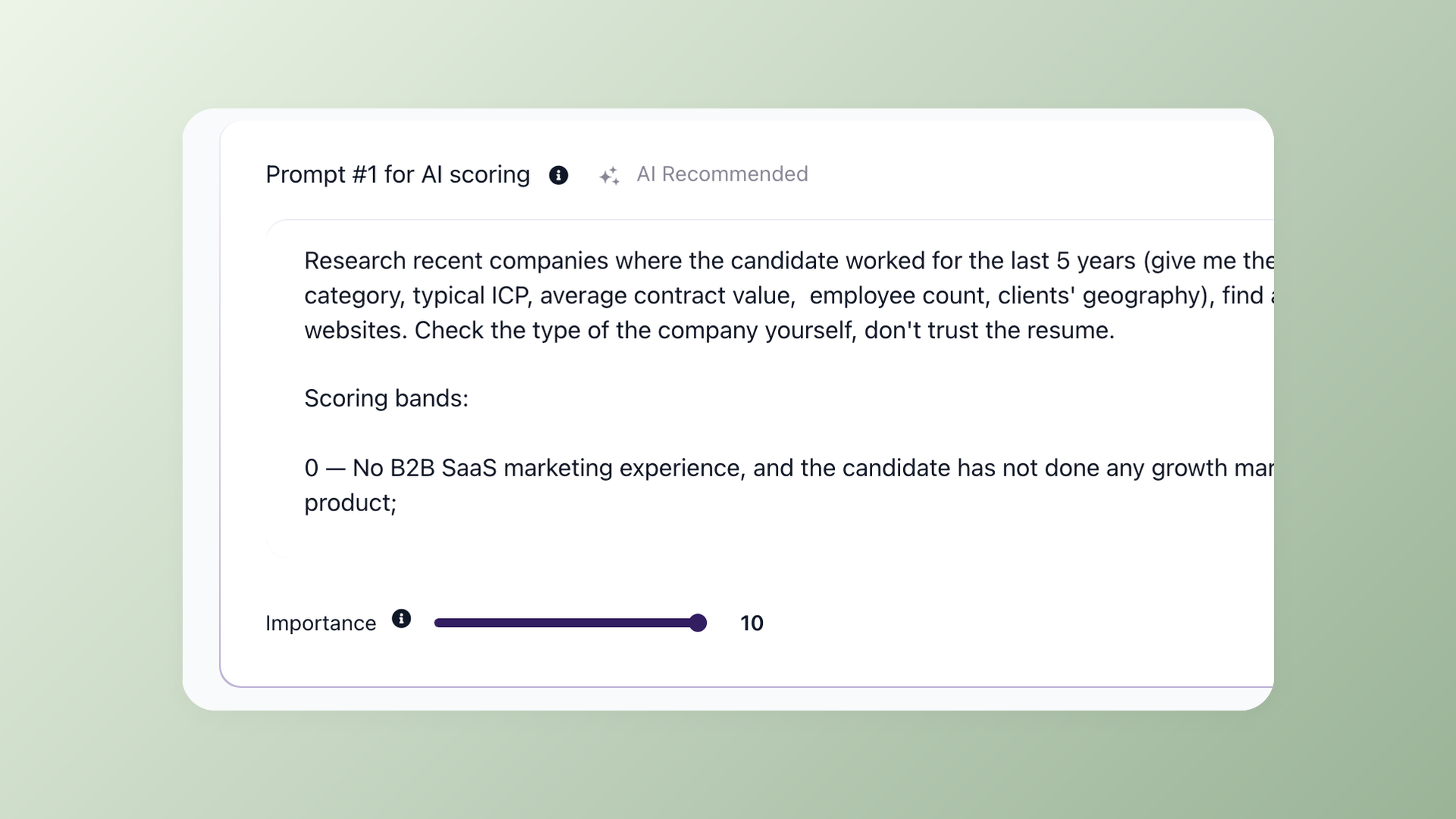
100Hires AI Score ranking early-careers applicants by role fit with visible scoring criteria

Rank hundreds of look-alike grad resumes by fit before you read one

When a new-grad posting pulls hundreds of applications in a week, reading every resume to decide who to call burns days. AI Score ranks applicants against the role the moment they apply, so the strongest fits sit at the top of the list when you sit down. It prioritizes who to review first. You and your team still make every call, with the scoring criteria visible so you can see why someone ranked where they did.

  • Applicants ranked by role fit on arrival
  • Scoring criteria configurable per role
  • Prioritizes review, never auto-rejects
  • Visible to the whole hiring team
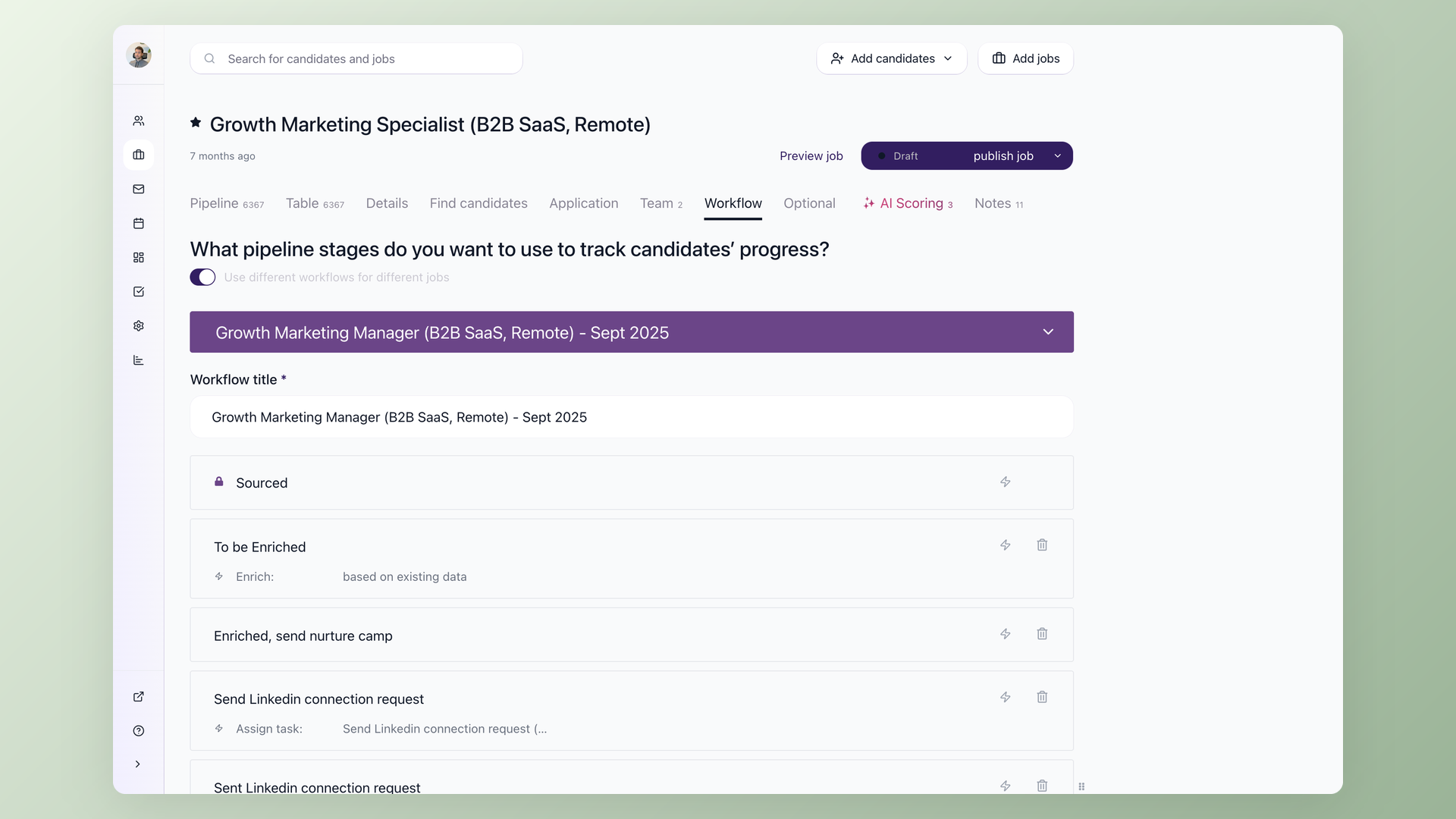
100Hires workflow stages for a multi-step graduate hiring process with Evaluation Forms

Move a whole graduate cohort through your process without losing anyone

Early-careers hiring is rarely one interview. There is an application review, an online assessment, a video or phone screen, an assessment center or superday, and then an offer. 100Hires lets you build a stage for each step, move candidates in bulk, and see where every applicant sits at a glance. Use Evaluation Forms so interviewers score candidates on potential and soft skills, the things a graduate can actually show, instead of a track record they do not have yet.

  • Custom stages for your cohort process
  • Bulk-move candidates between stages
  • Evaluation Forms for structured scorecards
  • Stage history logged automatically
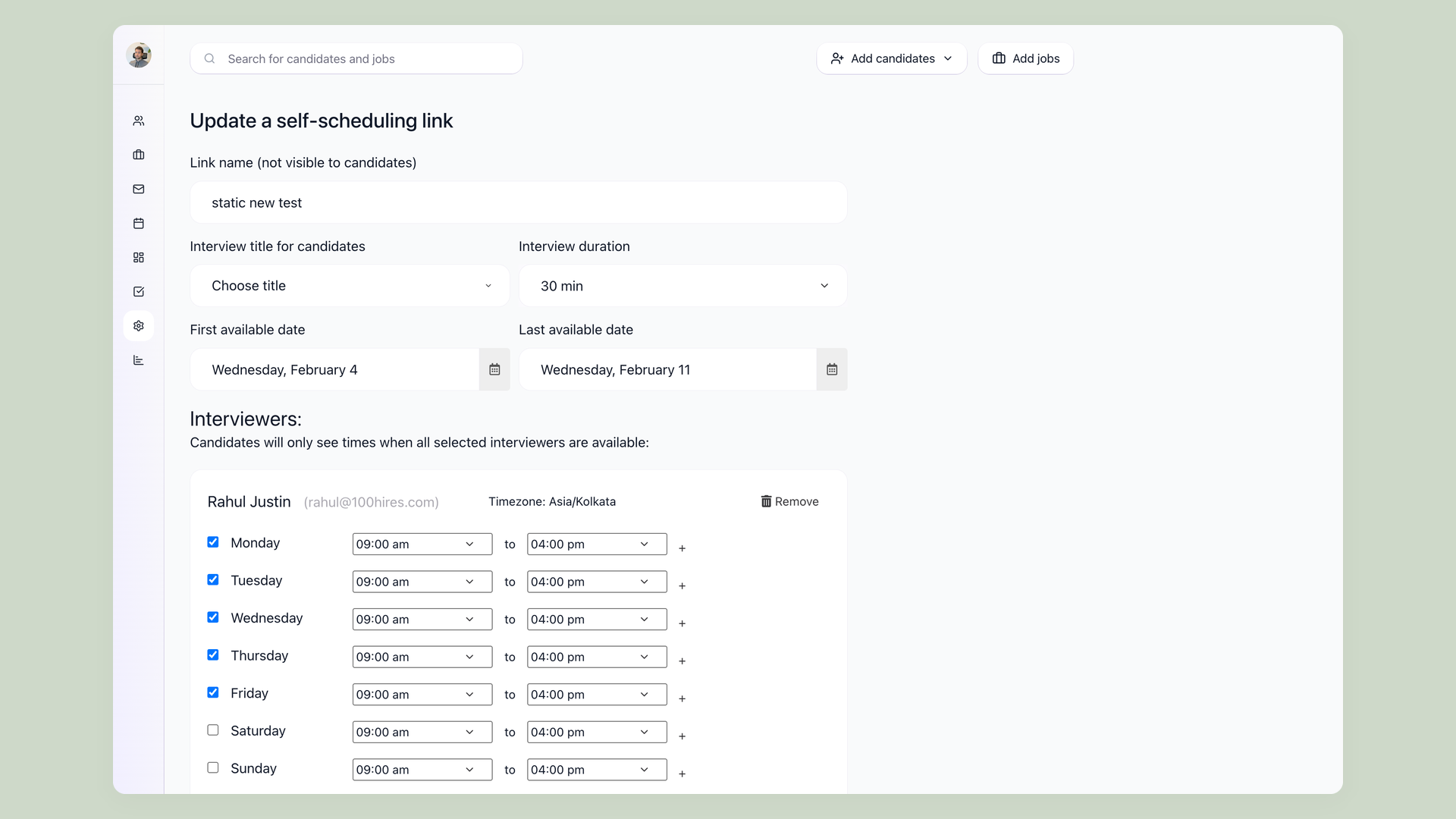
100Hires Self-Scheduling Link showing interviewer availability for an early-careers interview day

Fill an interview day without the email back-and-forth

Booking a superday or a round of first interviews across dozens of students by email is its own full-time job, and every slow reply is a chance for a candidate to drop. Send a Self-Scheduling Link and candidates pick from the open slots that fit your interviewers' calendars. Booking a time while a candidate is still interested beats a slow email thread at the stage where early-careers funnels leak the most.

  • Candidates self-book open interview slots
  • No scheduling email back-and-forth
  • Syncs to your team's calendars
  • Locks in a time while interest is high
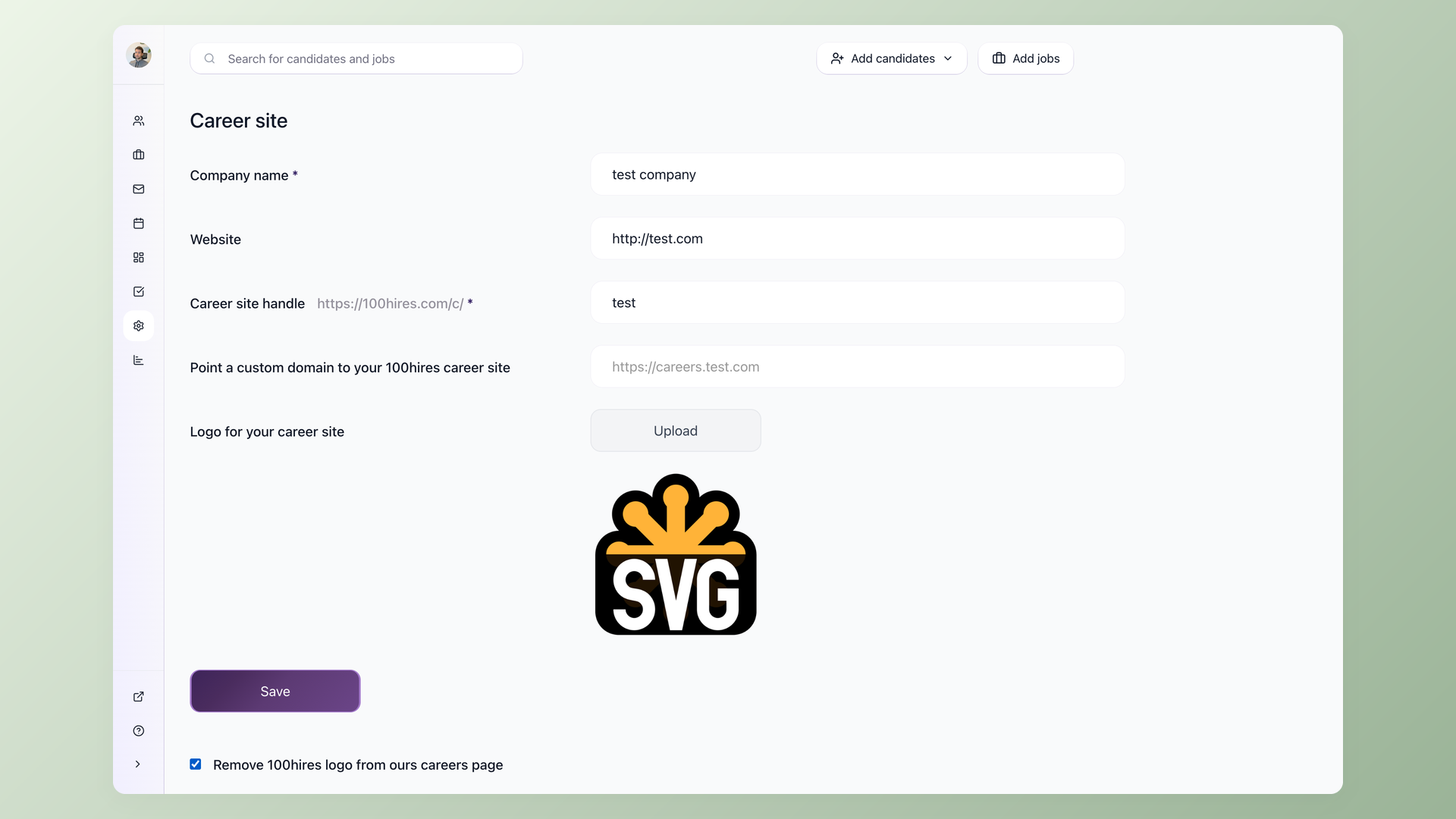
100Hires branded careers page settings with logo, custom domain and Trackable Links

Reach early-careers talent without a campus events team

You do not have a campus CRM or a career-fair budget, and you do not need one. Build a branded careers page and share that link with university career centers and in your own outreach, then add Trackable Links to see which channel actually converts. Keep former interns and next year's graduates in Talent Pools, then re-engage them with Nurture Campaigns, so a known candidate is one email away instead of a fresh search.

  • Branded careers page URL to share
  • Trackable Links per source
  • Talent Pools for future graduates
  • Nurture interns toward full-time

Post your first early-careers role this week

Free 14-day trial. Build your pipeline and knockout questions in under an hour, no credit card required.

100Hires vs an enterprise campus recruiting suite

Enterprise campus platforms are priced and built for large university recruiting programs. 100Hires is built for the company that needs the screening, the scheduling, and a branded careers page without a six-figure contract or a months-long rollout. It starts at $49 a month on transparent pricing.

100Hires
From $49 per month
Enterprise campus suite
Custom enterprise pricing
Knockout pre-screening
Filter by graduation date, work authorization, location at application
Higher tiers
AI Score candidate ranking
Applicants ranked by role fit on arrival
Varies by vendor
Custom pipeline stages + Evaluation Forms
Assessment, screen, superday, offer with structured scorecards
Self-scheduling links for interview days
Candidates self-book open interview slots
Add-on or premium
Multiposting to 13 named job boards
Indeed, LinkedIn, Glassdoor, ZipRecruiter in one click
Limited or add-on
Branded careers page
Your own URL to share with career centers
Talent Pools + Nurture Campaigns
Convert interns to full-time, keep next year's grads warm
Higher tiers
Campus event and career-fair management
On-campus event logistics and registration
-
Handshake and university job-board integration
Direct posting to campus-specific platforms
-
Setup time
Under 1 hour
Weeks to months
Free trial
-
Atiq Arshad
Technical Recruiter @Kidan

It solved all of my recruitment problems and offered all of the features I was looking for. It can automate most of my recruitment processes.

Source: G2
Philipp Maschelski
Talent Acquisition Partner @G42

I'd happily recommend it to my industry peers. I'm able to use the platform with ease and don't have to think twice what function to use.

Source: Capterra
Teodora Franich
HR Manager @TeachMeSkills

The system is very user-friendly. Even people with no experience will find it easy to understand its functionality.


Source: G2
Capterra Shortlist 2026 Capterra Best Ease of Use 2026 Capterra Best Value 2026 Software Advice Front Runners 2026 Software Advice Most Recommended 2026 G2 Leader Winter 2026 G2 Users Love Us 2026
4.7
4.8
based on 1,300+ reviews
Campus recruiting software: common questions
+ What is campus recruiting software?
Campus recruiting software is the system employers use to manage early-careers hiring: posting graduate, intern, and entry-level roles, collecting applications, screening them at high volume, and moving candidates through a hiring pipeline to an offer. It is built for companies hiring students and recent graduates, not for college athletic recruiting. 100Hires is an applicant tracking system that covers this with knockout pre-screening, AI Score ranking, custom pipeline stages, and self-scheduling links.
+ How is early-careers hiring different from regular hiring?
Early-careers hiring is a volume problem first. One graduate or intern role can draw hundreds of applications, and candidates have little or no work history, so a resume is a weak signal and past-behavior interview questions fall flat. You screen for potential, reliability, and motivation instead of a track record. 100Hires helps with knockout questions that filter on eligibility, AI Score that ranks by fit, and Evaluation Forms so interviewers score potential in a structured way.
+ Is 100Hires for companies with a campus team, or for smaller teams hiring a few grads?
100Hires is built for companies of roughly 10 to 200 people that hire interns, new graduates, and entry-level staff in volume but do not run a Fortune 500 campus program. If you have a dedicated university-relations team running career fairs across dozens of schools, an enterprise campus suite may fit better. If you need to screen, rank, and schedule a flood of early-careers applicants without that overhead, 100Hires is the lighter, faster option.
+ Does 100Hires integrate with Handshake or university job boards?
No. 100Hires does not connect to Handshake or university-specific job boards, and it does not manage career fairs or campus events. Instead, you build a branded careers page, share that link with university career centers and in your own outreach, add trackable links to measure each channel, and multipost roles to general boards like Indeed and LinkedIn. Every applicant from every source lands in one 100Hires pipeline.
+ Can I run internships, new-grad, and entry-level roles in the same account?
Yes. In 100Hires every job has its own pipeline stages, application form, and screening questions, so a summer internship, a graduate program, and an hourly entry-level role can each run a different workflow inside one account. You are not paying for or managing a separate tool per program, and every applicant still lands in the same place for your team to review.
+ If early-careers candidates have no experience, how does AI Score rank them, and can I trust it?
AI Score in 100Hires reads each application against the role requirements you set, including education, skills, and the answers to your screening questions, and ranks candidates by fit rather than by years of experience. It is a prioritization tool, not an automated hiring decision: it tells you who to look at first and shows the criteria behind each score. You and your team still review candidates and record structured judgments with Evaluation Forms.
+ How do I keep next year's graduates warm and convert interns to full-time?
Save strong candidates you are not ready to hire yet into Talent Pools in 100Hires, then re-engage them with Nurture Campaigns, a sequence of emails that keeps them connected to your company. When a full-time role opens, your former interns and last season's near-misses are one message away, so you start from a warm list instead of a fresh search.
+ How much does campus recruiting software from 100Hires cost, and how long does setup take?
100Hires starts at $49 per month, well below the five and six-figure contracts typical of enterprise campus platforms, and there is a free 14-day trial. Setup takes about an hour: you add your job, build your pipeline stages, set your knockout questions, and post the role. You do not need an IT project or a long implementation to start hiring. See https://100hires.com/pricing for current plans.
23,000+ recruiters & business owners read this newsletter

The hiring playbook, in your inbox

One email a week - benchmarks, AI screening tactics, and short interview templates from the 100Hires team. No product pitches.

Your next early-careers hire starts with one posting

Free 14-day trial. Post your first early-careers role this week and you could have a screened shortlist with interviews booked before the month is out.

We use cookies to offer you our service. By continuing to use this site, you consent to our use of cookies as described in our policy