
AI Recruiter
100Hires AI Recruitment Copilot ranks every applicant, summarizes interview transcripts, drafts personalized outreach, and answers any question about any candidate. All inside your ATS - not as another disjointed AI tool you have to subscribe to and copy-paste into.






screening candidates
response rates
time to fill
per hire
The bottleneck moved from sourcing to reading 600 resumes before lunch
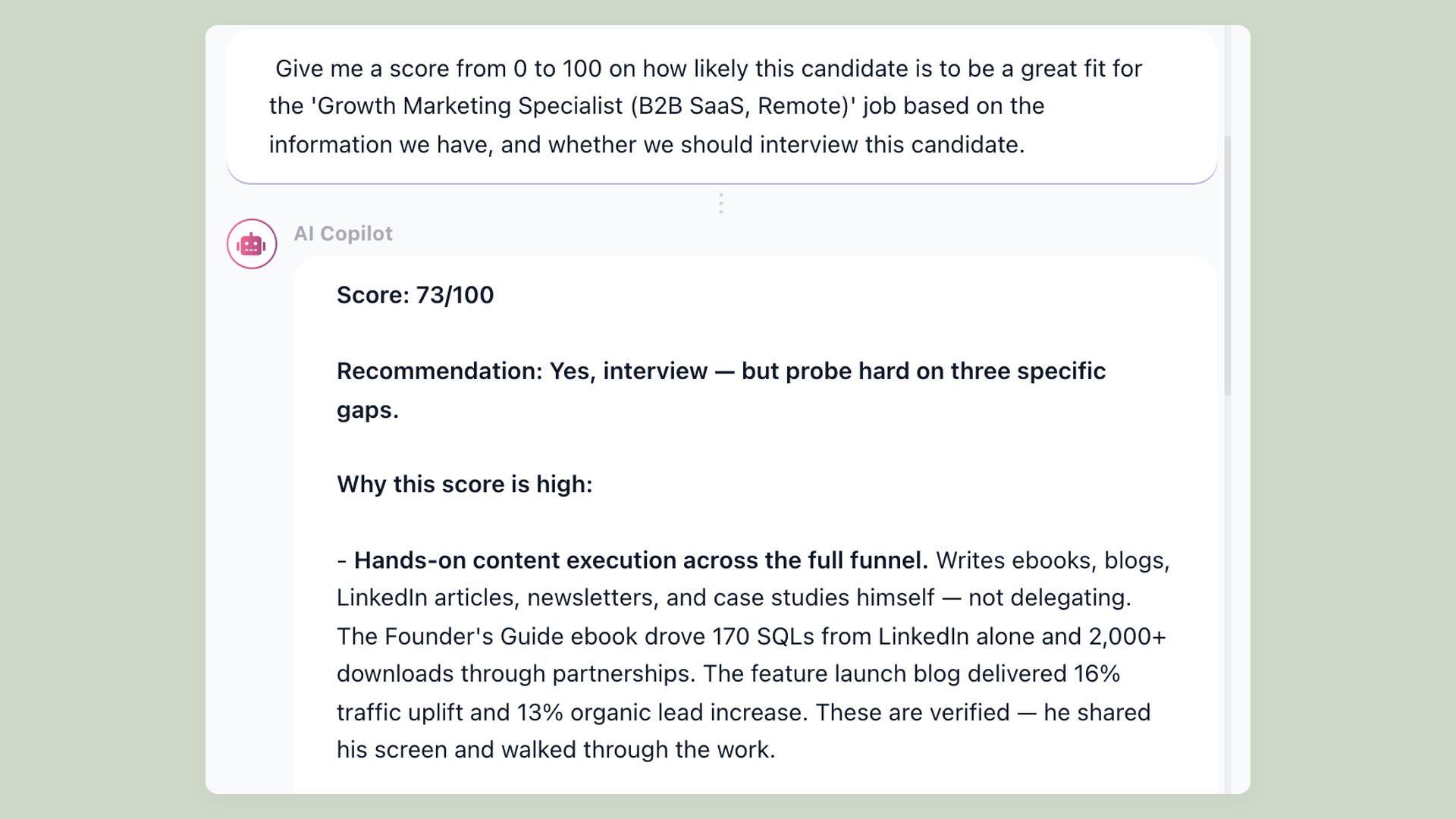
Five years ago the recruiter's pain was finding candidates. Today it is reading them. Lazy-apply tools and AI resume generators on the candidate side have flooded recruiter inboxes - one of our customers described a single role going from about 20 qualified applicants in a typical week to 125 overnight. The hiring manager still asks you the same question on Monday morning - "what do we know about this candidate?" - but now you have eight tabs to dig through to answer it.
Every candidate file is a stack: a resume, two interview transcripts, twelve emails, four evaluation forms from four different interviewers, an application questionnaire, your private notes about the role. Reading any one candidate file in full takes 5 to 10 minutes. Multiply by a 200-applicant pipeline and a normal hiring week disappears. Most recruiters skim the resume, decide on gut feel, and move on - which is exactly how the wrong shortlists get built.
An "AI recruiter" should not pretend to make the hire decision for you. It should do the reading, draft the writing, and hand the time back to the human for the parts that actually need judgment - interviews, hiring-manager conversations, offer negotiations. That is what the 100Hires AI Recruitment Copilot does, sitting inside the same ATS that already handles your job posting, interview scheduling, and recruitment automation - so the candidate context is already there the moment you ask the AI for a summary.
Ask AI any question about any candidate
Inside any candidate profile, click Ask AI and type whatever you need to know. There are no fixed questions: ask "Why did they leave their last job after 8 months?", "Did they answer the budget question in the second interview?", "How do they compare to the last 3 hires for this role?" - any question you would ask a colleague who memorized the candidate's file. If the same question comes up often, save it to your prompt library so the team can reuse it in one click. The AI reads eight sources at once - resume, all interview transcripts, every email and SMS, every evaluation form, application answers, the job description, and your private job notes - and returns a synthesis in five to ten seconds. Generic AI assistants like ChatGPT cannot do this because they have no access to any of the eight sources.
- Discussion notes including pasted interview transcripts
- Full email and SMS history with the candidate
- Evaluation form answers from every interviewer
- Resume + application answers + job description + your private job notes
Job Notes capture what you learn between interviews - the AI applies them to every new candidate
Every job has a private Job Notes tab visible only to your team. As you interview real candidates, you discover what the role actually needs - patterns you could not have written into the public job description on day one.
One first-round screen teaches you "reject anyone whose AI experience is pasting prompts into ChatGPT - we need people who build real workflows". A bad hire teaches you "previous-employer headcount under 10 means they have not seen scaled processes - filter for 10 to 50". A strong screen teaches you "PPC-only experience does not work for this role - prioritize organic content and lead nurturing".
You drop each lesson into Job Notes once. The AI Recruitment Copilot reads them alongside the public job description on every future candidate assessment - so the criteria you discovered at interview number 7 score the next 200 applicants automatically, and the next interviewer on your team sees the same standards instead of relearning them from scratch.
No competitor in the AI recruiting space advertises this - everyone else stops at the public job description. The criteria you discover at interview number 7 stop dying inside one recruiter's head and start scoring every applicant after them.
Built-in interview notetaker - multi-language transcripts, scorecards filled automatically
The AI Recruitment Copilot includes an interview notetaker that joins your Zoom, Google Meet, or Microsoft Teams calls automatically. It transcribes the conversation in multiple languages, writes an AI summary above the transcript, and pre-fills the scorecard against the criteria you set for the role.
By the time the interview ends, the Discussion Notes tab already has a written record, the scorecard is filled in against every criterion you set, and the AI has flagged where the candidate's answers covered each evaluation point. The hiring manager opens the candidate's profile right after the call and sees a 2-paragraph briefing instead of a blank page.
For high-volume hiring, this saves several hours per recruiter per week. Standalone interview-intelligence tools deliver similar savings - except they live outside your ATS as a separate subscription, on top of whatever you already pay your ATS provider.
Save your best prompts - the library compounds with every hire
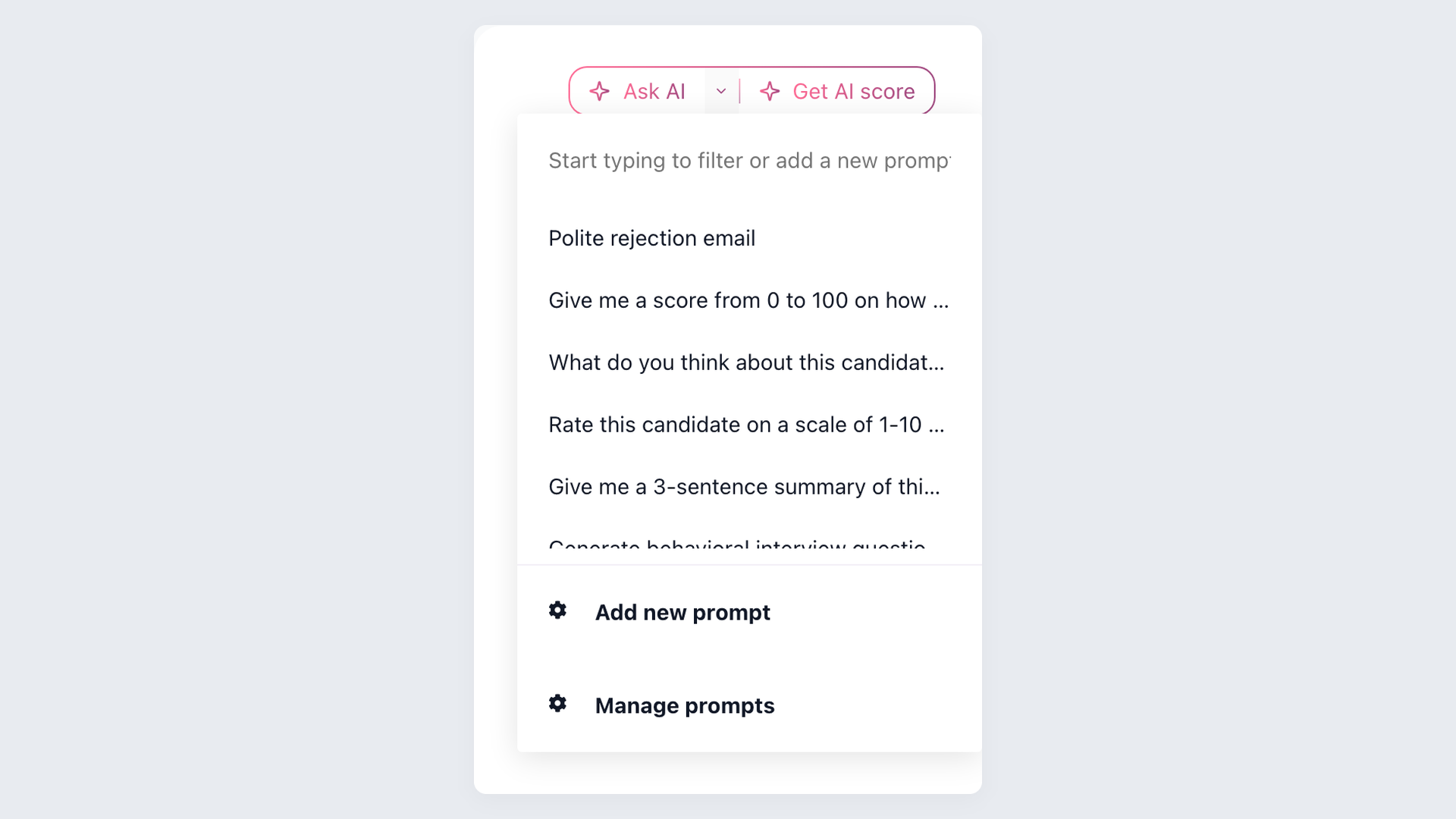
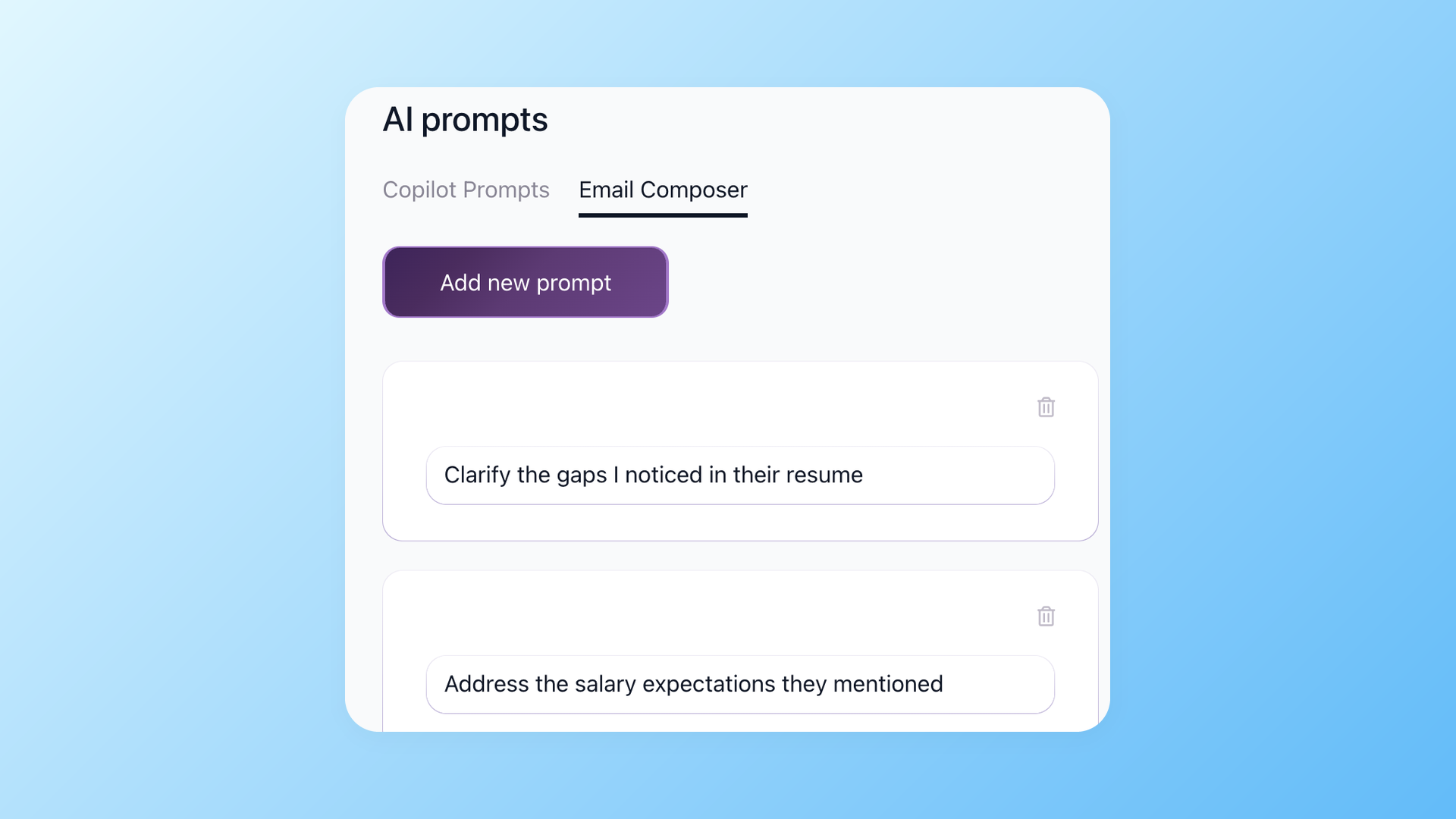
The prompts that work for your team get saved once and reused forever. Settings > AI Prompts holds your library: "summarize candidate's tech stack and ship rate", "compare against last 3 hires for this role", "first-round screen brief for the hiring manager". Most-used prompts auto-rank to the top of the dropdown, so the prompt you used five minutes ago is still on top. The library is shared across your company, so the prompts your senior recruiter saves are immediately available to junior recruiters and hiring managers - no per-seat setup. The AI Email Composer keeps its own separate library on the same shared-across-team principle - email prompts and candidate-assessment prompts stay in their own libraries, so the dropdown you open is always filtered to the task you are on.
- Shared company prompt library in Settings > AI Prompts
- Most-used prompts auto-rank to the top of the dropdown
- Separate prompt library for the AI Email Composer, same shared-across-team principle
- Add new prompts on the spot from the dropdown without leaving the candidate profile
How 100Hires AI Recruiter compares to single-purpose AI tools
Most of the products that show up when you search "AI recruiter" do one slice of the workflow well. One tool runs AI interviews. Another transcribes them. A third sources passive candidates from LinkedIn. Generic ChatGPT writes the emails. Each one solves one problem and sees one fragment of the candidate. None of them sees the full file because none of them sits inside your ATS where the file lives. The result is a recruiter juggling four subscriptions, copy-pasting context from one tool into another, and still missing the hidden hiring criteria buried in the private job notes only the hiring team can read.
 100Hires
| AI feature | Where it lives | What it does |
|---|---|---|
| Ask AI | Any candidate profile | Free-form Q&A over the candidate's resume, interview notes, and emails |
| AI Score | Per job application | Grades every applicant 0-100 against the prompts you wrote for that role |
| Job Notes | Job record header | Knowledge you add gets re-applied to every new candidate's AI Score |
| Prompt Library | Shared team workspace | Save and reuse your best scoring and email prompts across roles |
| AI Notetaker | Inside any scheduled interview | Multi-language transcript with scorecards auto-filled from the conversation |
| AI Email Composer | Email composer toolbar | Drafts personalized rejection, follow-up, and outreach emails per candidate |
The 100Hires AI Recruitment Copilot is the right pick when you want one product that reads everything, because the data already lives in one place: one bill, one login, one shared candidate context. The same context also powers our AI Email Composer for outreach and rejections, and our recruitment automation for stage-triggered actions.
One honest limitation worth flagging: 100Hires AI scoring works best for high-volume applicant review where you have a clear job description and structured criteria. For executive search where the role is loosely defined and the shortlist is built from referrals and warm intros, use the AI Copilot as a summarizer rather than a primary ranking engine. The numerical score is less meaningful with 12 candidates than with 600.

It solved all of my recruitment problems and offered all of the features I was looking for. It can automate most of my recruitment processes.

I’d happily recommend it to my industry peers. I’m able to use the platform with ease and don’t have to think twice about which function to use.

The system is very user-friendly. Even people with no experience will find it easy to understand its functionality.







The hiring playbook, in your inbox
One email a week - benchmarks, AI screening tactics, and short interview templates from the 100Hires team. No product pitches.