
Interview scheduling software built into your ATS
Self-scheduling links let candidates book directly into your team's calendar. Panel availability, Zoom / Microsoft Teams / Google Meet links, and evaluation forms get set up automatically. No separate scheduling subscription, no manual sync back into your ATS.






screening candidates
response rates
time to fill
per hire
Coordinating interviews still eats hours every week
Most recruiters know the routine. A hiring manager asks for a 45-minute panel with three interviewers and a candidate two time zones away.
Eight or twelve emails later, somebody has cancelled, the candidate has gone quiet, and the slot you finally booked clashes with a half-hour someone forgot to block off.
The fix is moving bookings out of email and into the candidate record inside your applicant tracking system.
What 100Hires handles in interview scheduling
100Hires bundles self-scheduling links, calendar sync, panel availability checks, video meeting auto-create (Zoom, Microsoft Teams, Google Meet), and evaluation-form-at-scheduling into the candidate record itself.
No add-on subscription, no second dashboard, no manual loop back into the candidate record after every booking. The same approach we take to recruitment automation across the pipeline applies to scheduling too.
Works with Google Calendar, Microsoft 365 Calendar, Zoom, Microsoft Teams, and Google Meet out of the box. See all integrations.
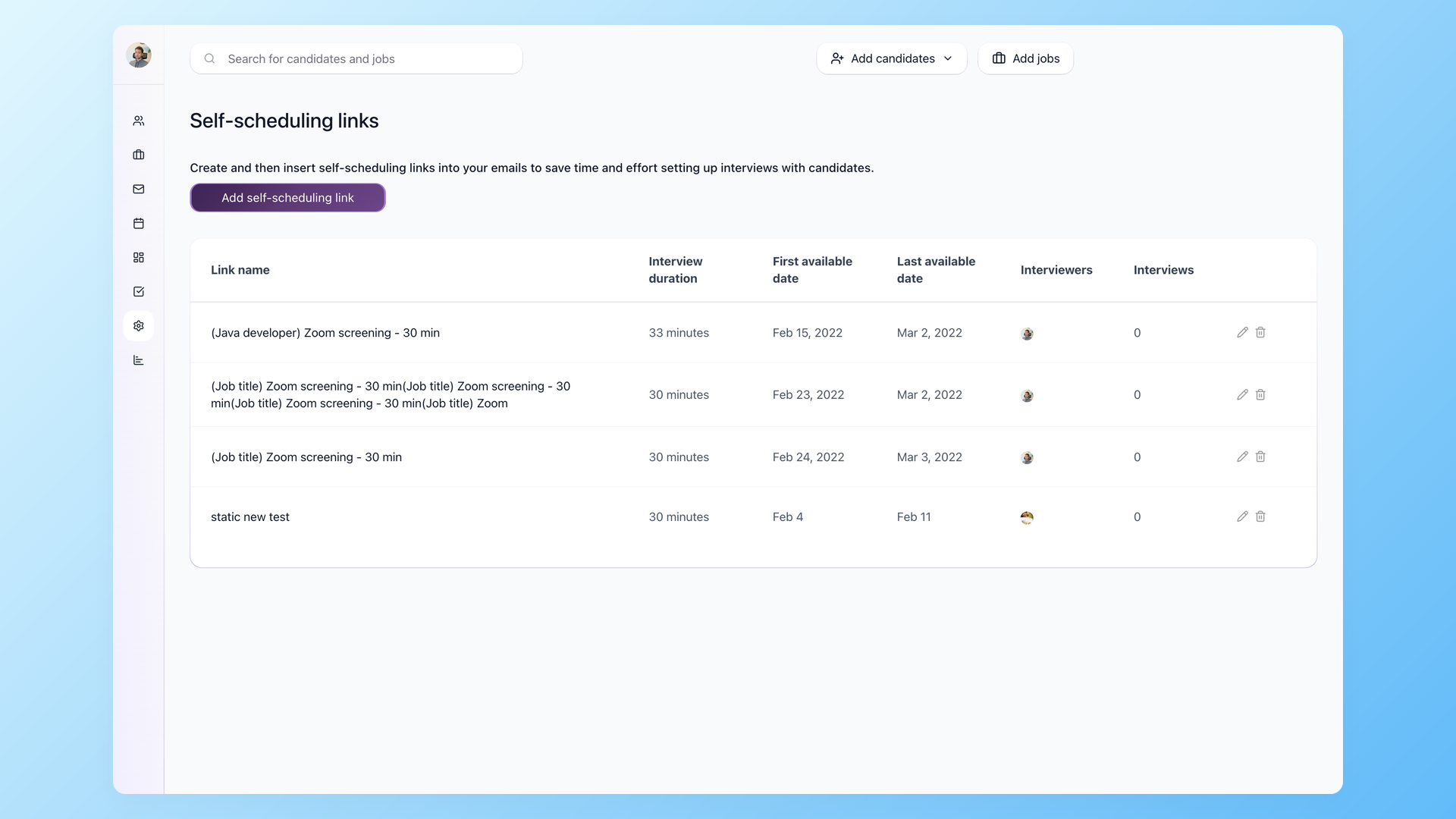
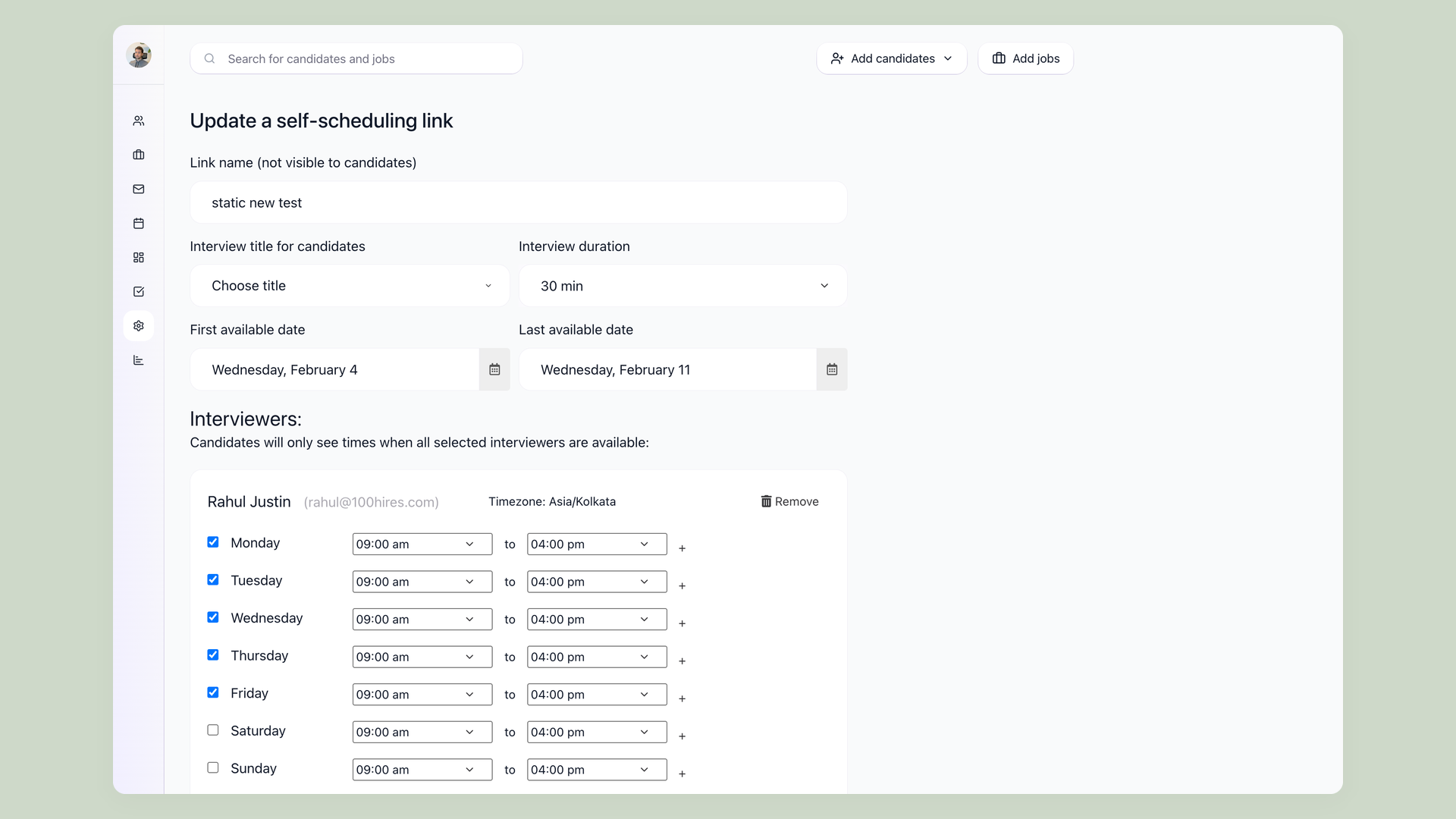
Send a link. Candidate picks a time. The interview shows up in your ATS
Self-scheduling links work like Calendly, but they live inside 100Hires. Candidates see real availability across every interviewer you've assigned, pick a slot, and get a calendar invite automatically. The interview is logged in their candidate profile in the same step. No copy-paste, no manual ATS update.
- Candidates see your team`s real availability with no back-and-forth emails
- Calendar invites go to all parties automatically
- Interview is logged in the candidate profile in the same step
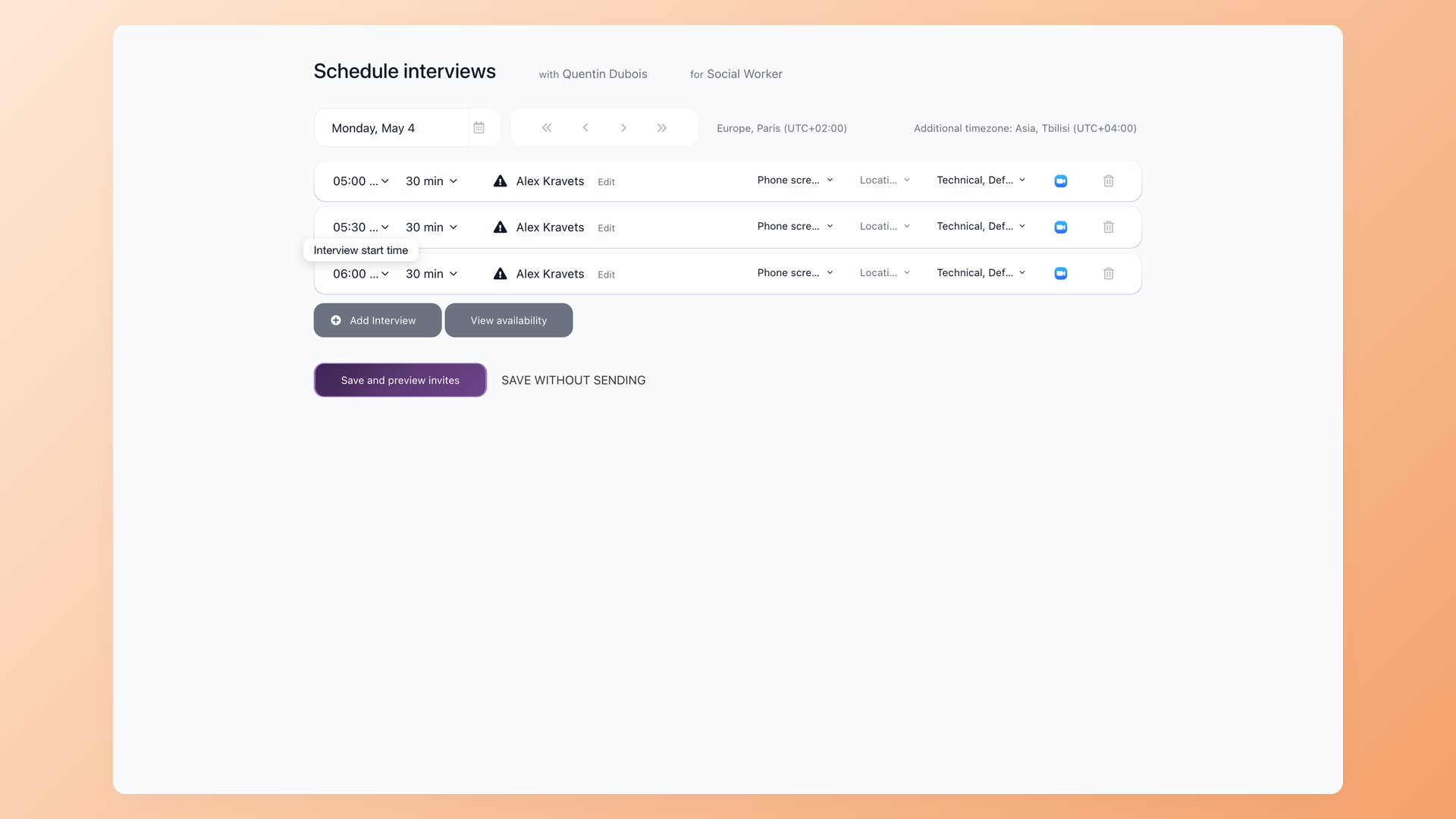
Panel interviews without the scheduling marathon
Add multiple interviewers to a single interview. When their calendars are connected, 100Hires shows a live availability check, so you stop opening four browser tabs to compare schedules. Booking a three-person panel takes far less time than the usual email back-and-forth. Preview every calendar invite before it goes out.
- Multiple interviewers per interview with no separate add-on
- Live availability check across all connected calendars
- Preview every calendar invite before sending
100Hires vs a generic scheduler like Calendly
Most recruiters have used Calendly. It works well for one-on-one bookings. But generic booking tools do not handle panel availability across multiple interviewers, evaluation forms attached at the scheduling step, or write-back into the candidate record.
If you are already paying for an ATS, paying for Calendly's recruiting plan adds a separate subscription, a separate setup screen, and a manual loop back into your hiring system.
 100Hires
| Interview type | How it gets booked | What ships with the slot |
|---|---|---|
| Self-scheduling link | Candidate picks from available slots | ATS-linked, calendar invite auto-sent, interview logged on the candidate profile |
| 1:1 interview | Recruiter picks the time | Zoom / Teams / Google Meet link plus evaluation form attached |
| Panel interview | Live availability check across all interviewers | Single calendar invite to the panel + shared evaluation form |
| Recurring screen | Reusable template per role | Auto-applied to every applicant entering the screening stage |
| External interviewer | Limited-visibility profile share | External viewer sees only the candidate and the assigned evaluation form |
You can attach an evaluation form to the interview at the scheduling step, so panelists know what to evaluate before the call starts.
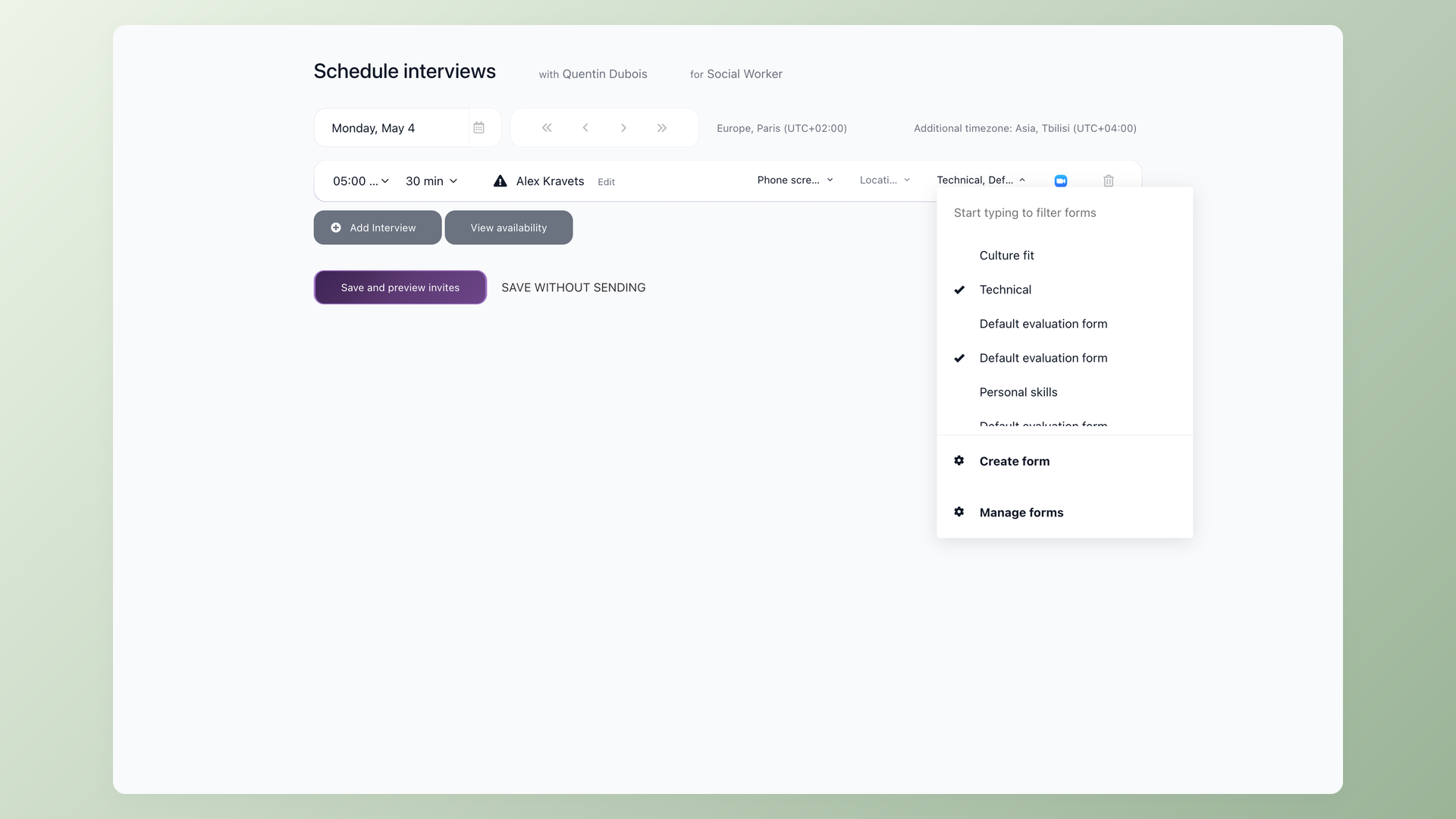
Video meeting and evaluation form, attached at the moment you schedule
Connect Zoom, Microsoft Teams, or Google Meet once and every interview gets a fresh meeting link when you schedule it. You can also assign an evaluation form at the scheduling step, so interviewers know what to evaluate before the call starts. If an interviewer doesn't submit their evaluation after the call, 100Hires keeps emailing them reminders. You don't have to nudge them yourself.
- Auto-generated Zoom, Microsoft Teams, or Google Meet link when you schedule
- Assign an evaluation form at the scheduling step
- Auto-reminders to interviewers until the evaluation is submitted

It solved all of my recruitment problems and offered all of the features I was looking for. It can automate most of my recruitment processes.

I’d happily recommend it to my industry peers. I’m able to use the platform with ease and don’t have to think twice about which function to use.

The system is very user-friendly. Even people with no experience will find it easy to understand its functionality.







The hiring playbook, in your inbox
One email a week - benchmarks, AI screening tactics, and short interview templates from the 100Hires team. No product pitches.