
Recruiting Software
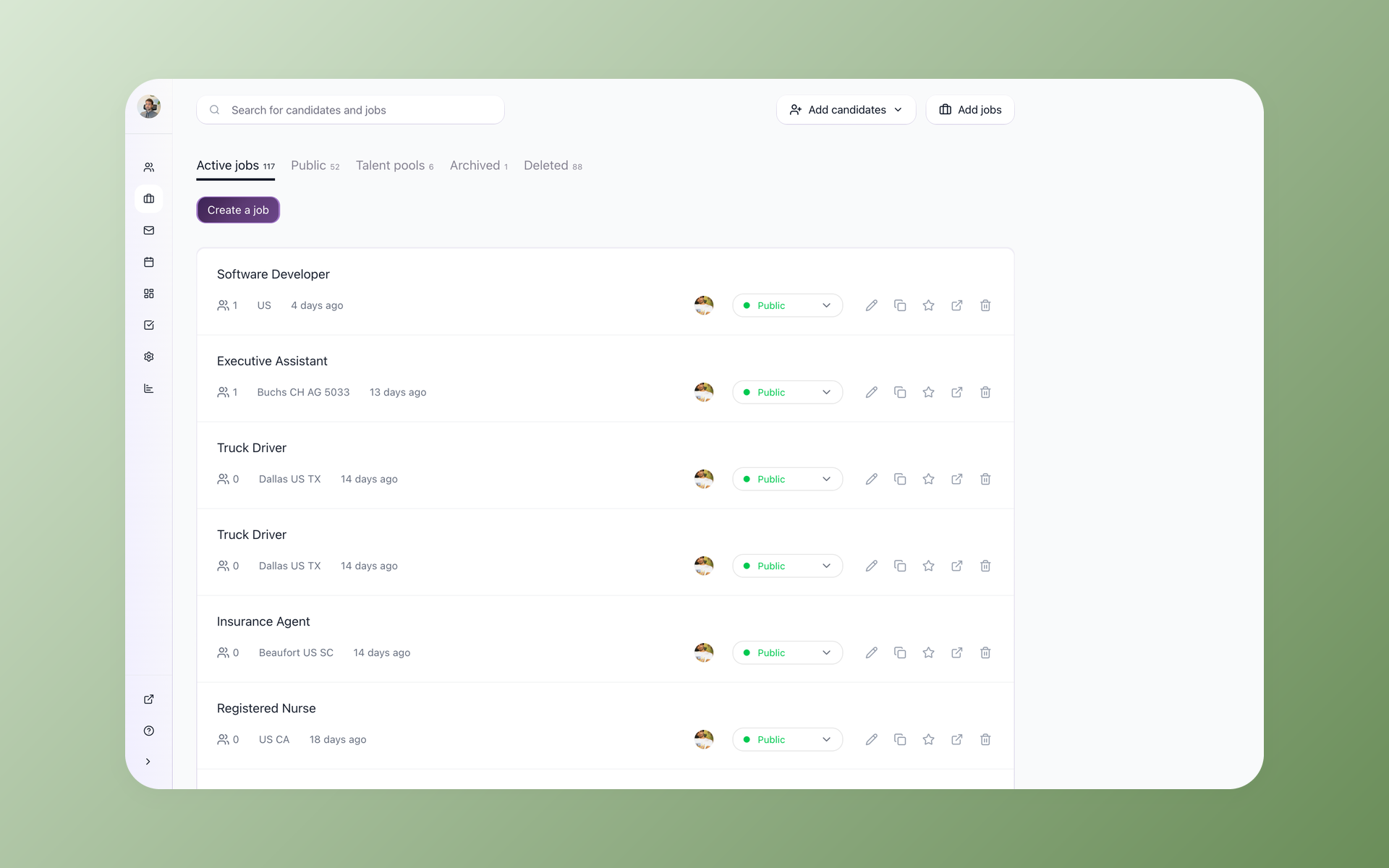
Source, message, schedule, and score candidates in the same place your pipeline already lives, instead of paying for and switching between five separate tools.






screening candidates
response rates
time to fill
per hire
Stop running your hiring out of five browser tabs
Recruiting software is the system a hiring team uses to post jobs, track applicants, and move people from application to hire.
The problem is that most teams end up with five of them: a job-board poster, a sourcing extension, an outreach sequencer, a scheduler, and a separate place to actually track candidates.
Every tool has its own login, its own export, and its own copy of your candidate data that drifts out of sync with the others. Small teams feel this first, because the same person is doing all five jobs.
Most buyers name a budget before they name a feature, and paying five subscriptions to keep candidate data in five places is where that budget goes.
100Hires puts the whole hiring workflow in one product. You post once, source contacts, reach out, book interviews, and track every candidate in one record, with AI ranking the pile on top. Here is what that looks like across the five jobs those separate tools were doing.
Run the whole pipeline like you have a few extra recruiters
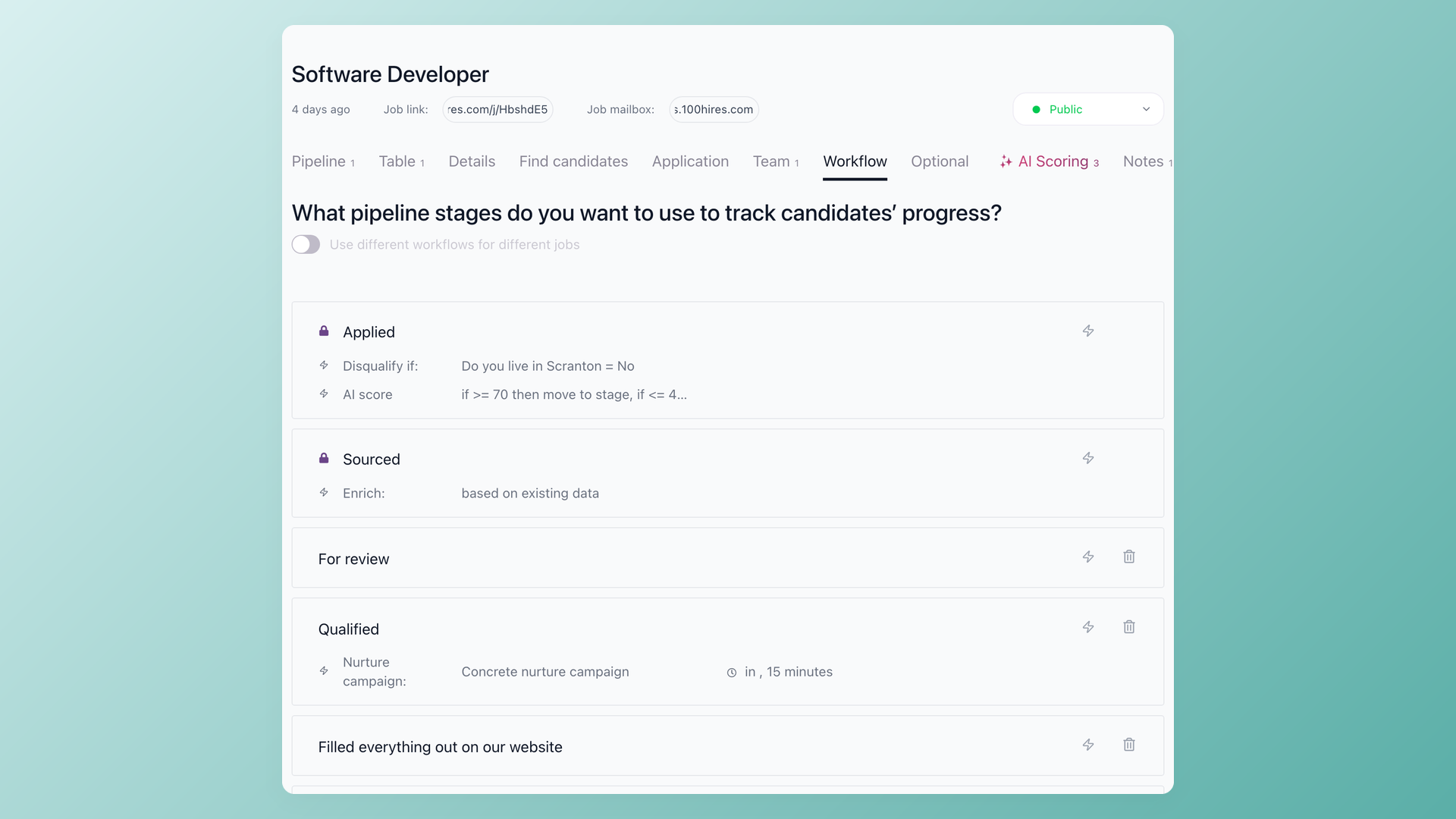
Drag candidates through your own hiring stages and let each stage do the busywork for you. Attach automations to any Pipeline stage so an application triggers an email, a task, an AI Score, or a knockout check the moment it lands, before anyone opens it.
- Custom stages per job
- Stage-triggered automations
- One record per candidate, no re-entry
Find candidates without buying a separate sourcing tool
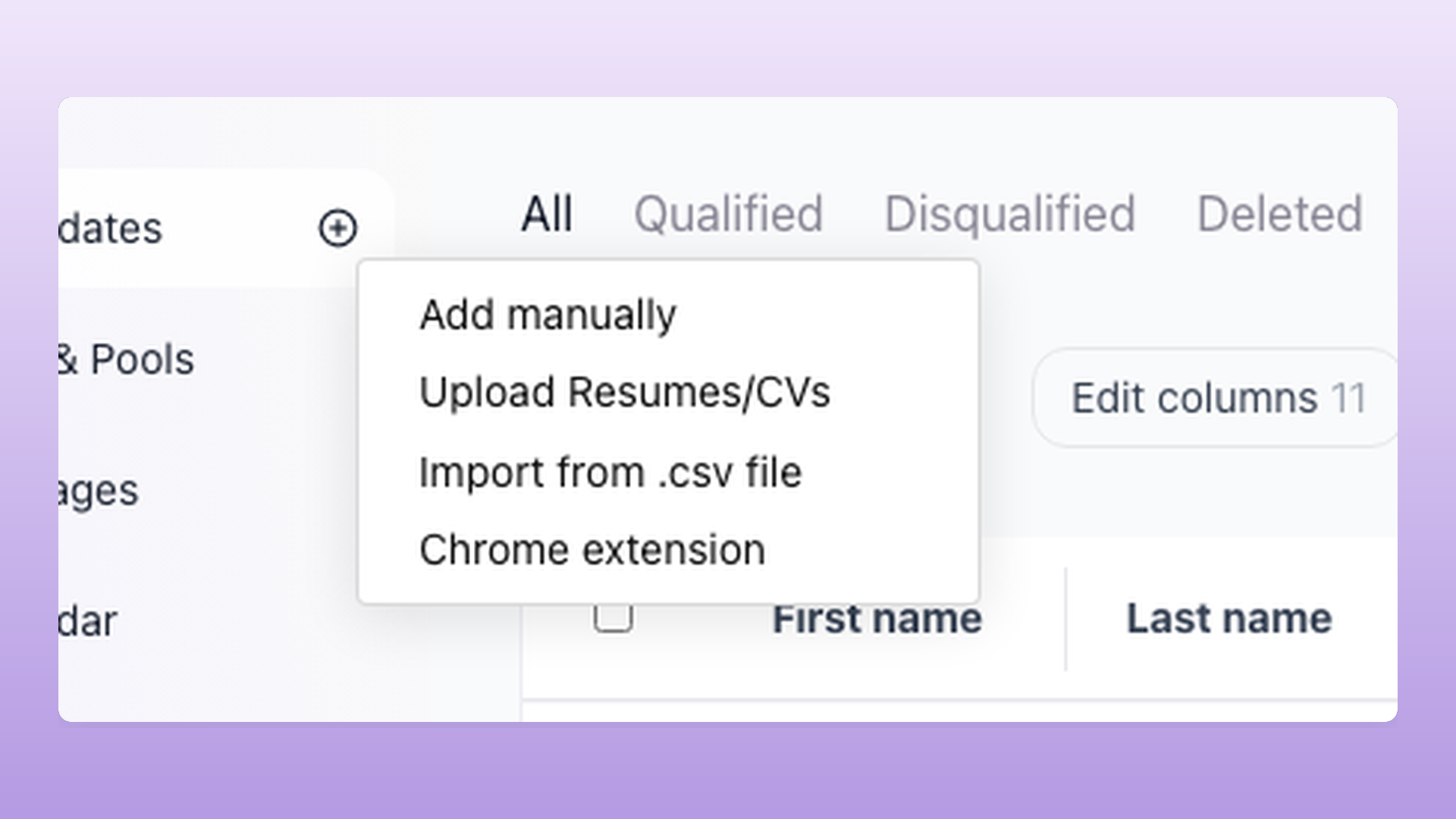
Capture people straight from LinkedIn, GitHub, and 12 other sites with the Chrome extension, then keep them warm in Talent Pools you can re-open for the next role. The candidates you find land in the same pipeline you hire from, already enriched with contact details.
- Chrome extension across 14 sites
- Reusable Talent Pools
- 7-provider contact enrichment on Pro
Reach and book candidates without leaving their profile
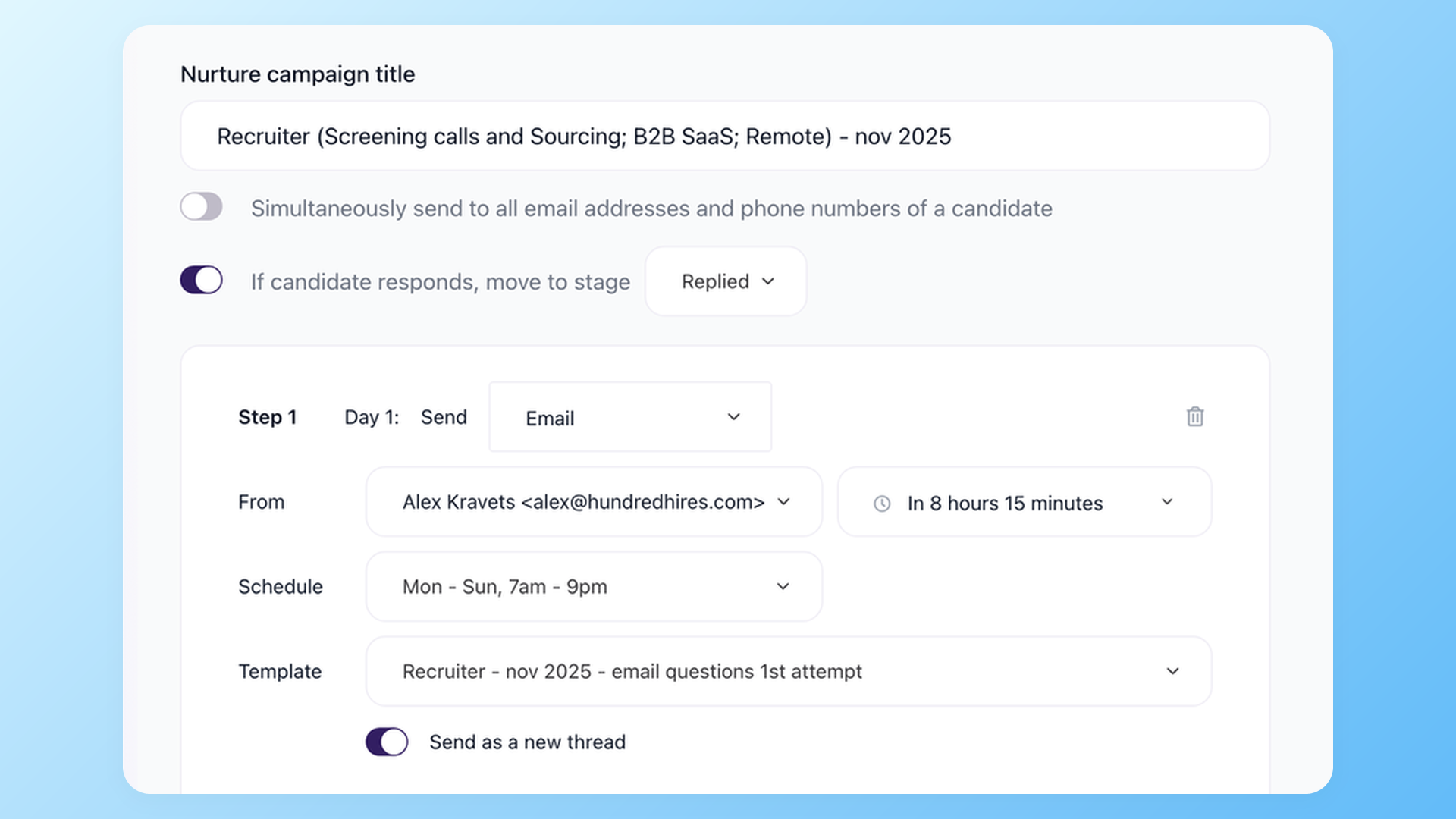
Send multi-step Nurture campaigns over email and text that pause the moment someone replies, so nobody gets a follow-up they already answered. When a candidate is ready to talk, they pick a slot through a Self-scheduling link that respects your team calendars.
- Email and SMS sequences
- Auto-pause on reply
- Self-scheduling links tied to your calendar
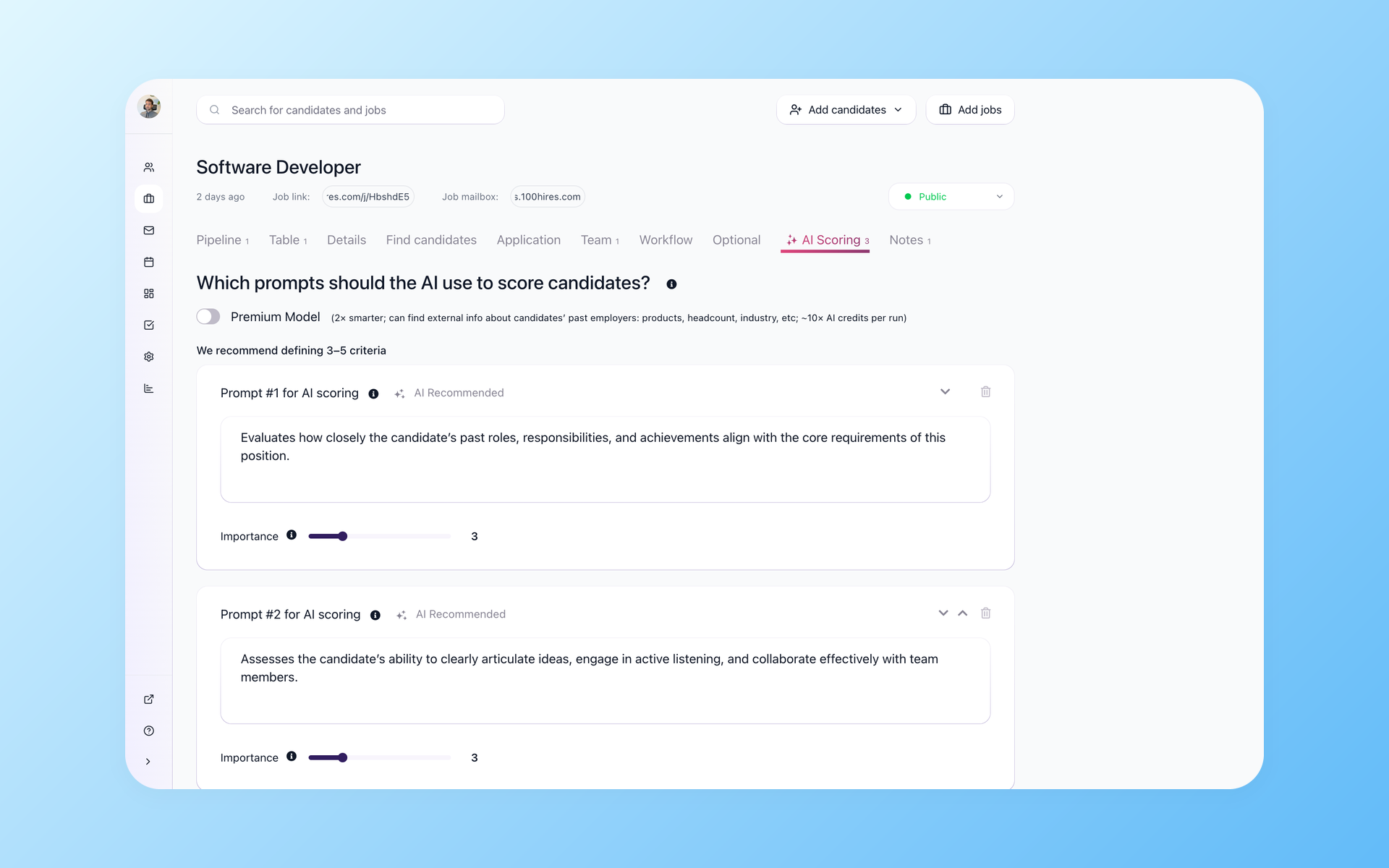
Read the strongest applicants first, on rules you set
AI Score reads every application and ranks it against criteria you write, so a 200-resume day starts with the ten worth reading. You decide the score threshold and the Knockout questions that move or disqualify a candidate, so nothing is filtered by a hidden rule you cannot see or change.
- You write the scoring criteria
- You set the knockout rules
- AI ranks, a human decides
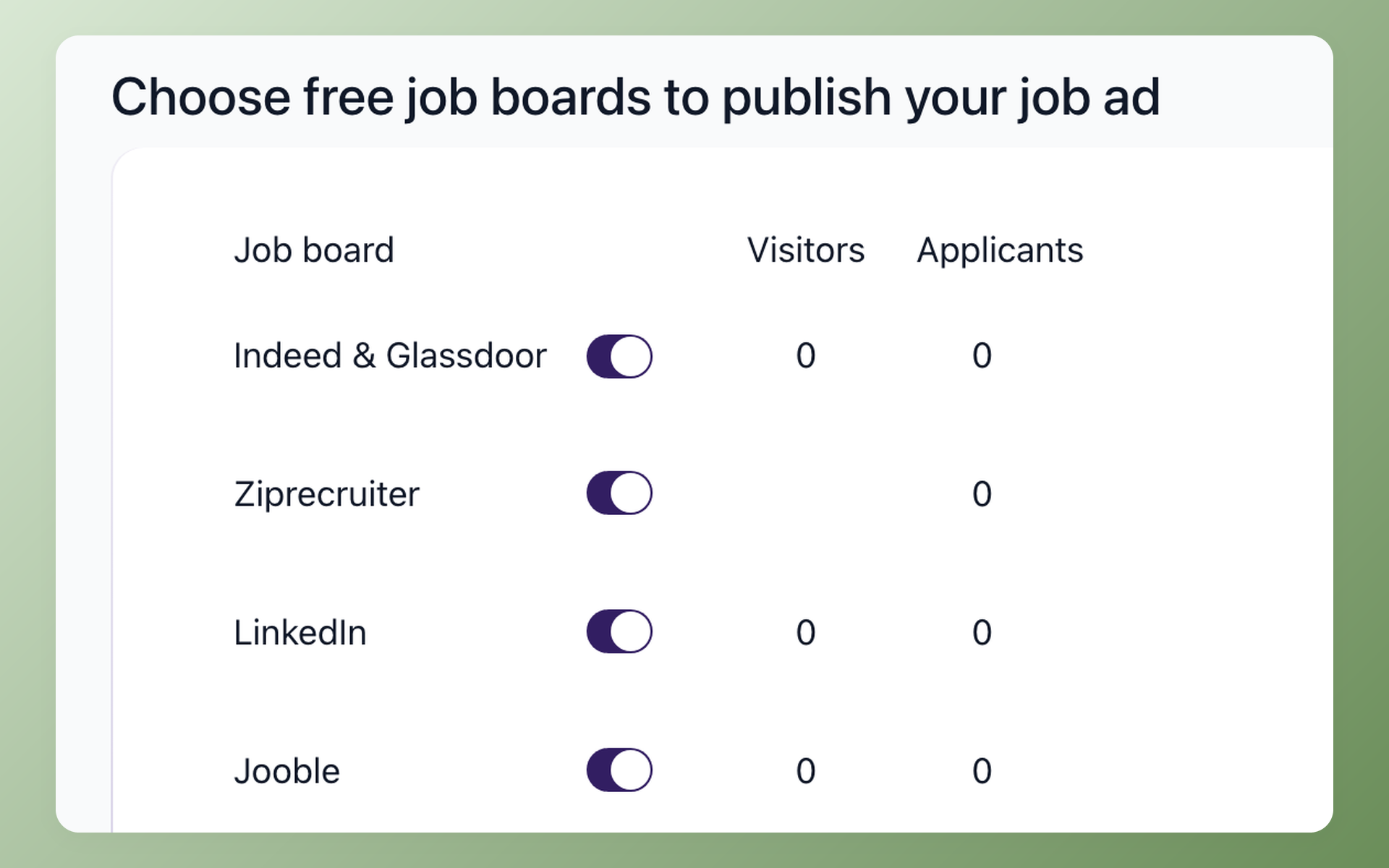
Post once and reach 13 named job boards from the same job
Publish a role and push it to 13 named boards, including Indeed and LinkedIn from one toggle screen, instead of re-keying the same posting into each site. Every applicant flows back into the same pipeline, tagged by source, so you can see which board is actually worth the spend.
- One posting, 13 named boards
- Source tracking per board
- Applicants land in your pipeline
Built for teams that have outgrown spreadsheets but are not ready for an enterprise ATS
If you hire five to fifty roles a quarter, the two obvious options both hurt. A spreadsheet loses candidates and buries you in manual follow-up.
An enterprise ATS is priced and built for a dedicated recruiting-operations hire you do not have, so you pay for a Tesla to run to the grocery store.
100Hires is aimed squarely at that middle: agencies, startups, and small teams that need real pipeline, sourcing, and automation without a week of configuration.
Setup takes an afternoon, not a quarter, and unlimited-user plans mean the whole hiring team can be in the tool without a per-seat bill for each person you add.
How 100Hires compares to a typical ATS
Most tools in this category either hide their price behind a demo or charge per seat and gate the useful features into an enterprise tier.
Start begins at $49/mo (up to 3 jobs and one user); unlimited users and automations come in on Advanced, and the 7-provider contact enrichment is on the Pro plan.
 100Hires

It solved all of my recruitment problems and offered all of the features I was looking for. It can automate most of my recruitment processes.

I’d happily recommend it to my industry peers. I’m able to use the platform with ease and don’t have to think twice about which function to use.

The system is very user-friendly. Even people with no experience will find it easy to understand its functionality.







 4.7
4.7
 4.8
4.8
The hiring playbook, in your inbox
One email a week - benchmarks, AI screening tactics, and short interview templates from the 100Hires team. No product pitches.
Related 100Hires resources: Explore post to multiple job boards.