
SeekOut vs LinkedIn Recruiter: Full Comparison 2026 - 100Hires
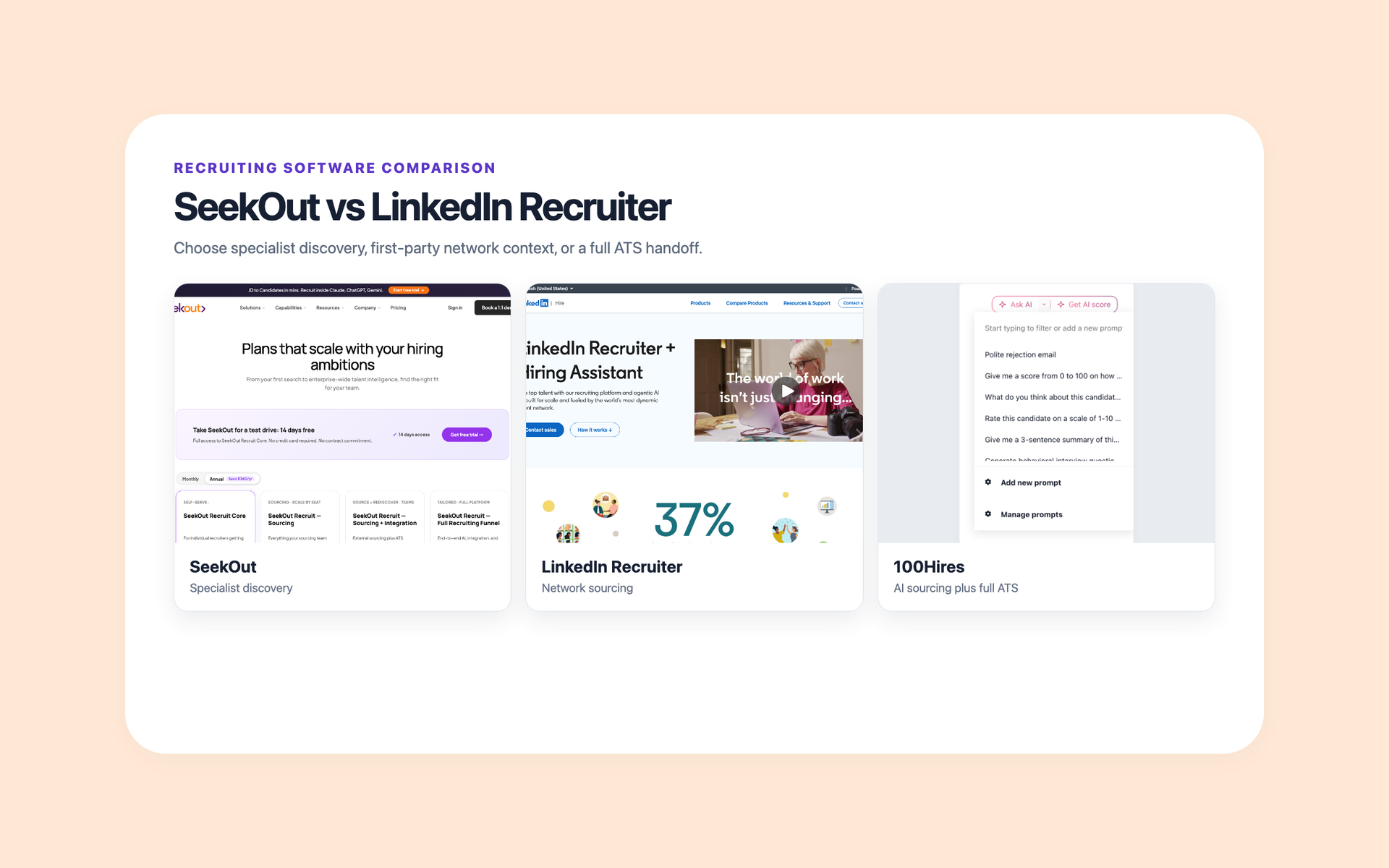
Choose SeekOut when specialist evidence outside LinkedIn drives the shortlist. Choose LinkedIn Recruiter when first-party network context and InMail matter most.
SeekOut is the better fit for specialist, multi-source discovery. LinkedIn Recruiter is the better fit for first-party network context, member signals, and InMail. Some hiring teams need both.
This comparison tests candidate data, search, outreach, AI, ATS connections, pricing, and team fit. It includes 100Hires, our product, for buyers who need sourcing support tied to a full applicant tracking system.
SeekOut vs LinkedIn Recruiter at a glance
The hiring playbook, in your inbox
One email a week - benchmarks, AI screening tactics, and short interview templates from the 100Hires team. No product pitches.
The quick verdict depends on your hiring bottleneck. Choose the product that addresses the recruiters' main gap, whether that is candidate evidence, an outreach channel, or an ATS.
On mobile, swipe the table horizontally to compare every column.
| Criteria | 100Hires | SeekOut | LinkedIn Recruiter |
|---|---|---|---|
| Primary role | AI sourcing support, enrichment, outreach, and full ATS | Multi-source sourcing and talent intelligence | First-party LinkedIn network sourcing |
| Best fit | Teams that want sourcing handoffs and the hiring process in one system | Specialist, technical, cleared, academic, healthcare, and rediscovery searches | Recruiters who rely on LinkedIn identity, activity, relationships, and InMail |
| Candidate source | Profiles recruiters import, applicants, referrals, and the team's own database | Public profiles, specialist evidence, and connected ATS data | LinkedIn's professional network and first-party member signals |
| Outreach | Enrichment, validation, email, text, and automated sequences | Contact credits, email integration, send-on-behalf, and campaigns | InMail, templates, bulk messaging, and message assistance |
| AI focus | Scoring, candidate questions, and email drafting inside the ATS record | Search, specialist discovery, assisted sourcing, and campaigns | Search and messaging inside LinkedIn's recruiter workflow |
| Full ATS | Yes | No | No |
| Public self-serve price | Derived public range: $49-$499 across annual-equivalent and monthly billing | Public range: $149-$179 across annual and monthly billing | Not publicly shown |
| Higher-tier pricing | custom quote | custom quote | custom quote |
| Main limitation | Narrower search, partly manual sourcing, and less specialist depth | Advanced packages use custom pricing; credits and data quality need review | Corporate pricing is not public; results stay centered on LinkedIn |
Bottom line: SeekOut wins specialist discovery. LinkedIn Recruiter wins network context. 100Hires wins the full-ATS category, but it does not replace either product's deepest search advantage.
A sales demo should answer more than “Can it find candidates?” Ask where each field comes from, how often it changes, what a contact lookup costs, and which records return to your ATS.
- Run one real role: bring a recent hard-to-fill job, not the vendor's sample search.
- Inspect ten profiles: check employers, dates, location, specialist evidence, and contact data by hand.
- Test the handoff: export a candidate, update the record, and confirm which system keeps the change.
- Count channel limits: compare contacts, exports, InMails, follow-ups, and extra-credit terms.
- Price the full setup: include seats, implementation, enrichment, outreach, and ATS fees.
Need the sourced profile to stay with the hiring process? Start a free 100Hires trial.
The core difference is where candidate evidence comes from
The best sourcing system starts with where a target candidate keeps fresh professional evidence. LinkedIn supplies first-party network context. SeekOut broadens discovery beyond one network.
That difference changes each search. LinkedIn Recruiter can show a member's current profile, activity signals, relationship context, shared Projects, and interest signals such as Open to Work.
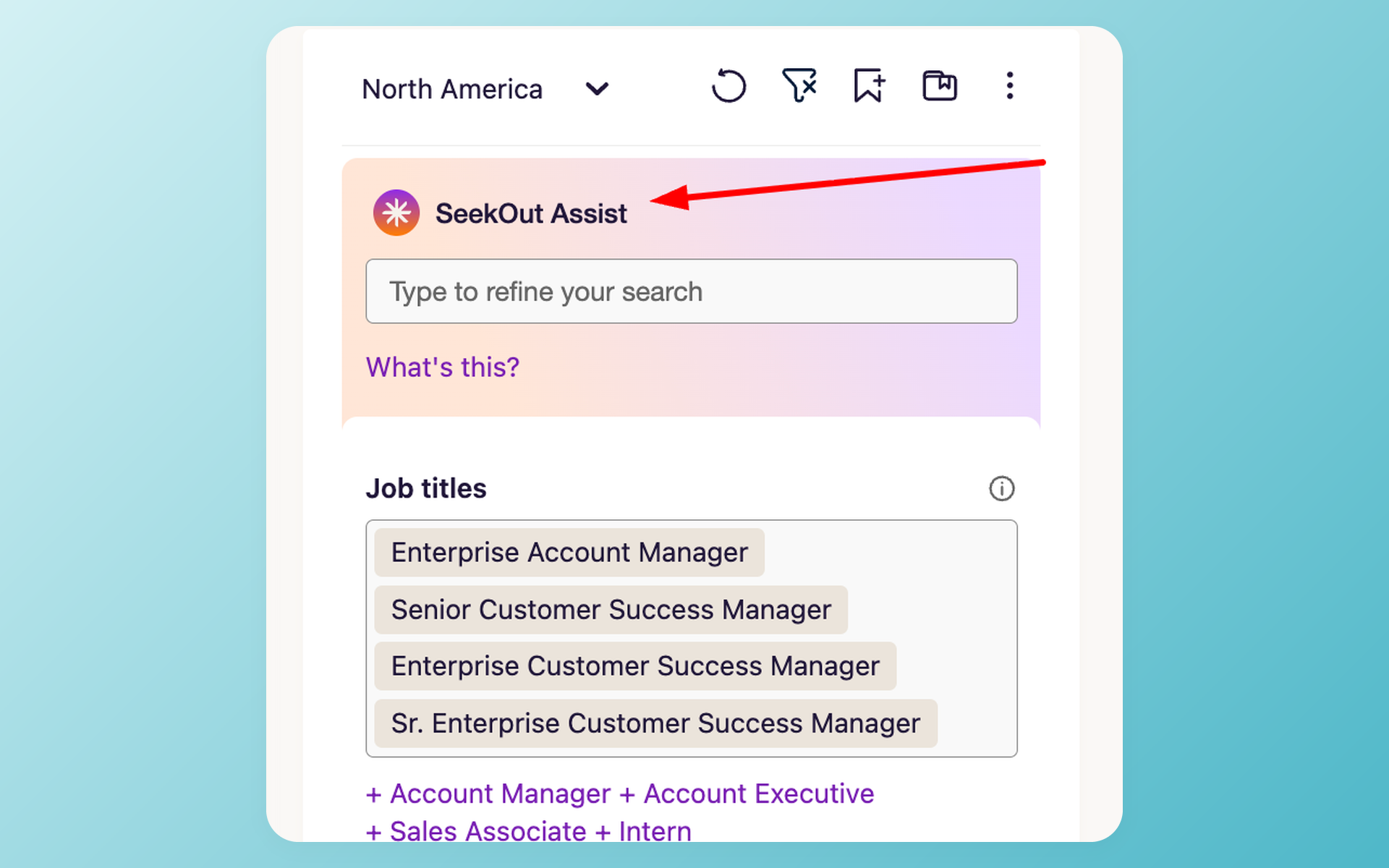
SeekOut brings public profiles, specialist sources, and connected ATS records into its sourcing layer. Its trial material names GitHub repositories, patents, and publications among the evidence recruiters can search.
Neither source is perfect. A LinkedIn filter can surface noisy matches. A broader profile index can contain old fields or imperfect contact data. Good candidate sourcing strategies test both coverage and freshness.
SeekOut for broader specialist evidence
SeekOut makes the most sense when a conventional professional profile leaves out key proof. Code, patents, publications, clearance-related signals, clinical experience, and past ATS records can change the shortlist.
Its strongest advantage is evidence variety. A software engineer's public code can reveal language depth. A researcher's papers or patents can reveal subject knowledge. A connected ATS can reveal prior interest that a public profile cannot.
The recruiter still needs to check what is observed and what is inferred. A clearance signal or demographic category is not the same as a verified candidate statement. Treat each as a search aid.
A recruiter in r/recruiting described using SeekOut's filters, GitHub overlays, and diversity analytics for niche technical searches. This is one account, not a measured outcome.
LinkedIn Recruiter for current network context
LinkedIn Recruiter makes the most sense when the network itself is the evidence. Recruiters can work from current member profiles, activity, connections, Projects, Spotlights, recommendations, and InMail.
First-party does not mean every profile is current. Members control much of their data, and many update it only when they need to. The advantage is direct access to network activity and intent signals that an outside index cannot recreate.
That makes LinkedIn useful for timing and context. A shared connection, recent activity, or private Open to Work signal can shape the message even when another tool found the person first.
The tradeoff is search concentration. In r/recruiting, one recruiter described applying a clearance filter and still seeing uncleared profiles. Other recruiters still consider the network essential.
SeekOut wins specialist search; LinkedIn wins network context
Search quality is role-dependent. The useful question is not which vendor has the larger headline database. It is which one indexes the evidence your hiring manager trusts.
SeekOut wins for specialist search. Recruit Core has AI search and more than 30 filters, according to SeekOut's current pricing page. Higher Recruit packages add custom filters, inferred signals, security-clearance search, diversity insights, and ATS rediscovery.
This is useful for engineering, cleared, academic, patent-heavy, scientific, and clinical work. It is also useful when strong past applicants are buried in the ATS.
LinkedIn Recruiter wins for network context. LinkedIn's current Recruiter page lists more than 40 search features, whole-network access, activity-driven recommendations, and recruiter collaboration.
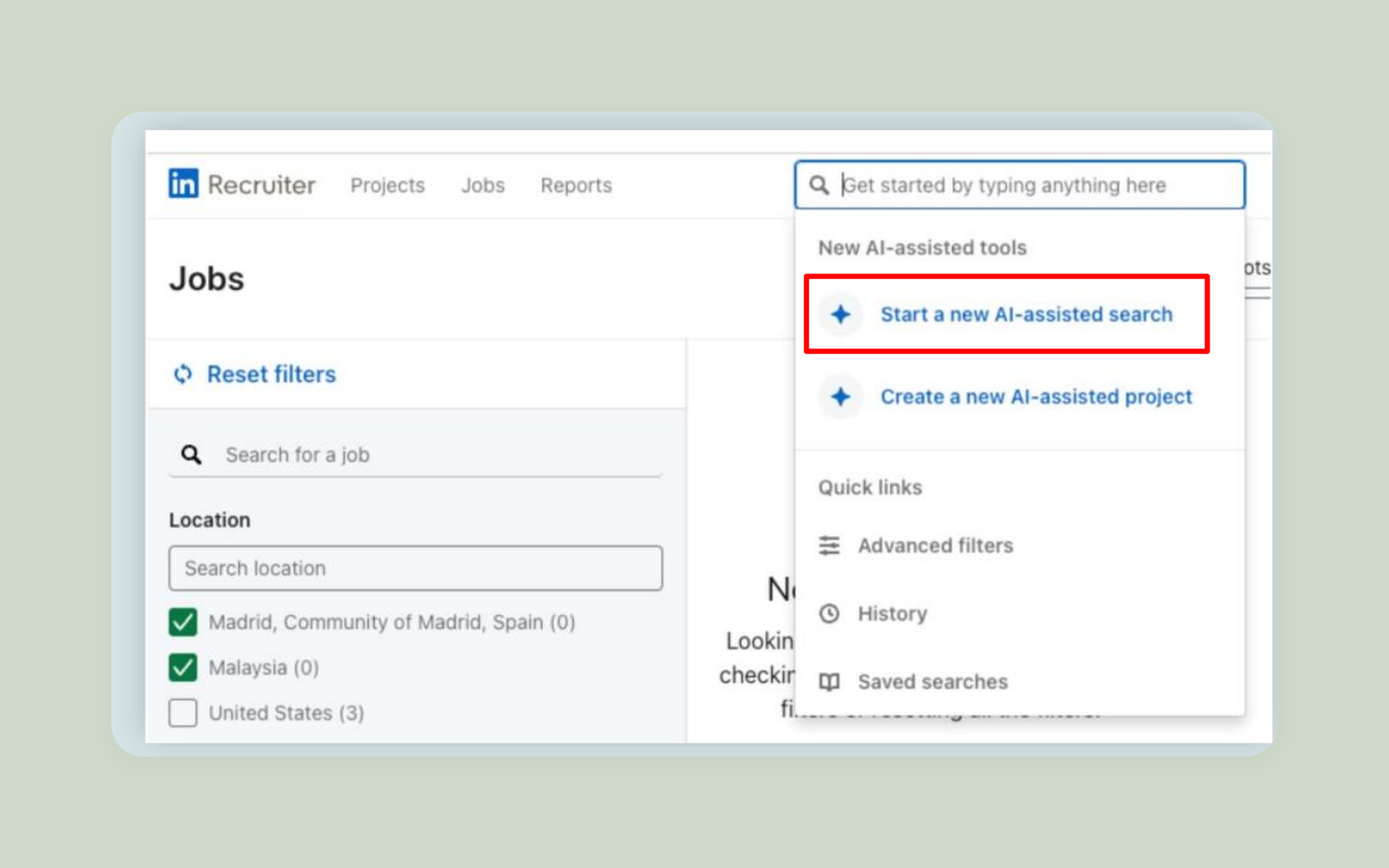
AI-Assisted Search turns a plain-language request into filters. Recruiters can inspect those filters, edit them, add Boolean logic, and refine the result. That control matters when a polished prompt still misses the role.
SeekOut has the edge when the proof sits outside LinkedIn. LinkedIn has the edge when current identity, interest, or network relationships decide who gets contacted. For another specialist comparison, see SeekOut vs hireEZ.
For a practical test, ask the hiring manager to name the proof behind a “yes.” If it is code, a paper, a patent, a license, or prior ATS history, start with SeekOut. If it is current title, relationship, activity, or interest, start with LinkedIn.
Outreach comes down to email flexibility versus InMail
Finding a candidate is only half the sourcing job. The next choice is whether outreach stays inside LinkedIn or moves to email.
SeekOut retrieves work or personal contact data through partners. Email and phone lookups use separate credits. Its support center says failed retrievals are refunded or do not reduce the balance.
Recruiters can send email through an integrated mailbox, use send-on-behalf, and build AI-assisted multistep campaigns. Higher packages add messaging analytics.
SeekOut's support center says monthly contact credits do not roll over. Purchased add-on credits do not expire. A full-profile export uses one export credit, and contact data appears only after the matching contact credit is used.
LinkedIn Recruiter keeps outreach in the network. The full Recruiter product offers up to 150 InMails per seat each month, according to LinkedIn's current page. Lite includes 30 monthly InMails.
There is no honest universal winner on response. The evidence set includes mixed reports on InMail, email, and contact-data quality. Role, message, sender, and candidate habits all affect the result.
Email gives the team more control over the sending domain, sequence, and follow-up. InMail keeps the message attached to a professional identity. Test both with the same role and similar copy before moving the whole team.
100Hires can enrich a profile, validate the email through ZeroBounce, run email or text sequences, and keep replies in the candidate record. It cannot send LinkedIn InMail. Try that workflow free if direct email is your chosen channel.
The AI features help with different parts of sourcing
All three products use AI, but they apply it at different moments. The distinction matters more than the AI label.
- 100Hires: AI Scoring, AI Copilot questions, and AI Email Composer inside the ATS candidate record.
- SeekOut: AI search, search refinement, assisted specialist discovery, campaign drafting, and guided recruiting work.
- LinkedIn Recruiter: AI-Assisted Search, recommendations, and message assistance inside the LinkedIn environment.
SeekOut is better suited to AI-assisted specialist discovery across varied evidence. LinkedIn is better suited to search and messaging within its network.
100Hires starts later in the process. AI Scoring compares a candidate with job criteria. AI Copilot answers saved or custom questions from candidate and job context. AI Email Composer drafts a message inside the candidate's profile.
None of these features removes recruiter judgment. Treat generated filters, rankings, and messages as a first pass. Inspect the evidence, tune the search, and review the text before it reaches a candidate.
A useful AI trial has three checks. Can the recruiter see why a profile matched? Can they edit the filters or criteria? Can they reject a draft without breaking the rest of the process?
Fast results are less useful when recruiters cannot see the evidence behind them. A slower result with visible evidence is easier to defend, correct, and teach across a sourcing team.
Neither SeekOut nor LinkedIn Recruiter is a full ATS
Finding a profile and managing a hiring process are different jobs. The sourcing layer discovers people. The ATS preserves history, ownership, consent, stage changes, interviews, and next steps.
SeekOut connects to an ATS through exports, Talent Rediscovery, and Applicant Review. Sourcing + Integration adds unified external and ATS search, usage reports, messaging analytics, and onboarding.
The top package adds inbound evaluation, screening workflows, dashboards, and custom integrations. Those functions extend the recruiting funnel, but SeekOut still describes connections to an ATS or CRM rather than a native ATS replacement.
LinkedIn Recruiter System Connect can sync Recruiter and an eligible ATS. Related features include Unified Search, Recommended Matches, 1-Click Export, Apply Connect, and ATS reporting.
Access depends on the Recruiter license, ATS partner, and administrator setup. Recruiter Lite does not include Recruiter System Connect (RSC). An ATS provider may charge for implementation.
Read the sync details before signing. LinkedIn's help pages note that some setups sync the first InMail and metadata rather than the full conversation. SeekOut exports can create a prospect or attach a record to a job, depending on the connector.
Test updates in both directions. Confirm duplicate handling, field ownership, deletion requests, consent history, and what happens when an integration is turned off.
One buyer in r/recruiting already used Tracker as the ATS and evaluated the other products only for sourcing. That setup keeps the decision about which system holds the authoritative candidate record separate from the sourcing-tool decision.
That separation is sensible. Both products can send candidates to an ATS. Neither should be bought under the assumption that the connection becomes the complete hiring system.
Diversity filters can widen a search, but they do not prove fair outcomes
SeekOut's higher Recruit packages list advanced diversity filters and insights. Those tools can help a recruiter inspect or broaden a slate. They do not prove a fair result.
LinkedIn's official AI search walkthrough says protected traits such as race, gender, age, and nationality are excluded from refinement. That design choice does not settle every fairness question in the full process.
The EEOC's AI and algorithmic fairness initiative states that anti-discrimination law still applies when employers use automated tools.
Use demographic inference, slate review, and screening AI as review inputs. Keep job-related criteria, human checks, and outcome monitoring in the process.
Pricing varies more by package than the entry price suggests
Price comparisons go wrong when one monthly sticker is placed beside an annual contract. These tables use the same fields and label derived totals.
On mobile, swipe each pricing table horizontally to see every plan field.
100Hires plan manifest
The 100Hires pricing page publishes three self-serve plans and an Enterprise tier. Prices exclude applicable taxes.
| Plan | Month to month | Annual-equivalent monthly | Annual total | Scope and limits | Billing basis |
|---|---|---|---|---|---|
| Start | $99 | $49 | $588, derived | 3 jobs, 100 candidates, 1 user, 100 monthly AI credits | Monthly or annual |
| Advanced | $249 | $199 | $2,388, derived | Unlimited jobs, candidates, and users; job-board hiring, automated email, calling, and texting; 300 monthly-billed or 1,000 annual-billed AI credits | Monthly or annual |
| Pro | $499 | $399 | $4,788, derived | Advanced plus contact enrichment, Email Carousel and warmup, onboarding; 3,000 monthly-billed or 5,000 annual-billed AI credits | Monthly or annual |
| Enterprise | Custom quote | Not publicly shown | Not publicly shown | Pro plus security, governance, SSO, BI, and custom work | Contact sales |
SeekOut plan manifest
SeekOut's current pricing page publishes a self-serve Core price. The other Recruit packages use annual custom pricing.
| Plan | Month to month | Annual-equivalent monthly | Annual total | Scope and limits | Billing basis |
|---|---|---|---|---|---|
| Recruit Core | $179 | $149 | $1,788 | 3 seats, 500 contact credits per month, 1,000 exports per month, 14-day trial | Monthly or annual paid upfront |
| Recruit Sourcing | Custom quote | Not publicly shown | Not publicly shown | 750 contacts and 5,000 exports per month per seat; advanced filters and SSO | Annual per seat |
| Sourcing + Integration | Custom quote | Not publicly shown | Not publicly shown | Sourcing plus ATS rediscovery, reports, analytics, and market intelligence | Annual custom quote |
| Full Recruiting Funnel | Custom quote | Not publicly shown | Not publicly shown | Integration plus inbound evaluation, AI screening, workflows, and dashboards | Annual custom quote |
SeekOut's package matrix places ATS integration above Recruit Sourcing. A broad pricing FAQ says Recruit includes ATS integration. Ask sales which integration is included in the quoted package.
LinkedIn Recruiter plan manifest
LinkedIn publishes product scope but does not show a stable public amount on the Recruiter pages reviewed for this article. Third-party contract estimates are excluded.
| Plan | Month to month | Annual-equivalent monthly | Annual total | Scope and limits | Billing basis |
|---|---|---|---|---|---|
| Recruiter Lite | Not publicly shown | Not publicly shown | Not publicly shown | Up to third-degree search, 20+ search filters, 30 InMails per month | Direct purchase after sign-in; public page shows no amount |
| Recruiter | Custom quote | Not publicly shown | Not publicly shown | Whole network, 40+ search features, up to 150 InMails, collaboration, analytics, ATS connections | Contact sales |
Entry price is only one line in the decision. Compare seats, contacts, exports, InMail, ATS setup, implementation, and the cost of running two systems. If LinkedIn's quote misses the budget, review these LinkedIn Recruiter alternatives.
Questions to settle before you accept a quote
- Which seats can search, send messages, export, view analytics, and manage integrations?
- Do unused contacts, exports, or messages roll over, and what do add-on packs cost?
- Is ATS setup included, or will the ATS vendor charge its own implementation fee?
- Which package includes rediscovery, reporting, diversity insights, and message analytics?
- Can the team leave early, reduce seats, or export its projects and candidate history?
Ask sales to place each answer in the order form. A feature shown in a demo may belong to another tier, a paid integration, or a limited trial.
Choose based on the hiring bottleneck
A feature checklist cannot make the final choice. Start with the task that costs recruiters the most time or results in weaker candidates progressing through the hiring process.
Choose SeekOut when discovery is the hard part
Choose SeekOut when recruiters cannot find enough qualified people from LinkedIn alone. It is strongest when specialist proof, inferred filters, internal rediscovery, or email-led sourcing changes the result.
- You hire engineers, cleared talent, researchers, clinicians, or other roles with evidence outside a standard profile.
- Your ATS contains past applicants that recruiters struggle to rediscover.
- Your sourcing team wants contact retrieval and multistep email campaigns in the same layer.
On one 100Hires demo call, a SeekOut customer described using it for contact data, resumes, government-contract proposals, and supply-and-demand insights. That use fits SeekOut's specialist position.
Watch the package boundary. Advanced integrations and full-funnel functions need a custom quote. Recruiters must manage contact and export credits, then check candidate data before outreach.
Choose LinkedIn Recruiter when network context is the hard part
Choose LinkedIn Recruiter when your sourcing team works from current LinkedIn identity, activity, shared connections, and direct messages. It is the familiar choice for recruiters who spend most of the day in LinkedIn.
- You need whole-network search rather than Lite's third-degree scope.
- Open to Work, relationship context, Projects, and recommendations affect outreach.
- Your team relies on InMail and wants shared recruiter work inside one network.
The drawbacks are non-public corporate pricing and a search pool centered on LinkedIn. Results can still be noisy. Lite reduces search, messaging, collaboration, and integration scope, so compare the exact plan rather than the brand name.
Use both when identity and specialist evidence both matter
A combined setup can be rational. Use LinkedIn for first-party identity, activity, relationships, and InMail. Use SeekOut for specialist discovery, external evidence, enrichment, and ATS rediscovery.
This pattern appears in buyer calls. Recruiters may keep LinkedIn search or Lite InMail, then move email outreach and candidate records to another system.
Two sourcing tools create their own work. Budget for duplicate records, consent history, ownership, exports, training, and integration checks. Decide which system owns the candidate before the first message goes out.
A simple rule helps: one system finds, one system contacts, and one system owns the record. A product can fill two jobs, but the team should still name one owner for every candidate field and message.
Consider 100Hires when you need sourcing support plus a full ATS
100Hires is our product, so judge this section with that ownership in mind. It is the third route when the search tool is not the whole buying problem.
AI Scoring compares the profile with job criteria. AI Copilot answers questions from the candidate and job record. AI Email Composer helps draft outreach from the same profile.
According to our product documentation, recruiters can import a profile, enrich contact data through seven providers, validate email with ZeroBounce, run email or text sequences, and manage the candidate through jobs and pipelines.
The record stays inside a full ATS with ownership, history, stage changes, reports, and hiring work. This can remove handoffs among a sourcing spreadsheet, enrichment tool, email sequencer, and ATS.
This route fits a small recruiting team that already knows where to find people but loses context after import. It fits an agency that needs outreach and client-facing pipeline work. It is a weaker fit for a research team whose main need is rare specialist discovery.
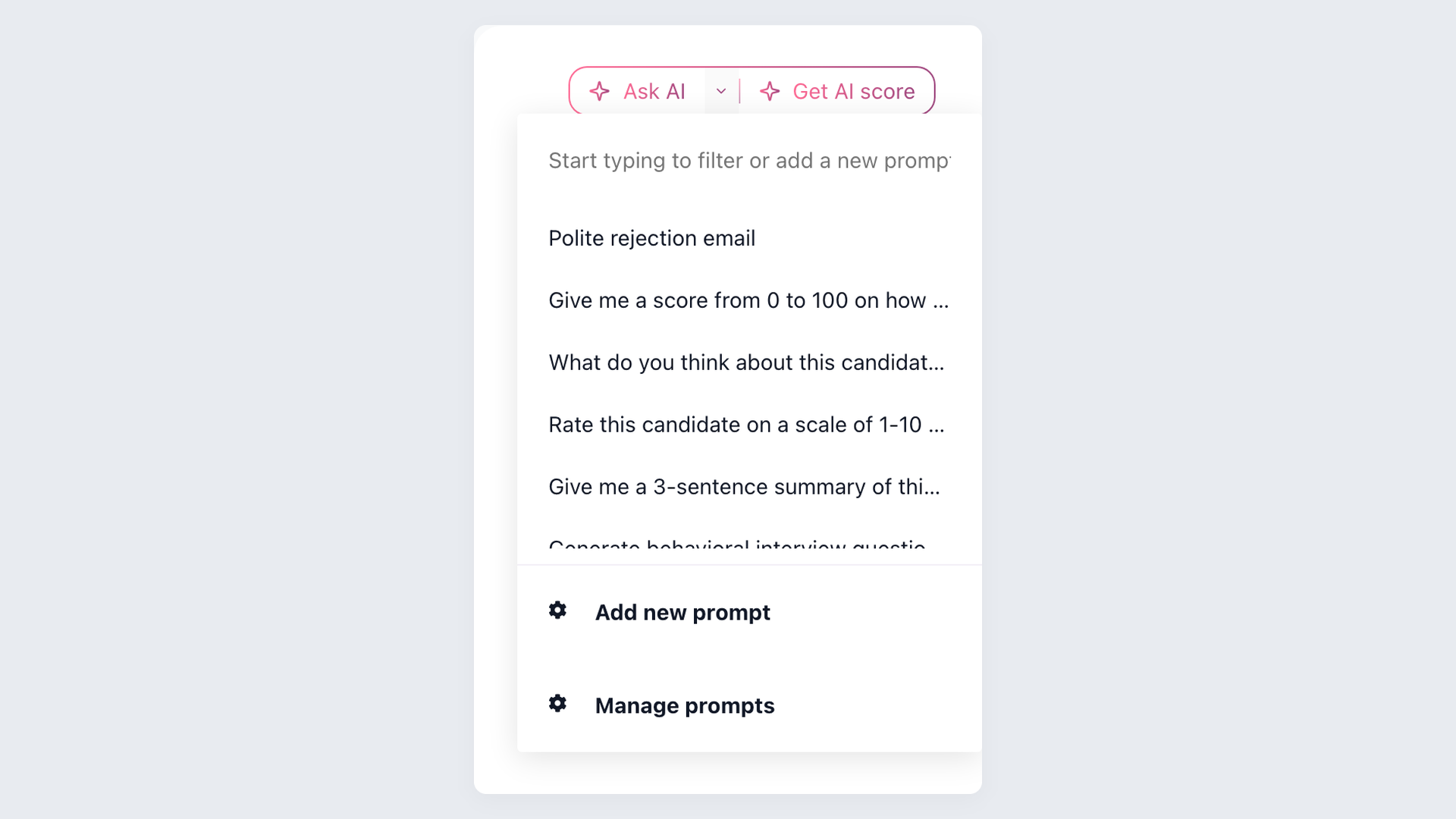
The limits matter. Sourcing is partly manual. Imported LinkedIn records do not include CVs. Search is narrower than LinkedIn Recruiter, specialist filters are shallower than SeekOut, and 100Hires does not reproduce LinkedIn's network or InMail.
Choose 100Hires when the ATS, enrichment, and outreach handoff is the bottleneck. Choose SeekOut or LinkedIn Recruiter when specialist discovery or first-party network access is non-negotiable.
Start a free 100Hires trial if you want sourced profiles to move through the full hiring process in one workspace.
Frequently asked questions
Is SeekOut better than LinkedIn Recruiter?
SeekOut is better for specialist, multi-source discovery. LinkedIn Recruiter is better for first-party LinkedIn signals and InMail. If you need sourcing support tied to a full ATS, 100Hires adds enrichment, outreach, pipelines, and candidate history.
Does SeekOut replace LinkedIn Recruiter?
SeekOut can replace parts of discovery and email outreach, but it does not replace LinkedIn's first-party network context or InMail. 100Hires can replace separate ATS, enrichment, and outreach tools, but it does not replace the LinkedIn network.
Is LinkedIn Recruiter or SeekOut an ATS?
Neither product is a complete ATS. Exports, rediscovery, RSC, and partner integrations connect sourcing to an ATS. 100Hires is a full ATS with jobs, pipelines, candidate history, hiring work, and reporting.
How much do SeekOut and LinkedIn Recruiter cost in 2026?
SeekOut Recruit Core is $149 per month paid annually, $1,788 per year, or $179 month to month. Deeper SeekOut packages and LinkedIn Recruiter use custom or non-public pricing. 100Hires starts at $49 per month billed annually in 2026.
Can you use SeekOut and LinkedIn Recruiter together?
Yes. LinkedIn can supply first-party network context, and SeekOut can add specialist evidence. Check duplicate records and two-tool cost. 100Hires can act as the ATS layer for ownership, candidate history, and next steps after sourcing.
SeekOut and LinkedIn Recruiter are both capable sourcing products, but they solve the problem from different sources. Pick SeekOut for specialist evidence, LinkedIn for network context, or both when each source changes the shortlist.
If the missing piece is candidate management after sourcing, start a free 100Hires trial. Keep SeekOut or LinkedIn Recruiter in the stack when its search advantage remains essential.
Try 100Hires for free
No credit card. 14-day trial. Forbes Advisor #1 ATS for SMBs.

