
How to post a job on ZipRecruiter in 2026: step-by-step employer guide
Posting a job on ZipRecruiter takes one pass through a short form. Create an employer account, fill in the job fields, choose a plan, enter your card details, and click Save and Post Now.
Plenty of employers get there the hard way. On sales calls, we keep hearing the same setup: a team uses ZipRecruiter alongside Indeed and LinkedIn, and someone logs into each site separately to retype the same posting.
This guide walks you through the process, field by field. It covers what the free trial requires up front (a credit card, per ZipRecruiter's support documentation) and what employers report about billing, so nothing on the checkout screen surprises you.
Key takeaways
The hiring playbook, in your inbox
One email a week - benchmarks, AI screening tactics, and short interview templates from the 100Hires team. No product pitches.
- Posting starts free, but ZipRecruiter's support documentation says you select a plan and enter a credit card to validate your account before the job goes live.
- ZipRecruiter's marketing pages do not state a standard trial length. Third-party sources report 2 to 4 days, so check the billing date shown inside your account.
- ZipRecruiter says it distributes each job to 100+ job sites automatically. A recruiter tutorial notes Indeed and Monster are not among them.
- ZipRecruiter does not publish prices. It quotes Standard, Premium, and Pro pricing separately for each account.
- An ATS like 100Hires posts the same job to ZipRecruiter and 12 other named boards in one click, which removes the re-typing problem entirely.
How to post a job on ZipRecruiter, step by step
Have three things ready before you start: an email for the employer account, your job details (title, location, pay range), and a credit card.
The card matters more than you might expect. An account-validation step appears before your job goes live, per ZipRecruiter's support documentation, and the marketing pages don't mention it. First-time posters who expected "free" to mean "no card" tend to stall right there.
Plan on roughly 10 to 15 minutes for a first posting - our estimate, not a measured figure. ZipRecruiter doesn't number these steps itself. This is the sequence recent walkthroughs show, and the order of a screen or two can shift by account.
Step 1 - Create an employer account or sign in
Go to the ZipRecruiter post-a-job page and click Post a Job. New employers enter a name, email, password, and a few company details.
If your company already has an account, sign in instead. You'll return to this account shortly to check the trial's billing date.
Recorded walkthroughs that show a card request place it later in the flow, near publishing. ZipRecruiter's support flow describes it earlier. Either way, expect to complete this check before the job goes live; its exact position in the process can vary.
Step 2 - Enter the job title
The title field autofills suggestions as you type. Choose a clear, common title rather than an internal or creative one: candidates search for "Warehouse Associate," not "Fulfillment Ninja."
The title does real work here. It shapes the description template ZipRecruiter suggests and the skills it proposes a few screens later, so a vague title means vague suggestions all the way down.
That advice comes straight from the most recent walkthrough we reviewed, a 2026 tutorial that treats the title as the one field worth slowing down for.
Step 3 - Set location and work arrangement
Enter the city and state where the job is based. A street address is optional - in a 2026 walkthrough it was left blank for privacy, and the posting went through fine.
Then pick the work arrangement: remote, hybrid, or on-site.
Step 4 - Choose employment type
Full-time, part-time, contract, or temporary. One click, next screen.
Step 5 - Write or edit the job description
ZipRecruiter pre-fills the description from a template matched to your title. Its plans page lists at least 500 customizable templates, and the template you get is fully editable.
Edit it. The template is a scaffold, not a finished ad - swap in your actual responsibilities, your requirements, and whatever makes the role worth a click. A posting that reads like every other posting gets treated like every other posting.
Two practical touches: keep requirements to the ones you'd really screen on, and put the most compelling detail (pay, schedule, growth) in the first few lines where a skimming candidate sees it.
Step 6 - Add pay, benefits, and skills
Set the pay type, range, currency, and pay frequency, then tick the benefits that apply from the checklist.
ZipRecruiter automatically suggests skills based on the title. Add or remove skills until the list matches the job you're actually hiring for.
Step 7 - Set up the company profile and applicant alerts
Write a one-line pitch and a short company description, or select a profile you saved from an earlier posting.
Then choose which email addresses receive applicant alerts. This is worth a moment of thought: routing alerts straight to the hiring manager keeps applications from landing in a shared inbox nobody checks on Fridays.
Before your job goes live: choose a plan and enter your card details. At some point before publishing, ZipRecruiter asks you to select a plan. Where this screen appears varies - support docs describe it up front, recorded walkthroughs show it near the end.
The plans are Standard, Premium, and Pro. According to the plans page, all three include the same basic posting features. Premium adds resume-database access. Pro adds TrafficBoost placement and ATS integrations, and starting a Pro plan means contacting sales.
Per ZipRecruiter's support documentation, you then enter a credit card to validate the account. The same documentation states you will not be charged if you cancel before the free trial ends.
The marketing pages promote a full-product free trial and never mention the card, so don't be thrown when the field appears. It's part of the standard process, not a sign that you clicked the wrong option.
Step 8 - Publish your job
Click Save and Post Now to publish. If you're not ready, Save Draft holds everything you've entered so you can finish later.
Once live, ZipRecruiter says it distributes the job to 100+ job sites automatically - Google Jobs is the only partner it names itself - and alerts matched candidates by text and email.
Two follow-ups worth knowing. You can invite matched candidates through the Invite button, which sends a personalized invitation on your behalf. To edit a live job, go to the Jobs tab and select Edit Job rather than returning to the posting process you just completed.
How the ZipRecruiter free trial works
ZipRecruiter presents the trial as the route into its paid plans: the full product experience, distribution to its network, and what it describes as unlimited clicks and applies on your jobs. Those are the company's own claims.
The card requirement from the step above applies to the trial itself. Free to try means card on file.
Now the detail this article handles differently from most: ZipRecruiter's marketing pages do not state a standard trial length. Third-party guides report 2 or 4 days, and an older tutorial said 3.
The one number in ZipRecruiter's own support docs - 2 days - appears in an article about mailer offer codes, a specific sign-up context. Taken together, the duration appears to vary by offer and account rather than being one fixed number.
The reliable move: the moment your trial starts, open your account and check the exact billing date and time. ZipRecruiter's support docs confirm it's displayed there. That date, not any blog post, is your real deadline.
When the trial ends, the plan you selected continues unless you cancel from the dashboard. No public source states what rate you'll pay after the trial.
Two more trial facts from ZipRecruiter's own materials help set expectations. Its support docs describe the trial as functioning like a paid subscription plan, with plans differing by how many jobs you can post at once.
And its plans page states there is no limit on the number of candidates or applications you receive. Both are the vendor's own descriptions, but they answer the two questions employers ask most about trials: what works during one, and what's capped.
Cancelling is quick, according to the support docs: go to My Account, select Cancel Free Trial, choose a reason, and confirm. Cancelling the trial this way is separate from cancelling a full account, which requires contacting support.
As for cost: ZipRecruiter publishes no plan prices at all. Older articles still quote per-day rates, but nothing on ZipRecruiter's current pages confirms them - pricing is quoted per account.
We took apart how its plans, job slots, and add-ons are structured in our ZipRecruiter pricing guide.
What employers report about billing, and how to protect yourself
Employer threads about ZipRecruiter billing go back years, and a few patterns appear often enough that you should know about them before entering card details.
These are individual, dated reports - not descriptions of current ZipRecruiter policy. Complaint threads self-select for bad experiences, so they say little about typical results.
- Trial conversions with no warning. A widely upvoted 2020 post on r/Entrepreneur described a trial that rolled into a paid charge with no notice at trial end, before the charge, or after it. One comment posted years later described a similar experience.
- Add-on screens before the subscription screen. A 2023 post on r/smallbusiness described paying for a traffic-boost add-on and only afterwards seeing a screen requiring a monthly subscription before the ad would publish at all.
- Renewal increases by email. A 2025 post on r/recruiting described a steep resume-database renewal increase the poster only learned about at renewal; ZipRecruiter, per the post, said it had announced the increase by email.
The defenses are boring and effective. Note your billing date the moment the trial starts. Cancel from the dashboard before that date if you're not continuing.
Before paying for an add-on, read the screen and check what else is required to publish the job. Some employers in those threads use virtual cards for trials as a habit - a community practice worth knowing about, whatever you decide.
One more pattern from those threads: two posters described combative or unhelpful support, and one said the response consisted of terms-of-service links and pricing-page screenshots. Noting your dates up front costs less than arguing later.
Candidate fit, meanwhile, varies widely by role and market. That cuts both ways, and it's exactly what the trial period is for.
What happens after your job goes live
Distribution runs on its own. ZipRecruiter states that each posting goes out to more than 100 job sites, and its matching system invites candidates whose profiles fit your description.
One caveat a recruiter tutorial spells out that ZipRecruiter's pages don't: Indeed and Monster are not part of that network. They compete with ZipRecruiter, so a ZipRecruiter posting doesn't reach them.
If those boards matter for your role, you post there separately - or from an ATS that pushes to all of them at once.
ZipRecruiter's own pages claim 4 out of 5 employers get a quality candidate within the first day. Treat that as the vendor's marketing number, not a guarantee.
One concept worth a minute: job slots. A slot is a concurrent posting. Fill a role and you can close that job and reuse its slot for a different role immediately - ZipRecruiter states there's no 30-day lock-in.
Capacity can be adjusted as you go, through the dashboard or your account team depending on plan. No public price for added capacity is shown, which is consistent with the rest of ZipRecruiter's quote-based pricing.
ZipRecruiter offers two features beyond basic job posting. TrafficBoost gives a posting extra promotion and is tied to the Pro tier on the plans page, but it is not required to run a job.
The Resume Database, included with Premium and Pro according to the same page, reverses the process: you search candidate profiles instead of waiting for applications.
If you're mapping out where else the role should run, our guide to the best job posting sites for employers compares the major boards side by side.
Post to ZipRecruiter and 12 other boards in one click
Now the workflow problem from the intro. If ZipRecruiter is one of three or four boards you post to, the manual version means logging into each site and re-typing the same job - the same routine employers described across our sales calls.
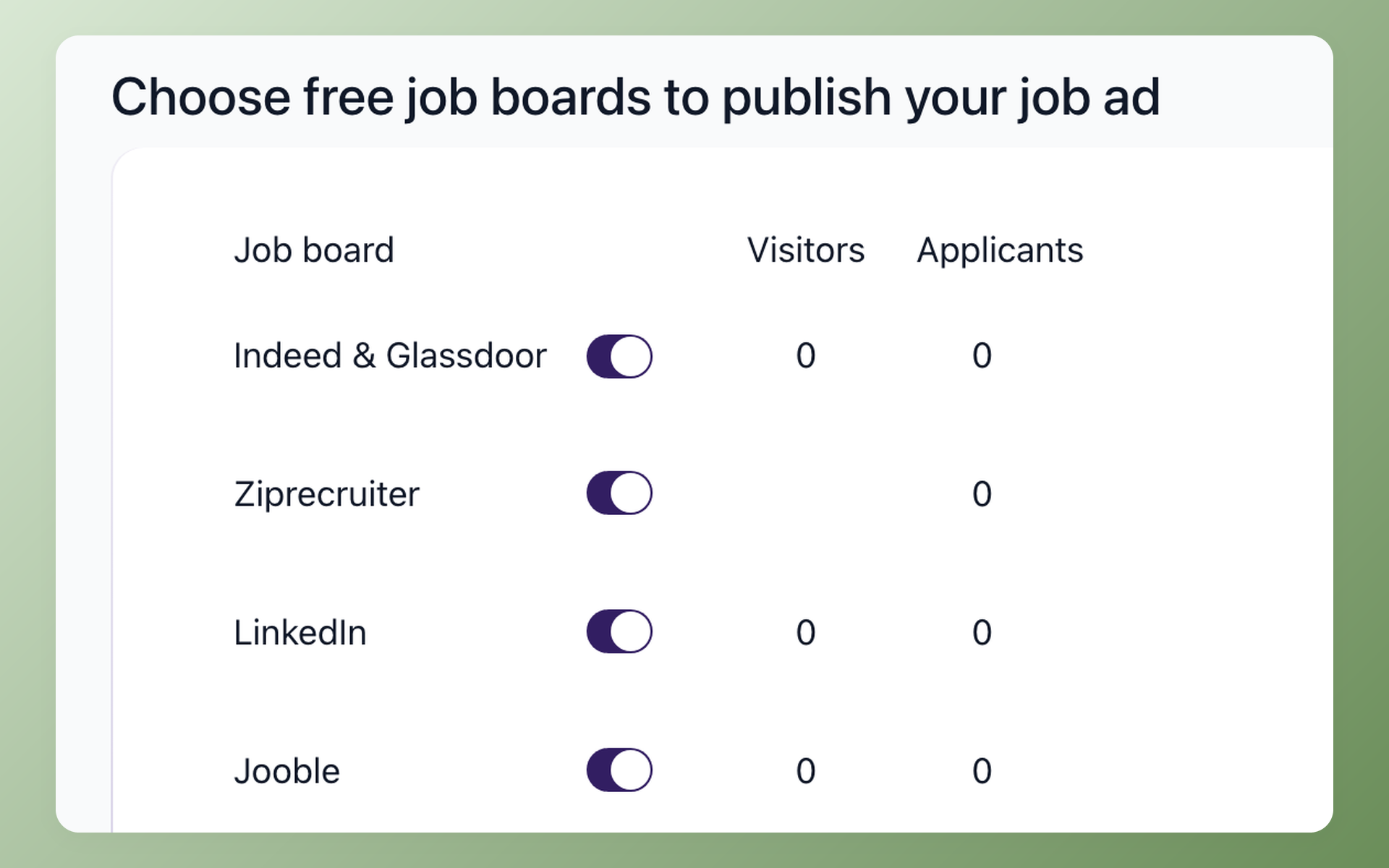
100Hires collapses that into one posting workflow. Publish a job once and it goes to 13 named job boards: ZipRecruiter, Indeed, LinkedIn, Glassdoor, Monster, and eight more.
The ZipRecruiter integration posts your free organic listing by default on every paid plan, with no per-board surcharge. Sponsored ZipRecruiter placement stays optional - and if you want it, you buy it from ZipRecruiter directly, not through us.
The math is plain arithmetic, not a study. Assume 12 minutes per site's form, and three separate forms take about 36 minutes per role. Across five roles a month, that's about three hours of repeated entry that one posting workflow replaces.
The 100Hires trial runs 14 days with no credit card. It has limits worth knowing up front.
- Trial accounts receive up to 10 candidates from external job boards, combined across all jobs on the account.
- Trial postings go through a verification queue that can take up to 72 hours. Upgrading skips it.
- Jobs must be in Public status to distribute to boards.
- Give boards at least 24 hours after a job goes live before checking visibility.
The 100Hires help article on posting to ZipRecruiter covers eligibility, job statuses, verification timing, and the 24-hour visibility window in more detail.
Start a free 100Hires trial and put the same job everywhere at once.
Frequently asked questions
Can you post a job on ZipRecruiter for free?
You can start free. The trial gives full product access, but ZipRecruiter's support docs say a plan selection and a credit card are required, and the plan continues at trial end unless you cancel. The 14-day 100Hires trial, by contrast, needs no card.
How much does it cost to post a job on ZipRecruiter?
ZipRecruiter does not publish prices. It quotes Standard, Premium, and Pro separately for each account, and the per-day rates older articles cite are unconfirmed. The 100Hires ZipRecruiter pricing guide breaks down how the plans, slots, and add-ons are structured.
Is Indeed or ZipRecruiter better for posting jobs?
Employer threads lean toward Indeed's pay-per-click control; ZipRecruiter leans on matching and invites. Employers on our sales calls typically run it alongside Indeed - the 100Hires Indeed vs ZipRecruiter comparison covers the tradeoffs, and one posting reaches both.
Where does ZipRecruiter post my job?
ZipRecruiter says it posts your job to more than 100 sites and alerts matched candidates. Google Jobs is the only named partner; a recruiter tutorial notes Indeed and Monster are excluded. 100Hires publishes its full 13-board list, so you know where a posting lands.
Does ZipRecruiter post legit jobs, and will I get qualified applicants?
ZipRecruiter has employers validate their account with a card before jobs go live, though no marketplace can guarantee every listing. In one 2023 thread, two unrelated roles drew near-identical applicants. 100Hires AI Score rates applicants against the job's criteria.
Try 100Hires for free
No credit card. 14-day trial. Forbes Advisor #1 ATS for SMBs.

