
Migrate from Workable to 100Hires
Switch from Workable with free self-service CSV import, or use free managed migration on annual Pro after source and scope review.
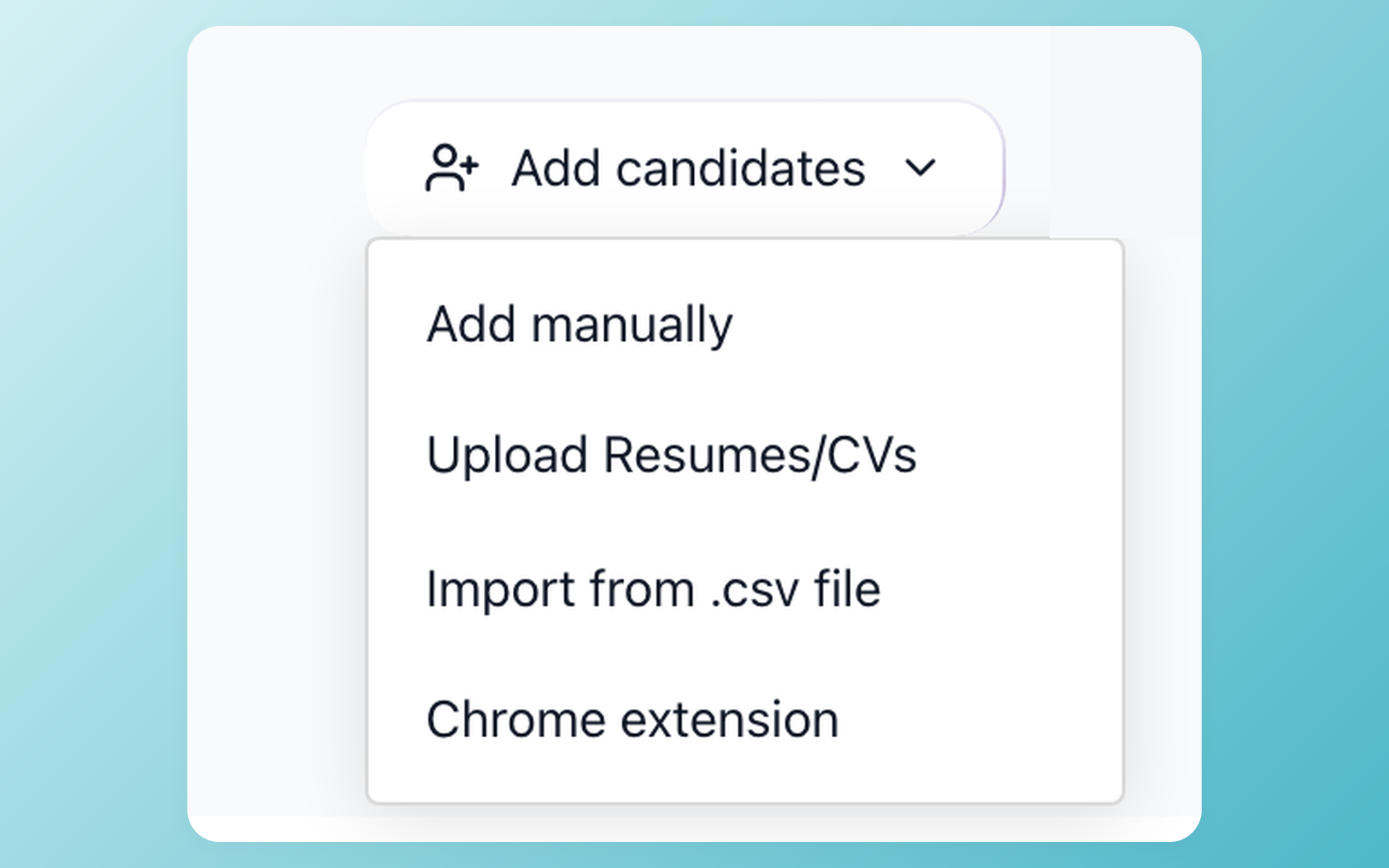
Managed migration is included on annual Pro contracts after scope review. Other plans are custom quoted.
You are not shopping for another tour of Workable. You are deciding whether the destination is worth the move, what 100Hires can take on, and which workflows your team will need to set up again.
Workable remains a capable ATS. This page does not claim that every Workable feature has a direct 100Hires equivalent. It shows the destination, the migration boundary, and the checks that should pass before your team cuts over.
See what your team gains after the Workable move
The first decision is not how to export. It is whether the new account fits the work you want to do next. 100Hires gives an SMB team a lower entry price, with plan limits that matter once migration and outbound recruiting enter the picture.
The table keeps destination value separate from source logistics. It does not use missing-feature claims against Workable. A source capability can be useful and still require a new setup, a new policy, or a different plan after cutover.
| Area | 100Hires destination | Workable/source boundary |
|---|---|---|
| Current pricing basis | For companies with 1-20 employees, Start is $49/month billed annually or $99 month to month. It does not include managed migration or Pro-positioned candidate sourcing. Managed migration is included on annual Pro contracts after scope review; other plans are custom quoted. | Your Workable plan does not carry into 100Hires. Confirm the destination plan against the work your team needs after cutover. |
| Managed migration eligibility | Included on annual Pro contracts after scope review; other plans are custom quoted. | Access to source data does not establish destination eligibility or approved scope. |
| AI Score | Newly configured in 100Hires against recruiter-written criteria. Human reviewers retain final decisions. | Historical Workable scoring does not transfer. |
| Candidate sourcing | Starts in the new 100Hires account. Contact Finder, multichannel outreach, and warmup are Pro-positioned. | Historical sourcing activity does not transfer. |
| Follow-up | Configure new Nurture campaigns after cutover. | Historical Workable automations do not transfer. |
| Validation | Sample review, QA, buyer sign-off, then cutover. | Exported objects do not automatically map to destination fields or workflows. |
The price difference deserves care. For companies with 1-20 employees, Start costs $99 per month month to month or $49 per month billed annually. That entry price is not the price of an annual Pro service or a passive-sourcing stack.
The same care applies to feature comparisons. Scoring, outreach, and automation in the destination are new 100Hires workflows. They do not prove that an old rule, score, message history, or sequence can be copied into a working equivalent.
Choose the safest export path before anything moves
The source package sets the ceiling for what can be reviewed. 100Hires then checks that source against the fields, record counts, mappings, and history your team wants in the destination.
| 100Hires path and qualifier | Workable source package | What it contains |
|---|---|---|
| Self-service CSV import when candidate fields are sufficient; bulk resume upload remains separate | Candidate-details CSV | Candidate fields only; resume documents and attachments are not part of this CSV. |
| Managed migration included on annual Pro contracts after scope review; other plans are custom quoted | Support-assisted full export | May include applicable CSV areas plus job/candidate file folders; mapping remains subject to scope review. |
Workable's official export guidance has the current export instructions. Review them before setting a cutover date.
Before anyone moves data, name the records your recruiters still use. Include active and archived jobs, candidate counts, custom fields, stages, notes, communication history, and the history your legal or operating process requires.
Mark each item as required, useful, or source-only. This turns a vague request for everything into an acceptance list that 100Hires can map, sample, test, and return for buyer review.
Rebuild candidate review around criteria your team controls
In the new 100Hires account after cutover, AI Score helps recruiters decide which imported profiles deserve attention first. It is a new evaluation, not a historical value carried over from Workable.
Your recruiter writes the criteria for the role. 100Hires returns a 0-100 result for each criterion with supporting detail, so the team can review why a profile ranked where it did.
The human reviewer keeps the final decision. That boundary matters when a score is close, a resume lacks context, or the role needs judgment that cannot be reduced to a keyword match.
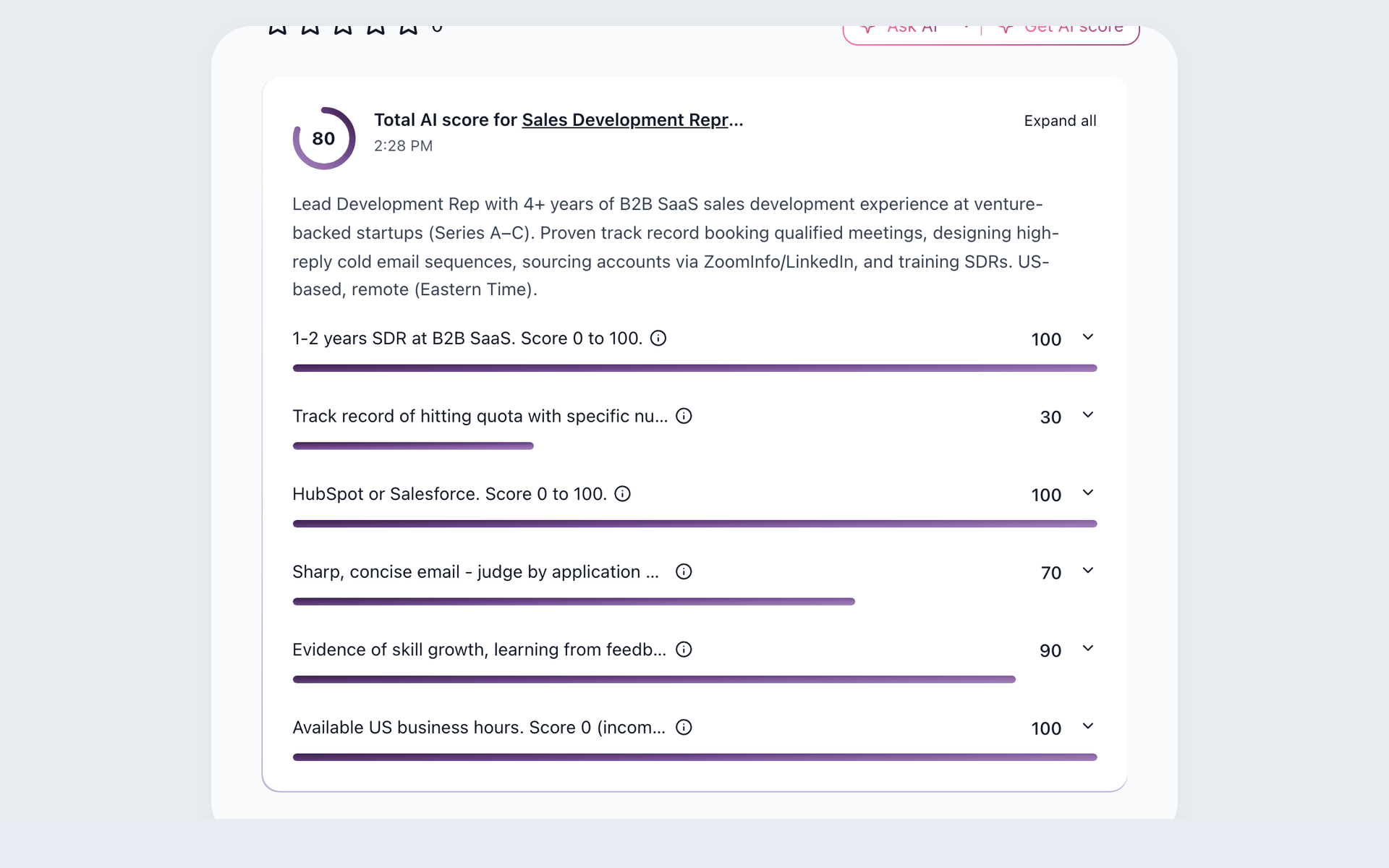
Review the reason behind every AI Score
After cutover, configure new role criteria in 100Hires and review the supporting detail before a recruiter makes the final decision. Historical Workable scoring does not transfer.
- Recruiter-written criteria
- 0-100 result per criterion
- Human final decision
You can inspect the wider candidate matching workflow before deciding how recruiters will review imported profiles in the new account.
Review the separate resume screening workflow to decide how the team will evaluate newly imported resumes after cutover.
Write the criteria before go-live, test them on a small group, and compare the result with recruiter judgment. Historical scoring remains in the source record and does not transfer.
Start new sourcing work from the destination
In the new 100Hires account after cutover, candidate sourcing starts as a fresh workflow. Historical search, enrichment, and outreach activity from Workable does not become an active destination process.
Pro is positioned for passive recruiting. It adds Contact Finder, multichannel outreach, and warmup, giving a recruiter a path from a promising profile to a reviewed contact and a new conversation.
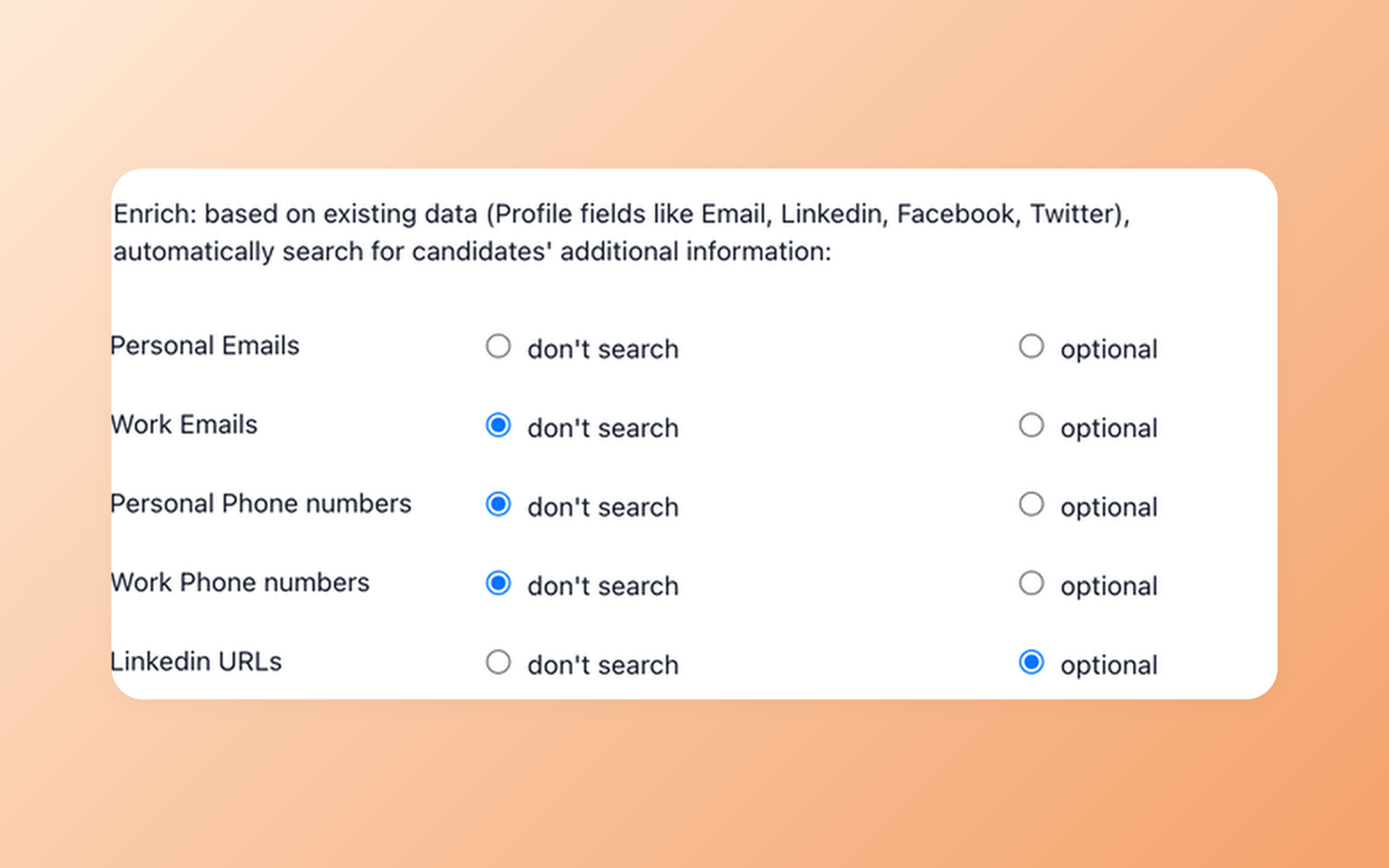
Turn a promising profile into a reachable person
In the new 100Hires account, Contact Finder is part of the Pro-positioned candidate sourcing workflow. Confirm the outreach policy, connected mailboxes, and records your recruiters may contact before starting a new conversation.
- Pro-positioned sourcing
- Mailbox review
- Outreach policy
This is a post-cutover gain, not a transfer promise. Plan owners should confirm Pro terms, outreach policy, connected mailboxes, and the records recruiters may contact before the first sequence starts.
Workable has its own search and recruiting tools. The point is not to claim it lacks them. The point is that your team will choose and configure the 100Hires process it wants to run next.
Rebuild follow-up without carrying old automations forward
Old automations should not quietly become new automations. A trigger may depend on a stage name, sender, delay, template, or status that maps differently in the destination.
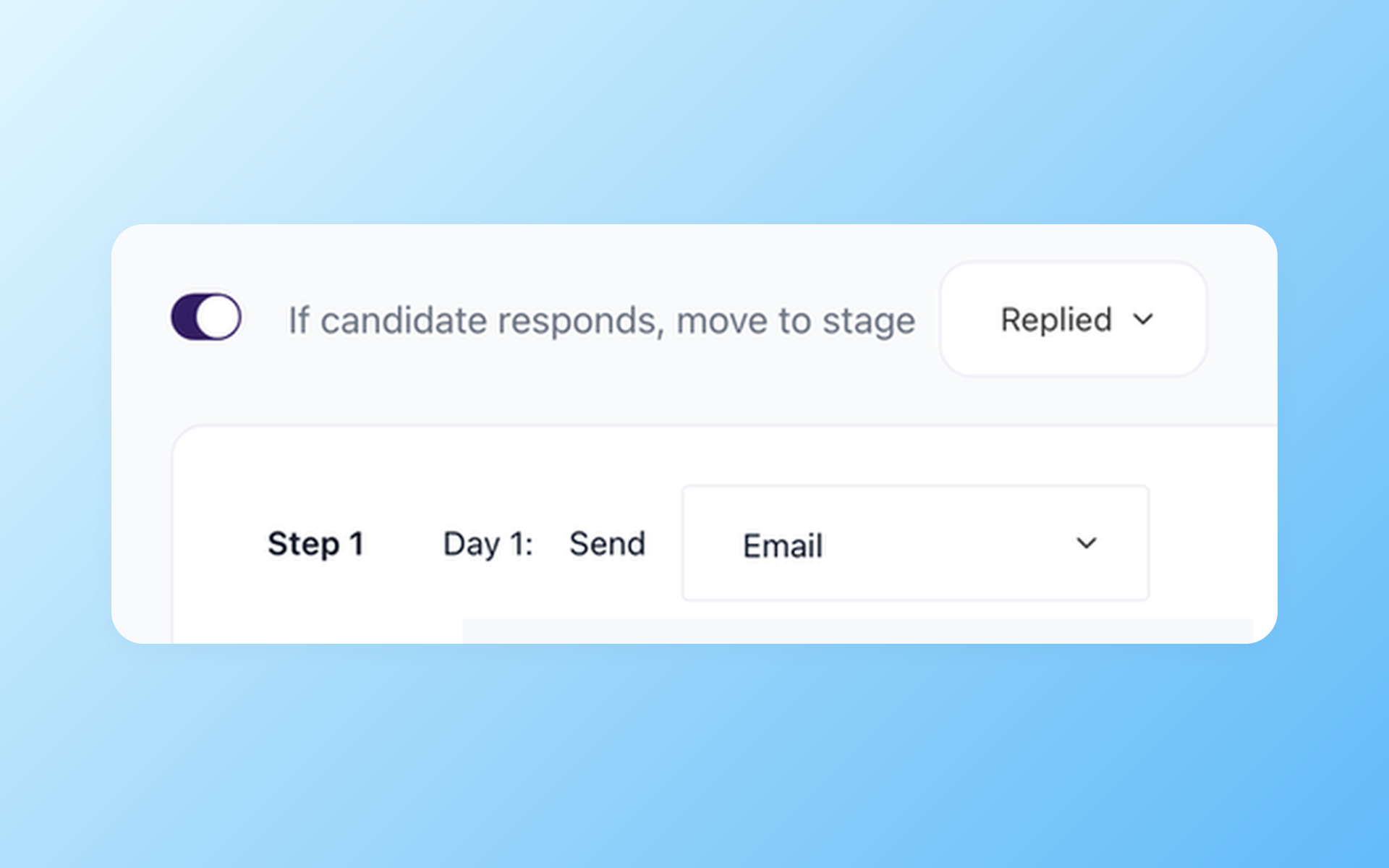
Restart follow-up with rules your team can see
After cutover, configure new Nurture campaigns in 100Hires for the follow-up your team approves. Historical Workable automations do not transfer.
- New destination workflow
- Team-approved follow-up
- No automation transfer
Keep a plain list of the follow-ups that matter, then decide which ones should be rebuilt, retired, or changed for the new 100Hires pipeline.
This is a good time to remove stale reminders and duplicate messages. A clean restart is more useful than recreating every old rule without asking whether recruiters still need it.
Know what annual Pro migration includes before kickoff
100Hires includes managed migration on annual Pro contracts after scope review; other plans are custom quoted. The review covers source files, fields, record counts, requested history, destination mappings, and data complexity.
The published 100Hires guidance is typically 1-5 business days after export files arrive. That is guidance, not a deadline. A large, messy, or multi-source project can take longer.
Check the current annual Pro terms on the 100Hires pricing page. Self-service import paths are separate from managed migration; managed work outside the annual Pro condition receives a scoped custom quote.
Keep source export, destination import scope, sample review, QA, and buyer sign-off as separate gates. Passing one gate does not approve the next, and a matching record count does not prove that every field landed correctly.
- Retain the source until buyer acceptance.
- Reconcile candidate and job counts.
- Open a sample from each record type.
- Check fields, stages, dates, and history.
- Record every approved source-only item.
- Sign off before the operating cutover.
After cutover, test AI Score and candidate sourcing in the new 100Hires account as new workflows. Neither test should be treated as evidence that historical logic or activity transferred from Workable.
Give one person authority to accept the result. Recruiters should know the cutover date, where source-only records remain, and when new notes, messages, and stage changes must be entered in 100Hires.
Move only when the destination is ready
The logos and reviews below are general proof for 100Hires. They do not show a Workable migration, rate Workable, or establish that a given source field will move.
Use them to judge the destination, then use the scope review and acceptance checks to judge the move. Those are two different trust questions.







It solved all of my recruitment problems and offered all of the features I was looking for. It can automate most of my recruitment processes.

I’d happily recommend it to my industry peers. I’m able to use the platform with ease and don’t have to think twice about which function to use.

The system is very user-friendly. Even people with no experience will find it easy to understand its functionality.
The hiring playbook, in your inbox
One email a week - benchmarks, AI screening tactics, and short interview templates from the 100Hires team. No product pitches.
Workable is a trademark of its respective owner. 100Hires is independent and not affiliated with or endorsed by Workable.