
Migrate from GoHire
Switching from GoHire? Start a 100Hires trial and ask whether an annual 100Hires Pro contract qualifies for free, comprehensive managed migration after we review the available export and scope. Other 100Hires plans require a custom quote.






Start by confirming what can move
For eligible 100Hires Pro customers on annual contracts, 100Hires includes free, comprehensive managed migration after reviewing the available GoHire export and the requested scope; other 100Hires plans require a custom quote.
Starting a trial does not confirm eligibility, coverage, or timing.
- Review the source: confirm approximate candidate and job counts, which GoHire files and record types are available, and the requested scope.
- Map and test: map supported fields and run a sample import before the approved migration.
- Complete and verify: move the approved data and ask the customer to check the resulting records.
The typical timeframe is 1-5 business days after export files are received. Volume, complexity, available formats, mapping, and verification can affect the work involved, so it is not a fixed deadline.
Choose the right path into 100Hires
- Managed migration: 100Hires maps, tests, and verifies the supported records within the agreed scope.
- Candidate CSV import: map columns, review errors, assign imported candidates to a job and a stage, then import the file.
- Bulk resume upload: upload supported resume files, preview parsed profiles, and create candidate records.
A 2021 GoHire article documents a job-level CSV export with 13 fields. A 2023 GoHire FAQ says mass candidate CSV export is unavailable and describes individual CV downloads. 100Hires must confirm which export is available for the account.
| Decision | 100Hires | GoHire / source |
|---|---|---|
| Published pricing | Monthly: $99 / $249 / $499 Annual: $588 / $2,388 / $4,788 total ($49 / $199 / $399 monthly equivalent) |
Monthly: $99 / $199 / $299 Annual: $990 / $1,990 / $2,990 total (about $83 / $166 / $249 monthly equivalent) |
| Team capacity | Start: 1 user; 3 jobs; up to 100 candidates Advanced and Pro: unlimited |
Unlimited users; jobs: 3 / 10 / unlimited active job posts Candidate cap: Not publicly stated in the sources reviewed |
| Core ATS | Candidate records, jobs, pipelines, evaluation, communication | Tracking, pipelines, screening, evaluation forms |
| Job boards | External distribution documented | 25+ free and paid boards documented |
| CV / resume parsing | Bulk resume upload with parsing and preview | CV parsing documented |
| Prioritization | AI Score: role criteria, 0-100, human review | AI Candidate Matching with plan allowances |
| Published AI limits, not like-for-like | AI credits: Start 100/mo; Advanced 300 monthly or 1,000 annual-billing credits/mo; Pro 3,000 monthly or 5,000 annual-billing credits/mo | AI Candidate Matching: Starter / Growth / Pro 25 / 50 / 100 matches/mo; Plus+ upgrade 1,000 matches/mo |
| Enrichment | Contact Finder: Pro; customer provider subscriptions required | Not publicly stated in the sources reviewed |
| Follow-up | Nurture steps plus AI Email Composer drafts | Built-in email; bulk messaging on Growth and Pro |
| Scheduling | Candidate self-booking links | Self-scheduling |
| Reporting | Source, pipeline, time-to-hire, campaign reports | Hiring reports; advanced reporting on Pro |
| Managed move | Included with an annual 100Hires Pro contract after export/scope review; custom quote on other 100Hires plans | Available source export must be confirmed |
| Self-service | Candidate CSV import and bulk resume upload | 2021 job CSV article and 2023 individual-CV FAQ differ in scope |
GoHire is operated by GoHire Technologies Ltd. The GoHire name is used here only to identify the product. This independent migration page is not affiliated with or endorsed by GoHire.
Prices are in USD. 100Hires prices exclude applicable taxes. GoHire's tax treatment is not stated on the public pricing page we reviewed. The 100Hires prices shown here apply to companies with 1 to 20 employees; larger companies have different public prices.
100Hires annual totals are derived from the displayed monthly equivalents. GoHire annual totals are displayed in its official pricing module with rounded monthly equivalents.
Review the right records first after the move
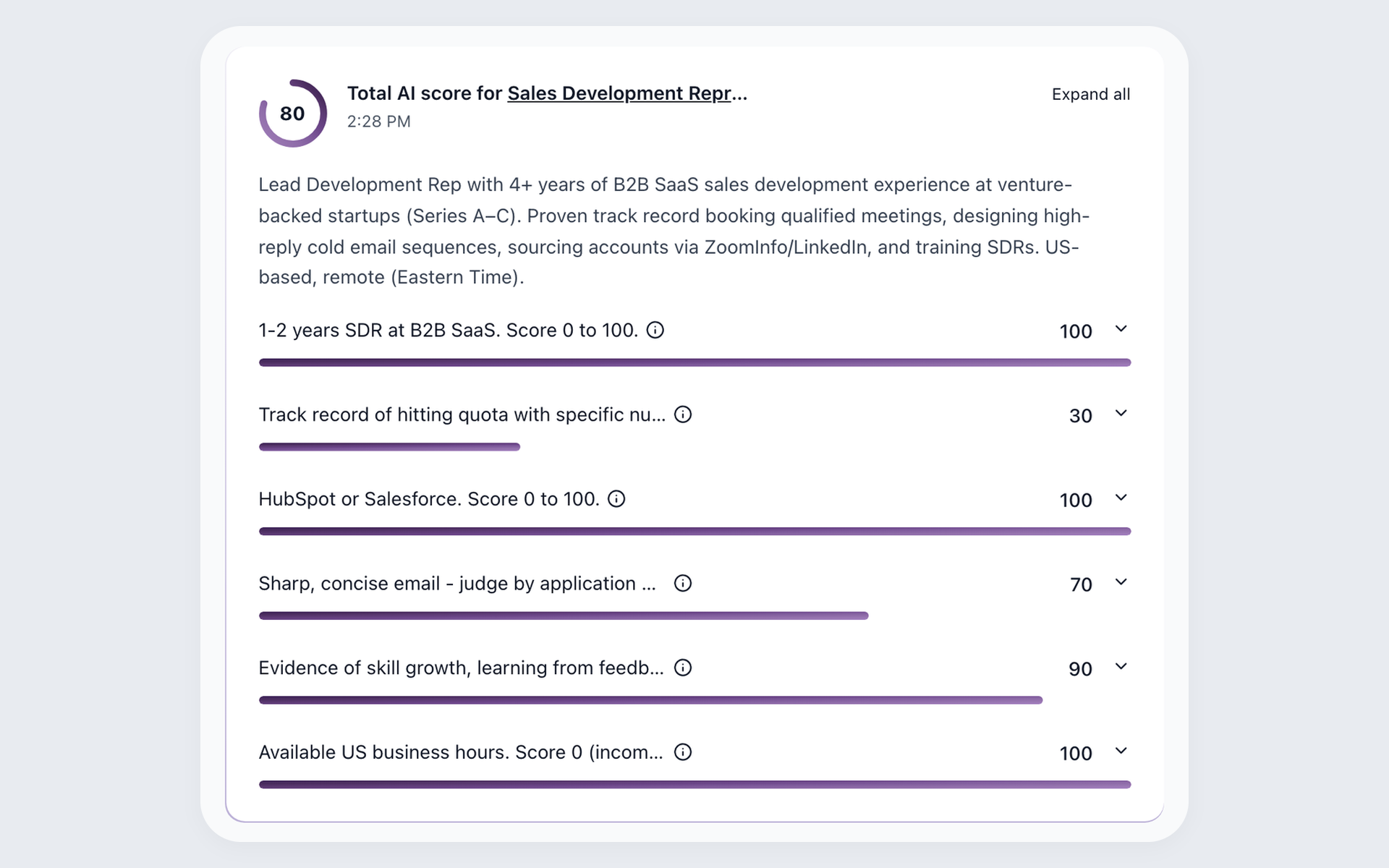
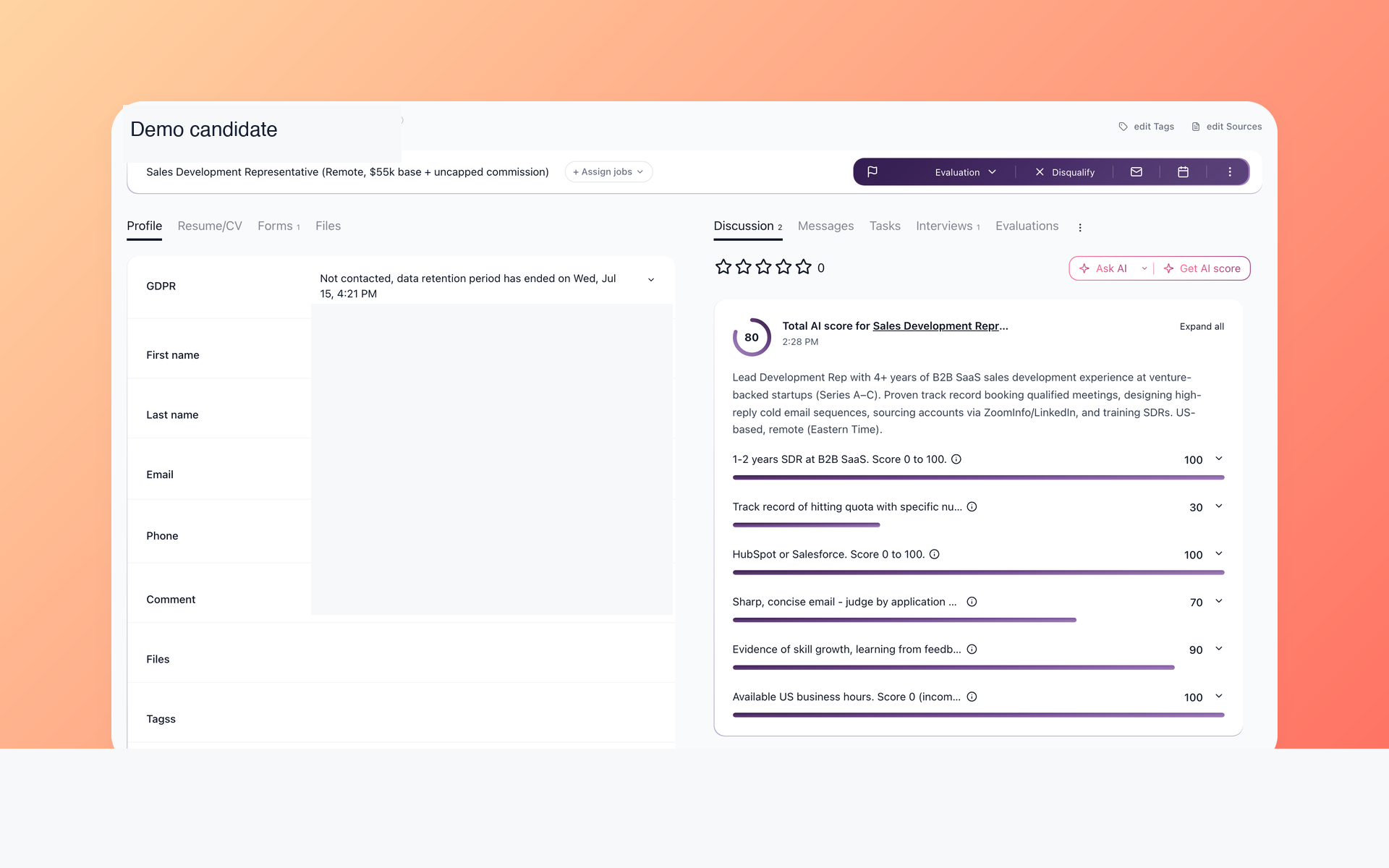
Once candidate data within the approved migration scope has been imported into 100Hires, AI Score evaluates it against criteria written for the role. It returns a total score and per-criterion details so a recruiter can prioritize human review.
- Role-specific criteria
- 0-100 score details
- Human review
Plan-specific AI quotas apply. The candidate matching and scoring workflow shows how recruiters can use available evidence alongside their judgment.
Use Contact Finder beyond imported records
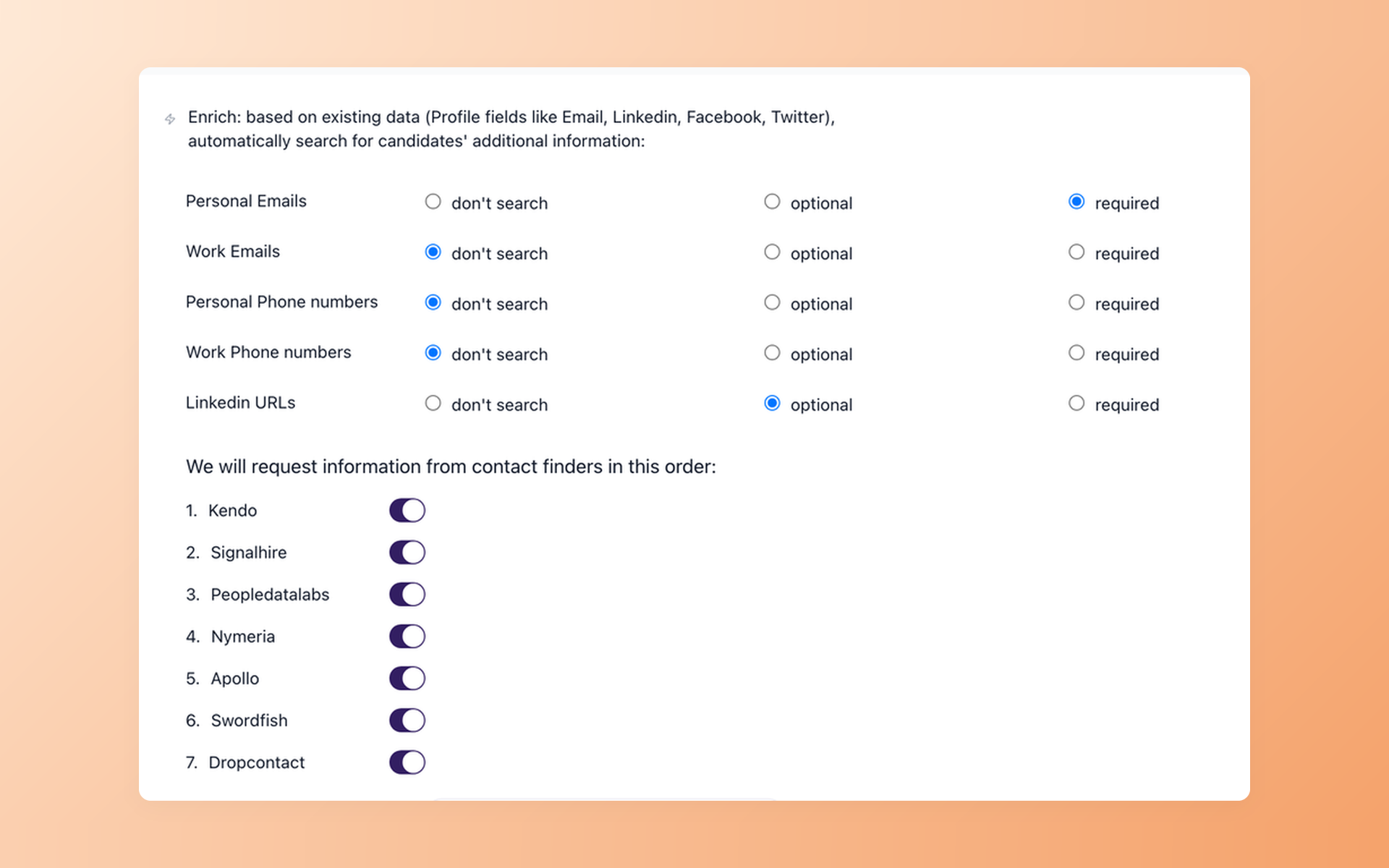
Contact Finder can look up selected contact details that are missing after the move. The screen shows the providers a customer can configure; provider subscriptions are required, and data availability varies.
- Configured providers
- Selected contact fields
- No guaranteed match
This Pro enrichment step may return no results and does not mean that the same data will transfer from GoHire. When a provider returns data, use it for candidate outreach in 100Hires.
Start candidate outreach from a reusable prompt
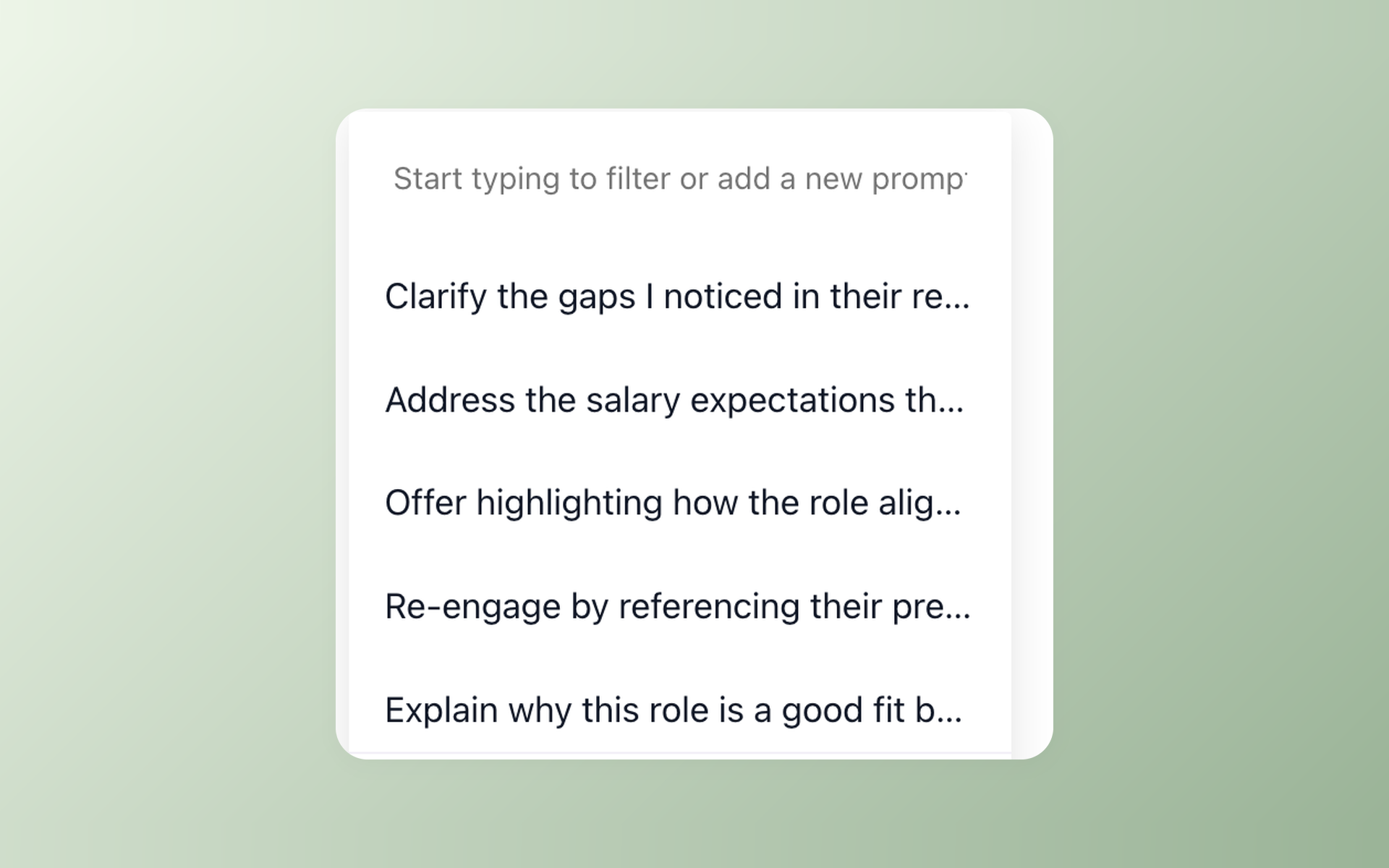
Select a reusable recruiting prompt as the starting point for a candidate message.
- Reusable prompts
- Recruiting use cases
- Prompt selection
AI Email Composer prepares a draft that the recruiter can review and edit before sending. Nurture campaigns are a separate 100Hires workflow for scheduled email, SMS, or voicemail steps and can pause when a candidate replies.
This page does not promise that GoHire messages, templates, automations, communication history, or configurations will transfer.
GoHire remains a valid fit for some teams
GoHire can remain a reasonable fit for teams satisfied with its documented job distribution, unlimited users on listed plans, applicant tracking, AI Candidate Matching, CV parsing, messaging, scheduling, reports, and integrations.
100Hires is worth testing if your team values role-specific AI Score, Contact Finder, and documented multistep follow-up when selecting a destination ATS. The table shows the applicable plan boundaries.
Include customer evidence in your migration decision

It solved all of my recruitment problems and offered all of the features I was looking for. It can automate most of my recruitment processes.

I’d happily recommend it to my industry peers. I’m able to use the platform with ease and don’t have to think twice about which function to use.

The system is very user-friendly. Even people with no experience will find it easy to understand its functionality.







 4.7
4.7
 4.8
4.8
The hiring playbook, in your inbox
One email a week - benchmarks, AI screening tactics, and short interview templates from the 100Hires team. No product pitches.