
Migrate from AvaHR
If you are switching from AvaHR, evaluate 100Hires with a free trial, then request a source and scope review to determine whether your available export and requested scope qualify for free comprehensive managed migration under an annual Pro plan.
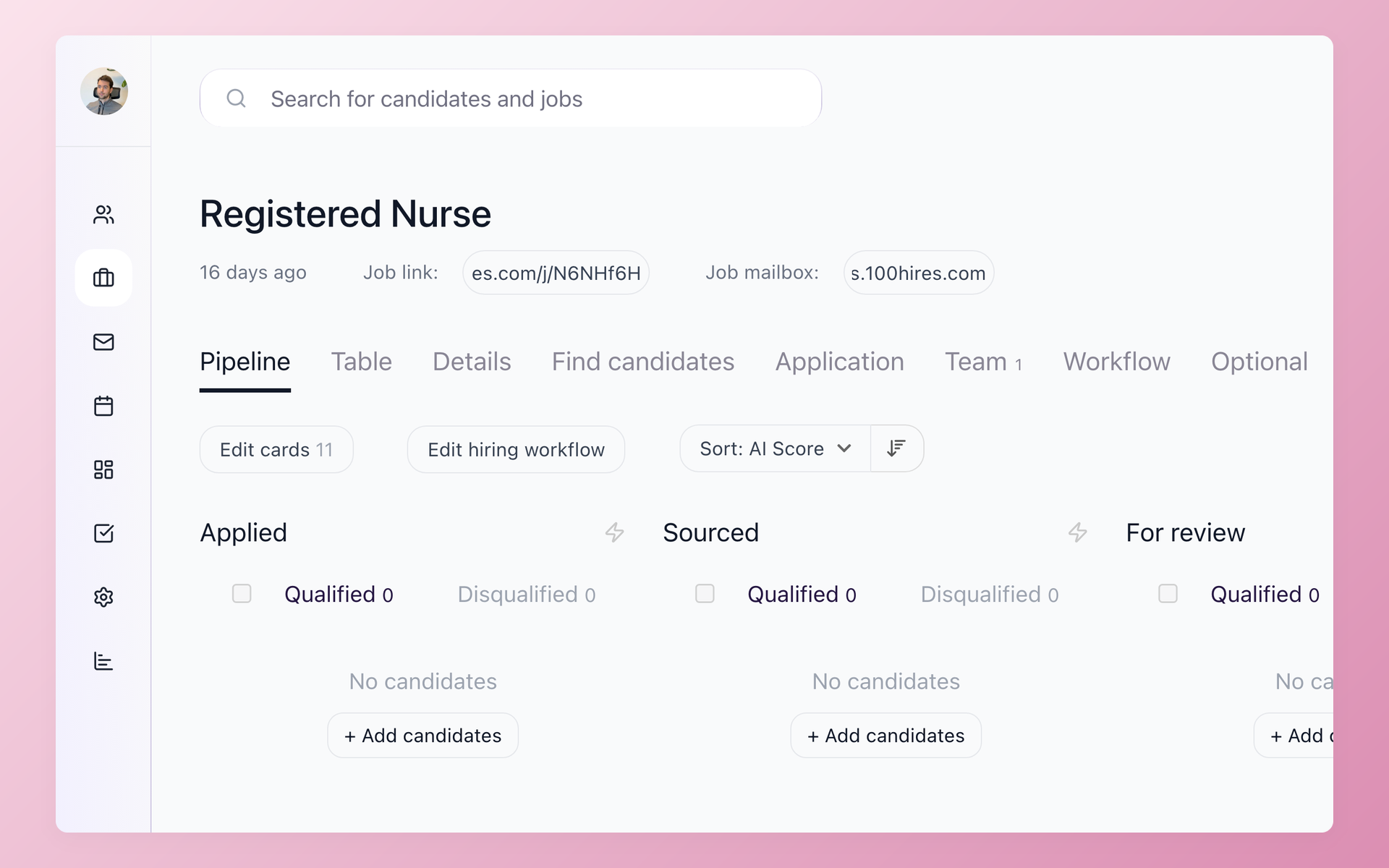






A reviewed path from AvaHR to 100Hires
AvaHR publicly documents a candidate CSV export of all or selected candidate data.
That makes the available export the starting point, but it does not establish that every resume, attachment, note, history item, automation, integration, or custom field will be present or portable.
100Hires confirms managed-migration eligibility and scope only after reviewing the export, record counts, fields, files, source quality, and requested history.
A trial lets your team evaluate the destination workspace. It does not approve migration eligibility, compatibility, timing, or final scope.
100Hires is not affiliated with, endorsed by, or sponsored by AvaHR.
One migration process, with approval gates
Swipe to see all columns.
| Step | What happens | Control |
|---|---|---|
| 1. Request and export guidance | Share the source ATS, approximate numbers of candidates and jobs, requested scope, and timing needs. 100Hires provides export guidance. | No eligibility or timing promise yet. |
| 2. Review | 100Hires checks the available export, source quality, fields, files, and counts. | The available source data limits the scope. |
| 3. Map | Agree on how supported source fields map into 100Hires. | Unsupported or unavailable data is identified before import. |
| 4. Test | Run a sample import for customer review. | Customer approval is required before the full move. |
| 5. Migrate | Import the agreed in-scope data. | Only the data in the approved scope is moved. |
| 6. Verify | The customer checks the result in 100Hires. | No zero-loss or zero-downtime guarantee. |
Free comprehensive managed migration is available to annual Pro customers after 100Hires reviews and approves the available source and requested scope. Timing is confirmed during the scope review rather than promised as a fixed AvaHR-specific duration.
Self-service candidate CSV import and bulk resume uploads are separate import options. They are separate from managed migration, and the AvaHR export and OAuth API do not prove a direct 100Hires connector.
Compare the destination workflow before you move
Use this comparison to assess the 100Hires workflows your team would use after the move. Where AvaHR’s public materials do not document an equivalent detail, confirm it before you switch.
Swipe to see all columns.
| Capability | 100Hires after the move | AvaHR public documentation |
|---|---|---|
| Candidate records after approved import | Agreed in-scope candidate records are available in the relevant 100Hires job pipelines and stages after the approved migration. | Candidate CSV export for all or selected candidate data is documented; complete file and object scope is not established. |
| AI applicant scoring | AI Score ranks candidates from 0 to 100 against role criteria, with per-criterion detail and recruiter review. | AI Job Scoring and AI Candidate Scoring on Premium and above. |
| Candidate-context assistant | AI Copilot uses available job and candidate context. | AvaHR documents a Hiring Assistant; equivalent context detail is not publicly stated. |
| Sourcing and enrichment | Contact Finder uses external providers; no match is guaranteed. | AvaHR documents sourcing; provider-level detail is not publicly stated. |
| Follow-up and email drafting | Nurture campaigns can stop after a reply; AI Email Composer drafts for recruiter review and sending. | AvaHR documents automation, nurturing, email, SMS, and a Hiring Assistant. |
Review imported candidates against role criteria
After the agreed records are in 100Hires, recruiters can review candidates against role criteria. AI candidate matching uses the data available to the selected model; it cannot create data that AvaHR did not export.
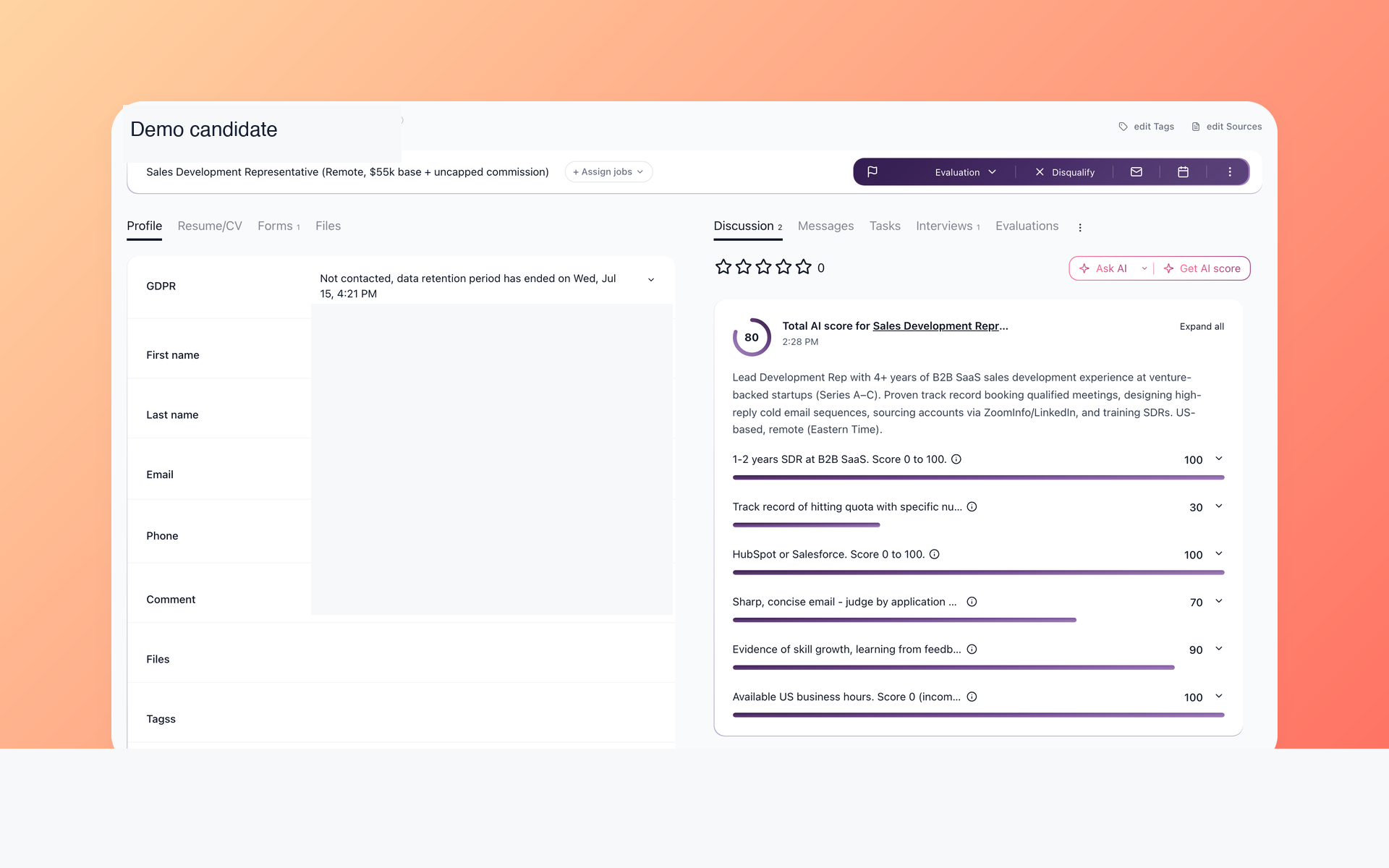
Make candidate prioritization easier to explain
AI Score ranks candidates from 0 to 100 against role-specific criteria and shows per-criterion detail. Recruiters review the underlying record and decide what happens next.
- Role-specific criteria
- 0-to-100 prioritization
- Per-criterion detail
- Recruiter judgment
AI Score is a prioritization aid, not the hiring decision. Its output depends on the data sources available to the selected model. The optional premium model may retrieve external information about a candidate's past employers.
Recruiters can use the criterion-level details to understand why one record appears above another, then read the resume and application evidence themselves.
That keeps the score explainable and makes it part of the review process rather than an automatic decision about the candidate.
During a 100Hires trial, compare the criterion-level details with the decisions your recruiters make on one live role. The useful test is whether the score helps them prioritize the queue without hiding the evidence behind the result.
Use the context available in the destination record
The AI recruiting assistant works with job and candidate context already available in 100Hires. Missing or unmapped source data remains missing, so recruiters should verify the record behind each response.
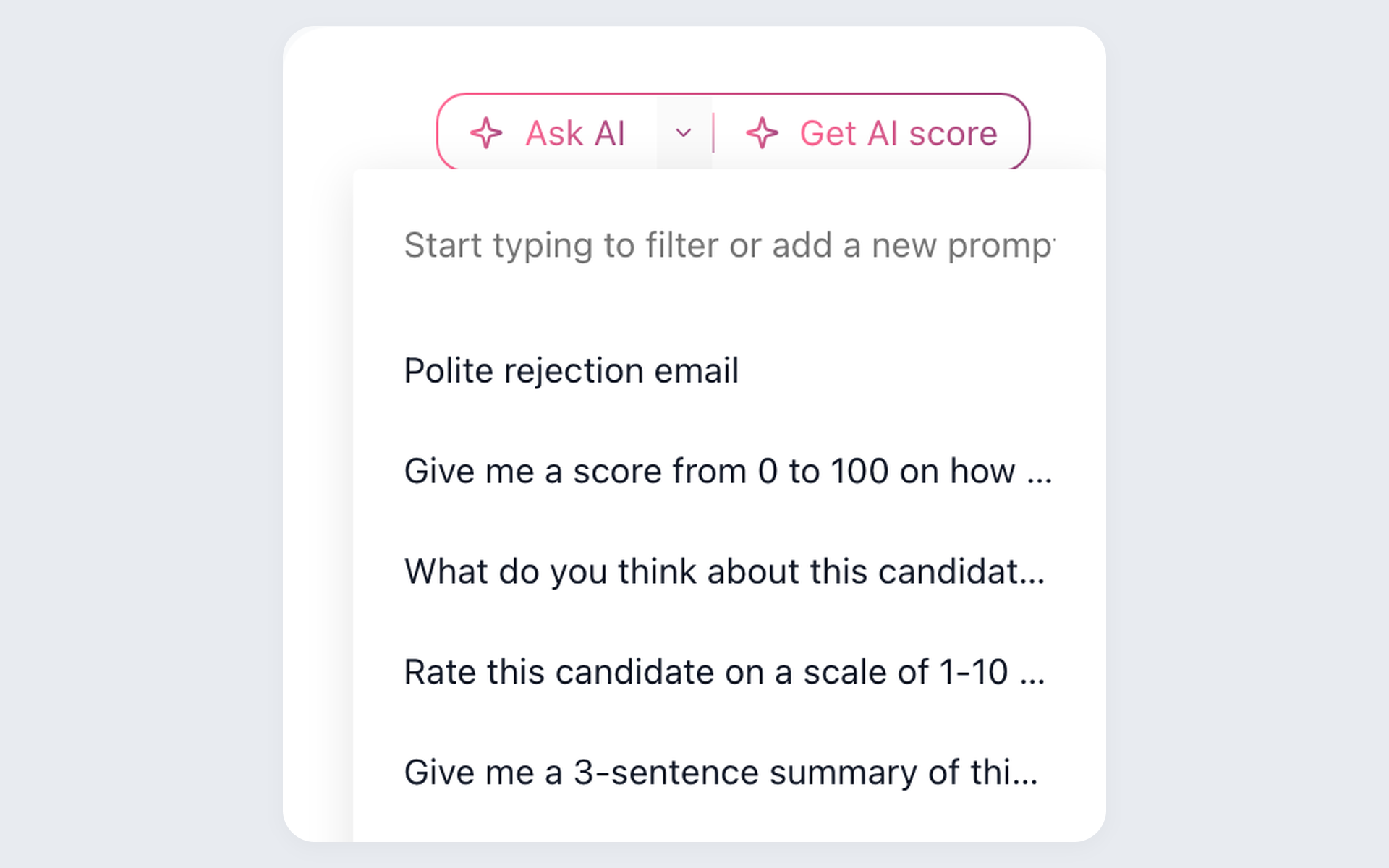
Keep recurring review questions consistent after import
AI Copilot uses available job and candidate context to support recruiter review after import. Its output depends on the information present in the destination record.
- Available job context
- Available candidate context
- Saved recruiter prompts
- Recruiter judgment remains necessary
Context matters after any system change. When a note, answer, or field was not included in the approved source data, AI Copilot cannot reconstruct it. The recruiter remains responsible for checking the available record and deciding what evidence is sufficient.
Test saved prompts against records with different levels of detail. A useful response should reflect what is present in 100Hires. When a record lacks context, the recruiter should manually check the available profile before acting.
Build contactable records for new sourcing work
Migration moves approved source data. Contact Finder supports future sourcing and re-engagement through external providers. The candidate outreach workflow connects that work to the candidate record.
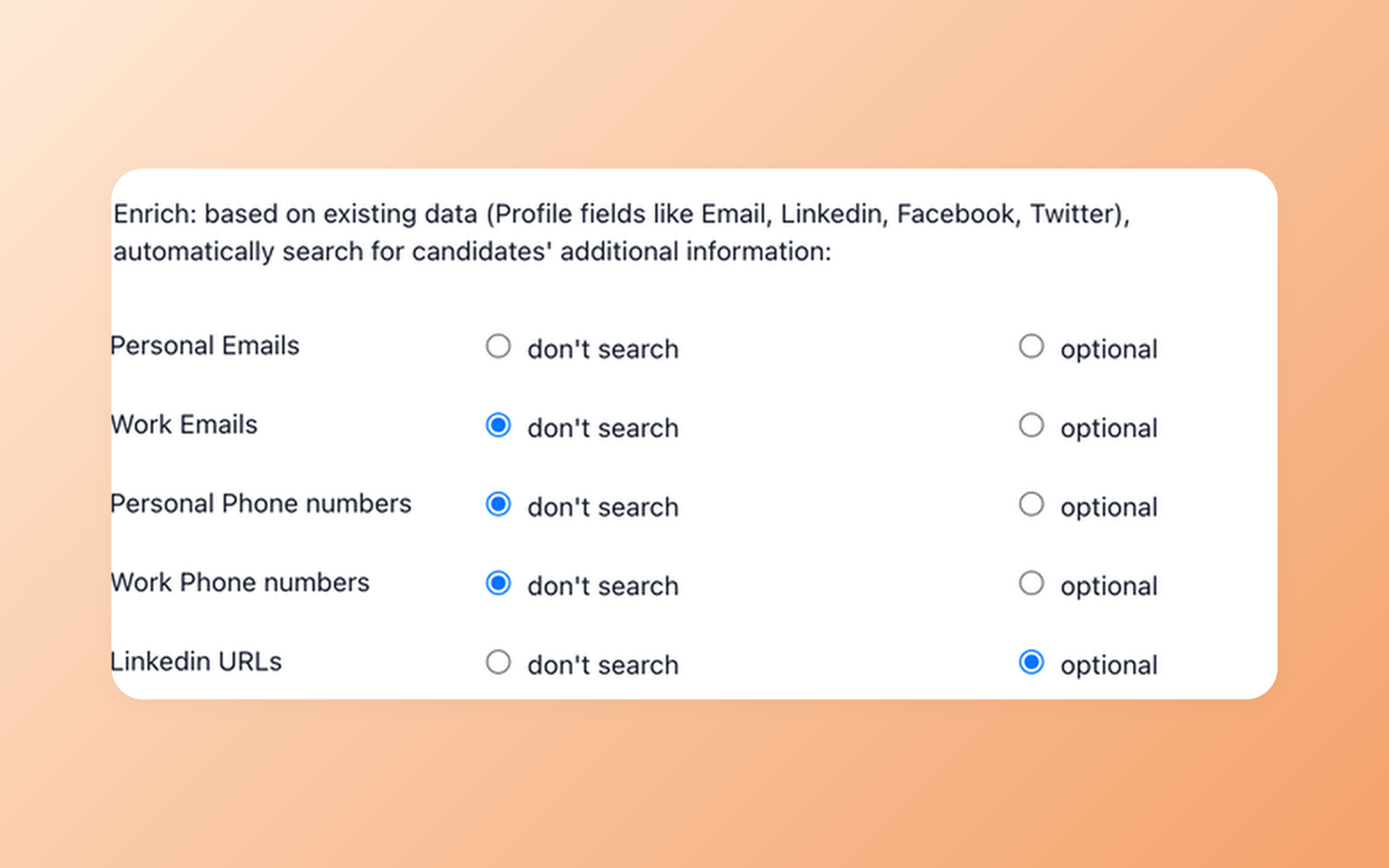
Know whether a sourced profile is ready for outreach
Contact Finder lets recruiters select contact fields for provider-dependent enrichment. Availability varies by person and provider, so 100Hires does not guarantee a match, hit rate, database size, or response.
- Selected contact fields
- External enrichment providers
- No match guarantee
- Recruiter-controlled outreach
Enrichment belongs to new sourcing work, not to the migration promise. Any returned contact information should still be reviewed before outreach, and not finding a match does not say anything about the quality or fit of the candidate.
Evaluate this as a post-move sourcing step, not as transferred AvaHR contact data. Check whether your team can choose the fields it needs and continue working when an external provider returns no match.
Keep candidate follow-up aligned with responses
After candidates are available in the new workspace, Nurture campaigns can schedule follow-up and react to a candidate response. That helps avoid continuing a sequence after the conversation changes.
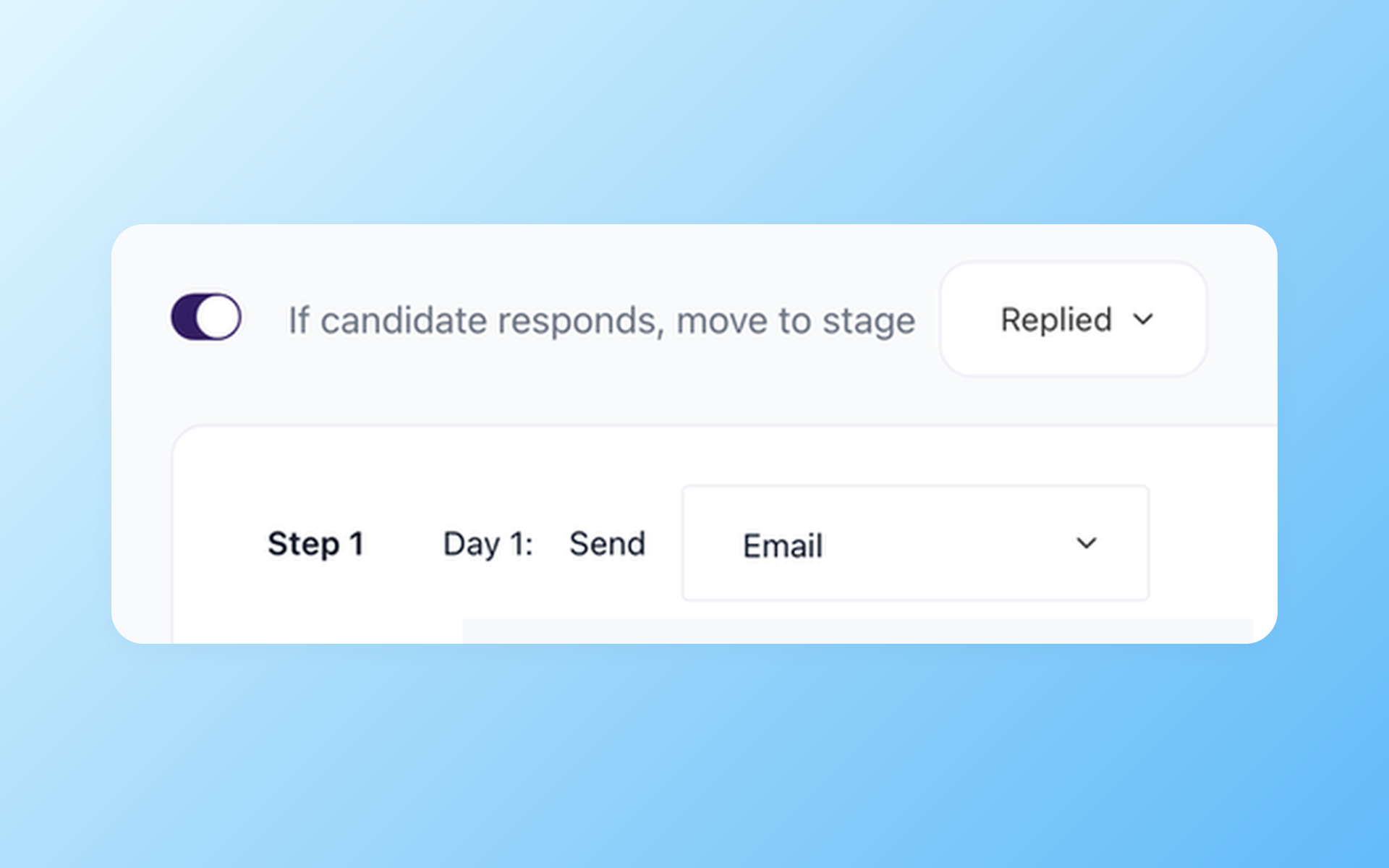
Stop scheduled follow-up after a reply
Nurture campaigns include a documented rule to stop scheduled follow-up after a reply. Recruiters choose the audience, monitor replies, and decide the next step.
- Scheduled follow-up
- Reply-aware sequence control
- Recruiter-set audience
- Recruiter-led next step
AI Email Composer can draft context-aware emails for recruiters to review, edit if needed, and send. These tools support recruiter decisions and communication rather than turning the hiring process into an autonomous system.
Recruiters still choose the audience, review the draft, monitor responses, and take over the conversation. This response rule is a workflow control, not a substitute for judgment about the candidate relationship.
Use the trial to test one short sequence with your normal review rules. Decide whether 100Hires gives the team enough control to prepare, approve, and stop communication at the right time.

It solved all of my recruitment problems and offered all of the features I was looking for. It can automate most of my recruitment processes.

I’d happily recommend it to my industry peers. I’m able to use the platform with ease and don’t have to think twice about which function to use.

The system is very user-friendly. Even people with no experience will find it easy to understand its functionality.







 4.7
4.7
 4.8
4.8
The hiring playbook, in your inbox
One email a week - benchmarks, AI screening tactics, and short interview templates from the 100Hires team. No product pitches.