
Migrate from Ashby to 100Hires
Switching from Ashby? 100Hires pairs public pricing with AI Score, AI Copilot, and managed migration on annual Pro after export and scope review.
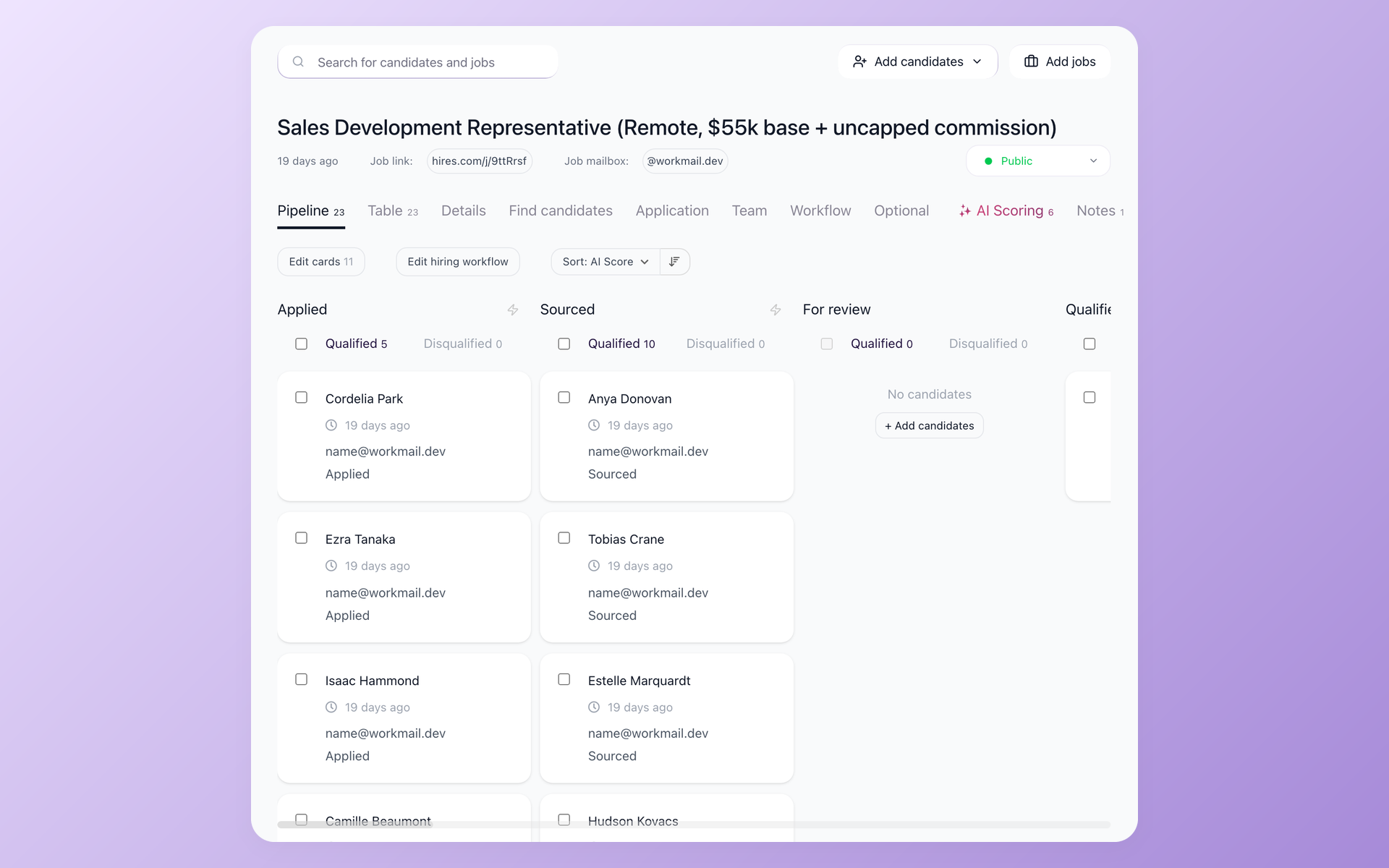






What 100Hires migration help includes
Migrate from Ashby with a scoped transfer, not a one-click promise. 100Hires reviews the source format and requested records before confirming what the managed import can include.
Teams that switch from Ashby receive managed migration with annual Pro after source-format and scope review. Other plans require a custom quote.
Self-service candidate CSV and resume upload is separate from managed transfer work. The managed scope may cover candidates, resumes and attachments, notes and evaluations, jobs and openings, stages and history, tags, and sources when the available export and mappings permit.
See how managed ATS migration works across supported source formats.
100Hires is not affiliated with, endorsed by, or sponsored by Ashby. The Ashby name identifies the source product for this independent migration page.
Compare migration readiness and post-switch fit
| Feature | 100Hires | Ashby |
|---|---|---|
| Published pricing | For 1-20 employees: Start, $49/month ($588/year prepaid) or $99 monthly; Advanced, $199/month ($2,388/year prepaid) or $249 monthly; Pro, $399/month ($4,788/year prepaid) or $499 monthly; Enterprise, custom quote. | Foundations: $400/month for up to 100 employees, with 10% off an annual commitment. Plus: custom quote for 101-1,000 employees. Enterprise: custom quote for 1,000+ employees. |
| Export preparation | 100Hires reviews the source format and requested mappings before managed import | Candidate and report exports exist; custom-list CSV is plan-dependent and bulk resumes require support |
| Managed migration | Included on annual Pro after source-format and scope review; other plans are quoted | Ashby inbound migration documentation does not define an outbound move to 100Hires |
| AI applicant review | AI Score returns a 0-100 signal against recruiter-written criteria | AI-assisted review uses user-defined criteria, status labels for each criterion, and the percentage of criteria met. |
| Reporting and fit | Operational funnel reporting for lean SMB teams | Deeper recruiting analytics and configuration for recruiting-operations teams |
| Limits and conditions | Mappings, plan AI-operation caps, provider coverage, and human final decisions apply | Export access and some AI or reporting capabilities depend on plan, support, add-ons, or beta terms |
100Hires bills the annual totals shown above in advance; the lower monthly figures are annualized equivalents. 100Hires pricing varies by employee band, and the two vendors offer plans with different scopes.
These are documented capabilities and conditions, not a promise that two plans include identical features. Confirm the employee band and migration scope before choosing a cutover date.
How a managed Ashby migration works
Ashby documents custom-list CSV export for Legacy Plus, Plus, and Enterprise. Individual candidate exports can be detailed, and bulk resume export requires Ashby support. 100Hires reviews the package you can provide before mapping begins.
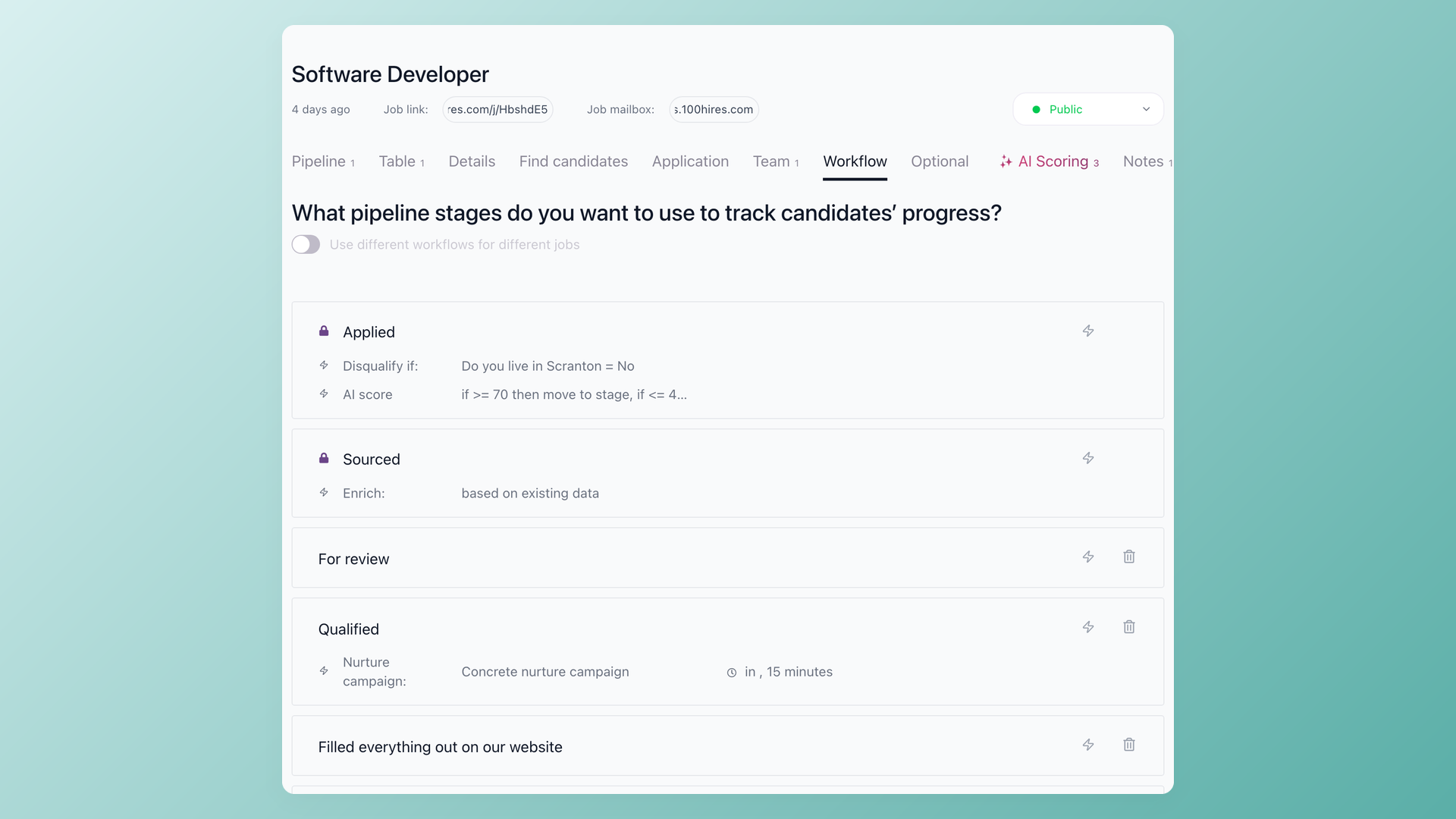
Check the destination workflow before cutover
After a sample import, use the 100Hires workflow view to check destination stages and automation actions before cutover planning. This screen shows the destination workflow, not field mapping or import progress.
- Destination stages
- Automation after records arrive
- Customer check before cutover
The working sequence is source review, field mapping, sample import, QA, customer sign-off, and cutover planning. The customer checks the mapped destination before the final plan is agreed.
Unmatched fields, corrupt files, unsupported objects, and records outside the chosen cutoff may not move. Timing varies with volume, source condition, mappings, and complexity.
Your team can retain Ashby access during migration planning, but this is not a zero-downtime guarantee. Records created after an agreed cutoff need an explicit handling plan.
Use AI Score and AI Copilot after the move
Use AI Score to review candidates after the move
100Hires AI Score returns a 0-100 prioritization signal for imported and new candidates against recruiter-written criteria. It supports human review, does not make the hiring decision, and is subject to the plan's AI-operation limit.
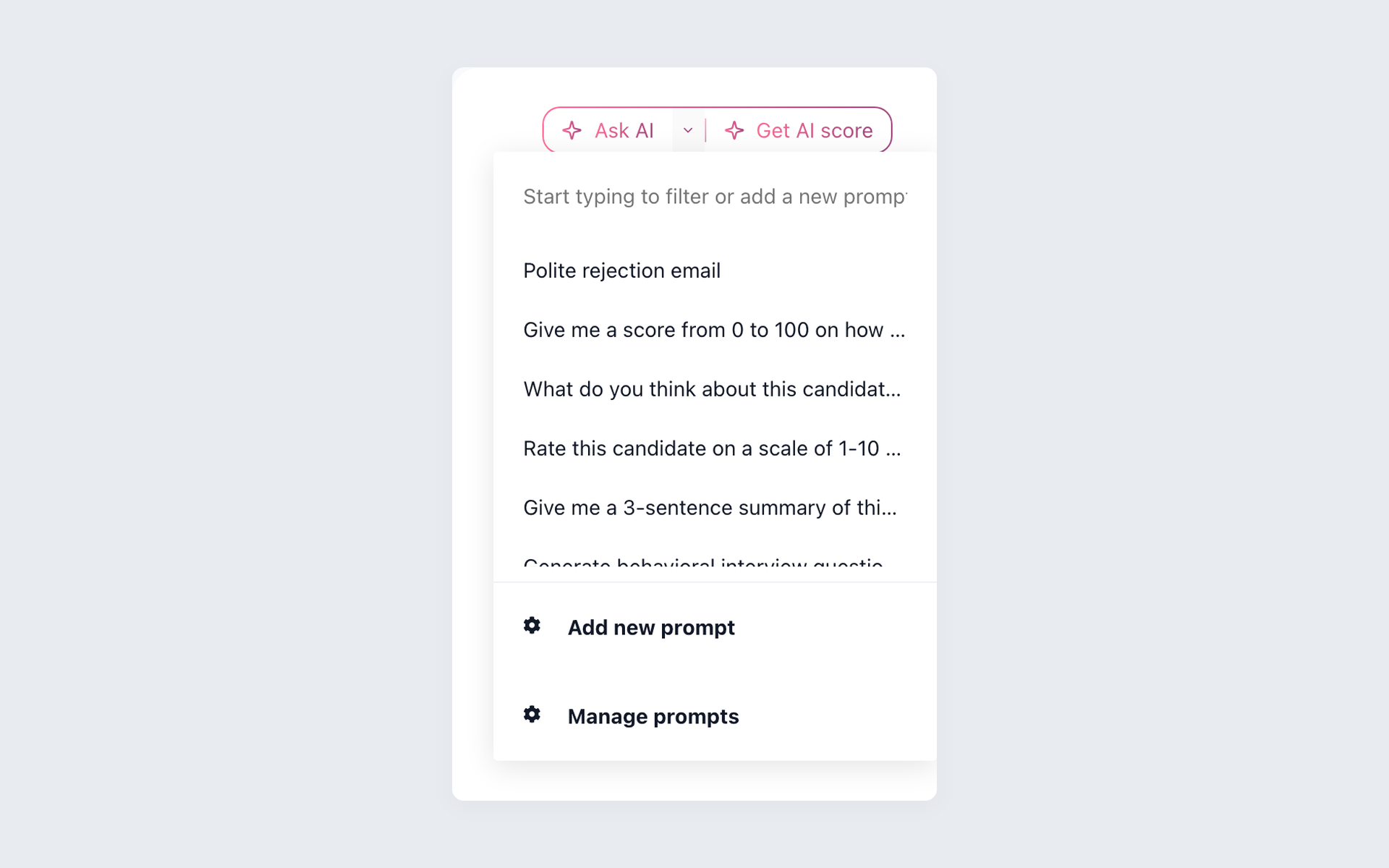
Ask AI Copilot about the candidate after the move
AI Copilot uses candidate and job context for recruiter questions after the mapped records arrive. It assists the workflow and does not recreate unsupported Ashby objects.
- Candidate and job context
- Saved recruiter prompts
- Human review and plan AI limits
Explore AI Score and AI Copilot before deciding whether the post-switch workflow fits your recruiters.
Choose the destination model that fits your team
Choose 100Hires for a lighter SMB workflow
100Hires may fit a lean team that values public entry pricing, AI Score, AI Copilot, sourcing, automation, and editable outreach without a large recruiting-operations function.
Keep Ashby when deeper recruiting operations matter more
Ashby remains a capable choice for teams that need deeper recruiting analytics, configuration, scheduling, sourcing and CRM depth, APIs, integrations, and enterprise operating controls.
The tradeoff is fit, not universal superiority or guaranteed savings. Compare the operating model, plan conditions, and mapped migration result before switching.
Review the 100Hires vs Ashby comparison for a direct look at pricing, analytics, AI, sourcing, workflows, and APIs before confirming a move.

It solved all of my recruitment problems and offered all of the features I was looking for. It can automate most of my recruitment processes.
The hiring playbook, in your inbox
One email a week - benchmarks, AI screening tactics, and short interview templates from the 100Hires team. No product pitches.