LinkedIn Recruiter Lite vs Sales Navigator in 2026: Which should you buy?
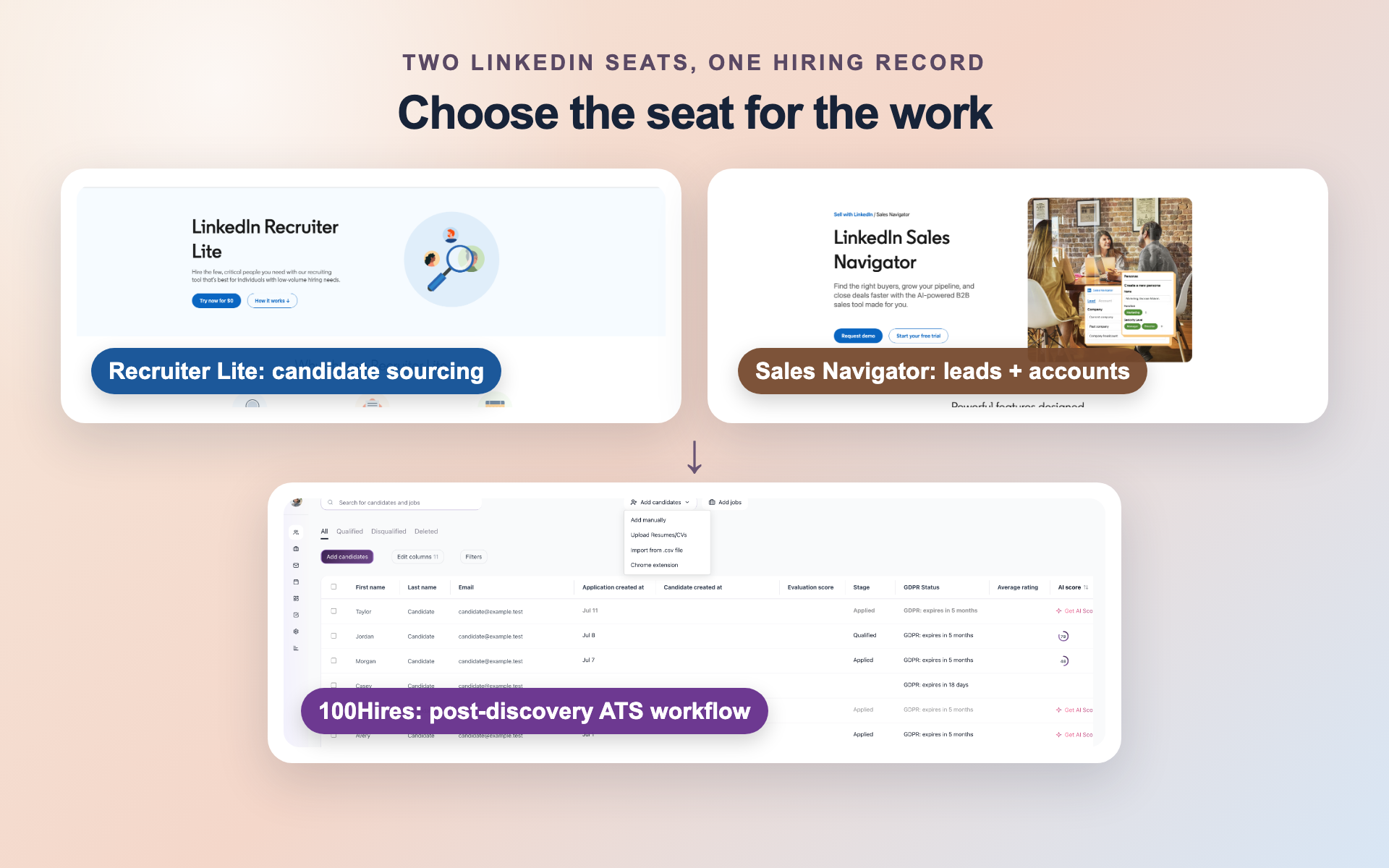
Buy Recruiter Lite when active candidate sourcing and recruiter projects define the job. Buy Sales Navigator Core when client prospecting, company mapping, or account research shares the same seat.
That split matters more than the longer feature list. Recruiter Lite gives a recruiter-shaped workspace. Sales Navigator Core gives a sales-shaped workspace that recruiters can adapt when a separate ATS owns the candidate record.
This comparison covers current pricing, search design, daily workflow, InMail allowances, and buyer scenarios. Neither subscription alone gives a company a complete recruiting system of record.
The purchase test is simple: ask what the user must organize after a search. A role-centered answer points to Lite, and an account-centered answer points to Core.
If candidate history must outlive either seat, include an ATS in the budget. This keeps a lower subscription price from hiding extra record work.
Recruiter Lite vs Sales Navigator at a glance
The hiring playbook, in your inbox
One email a week - benchmarks, AI screening tactics, and short interview templates from the 100Hires team. No product pitches.
100Hires appears first as the ATS used after discovery, not as a third LinkedIn sourcing seat.
On mobile, swipe the table horizontally to compare every column.
| Decision point | 100Hires | Recruiter Lite | Sales Navigator Core |
|---|---|---|---|
| Primary role | ATS after an individually identified supported profile is found | Candidate-first sourcing seat | Lead-and-account prospecting seat that can be adapted for sourcing |
| Search object | No LinkedIn member search | Candidates for active roles | Leads and accounts |
| Workflow container | Candidate record, jobs or Talent Pools, stages, notes, and email | Recruiting projects and candidate pipeline | Lead and account lists, notes, and alerts |
| Public starting price | $49 a month billed annually ($99 month-to-month) | $170 monthly for one license (LinkedIn's last listed price) | Starts at $119.99 monthly per license |
| Included monthly InMail | No LinkedIn InMail | 30 credits | 50 credits |
| Best fit | Owning the recruiting record after discovery | Active recruiting and candidate projects | Agency crossover, account research, and founder-led sourcing |
| Principal limit | No LinkedIn search, Recruiter System Connect, InMail sync, or native Sales Navigator import | No ATS integration in the official Lite matrix | No recruiter-native project pipeline; Core CRM integration is not established |
100Hires publishes this comparison. We include our ATS as the post-discovery workflow option and state its limits alongside its strengths.
Recruiter Lite is the direct choice for candidate-first sourcing. Its projects and pipeline match active recruiting work without forcing candidates into sales lists.
Sales Navigator Core fits a mixed desk. Choose it when the user needs account research, potential-client outreach, or founder-led market mapping and already has a place for recruiting records.
The table separates discovery from record ownership. Recruiter Lite and Core help a user find people through different objects; 100Hires starts only after an identified profile enters the recruiting workflow.
Core's lower entry price and larger included InMail allowance are real advantages. Lite's advantage is different: projects and candidate context match the work of filling active roles.
Need that record after discovery? compare 100Hires plans before setting the full sourcing budget.
Recruiter Lite is the candidate-first sourcing seat
Recruiter Lite organizes work around people who may fit a role. That design is its main advantage for an active recruiter.
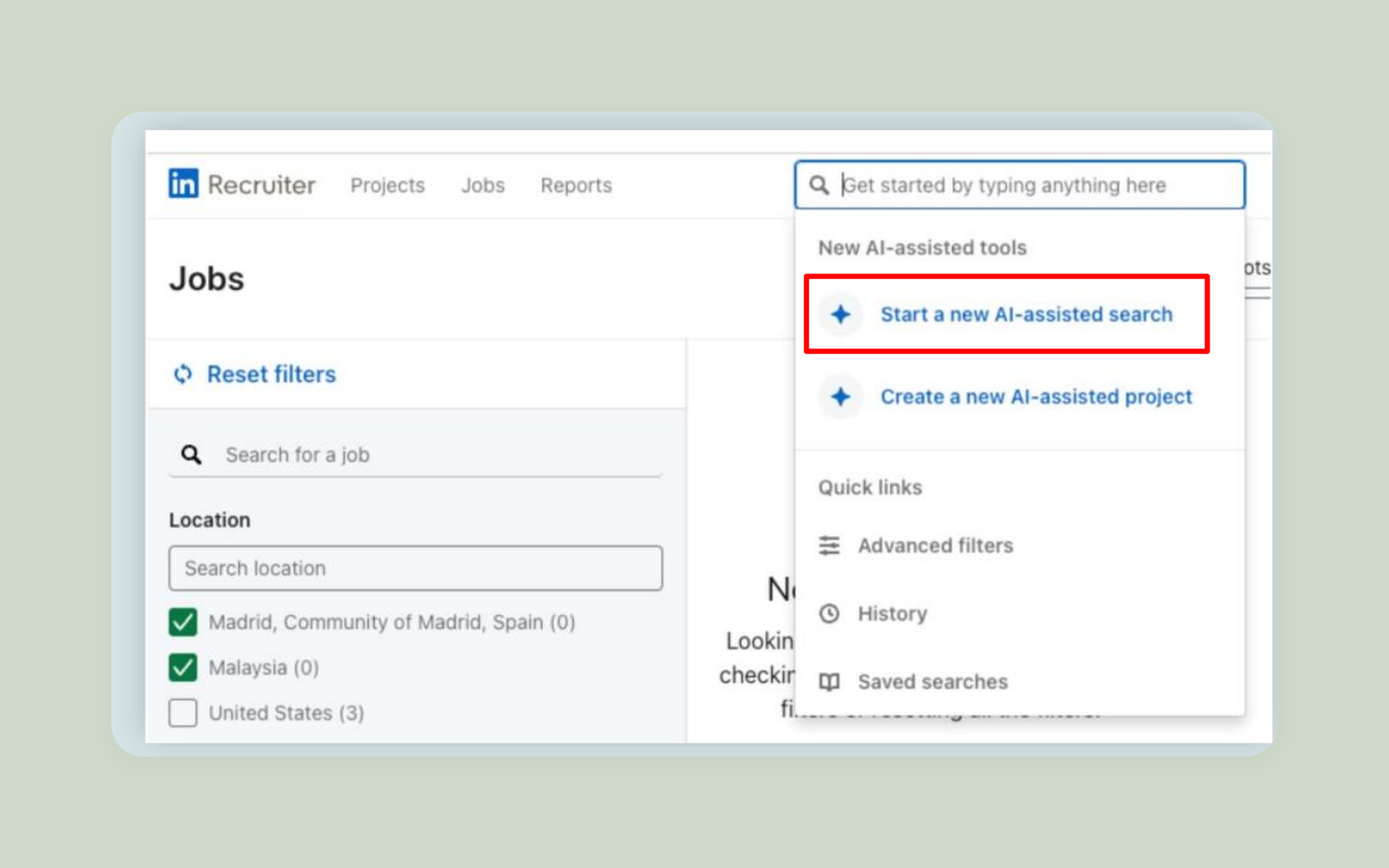
What Recruiter Lite gives an active recruiter
Recruiter Lite publishes more than 20 recruiting filters and search reach up to third-degree connections. A recruiter can save candidate searches and receive up to 10 daily or weekly candidate search alerts per seat.
Projects provide the useful context. A recruiter can group candidates by assignment, move them through a recruiting pipeline, and return to the same search with the role still in view.
LinkedIn does not publish a limit on the number of Recruiter Lite projects. That gives a solo recruiter room to separate current roles, future searches, and role-specific talent groups without turning each one into a sales list.
The official matrix states that the Purchaser Admin owns Lite data. That ownership applies inside the LinkedIn product and does not establish an ATS connection or an external applicant record.
That structure suits several live searches better than a general lead list. Practitioner reports disagree on which product finds better results, yet they often favor recruiter-shaped organization for complex requisitions.
Lite includes 30 InMail credits each month. It targets individuals, self-employed recruiters, and small businesses with light hiring needs, so its strongest case is a hands-on recruiter filling current roles.
Where Recruiter Lite stops
Recruiter Lite is not a complete ATS. LinkedIn's current Lite matrix lists no ATS integration, so project activity does not create a persistent applicant record in another recruiting system.
The product has a self-serve ceiling of five seats. Teams that need full-network context, shared recruiter capabilities, or Recruiter System Connect face a different purchase question.
Buying more InMail does not move that boundary. Lite remains an individual and small-business recruiting workspace, and the five-seat ceiling keeps larger team requirements outside this comparison.
See Recruiter Lite versus full LinkedIn Recruiter for that decision. Keeping it separate prevents full Recruiter contract features from being assigned to Lite.
Sales Navigator Core is the prospecting-first sourcing alternative
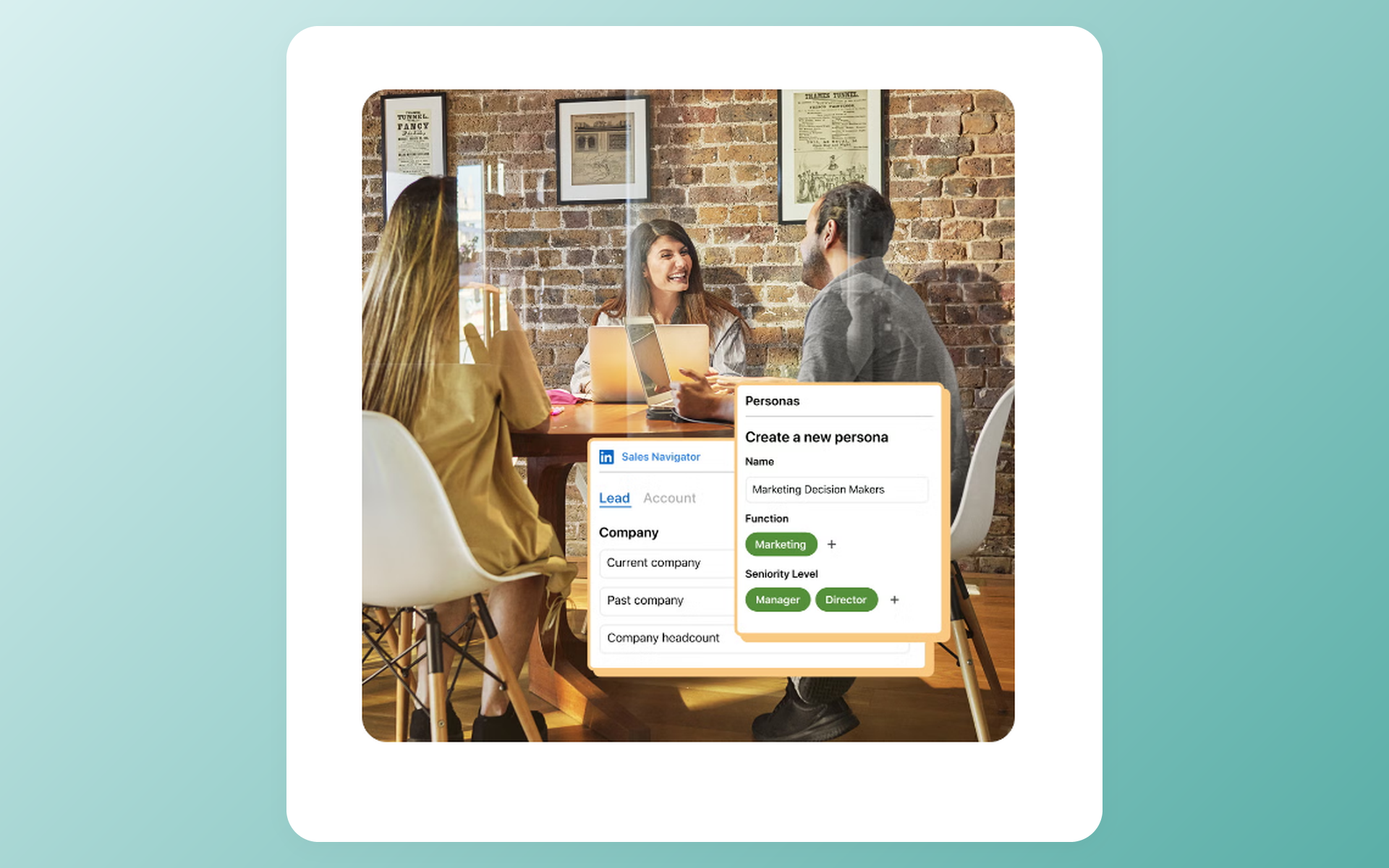
Sales Navigator Core organizes work around leads and accounts. Recruiters can adapt that model, but the original job remains B2B prospecting.
What Sales Navigator Core gives a crossover buyer
Core publishes more than 50 advanced lead and account filters. These can support company mapping, target-employer research, relationship discovery, and lead searches based on role or account context.
Users can save leads and accounts, add notes, follow alerts, and revisit changes around target companies. This helps an agency owner who sources candidates and develops clients from the same licensed seat.
The 50-plus filter count spans lead and account search. It should not be compared directly with Lite's 20-plus recruiting filters, since the products query different objects and answer different questions.
Public result caps allow up to 2,500 visible lead results across 100 pages. Account searches show up to 1,000 results across 40 pages. These are display caps, not measures of recruiting search quality.
Core includes 50 InMail credits each month. Founder-led hiring can fit the same model when company research and relationship signals matter more than recruiter projects.
Where Sales Navigator Core stops
A saved lead is not an applicant. Core has no recruiter-native candidate project, hiring pipeline, or requisition context, so the user must keep recruiting stages elsewhere.
Lists can preserve a prospecting view of a market, yet they do not document a person's progress through a job. Notes remain sales-workspace notes rather than shared applicant history.
Sales Navigator Advanced adds team context at its own price. Sales Navigator Advanced Plus adds plan-specific CRM functions, but neither adjacent plan turns Core into a recruiting system.
Core should not inherit features from Sales Navigator Advanced or Sales Navigator Advanced Plus. CRM integration belongs to Advanced Plus, not Core, and it is not an ATS integration.
LinkedIn's public guidance does not establish a universal Sales Navigator reach rule, saved-search count, Open to Work behavior, or simultaneous-subscription rule. Do not build the purchase case around those assumptions.
Pricing favors Core in 2026, but workflow fit decides value
Sales Navigator Core has the lower public one-seat price. The full USD price table shows why that saving cannot stand in for workflow fit.
On mobile, swipe the pricing table horizontally to see every plan field.
| Product and plan | Monthly billing | Annual-equivalent monthly | Annual total | Scope | Included limits | Billing basis |
|---|---|---|---|---|---|---|
| 100Hires Start | $99/month displayed | $49/month displayed | $588/year derived | Up to 3 jobs, 100 candidates, and 1 user | 100 monthly AI credits | Monthly or annual |
| 100Hires Advanced | $249/month displayed | $199/month displayed | $2,388/year derived | Unlimited jobs, candidates, and users; workflow automation, knockout questions, and custom career-site domain | 300 monthly or 1,000 annual-plan AI credits | Monthly or annual |
| 100Hires Pro | $499/month displayed | $399/month displayed | $4,788/year derived | Contact Finder, multichannel outreach, email warmup, full careers-page customization, and free migration on annual contracts | 3,000 monthly or 5,000 annual-plan AI credits | Monthly or annual |
| LinkedIn Recruiter Lite, 1 license | $170/month last listed | $140/month derived | $1,680/year last listed | Individual recruiter workflow with projects and pipeline | 30 monthly InMails and 20+ filters | Monthly or annual |
| LinkedIn Recruiter Lite, 2 to 5 licenses | $270/month per license last listed | $222.50/month per license derived | $2,670/year per license last listed | Same Lite product; maximum 5 seats in this self-serve tier | Same Lite limits: 30 monthly InMails and 20+ filters per license | Monthly or annual |
| Sales Navigator Core | Starts at $119.99/month/license displayed | $89.99/month/license derived | $1,079.88/year/license displayed | Individual seller plan with lead and account search, lists, alerts, and notes | 50 monthly InMails | Monthly or annual |
| Sales Navigator Advanced | Starts at $159.99/month/license displayed | $149.99/month/license derived | $1,799.88/year/license displayed | Sales-team plan; adjacent context only, not the primary comparison | Team collaboration features | Monthly or annual |
| Sales Navigator Advanced Plus | Not publicly shown | Not publicly shown | Not publicly shown | Sales teams using an integrated CRM; CRM Sync and Advanced CRM Integrations are plan-specific here | Plan-specific enterprise capabilities | Customized quote |
The table uses public US prices. Tax, currency, promotions, device, region, and local checkout can change the amount shown to a buyer.
Annual-equivalent values normalize the budget; they do not describe a monthly payment schedule. Displayed and derived labels keep vendor prices separate from our arithmetic.
Check local checkout before purchase, especially when several seats, regional currency, or tax can alter the final total.
The entry-price gap is real but incomplete
LinkedIn last listed a single Recruiter Lite license at $170 monthly. Sales Navigator Core starts at $119.99 monthly per license. The $50.01 monthly difference is derived from those figures.
Annual billing produces the same $50.01 monthly-equivalent gap. Lite was listed at $1,680 per year, or $140 per month derived. Core starts at $1,079.88 per year, or $89.99 per month derived.
Core gives a solo buyer 20 more included InMails each month at the lower entry price. That can matter when outreach volume is the constraint, but it does not buy candidate projects or recruiting stages.
Billing scope matters for every plan
LinkedIn last listed Recruiter Lite licenses two to five at $270 monthly per license or $2,670 annually per license. That was a separate price, not evidence of a volume discount, and LinkedIn's help center no longer shows it.
100Hires pricing applies to the selected plan rather than to a comparable LinkedIn sourcing seat. Start, Advanced, and Pro all appear so the ATS is not represented by its entry plan alone.
Sales Navigator Advanced and Sales Navigator Advanced Plus appear for plan completeness. Core remains the decision plan here, and Advanced Plus has no public monthly, annual-equivalent, or annual-total price.
Search and workflow create the real split
The products search different objects and preserve different context. Filter totals alone cannot answer which workspace fits recruiting work.
On mobile, swipe the workflow table horizontally to compare all three paths.
| Workflow question | 100Hires | Recruiter Lite | Sales Navigator Core |
|---|---|---|---|
| What does it search? | No LinkedIn member search; starts after an identified supported profile | Candidates through recruiting filters | Leads and accounts through sales filters |
| Where does work live? | Candidate records in jobs or Talent Pools | Recruiting projects and pipeline | Lead and account lists |
| What context persists? | Stages, notes, and email activity in the candidate record | Candidate and project context inside Lite | Notes, saved leads, saved accounts, and alerts |
| What is the integration boundary? | No Recruiter System Connect, InMail sync, native Sales Navigator search, or CRM sync | No ATS integration in the Lite matrix | Core CRM integration is not established; CRM integration belongs to Advanced Plus |
| Clear winner | Recruiting record after discovery | Candidate and requisition context | Account mapping and business-development context |
Recruiter Lite wins candidate and requisition context
Recruiter Lite starts with a person who may fit a role. Recruiting filters, candidate search alerts, projects, and pipeline stages keep the requisition attached to the search.
This reduces the translation work needed for active searches. A recruiter can open a project and see why each person is there, instead of recreating role context around a sales lead list.
Candidate search alerts reinforce that pattern. Up to 10 daily or weekly alerts per Lite seat can bring new profiles back into the same role-centered workspace instead of a general prospect list.
The win is narrow and useful: recruiter-native organization. It does not prove better result quality for every role, and it does not turn Lite into an ATS.
A concentrated network can change the calculation. Practitioners with many relevant first-degree connections sometimes accept a sales-shaped search, yet complex live mandates often favor the recruiter workspace.
Sales Navigator Core wins account mapping and business-development context
Core starts with a company or lead. Account filters, lead filters, saved lists, notes, alerts, and relationship signals help a user map organizations before deciding whom to contact.
That model fits agency crossover work. An owner can study target employers, follow potential clients, identify hiring stakeholders, and search for talent from one prospecting workspace.
Account alerts can make timing part of the workflow. A company change, role move, or relationship signal can prompt research on a potential client or the candidate market without creating a requisition.
The tradeoff arrives after discovery. A lead list does not hold candidate stages, job history, or applicant ownership. Account activity does not tell the delivery team what happened in a hiring process.
Core wins only when account context has real weekly value. A recruiter who rarely prospects for clients may spend less money yet do more manual record work.
Neither seat is the recruiting system of record
Lite projects retain recruiting context inside Lite, but the official matrix lists no ATS integration. Core lists preserve sales research, but they are not applicant tracking.
LinkedIn can supply discovery. An ATS gives the company a lasting place for the candidate record, jobs or Talent Pools, stages, notes, and email across roles and subscription changes.
This separation matters for teams. Individual LinkedIn licenses can support search. A company-owned recruiting record can support handoffs without shared credentials or disconnected personal lists.
A durable record matters when a role closes, a recruiter leaves, or a subscription changes. Search context may stay in the paid seat, but candidate stages and notes need a company-owned home.
Keep sourced candidates in a recruiting workflow after either LinkedIn seat finds the right person. Compare 100Hires plans.
InMail quantity favors Core, not necessarily outcomes
Sales Navigator Core includes 50 InMail credits each month, compared with 30 for Recruiter Lite. That makes Core the numeric winner on the included allowance.
Twenty more InMails does not settle the purchase
Recruiter Lite users may buy up to 70 extra credits. Purchased-credit rules include a 120-InMail per-seat limit at billing-cycle renewal, so the top-up path has its own boundaries.
Core users cannot currently buy extra credits. Sales Navigator credits can accumulate to 150, and a response within 90 days can return one credit. Transferred unused credits must be used within 90 days.
These mechanics describe capacity, not replies. Twenty more included messages do not create candidate projects, stages, or a shared ATS record.
Recruiter Lite separately documents an Open Profile threshold of 50 messages per month. Keep that rule apart from the ordinary 30-credit allowance, since it does not make the base credit counts equal.
Outreach channel should follow the relationship
Practitioners often treat InMail as one route among several. A relevant connection request, mutual introduction, referral, or direct email may fit the relationship better.
Treat the allowance as message capacity, not a promise of replies. Reported percentages depend on role, market, network, message quality, and sample size.
Review the user's last month of outreach before paying for volume. Count relevant profiles found, warm paths available, messages sent, and follow-ups recorded. That activity shows whether credits or workflow is the real constraint.
Start with the daily job, then choose the outreach channel. The seat should help the user find and organize the right people before message volume enters the calculation.
The right seat depends on the buyer's daily job
The buyer's repeated weekly work gives a cleaner answer than a feature checklist. Three common scenarios show where each seat fits.
Solo recruiters should choose the workflow they use every week
A solo recruiter running several active searches should favor Recruiter Lite when candidate projects and role context save daily effort. The higher entry price buys a workspace built for delivery.
Sales Navigator Core can fit a niche recruiter with a strong network who maps hiring companies or develops clients. The user must accept lead and account objects, then keep recruiting stages in an ATS.
Price comes second to repetition. Paying less for Core makes sense when account research recurs each week, not when the buyer must rebuild a candidate pipeline after every search.
A one-week task log can expose the answer. If most entries name roles and candidates, Lite fits. If many entries name target firms and decision-makers, Core has the stronger case.
Agency owners should separate delivery from business development
Core is the stronger crossover seat for an owner who wins clients and finds candidates. Company mapping, stakeholder research, relationship signals, and 50 monthly InMails support the sales side of the desk.
Lite is stronger for delivery recruiters who spend most of the week on live roles. Candidate projects and recruiting context match that job more closely than account lists.
Use individual licensed seats rather than shared LinkedIn credentials. A separate recruiting record lets the agency hand work between people without tying candidate history to one person's list or inbox.
Seat specialization can work too. An owner may use Core for business development, and a delivery recruiter may use Lite for candidate projects. The ATS then holds the candidate record after discovery.
Founders and lean in-house teams may not need the same answer
A founder can use Core for market mapping, target-company research, and relationship-led hiring. This works best when hiring sits beside sales or partnership research and an ATS keeps the record.
A lean in-house recruiter with recurring outbound searches may prefer Lite. Its candidate-first design gives active roles a natural home.
A team that mainly posts jobs and reviews inbound applicants may put neither sourcing seat first. The next budget item may be the workflow that receives and manages applicants.
Seasonal hiring can change that answer. A short sourcing campaign may not justify a permanent crossover workflow, so review role frequency before choosing an annual subscription.
Full-network access, shared recruiter projects, and Recruiter System Connect lead back to the full Recruiter decision. They should not be used to inflate the case for Lite or Core.
Pair either LinkedIn seat with 100Hires after discovery
100Hires publishes this comparison. We include our ATS as the post-discovery workflow option and state its limits alongside its strengths.
The safe workflow starts after a person has been identified. 100Hires can then hold the recruiting record and email workflow without claiming LinkedIn search or InMail functions.
Move one identified profile into a company-owned record
Find a person in Recruiter Lite, Sales Navigator Core, or regular LinkedIn. Open the individually identified profile, then use the 100Hires Chrome extension to create or update a candidate where supported.
The import is profile by profile. Support for one identified profile does not prove bulk import from a Sales Navigator search-results page or saved list.
Profile support should be checked where the recruiter works. A regular LinkedIn profile may support enrichment where a Sales Navigator view does not, so the identified person may need to be opened in the supported format.
After import, assign the person to a job or Talent Pool. The company can then keep stages and notes with the candidate instead of leaving hiring context in a personal LinkedIn workspace.
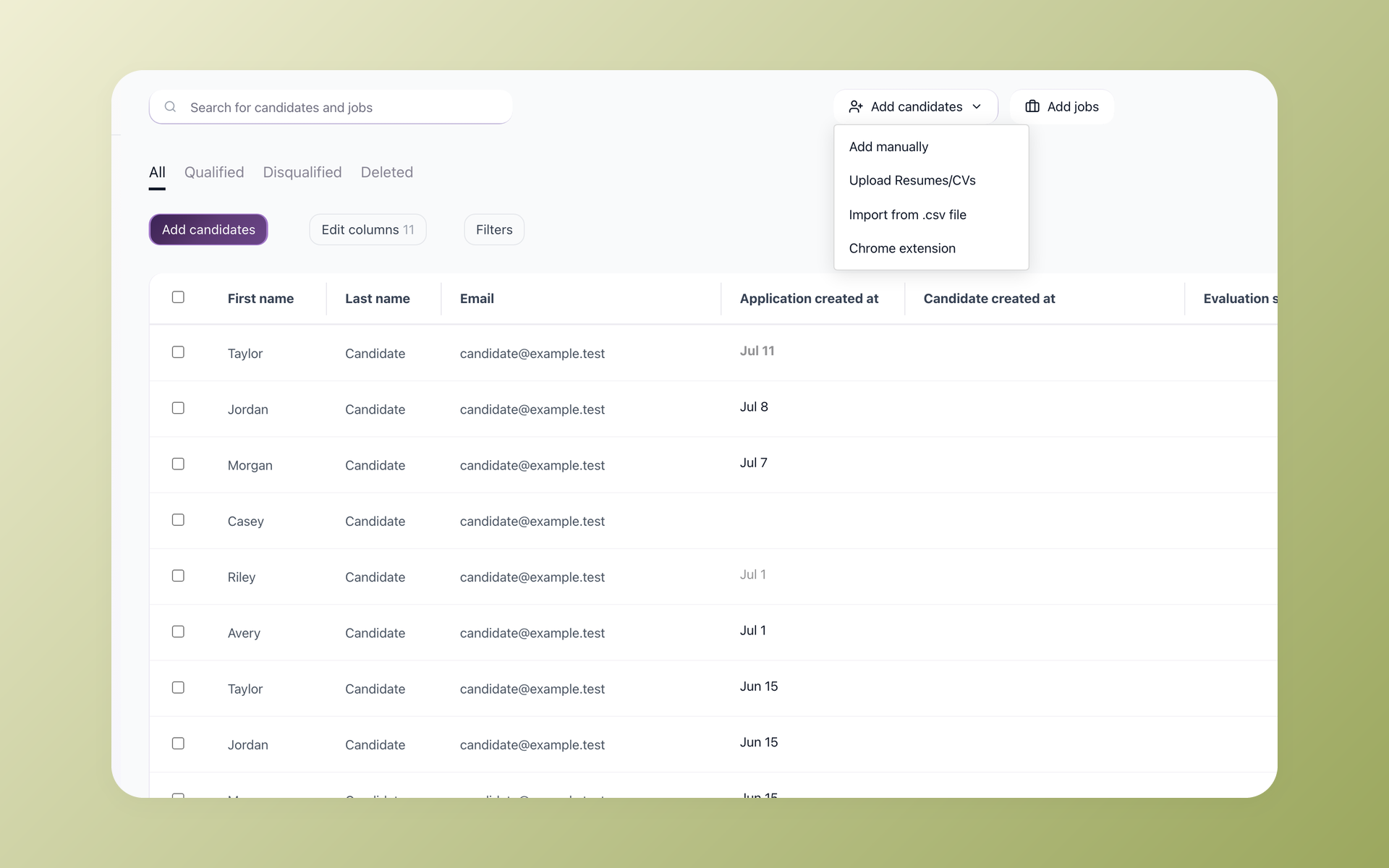
This handoff separates discovery from record ownership. Either LinkedIn seat can help find the person, and 100Hires can continue the supported recruiting workflow outside LinkedIn.
Attempt enrichment, then manage stages, notes, and email
100Hires can attempt contact enrichment after import. Provider results vary, subscriptions and credits are separate, and a failed lookup may still consume provider credits.
When contact data is available, the recruiter can use email outside InMail where appropriate. The candidate record, job or Talent Pool, stages, and notes remain in the same recruiting workspace.
Record the enrichment attempt as one step, not a promised outcome. A missing address should leave the candidate record usable for notes and stages without implying that another lookup will succeed.
For U.S. commercial email, check the FTC CAN-SPAM compliance guide for applicable requirements. That reference is not a finding that every recruiting email is commercial email.
Email does not become InMail through this workflow. Replies and activity belong to the chosen email process, not a claimed LinkedIn message sync.
Keep the integration limits beside the benefits
The useful boundary is simple: 100Hires begins after discovery and keeps the recruiting record. It should not be evaluated as another LinkedIn search seat.
- 100Hires is not the LinkedIn member index and does not replace LinkedIn search.
- 100Hires is not Recruiter System Connect and does not sync LinkedIn InMail.
- 100Hires does not provide native Sales Navigator search, messaging, or CRM sync.
- 100Hires has no verified bulk import from Sales Navigator lists or search-results pages.
- Contact enrichment is attempted. Results and deliverability are not guaranteed, and provider credits may still be used.
Those limits preserve the value of the handoff. Search stays in the chosen LinkedIn product, and candidate history stays in a company-owned recruiting workflow.
The result is a clean division of labor. LinkedIn owns the discovery experience, and 100Hires owns supported post-discovery records, stages, notes, Talent Pool or job placement, and email.
Final verdict: buy for workflow, not feature count
Recruiter Lite is the default choice for active candidate sourcing, recruiter projects, and requisition context. Its higher price can make sense when those functions shape most of the user's week.
Sales Navigator Core is the better crossover purchase for client prospecting, company mapping, account research, or founder-led sourcing. It needs an ATS to own candidate stages and history.
Sales Navigator Advanced and Sales Navigator Advanced Plus do not change that Core verdict. Advanced Plus CRM integration stays outside Core and is not an ATS integration.
Use the full Recruiter guide when shared recruiter work or Recruiter System Connect drives the purchase. For the Lite-versus-Core choice in 2026, buy the workspace that matches the user's day-to-day work.
That decision will age better than choosing the seat with the longest feature column.
Frequently asked questions
These answers keep the sourcing-seat decision separate from the recruiting record that follows discovery.
Is Sales Navigator good for recruiting?
Yes. Core supports lead-based discovery and company mapping, but it is a sales product, not a recruiting pipeline. After a supported profile is identified, 100Hires can hold the candidate record, stages, notes, and email.
Does Sales Navigator replace Recruiter Lite?
Not for active recruiters. Core lacks recruiter-native projects; Lite lacks account prospecting. After a supported profile is imported, 100Hires can manage stages, notes, and email, but it does not replace LinkedIn search, Recruiter System Connect, or InMail.
Which costs less in 2026, Recruiter Lite or Sales Navigator?
In 2026, Core starts at $119.99 a month or $1,079.88 a year per license. LinkedIn last listed Lite at $170 a month or $1,680 a year. 100Hires starts at $49 a month billed annually ($99 month-to-month) as a separate ATS after discovery; local checkout can change displayed amounts.
Can you use Recruiter Lite and Sales Navigator at the same time?
Guidance explains switching but not a universal coexistence rule. Check your account before buying both seats. 100Hires can remain the company-owned record for candidates found with either individual LinkedIn seat; it provides no native subscription control or InMail sync.
Which LinkedIn plan is better for agency recruiters?
Choose Core when client development and discovery share a seat; choose Lite for active roles and projects. 100Hires can manage the post-discovery job or Talent Pool record, stages, notes, and email. It does not import Sales Navigator lists or sync InMail.
Try 100Hires for free
No credit card. 14-day trial. Forbes Advisor #1 ATS for SMBs.

