
Lever API guide for 2026: Postings vs Data API, access, rate limits, webhooks
Lever exposes two API families through four access modes: public Postings GET, keyed application POST, customer Data API keys, and partner OAuth.
This guide maps the right path for your integration, shows a runnable first call, separates the two rate limits third-party pages conflate, explains the documented sandbox and package paths, and compares the workflow with the 100Hires API.
It's written for developers, technical founders, and ops people scoping a Lever integration.
Claims come from Lever's own developer documentation, help center, and GitHub repository, each named in the text where it's used, plus our published OpenAPI spec, a few linked community threads, and public vendor announcements and demo videos we name where cited.
Key takeaways
The hiring playbook, in your inbox
One email a week - benchmarks, AI screening tactics, and short interview templates from the 100Hires team. No product pitches.
- Two APIs, four ways in. Lever has a public Postings API and an authenticated Lever (Data) API, reachable via public GET, keyed apply POST, customer API key, or partner OAuth.
- Plan mapping exists, but it is dated. An archived August 2025 Lever help-center table lists Lever Basic with the Postings API only and the full API under LeverTRM and LeverTRM for Enterprise.
- Keys are self-serve, OAuth is not. A Super Admin can generate an API key in settings, whereas OAuth apps are created manually by Lever's team through the partner program.
- There are two separate rate limits. The Data API allows 10 requests per second steady with bursts to 20. The Postings apply endpoint has its own 2 POSTs per second ceiling.
- The 100Hires API is included with every paid plan. Self-serve keys, no partner review, and a public OpenAPI spec make it the comparison baseline throughout this guide.
Choose the right Lever API
Lever's own developer FAQ draws the line cleanly. One API is open to the public and only shows the jobs a company has published. The other, usually called the Data API, sits behind authentication and can touch everything in the account.
The confusion starts with access. Each API family can be reached in different ways, and the four modes carry different auth requirements, limits, and paperwork. Here is the map in one table.
| Access mode | What it does | Auth | Where documented |
|---|---|---|---|
| Public postings GET | Read published jobs at api.lever.co/v0/postings/{site}?mode=json | None | Lever's postings-api repository on GitHub |
| Apply POST | Submit applications to a posting | API key from a Super Admin, 2 POSTs per second | Same GitHub repository |
| Customer Data API key | Full read-write on your account data | Basic Auth, self-serve for Super Admins | Lever's developer documentation |
| Partner OAuth | Marketplace integrations across customers | OAuth app provisioned by Lever's team | Lever's partner and OAuth pages |
The Postings repository does not mention the Data API, so this decision table places both official API families on one page.
Postings API: public job listings and applications
The canonical docs live in Lever's postings-api repository on GitHub. Reading published postings needs no auth at all, which is genuinely open by ATS standards. Anyone can pull your public jobs as JSON with a single request.
Submitting applications is different. The apply POST needs a key generated by a Super Admin, and it's limited to 2 POSTs per second.
Cross that line and you get a 429. The README notes the limit can change without warning.
Know the edges before you commit. The Postings API doesn't cover internal postings, custom questions, full-text search, or referrals.
It has no webhook for posting changes, a request that has sat open on the repository since 2019. It has no machine-readable spec either, another open request there.
One practical gotcha: the public GET can intermittently return HTML instead of JSON even with mode=json set, an issue open since 2020. Check the Content-Type header before parsing and retry on an HTML response.
The repository itself stays active, with commits as recent as April 2026.
Data API: full read-write access to your ATS
The Data API lives at api.lever.co/v1 and covers opportunities, interviews, offers, postings, and requisitions with full create-read-update-delete access. Auth is Basic: use your API key as the username and leave the password blank.
A Super Admin generates the key under Settings, then Integrations and API, then API Credentials. Each key has a token-bucket limit of 10 requests per second sustained, with bursts to 20.
Pagination is cursor-based: pass limit up to 100, then follow the opaque next token as long as hasNext is true. Write new code using /opportunities/, not the deprecated /candidates/ endpoints.
Creates run on behalf of a user through the required perform_as parameter, covered in the quickstart below.
What each Lever package includes
Lever's developer docs never mention pricing packages. The mapping lives in the help center instead. An archived August 2025 Lever help-center table lists Lever Basic with access to the Postings API only; the full Lever API appears under LeverTRM and LeverTRM for Enterprise.
An archived August 2025 Lever help-center table lists webhooks under LeverTRM and LeverTRM for Enterprise as well. Treat that as archived, not absolute.
A live HeyTeam integration help article, checked in July 2026, lists Lever Basic as eligible and walks through enabling a Candidate Hired webhook.
API credential generation is restricted to the Super Admin role. An archived August 2025 Lever help-center table lists that requirement across every package it covers, and a second archived article from the same set repeats it.
Get access to the Lever API
For your own account, access is refreshingly simple. A Super Admin opens Settings, then Integrations and API, then API Credentials, and generates a key. No forms, no waiting.
Credit where due: Lever's keys exclude confidential postings, opportunities, and requisitions by default. You have to flip an explicit toggle to allow a key to read confidential data. That is a good security default.
One dated operational note: an official help-center known-issue article, indexed April 2026, states API keys cannot be created in EU Data Center instances and that existing keys may be affected.
If your Lever instance runs in the EU, check the current status before you plan a build.
The partner path is a different animal. To build a marketplace integration that works across Lever customers, you apply to the partner program.
After review, someone on Lever's team creates your OAuth app and emails you the ClientID and Secret. There's no self-serve app registration.
Per Lever's OAuth documentation, partner apps typically request 5 to 8 scopes, with a hard cap of 20. The same docs put access-token expiry at one hour and refresh tokens at a year, or 90 days without use.
For custom builds beyond your team's capacity, Lever's own scoping article prices each integration individually and puts the typical custom build at 8 to 12 weeks.
What about a sandbox? Lever's official developer FAQ describes a temporary sandbox account as part of the partner integration process.
The customer key documentation describes production keys and doesn't mention a test environment. Third-party guides say a sandbox exists but skip who's eligible.
In practice, the docs give API-key customers no documented test environment, so plan a safe-data strategy before your first write call.
One dated footnote: in 2021 and 2022, users of student-built resume tools documented on Reddit that a once-public Lever resume-parsing endpoint had stopped being public. That episode concerned a candidate-facing endpoint, separate from the APIs covered here.
The partner program clearly leads to shipped integrations. In public LinkedIn announcements we reviewed for this guide, at least eight vendors announced new Lever integrations across the preceding ten months.
The eight: Sensiply, Deeper Signals, casuro.ai, QualifyMe, Skima AI, AltHire AI, Hire Match AI, and Brainner.
And outside developers hold the Postings API up as a good public baseline other ATS vendors get measured against.
Lever API quickstart: from key to first call
Prerequisites depend on your access mode. The public path needs nothing: no account, no role, no key. The paths that require a key need an active Lever account (no self-serve trial; Lever's pricing page offers demos), a Super Admin role, and the package eligibility covered above.
Step 1: set your environment and make the free call. Every Lever customer has a public postings feed you can hit right now.
export LEVER_SITE_NAME="your-company-site-name"

curl -s "https://api.lever.co/v0/postings/$LEVER_SITE_NAME?mode=json"
Success looks like a JSON array of posting objects with title, categories, and applyUrl fields.
Step 2: generate a Data API key. Settings, then Integrations and API, then API Credentials. Store it as an environment variable rather than pasting it into code.
export LEVER_API_KEY="your-generated-key"Step 3: make your first authenticated call. Basic Auth, key as username, blank password.
curl -s -u "$LEVER_API_KEY:" "https://api.lever.co/v1/opportunities?limit=100"Success is a JSON body with a data array, a hasNext boolean, and an opaque next cursor.
Step 4: paginate correctly. Pass limit up to 100, and as long as hasNext is true, re-request with the offset parameter set to the next token, URL-encoded: curl -G --data-urlencode "offset=$NEXT_TOKEN".
The token is an opaque cursor, not a numeric offset, and treating it as a number is exactly what tripped up one integrator on Stack Overflow.
Step 5: respect both rate limits. Expect 429 responses at 10 requests per second sustained, 20 in bursts, on the Data API; back off exponentially and retry. The apply endpoint has its own separate 2 POSTs per second ceiling, a distinction many vendor pages blur into one number.
Step 6: attribute your writes. Creating an opportunity requires the perform_as query parameter, which Lever's docs describe as performing the create on behalf of a specified user. Look up a user id via the users endpoint first, then pass it on every create.
At this point, you can pull all opportunities across cursor pages and survive a 429 without data loss. That is the foundation every sync, dashboard, or automation builds on.
If you'd like a live ATS to practice this flow against, a 100Hires trial gives you a self-serve key for https://api.100hires.com/v2 right away.
Set up and verify Lever webhooks
Lever's webhook documentation is among the most detailed you'll find on this topic. Ten named events are documented, from applicationCreated and candidateStageChange through candidateHired, interview events, and contact events.
Per Lever's webhook documentation, deliveries are signed with HMAC-SHA256 (the standard defined in RFC 2104), retried up to 5 times, and logged in a delivery history covering the last 1,000 requests over two weeks.
You can manage webhooks through the UI or full create-read-update-delete endpoints. Setup sits behind the Super Admin role at Settings, then Integrations and API, then Webhooks.
On packages: an archived August 2025 Lever help-center table lists webhooks under LeverTRM and LeverTRM for Enterprise, whereas a live HeyTeam integration help article, checked in July 2026, lists Lever Basic as eligible with a Candidate Hired webhook.
Read the archived mapping as archived, not absolute.
The integration pattern most vendors use is consistent. In demo videos from CodeScreen, Xobin, Testlify, and TalentBoost, the same recipe kept appearing: enable the candidateStageChange webhook, then use a vendor-prefixed tag on the job posting as the trigger.
If you're building a third-party tool on Lever, that pattern is a well-worn starting point.
One specific gap: the Postings API has no webhook for posting changes. The request has been open on Lever's repository since 2019. Job-board syncs poll the public feed instead.
Lever API documentation gaps to budget for
Lever's reference docs are thorough. What they lack is the context that ties everything together, and knowing the gaps up front helps you avoid surprises.
- No quickstart. The docs are organized as a reference, resource by resource. There is no zero-to-first-call walkthrough. That is the gap the section above fills.
- No migration guide for the biggest deprecation. Lever publishes a dated release-notes log, yet the /candidates/ to /opportunities/ migration is flagged in 43 scattered deprecation notes (our count of the reference page, July 2026) with no single guide tying them together.
- No machine-readable spec found for the Data API. A Postings API spec is an open request on the repository. A spec in the OpenAPI format would let you generate clients and mock servers instead of hand-writing them.
- No published partner-review criteria or timeline. The partner pages describe a review but not how long it takes or what disqualifies an applicant.
- Package mapping lives outside the docs. An archived August 2025 Lever help-center table lists API access per package; nothing in the developer documentation itself covers it.
To be fair, none of this is unusual for an enterprise ATS API, and the reference material itself is solid. Budget for the gaps and the build goes fine.
Lever API vs 100Hires API
Lever separates public postings, customer Basic Auth keys, and partner OAuth; 100Hires uses one self-serve Bearer-key model. Neither design is best in every situation, so here's an honest row-by-row comparison.
| Dimension | 100Hires API | Lever API |
|---|---|---|
| Get a key | Self-serve on any paid plan, including the 14-day trial | Self-serve for Super Admins |
| API in your plan | All plans, no separate API tier | An archived August 2025 Lever help-center table lists Lever Basic with the Postings API only and the full Lever API under LeverTRM and LeverTRM for Enterprise |
| Sandbox / test path | Trial account can serve as a test environment, API access included | Sandbox documented as part of the partner process |
| Machine-readable spec | Public OpenAPI 3.1 at api.100hires.com/v2/openapi.json | No Data API spec found; a Postings spec is an open request |
| Rate limit | 100 requests per 10 minutes by default, removable on request | 10 requests per second steady, 20 burst; far higher ceiling |
| Webhooks | HMAC-SHA256 signed, zero-downtime secret rotation, company or per-job scope, API-registered with no UI | HMAC signing, UI plus CRUD endpoints; an archived August 2025 Lever help-center table lists webhooks under LeverTRM tiers, though a live HeyTeam help article (checked July 2026) shows a Basic-eligible webhook |
| Marketplace | Smaller; Zapier, Make, n8n, and an MCP server use the same key | About 180 partner listings (our July 2026 marketplace count), active program |
| Scoped third-party OAuth | None; single Bearer token | Partner OAuth with scoped apps |
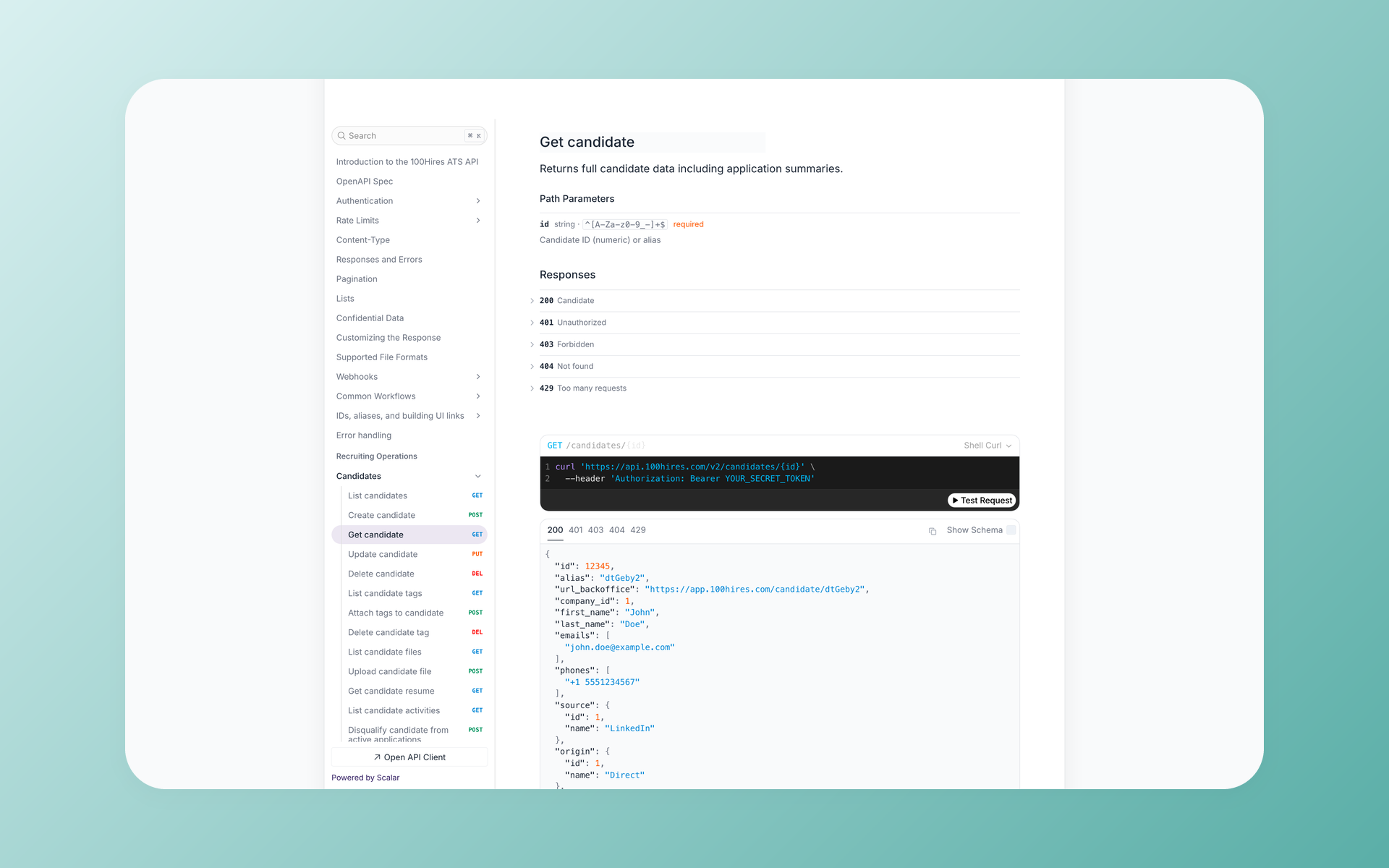
What full access means in practice on 100Hires: create, read, update, and delete candidates, jobs, applications, notes, and interviews, plus batch operations like publishing a job to multiple boards in one call.
The live spec counts 89 documented paths across 133 operations in 20 resource groups as of July 2026.
The pattern that pushed us to build it this way keeps showing up in sales calls. Teams we've talked to kept parallel Excel exports next to their ATS since the data they needed could not be pulled from the platform programmatically.
Fair is fair on limitations. The 100Hires default rate limit of 100 requests per 10 minutes is far below Lever's ceiling, though support can raise it on request if you provide a use case. There is no scoped OAuth model for third-party apps, just the single Bearer token.
The integration marketplace is smaller than Lever's roughly 180 listings (our July 2026 marketplace count). And webhooks register through the API only, with no settings UI yet.
Full endpoint-by-endpoint detail lives in the 100Hires API documentation.
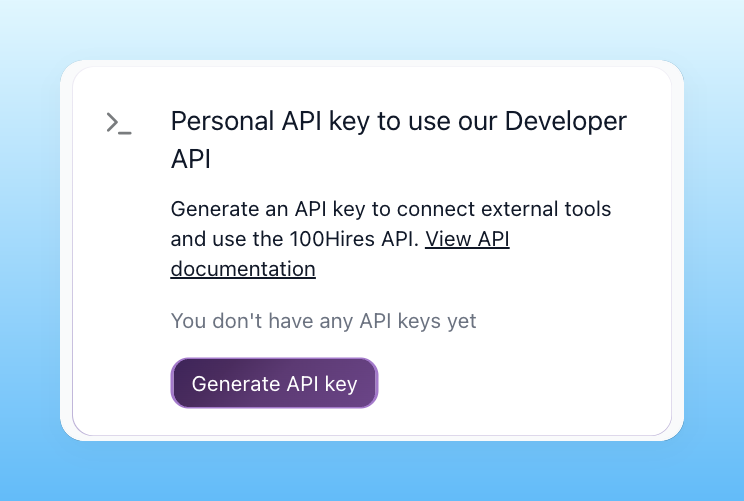
If self-serve access on day one matters to your build, start a free 100Hires trial and generate a key straight from Settings, no approval step in the way.
Worked example: sync 250 opportunities without losing data
Here's a hypothetical to make the loop concrete. Say your Lever account holds 250 opportunities: with limit=100, that's three cursor pages.
curl -s -u "$LEVER_API_KEY:" "https://api.lever.co/v1/opportunities?limit=100"Page one returns 100 records, hasNext true, and a next token. Store the token, then re-request with &offset= that token.
Page two brings 100 more. Page three returns the final 50 with hasNext false. Your integrity check: stored count equals 250.
Now the failure branch. If page two answers with a 429, back off exponentially (for example 1 second, then 2, then 4, per the retry guidance in Lever's docs) and resume from the last stored cursor. Nothing is lost, since the cursor picks up where the last successful page ended.
The same job on 100Hires has the same loop shape with size=100 pages and Bearer auth, though the pagination and auth models differ in the details.
At the default limit of 100 requests per 10 minutes, a three-page pull fits comfortably; a sustained large sync needs the limit raised first via [email protected].
Common Lever API integration mistakes
- Treating the GitHub repository as the whole API. The Postings repository does not mention the Data API. If you stop reading there, you miss webhooks, opportunities, interviews, and everything else behind auth.
- Applying one rate limit everywhere. The 10 requests per second figure belongs to the Data API. The apply endpoint enforces a separate 2 POSTs per second.
- Building on /candidates/. It is deprecated in favor of /opportunities/, flagged in 43 scattered notes with no single migration guide. Start new code on the current resource.
- Reading the offset as a number. The pagination offset is an opaque cursor from the next field. Incrementing it like an integer breaks the loop, as one Stack Overflow thread shows.
- Forgetting perform_as on creates. Opportunity creation requires attributing the write to an existing Lever user. Look the user id up first.
- Assuming a test environment exists. The customer key docs describe production keys only. Plan a safe-data strategy before the first write.
Frequently asked questions
Does the Lever API have a sandbox or test account?
Lever's official developer FAQ describes a temporary sandbox account as part of the partner integration process, and the customer key docs describe production keys only. If you want a risk-free test bed, a 100Hires 14-day trial account can serve as your test environment, since API access is included from day one.
What are the Lever API rate limits?
The Data API allows 10 requests per second steady with bursts to 20, per API key. The Postings apply endpoint has a separate limit of 2 application POSTs per second. For comparison, the 100Hires API starts at 100 requests per 10 minutes and support removes the cap on request with a use case.
What is the difference between the Lever Postings API and the Lever API?
Per Lever's own FAQ, the Postings API is the open one, limited to jobs a company has published, whereas the authenticated Lever API can read and write everything in the account, internal, closed, and draft postings included. 100Hires covers both jobs through one API: public career endpoints and full ATS data under the same self-serve key.
How do I get a Lever API key?
A Super Admin generates one under Settings, then Integrations and API, then API Credentials. In 100Hires, any paid account creates a key under Settings, then Integrations, then API Keys, with no special role beyond admin access and no approval step.
Is the Lever API free?
Reading public postings is free for anyone. Beyond that, an archived August 2025 Lever help-center table lists the full Lever API under LeverTRM and LeverTRM for Enterprise, and OAuth apps require partner approval. The 100Hires API is included on all paid plans at no extra cost, with no separate API tier.
How does the Lever API compare to the Greenhouse and Ashby APIs?
Greenhouse Harvest uses self-serve Basic Auth keys with vetted rate tiers for unlisted vendors, and Ashby uses key-based Basic Auth with RPC-style endpoints. Lever adds a partner-provisioned OAuth layer on top of customer keys. The 100Hires API sits at the self-serve end of that spectrum, with a public OpenAPI spec you can read before signing up.
Where to go next
Comparing ATS APIs before you commit? See our HireEZ API guide and Recruit CRM API guide.
Evaluating Lever as a product, not just its API? Our Lever alternatives roundup covers that ground.
And if you want an ATS whose API comes with every plan, start your free 100Hires trial and make your first call today.
Try 100Hires for free
No credit card. 14-day trial. Forbes Advisor #1 ATS for SMBs.

