
AI Resume Screening: How I Scored 6,000+ Candidates Without Reading Every Resume
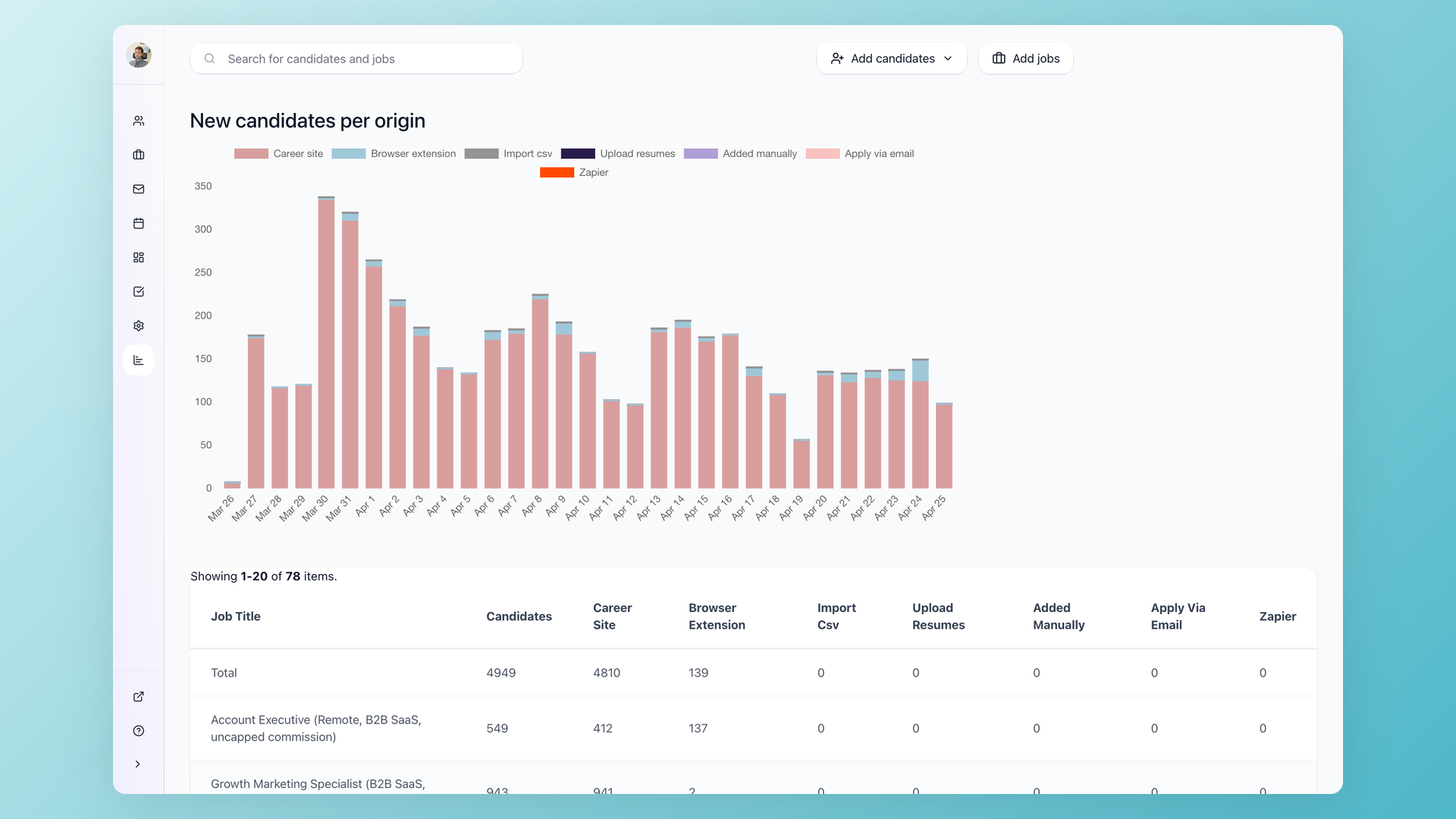
Last month I hired a marketing person for my startup. We got 6,367 applications across 26 remote postings.
About 120 of them ended up as super-detailed AI-built reports - each covering the candidate's full background, the work they actually did at past companies, and how they performed during the recruiter interview.
From there I narrowed down to roughly 30 candidates I reviewed personally as the founder, then six made it to a founder interview, and I hired one.
This isn't a traditional hiring decision based on a resume. A resume is a tiny data point - one page of self-promotion that tells you almost nothing about whether someone can actually do the job. The reports I had were different.
Each one pulled in dozens of signals: the kind of work the candidate's previous companies actually did, real performance data on the websites they claim to have grown, what they've actually written online and on LinkedIn, and whether their interview answers held up against external sources.
The list is much longer than that; the point is that every meaningful claim got cross-referenced before any senior time was spent.
The 6,247 candidates who didn't make it to the report stage didn't lose much time either. Applying took a minute - just upload a resume, no cover letter required.
If they didn't meet the basics for the role (for example, no 2+ years of B2B SaaS marketing experience), they got a polite rejection within hours, not weeks of silence. The same system that respects my time also respects theirs.
Here's exactly how I set it up.
| What happened | Numbers |
|---|---|
| Job postings published (parent + satellites across cities) | 26 |
| Total applications across 26 remote postings | 6,367 |
| Auto-disqualified at the application form (failed a knockout or scored too low against the role criteria) | 4,613 |
| Received a short follow-up email asking about marketing channel results and salary expectations | ~1,600 |
| Replied to that email and were scored again on their answers | ~800 |
| Reached a recruiter interview at any point | ~270 |
| Reviewed as super-detailed AI-built reports (each cross-referencing dozens of signals) | ~120 |
| Sent to founder review | ~30 |
| Advanced to founder interview | 6 |
| Hired | 1 |
| My total time spent on screening | ~6 hours |
| External enrichment + research API cost | ~$55 |
The hiring playbook, in your inbox
One email a week - benchmarks, AI screening tactics, and short interview templates from the 100Hires team. No product pitches.
Three building blocks made this possible:
- Multiposting to 25 cities - one parent listing automatically cloned to 25 location-tagged satellite jobs, each one published locally to Indeed, Glassdoor, ZipRecruiter, and other free job boards.
- Two-tier AI scoring with auto-disqualify and auto-advance - applications below my floor are routed out of the recruiter queue with a delayed rejection email; scores at or above my ceiling skip ahead to the recruiter; the middle band stays for a human glance.
- Open API + AI agent for shortlist verification - before any founder interview, I run each shortlisted candidate through a structured set of checks - company background, real website performance, LinkedIn activity, anything they've published online - so every claim gets external context.
This guide walks through a step-by-step screening process that gets you from hundreds of raw applications to a short list of strong candidates - without reading every resume manually and without accidentally filtering out someone great.
Key takeaways
- Define hard screening criteria and add knockout questions to your application form before doing anything else. Adjust the number of questions based on your rejection rate - treat it like a dial, not a switch.
- Use AI scoring to rank candidates by fit, not to make final decisions. Calibrate your prompts on the first batch, then let automation handle the rest.
- Send follow-up questions only to candidates who passed initial screening - don't waste time (yours or theirs) on people who don't meet basic requirements.
- Automate after calibration, not before. Set up each step, observe results, adjust, then turn on the automation.
The real problem isn't volume - it's noise
Application volume has changed fast. LinkedIn applications jumped 45% year-over-year, reaching roughly 11,000 applications per minute across the platform.
AI auto-apply tools, mass-apply browser extensions, and one-click buttons mean candidates can blanket dozens of roles in minutes.
In a popular r/Recruitment thread, one recruiter described getting 400+ CVs per week on a single role and called it "normal now."
The volume itself isn't the core issue. The ratio of qualified to unqualified applicants has shifted. In the same thread, an experienced recruiter noted that irrelevant applications in their pipeline went from roughly 20% a few years ago to closer to 60% today.
The hidden cost isn't just your time.
An eye-tracking study by The Ladders found recruiters spend just 7.4 seconds on an initial resume scan.
At that pace, 400 resumes still takes nearly an hour of pure scanning - before any actual evaluation.
Meanwhile, strong candidates - the ones with options - accept other offers while you're still working through the pile.
A note on compliance before we go further
AI scoring on job applications is a selection procedure, and selection procedures carry well-documented disparate-impact risk. Before you copy this setup, calibrate against your jurisdiction:
- Keep your scoring criteria job-related and tied to the actual responsibilities in the role description.
- Audit your outcomes - sample your auto-rejected pile against your hires and check for patterns. The EEOC Uniform Guidelines on Employee Selection Procedures apply to automated tools the same way they apply to a human screener.
- If you hire in New York City, the NYC Automated Employment Decision Tools (AEDT) law requires an annual bias audit and candidate notices for covered tools.
- If you hire in Colorado, the Colorado AI Act takes effect for high-risk AI systems in employment on June 30, 2026.
- Keep humans in the final decision loop. Auto-disqualify is appropriate for hard knockouts (work authorization, language requirement) and very low fit scores. Borderline candidates should always reach a human review.
Nothing in this article is legal advice. The patterns below worked for my B2B SaaS hiring at the seniority and remote-first scope I run. Run them past your own counsel before you turn on auto-rejection.
Who this pipeline works for, and who it does not
This setup is calibrated for high-volume, remote, individual-contributor roles where a job description maps cleanly to measurable skills. It is the wrong tool for some other situations.
| Works well for | Less suitable for |
|---|---|
| Remote roles attracting 100+ applications per posting | Senior or executive hires (3-10 candidates total) |
| Specialist IC roles with measurable outputs (engineering, marketing, design, support) | Niche technical hires where almost any qualified resume is worth a recruiter call |
| Repeated hiring of the same role over time (calibration accumulates) | One-off hires where you cannot calibrate against past data |
Optional: Multiposting if you need more relevant volume
This applies to remote roles specifically. If you already get enough qualified applicants, skip this section.
If your problem is the opposite - a single careers-page listing brings in a handful of resumes a week and most are off-target - multiposting is the lever for remote hiring.
The mechanic: one parent job, multiple satellite copies tagged to different cities. Each satellite carries the same screening questions as the parent. The job description can be adapted per location if you want it tailored to a specific market.
Workflow-wise, satellites simply route their candidates into the parent job - that is where all the automations, AI scoring, and stage transitions live, so you manage one pipeline regardless of how many cities you posted in.
Applications from every satellite flow into the same parent pipeline, so you screen one queue regardless of how many cities you posted in.
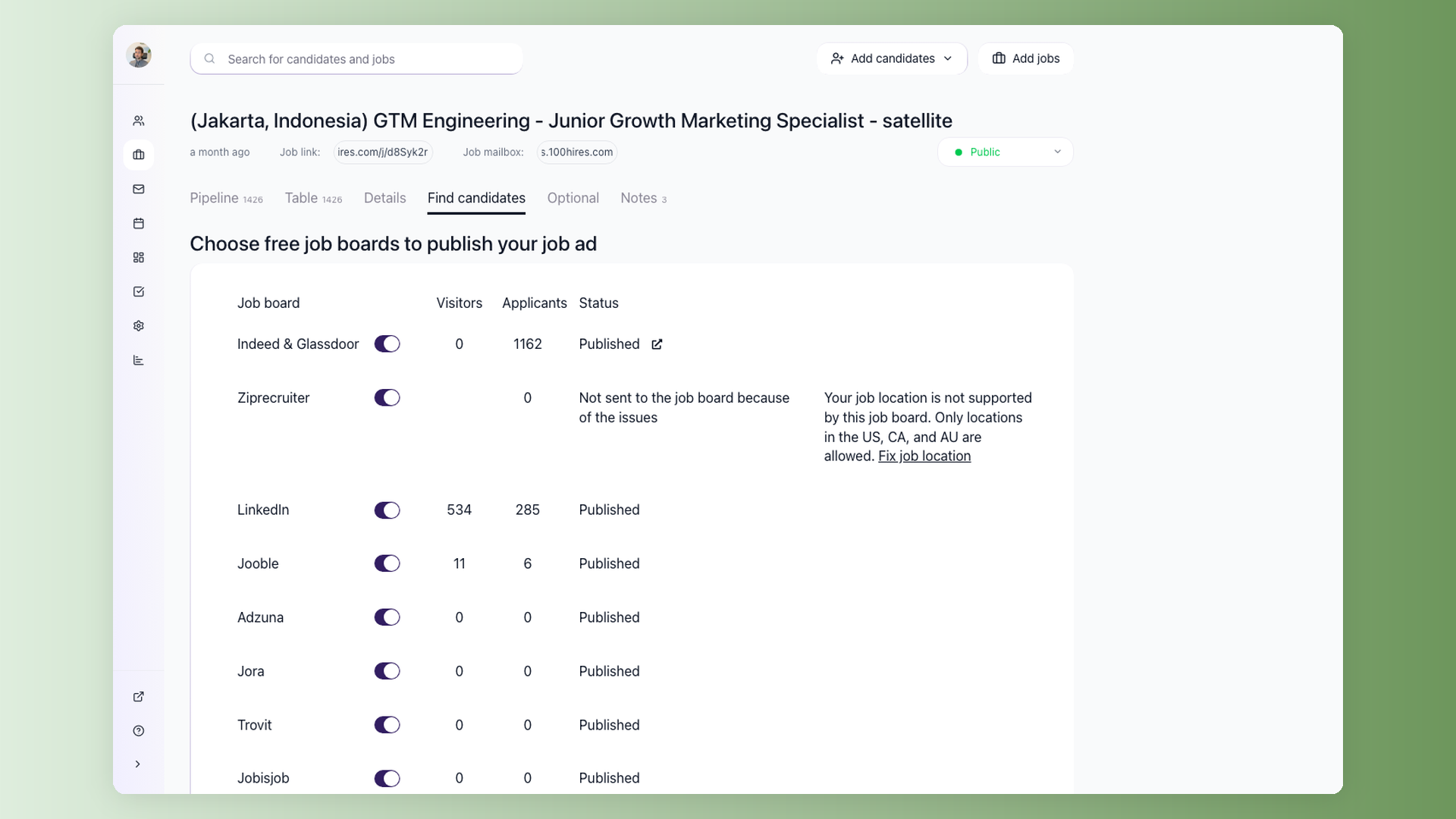
For my Growth Marketing Specialist role, I published 26 remote postings - one per city - so the listing showed up locally on Indeed, Glassdoor, ZipRecruiter and the rest:
- Europe: Prague, Lisbon, Sofia, Warsaw, Tallinn, Vilnius, Porto, Bucharest, Budapest
- Asia: Mumbai, Delhi, Bengaluru, Ahmedabad, Lahore, Manila, Kuala Lumpur
- Latin America: Mexico City, Guadalajara, Buenos Aires, Bogota
- Africa & Middle East: Casablanca, Rabat, Fes, Marrakesh, Cairo
Each satellite syndicates locally to Indeed, Glassdoor, ZipRecruiter, and other free job boards.
A candidate searching "growth marketing" in Buenos Aires sees a Buenos Aires listing rather than a generic remote one, which improves both ranking on the local board and apply-through rate.
Across the lifetime of the posting, I received 6,367 applications - the bulk from Indeed and Glassdoor (3,238 combined) and LinkedIn (2,880), with the rest spread across Ziprecruiter, Jora, Adzuna, Jooble, Trovit, and JobsAds.
The downside is that volume is exactly the problem the rest of this article exists to solve. You cannot read 6,000 resumes. You also do not need to.
What about LinkedIn alone? Per LinkedIn's own help docs, a free LinkedIn job is one active posting per company at a time, runs for 14 days, and has applicant caps.
Promoted (paid) jobs extend reach and remove the cap.
Multiposting via an ATS gives you a parallel free distribution channel - 25+ listings across Indeed, Glassdoor, ZipRecruiter, and other boards in one configuration step - while you still run a paid LinkedIn promo if you want to.
Step 1: Tighten the job post and define your screening criteria
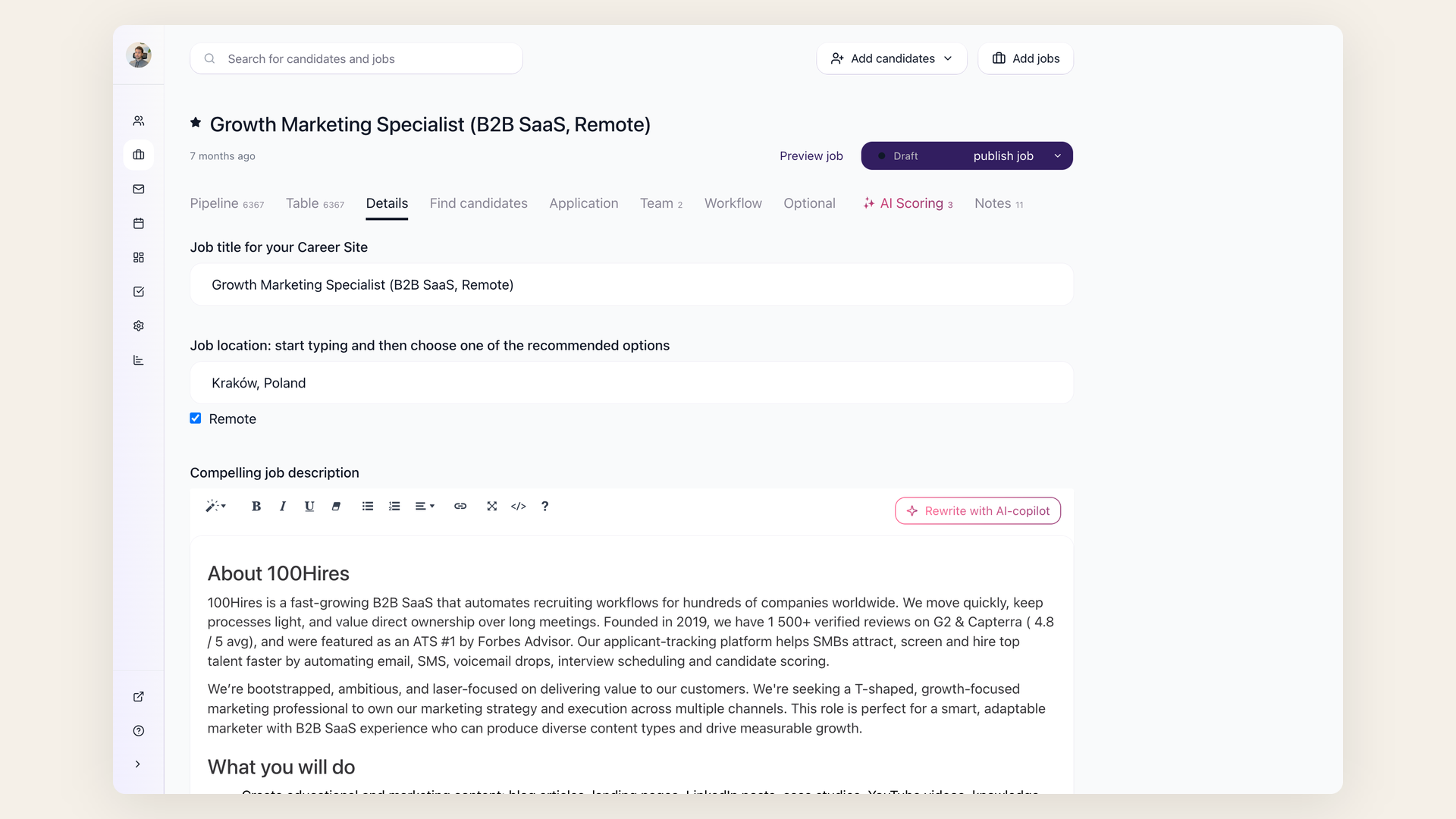
Before setting up any automation, spend 30 minutes on two things: rewrite the job post and define your hard requirements.
Write down 3-5 non-negotiable qualifications for the role. These are binary - a candidate either has them or doesn't:
- A specific license or certification
- Minimum years in a specific function
- Location or timezone availability
- Language fluency
Separate these hard requirements from nice-to-haves. This distinction drives every screening step that follows.
Then rewrite the job post to be specific about what the role involves day-to-day. Describe a real problem the hire will solve in their first month. Skip the generic wishlist of 15 bullet points.
Practitioners on Reddit consistently say that clearer, more realistic job descriptions reduce noise before any filtering even starts. One recruiter reported cutting application volume by roughly 40% just by rewriting their job posts to describe actual situations instead of marketing pitches.
This step is free and makes every downstream automation more effective, because you're feeding your tools clear criteria instead of vague preferences.
Step 2: Add knockout questions to your application form
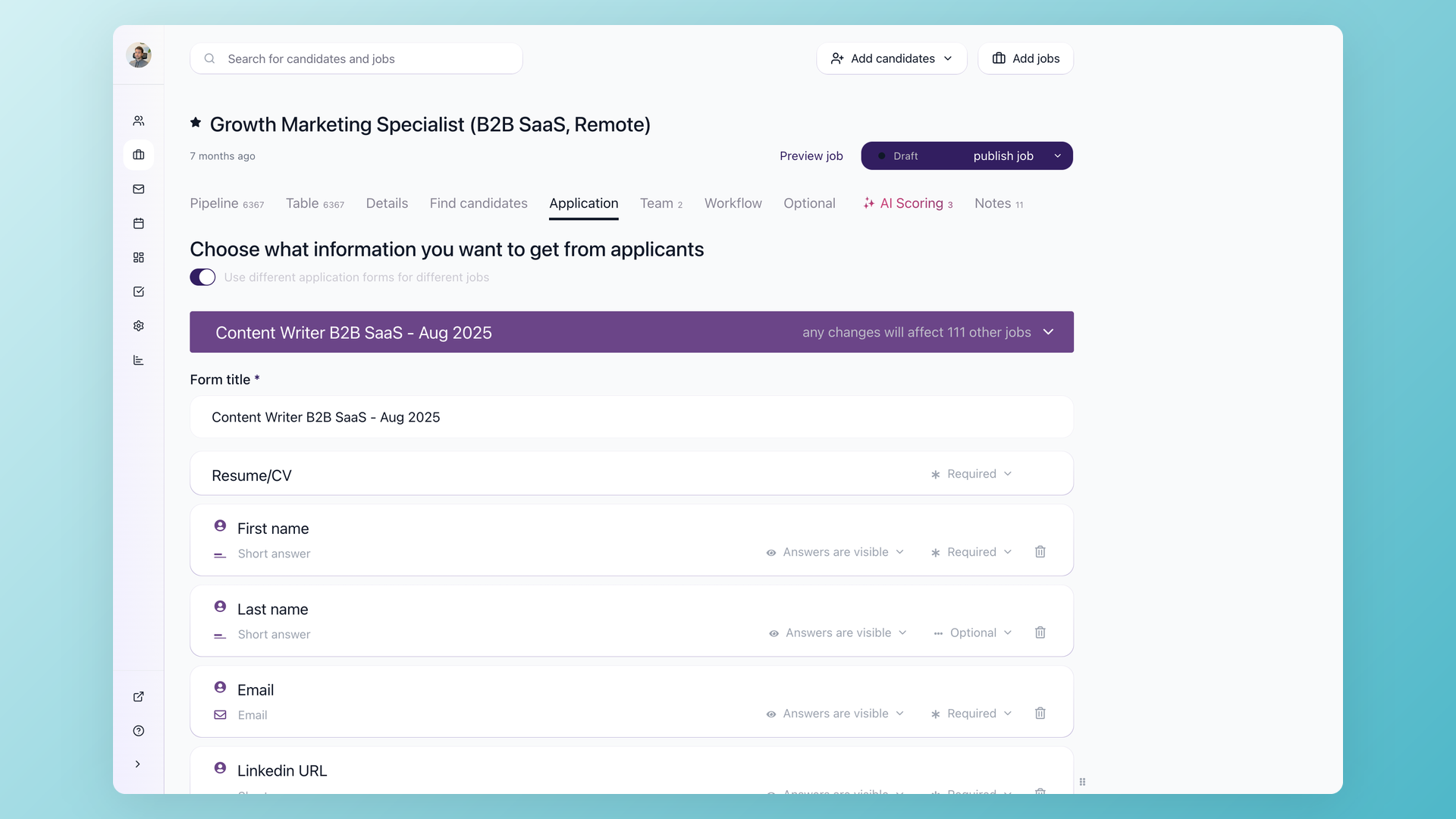
Take those hard requirements you just defined and turn them into yes/no knockout questions on the application form:
- "Do you have 2+ years of experience in [specific function]?"
- "Are you legally authorized to work in [country]?" (use your company's approved wording for work authorization questions)
- "Are you available to start within 30 days?"
Candidates who answer "no" to a dealbreaker question get a polite automated rejection. No one wastes their time - not you, not them.
In 100Hires, knockout questions are built into the workflow automation. You add yes/no profile fields to your application form and set up a "Disqualify If" automation on the first pipeline stage.
Candidates who don't meet the criteria are moved to the disqualified tab automatically and receive a rejection email (customizable, sent after a delay you choose).
Tuning the rejection rate. After a few days, check your pipeline. Look at how many applicants are getting auto-rejected versus how many are passing through.
- Too many good candidates getting filtered out? Remove a knockout question.
- Still drowning in unqualified applications? Add another one.
Treat knockout questions like a dial you adjust based on real results - not a set-and-forget configuration. This iterative approach applies to every automation in this process: set it up, observe the outcomes, adjust.
A note on compliance. Use only job-related criteria for knockout questions. Periodically review rejection rates across candidate groups.
The EEOC has flagged automated selection tools as employment procedures that can create adverse impact risk.
Keep your criteria defensible and documented.
My exact knockout questions for this role
I used a couple of knockout questions on the application form. They auto-disqualify when the answer is "No". One I'll show as an example:
Do you have 2+ years of professional B2B SaaS marketing experience?
Knockouts like this filter out a meaningful share of applicants before AI scoring kicks in. They work because they are self-reported and binary - the candidate either has the experience or they don't.
Calibrate the bar to the seniority you are hiring at; a junior-level role would set that minimum at zero.
Inconsistencies between knockout answers and resume claims tend to surface later in the screening anyway, so this stage is mostly about filtering the obvious mismatches.
Step 3: Let AI score and rank the candidates who passed
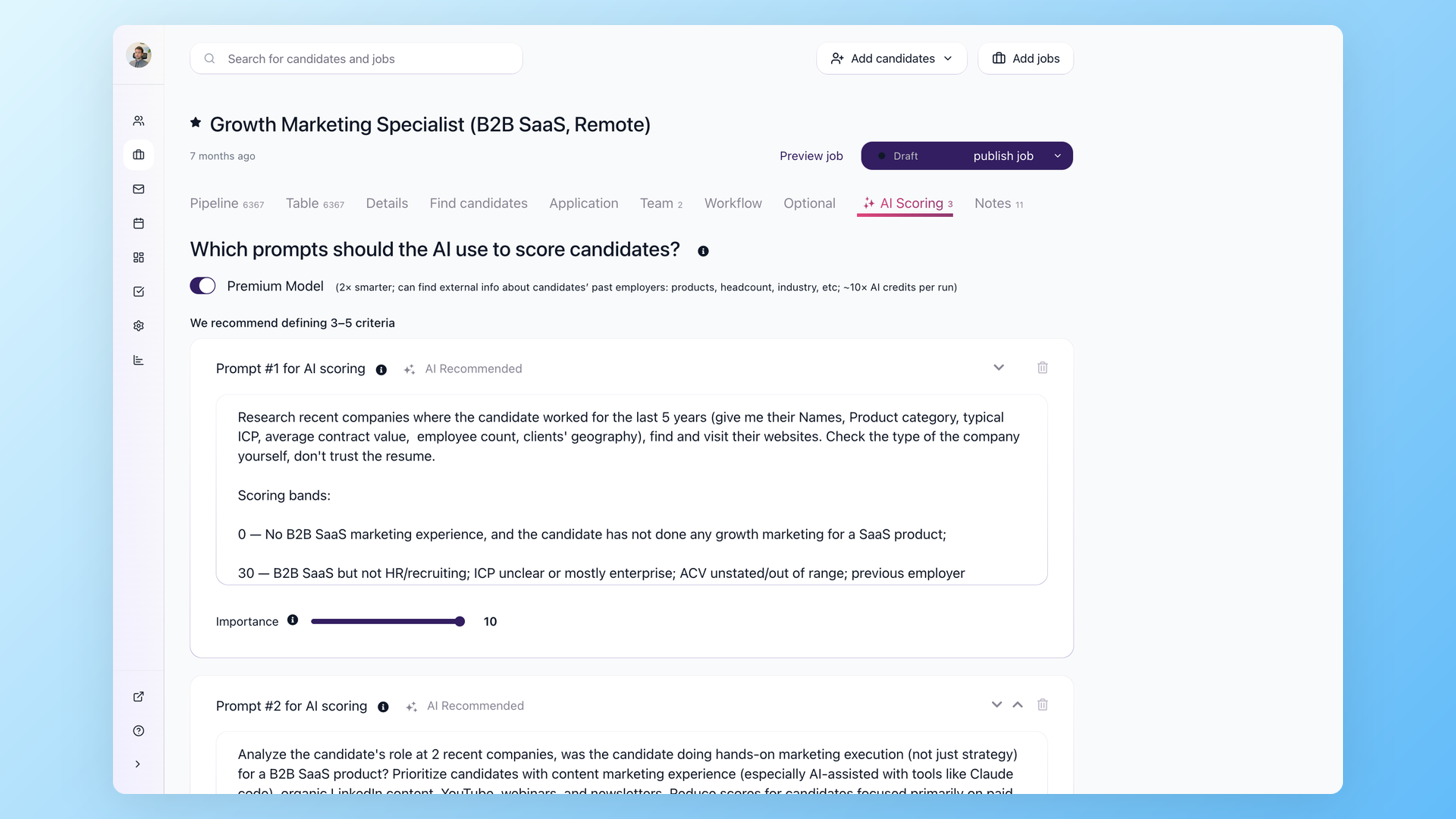
After knockout questions filter out clearly unqualified applicants, you're left with a pool of candidates who meet the basic requirements. Now you need to rank them.
AI candidate scoring assigns each applicant a score from 0 to 100 against custom criteria you define. In 100Hires, you set up scoring on the job's AI Scoring tab. Each criterion has two components:
- A detailed prompt describing what to look for
- An importance weight from 1 to 10
The scoring prompts are where the quality of your results lives. Be specific. Instead of "evaluate experience," write something like:
"Analyze the candidate's last two roles. Was this person doing [specific function]?
Scoring: 0 = no relevant experience, 20 = adjacent experience without clear focus on [function], 35 = relevant experience but unclear scope, 100 = clear evidence of [specific activities and outcomes]."
You can set up criteria for:
- Role fit
- Company similarity
- Industry relevance
- Job tenure patterns
- Red flags
The premium AI model can research candidates' recent employers externally - not just parse the resume.
An alternative to simple knockout questions: use AI Scoring with a point-based threshold. Add multiple yes/no questions to the application form, then configure the AI Score automation to assign weighted points.
For example, "Do you have a valid driver's license?" - No = 5 points, Yes = 50 points.
Candidates below a threshold score can be routed to a review queue rather than auto-rejected - at least until you've calibrated the scoring and confirmed it matches your judgment. Once you trust the results, you can tighten the automation.
This gives more nuanced screening than binary knockout questions alone.
Calibration matters. After the first batch of 30-50 scored candidates, review the rankings manually. Do the top scorers match who you'd pick? If not, adjust your prompts and weights before scoring the rest.
One recruiter put it well: "AI reads faster and misses different things than humans." Use it to decide who you look at first, not to make the final call.
The same compliance note from Step 2 applies here. AI scoring is an employment selection procedure. Use job-related criteria, review outcomes regularly, and keep a human in the final decision loop.
My two-tier AI scoring setup with thresholds
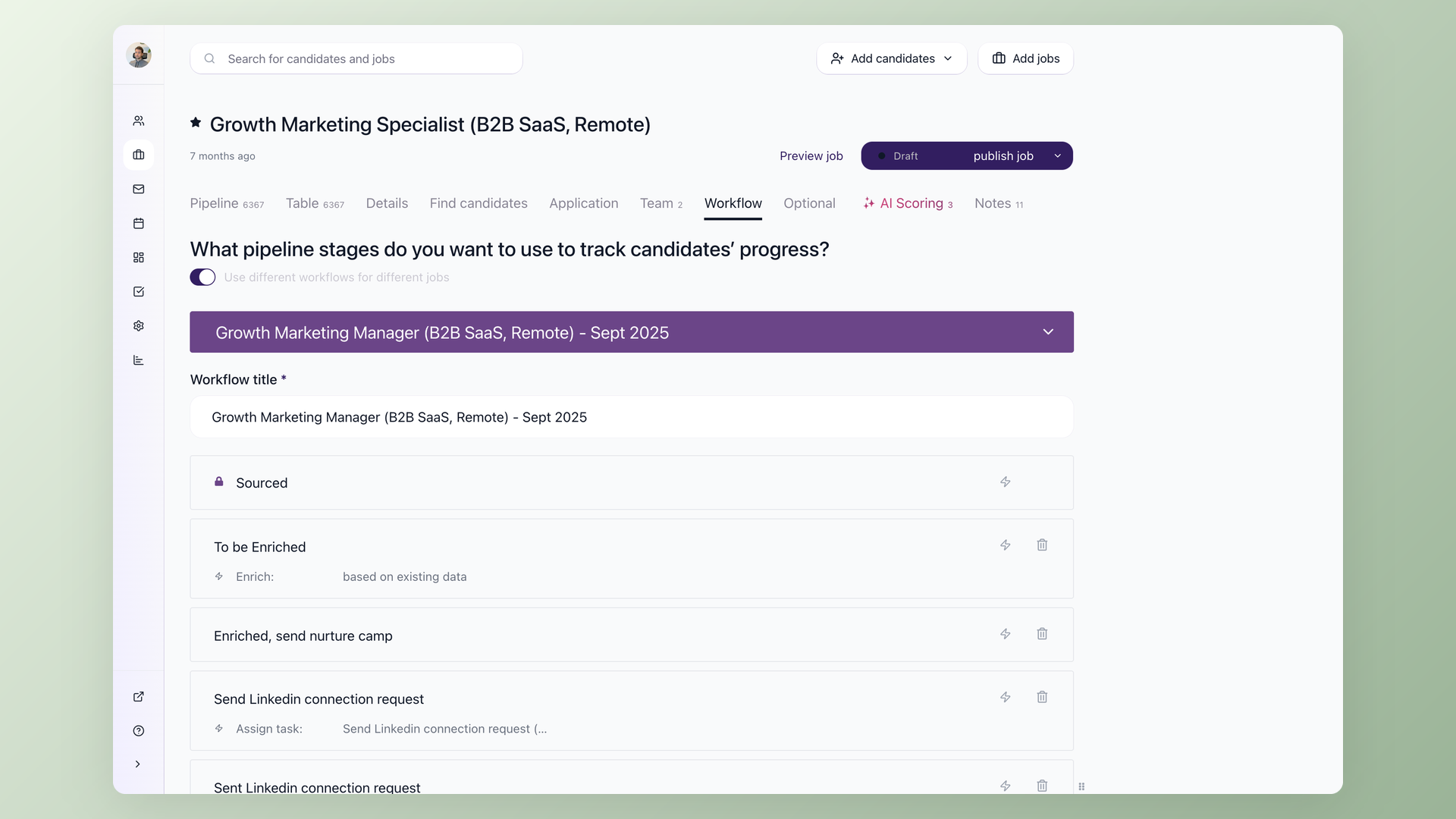
I run AI scoring at two checkpoints, not one. The configuration is set per workflow stage with thresholds that trigger different routing:
| Checkpoint | What gets scored | Routing rule |
|---|---|---|
| Pass 1: on application | Resume + profile answers |
Score < 40: route out of the recruiter queue, schedule a polite rejection email. Score >= 40: send the screening email with a couple of role-specific questions. |
| Pass 2: on questionnaire reply | Resume + the candidate's written answers |
Score >= 60: auto-advance to the recruiter queue. Score 40-59: stay in the queue for a human glance. |
The two-tier setup matters because a resume on its own is shallow. A questionnaire response - where I ask the candidate to walk through one or two channels they have grown for B2B SaaS at $2-10K ACV in the US, with metrics - exposes the same person to several times more scrutiny.
AI is a usable scorer for both, and the second-pass score is the one I weight most.
Three illustrative cases from my actual pipeline (anonymized):
- Candidate A (Content Manager at a competing ATS): scored 81 pre-interview, 80 post-interview. Auto-advanced. Domain match was direct, the questionnaire showed clear funnel thinking. Moved to founder-interview prep.
- Candidate B (Senior Marketing Analyst at a large enterprise SaaS): scored 15 on resume - well below the 40 cutoff. The system filtered the application and queued a delayed rejection email, which freed roughly 30 minutes of recruiter time on a single candidate.
- Candidate C (Senior Digital Marketing Specialist at an HR-tech enterprise vendor): scored 45 on resume - just over the cutoff to receive the screening email. After the questionnaire response her score jumped to 72. Without the second-pass scoring she would have looked weak on her resume alone and likely been deprioritized; the questionnaire showed clearer thinking about channel ownership and pulled her into the recruiter queue. The eventual rejection happened later, on different grounds.
Lesson: do not collapse scoring into a single threshold. Use a low bar at the top of the funnel to remove obvious mismatches, and a higher bar after the questionnaire to surface high-confidence advances.
Copy-paste AI scoring rubric for a Growth Marketing Specialist role
This is the actual rubric I use as the AI scoring prompt. Adapt the role context and channel weights to your situation. Score 0-100, with 60+ as auto-advance.
Role context:
B2B SaaS marketing specialist for an Applicant Tracking System
sold to US SMBs (20-200 employees), ACV $2-10K, primarily organic
content + email + LinkedIn growth. Solo IC, no team to delegate to.

Score 0-100 across these dimensions, then weight and sum:

1. Years of relevant B2B SaaS marketing experience (20%)
   - 0-2 years: 0-30
   - 3-5 years: 50-70
   - 6+ years: 70-100

2. Channel ownership match (25%)
   - Content/SEO: blog posts written, keyword research, organic traffic
     growth tied to specific URLs
   - Email/lifecycle: sequences built, open and click rates
   - LinkedIn organic: posts written, follower growth, engagement
   Score higher for hands-on execution, not strategy oversight.

3. ICP and motion match (20%)
   - US SMB B2B SaaS at $2-10K ACV: 70-100
   - Enterprise B2B at $50K+ ACV: 30-50 (different motion)
   - Consumer or B2C: 0-20

4. Specific metric literacy (15%)
   - Knows actual conversion rates, traffic numbers, pipeline math: 70-100
   - Vague claims with no numbers: 0-30

5. AI tooling depth (10%)
   - Uses Claude Code, Cursor, n8n, or repo-as-context workflows: 70-100
   - Uses ChatGPT for drafts only: 30-50
   - No AI mentioned: 0-20

6. Red flags (10%, subtract)
   - Multiple sub-12-month tenures
   - Inflated metrics that don't survive five minutes of verification
   - Title or salary mismatch with role scope

Output: numeric score, one-line rationale, top concern to probe in interview.
Step 4: Send follow-up questions only to candidates worth your time
This is where the process becomes more balanced for candidates.
Instead of asking everyone 20 questions upfront before even looking at their resume, you first collect applications, run AI scoring, and only then ask more questions - and only to candidates who actually look like a fit.
You're not wasting irrelevant candidates' time with lengthy questionnaires they'll never benefit from. And you're not wasting your own time reading answers from people who don't meet basic requirements.
Candidates who scored above your threshold get a short questionnaire or email follow-up with 2-3 role-specific questions. These should be open-ended enough to test real knowledge - not something a candidate can answer with a generic response. Examples:
- "Describe the most similar project you worked on and what you owned."
- "What would you do in your first 30 days in this role?"
- "Tell us about a trade-off you made in a similar role."
Keep the questionnaire short. Research shows that long or unclear assessments increase candidate abandonment.
Two or three focused questions get you better signal than ten vague ones.
In 100Hires, this works through a questionnaire sent via nurture campaign automation:
- Create the questionnaire in Settings > Forms
- Add it to an email template
- Set up the automation to send it when candidates reach a specific pipeline stage
- Each candidate receives a unique questionnaire link
- When they complete it, "Act if form is filled" automation moves them forward
- If they don't respond, an automated follow-up goes out after 3 days
Responses are then scored again by AI - now with more context beyond just the resume. This second data point helps separate genuinely strong candidates from those who looked good on paper but can't articulate their experience.
Async screening questions beat phone screens at scale. You can send 50 questionnaires in one click, but you can't do 50 phone screens in a day.
As one recruiter in r/Recruitment noted, "A 3-question written screen kills mass applicants without burning recruiter time."
Step 5: Review the top candidates fast
By this point, the original flood of applications has been narrowed considerably. Knockout questions filtered out unqualified applicants. AI scoring ranked the rest. A follow-up questionnaire added a second data point.
You're left with maybe 30-50 candidates who deserve a manual look.
Sort your pipeline or table view by AI score so the strongest candidates appear at the top. Then use keyboard shortcuts for rapid screening:
- Shift+R - opens the resume
- Shift+S - advances to the next stage
- Shift+Q - disqualifies the candidate
- Shift+Down - moves to the next candidate
That's a full screening loop in four keystrokes.
For batch decisions, select multiple candidates and use bulk actions: send email, change pipeline stage, disqualify with a reason, add tags - all in one click. The table view lets you filter by job, stage, tag, or score to slice the remaining list however you need.
Top candidates after this manual review get an email with a self-scheduling link to book a call with the recruiter. In 100Hires, you can set this up as an automation on the stage where finalists land - the scheduling link goes out automatically.
Step 6: Verify shortlist claims with API and AI agents
Once you have a shortlist of 10-20 candidates who passed the recruiter interview, every quantified claim on their resume becomes a hypothesis worth testing. "Grew organic traffic 3x" - against what baseline? "Built marketing from scratch at a B2B SaaS startup" - what does the website look like today? "Managed an $80K SQL pipeline" - is the company size and stage consistent with that number?
Doing this manually for the size of shortlist that any popular role generates is days of unfocused tab-switching. With an AI agent on top of the ATS API and a handful of standard research and enrichment APIs, it takes a single afternoon and a few dollars in external credits.
The toolbox
- The ATS data on the candidate - resume text, profile answers, the email response to the screening questions, recruiter interview transcript, and the AI scoring history. All pulled programmatically through the ATS API.
- The candidate's previous employers - what those companies actually do, how big they are, what stage they are at, who their customers are, whether the size and motion match what the candidate is claiming on the resume.
- The websites those companies run - traffic, top pages, top keywords, growth or decline over time, where the traffic actually comes from. If a candidate claims they grew organic traffic 3x, this either confirms it or doesn't.
- The candidate's LinkedIn activity - their own posts, the company posts they were part of, engagement, what kind of content they actually produce.
- Anything else they have written online - blog posts, podcast appearances, articles credited to them, product launches.
- An AI agent as the orchestrator - I run this in Claude Code with the Codex CLI plugin for second-opinion review; any code-aware AI agent, n8n flow, or Python script can do the same job. The agent reads the resume, decides which signals are worth chasing, fires off the calls, and assembles the structured report.
This is just a handful of the signals - in practice the report pulls in many more, calibrated to the role. The point is that every meaningful claim on the resume and in the interview gets cross-referenced before founder time is spent.
The useful trick: tenure-aligned traffic context
Most candidates list a company and date range, then claim some marketing impact. Standard SEO research tools give you the company's organic traffic by month going back several years.
Cross-reference the candidate's employment dates against the traffic curve, and the picture becomes clearer than what either source alone tells you.
Three illustrative cases from my pipeline (anonymized):
- Candidate A at the competing ATS: external data showed organic traffic dropped roughly in half during her last six months. The site has high domain authority and thousands of referring domains - the long-term work is real - but the traffic curve was inflecting downward as she transitioned out. That became a specific question to probe in the founder interview rather than a guess.
- Candidate D at a small AI-productivity SaaS: claimed she "built the entire marketing engine from zero" as the sole marketing hire over 13 months. External data gave useful context - Domain Rating in the low double digits, no measurable monthly organic search traffic. Real product, but the marketing function had not yet produced a measurable organic footprint. This became a reject signal.
- Candidate E at another competing ATS: claimed roughly 80-90K monthly traffic. The external data returned a higher total-visits number, growing through Q1. The candidate had understated. Useful as a positive signal.
Each verification cost about $0.05 in API fees and took roughly two minutes per candidate, fully orchestrated by the agent.
The point is not to play "gotcha." The point is to walk into a founder interview with the numbers already cross-referenced, so you can spend the call probing the most useful questions instead of trying to remember which company sold to whom.
A reusable workflow
I store this as a reusable agent skill. Given a candidate ID, it runs the full pipeline and posts a structured note back into the candidate's profile so my recruiter can see what was checked. The flow:
1. Pull the candidate's full ATS data: resume, profile answers, screening response, recruiter notes
2. Look up the candidate's recent employers - what those companies actually do, size, stage, ICP
3. Pull traffic and SEO performance data on those companies' websites - history aligned to the candidate's tenure
4. Pull the candidate's LinkedIn activity and anything they've published online
5. Cross-reference every claim in the resume and the screening response against the external data
6. Write a structured note back into the ATS profile with the findings and a recommendation
7. If reject: schedule a personalized rejection email from the recruiter's mailbox
Total external cost across all the reports I built this way: about $55. Total of my time: a few hours, most of which was reading the reports rather than producing them.
You do not need Claude Code or Codex specifically for this. The same calls work from any code-aware agent, a Python script, n8n, Make, or Zapier.
The point is that the ATS has an open API, the enrichment tools have open APIs, and stitching them together gives you a verification habit before any senior time is spent.
Step 7: Run a structured interview and let AI evaluate one more time
The recruiter runs a structured interview with the final candidates. Structured means the same questions for each candidate, with a scoring rubric defined in advance. This makes comparisons fair and reduces the "I just had a good feeling" problem.
After the interview, post the transcript or your notes to the candidate's discussion tab in the ATS. Then trigger another AI evaluation - this time with the full picture:
- Resume
- Questionnaire answers
- Interview transcript
This layered approach - score, ask follow-up, score again, interview, score again - means each round adds context and precision. Early rounds are broad and automated. Later rounds are narrow and human-driven.
By this point, you're talking to the top 10-20 candidates out of your original pool.
Step 8: Don't throw away your silver medalists
You shortlisted dozens of strong candidates and hired one. What happens to the others who were genuinely strong but didn't get the offer?
Tag them. Keep them in your talent pipeline. Set up a nurture campaign to stay in touch - a brief check-in every few months.
When you open a similar role next quarter, these candidates are your starting pool. You've already vetted them.
One recruiter described keeping a personal database of thousands of contacts with notes across years of recruiting. "Typically several dozen are relevant to any new role," they said.
Your real talent pipeline isn't just candidates who applied - it also includes silver medalists who went deep in your process and just weren't the right fit this time. They already know your company and your role. They're warmer than any cold outreach.
Treating each campaign as a one-off means you throw away every evaluation that didn't end in a hire. Building a pipeline means the work compounds.
Step 9: Automate after you've calibrated
Don't turn on auto-reject, auto-score, auto-email, and auto-advance all at once on day one. That's how you accidentally reject strong candidates with an untested prompt or send a follow-up questionnaire to people who should have been filtered out two steps earlier.
The core principle of this process:
- Set it up
- Observe the results
- Adjust
- Then automate what's working
Run the first batch manually (or semi-manually). Check the outcomes. Tune your knockout questions, scoring prompts, and questionnaire flow. Once the results match what you'd do by hand - then let the automations run.
At that point, the workflow becomes largely hands-off. Candidates apply, knockout questions filter, AI scores, questionnaires go out, responses trigger stage moves, and the recruiter's inbox fills with pre-vetted candidates ready for a conversation.
For teams that want to go further, 100Hires has an open API. You can connect it to Claude Code, any LLM-based agent, or custom scripts to process candidates in bulk programmatically.
The recruiter's job shifts from "scan every resume" to "talk to the few best candidates."
5 mistakes that make high-volume screening worse
These are patterns that show up repeatedly when teams struggle with application volume:
- Keyword-only filtering. Rejecting candidates because their resume doesn't contain exact phrases misses people with non-standard titles or unconventional career paths. A marketing manager at a startup might have done the exact same work as a "growth lead" at another company.
- No structured scoring criteria. If your screening depends on individual judgment calls without a shared rubric, different reviewers will reach different conclusions about the same candidate. This doesn't scale past 50 applications.
- Skipping automation for repetitive decisions. Sending rejection emails manually, moving candidates between stages by hand, and typing the same follow-up message for each applicant burns hours on tasks a machine should handle.
- Treating every applicant the same. Spending five minutes on each application at high volume burns days of review time before you've even started evaluating. Score first, then invest time proportionally. A candidate who scored 90 deserves a thorough review. A candidate who scored 25 does not.
- Not building a pipeline. If you screen a flood of candidates for one role and retain only the hire, you lose every evaluation you did. Tag your strong candidates. Keep them accessible for next time.
How 100Hires runs this pipeline end to end
The pipeline above runs on three features that 100Hires bundles together. None of them are unique to us individually, but the combination - especially the open API on top of the workflow engine - is what makes the verification step in Step 6 practical.
1. Multiposting to 25+ locations from one parent job
One parent listing, automatic distribution to satellite jobs across cities and countries. Each satellite syndicates to local Indeed, Glassdoor, ZipRecruiter, and other free job boards, so the post indexes locally rather than getting buried in a generic "remote" bucket.
2. AI scoring with configurable auto-disqualify and auto-advance
Per-stage thresholds. Score below your floor and the candidate is filtered out of the recruiter queue with a delayed rejection email. Score above your ceiling and they jump ahead. The middle band stays for human triage.
The same scoring system can run twice - once on the resume, once on a questionnaire response - so you get a high-confidence second-pass before recruiter time is spent.
3. Open REST API with public OpenAPI spec
Every action available in the UI is also an API call: list applications by stage, pull the full resume text, post a note, send a personalized email from a teammate's mailbox, transition stages, fetch AI scoring history.
The OpenAPI spec is published, so wiring 100Hires into Claude Code, Cursor, n8n, Zapier, or a custom script takes an afternoon. That is what makes the Step 6 verification workflow possible.
Frequently asked questions
How many applications per job posting is normal in 2026?
The average job opening attracts around 242 applications, with LinkedIn reporting a 45% year-over-year increase driven by AI auto-apply tools. Popular roles, remote positions, and jobs posted on multiple boards can easily exceed 400-500.
Can AI replace human recruiters for candidate screening?
No. AI is a ranking and prioritization tool, not a decision-maker. It reads faster than a human and catches patterns across large volumes, but it misses context that humans pick up. Use AI to decide who you look at first, then make final decisions yourself. EEOC guidance makes employers responsible for how automated tools affect selection decisions - keep criteria job-related, audit outcomes, and keep humans involved in final decisions.
What are knockout questions in recruitment?
Knockout questions are yes/no dealbreaker questions on your application form. Candidates who answer "no" to a requirement (like work authorization or a required certification) are automatically disqualified and receive a rejection email. This filters out unqualified applicants before any manual review.
How do I screen job applications faster without missing good candidates?
Use a layered approach: knockout questions filter obvious mismatches, AI scoring ranks the rest by fit, and a short async questionnaire adds context for borderline candidates. This way you only spend manual review time on candidates who have already passed multiple filters. Tools like 100Hires automate each of these steps.
Is it legal to use AI for screening job applications?
Yes, but with guardrails. The EEOC considers AI screening an employment selection procedure subject to anti-discrimination laws. Use only job-related criteria, review outcomes across candidate groups periodically, and keep humans in the final decision loop.
Try 100Hires for free
No credit card. 14-day trial. Forbes Advisor #1 ATS for SMBs.