
Homerun API in 2026: endpoints, access, and limits
Homerun, the Amsterdam-based hiring tool, does have a public REST API. It is real, documented, and small.
Version 2 lives at developers.homerun.co and covers 8 endpoint paths with 11 operations across 4 resource types. Homerun's current pricing page does not say which plans include it, and the docs define a 402 error for plans that do not.
This guide maps the verified surface as of July 2026: what you can build, how you get a key, where the gaps are (no documented webhooks or sandbox), the workarounds, and how it compares to the 100Hires API when you need deeper integration.
Quick disambiguation before we start: this article covers Homerun the applicant tracking system at homerun.co. Homerun Presales, homerun.net, and baseball stat APIs share the name but have nothing to do with hiring.
Key takeaways
The hiring playbook, in your inbox
One email a week - benchmarks, AI screening tactics, and short interview templates from the 100Hires team. No product pitches.
- Small surface: 8 endpoint paths, 11 operations, 4 resources - job applications (full CRUD), notes (create), files (upload), vacancies (read-only)
- No documented webhooks or sandbox: within the documented API, real-time integrations poll for changes under a 60-request-per-minute limit
-
Plan eligibility is unclear: the docs define a
402response for plans without Public API access, and the current pricing page does not say which plans qualify - confirm with Homerun first - Quiet changelog: no public API updates since December 2024, as of July 2026
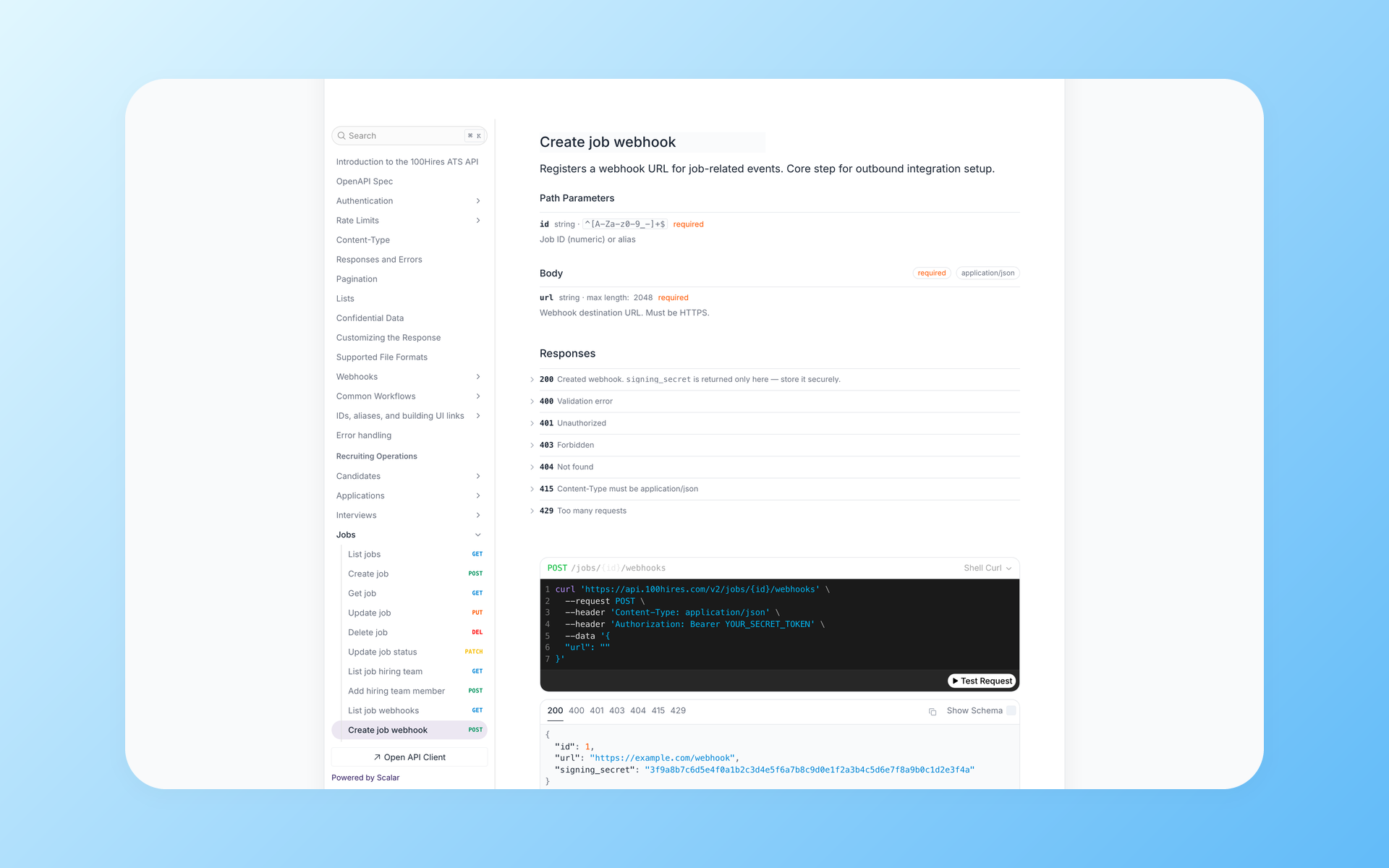
- 100Hires for scale comparison: 89 paths and 133 operations, signed webhooks, a public OpenAPI spec, and API access on every plan including the 14-day trial
What does the Homerun API actually cover?
Homerun released the current version of its Public API on June 7, 2023, replacing an earlier beta that was retired that December. The API has a narrow purpose: importing and exporting applications and retrieving open jobs.
Endpoint map
| Resource | Paths | Operations |
|---|---|---|
| Job applications |
/job-applications, /job-applications/{job_application_id}
|
List, create, retrieve, update, delete |
| Application notes | /job-applications/{job_application_id}/notes |
Create only |
| Application files |
/job-applications/{job_application_id}/files, /job-applications/{job_application_id}/photo
|
Upload file, upload photo |
| Vacancies |
/vacancies, /vacancies/{vacancy_id}
|
List, retrieve (read-only) |
| Health check | /ping |
Auth test |
That is the whole map: 8 unique paths, 11 operations. The API's write operations are more useful than they may first appear.
PATCH /job-applications/{job_application_id} can move a candidate between hiring stages and even between jobs, a capability Homerun added with the 2023 release.
The developer basics are done well. Authentication uses bearer keys with 6 granular scopes, from vacancies:read to job-application-files:write. You can create multiple keys, rotate them without downtime, set an optional expiry per key, and see an activity log.
Pagination follows a familiar page and perPage pattern with a metadata envelope. Error codes are documented (400, 401, 402, 403, 404, 429), and the field schemas for job applications and vacancies are spelled out in full.
A data-model detail with GDPR weight: each application carries retention_period_ends_at, a GDPR-minded timestamp for when the candidate's data retention window closes. Useful if you sync candidate data into other systems and need to respect deletion windows.
What is missing from the resource model
Vacancies are read-only. You cannot create, publish, or edit a job through the API - job management stays in Homerun's UI.
The documented model has no standalone candidates resource. People exist only inside job application records. If the same person applies to three roles, you get three application objects, and any cross-job candidate view means deduplicating on your side, usually by email.
Interviews, messages, application forms, evaluations, users, and reporting have no endpoints in the documented model. If your integration needs any of those, no documented API route gets them out - ask Homerun about non-API export options.
So much for the surface. Access is the murkier part.
How do you get Homerun API access?
Key generation itself is self-serve. An account admin goes to Settings, opens Public API in the Customize section, and clicks Generate API key. Homerun's help center documents the flow in an article last updated in October 2025.
The same help article sets expectations for support: Homerun states that it does not help customers set up API integrations, though the team will answer questions by email.
Whether your plan includes the API is where public information runs out. The history, with dates:
- June 2023: the launch announcement said the Public API was available to companies on the Plus plan
- Legacy pricing grid: the saved comparison table for the Light, Basic, and Plus plans shows Public API access on Plus only, with X marks for Light and Basic
- July 2026: the current pricing page (Core at EUR 139 per month and Plus at EUR 215 per month, both on annual contracts) does not mention the API at all
-
Still in the docs today: a
402response with the message "Your plan doesn't include Public API feature"
Taken together: every dated public source that names API access ties it to the top Plus plan, the current Core and Plus pricing page does not say where it sits now, and the docs still define a 402 state for plans without access.
If API access matters to your stack, ask Homerun to confirm eligibility for your specific plan before you commit or write code.
Trying before buying has a hard boundary here. Homerun's help center lists API keys among the things trial accounts cannot request, next to a 100-candidate cap and demo-only email sending.
So the trial covers most product features, and the API is not one of them. Your first real API call happens after you pick a plan.
A small discoverability note: in a November 2025 crawl of homerun.co's navigation, developers.homerun.co was not linked anywhere on the homepage. Most people find it through search, which may be how you landed here.
What are the Homerun API's limits?
Every limit below traces to Homerun's own docs or a dated public source. Each one has a workaround, so treat this as a build checklist rather than a warning label.
1. Webhooks are absent from the docs. No subscription endpoint, no event list. Inside the documented API, the available pattern for reacting to a new applicant or a stage change is polling GET /job-applications on a schedule.
Telling detail: a unified-API vendor that supports Homerun advertises its own webhook-syncing layer on top of the API. The vendor advertises the syncing but does not explain how it works.
2. The rate limit is 60 requests per minute, flat. No documented path to raise it. Fine for most SMB workloads, but polling eats into it - math below.
3. No sandbox or test keys appear in the reviewed docs. Ask Homerun whether a test environment exists for your account before touching live records. The same third-party vendor advertises a synthetic-data sandbox for Homerun as its own feature.
4. The changelog has been quiet. Four public entries since the June 2023 launch, and none after December 2024 as of July 2026. That describes the visible changelog only, not work Homerun may have done elsewhere.
5. Access is scoped to your own account. No cross-company jobs API is documented. Job aggregators that index Homerun career sites work from public feeds instead.
6. Homerun steers simple job-list workflows away from the API. The docs recommend Job XML Feeds for anyone whose workflow only involves fetching a list of vacancies. Sensible advice, and a signal the API is meant for application data, not job syndication.
Polling math on a 60 requests per minute budget
A back-of-the-envelope example: say you run 12 open roles and want near-real-time applicant alerts. Poll each vacancy's applications once a minute and you spend 12 of your 60 requests before any real work: no stage moves, no note writes, no file uploads.
The saner pattern is one GET /job-applications list call per minute across all roles, tracking application IDs or created-at values on your side to spot what is new. One request a minute for detection, 59 left for everything else. Build that assumption in from day one.
What can you use instead of (or alongside) the API?
Homerun's own materials point to a wider integration toolkit. For plenty of teams, one of these covers the need without touching the API.
- Job XML feeds: self-serve, no key needed, auto-updating. Jobs only - no candidate data flows through them. Dedicated variants exist for Indeed and VONQ
- Hosted career page and embed snippet: the three official Homerun tutorials we reviewed explain how to link to a hosted career page, embed job listings, and share individual jobs; none mentions the API
- Native integrations: the integrations page lists job boards (Indeed, LinkedIn, Google for Jobs, VONQ), calendar tools, Slack, and HRIS connections
- Unified-API vendors: Merge lists a Homerun integration, marked Beta on its own page. One caution: Apideck's "Homerun HR" integration targets Homerun's separate HR product for staff and absence data, not the ATS API this article covers
Homerun's own HR product gets special treatment: a built-in connection sends newly hired candidates from Homerun ATS into Homerun HR. It is one-way, hired-candidates-only, and separate from the Public API - handy if you stay inside the Homerun family, irrelevant if you do not.
Zapier fans should check twice: as of July 2026, Homerun's integrations page lists no Zapier connector. The build-it-yourself routes on that page are the raw API and the unified-API vendors.
There is a community MCP server for Homerun with 5 tools for AI-assisted candidate review. It stays within the documented API scopes - browse vacancies, read applications, add notes - so it inherits the same surface and the same plan question.
How does the 100Hires API compare?
We build 100Hires, so read this section as a vendor's own comparison. Homerun figures come from its public docs and current pricing page, fetched in July 2026.
For 100Hires, the API coverage, webhook, and rate-limit figures come from the live OpenAPI spec. Plan access, MCP availability, and the migration example come from the current 100Hires REST API v2 pages.
| Criteria | 100Hires API | Homerun API |
|---|---|---|
| Surface | 89 paths, 133 operations | 8 paths, 11 operations |
| Resource groups | 20; 10 of them carry create, read, update, and delete operations | 4 |
| Jobs via API | Create, publish, edit, close | Read-only |
| Candidates | Standalone resource | Embedded in applications |
| Webhooks | Yes, HMAC-SHA256 signed with secret rotation | None documented |
| Machine-readable spec | Public OpenAPI file, no login needed | None found in its docs |
| MCP for AI clients | Native server, free on every plan | Community wrapper, 5 tools |
| Plan availability | Every plan, including the 14-day trial | Unstated for current plans; excluded from trial accounts |
| Default rate limit | 100 requests per 10 minutes on new keys, raisable via support | 60 requests per minute, flat |
The honest fine print on 100Hires. That default rate limit works out to 600 requests per hour, lower than Homerun's 3,600, until support raises it for your use case.
The spec (an OpenAPI Specification document) shows no per-resource key scopes, where Homerun offers 6 narrow ones. Interviews are create-and-read only, and users, evaluations, and billing are read-only.
A quirk in the public endpoints: three career-site endpoints in the 100Hires spec require only a company slug header, not a bearer token. You can render your own careers page and accept applications with zero secrets in your frontend code.
What do teams actually build on it? In our demo calls, customers repeatedly ask about two use cases: sending new hires to payroll systems such as ADP or Paycom when they reach the Hired stage, and building custom careers pages.
Another pre-purchase question from developers: can the API trigger an e-signature workflow when a candidate is hired?
The careers-page pattern works in two directions: public career-site endpoints accept applications into 100Hires, and signed webhooks notify your systems the moment a new application lands.
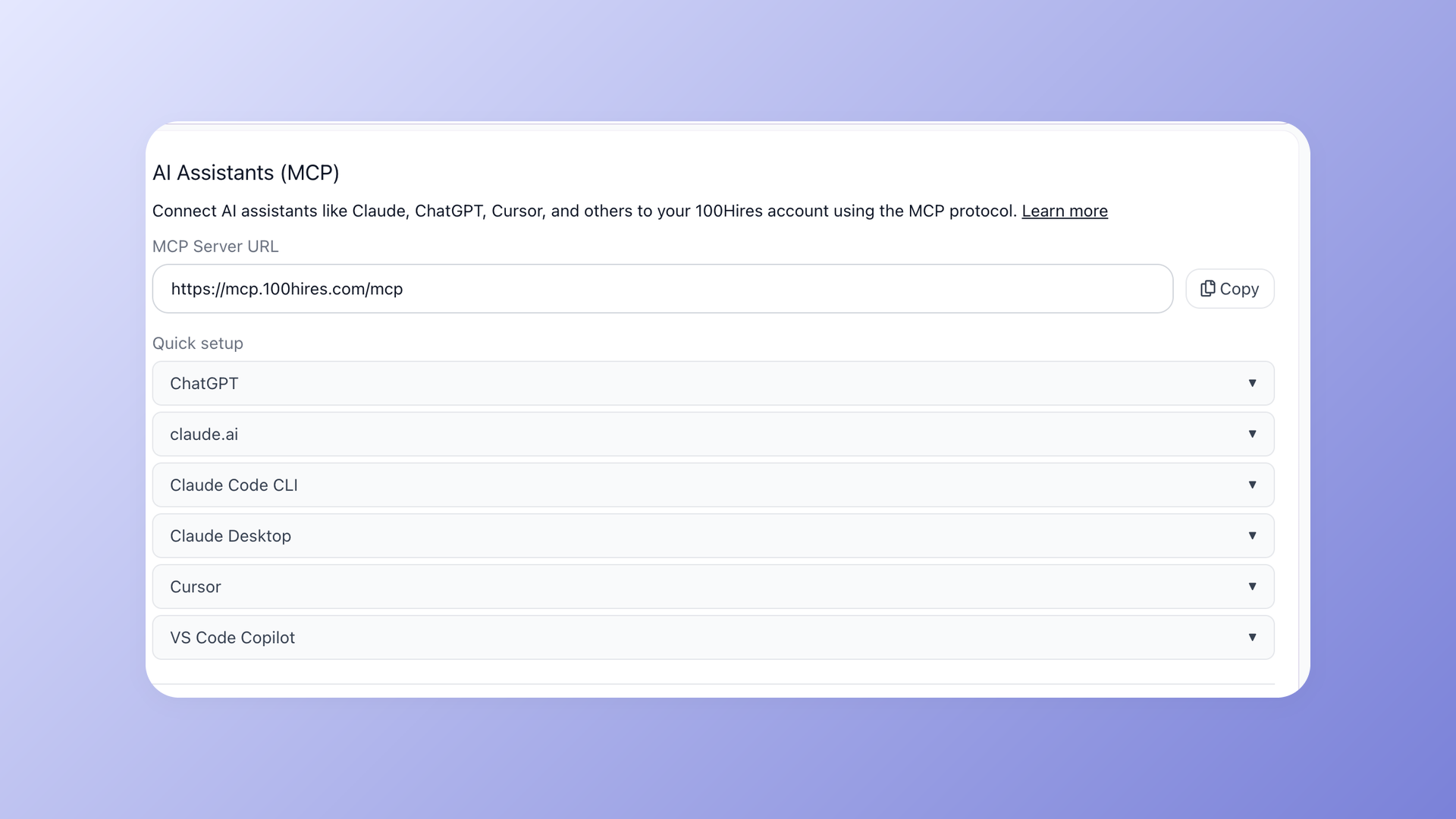
The MCP server brings the same API to AI clients like Claude and ChatGPT, and one healthcare customer moved 25 jobs and roughly 13,800 candidates into 100Hires through the API during a migration.
Start a free 100Hires trial and generate an API key from Settings on day one - the API is enabled on trial accounts.
Can you migrate off Homerun using its API?
Yes, for the data that matters most. The read endpoints cover the core of a migration:
- Pull every job with paginated
GET /vacanciescalls, including stages, department, and location - Pull applications per vacancy with
GET /job-applications, using include parameters for notes, disqualification reasons, and question answers - Collect file URLs from each application object - resumes and attachments come as links
- Map Homerun stages to your target ATS pipeline, then push jobs and candidates in through the target's import API or CSV importer
What the documented API will not hand you is anything outside its 4 resources. Interview history and message threads are not in the model, so ask Homerun about non-API export options for those before you schedule the cutover.
Download the files during the export run, not after. The docs describe file links as signed URLs that remain valid for 5 minutes after they are issued, so a saved list of links is not an archive. Pull every resume into storage you control as you page through.
Most SMB switches hinge on jobs and candidate records, both of which the Homerun API covers. Keep the 60-request-per-minute limit in mind during a large export: retrieving 10,000 applications at 100 per page requires 100 list calls and takes a couple of minutes.
Moving to 100Hires? Book a demo and our team will walk through the migration path against your actual Homerun data.
Common mistakes when building on the Homerun API
Recruiters shopping for an ATS often list a documented API as a checklist item alongside price, as one r/recruiting thread about choosing a recruiting stack shows. Developers inherit that checklist. The mistakes below come from reading the docs too optimistically.
- Assuming a candidates endpoint exists. It does not appear in the model - dedupe people by email across application records instead
- Designing around webhooks. They are absent from the docs, so budget from the start for polling within the 60-request-per-minute limit
- Testing carelessly in production. Ask Homerun whether a test environment exists for your account; if none does, create a throwaway vacancy and clearly labeled test applications, and respect the retention fields
- Grabbing the wrong integration. Apideck's "Homerun HR" connector serves Homerun's separate HR product, not this ATS API
- Expecting cross-company job data. None is documented - aggregators work from per-company career-site feeds
-
Discovering in production that your plan blocks API access. A fully authenticated request can still return
402- confirm your plan includes the API before writing code
Frequently asked questions
Does Homerun have a public API?
Yes. Homerun's Public API v2 offers 8 endpoint paths and 11 operations across 4 resources: job applications, notes, files, and read-only vacancies. For scale context, the 100Hires API documents 89 paths and 133 operations with a public OpenAPI spec anyone can download.
Which Homerun plan includes API access?
Homerun's dated public sources tie the API to its top Plus plan, its current pricing page does not say, and the API docs define a 402 response for plans without the feature - confirm eligibility with Homerun before building. 100Hires includes its API on every plan, including the 14-day free trial.
Does Homerun have webhooks or a Zapier integration?
Neither appears in Homerun's API docs or on its integrations page as of July 2026, so polling is the working pattern for real-time needs. 100Hires provides HMAC-SHA256-signed webhooks with secret rotation at both job and company scope.
Can I export my data from Homerun through the API?
Jobs, applications, notes, and file links can be exported cleanly through the read endpoints. Interviews and message threads are not in the documented model. On the receiving side, the 100Hires API has supported large migrations: one customer moved 25 jobs and roughly 13,800 candidates through it.
Is there a Homerun sandbox for API development?
Ask Homerun whether a test environment exists for your account: no sandbox or test mode appears in its API docs, and if no test environment is available, use clearly labeled test data. The 100Hires 14-day trial works as a de facto sandbox, since API keys are enabled on trial accounts.
Building against an ATS API this quarter? Read the 100Hires API overview, pull the spec, and see how far a trial account takes you before you spend a single euro.
Try 100Hires for free
No credit card. 14-day trial. Forbes Advisor #1 ATS for SMBs.

