Greenhouse vs Workday: which recruiting system fits your team in 2026
Greenhouse and Workday keep showing up on the same enterprise shortlist, and most of the time they are not really competing for the same slot.
Greenhouse is a dedicated applicant tracking system that recruiting teams pick because they want a specialist recruiting platform.
Workday Recruiting is one module inside the Workday HCM suite, and companies usually land on it because they already run Workday for HR, payroll, and finance.
So the useful question is not "which one is better." Most teams end up in one of three places: choose Greenhouse as the specialist ATS, keep Workday Recruiting because the rest of the business already lives in Workday, or run Greenhouse on top of Workday as the recruiting layer.
This guide shows which of those fits you.
We reviewed both vendors' documentation, current G2 and Capterra listing data, and recent practitioner discussions from recruiters, HRIS admins, and candidates.
Workday has no public standalone Recruiting price page, so its pricing here is drawn from buyer and third-party estimates. Here is what the evidence says, starting with the short version.
Greenhouse vs Workday at a glance
The hiring playbook, in your inbox
One email a week - benchmarks, AI screening tactics, and short interview templates from the 100Hires team. No product pitches.
| Criteria | Greenhouse | Workday Recruiting |
|---|---|---|
| Category | dedicated ATS | recruiting module inside the Workday HCM suite |
| How teams buy it | usually recruiter or TA-led | usually through an HCM suite decision |
| Pricing | custom quote | custom quote, sold with Workday HCM |
| Setup | guided implementation, weeks to a couple of months | enterprise implementation project, often months |
| Best-fit size | ~100 to 1,000+ employees | 1,000+ employees already on Workday HCM |
| Integrations | 500+ pre-built, according to Greenhouse | strongest inside the Workday ecosystem |
| Standout strength | structured hiring depth and recruiter experience | one system of record across HR, payroll, and hiring |
| Main limitation | premium pricing, dated interface complaints | recruiter and candidate experience trail those of specialist tools |
Both sell recruiting through custom quotes, so there is no published list price to put in that table. Ratings and integration figures reflect G2, Capterra, and vendor listing data as of July 2026.
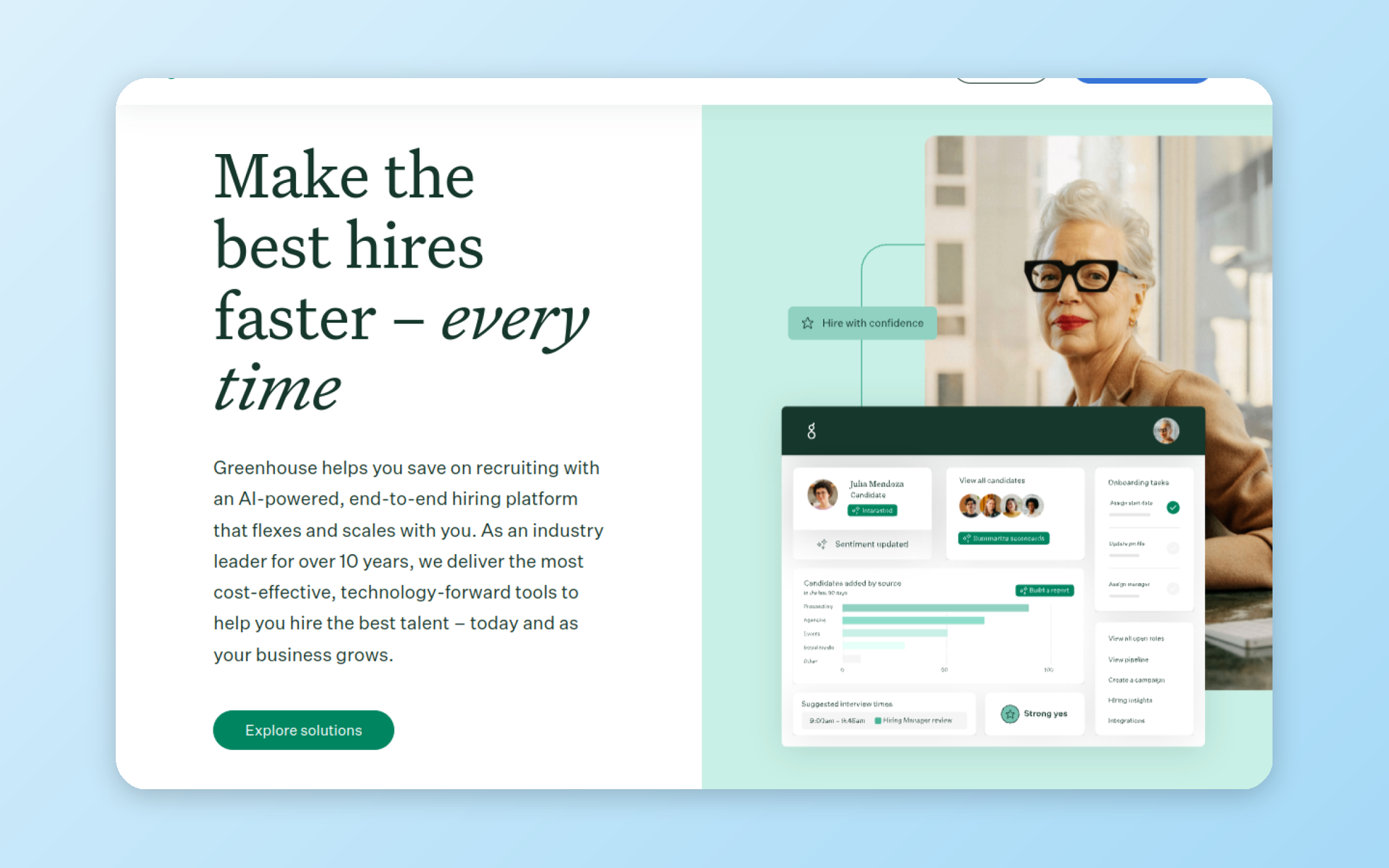
The bottom line: Greenhouse wins when recruiting quality is the priority and you want a specialist tool. Workday Recruiting wins when the whole company already runs on Workday and a single system of record matters more than recruiter polish.
And if both feel too heavy for your team, there is a third option worth knowing about, which we cover at the end.
Which should you choose
Start with how your company buys and runs software, not with a feature checklist. That single question decides most of this.
Greenhouse is more often a recruiting-team choice. A TA leader wants structured hiring, scorecards, and a deep integration ecosystem, and they buy the tool built specifically for hiring.
Workday Recruiting is usually selected a different way: the company adopts the Workday HCM suite through a broader procurement decision, often driven by finance or a parent-company mandate, and recruiting comes along as one module. That is the default pattern, not a rule.
Some teams pick Workday Recruiting on purpose because they value its governance, position management, and workforce-wide reporting.
Here is a decision matrix that maps your situation to a path. Find the row that matches your priority.
| Your situation | Leans toward |
|---|---|
| You already run Workday HCM company-wide | Workday Recruiting, or Greenhouse on top of Workday |
| You need a mature dedicated ATS and do not run Workday | Greenhouse |
| Recruiter experience and hiring speed are the priority | Greenhouse |
| One system of record across HR, payroll, and hiring is the priority | Workday Recruiting |
| You have a dedicated team to own an HRIS integration | Greenhouse on top of Workday |
| You want a 6 to 10-week guided rollout | Greenhouse |
| You want same-day, self-serve setup for a smaller team | a lighter ATS |
Choose Greenhouse if recruiting quality comes first
Pick Greenhouse when hiring is the thing you want to get right and you are not tied to Workday for HR. It is built around structured hiring: interview kits, scorecards, and a consistent evaluation process that scales as you grow.
According to Greenhouse, it offers 500+ pre-built integrations, so it slots into most recruiting stacks. The sweet spot runs from roughly 100 employees up into the low thousands.
You accept the overhead of syncing hire data into whatever HRIS you use, in exchange for a recruiting tool that does its one job in depth.
Choose Workday Recruiting if the whole company already runs on Workday
Pick Workday Recruiting when you already run, or are actively rolling out, Workday HCM, and a single employee record matters more than recruiter polish.
Because it lives inside the suite, a candidate becomes an employee without a separate handoff, and recruiting data sits next to compensation, headcount, and workforce planning.
Teams that need internal mobility, position management, and reporting across the whole employee lifecycle get value here that a standalone ATS does not provide natively.
This is the strongest case for Workday, and it is why some enterprises choose Workday Recruiting despite its reputation for a heavier day-to-day experience.
Workday has also pushed into the midmarket with a packaged offering aimed at smaller companies, so the old "enterprise only" line is softening.
Run both if you want Workday as the system of record and a specialist ATS
The third path is common at enterprise scale: keep Workday HCM as the system of record, and run Greenhouse as the recruiting layer on top of it. You get a specialist hiring tool and a single HR record, connected by an integration.
The trade-off is that you now own that integration, which is its own project. The next section covers exactly how that works.
Can you use Greenhouse and Workday together
Yes, and plenty of enterprises do. It is one of the most common questions buyers ask about this pair, and the answer shapes the whole decision.
In this setup, Workday HCM is the system of record and Greenhouse handles recruiting. When a candidate is marked as hired in Greenhouse, their data flows into Workday so the new employee exists in one place.
Job and position data can flow the other way, from Workday into Greenhouse, so recruiters open requisitions against real headcount.
How the integration works
The connector is built and sold by Greenhouse, not Workday. Greenhouse offers Hire Link for Workday, activated through the paid HRIS Link add-on, which a Greenhouse account manager turns on.
Your team sets up a dedicated integration user on the Workday side so the two platforms can talk to each other. Only Greenhouse's higher-tier plans support custom-field option syncing, so the exact scope depends on which plan you are on.
The data flow is not fully two-way out of the box. Hire data moves from Greenhouse to Workday when the candidate is marked as hired. Position data and custom-field options sync from Workday to Greenhouse, typically every half hour.
Greenhouse documents the supported one-way flows clearly. A third-party implementation guide notes that more complex rules for handling hires and rehires can require additional Workday Studio development.
That is why an integration that looks simple on a slide can turn into a multi-week build.
The other thing nobody warns you about is ongoing ownership. Once it is live, someone has to keep it healthy: field mappings drift, candidate IDs need to line up across systems, and a Workday configuration change on the HR side can quietly break a sync your recruiters depend on.
One integration consultant described spending weeks untangling a Greenhouse-to-Workday connection whose custom transformation logic was never documented after the original build. Budget for maintenance, not just setup.
The API access catch
The two systems offer very different integration access. Greenhouse ships an open, well-documented Harvest API, which is why so many third-party tools connect to it.
Workday's integration access is heavier and more restricted, and one implementation consultant who has built both describes Greenhouse's API as far easier to work with than Workday's enterprise integration model.
Treat that as a practitioner's view backed by the official docs, not a lab benchmark, but it matches what the connector mechanics show.
One more detail worth knowing: a July 12, 2026 search found no Greenhouse listing on Workday Marketplace. The documented connector is built and sold by Greenhouse.
If you want the full architecture picture for a large team, our guide to enterprise recruiting software walks through how these systems fit together.
Pricing and total cost of ownership
Neither Greenhouse nor Workday publishes real recruiting prices. Both sell through custom quotes, so every number below is an estimate from buyers and third parties, not a vendor list price.
For Greenhouse, third-party estimates put entry pricing in the mid four figures per year for small teams, climbing into the mid five figures as headcount grows. Add-ons, advanced AI, and premium support push it higher.
Buyers consistently describe it as a premium product with a premium price.
Workday is where the math gets slippery, so keep two numbers separate. First, the incremental cost of adding the Recruiting module to an existing Workday HCM contract.
Second, the total cost of the Workday HCM suite itself plus its first-year implementation, which can reach six figures a year for a mid-size company. That second number is suite cost, not recruiting cost, and vendors and reviewers often blur the two.
When someone tells you "Workday costs X for recruiting," ask which of those two they mean.
Then there are the costs that do not show up in the quote. They differ by vendor, so keep the scope straight:
- Implementation, which runs from weeks to a couple of months for Greenhouse and often several months for Workday
- Seat or user-based pricing, which for Greenhouse can penalize getting every hiring manager into the tool
- Add-ons: one third-party pricing analysis estimates Greenhouse assessment, video, and premium-support add-ons at 15 to 30 percent of the base contract, while Workday add-ons stay quote-specific
- Integration and consulting, especially if you run the Greenhouse-on-Workday setup, where a Workday Studio build is a separate project cost on top of either license
It also helps to think about cost by team size, because the two tools scale differently.
For a company of 50 to 150 people, Greenhouse is a real line item that many teams at that size find hard to justify against lighter tools, and Workday rarely enters the conversation unless the business already runs it.
From a few hundred employees up, Greenhouse hits its stride and the price starts to make sense against the hiring volume.
At 1,000-plus employees, the question usually flips: if you already pay for Workday HCM, the marginal cost of turning on Recruiting can look attractive next to buying and integrating a separate ATS, even if recruiters would prefer the specialist tool.
The takeaway: if predictable public pricing matters for your budget, neither of these tools gives you one. That is a genuine difference, not a footnote, and it is worth naming when you brief your finance team.
How they compare by role
A tool that recruiters love can be the one IT dreads, and the one candidates resent. So it helps to look at Greenhouse and Workday through the eyes of each group that touches them.
For recruiters
Recruiters tend to prefer Greenhouse. Its structured hiring, scorecards, and interview kits keep evaluations consistent, and the day-to-day flow feels built for their job. Greenhouse is not universally loved, though.
Some long-time users say a 2024 interface change made it feel busier, and others feel the product has not evolved much next to newer rivals like Ashby. Call it a genuine split rather than a clean win.
Workday Recruiting draws a more consistent complaint from recruiters: too many clicks. Even people who defend the suite tend to concede the recruiting workflow is heavier than it is in a specialist tool, and its reporting has a steeper learning curve.
What Workday gives back is structure a standalone ATS does not provide natively, especially position management and internal mobility tied to the real org chart. For a company that fills a lot of roles through internal moves, that is a genuine advantage.
For HRIS and IT admins
This is where Workday earns its keep. One system of record means no reconciling headcount between a separate ATS and the HRIS, and it brings governance, controls, and workforce-wide reporting that appeal to the people responsible for data integrity.
This is why some teams choose Workday Recruiting on purpose. Greenhouse, by contrast, is one more system to connect and maintain. That is fine if you have the resources to own the integration, and a growing headache if you do not.
For candidates
Candidates feel the difference too. Workday keeps each employer in its own isolated instance, which means applicants often create a fresh account for every company and re-enter details a resume upload should have captured.
That isolation is a deliberate security and data-separation choice, and employers can configure parts of the application, so it is an architecture decision more than a plain bug.
It still frustrates applicants, and Greenhouse's lighter application process, which does not require an account, is regularly held up as the friendlier experience.
Some candidates report smooth Workday applications, and Workday's newer Paradox-powered candidate experience can smooth over the older portal friction, so this describes the standard employer portal rather than every deployment.
The pattern is consistent enough, though, that candidate experience belongs on your evaluation list.
On AI, both are moving fast
The newest chapter is an AI arms race, and both are combining acquisitions with their own development.
Workday acquired HiredScore for AI-driven candidate screening and ranking, and later the conversational hiring platform Paradox, which automates parts of the application and scheduling process on career sites.
Greenhouse acquired the AI interviewer Ezra and shipped a Model Context Protocol server that connects Greenhouse to assistants like Claude, alongside AI features it builds into the platform itself.
Neither is standing still, and both are worth a live demo rather than a spec-sheet comparison, because this area changes fast.
There is also a live governance question hanging over AI-driven screening.
Workday is named in an ongoing federal case about algorithmic hiring, where the novel legal theory is that the software vendor, not just the employer, could be liable for how an AI screening tool allegedly affects applicants.
If your organization worries about AI and hiring bias, the U.S. EEOC's own filing in the Mobley v. Workday case is worth reading, and it is a question to raise with any vendor whose product auto-screens applicants.
When neither Greenhouse nor Workday fits
Full disclosure before this section: 100Hires is our product. We think it is the right call for a specific reader, and we will tell you where it is not.
If your team is on the smaller side, very roughly under a couple of hundred employees, both Greenhouse and Workday can feel oversized. Greenhouse carries a premium price and a guided rollout.
Workday is an enterprise suite you do not need if you are not already running it for payroll and finance. Plenty of growing teams want structured hiring without either the price tag or the implementation project.
That is the gap 100Hires fills. Pricing is public and starts at $49 a month on an annual plan, with a 14-day trial and no free plan.
You get structured hiring where it counts: Evaluation Forms to keep interviews consistent, AI Score and an AI Copilot to speed up screening, and Trackable links to see which sources actually deliver.
Setup is same-day and self-serve, so you can run it against a real opening this week instead of next quarter.
Where 100Hires is not the answer: it is not an enterprise HCM suite. If you need native payroll, finance, and workforce planning in one system, or you are a 1,000-plus employee company standardizing on Workday, this is not the tool for that job.
And 100Hires has no native Workday connector, so it fits teams that do not require Workday HCM synchronization, not enterprises that need hiring data pushed into Workday automatically.
Other specialist alternatives worth a look include Ashby and Lever, both dedicated ATS platforms. For the full field, see our roundup of Greenhouse alternatives.
If that sounds like your team, start a free 14-day trial and test it on your next real hire.
Frequently asked questions
Does Greenhouse integrate with Workday?
Yes. Greenhouse sells Hire Link for Workday through its paid HRIS Link add-on, which syncs hire data into Workday and pulls position data back, though more complex data flows can require extra Workday Studio work. The connector is built by Greenhouse, not Workday. If you would rather avoid integration projects entirely, a self-contained ATS like 100Hires keeps hiring data in one place with no HRIS sync to maintain, though it also means no native Workday connector if you later need one.
Is Workday an ATS, or an HCM suite with recruiting?
Workday is an HCM suite, and Workday Recruiting is the applicant tracking module inside it. That is the core difference from Greenhouse, which is a standalone ATS. Companies that only want recruiting software, not a full HR and finance platform, often find a dedicated tool like Greenhouse or 100Hires a closer fit.
How much does Greenhouse cost compared with Workday Recruiting?
Neither publishes recruiting prices; both use custom quotes. Third-party estimates put Greenhouse in the mid four to mid five figures a year depending on headcount. Workday publishes no standalone Recruiting price; keep any estimated module add-on separate from the total HCM subscription and first-year implementation, which can reach six figures. For a public, predictable number, 100Hires starts at $49 a month on an annual plan.
Is Greenhouse better than Workday for recruiting?
For pure recruiting experience, the practitioner discussions we reviewed usually give Greenhouse the edge for structured hiring and recruiter workflow. Workday wins when a single system of record across HR, payroll, and hiring matters more than recruiter polish. Smaller teams that want structured hiring without enterprise overhead often pick a lighter tool such as 100Hires instead.
What is the difference between an ATS and an HCM suite?
An applicant tracking system like Greenhouse manages hiring: sourcing, interviews, and offers. An HCM suite like Workday manages the whole employee lifecycle, including payroll, benefits, and workforce planning, with recruiting as one module. If hiring is your main need, a focused ATS such as 100Hires or Greenhouse usually beats adopting a full suite you will not fully use.
Try 100Hires for free
No credit card. 14-day trial. Forbes Advisor #1 ATS for SMBs.

