Bullhorn vs Salesforce: staffing CRM comparison in 2026 - 100Hires
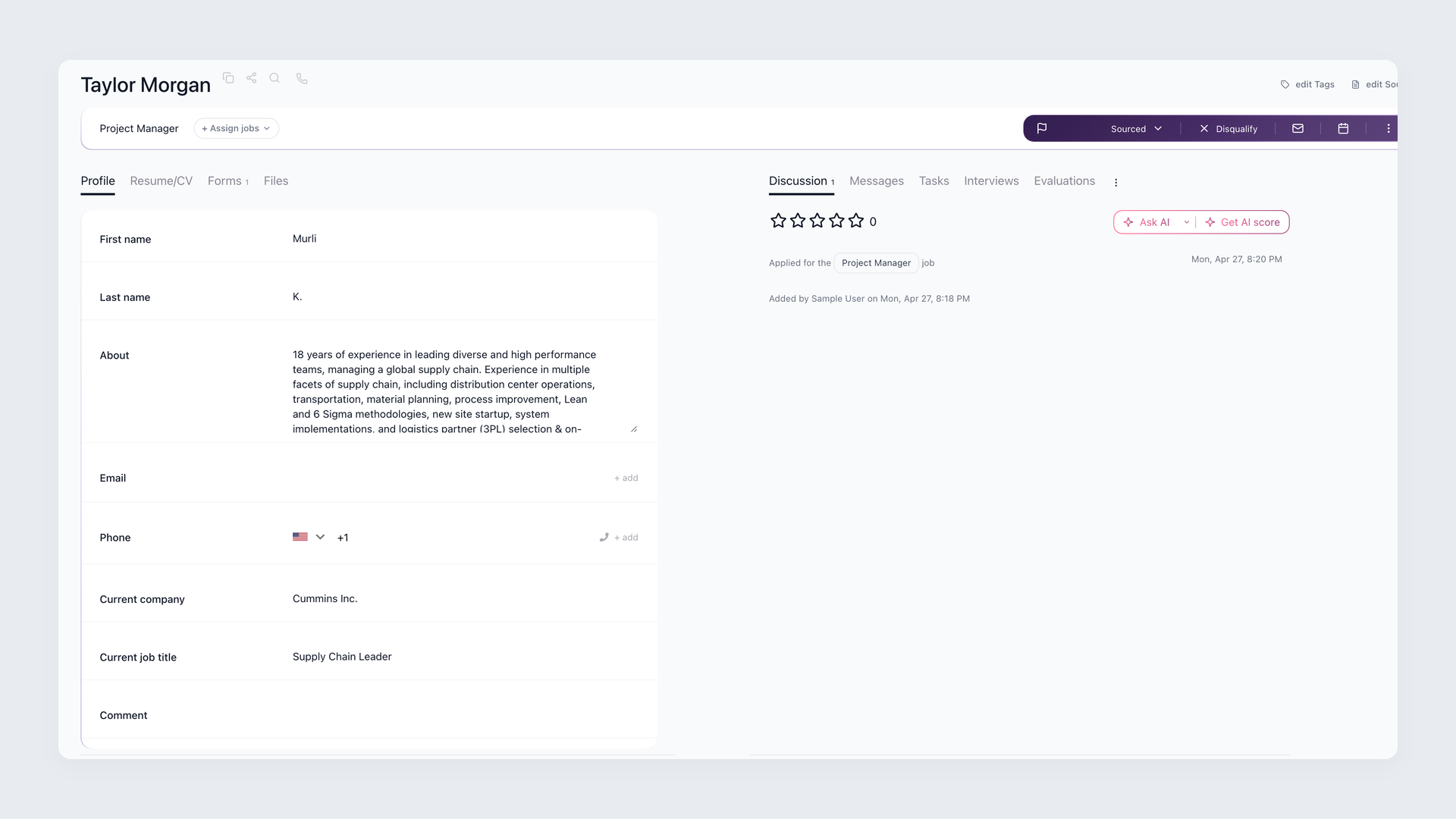
Teams comparing Bullhorn vs Salesforce should start with record ownership; the same test applies when reviewing Bullhorn alternatives.
Choose Bullhorn when candidates, jobs, submissions, placements, client activity, and recruiter workflows should already exist in the system.
Choose Salesforce when broad client-sales CRM matters more and your company can design the staffing model. Bullhorn Recruitment Cloud is a separate Salesforce-native Bullhorn path.
Technical material has historically called this product Bullhorn for Salesforce. The name does not describe Bullhorn core or standalone Salesforce.
This comparison uses current official packaging and pricing, plus narrow public practitioner examples. It does not use ratings, vendor results, or private buyer evidence to declare a winner.
Bullhorn vs Salesforce at a glance
The hiring playbook, in your inbox
One email a week - benchmarks, AI screening tactics, and short interview templates from the 100Hires team. No product pitches.
This comparison covers three different buying paths. Start by deciding whether you want a staffing system, a broad CRM platform, or a Salesforce-native recruitment product.
The product names hide three different paths
- Bullhorn core: the staffing ATS/CRM, with recruiting records and staffing-oriented client management.
- Standalone Salesforce: the broad CRM platform, which needs a staffing app or configured model for staffing records.
- Bullhorn Recruitment Cloud: a separate Bullhorn recruitment path built on Salesforce, with its own scope, price, and implementation.
This distinction prevents Recruitment Cloud claims from being assigned to Bullhorn core or standalone Salesforce.
The quick comparison table
100Hires is our product. The table includes it as a bounded third option, not as a claim that it matches Bullhorn or Salesforce in scope.
| Criteria | 100Hires (our product) | Bullhorn core | Salesforce |
|---|---|---|---|
| Best fit | Lean recruiting front office | Staffing-native agency operations | Company-wide client-sales CRM |
| Starting data model | Candidates, jobs, and recruiting activity | Candidates, jobs, submissions, placements, and clients | Accounts, contacts, leads, opportunities, and activities |
| Staffing sales CRM | No broad client-sales CRM parity | Staffing client management; Pro includes a Recruitment CRM sales pipeline | Broad sales CRM; staffing records need an app or configured model |
| Recruiting workflow | Pre-hire pipeline, outreach, nurture, and recruiting automation | Staffing ATS/CRM workflow | Designed in-house or supplied by a staffing app |
| Likely owner | Recruiting operations | Recruiting operations or staffing systems lead | Salesforce admin or RevOps, plus staffing-product ownership |
| Pricing model | 100Hires Start uses account-level pricing | Bullhorn Starter uses per-user pricing | Salesforce Starter Suite uses per-user pricing |
| Largest limitation | No verified payroll, billing, invoicing, timesheet, shift-scheduling, or broad sales-CRM parity | Still needs implementation, governance, and possible specialist tools | No native staffing model in standalone Sales Cloud |
Use the table as a scope filter. The largest limitation matters more than a long feature list if it blocks a required workflow.
Choose Bullhorn when the staffing model should come with the product. Choose Salesforce when cross-department CRM governance justifies custom staffing design.
If your needs stop at the recruiting front office, you can see 100Hires pricing without treating it as a full-scope substitute.
Bullhorn starts with staffing records and Salesforce starts with CRM objects
The central difference sits in the records your agency must create, connect, govern, and report on each day.
Bullhorn core joins recruiting and staffing sales
Bullhorn core organizes work around staffing concepts. Candidate records connect to job orders, submissions, placements, client contacts, activities, and reporting.
That model reduces design work. Recruiters start with distinct staffing records instead of designing those relationships from scratch.
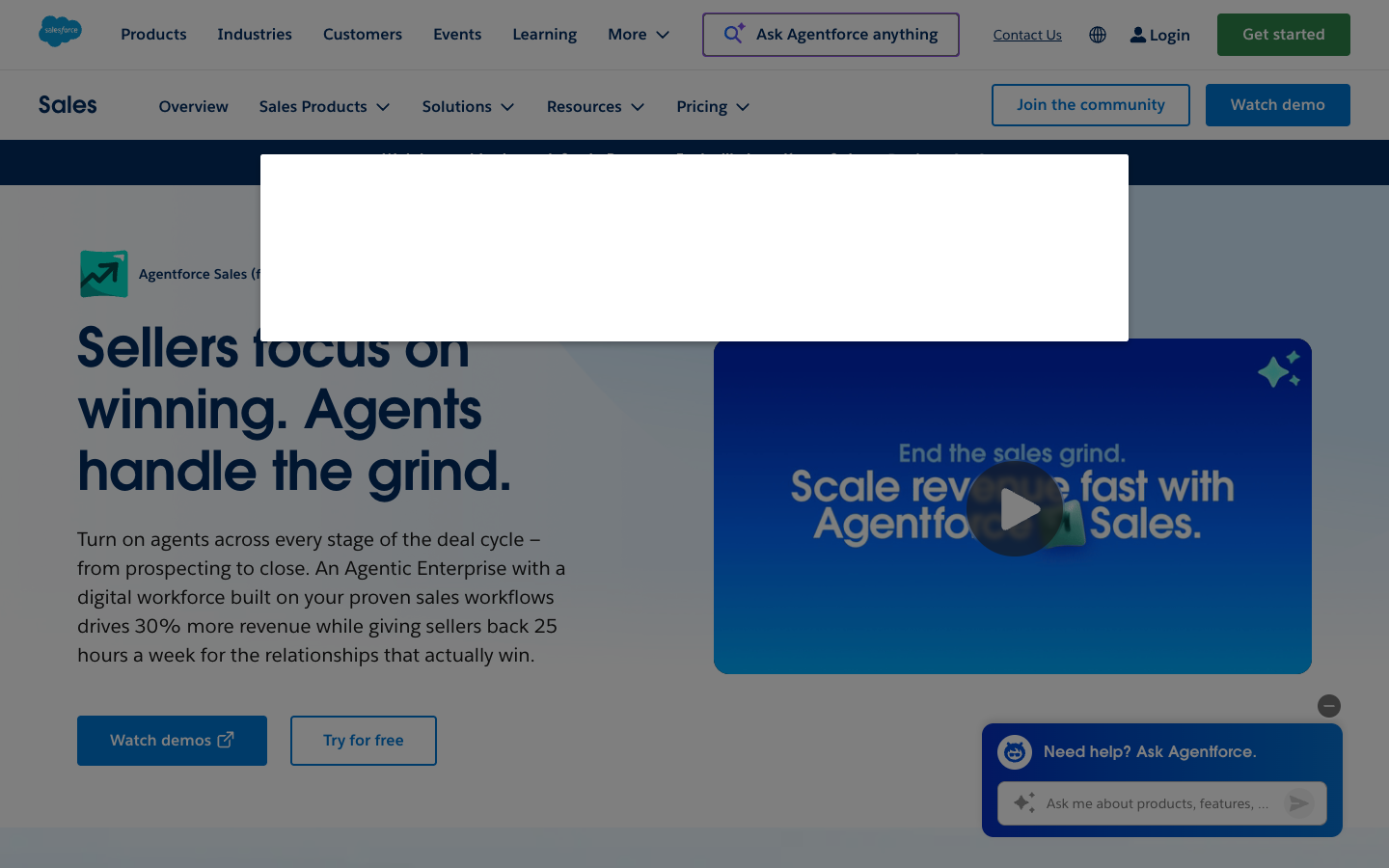
Bullhorn does not stop at applicant tracking. Its core path includes client management, and the current Pro package includes a Recruitment CRM sales pipeline.
The sales scope stays tied to staffing. Agencies can manage client relationships and sales activity without treating Bullhorn as a generic CRM that lacks a recruiting focus.
Purpose-built records still need policy. Your team must agree on stage names, required fields, duplicate handling, ownership, activity logging, and reporting rules.
Treat activity history as a record, not background noise. It explains who contacted a candidate, what changed, and which report can be trusted.
In one practitioner example on r/recruiting, a user described Bullhorn as a solid, flexible core, then preferred a separate tool for email outreach.
That single example does not describe every agency. It illustrates one possible pattern: use Bullhorn as the staffing system, then add a specialist tool where needed.
Salesforce needs a recruiting model before it becomes a staffing system
Standalone Salesforce starts from broad sales concepts such as accounts, contacts, leads, opportunities, activities, permissions, automation, and reports.
Those objects can support client sales across departments. They do not, by themselves, supply staffing records for candidates, jobs, submissions, placements, or credentials.
An agency must install a staffing product or design its own objects and relationships. That choice sets the source of truth for recruiting data.
Reporting exposes weak modeling fast. If one placement can connect to several jobs or contacts, every relationship needs a clear rule before dashboards go live.
A custom model can match unusual processes. It can connect recruiting activity with sales, service, finance, or executive reporting under one CRM governance program.
The tradeoff is ownership. Someone must decide how a candidate differs from a contact, how submissions connect to jobs, and how placements affect client records.
AppExchange gives buyers many product choices, but a listing does not become a native Salesforce feature. Each staffing app creates a separate commercial and implementation path.
Bullhorn Recruitment Cloud belongs in that category. It supplies Bullhorn recruitment functionality on Salesforce, but its features and terms stay separate from both products in this comparison.
100Hires covers a narrower pre-hire model. It fits teams that want candidate and job workflows without adopting a staffing back office or a company-wide CRM program.
Implementation ownership matters more than feature count
A feature list cannot tell you who fixes a duplicate record, changes a workflow, tests an integration, or rebuilds a report after launch.
Bullhorn still needs a recruiting-operations owner
Bullhorn lowers the amount of staffing data-model design. It does not remove migration, configuration, training, integration mapping, or administration.
A recruiting-operations lead, staffing systems owner, or implementation partner should own the initial setup. An internal owner should keep the process coherent after launch.
That person decides which legacy fields survive, how duplicate records merge, when stages change, and which activities feed reports.
Run a sample migration before the main move. Check old notes, attachments, owner fields, timestamps, and status history with the recruiters who use them.
Custom fields can solve real agency needs. Too many fields can slow recruiters, split reporting logic, and turn a clean system into a private filing cabinet.
Adjacent tools need the same care. Map their data before launch, test sync failures, name the support contact, and document what happens after cancellation.
Bullhorn reduces staffing-model design work, but it still requires administration. No public evidence supports a typical implementation time for every Bullhorn agency.
Salesforce needs platform and staffing ownership
A Salesforce staffing deployment needs a platform owner. That may be a Salesforce admin, RevOps leader, solution architect, implementation partner, or a mix of these roles.
If a staffing app enters the design, name its owner too. Platform permissions, app configuration, recruiting policy, and vendor support can sit with different people.
Before migration, map each process from its current state to the future model. Decide which data moves, which existing issues to address, and which automations to defer.
Plan for files and attachments alongside structured fields. Do the same for permissions, activity history, reports, integrations, acceptance tests, training, and release management.
Test one complete record workflow. Follow a candidate from import through submission and placement, then confirm each permission, automation, report, and export.
In one practitioner example on r/salesforce, a commenter flagged missing process maps, late migration work, absent end users, and no post-launch owner.
This is a general implementation lesson, not proof that every Salesforce staffing project fails. These decisions need named owners, documented processes, and time for post-launch testing.
Ask who owns each record after launch
Use this checklist in every demo. Ask where the source record lives, which direction data syncs, who resolves duplicates, and who can export the full history.
- Candidate and consent or retention status
- Client, contact, and account activity
- Job order, submission, and placement
- Credential and compliance record
- Email, attachment, and outreach status
- Reporting record and historical export
Ask each vendor to demonstrate a duplicate record, a failed sync, a deleted attachment, and a full export. Those scenarios show how each vendor handles recovery outside a standard demo.
If a lean recruiting front office matches your scope, compare 100Hires plans after you finish the ownership checklist.
Integrations and AI do not remove data-governance work
An ecosystem expands what a system can do. It expands the number of data paths and support boundaries at the same time.
Ecosystem breadth creates support boundaries
Bullhorn users can use search, outreach, notes, analytics, AI, or data services alongside the core ATS/CRM. Each tool should have a named record owner.
An agency may use a specialist tool for candidate outreach alongside its ATS/CRM. The buyer still needs to trace messages, replies, stage changes, and consent.
Salesforce offers a broad platform ecosystem. A staffing app can add recruiting objects, but that app changes licensing, support, data flow, testing, and exit planning.
For every connector, ask which vendor handles a failed sync. Check how conflicts resolve, whether old activities migrate, and what data remains after a contract ends.
Keep a plain sync map with field direction, update timing, error owner, and retry behavior. Update it whenever either connected system changes.
A broad marketplace gives buyers more product choices. It does not prove that a staffing function is native, included in the base price, or supported by the platform vendor.
AI quality follows data and review quality
All three paths can support AI-assisted recruiting work. None turns incomplete records or vague hiring criteria into reliable judgment.
Scoring needs job-specific criteria and current candidate data. Drafted messages need context, tone checks, factual review, and a person who decides whether to send.
Start automated screening by routing uncertain cases to a review queue. Tighten rules only after calibration, error review, and documented human oversight.
When job criteria change, score the affected candidates again and inspect the result. Old inputs should not silently drive a new hiring decision.
The EEOC and DOJ employment AI notice warns that software can create disability-discrimination risks. Keep an accommodation path and human review in every product.
Good governance sounds plain: define the purpose, name the data source, test errors, record exceptions, and give a person authority to stop the automation.
Bullhorn vs Salesforce pricing in 2026 needs a total-cost view
Public list prices help with screening. They do not make the bundles equivalent or reveal the full cost of a working staffing architecture.
Public list prices are only the first layer
The public pricing pages captured on July 14, 2026 show list prices with different billing units and scope.
100Hires lists Start at $99/month or a $49/month annual equivalent, with a derived $588/year total.
It lists Advanced at $249/month or a $199/month annual equivalent, and Pro at $499/month or a $399/month annual equivalent.
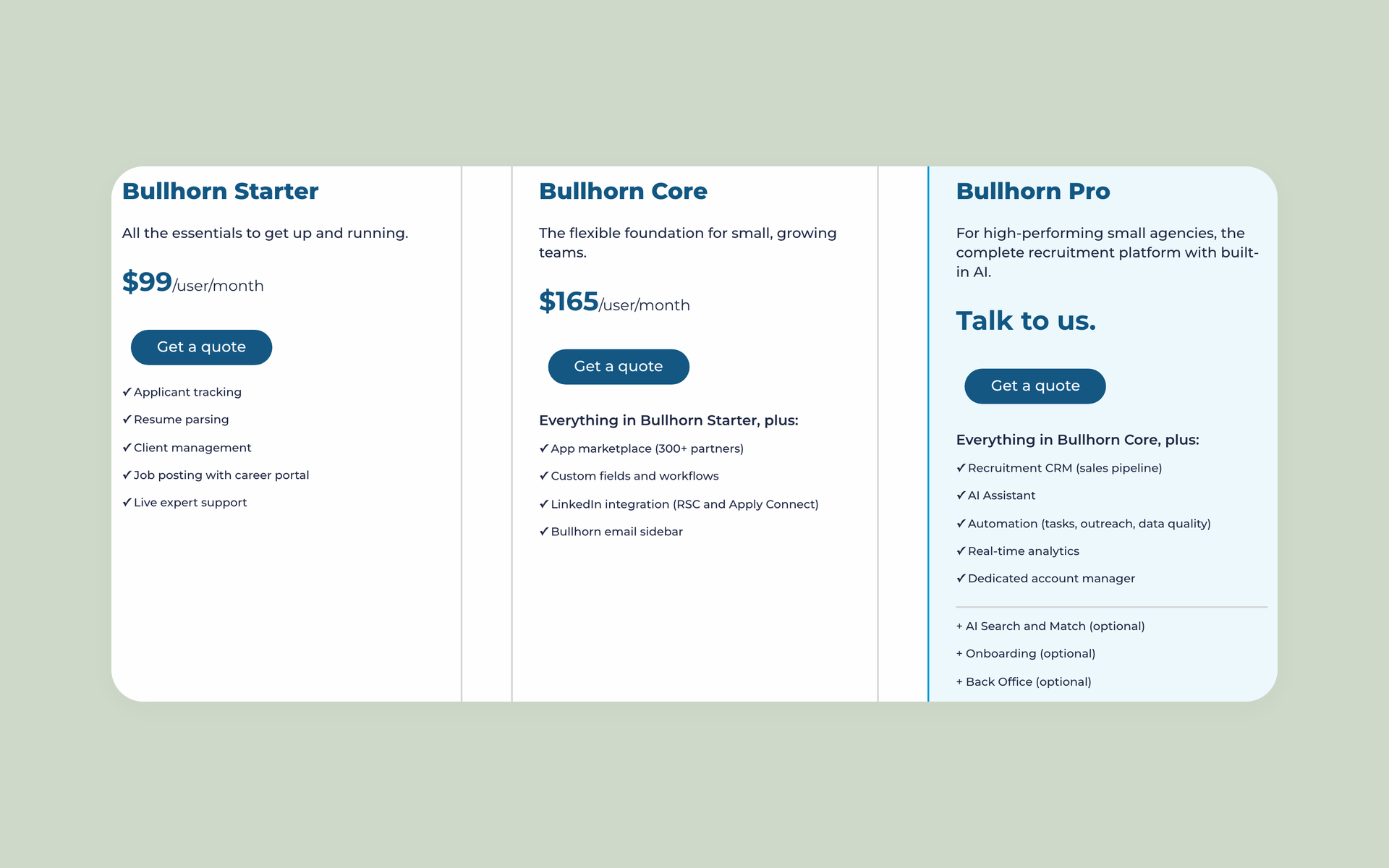
Bullhorn displays Starter at $99/user/month and Core at $165/user/month. It does not show their purchase term or annual total.
Salesforce lists $25, $100, $175, and $350 per user/month, plus Agentforce 1 Sales from $550 per user/month. Most products use annual contracts; terms vary.
The table reproduces the captured public plan details. Derived annual figures use simple arithmetic and are not vendor-displayed annual totals.
Do not compare entry prices alone. The first useful comparison holds users, contract term, staffing scope, data volume, support, and required apps constant.
| Product | Plan | Monthly purchase | Monthly equivalent | Derived annual total | Scope / limits | Billing basis |
|---|---|---|---|---|---|---|
| 100Hires | Start | $99/month | $49/month | Derived: $588/year | Up to 3 jobs, 100 candidates, 1 user, 100 monthly AI credits | Monthly or annual prepaid |
| 100Hires | Advanced | $249/month | $199/month | Derived: $2,388/year | Unlimited jobs, candidates, and users; automation; 1,000 monthly AI credits on annual billing | Monthly or annual prepaid |
| 100Hires | Pro | $499/month | $399/month | Derived: $4,788/year | Advanced plus sourcing/outreach features; 5,000 monthly AI credits and data migration on annual contracts | Monthly or annual prepaid |
| 100Hires | Enterprise | Custom quote | Not publicly shown | Not publicly shown | Pro plus enterprise security, privacy, governance, SSO, and account support | Custom |
| Bullhorn | Starter | Not publicly shown | $99/user/month | Not publicly shown | Applicant tracking, resume parsing, client management, job posting, support | Contract term not publicly shown in captured body |
| Bullhorn | Core | Not publicly shown | $165/user/month | Not publicly shown | Starter plus marketplace, custom fields/workflows, LinkedIn integration, email sidebar | Contract term not publicly shown in captured body |
| Bullhorn | Pro | Custom quote | Not publicly shown | Not publicly shown | Core plus Recruitment CRM sales pipeline, AI Assistant, automation, analytics, account manager | Custom quote |
| Bullhorn | Recruitment Cloud | Custom quote | Not publicly shown | Not publicly shown | Separate Salesforce-native enterprise recruitment path | Custom quote |
| Salesforce | Starter Suite | Not publicly shown | $25/user/month | Derived: $300/user/year | General small-business CRM across sales, service, marketing, and commerce; not a staffing ATS | Most products use annual contracts; terms vary |
| Salesforce | Pro Suite | Not publicly shown | $100/user/month | Derived: $1,200/user/year | General CRM with more customization and automation; not a staffing ATS | Most products use annual contracts; terms vary |
| Salesforce | Enterprise | Not publicly shown | $175/user/month | Derived: $2,100/user/year | General CRM with advanced pipeline management, forecasting, APIs, and automation | Most products use annual contracts; terms vary |
| Salesforce | Unlimited | Not publicly shown | $350/user/month | Derived: $4,200/user/year | Enterprise plus more bundled capabilities and support; not a staffing ATS | Most products use annual contracts; terms vary |
| Salesforce | Agentforce 1 Sales | Not publicly shown | From $550/user/month | Derived: From $6,600/user/year | Broad sales CRM and AI bundle; usage/add-on charges can still apply | Most products use annual contracts; terms vary |
Total cost follows the architecture
For Bullhorn, add migration, cleanup, configuration, training, integrations, specialist tools, administration, support terms, and any usage-based services.
Its visible seat price may start above Salesforce Starter Suite. A staffing-native model can still reduce the design work needed to create recruiting records.
For Salesforce, factor in a staffing app or custom build, an implementation partner, data-model work, migration, testing, administration, release work, support, and AI usage.
A low CRM entry price does not answer what a staffing deployment costs. The answer depends on the objects, apps, owners, integrations, and contract terms you select.
100Hires uses public account-level pricing rather than per-user pricing. That can suit a lean team, but its verified scope is narrower than that of a staffing back-office system or an enterprise CRM.
Request one cost sheet from each finalist. Put licenses, apps, migration, implementation, support, usage, internal admin time, renewal terms, and exit work on it.
Include renewal scenarios for data growth, added users, and specialist apps when comparing total cost.
The right choice follows the agency operating model
There is no useful universal winner. The right product matches the records your agency needs and the resources it can devote to managing the system after launch.
An agency can change products later, but record history and process habits make that move costly. Pick the operating model you can govern for years.
Choose Bullhorn core for staffing-native operations
Choose Bullhorn core when recruiters need candidate, job, submission, placement, client, and staffing sales records to be built into the system.
Give recruiting operations ownership of configuration, integrations, training, data policy, and reporting. Plan for specialist search or outreach tools if the workflow calls for them.
The tradeoff is a staffing-centered system that still needs implementation and governance. It is not a zero-admin product.
Choose Salesforce for company-wide CRM governance
Choose Salesforce when client sales and account management span departments, your company already uses the platform, and cross-company reporting matters.
Assign a Salesforce admin or RevOps owner. Add a solution architect, implementation partner, and staffing-app owner when the design requires those roles.
The tradeoff is more design and administration. Flexibility helps only when someone can govern objects, permissions, automation, reports, releases, and data quality.
Evaluate Recruitment Cloud for Salesforce-native staffing
Evaluate Bullhorn Recruitment Cloud when Salesforce-native architecture is mandatory and the agency wants Bullhorn recruitment functionality.
Treat it as a distinct purchase. Its product scope, implementation, and pricing cannot be borrowed from Bullhorn core or standalone Salesforce.
Consider 100Hires for a narrower recruiting front office
Consider 100Hires when the team needs sourcing, candidate CRM, outreach, nurture, recruiting automation, and AI-assisted recruiting tasks in a pre-hire workspace.
Do not select it for payroll, billing, invoicing, timesheets, shift scheduling, or broad client-sales CRM. Its narrower boundary is part of the decision.
100Hires fits lean teams that do not need either platform's broader scope
100Hires is our product, so this section uses owned product evidence rather than independent review evidence. External research did not independently surface it for this comparison.
The fit is sourcing, candidate CRM, and outreach
For teams comparing staffing agency software, 100Hires focuses on the recruiting front office rather than a full staffing back office.
100Hires can parse resumes during candidate import and use extracted data in recruiting workflows. Quality depends on the source documents and workflow configuration.
Teams can define job-specific criteria and request an AI-assisted candidate score. Criteria, job data, and human review matter.
AI Copilot can use candidate and job context to answer recruiting questions within each candidate record. Inputs must stay current and complete.
AI Email Composer can draft personalized candidate emails from candidate and job context. A user reviews and sends the message through connected email infrastructure.
Teams can build multi-step candidate outreach sequences with delays, conditions, and follow-ups. Sending capacity and connected services may impose limits.
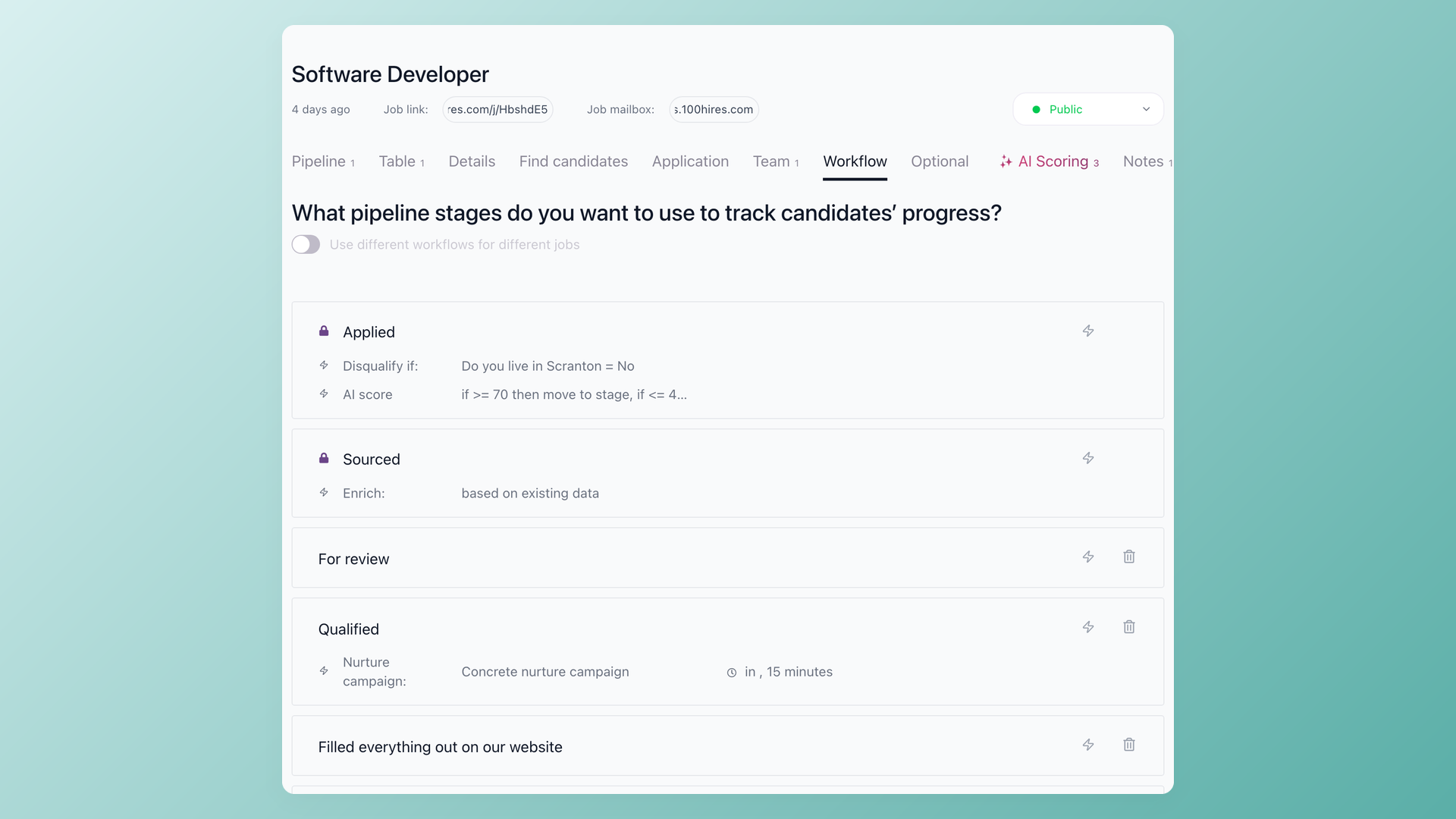
Recruiting workflows can trigger scoring, questionnaires, candidate stage changes, tasks, and nurture actions. Configuration and data quality determine usefulness.
The API supports recruiting records, messages, interviews, campaigns, and reporting integrations. Third-party services, subscriptions, and credits may be required.
The limits are as important as the strengths
100Hires focuses on recruiting workflows and candidate outreach; it is not presented as payroll, billing, invoicing, timesheet, shift-scheduling, or general client-sales CRM software.
Connected services, credits, and configuration can affect outreach and automation. Human review remains necessary for candidate scoring, answers to recruiting questions, and drafted messages.
A useful trial imports real sample records, applies job criteria, drafts a message, launches a small nurture flow, triggers one workflow, and tests an export.
If that scope matches your team, you can start a 100Hires trial. Treat the trial as a workflow test, not a promise of back-office parity.
Frequently asked questions
Is Bullhorn, Salesforce, or 100Hires best for a staffing agency in 2026?
Bullhorn fits staffing-native operations. Salesforce fits broad CRM governance when a team can own the staffing model. Recruitment Cloud is a separate Salesforce-native Bullhorn path. 100Hires fits lean pre-hire work, not staffing back-office scope.
Are Bullhorn, Salesforce, and 100Hires built on the same platform?
Bullhorn core is the staffing ATS/CRM. Standalone Salesforce is the broad CRM platform. Bullhorn Recruitment Cloud, historically called Bullhorn for Salesforce in technical material, is built on Salesforce. 100Hires is a separate recruiting product.
How do Bullhorn, Salesforce, and 100Hires compare for recruiting CRM?
Bullhorn combines staffing ATS records with staffing client management and a current Pro sales-pipeline path. Salesforce needs configuration or a staffing app for recruiting records. 100Hires provides candidate CRM and outreach, not broad client-sales CRM parity.
Which costs less in 2026: Bullhorn, Salesforce, or 100Hires?
Bullhorn and Salesforce publish entry prices with different scopes and billing units. Total cost depends on staffing apps, implementation, migration, administration, and add-ons. 100Hires uses account-level pricing, but its scope is narrower.
When should an agency choose 100Hires over Bullhorn or Salesforce?
Bullhorn fits full staffing-native operations, and Salesforce fits broad client CRM with platform ownership. Choose 100Hires for lean sourcing, candidate CRM, outreach, nurture, automation, and AI assistance without payroll, billing, timesheets, shifts, or broad sales CRM.
Final verdict
Bullhorn fits agencies that need staffing-native operations. Salesforce fits when broad client-sales CRM justifies a designed staffing model. Recruitment Cloud is the separate Salesforce-native Bullhorn route; 100Hires is the disclosed lean pre-hire option.
Make every finalist show the record model, name the post-launch owner, price the full architecture, and export a complete candidate history before you sign.
Try 100Hires for free
No credit card. 14-day trial. Forbes Advisor #1 ATS for SMBs.

