
Bullhorn vs JobDiva: Staffing Platforms Compared (2026) - 100Hires
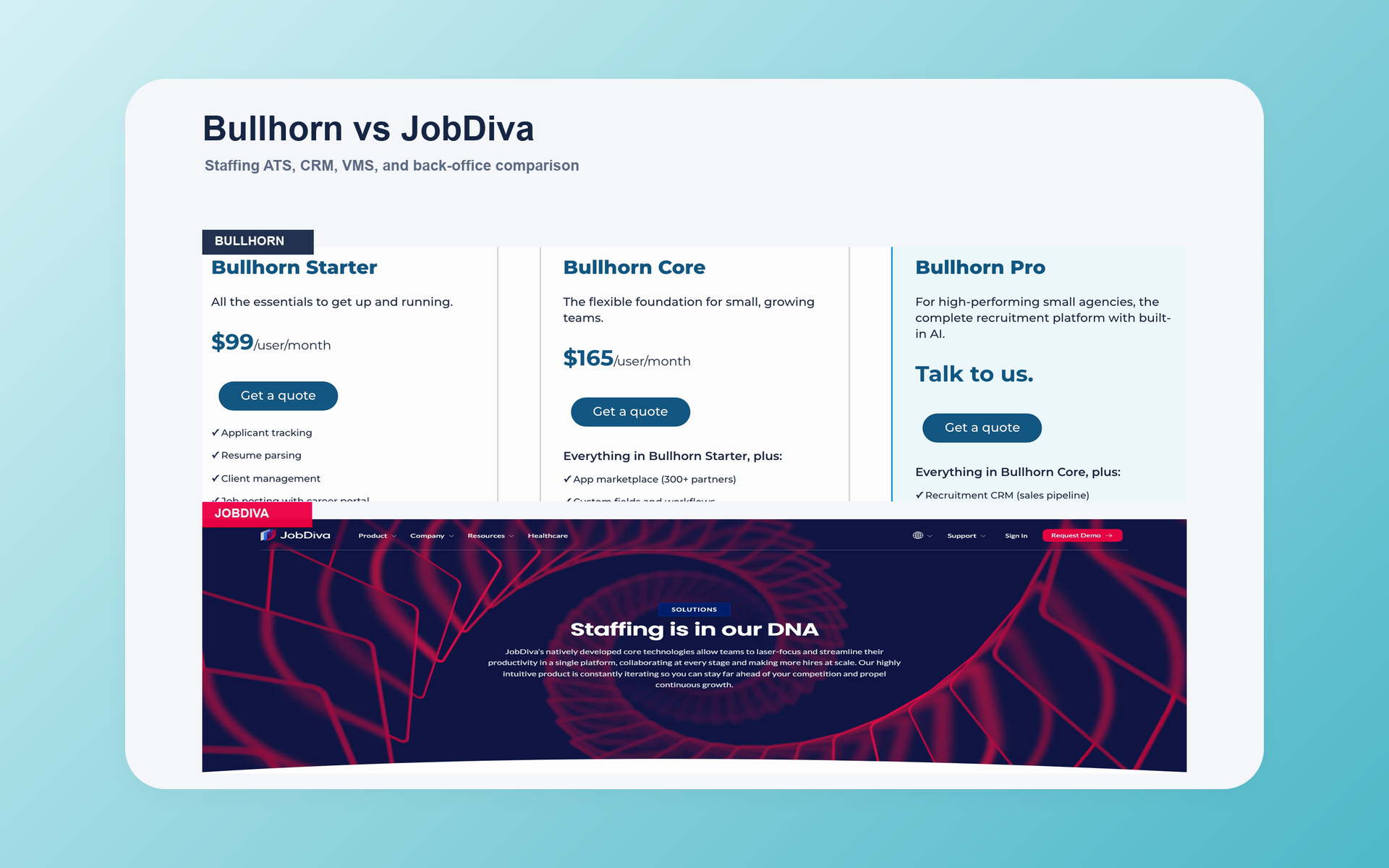
Bullhorn vs JobDiva is a choice between two mature staffing platforms, but they organize the work differently.
Choose Bullhorn when you want a modular ecosystem with clearer public paths for AI, search, VMS automation, and middle-office work.
Put JobDiva on the shortlist when VMS and MSP delivery sit at the center of your agency. Its broader workflow still needs a matched demo and quote.
Neither platform wins for every agency. Your real decision rests on the scope you need, how it is packaged, and who will own the system after launch.
Bullhorn vs JobDiva at a glance
The hiring playbook, in your inbox
One email a week - benchmarks, AI screening tactics, and short interview templates from the 100Hires team. No product pitches.
The fastest way to separate these products is to map them to your operating model. The table shows where a lighter recruiting layer fits.
| Decision point | 100Hires | Bullhorn | JobDiva |
|---|---|---|---|
| Best fit | Lean, AI-assisted pre-hire recruiting | Modular agency staffing ecosystem | Broad, VMS-centered staffing workflow |
| ATS and CRM | Recruiting ATS and CRM | Staffing ATS and CRM front office | Staffing ATS plus client CRM |
| AI and search | AI scoring, Copilot, AI email, and candidate search | AI Assistant, Search & Match, Automation, and Amplify products | Search, harvesting, matching, and automation are public; current AI detail is less complete |
| VMS and MSP | Not native | VMS Automation and integrations; package scope needs confirmation | VMS synchronization plus DivaVMS |
| Middle and back office | Not native | Middle Office and Bullhorn One paths; package scope needs confirmation | Onboarding, timekeeping and billing references, plus DivaFinancials; detailed scope needs confirmation |
| Pricing | Public, selector-based plans plus custom Enterprise | Starter $99/user/month; Core $165/user/month; Pro and specialist products quoted | Customer-specific quote; no official dollar price captured |
| Public trial evidence | 14 days with no card | Not established | Not established |
| Main buying risk | Wrong fit if you need native staffing operations | Add-ons, configuration, and full scope can outgrow the seat-price anchor | Public package detail requires careful demo validation |
Short verdict: Bullhorn has the more visible modular story. JobDiva has the stronger case when proprietary VMS and MSP workflow matter. 100Hires fits only when staffing operations live elsewhere.
The real choice is not a feature-count contest. It is whether your agency needs a staffing operating system or a recruiting layer that leaves finance and fulfillment elsewhere.
A permanent-placement desk may care most about client CRM, rediscovery, outreach, submissions, and reporting. That profile can favor Bullhorn's modular front-office path.
A contract-heavy agency may need VMS intake, supplier roles, onboarding, time, billing, and finance handoffs. That profile makes JobDiva's wider staffing workflow more relevant.
If you keep VMS and back office in other systems, jump to the 100Hires fit check.
Bullhorn is the modular ecosystem choice
Bullhorn starts with a staffing ATS and CRM front office. It then presents search, automation, VMS, analytics, onboarding, messaging, and middle-office capabilities as connected product paths.
That structure gives an agency room to design a stack around its desks and markets. Buyers still need to confirm what sits in the chosen edition, what costs extra, and what needs a partner.
The current product set includes AI Assistant, Search & Match, Bullhorn Automation, and Amplify Digital Workers. Bullhorn presents VMS Automation and an open API with a partner marketplace.
For operations after placement, Bullhorn offers Middle Office. Bullhorn One is positioned as a front-to-back path that connects recruiting, onboarding, time, billing, and payroll-related work.
Those product names prove that the paths exist. They do not prove that every function comes in one standard package or that every agency receives the same configuration.
Use a realistic demo to test navigation, speed, training needs, outreach, and the custom workflows your recruiters use every day.
Score the result against the same tasks and sample records used in the JobDiva demo. A scripted test is more useful than a general claim that either platform is easy or difficult.
- Strongest case: Your agency wants modular breadth, current AI and search choices, a visible ecosystem, and a path into VMS or middle office.
- Main caution: Configuration, training, module scope, implementation, and support can shape the result as much as the core ATS.
- Next research step: Review Bullhorn alternatives if the modular model feels too heavy or the quote misses a required workflow.
JobDiva is the VMS-heavy unified-workflow choice
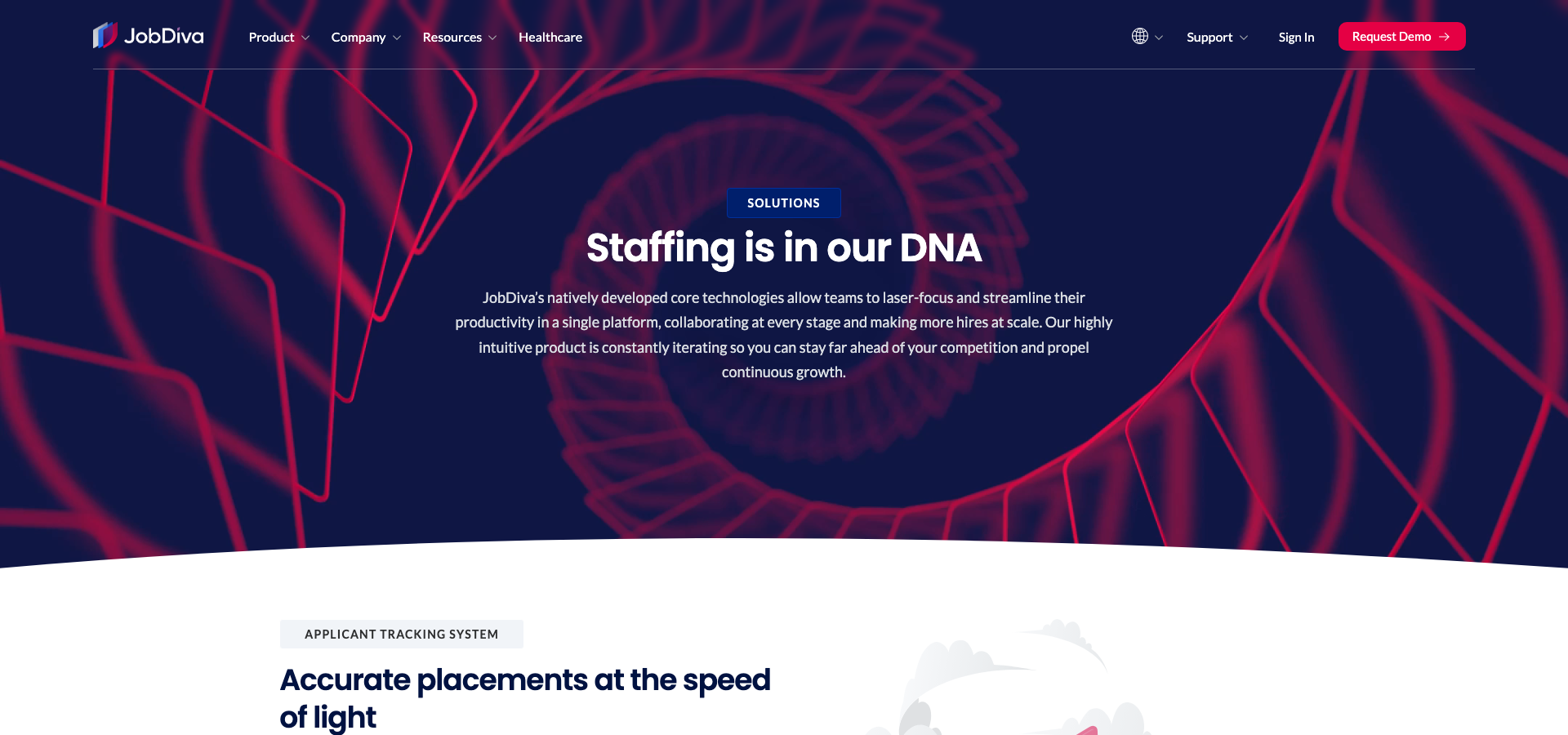
JobDiva extends beyond applicant tracking. Its current public scope covers ATS, client CRM, resume harvesting, VMS synchronization, onboarding, reporting, mobile tools, and an open API.
DivaVMS is central to its staffing story. It supports hiring-manager, MSP, supplier, and candidate workflows across requisitions, approvals, submissions, interviews, fills, alerts, and cost centers.
JobDiva names DivaFinancials and refers to timekeeping and billing. That makes it a credible broad-platform candidate, but the public material does not establish the complete payroll or pay-and-bill map.
Its search story includes resume harvesting, parsing, indexing, and matching. Current public pages describe automation too, but reveal less about detailed AI behavior than Bullhorn's current product pages.
That evidence gap is not a feature gap. Ask JobDiva to demonstrate the same search, matching, explanation, outreach, and review workflow you ask Bullhorn to run.
Ask JobDiva to run your sample records through database search, candidate submission, client updates, VMS work, and reporting. Score the steps, clicks, response time, and permissions against the same Bullhorn test.
- Strongest case: Your agency works through VMS or MSP channels and wants a wide staffing workflow in one environment.
- Main caution: Pricing and detailed package scope are customer-specific, so the demo and quote must prove every required step.
- Next research step: Review JobDiva alternatives when a narrower or differently packaged system may fit better.
ATS and CRM: compare the daily agency workflow
Both products cover staffing ATS and CRM work. Category coverage alone will not tell you which one will move a recruiter through a busy day with fewer handoffs.
Bullhorn's public front-office story covers jobs, shifts, candidates, clients, sales, and recruiting records. Its agency orientation is clear, and its mobile-first positioning supports desk work away from a laptop.
JobDiva combines an ATS with client CRM, job workflow, a career portal, and resume harvesting. It is designed around staffing activity, not a simple corporate applicant list.
A G2 snapshot captured on July 14, 2026 showed Bullhorn with a 4.2 rating from 1,231 reviews and JobDiva with a 4.7 rating from 1,846. Those are dynamic samples, not a matched test or a universal winner.
Operational breadth is valuable only when the team will use and govern the extra modules. A long feature list will not fix duplicate records, inconsistent activity logging, or unclear ownership.
Build the demo around the work your recruiters repeat. Do not let either vendor spend the full session on a clean dashboard with prepared data.
- Create a client and requisition with your real custom fields.
- Find a past candidate and review every prior submission.
- Move a candidate across two client processes without losing context.
- Resolve a duplicate with notes, messages, and consent history intact.
- Hand the record from recruiter to account manager and operations.
- Run the mobile workflow that your team uses outside the office.
Winner: It is a tie on category coverage. Bullhorn fits a modular, CRM-shaped operating model. JobDiva fits teams that want more staffing workflow gathered in one system.
Search, matching, AI, and automation: Bullhorn is easier to verify publicly
Bullhorn has the clearer current public AI and search map. That makes its scope easier to research before a sales call, but it does not prove better results in your data.
Search & Match covers internal and external search, filters, alerts, and job-to-candidate matching. AI Assistant and Automation cover other recruiter and workflow tasks.
Amplify adds digital-worker and agent-style products around staffing processes. Ask which product performs each action, what data it reads, and whether it is included in your quote.
JobDiva supports resume harvesting, parsing, indexing, search, and matching. Its current public pages refer to automation, but our research did not find a detailed, current AI feature matrix.
Do not turn that limited public detail into a negative claim. Ask both products to run the same test with your own requisition and a representative candidate pool.
- Search for a hard-to-find candidate using the same criteria.
- Explain why each suggested candidate matches the job.
- Rediscover a qualified person from an old placement or application.
- Apply exclusions and confirm that recruiters can inspect them.
- Draft outreach, record the response, and update the workflow.
- Route uncertain candidates to a human review queue.
The EEOC explains that AI used in employment decisions remains subject to federal anti-discrimination laws. This is not a product verdict or legal advice.
Winner: Bullhorn for clearer current public evidence. Keep the final decision open until both vendors complete the same live search and automation test.
VMS and MSP workflows: JobDiva has the broader native story
VMS intake changes the comparison. A staffing team needs more than a job record when requisitions, suppliers, submissions, rates, approvals, and status updates cross company boundaries.
Bullhorn offers VMS Automation and states support for a large set of VMS integrations. Its Middle Office material refers to VMS integration.
The quote still needs to show where VMS Automation sits, which connections cover your clients, and how imported data reaches recruiting, time, billing, and reporting.
JobDiva combines VMS job synchronization with DivaVMS. The proprietary VMS covers hiring-manager, MSP, supplier, and candidate roles, along with approvals, submissions, alerts, cost centers, and time or expense work.
That gives JobDiva the stronger native story when the agency runs or supports the VMS workflow. It does not remove the need to test client-specific integrations and field mapping.
- Import: How quickly do new jobs arrive, and what happens to duplicates?
- Ownership: Can the system preserve candidate and supplier ownership rules?
- Status: Do submissions, interviews, offers, and fills map both ways?
- Rates: Where do rate cards, markups, expenses, and approvals live?
- Downstream work: How do accepted placements reach time, billing, and margin reporting?
Winner: JobDiva when DivaVMS and MSP workflow are central. Bullhorn fits agencies that prefer a modular automation and integration path.
100Hires has no native VMS, MSP, or supplier-management parity. See how that boundary affects the wider staffing agency software decision.
Onboarding, middle office, and back office: compare matched scope
Recruiting onboarding and staffing back office are different jobs. A digital offer checklist does not prove that a system can handle contractor time, invoices, payroll, or pay-and-bill.
Bullhorn Middle Office supports time capture and interpretation, compliance, invoicing, billing, VMS integration, and connected financial workflows.
Bullhorn One is positioned as a front-to-back solution. Its public page shows recruiting, onboarding, time management, billing, and payroll-related workflow.
Those pages establish product direction, not a universal bundle. Ask which edition and modules cover each step and which work is handled by a partner or through an export.
JobDiva supports onboarding and refers to timekeeping and billing. It names DivaFinancials, but current public material did not establish the complete payroll and pay-and-bill boundary.
That makes a matched workflow demo essential. Give both vendors the same placed worker, contract rules, approval path, exception, invoice, and accounting handoff.
- Forms, credentials, reminders, expiration rules, and audit history.
- Time entry, overtime rules, approvals, corrections, and expenses.
- Rates, markups, invoices, credits, gross margin, and multi-entity work.
- Payroll processing or export, accounting handoff, and reconciliation.
- Permissions for recruiters, operations, clients, suppliers, and workers.
Winner: No universal winner. Bullhorn has clearer current public middle-office documentation. JobDiva remains credible, but it must prove the exact financial workflow in the demo and quote.
100Hires cannot replace native contractor timekeeping, billing, payroll, pay-and-bill, supplier management, or a full staffing back office.
Reporting, mobile, integrations, and API depend on governance
Both vendors can connect recruiting to a wider stack. The raw number of integrations does not tell you whether your exact workflow is supported or maintainable.
Bullhorn presents an open API, a marketplace, analytics, and mobile-first front-office work. It publishes separate counts for marketplace partners and VMS connections.
JobDiva presents an open API, reports and analytics, mobile products, and connections to job boards, VMS tools, and other staffing services.
Those counts describe different categories. Do not rank the products by adding unlike numbers or assuming that every connection has the same depth.
List the systems that must exchange data, the direction of each flow, and the owner. Then ask who monitors errors, schema changes, credentials, permissions, and vendor updates.
- Recruiting reports: source, funnel, submissions, placements, recruiter activity, and client response.
- Staffing reports: VMS status, time, billing, margin, compliance, and aging, where purchased scope supports them.
- Integration controls: API limits, webhooks, retries, logs, sandbox access, permissions, and support ownership.
- Mobile test: search, notes, submissions, approvals, timesheets, and manager actions that happen away from a desk.
Winner: Bullhorn has the more visible modular ecosystem. API and connector fit remain a tie until each vendor proves your required flows and names the support owner.
Implementation, migration, training, and support can reverse the feature winner
A platform can win the demo and still lose the rollout. Staffing data carries years of candidates, activities, client relationships, placements, documents, and financial history.
Our research did not establish a standard public implementation timeline or migration fee for Bullhorn or JobDiva. Avoid any promise that one will go live in days or that the other always takes months.
JobDiva publicly states that it offers unlimited training and support and free upgrades. The contract still needs to define channels, response targets, included work, and any premium support terms.
Bullhorn's modular scope raises more design questions. Buyers need to map editions, modules, partner products, data, permissions, automation, and operational ownership before configuration begins.
Turn implementation risk into acceptance tests. A useful plan has named owners, sample data, measurable outcomes, and an agreed response when a test fails.
- Map every source field, custom object, attachment, note, activity, and ownership rule.
- Define duplicate handling, consent, retention, archive, and deletion behavior.
- Test integrations in a sandbox before the cutover window.
- Train recruiters, account managers, operations, finance, and administrators by role.
- Agree on support channels, escalation, response targets, and post-launch reviews.
- Contract for usable data export and document the exit process.
Winner: The vendor with the stronger matched-scope delivery plan. Implementation quality matters more than a generic vendor timeline.
Bullhorn vs JobDiva pricing: compare the full operating scope
Bullhorn now gives buyers a public seat-price anchor. JobDiva still uses customer-specific pricing. Neither fact produces a fair total-cost comparison by itself.
The table uses the same fields for all three options. “Derived” means simple arithmetic from a displayed monthly equivalent, not a separate vendor quote.
| Product and plan | Displayed monthly price | Displayed annual-billing monthly equivalent | Annual total | Scope | Limits | Billing basis |
|---|---|---|---|---|---|---|
| 100Hires Start | £74/month | £37/month | £444/year, derived | Public Start plan | Employee band, currency, AI credits, and messaging need a live selector check | Selector-dependent; annual option billed annually; taxes excluded |
| 100Hires Advanced | £186/month | £149/month | £1,788/year, derived | Public Advanced plan | Employee band, currency, AI credits, and messaging need a live selector check | Selector-dependent; annual option billed annually; taxes excluded |
| 100Hires Pro | £373/month | £299/month | £3,588/year, derived | Public Pro plan; annual Pro includes data migration; Pro includes onboarding support | Employee band, currency, AI credits, messaging, SSO, BI, and custom integration scope need a live check | Selector-dependent; annual option billed annually; taxes excluded |
| 100Hires Enterprise | Not publicly shown | Not publicly shown | Not publicly shown | Custom scope | Confirm users, employee band, AI, integrations, security, support, and migration | Custom quote |
| Bullhorn Starter | $99/user/month | Not publicly shown | Not publicly shown | Starter edition; exact included scope needs confirmation | Implementation, migration, support, data, API, job-board, and VMS terms are not established by the seat price | Per user per month; commitment not publicly shown |
| Bullhorn Core | $165/user/month | Not publicly shown | Not publicly shown | Core edition; exact included scope needs confirmation | Implementation, migration, support, data, API, job-board, and VMS terms are not established by the seat price | Per user per month; commitment not publicly shown |
| Bullhorn Pro and specialist products | Not publicly shown | Not publicly shown | Not publicly shown | Pro, Search & Match, VMS Automation, Onboarding, Middle Office, Analytics, and Messaging are available by quote | Confirm edition, modules, users, data, integrations, implementation, and support | Custom quote |
| JobDiva | Not publicly shown | Not publicly shown | Not publicly shown | Customer-specific package | Confirm ATS, CRM, VMS, onboarding, financials, mobile, API, support, training, migration, and contract minimums | Custom quote |
Bullhorn pricing
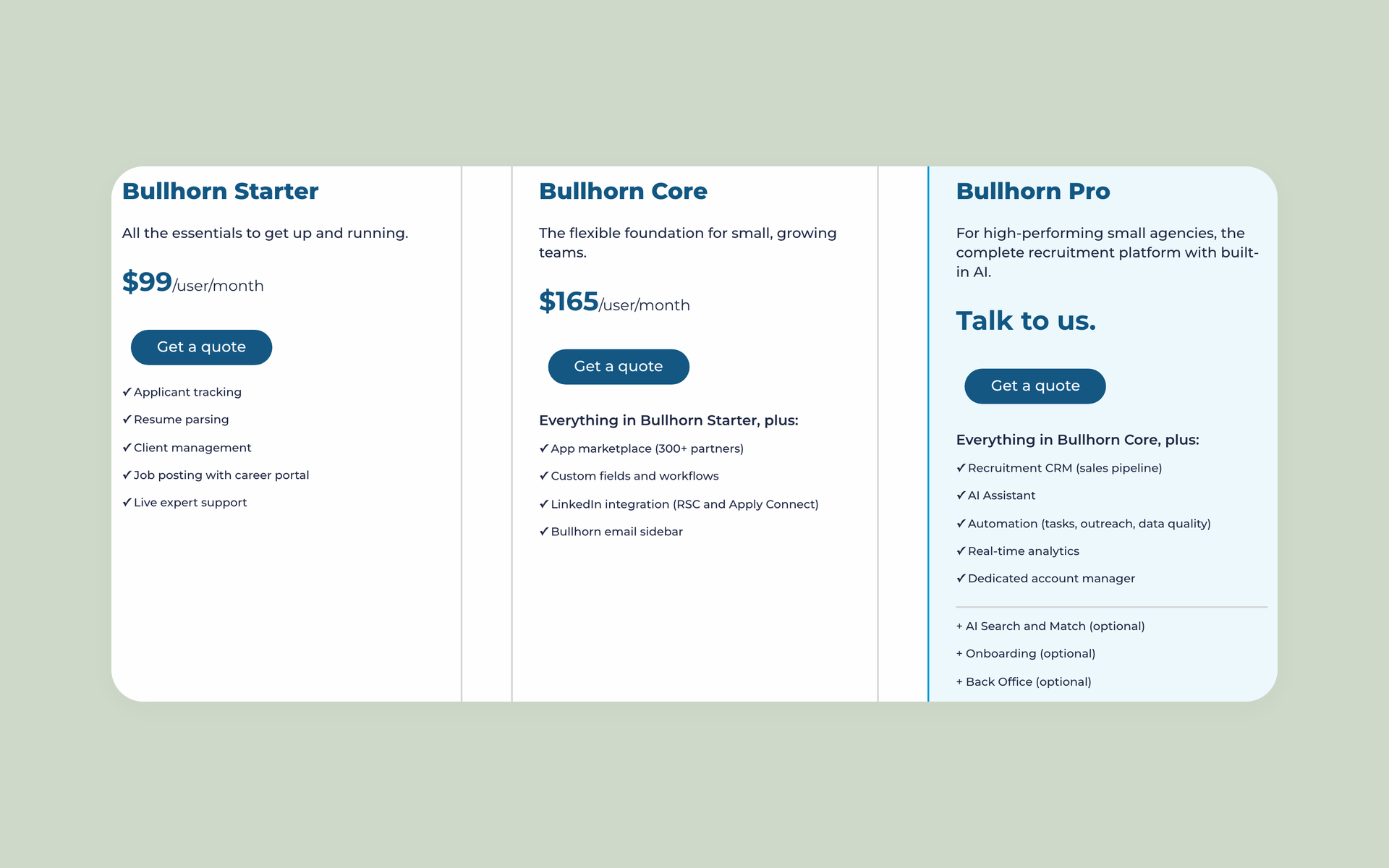
Bullhorn Starter is $99 per user per month, and Core is $165 per user per month on the captured official page. Pro is available by quote.
Search & Match, VMS Automation, Onboarding, Middle Office, Analytics, and Messaging are available by quote. That does not prove they are excluded from every edition.
The public prices do not establish contract length, implementation, migration, training, support tier, storage, API terms, job-board fees, VMS fees, or final Bullhorn One scope.
JobDiva pricing
JobDiva says its pricing is customer-specific. We did not capture an official public dollar price, free-trial term, standard implementation fee, or standard migration fee.
Ask the quote to separate ATS, CRM, resume harvesting, VMS sync, DivaVMS, onboarding, DivaFinancials, timekeeping, billing, BI, mobile, API, training, support, and pass-through fees.
100Hires pricing
The captured 100Hires example uses GBP and a selected employee band. Start, Advanced, and Pro show monthly and annual-billing choices. Enterprise is a custom quote.
The annual totals in the table are derived from displayed monthly equivalents. Check the live 100Hires pricing selector for your band and currency.
Confirm taxes, AI credits, messaging or phone costs, SSO, BI, integrations, and external staffing systems. A 14-day trial with no credit card is publicly available.
Total-cost questions
Build total cost from the license, implementation, migration, modules, integrations, job-board and VMS fees, support, messages, data, external finance tools, internal admin time, and renewal terms.
A visible seat price is a useful anchor. It is not a matched operating quote.
Who should choose Bullhorn and who should choose JobDiva
The right product should fit both your staffing model and your ability to run it. Use these conditions before turning the comparison into a shortlist.
Choose Bullhorn if
- You want a modular staffing platform instead of a single broad package.
- Current public AI, search, and automation products match your roadmap.
- You prefer a visible API and partner ecosystem.
- VMS Automation and a documented middle-office path fit your operations.
- You have an owner for configuration, integrations, data, permissions, and adoption.
- Your matched quote names every required module, connector, service, and support term.
Choose Bullhorn when its complete architecture and delivery plan fit your agency, rather than basing the decision on the Starter price alone.
Choose JobDiva if
- VMS and MSP work drives a large share of your requisitions.
- DivaVMS matches the hiring-manager, supplier, and contractor workflow you need.
- You value a broad platform with ATS, CRM, harvesting, onboarding, reporting, mobile tools, and financial references.
- Your demo proves current search, automation, API, time, billing, and financial behavior.
- Your quote defines payroll and pay-and-bill boundaries without vague bundle language.
- The implementation plan covers data, training, support, ownership, and data export.
Treat thinner public detail as a prompt for a matched workflow demo. Ask the vendor to prove the current workflow with your data and scenarios.
When neither platform fits: 100Hires is the simpler AI-first alternative
Some agencies do not need a new staffing operating system. They need a cleaner pre-hire layer for jobs, candidates, pipelines, interviews, outreach, and recruiter decisions.
That is where 100Hires fits. It is a recruiting ATS and CRM with AI-assisted scoring, search, writing, workflow automation, and communications.
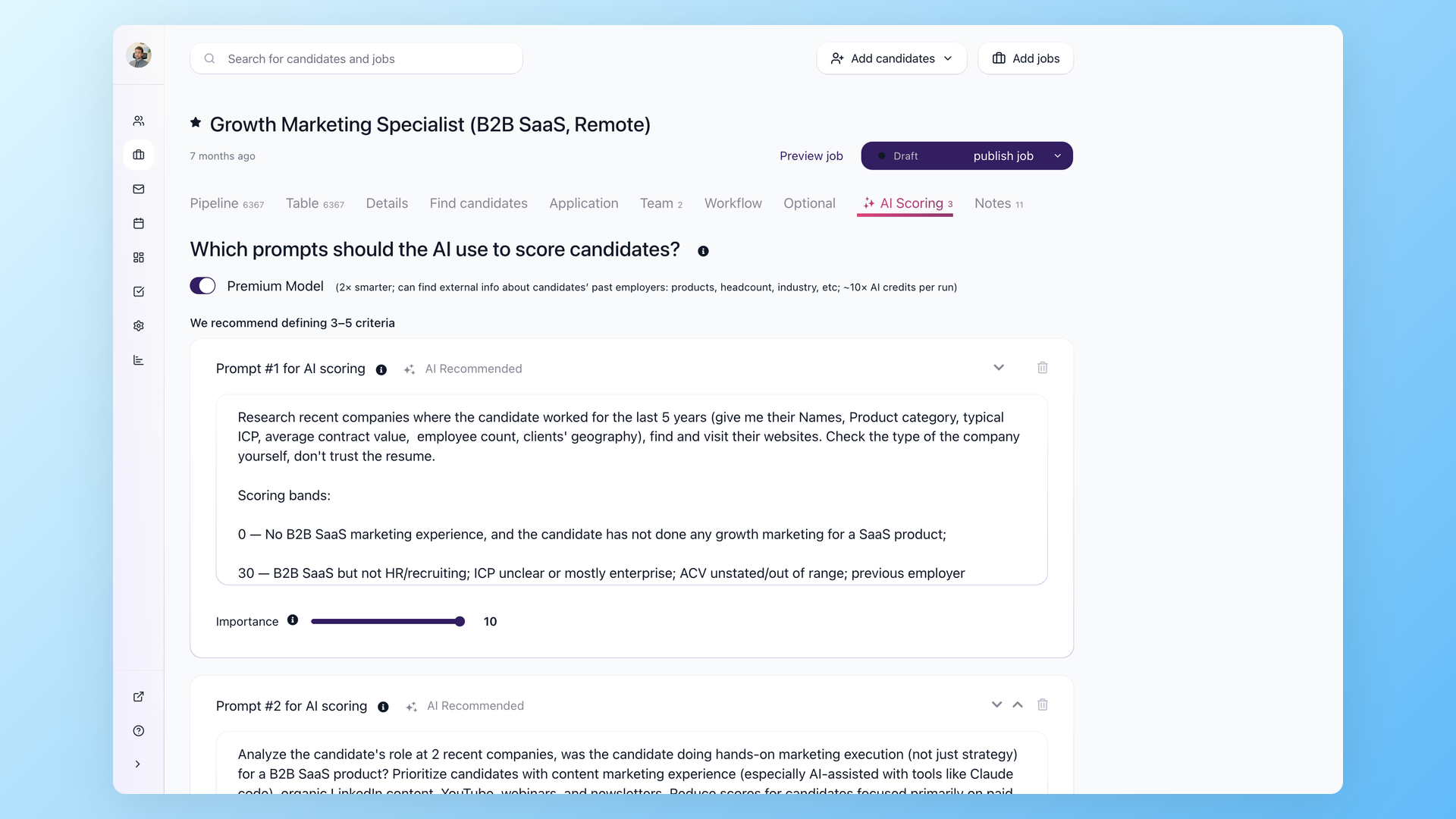
The AI Recruitment Copilot can use job criteria, descriptions, interview notes, and other candidate context to help recruiters compare people and answer pipeline questions.
AI Score supports ranking and review. AI Email Composer uses recruiting context to draft messages. Workflows handle repeatable steps and outreach.
100Hires supports a searchable candidate database, resume parsing, enrichment, job boards, Gmail and Outlook, calendars, Slack, Zoom, Twilio, Zapier, webhooks, REST API, and MCP.
These capabilities help recruiters work more efficiently. They do not create native VMS, MSP, supplier management, contractor time, billing, payroll, pay-and-bill, or a staffing back office.
Good fit: Your agency keeps fulfillment and finance in other systems and wants a faster recruiting workspace with public pricing and a low-risk trial.
Wrong fit: You need one purchase to run VMS, suppliers, credentials, time, expenses, invoices, payroll, margin, and contractor operations.
- AI support: Scoring, ranking, Copilot, AI email, job-description help, and candidate search.
- Recruiter workflow: Jobs, candidates, pipelines, interviews, notes, tasks, outreach, and automation.
- Buyer access: Public selector-based pricing and a 14-day trial with no credit card.
- Native limitation: No VMS, supplier operations, payroll, billing, timekeeping, pay-and-bill, or full staffing back office.
See the 100Hires AI recruiter and its recruitment automation workflows if that boundary matches your stack.
Book a 100Hires demo to test your recruiting workflow. Keep Bullhorn or JobDiva on the shortlist if the test exposes a need for native staffing operations.
Demo and RFP checklist for a matched comparison
Ask both vendors to run one shared scenario. Start with a real client requisition and finish with the last financial or data handoff your agency expects.
For every step, label the capability as native, included, a paid module, a partner integration, or custom work. Then attach the answer to the quote.
- Scope: Which edition, modules, users, entities, and limits support the scenario?
- Data: What migrates, what does not, and how are duplicates, history, documents, consent, and retention handled?
- VMS: How do jobs, submissions, rates, statuses, suppliers, and errors synchronize?
- Back office: Where do onboarding, credentials, time, expenses, invoices, payroll, pay-and-bill, and accounting handoffs occur?
- AI: What inputs feed each output, can recruiters inspect and override it, and how are uncertain cases reviewed?
- Reporting: Can the system reproduce your current recruiter, client, VMS, operations, finance, and margin reports?
- Integrations: Who builds, monitors, fixes, and pays for each connection?
- Security: How do permissions, logs, SSO, retention, exports, and incident response work?
- Delivery: Who owns migration, configuration, testing, training, cutover, and post-launch adoption?
- Commercials: What is included now, what can rise later, and what happens to your data at exit?
A useful demo ends with evidence and open issues. It does not end with a generic promise that the platform can be configured.
Frequently asked questions about Bullhorn vs JobDiva
Is Bullhorn better than JobDiva for staffing agencies?
Bullhorn fits agencies seeking modular AI, search, VMS, and middle-office paths. JobDiva fits VMS- and MSP-heavy teams seeking broad staffing workflow. 100Hires fits only when native staffing operations are not required.
Which has better ATS and CRM features, Bullhorn or JobDiva?
Both cover staffing ATS and CRM. Bullhorn has a clear front office and modular ecosystem. JobDiva combines ATS, client CRM, harvesting, and broad staffing workflow. 100Hires is the lighter recruiting ATS and CRM when post-placement operations live elsewhere.
Does Bullhorn or JobDiva offer better VMS and back-office support?
JobDiva has the edge when DivaVMS and MSP workflows are central. Bullhorn offers VMS Automation, integrations, Middle Office, and Bullhorn One paths. Confirm scope in the quote. 100Hires lacks native VMS, supplier management, payroll, billing, timekeeping, and pay-and-bill.
How much do Bullhorn and JobDiva cost in 2026?
In 2026, Bullhorn showed Starter at $99/user/month and Core at $165/user/month. Pro and specialist products require quotes. JobDiva uses customer-specific pricing. 100Hires offers selector-based plans and a trial. Compare full scope, implementation, and integrations.
Is there a simpler alternative to Bullhorn and JobDiva?
Yes, for pre-hire recruiting rather than a full staffing system. 100Hires provides AI scoring, Copilot, AI email, search, outreach, automation, public pricing, and a trial. It has no native VMS, supplier management, timekeeping, payroll, billing, pay-and-bill, or back office.
Final verdict
Choose Bullhorn for a modular ecosystem with clearer current AI, search, VMS automation, and middle-office choices.
Choose JobDiva for VMS and MSP-heavy staffing workflows when a matched demo and quote prove the exact package, financial scope, and implementation plan.
Choose 100Hires for a simpler AI-first recruiting layer when VMS, suppliers, time, billing, payroll, pay-and-bill, and staffing back office remain elsewhere.
Start a 14-day 100Hires trial with no credit card if the lighter operating model fits.
Try 100Hires for free
No credit card. 14-day trial. Forbes Advisor #1 ATS for SMBs.

