
Ashby API guide 2026: setup vs 100Hires - 100Hires
The Ashby API is mature, broad, and a credible choice for technical recruiting teams. It covers granular permissions, recruiting objects, cursor pagination, incremental sync, signed webhooks, offers, and reports.
The real question is fit. Ashby suits teams that will use its depth. 100Hires may suit an SMB or mid-market team that wants core recruiting CRUD, a self-serve OpenAPI spec, and a lower public entry price.
This guide walks through a five-step Ashby API evaluation before comparing the two products. 100Hires publishes the article, so its limits appear beside its strengths.
Key takeaways
The hiring playbook, in your inbox
One email a week - benchmarks, AI screening tactics, and short interview templates from the 100Hires team. No product pitches.
- API access starts on Foundations: current Ashby plan material lists API Access on Foundations, so older Plus-only claims are stale.
- Pick the right surface first: the public jobs feed is not the same as authenticated ATS access.
- Depth creates decisions: Ashby gives technical teams broad coverage, but permissions, object mapping, and implementation ownership still need planning.
- 100Hires is narrower: it provides full CRUD for candidates, jobs, applications, and notes, but no offers, reports, user mutations, or webhook update.
- There is no universal winner: choose by required operations, security model, implementation capacity, and commercial fit.
Step 1: choose public or authenticated access
A public job feed is not the same thing as authenticated ATS access. Decide which path you need before creating credentials or planning write operations.
| What you need | Use this path | What it cannot do |
|---|---|---|
| Published jobs for a careers page or job-data pipeline | Public published-jobs feed | Read organization ATS data or perform writes |
| Candidates, applications, private job data, notes, interviews, offers, or reports | Authenticated API | Bypass the permissions assigned to its key |
| A custom application flow | Authenticated job-posting and application-form operations | Turn the read-only public feed into a write API |
Write the decision down before estimating the project. A public careers page may need one read path and a cache. A private system sync may need identity matching, permission review, write ownership, webhook delivery, and a backfill plan.
Do not start with every available object. Start with the smallest complete workflow that creates business value. Proving one complete path gives a better estimate than collecting a long list of endpoints.
Public feed use cases
Builders publicly describe using Ashby job data for refreshed careers sites and job-matching pipelines. It is a useful route when the integration only needs published roles.
Keep the boundary clear. A public board identifier or feed token does not prove access to private candidates, applications, or write operations.
Authenticated use cases
Partner tutorials show assessment write-backs, work triggered by stage changes, candidate activities, scores, notes, and communication logs. Independent builders describe internal recruiting tools that use Ashby as the system of record.
Those examples prove that real teams build on the API. Current official documentation, not a partner tutorial, still controls the operations available to your integration.
Step 2: create a least-privilege key
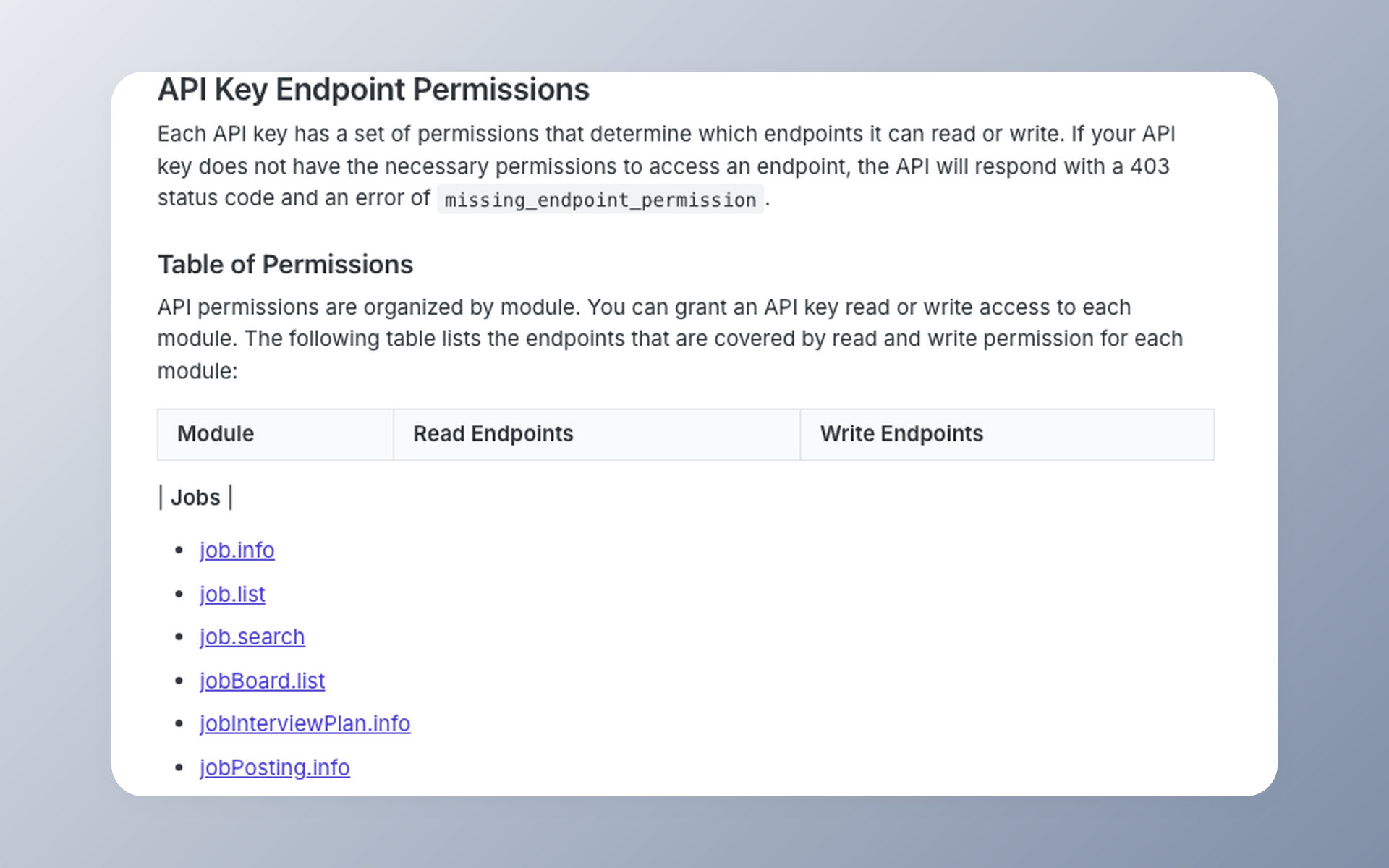
Ashby uses HTTP Basic Auth. The API key is the username and the password is blank. New keys begin with no permissions, so an admin grants only the modules and access levels the integration needs.
Confidential jobs, projects, and private fields may need extra access. A missing permission can return 403. Treat that as a scope check before treating it as a broken credential.
Create a named key for each integration, store it in a secret manager, and avoid logging it. This follows the least-privilege principle in the OWASP API Security Top 10.
curl --request POST "${ASHBY_API_BASE}/candidate.list" \
  --user "${ASHBY_API_KEY}:" \
  --header "Content-Type: application/json" \
  --data '{"limit":1}'
The example uses a path and an environment variable instead of embedding a secret. Inspect the response body, record the request ID if one is returned, and never paste a live key into a shared console.
Permission test checklist
- Confirm the key belongs to the intended organization.
- Grant only the required read or write modules.
- Decide whether confidential or private data is necessary.
- Read one known test record before attempting a write.
One operator reported that the available key scopes did not meet a role-specific isolation need. That is one support experience, not a universal limit. If your security design needs narrower separation, verify it during evaluation.
Key lifecycle matters too. The secret is shown once during creation, and a disabled key cannot be re-enabled. Record the owner, purpose, granted modules, creation date, and rotation procedure in the same place you document the integration.
Use separate keys for development and production when your account design allows it. If an incident affects one integration, you can disable that credential without interrupting every system connected to the ATS.
Step 3: map objects and test one write
An API evaluation is not a contest to count endpoints. The useful question is whether the documented operations match the workflow your team must own.
List each required object, the fields you must read, the writes you must perform, and how you will undo a test. A successful login only proves authentication. It does not prove workflow fit.
| Workflow need | Object | Required read | Required write | Cleanup |
|---|---|---|---|---|
| Sync an applicant to another system | Application and candidate | Identity, status, stage | Only if the external system writes back | Restore the approved test field |
| Show open roles | Job posting | Published role details | None for a read-only page | Not applicable |
| Trigger an assessment | Application and activity | Stage and candidate context | Result or activity write-back | Use a designated test candidate |
Perform one controlled write on an approved test record or test workspace. A reversible example is changing a test candidate field, confirming the result, and restoring the original value.
Do not alter a live applicant just to complete a tutorial. Use an administrator-defined safe test area and confirm the available test options before writing.
Use the object map to create contract tests. Save a redacted sample response for each required read, then assert the fields and types your code depends on. Test a missing optional field, an empty list, and a permission error before calling the integration ready.
Identity rules deserve a separate decision. Decide whether the external system matches people by API ID, email, or a maintained crosswalk. Email can change. An API ID from one organization should not be assumed valid in another.
What Ashby covers well
Ashby documents broad candidate and application actions, job and posting updates, offers, interviews, users, reports, and webhook settings. It is deeper than a basic read-only ATS connector.
The differences are object-specific. There is no documented general candidate or job delete API. Notes are available through candidate note list and create operations, not a standalone note CRUD resource.
Step 4: register and verify a webhook
A webhook test is complete only when your receiver authenticates the event and handles delivery behavior. Creating a setting in the UI or API is only the first part.
- Create the webhook setting for the smallest useful event set.
- Pass the setup ping. A failed ping can leave the setting disabled.
- Store the webhook secret separately from the API key.
- Verify the signature against the raw request body.
- Return the expected success response quickly, then process work asynchronously.
- Trigger a test event and confirm idempotent processing.
raw_body = read_request_bytes()
received = read_signature_header()  # "sha256=..."
digest = hmac_sha256_hex(webhook_secret, raw_body)
expected = "sha256=" + digest
reject_unless_constant_time_equal(received, expected)
Ashby retries failed webhook requests with exponential backoff, up to 10 attempts. HTTP 401, 403, 404, 405, and 410 responses are not retried. Do not turn every failure into an endless queue.
Log delivery IDs, timing, and outcomes, but keep secrets and candidate content out of general logs. That makes debugging possible without creating a second copy of sensitive recruiting data.
Assume duplicate and out-of-order delivery are possible unless your testing proves otherwise. Store a delivery or event identifier, make handlers safe to run twice, and compare object timestamps before replacing newer data.
Keep the receiving endpoint small. Validate, acknowledge, and enqueue. Slow enrichment, file transfer, or downstream API calls belong in a worker where a transient dependency cannot hold the webhook connection open.
Step 5: handle sync, errors, and limits
A working first request is not a production sync. You still need durable cursor handling, endpoint-specific incremental rules, body-level error checks, and throughput controls.
Pagination and incremental sync
Ashby uses cursor pagination. Persist a new cursor or sync token only after your system has processed the page successfully. Otherwise, a partial failure can create a silent data gap.
Incremental sync is endpoint-specific. Not every paginated endpoint supports it. Application history and AI criteria evaluation are documented as pagination-only, so one global sync strategy will not fit every resource.
Response and throughput rules
Ashby can return HTTP 200 with success: false for many client-side errors. Monitoring status codes alone can record a failed operation as healthy.
Ashby’s first-party API-key knowledge-base article states 1,000 requests per minute per key. The current developer reference does not repeat that universal limit.
Reports have separate controls: 15 starts per minute per organization, 3 concurrent operations, and a 30-second synchronous timeout. These are report limits, not a replacement for the key-level statement.
Plan the backfill and live sync together
A reliable rollout usually has two tracks. The backfill moves historical records in bounded pages. The live path processes new changes without waiting for the backfill to finish.
Choose a cutover timestamp, store source IDs, and make upserts idempotent. When the backfill reaches the cutover point, reconcile records seen in both paths before declaring the systems consistent.
Measure lag, failed pages, body-level failures, webhook retries, and unmapped fields. A dashboard that only counts HTTP errors will miss successful responses that contain failed operations.
Common implementation mistakes
- Treating every HTTP 200 response as a successful operation.
- Assuming every list endpoint supports the same incremental-sync pattern.
- Reusing one broad administrator key across unrelated integrations.
- Retrying non-retryable webhook responses indefinitely.
- Applying the general key limit to report operations.
Ashby API versus 100Hires API
Full disclosure: 100Hires publishes this comparison. The 100Hires API is intentionally simpler in several areas, and Ashby is technically broader in others.
100Hires uses the base URL https://api.100hires.com/v2. Its self-serve OpenAPI 3.1 specification documents 89 paths and 133 operations.
| Object or capability | 100Hires documented operations | Ashby documented operations | Practical fit |
|---|---|---|---|
| Authentication | Bearer auth with user and company scope | HTTP Basic Auth with module-level read and write permissions | Ashby offers more granular modules; 100Hires uses a simpler header model |
| Candidates | Collection GET/POST and item GET/PUT/DELETE, plus tags, files, resume, activity, interviews, and messages | Broad reads and writes, including update, notes, files, messages, projects, and anonymization; no documented general delete API | 100Hires has conventional CRUD; Ashby has deeper specialized actions |
| Jobs | Collection GET/POST and item GET/PUT/DELETE, plus status, hiring team, and job-board actions | Read, create, status, update, compensation, and posting operations; no documented general delete API | Choose by required actions, not the word CRUD alone |
| Applications | Collection GET/POST and item GET/PUT/DELETE, plus stage, hire, reject, transfer, interview, attachment, and batch actions | Read, create, update, transfer, stage, source, history, feedback, form, team-role, and delete operations | Both are substantial, with different data models and action names |
| Notes | Standalone collection GET/POST and item GET/PUT/DELETE | Candidate note list and create; no standalone note delete operation documented | 100Hires is simpler when notes must be independently managed |
| Offers | Not documented in the current API | Read and broad write operations, including approval, status, update, and process actions | Ashby fits offer automation better |
| Reports | Not documented in the current API | Beta generate and synchronous report operations with separate limits | Ashby fits API-driven reporting better |
| Interviews | Interview list/detail and application interview creation | Extensive reads plus schedule create, update, and cancel | Ashby is deeper for scheduling workflows |
| Users | Read-only user and mail-account operations | Reads plus selected interviewer, pause, and custom-field mutations | Ashby supports more user-related writes |
| Webhook settings | Job/company list, create, delete, and rotate-secret; no update | Info, create, update, and delete | Ashby permits in-place update; 100Hires adds explicit secret rotation |
| Public careers | Public job list/detail and application submission | Public published-job reads plus an authenticated application flow | Both support custom careers workflows through different contracts |
| Pagination | Page and size, with a standard pagination envelope and timestamp filters | Cursor-based, with endpoint-specific incremental sync | Ashby supports documented sync tokens where available; 100Hires is uniform |
| Error handling | Standard HTTP errors plus validation details and rate-limit headers | HTTP and body-level success checks, including some 200 responses with failed bodies | Both require body inspection; their envelopes differ |
| Documentation format | Machine-readable OpenAPI plus product guidance | Broad human-readable guides, references, and changelog | Ashby has greater documented breadth; 100Hires is easier to import into API tooling |
The table shows why a single endpoint count would mislead. 100Hires exposes conventional delete methods for candidates and jobs. Ashby does not document those general delete methods, but it supplies specialized candidate and job actions that 100Hires does not mirror.
Notes reverse the pattern. Ashby can list and create candidate notes. 100Hires treats notes as their own resource with create, read, update, and delete operations.
Ashby is the clear API fit when offers or generated reports are required. Those resources are not documented in the current 100Hires v2 specification.
100Hires has the simpler contract when the project centers on the four core resources. That simplicity is useful, but it should not be confused with broader product coverage.
Where 100Hires is intentionally narrower
100Hires requires company verification before a key works. New or unapproved keys begin at 100 requests per 10 minutes. A higher limit requires support approval.
Some candidate fields can be masked by account-level pricing or access conditions. The current API has no offers or reports resource, users are read-only, and webhook settings have no update operation.
Its job-level and company-level webhooks can be listed, created, deleted, and rotated to a new secret. Do not call that lifecycle full CRUD.
Pricing, API access, and segment fit
Ashby API access is listed on Foundations. Ashby publicly displays Foundations at $400 per month for up to 100 employees and offers a 10 percent discount for an annual commitment.
That makes $360 per month and $4,320 per year derived values. Plus and Enterprise are quote-led, with no public numeric price.
The 100Hires figures below come from the verified US pricing view in USD, with the default 1 to 20 employee selection. 100Hires pricing changes with employee count.
| Product and plan | Displayed monthly | Annual-billing monthly equivalent | Derived annual total | Scope and caveat |
|---|---|---|---|---|
| 100Hires Start | $99 | $49 | $588, derived | US USD, 1 to 20 employees; monthly or annual billing; up to 3 jobs, 100 candidates, 1 user, and 100 monthly AI credits; taxes excluded |
| 100Hires Advanced | $249 | $199 | $2,388, derived | US USD, 1 to 20 employees; monthly or annual billing; unlimited jobs, candidates, and users; 300 monthly AI credits on monthly billing or 1,000 on annual billing; taxes excluded |
| 100Hires Pro | $499 | $399 | $4,788, derived | US USD, 1 to 20 employees; monthly or annual billing; unlimited jobs, candidates, and users; 3,000 monthly AI credits on monthly billing or 5,000 on annual billing; taxes excluded |
| Ashby Foundations | $400 | $360, derived from the 10 percent discount | $4,320, derived | Up to 100 employees; API Access listed |
| Ashby Plus | Not publicly shown | Not publicly shown | Not publicly shown | 101 to 1,000 employees; quote-led |
| Ashby Enterprise | Not publicly shown | Not publicly shown | Not publicly shown | More than 1,000 employees; quote-led |
These are public entry points, not feature-equivalent packages. The Ashby Foundations plan covers up to 100 employees, so it is not directly price-equivalent to the 100Hires prices shown for 1 to 20 employees.
Public prices establish the entry point, not the final contract. Ask both vendors to price the same employee count, billing term, migration scope, support level, and user access before comparing totals.
Ashby fits technical, analytics-led teams that need offers, reports, deeper interview or user operations, and webhook updates. Those teams must be ready to configure and own the integration.
100Hires fits SMB and mid-market teams that need paid-plan API access, conventional CRUD for four core resources, a machine-readable contract, and a lower public starting price.
Which API should you choose?
Choose the API that covers the operations your workflow requires and the implementation your team can maintain.
Run the same proof for both products: one authenticated read, one controlled write, one signed webhook, one paginated backfill, and one recovery test. A sales demo cannot replace that technical acceptance test.
| Choose 100Hires when | Choose Ashby when | Verify before signing |
|---|---|---|
| You need core candidate, job, application, and note CRUD with an OpenAPI contract | You need offers, reports, deeper interview or user operations, or webhook updates | Exact object operations and fields |
| Your SMB or mid-market team values a simpler commercial and implementation start | Your technical or RecOps team can own a deeper configuration | Permission scope, verification, throughput, and masking |
| Published plan entry points matter to the buying process | Quote-led pricing beyond Foundations is acceptable | Employee count, renewal terms, test records, and migration owner |
If the decision is to switch, use the migration guide from Ashby to plan data ownership and cutover. Do not treat migration as a same-day configuration task.
To test an SMB or mid-market workflow against the live 100Hires OpenAPI, book a technical fit call.
Frequently asked questions
Which Ashby API capabilities matter for a custom recruiting integration?
Ashby documents authenticated recruiting objects, granular permissions, cursor pagination, endpoint-specific sync, signed webhooks, offers, and reports. These capabilities suit teams building deep workflows. 100Hires provides a narrower REST API with a self-serve OpenAPI 3.1 specification for core recruiting automation.
Is Ashby API access included in Foundations?
Yes. Current Ashby plan material lists API Access on Foundations, and its Developer API update is tagged Foundations, Plus, and Enterprise. The older Plus-only claim is stale. 100Hires includes API access on paid plans, but a company must pass verification before its API key works.
What is the difference between Ashby’s public jobs feed and authenticated API?
The public feed provides read-only published job data. Authenticated access covers an organization’s recruiting data and write workflows such as custom application submission. 100Hires uses a similar boundary: public career endpoints handle job discovery and applications; its Bearer-authenticated API handles private recruiting resources.
Does Ashby support webhooks?
Yes. Ashby documents webhook setup pings, signature verification, retries, and create, read, update, and delete operations for webhook settings. 100Hires provides job-level and company-level webhook operations for listing, creating, deleting, and rotating secrets, but its current API has no webhook update endpoint.
How does the Ashby API compare with the 100Hires API?
Ashby is broader for offers, reports, interview and user operations, and webhook updates. 100Hires offers a simpler API for full CRUD on candidates, jobs, applications, and notes, with a self-serve OpenAPI spec and paid-plan access. 100Hires requires verification, starts new or unapproved keys at 100 requests per 10 minutes, and lacks offers and reports, so the better fit depends on workflow depth and team segment.
Try 100Hires for free
No credit card. 14-day trial. Forbes Advisor #1 ATS for SMBs.

