
100Hires vs AvaHR
If you are comparing AvaHR alternatives, features, or pricing, use this factual side-by-side to see how 100Hires handles AI-assisted review, sourcing, and follow-up.






Compare the hiring workflow, not a feature count
You may be checking an AvaHR alternative, looking for AvaHR competitors, or comparing AvaHR pricing with another ATS. This page puts 100Hires and AvaHR side by side so your team can compare the documented review, sourcing, follow-up, plan details, and migration conditions.
AvaHR publicly documents an SMB-focused ATS with applicant tracking, job distribution, AI scoring, sourcing, automations, analytics, candidate export, and API access.
100Hires emphasizes an AI-first recruiting workflow built around explainable prioritization, candidate context, provider-dependent contact enrichment, email drafts reviewed by recruiters, and reply-aware follow-up. AI-first describes the workflow emphasis, not autonomous hiring.
The practical decision is not whether either product has an ATS checklist.
It is whether the documented workflow, plan limits, billing cadence, and switching conditions fit the way your recruiters review candidates, communicate with them, and make clear, defensible hiring decisions as a team each week.
100Hires vs AvaHR feature comparison
Both products cover core applicant tracking and reporting. The rows below focus on documented differences that can affect a buying decision and say when equivalent detail was not publicly stated.
Swipe to see all columns.
| Capability | 100Hires | AvaHR |
|---|---|---|
| Product focus | AI-first recruiting ATS. | SMB-focused ATS for core hiring workflows. |
| Job distribution | Multi-board distribution with source reporting. | Multi-board distribution; current official pages show conflicting board counts. |
| AI applicant scoring | AI Score ranks 0 to 100 against role criteria with per-criterion detail and recruiter review. | AI Job Scoring and AI Candidate Scoring on Premium and above. |
| Candidate-context assistant | AI Copilot uses available job and candidate context. | AvaHR documents a Hiring Assistant; confirm its working context during your evaluation. |
| Sourcing and contact enrichment | Contact Finder uses external providers; no match is guaranteed. | AvaHR documents sourcing; provider-level enrichment detail is not publicly stated. |
| AI email drafting | AI Email Composer drafts; a recruiter reviews and sends. | AvaHR documents email, SMS, and a Hiring Assistant; equivalent composer detail is not publicly stated. |
| Automation and nurture | Stage actions and reply-aware Nurture campaigns. | Automated actions, automations, and nurturing are documented. |
| Trial | 14 days with no credit card. | 7 days. |
| Pricing visibility | For companies with 1 to 20 employees: Start is $49 per month billed annually or $99 monthly; Advanced is $199 per month billed annually or $249 monthly; Pro is $399 per month billed annually or $499 monthly. | Public plan information exists, but the current official sources reviewed conflict on amounts; confirm the current price and cadence with AvaHR. |
| Candidate data transfer | Self-service candidate CSV import and bulk resume upload. | Candidate CSV export for all or selected candidate data; complete file and object portability is not established. |
| API access | Developer API v2 for custom integrations; API keys require account verification. | OAuth API for candidate management and job posting; complete endpoint scope is not established. |
Plan scope, prices, and billing cadence can change. Verify the exact plan and cadence before purchase.
A trial can separate a visible workflow difference from a plan restriction. Check which roles, users, and permissions can run the evaluation, then record any question that needs a vendor answer.
100Hires is not affiliated with, endorsed by, or sponsored by AvaHR.
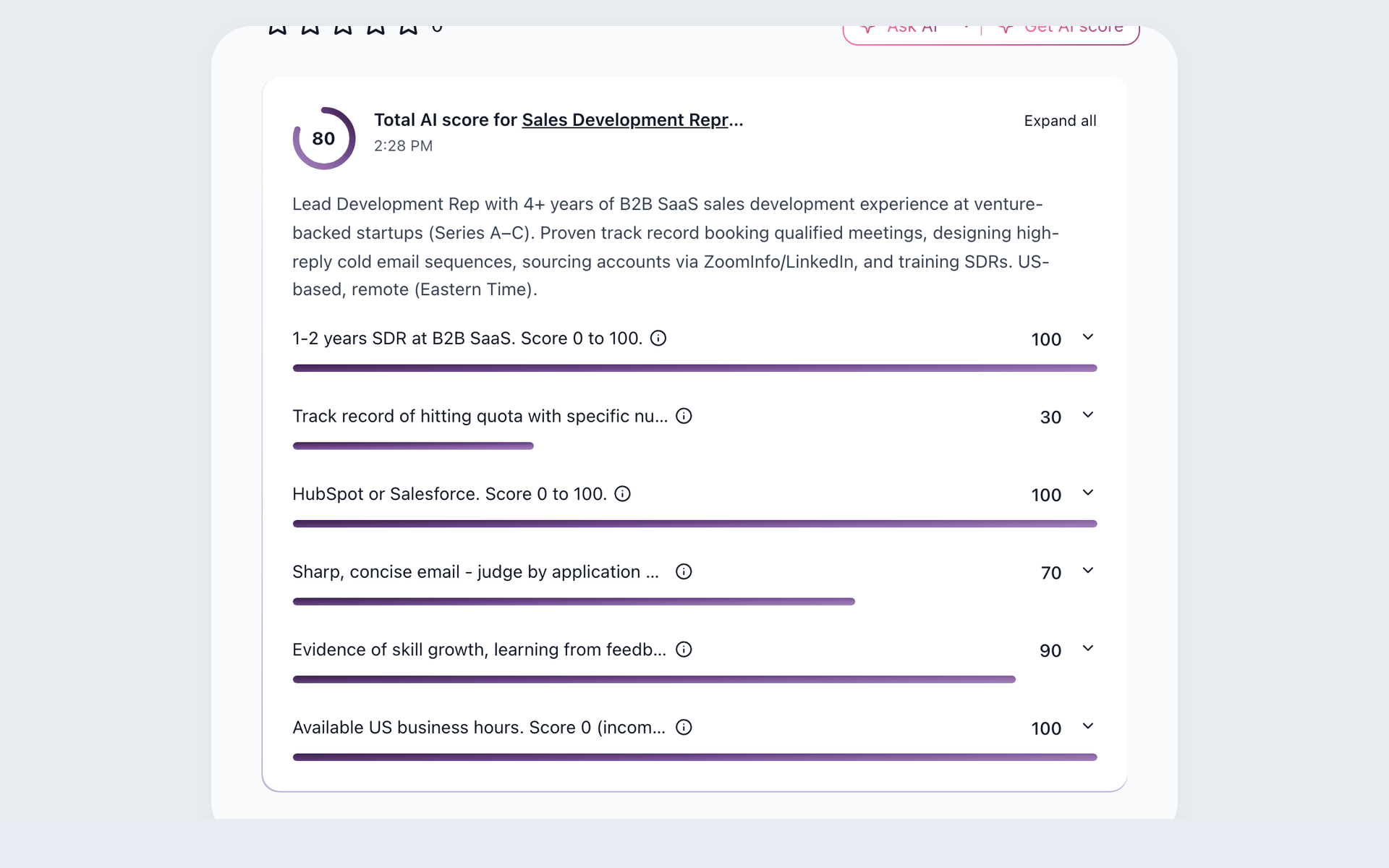
Prioritize candidates against the role
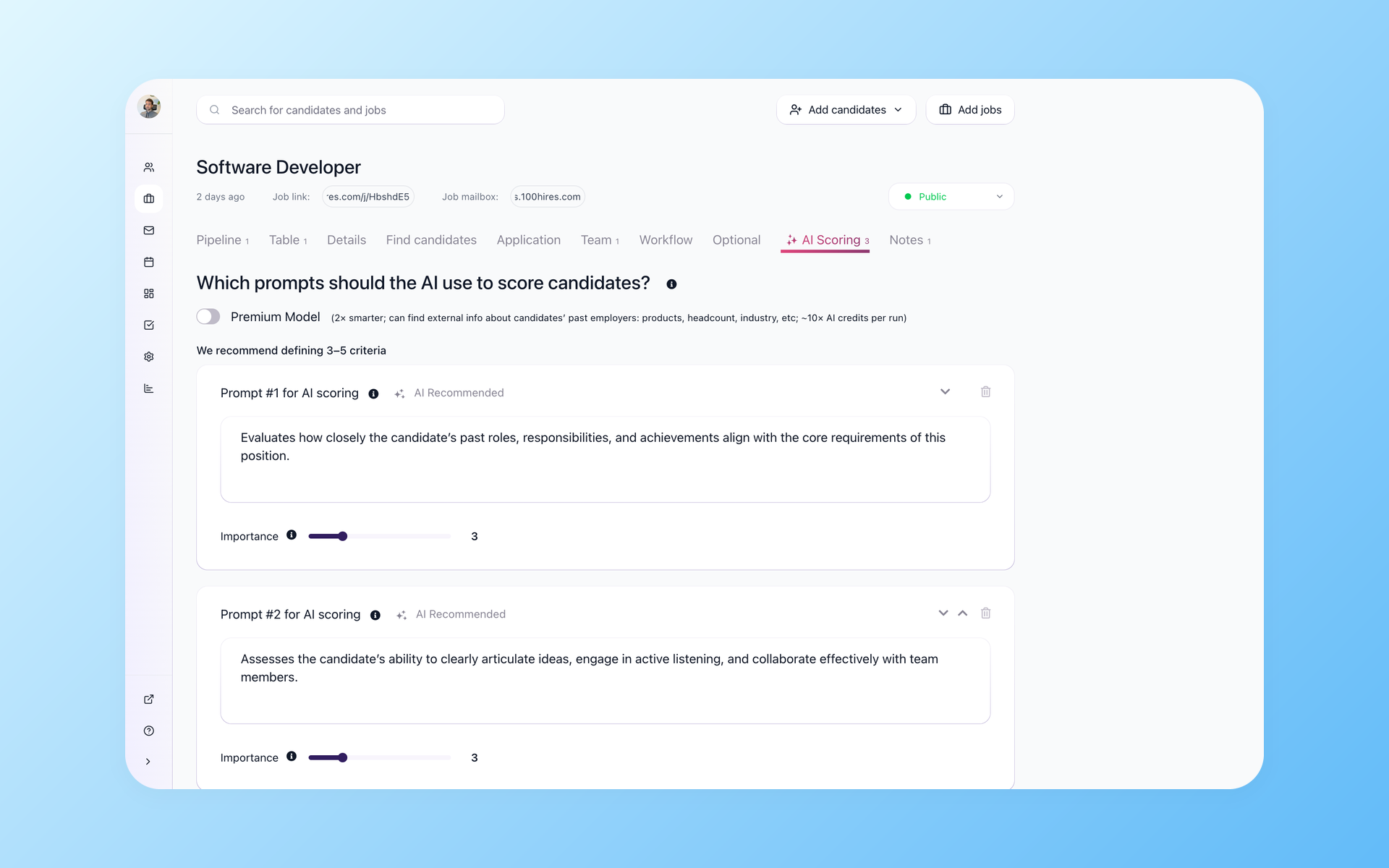
Make shortlists easier to defend
Set the role requirements your team needs to defend, then inspect why a candidate is prioritized before moving them forward.
- Role criteria
- 0-to-100 score
- Criterion detail
- Human oversight
See how AI candidate matching connects job criteria with candidate review. Standard scoring uses candidate and job information available in 100Hires. The optional premium model may retrieve external information about a candidate's past employers.
AI Score supports prioritization rather than making the hiring decision. Recruiters should verify the evidence used by the selected model.
Use the per-criterion detail to question a score when the application leaves a criterion unproven.
Use the context already in the candidate record
Recruiters often repeat the same review questions across candidates. AI Copilot can support that review.
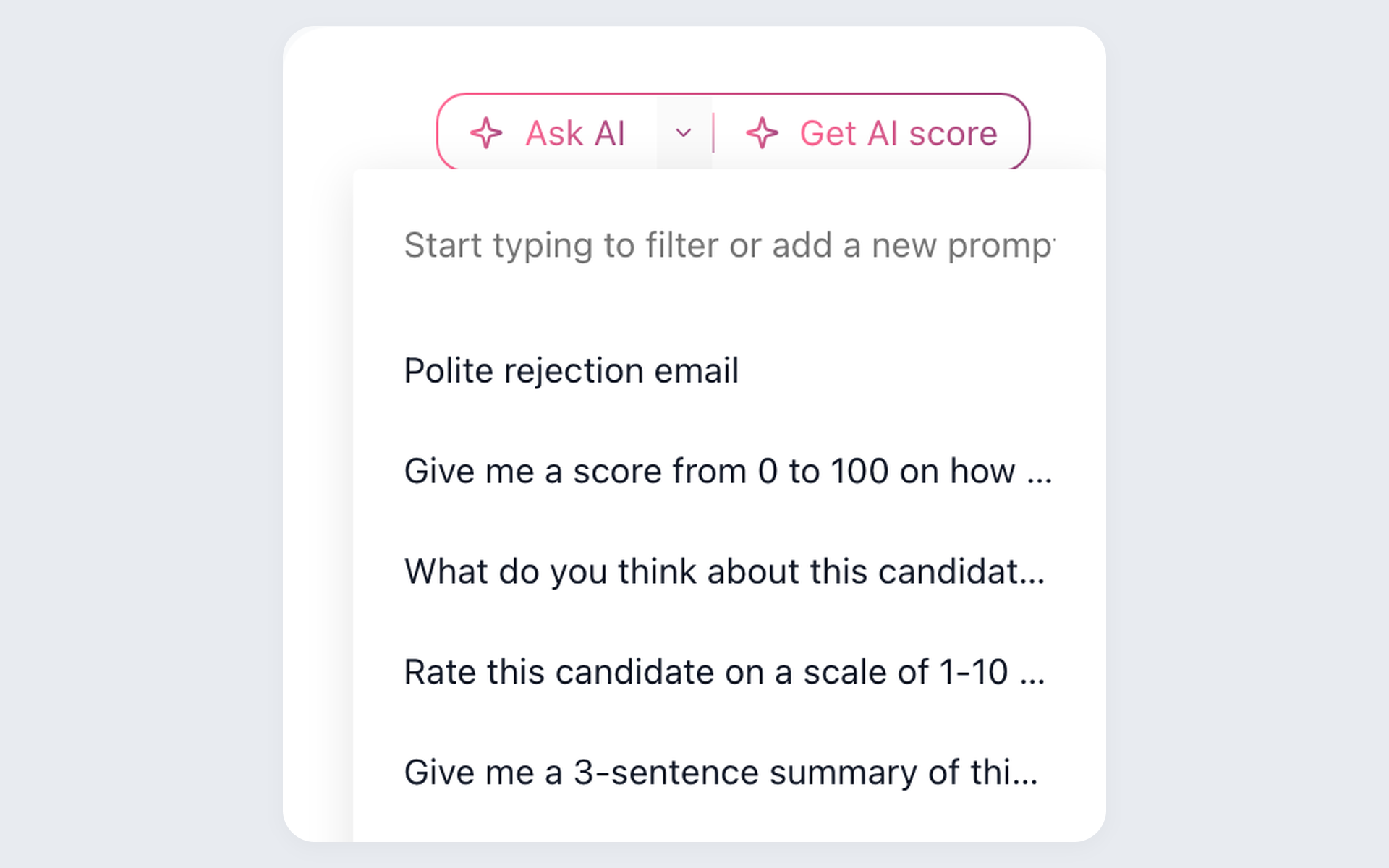
Make recurring candidate reviews more consistent
Answer recurring review questions using the job and candidate records instead of rebuilding the context for each candidate. Missing or unmapped data still requires recruiter judgment.
- Available job context
- Available candidate context
- Saved recruiter prompts
- Human verification of the record
Use the AI recruiting assistant and saved prompts to make recurring review questions more consistent across the hiring team.
Know whether a profile is ready for outreach
Sourcing work often starts with a useful profile that lacks usable contact information. Contact Finder lets a recruiter select which contact fields to request from external enrichment providers before the team begins outreach.
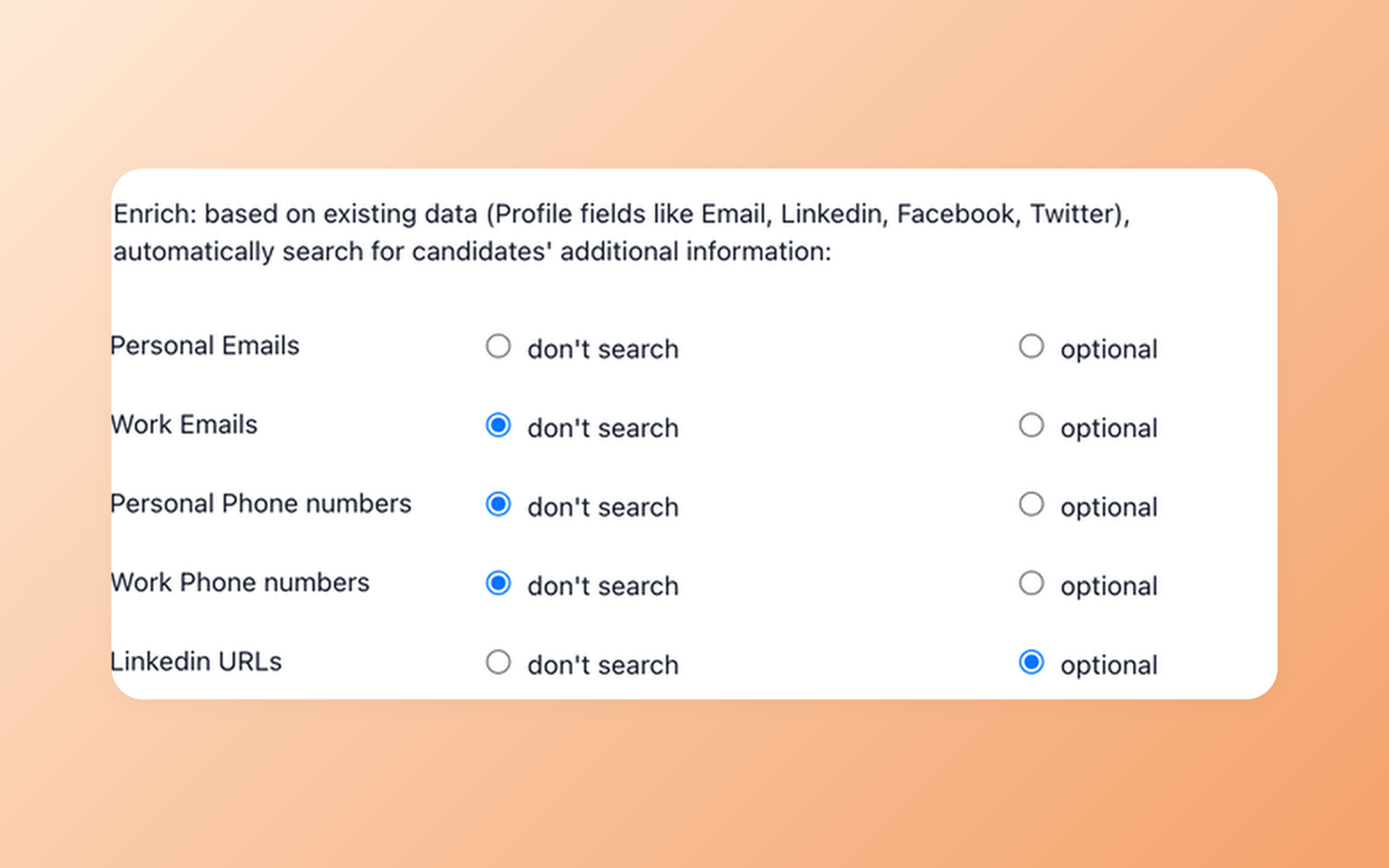
Assess outreach readiness before you contact a candidate
Check whether a promising profile has the contact fields needed for outreach without treating a missing match as a signal of quality. Provider results can be incomplete.
- Selected contact fields
- External provider lookup
- No match guarantee
- Recruiter-controlled next step
Review the candidate outreach workflow to see how sourcing records, contact information, and communication fit together. Any contact detail returned by a provider should be reviewed before use. The absence of a match is not evidence of candidate quality.
Keep recruiters in control of follow-up
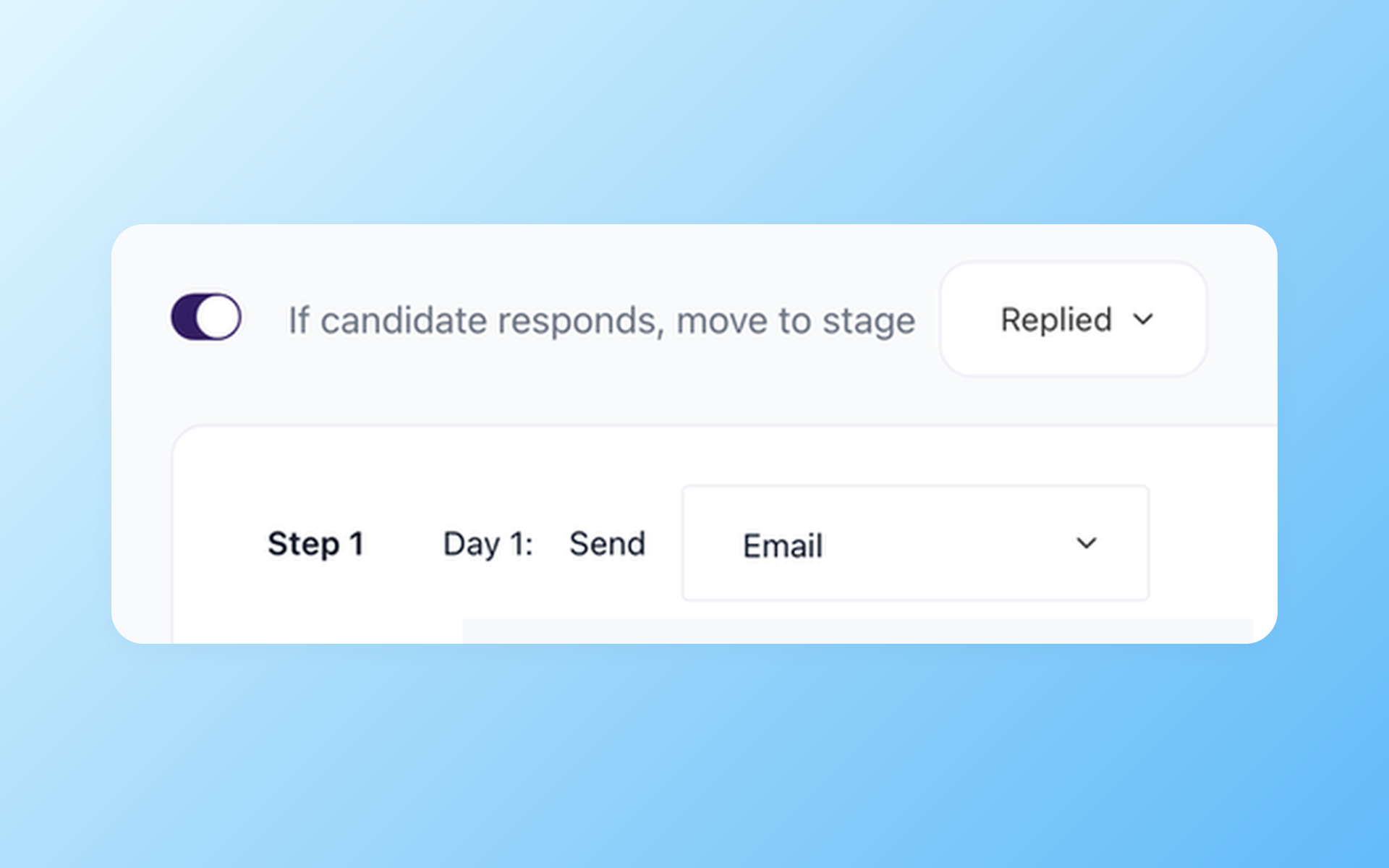
Keep follow-up aligned with candidate replies
Avoid sending another scheduled message after a candidate responds. 100Hires Nurture campaigns leave the recruiter in control of the next step.
- Nurture campaigns
- Reply-aware timing
- Audience selection
- Manual next-step control
AI Email Composer uses the available job information and candidate record to draft emails that recruiters review, edit if needed, and send. Missing context can limit the draft, and recruiters remain responsible for every message.
What to test before choosing an AvaHR alternative
Use the same active job opening and a small candidate set in both workflows. Compare how each product explains scoring and handles missing context.
In 100Hires, test how Contact Finder behaves when it returns no match and how the Nurture campaign's stop-on-reply control works. Ask AvaHR to demonstrate any equivalent behavior on the plan you are evaluating.
Record which plan each tested feature requires, who can create or edit the workflow, and what evidence the product exposes when a result is incomplete. This keeps a useful prototype from being confused with the plan and permissions your team would actually buy.
If API work is part of the decision, define the candidate and job operations your integration needs before comparing the published interfaces. Do not treat the existence of an API as proof that every required object or action is available.
For 100Hires, confirm account verification before assuming API keys are ready for a custom integration. For AvaHR, ask which candidate-management and job-posting operations its OAuth API covers for the plan under review.
Include the recruiter responsible for the role in the review. The useful outcome is a shared decision about which workflow is clear enough for daily use, which plan contains the required features, and which assumptions still need confirmation.
If the comparison becomes a switch
For eligible annual Pro customers, 100Hires may provide a free, comprehensive migration managed by 100Hires after reviewing the available AvaHR candidate CSV export, record counts, fields, source quality, and requested scope.
Mapping, a test import, scope approval, and customer verification determine what can move into 100Hires. Starting a trial does not approve a migration, and no direct integration, fixed timeline, zero data loss, or zero downtime is promised.
Self-service candidate CSV import and bulk resume upload are separate from managed migration and from each other.
What 100Hires customers say

It solved all of my recruitment problems and offered all of the features I was looking for. It can automate most of my recruitment processes.

I’d happily recommend it to my industry peers. I’m able to use the platform with ease and don’t have to think twice about which function to use.

The system is very user-friendly. Even people with no experience will find it easy to understand its functionality.







 4.7
4.7
 4.8
4.8
The hiring playbook, in your inbox
One email a week - benchmarks, AI screening tactics, and short interview templates from the 100Hires team. No product pitches.