
Recruiting reports, rebuilt: the whole funnel on one screen
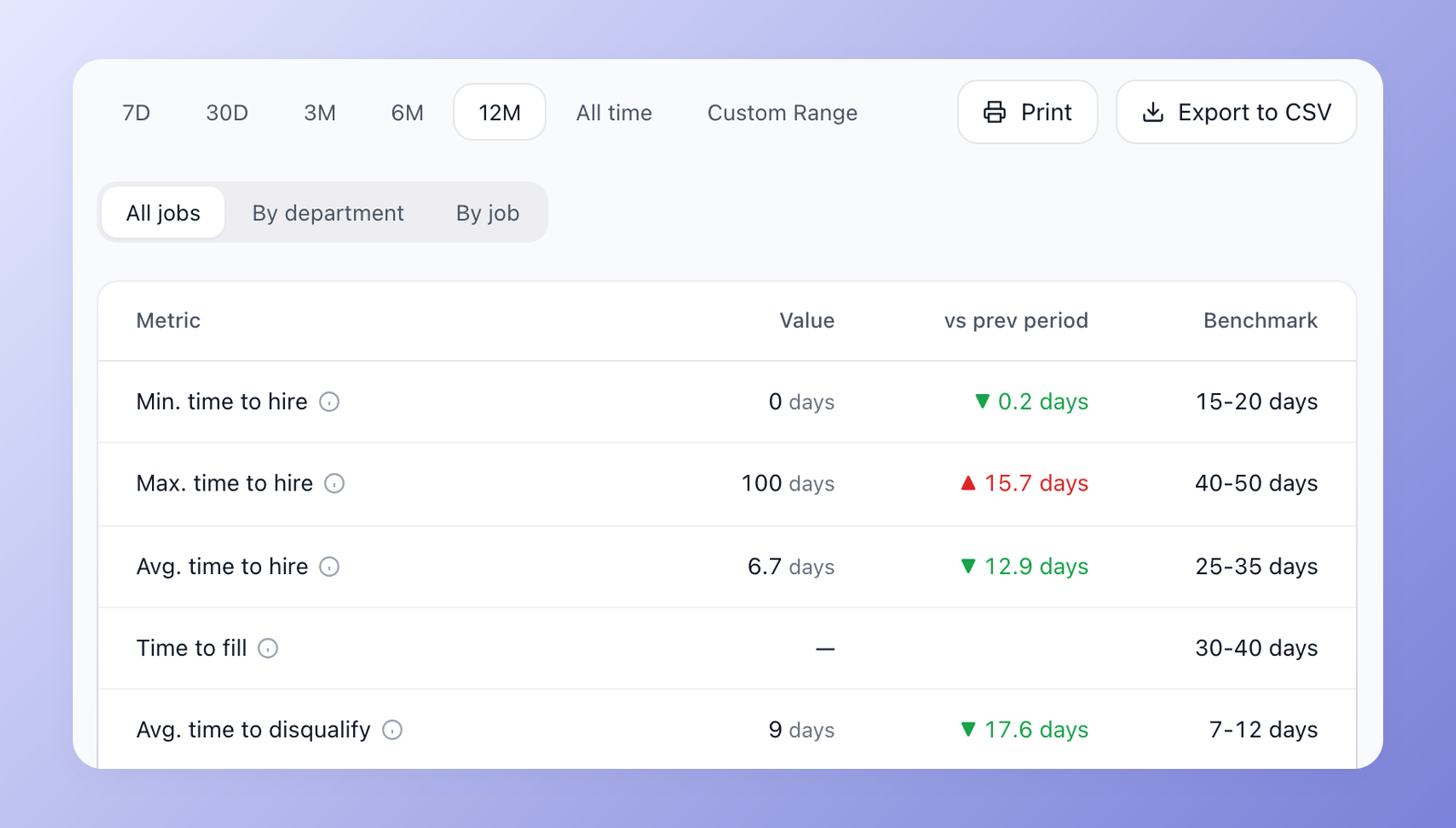
Reporting in 100Hires used to answer a few narrow questions. This update adds new reports and redesigns the existing ones. Most of them now share the same controls: a period picker from 7 days to all time or a custom range, a comparison with the previous period, Print and Export to CSV, and filters that stay in the page address, so a bookmarked or shared link opens the same view.
Overview: the whole funnel on one screen
The hiring playbook, in your inbox
One email a week - benchmarks, AI screening tactics, and short interview templates from the 100Hires team. No product pitches.
The new Overview report replaces the old Origin and Time to reports. One table brings together the key hiring metrics, from time to hire and time to fill to days until first contact, interview-to-offer rate, offer acceptance and candidates stuck for more than 14 days. Each one shows the change against the previous period and a benchmark range, so you can tell at a glance whether 28 days to hire is good or slow. Switch between all jobs, a department or a single job.
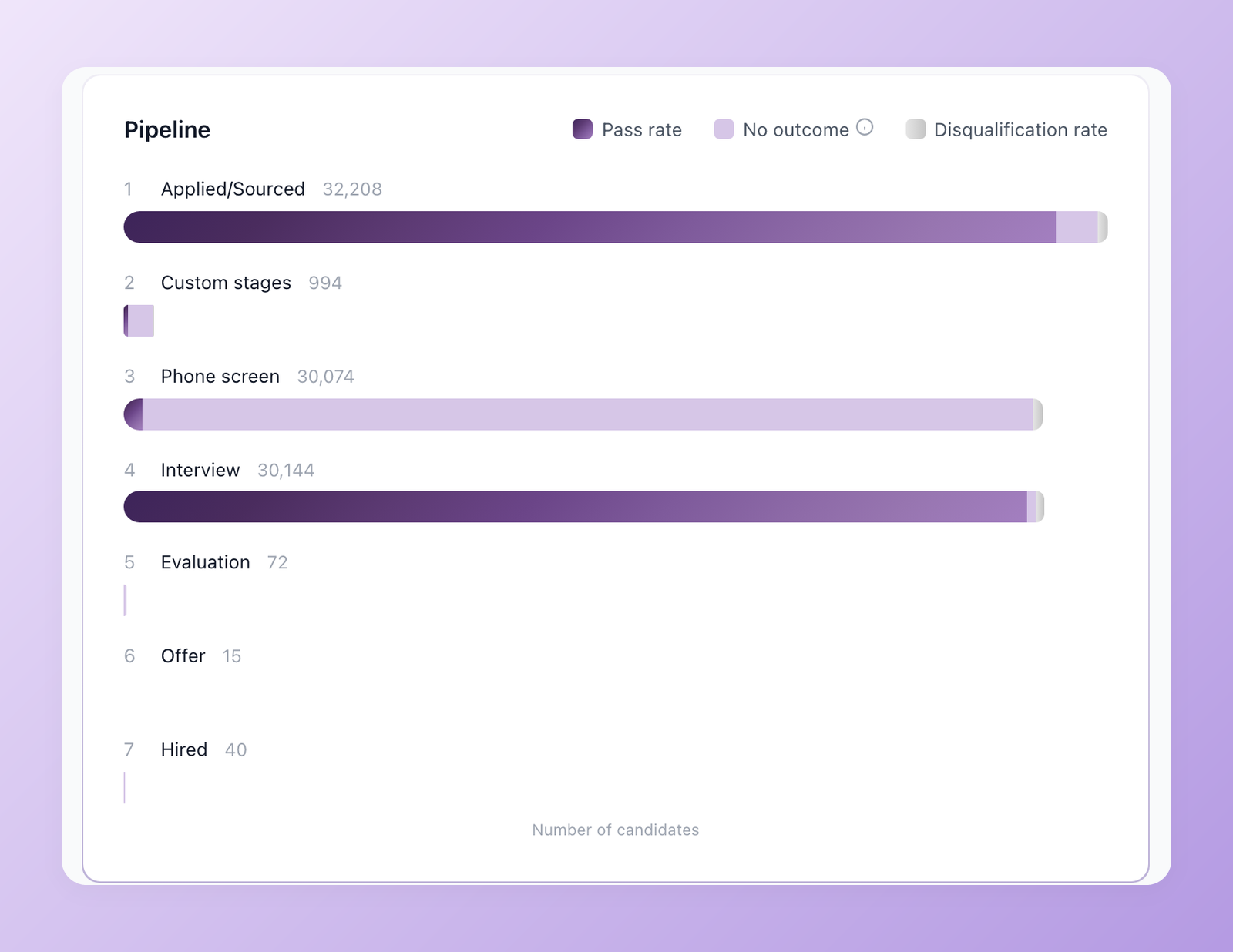
Below the table, the pipeline funnel shows how many candidates reached each stage and where they drop out, with pass rate, pending candidates, average days on stage and disqualification rate for every stage.
Hires: who you hired and how fast
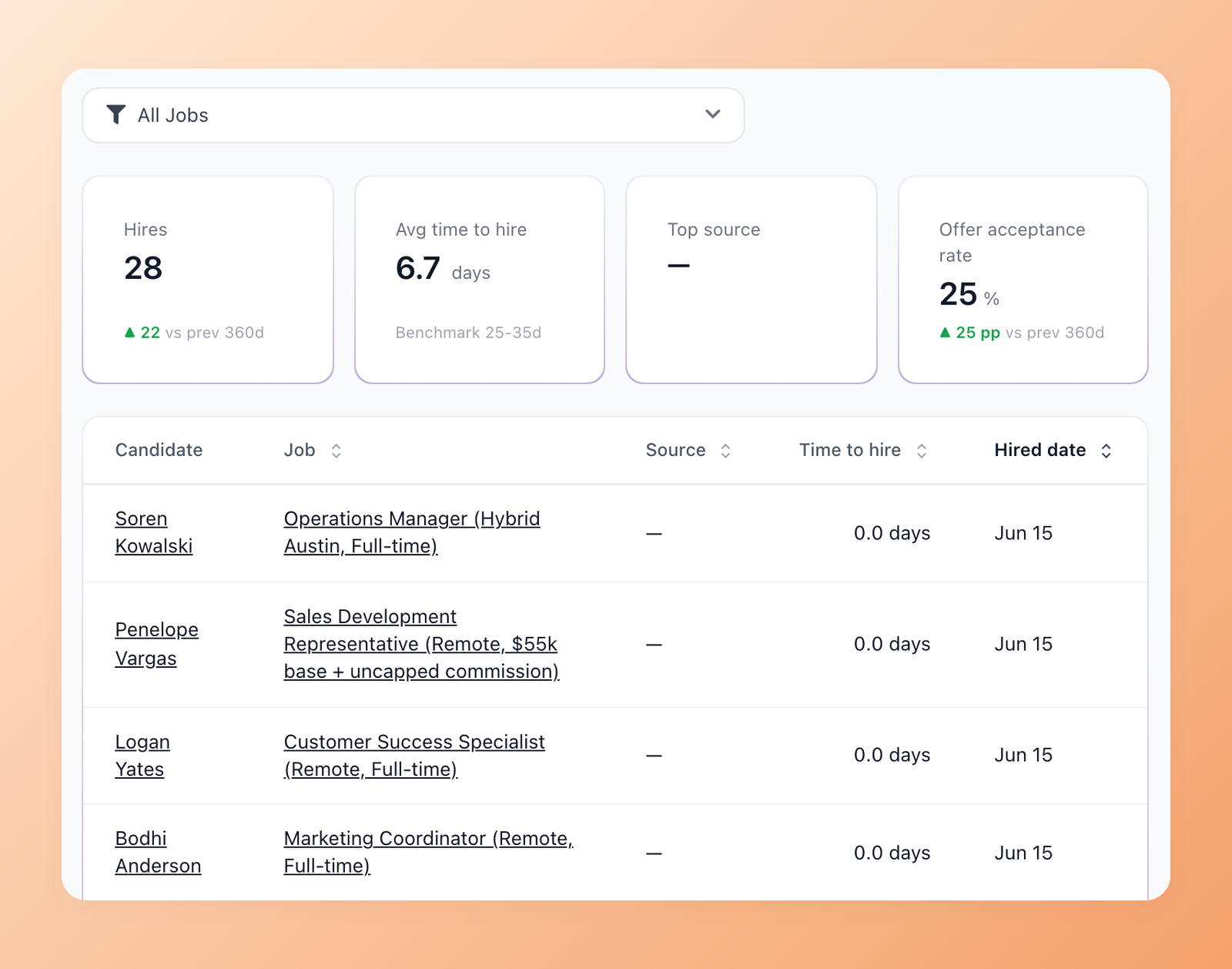
The Hires report lists every hire in the period with the job, the source and the time it took, next to four cards: total hires, average time to hire against the benchmark, top source and offer acceptance rate.
Careers site: see your traffic
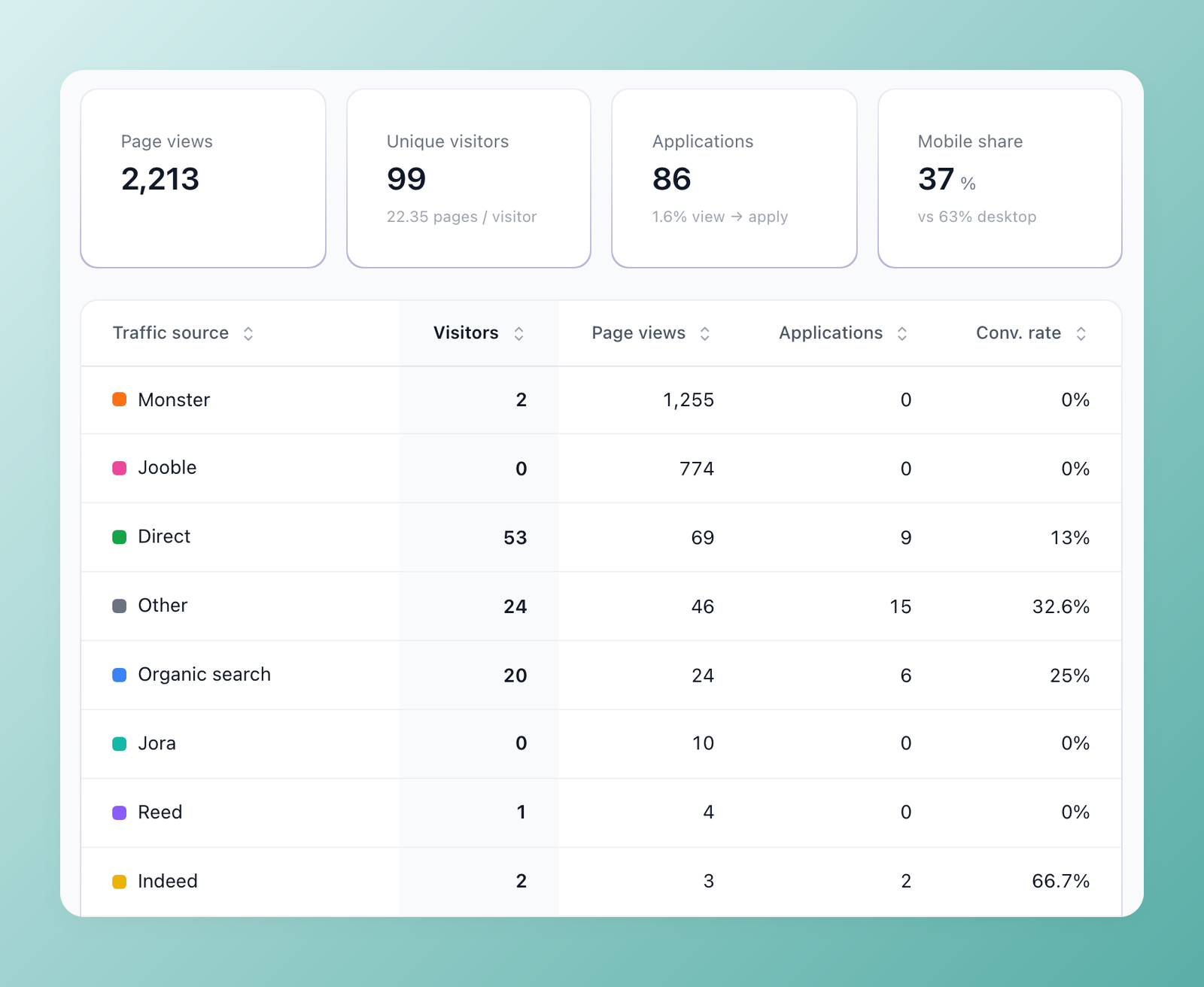
Until now 100Hires showed nothing about visits to your career site. The new Careers Site report shows page views, unique visitors, applications with the view-to-apply rate and the mobile share, broken down by traffic source and by job page.
Interviews and team productivity
The Interviews report breaks down every interview type: how many were scheduled and completed, the no-show rate, how long scheduling took, average duration and how often interviewers submitted feedback. The Productivity report breaks down each team member's work for the period: candidates added, jobs created, hires, stage moves, emails and SMS sent. Summary cards above the table show interviews conducted, evaluation forms submitted and overdue tasks.
Redesigned: Sources, Current Pipeline, Disqualification reasons and Activity Log
Sources now calculates conversion to any stage you choose, not only to Hired. Current Pipeline is a snapshot of every open job with new candidates in the last 7 days and candidates stuck for more than 14 days. Disqualification reasons finally has a date range instead of all-time totals. The Activity Log shows who did what across all jobs, and marks actions sent by automations, such as nurture campaign emails, so you can hide them and see only what people did by hand.
Open Reports in the left menu and pick a period to start.
Related 100Hires resources: Explore recruitment analytics software and the career page builder.
Try 100Hires for free
No credit card. 14-day trial. Forbes Advisor #1 ATS for SMBs.

