
Migrate from Zoho Recruit to 100Hires
Switching from Zoho Recruit because it feels more configurable than your team needs? Start with free self-service import. Managed migration is free for annual Pro customers after scope review.
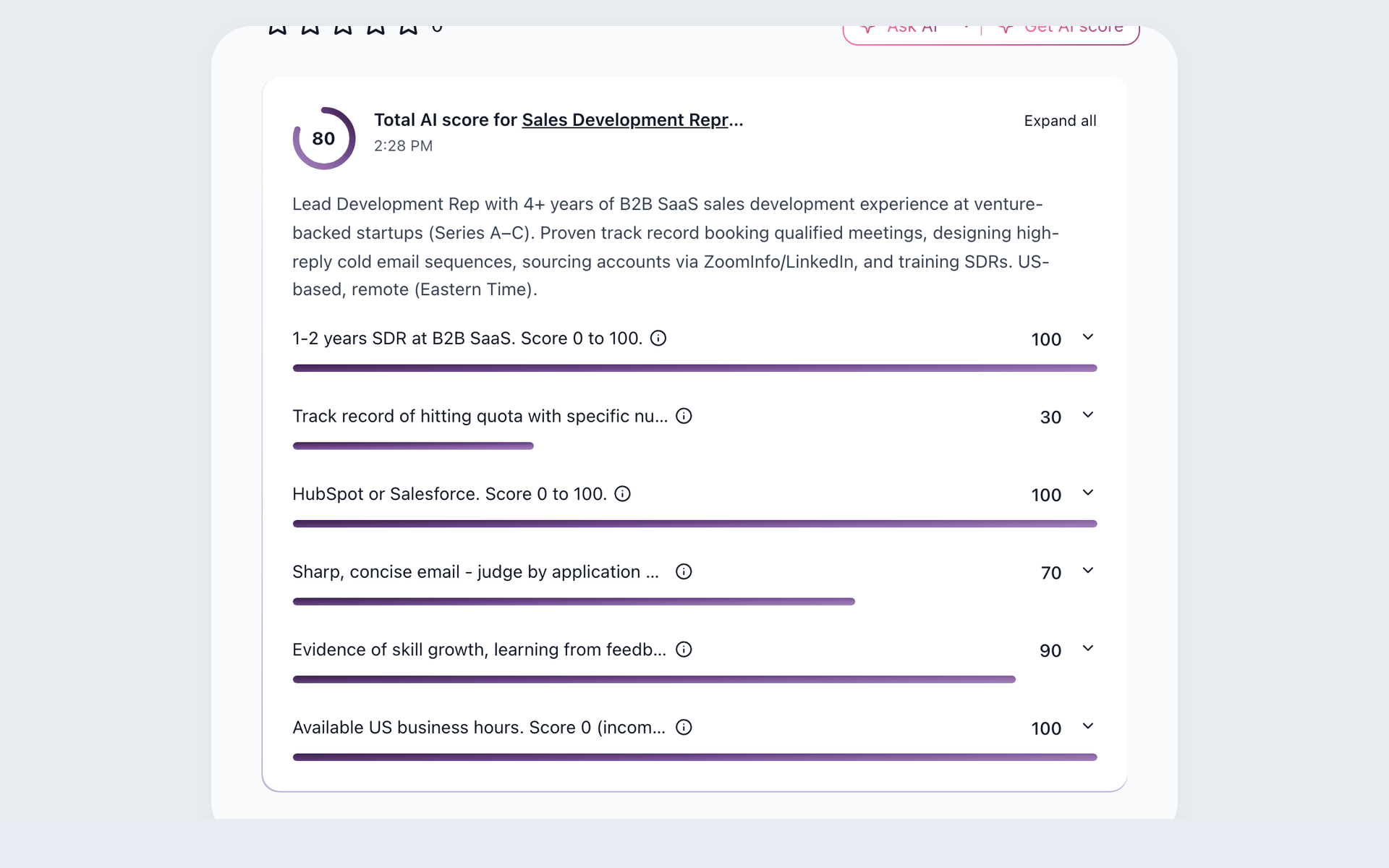






This page is for an SMB recruiting team evaluating 100Hires as the destination after Zoho Recruit. It separates free self-service import from managed migration, then shows how candidate context can support screening, sourcing, and follow-up after the move.
This migration page was prepared by 100Hires using current, publicly available sources. 100Hires is not affiliated with Zoho.
Your Zoho Recruit migration options in 100Hires
Use candidate CSV import when you have a prepared file of candidate records. Use bulk PDF or DOC resume upload when resumes are your starting point. These are separate free self-service paths, not a promise to recreate full ATS history.
Free comprehensive migration is available for annual Pro customers, subject to scope review. That review can assess source access, record counts, requested fields, resumes, attachments, notes, evaluations, jobs, pipeline data, tags, source fields, relationships, and complexity.
Exact mapping and completeness depend on the Zoho Recruit output and agreed scope. 100Hires does not promise one-click transfer, every object, custom-module parity, preserved Blueprint or automations, no data loss, no downtime, or a fixed timeline.
- Candidate CSV import for prepared candidate records
- Bulk PDF or DOC resume upload and parsing
- Managed annual Pro migration after scope review
| Feature | 100Hires | Zoho Recruit |
|---|---|---|
| Operating model | Focused AI-first ATS for SMB recruiting teams | Configurable Corporate HR and Staffing Agency editions |
| Candidate and file scope | CSV or resume self-service paths plus managed scope review | Module, attachment, and record exports are documented with permissions and limits |
| Configuration scope | Exact fields, relationships, history, and attachments depend on review | Blueprint, workflows, portals, integrations, and custom configuration are documented |
| Included managed migration | Annual Pro eligibility and scope review apply | Zoho migration help describes inbound Zoho migration, not a 100Hires export path |
| AI screening after the move | AI Score uses role criteria, a 0-100 score, and recruiter-reviewable explanations | Zia Candidate Matches scores and ranks by skills and qualifications, with plan gates |
| Sourcing after the move | Contact Finder can search selected personal or work email and phone fields on Pro | Source Boosters, bulk sourcing, LinkedIn Easy Apply, and job-board distribution are documented |
| Follow-up after the move | Nurture campaigns, AI Email Composer, AI Copilot, and Talent Pools are documented | Recruitment Automation, Blueprint, AI assistance, SMS or Phonebridge, and portals are documented |
| Portals, mobile, and ecosystem | Comparable Zoho-style portal and native-app parity was not publicly stated in reviewed 100Hires sources | Dedicated portals, native Android and iOS apps, and Zoho ecosystem integration are documented |
| Export after the move | Candidate export is documented | Module export is documented with permissions and per-request limits |
Validate the scoped result before you cancel Zoho Recruit
Review the agreed records, fields, files, relationships, and sample results in 100Hires before you cancel the source account. Zoho Recruit export breadth does not prove that every object or configuration maps into 100Hires.
Your team controls the Zoho Recruit account, contract, billing, and cancellation. 100Hires does not promise a delta sync, parallel production run, zero downtime, or account cancellation on your behalf.
Put your candidate context to work after the move
After the scope is validated, the destination workflow matters. 100Hires connects AI Score, Contact Finder, Talent Pools, Nurture campaigns, AI Email Composer, and AI Copilot to the candidate and job information actually present in the workspace.
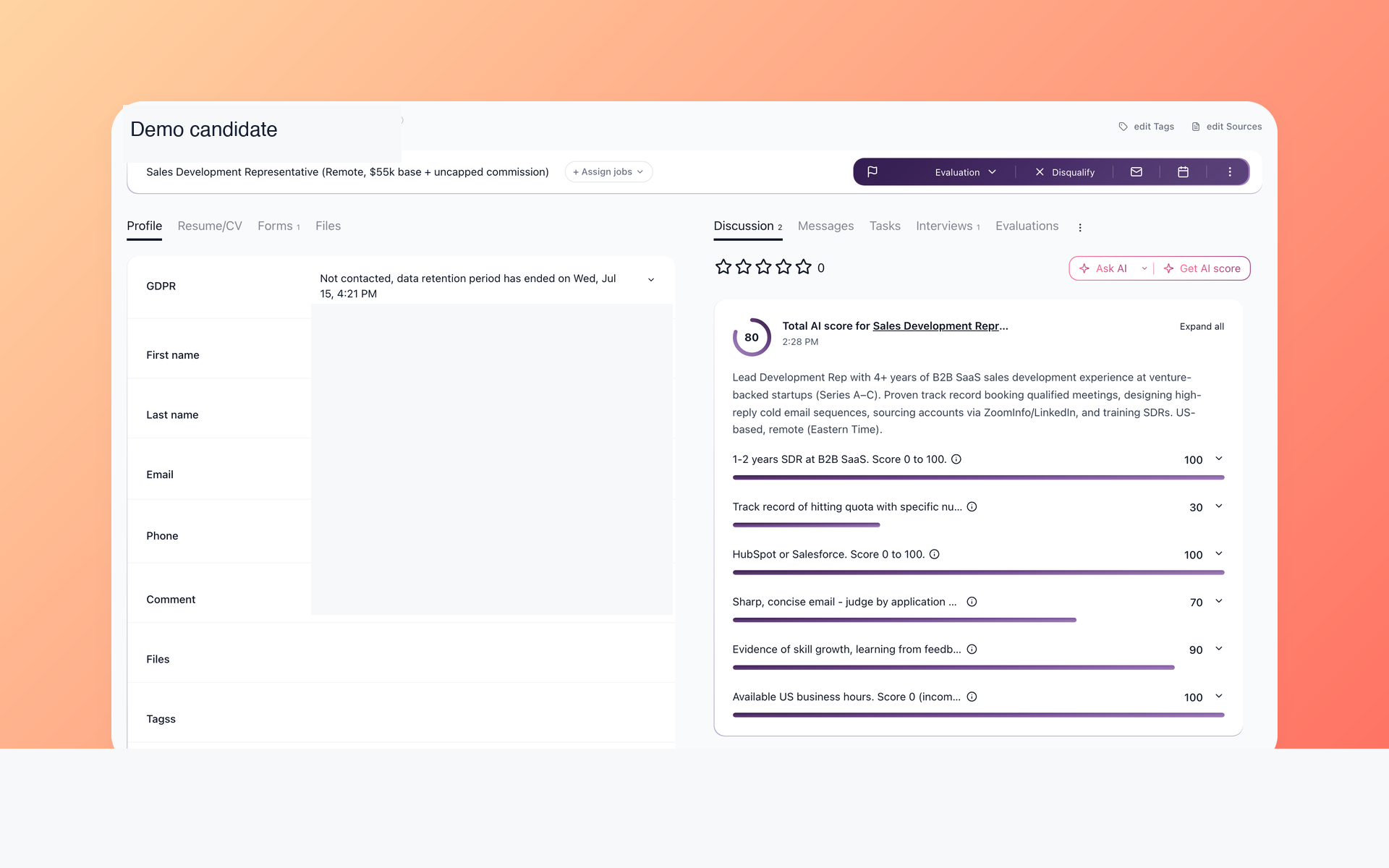
Review imported candidates with AI Score
AI Score can evaluate candidate information present in 100Hires against configured role criteria. It returns a 0-100 result and per-criterion explanations so a recruiter can inspect evidence before taking action.
- Present candidate data
- Role-specific criteria
- Reviewable explanations
- Human decision stays final
See how AI resume screening supports review after import. AI Score cannot evaluate details that are absent from the destination record, and it does not make the hiring decision.
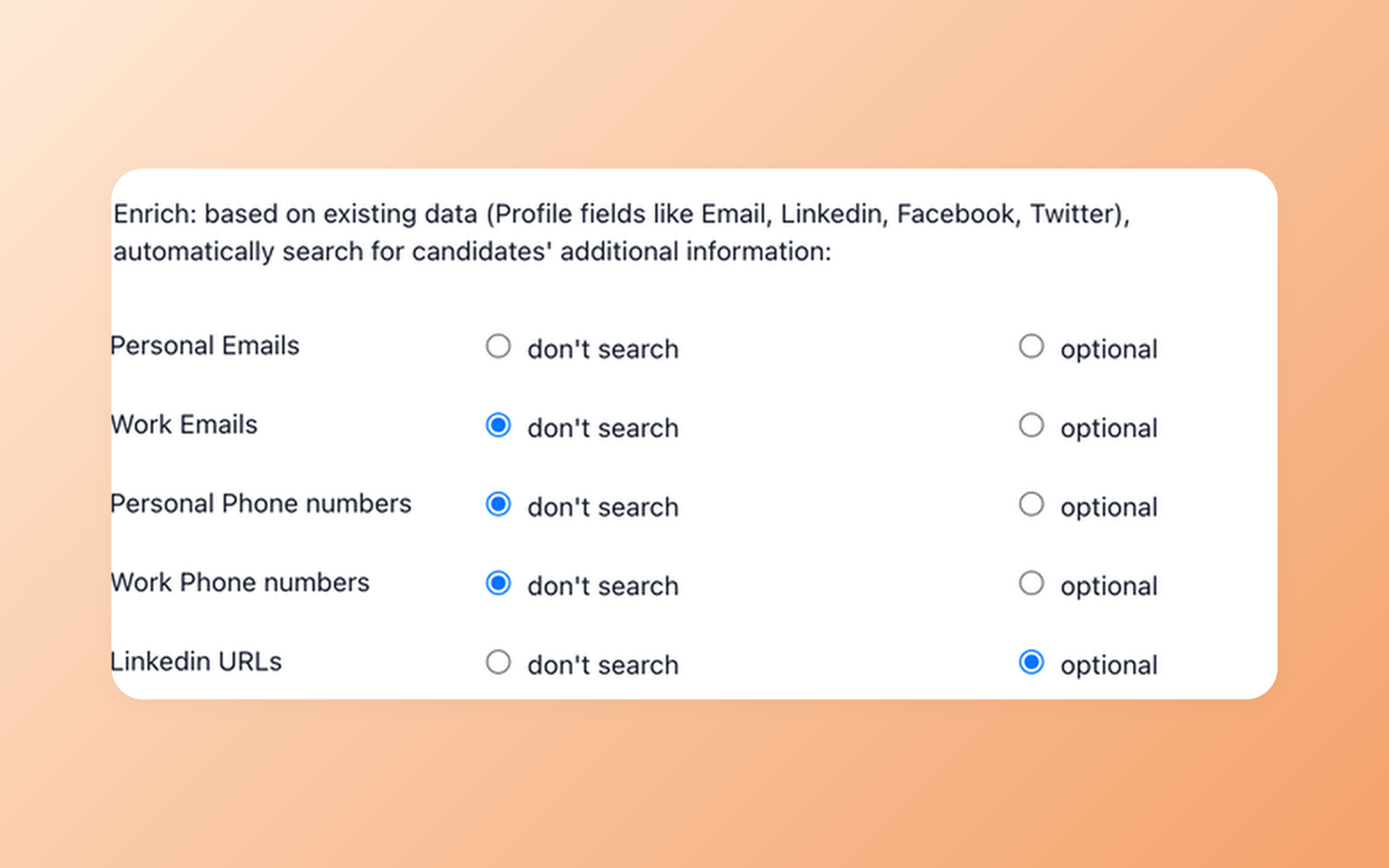
Source missing contact fields with Contact Finder
Contact Finder can search for selected personal email, work email, and phone fields after the move when provider data is available. It is a Pro capability and does not guarantee that every requested field will be found.
- Selected contact fields
- Provider-data dependent
- Pro plan capability
- Talent Pool sourcing
Use candidate contact discovery for passive sourcing, then place relevant people in Talent Pools for future roles.
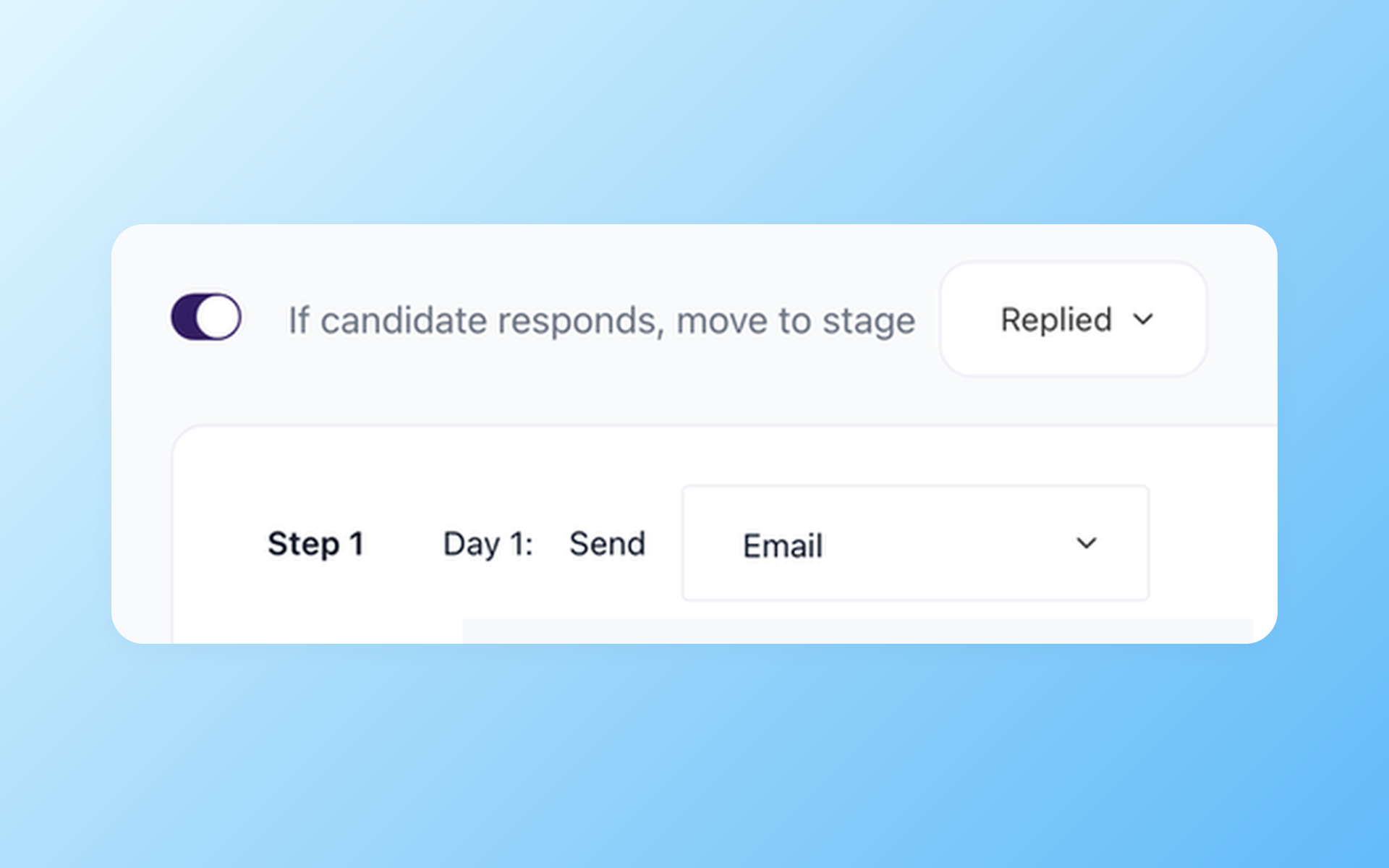
Re-engage candidates with Nurture campaigns
Nurture campaigns can schedule follow-up with delays and send windows and stop follow-up when a candidate replies. AI Email Composer helps draft messages for human review, while AI Copilot uses context actually present in 100Hires.
- Scheduled follow-up
- Response-aware handling
- Editable AI drafts
- Context kept with candidates
Explore recruitment automation software for Nurture campaigns, AI Email Composer, AI Copilot, and workflow rules that support post-move follow-up.
When staying with Zoho Recruit may be the better fit
Staying may be sensible if your team depends on dedicated Candidate, Vendor, or Client portals, native mobile apps, Blueprint, a specific Corporate HR or Staffing Agency edition, deep custom modules, or the wider Zoho ecosystem.
Map those dependencies before changing systems. A focused 100Hires workflow can be attractive even if another team still needs Zoho Recruit configuration, mobile access, portals, or ecosystem continuity.
Migration and AI limits to confirm
Managed migration eligibility depends on annual Pro and scope review. Exact records, fields, files, relationships, and timing depend on the source output and approved mapping.
AI Score and AI Copilot use documented data present in 100Hires. Recruiters review their output and make the hiring decision. Contact Finder is a Pro capability and depends on available provider data.
The 14-day trial without a credit card has an AI quota. External job-board posting remains subject to verification and usage limits. 100Hires does not manage the Zoho Recruit contract, billing, or cancellation.

It solved all of my recruitment problems and offered all of the features I was looking for. It can automate most of my recruitment processes.

I’d happily recommend it to my industry peers. I’m able to use the platform with ease and don’t have to think twice about which function to use.

The system is very user-friendly. Even people with no experience will find it easy to understand its functionality.







 4.7
4.7
 4.8
4.8
The hiring playbook, in your inbox
One email a week - benchmarks, AI screening tactics, and short interview templates from the 100Hires team. No product pitches.
Zoho and Zoho Recruit are trademarks of Zoho Corporation Private Limited and/or its affiliates. 100Hires is not affiliated with or endorsed by Zoho.