
Migrate from WizeHire
Switching from WizeHire? Free managed data migration is available for eligible annual Pro contracts after source-system access and scope review.
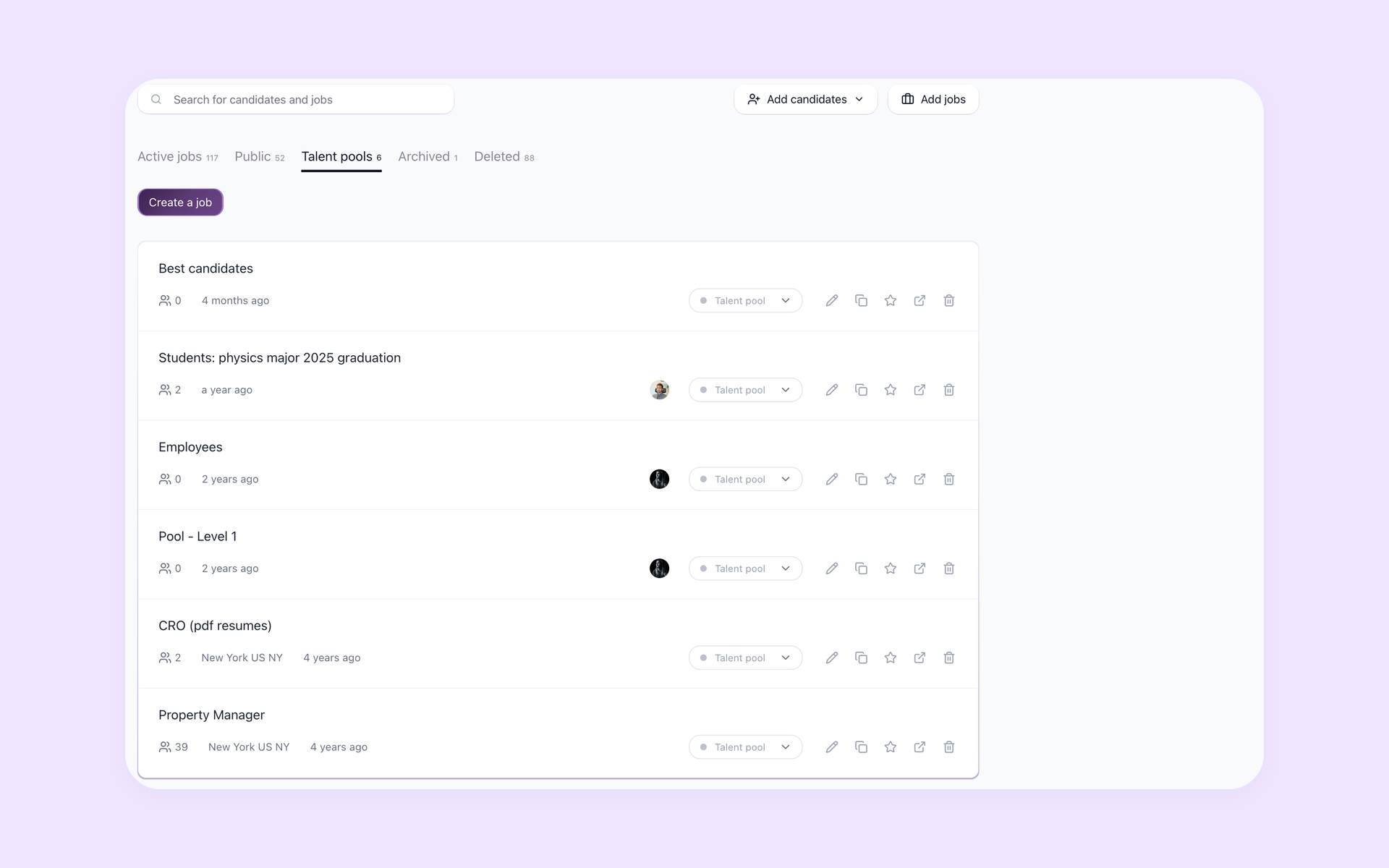






Keep hiring as you plan the WizeHire switch
This page is for a hiring team evaluating 100Hires as the system they will use after leaving WizeHire. It does not promise that every source record type, field, attachment, message, automation, integration, or history item will transfer.
This migration page was prepared by 100Hires from publicly readable current sources. Missing public WizeHire export details are treated as unknowns, not as proof that export is unavailable.
After the scope is agreed, your team should be able to keep hiring in 100Hires instead of treating the import itself as the finish line.
Choose the right import path in 100Hires
Use self-service import when you have a clean candidate CSV or a folder containing PDF or DOC resumes. CSV mapping and bulk resume parsing create candidate records but do not guarantee recreation of a complete source history.
Use managed migration when candidates, jobs, files, notes, messages, or approved history fields need to be included in the migration scope after review. Eligible annual Pro contracts include the service once source-system access is available and the scope has been reviewed.
Other cases require confirmation and may need a custom quote. Starting a trial lets your team test 100Hires as its new recruiting system, but it does not confirm managed-migration eligibility.
| Feature | 100Hires | WizeHire |
|---|---|---|
| Destination workflow | AI-first recruiting workspace for SMB teams | Scout AI, templates, coaching, and applicant workflows documented |
| Candidate import | CSV mapping and bulk resume upload documented | General outbound export format not publicly stated in reviewed sources |
| Managed migration | Eligible annual Pro after source access and scope review | Not publicly stated in reviewed current sources |
| Candidates and resumes | May be scoped from available source files | Transferable coverage not publicly stated in reviewed sources |
| Notes, messages, history | May be scoped after source review | Transferable coverage not publicly stated in reviewed sources |
| AI Score after move | Rank imported candidates against role criteria | Screening, DISC+, Talent Match, and Scout AI documented |
| Passive sourcing | Contact Finder where data is available | Comparable contact-discovery detail not publicly stated in reviewed sources |
| Outreach | Nurture campaigns and email workflows | Candidate texting and messaging documented |
| Pipeline | Configurable Pipeline stages | Custom stages documented |
| Scheduling | Self-scheduling links | Scout scheduling and reminders documented |
| Export/API details | Candidate export documented for 100Hires | General format and API scope not publicly stated in reviewed sources |
Put imported candidate context to work
After the files arrive, the next step is to use the imported data. 100Hires can organize the available candidate and job data for review, then let your team continue sourcing candidates, following up, and moving candidates through stages in one recruiting workflow.
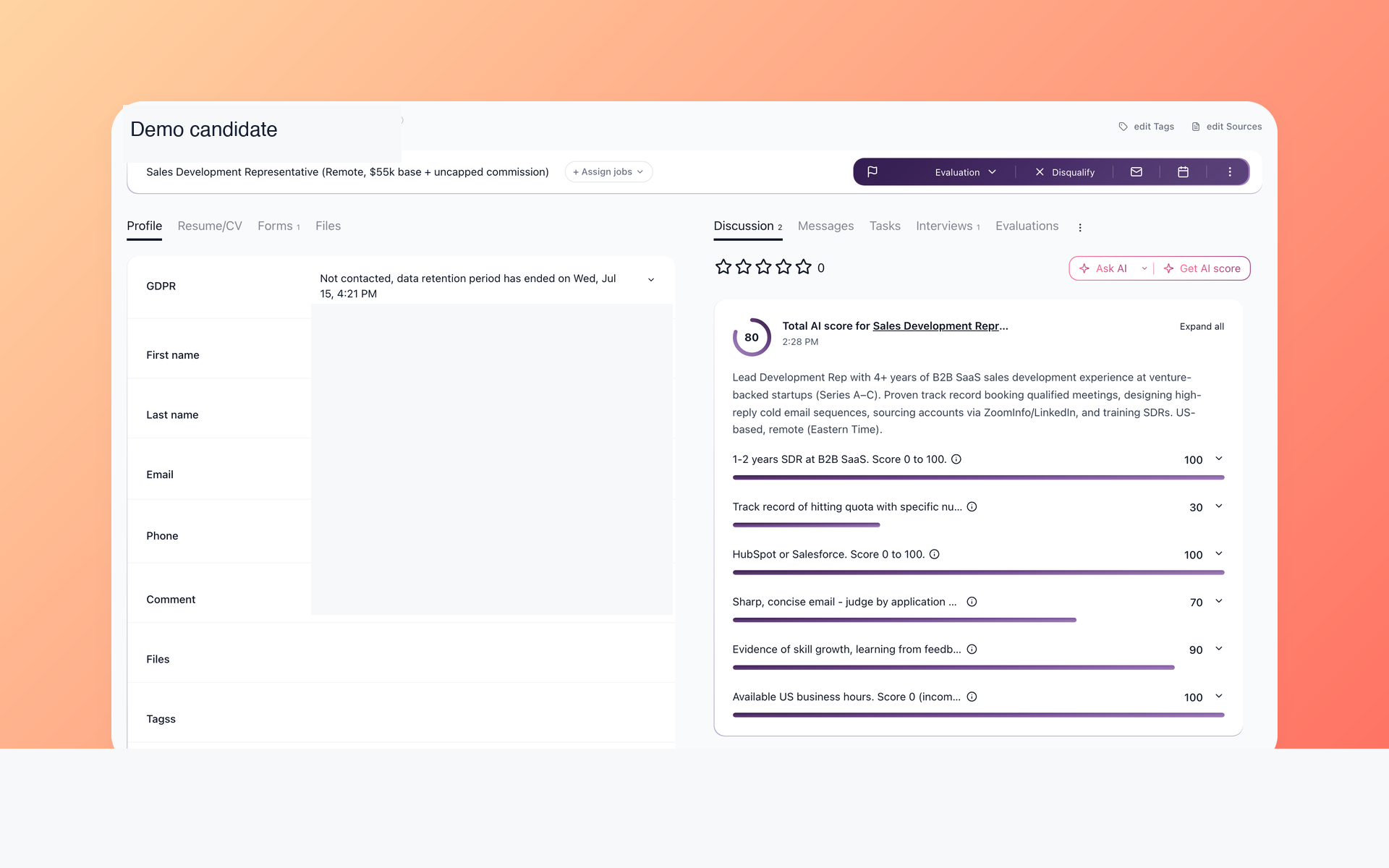
Prioritize imported candidates with job-specific AI Score
AI Score applies the same role criteria across imported candidate records. It returns a score from 0 to 100 with per-criterion evidence so recruiters can compare which records need closer review.
- Comparable imported records
- Role-specific criteria
- Reviewable AI Score evidence
- Human decision remains final
Use AI resume screening to review imported candidates against the job requirements. The result depends on the candidate and job information available after import.
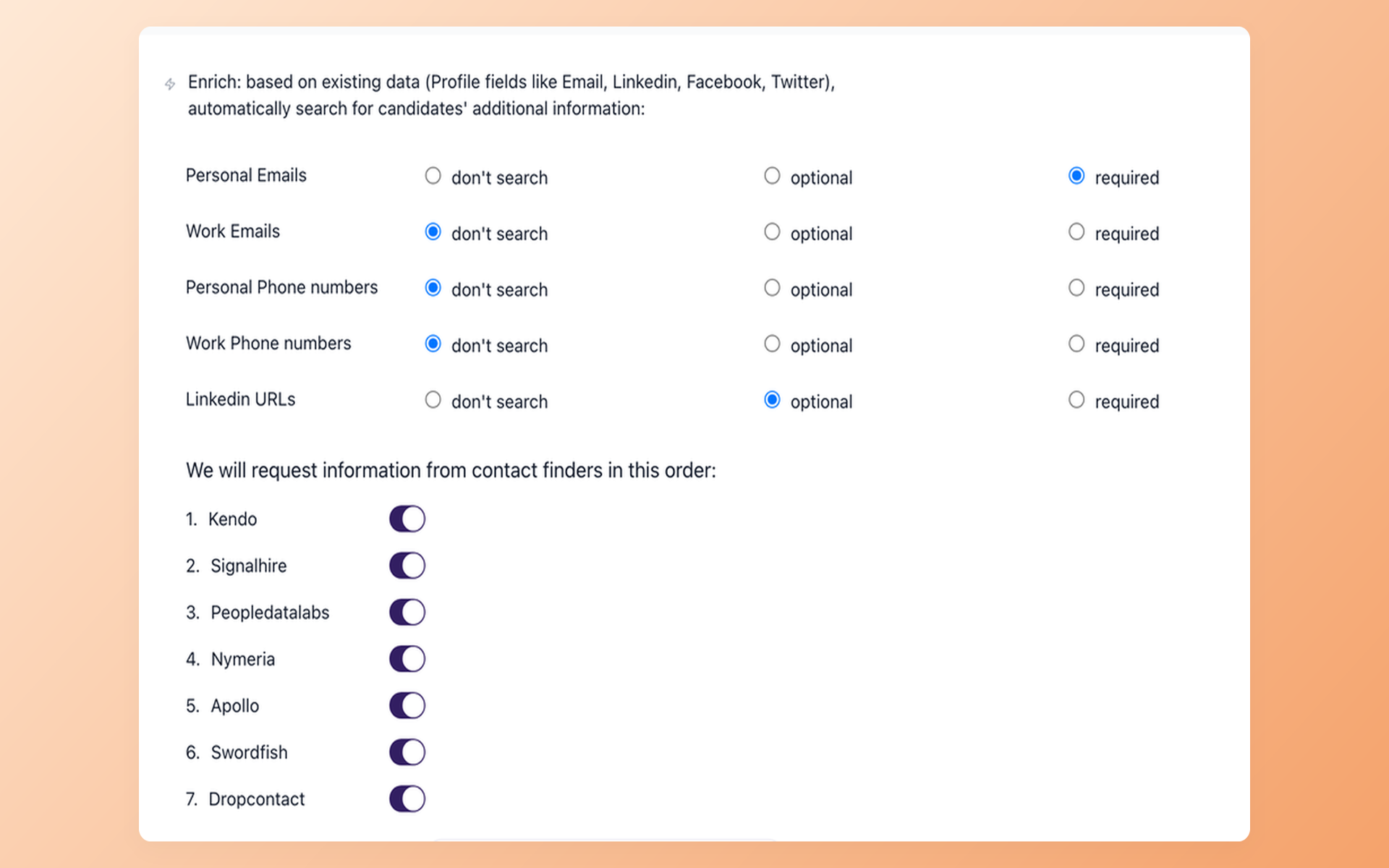
Source beyond the imported database with Contact Finder
Contact Finder can look for selected contact fields when the required identifiers are available and the connected provider supports the request. It is a Pro-plan feature that uses the customer's connected provider subscriptions.
- Selected contact fields
- Coverage-dependent results
- Customer provider subscriptions
- Prospects added to the workflow
See how Contact Finder supports candidate sourcing. After migration, it lets your team look beyond existing applicants without promising universal contact coverage.
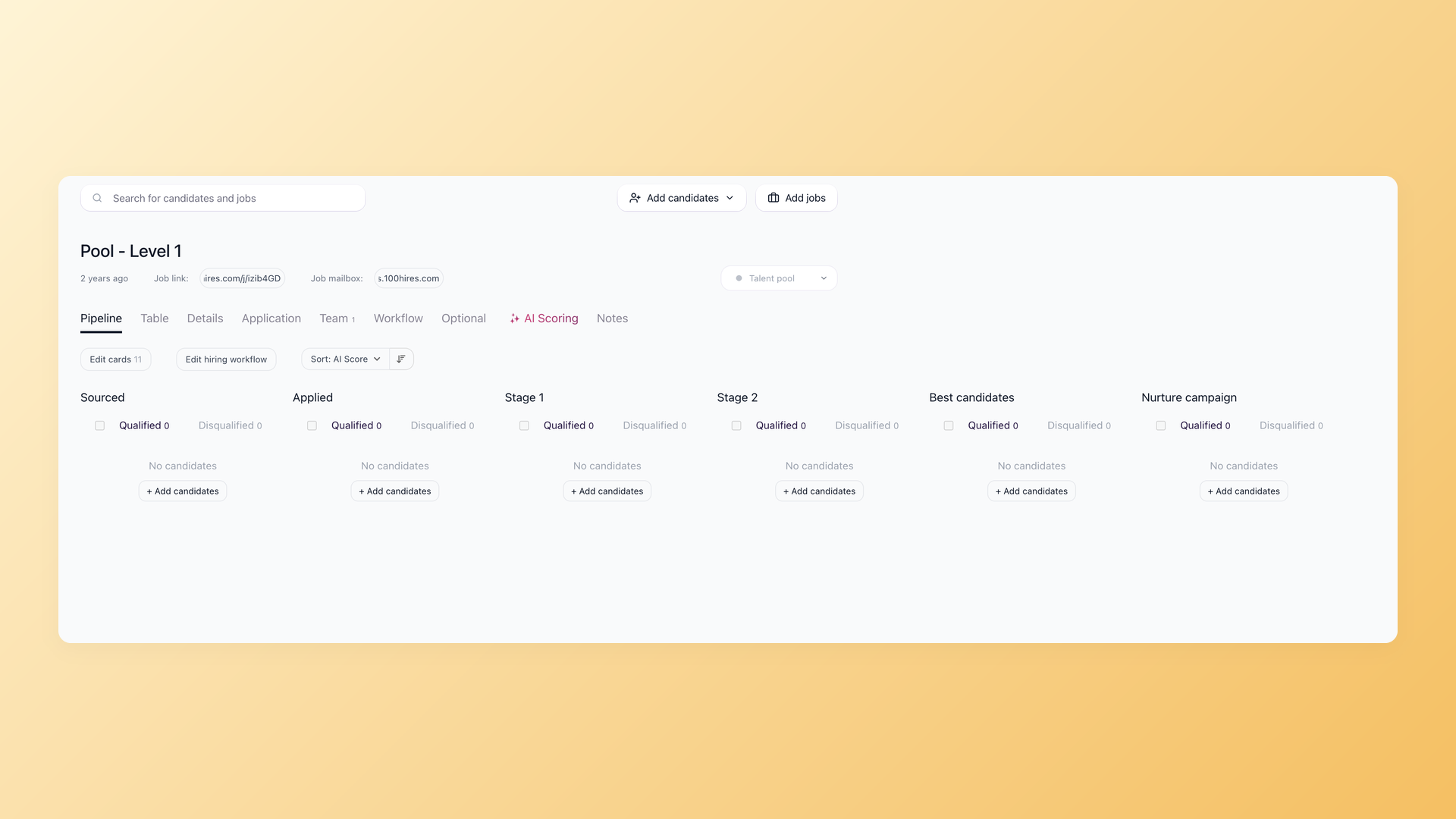
Map the new workflow into Pipeline stages
Configurable Pipeline stages keep candidates visible as they move from sourcing and applications through shortlisting and nurturing. Stage counts help the team see where candidates are waiting.
- Configurable Pipeline stages
- Reusable candidate groups
- Visible stage counts
- Qualified and disqualified views
Use Nurture campaigns and recruiting automation for scheduled follow-up. Your team should review the imported context before relying on outreach or stage automation.
Migration and AI limits to confirm
100Hires does not promise every object, zero data loss, zero downtime, one-click transfer, or instant delivery. It does not promise a fixed timeline before the source system is reviewed and the scope is agreed on.
AI Score supports recruiter review and does not make the hiring decision. Its usefulness depends on the candidate and job context present after import.
Contact Finder uses customer provider subscriptions and depends on coverage. The trial requires no credit card and includes an AI usage limit. External job-board posting is subject to verification and usage limits.
The customer controls the WizeHire account, source access, contract, billing, and cancellation. 100Hires does not cancel the source subscription.
The hiring playbook, in your inbox
One email a week - benchmarks, AI screening tactics, and short interview templates from the 100Hires team. No product pitches.
100Hires is not affiliated with or endorsed by WizeHire.