
Migrate from VidCruiter
Move to a broader AI ATS with free comprehensive managed migration for annual Pro customers after a review of the source data and scope, or start with self-service CSV and bulk resume imports.






Independent review-platform ratings: 100Hires has 4.8 out of 5 on G2 and 4.9 out of 5 on Capterra.
Choose the right import path
If you are switching from VidCruiter, begin with the files you can obtain and the records your recruiters need after the move. 100Hires offers three separate paths, and none should be described as a one-click or guaranteed transfer.
- Managed migration for annual Pro. Free comprehensive managed migration is available to annual Pro customers after 100Hires reviews the source files and confirms the scope.
- Self-service candidate CSV import. Map candidate columns, review errors and proposed changes, then assign imported candidates to a job and stage.
- Bulk resume upload. Upload resume files and review the parsed data before the records become part of the active recruiting workflow.
Once imported, candidates stay in the ATS for AI-assisted screening, outreach, follow-up, pipeline movement, self-scheduling, and live Zoom interviews through an integration.
Starting a trial or choosing monthly Pro does not establish managed-migration eligibility. 100Hires is not affiliated with, endorsed by, or sponsored by VidCruiter, and this page does not imply a certified VidCruiter integration.
What the move can cover
Public 100Hires migration guidance lists candidate profiles and contact information, resumes and attachments, jobs, application history, tags and custom fields, and notes or communication history where available.
The requested data types and source files are reviewed before the final scope is confirmed.
Before your team relies on the 100Hires workspace, inspect a small sample across several data types. Open a candidate's profile with a resume, then review the job, its assigned stage, a tag or custom field, and any agreed notes or history.
This checks that the imported data matches the confirmed scope without implying that every data type can be transferred.
100Hires says processing typically takes 1-5 business days after the export files arrive, depending on volume and complexity. That range is not a guaranteed total migration timeline.
It does not include the time needed to obtain files, agree on the scope, correct issues with the source data, validate the result, or decide when your team is ready to cut over.
VidCruiter to 100Hires feature comparison
The table separates the migration path from the product experience after the move. VidCruiter's documented video and structured-interview capabilities remain visible, while unverified export scope is not presented as a missing feature.
 100Hires
What is not promised
100Hires does not commit to transferring VidCruiter recordings or videos, transcripts, evaluations or scorecards, templates, automations, integrations, audit history, or any other requested data type until it has reviewed the source data and confirmed the scope.
VidCruiter publicly documents exportable scorecard and evaluation data for compliance or audit documentation. A broader customer-data export package was not verified.
The migration offer does not guarantee zero downtime, no data loss, rollback, a fixed cutover, or a fixed total duration. Your team should validate the agreed records in 100Hires before relying on the destination workspace.
One product limitation is that 100Hires has no verified native one-way or asynchronous video.
Teams that rely on recorded video should validate the destination workflow before switching and may prefer to remain with VidCruiter.
With 100Hires, candidates can self-schedule and then attend a live Zoom interview through an integration.
Assess imported applicants against the role
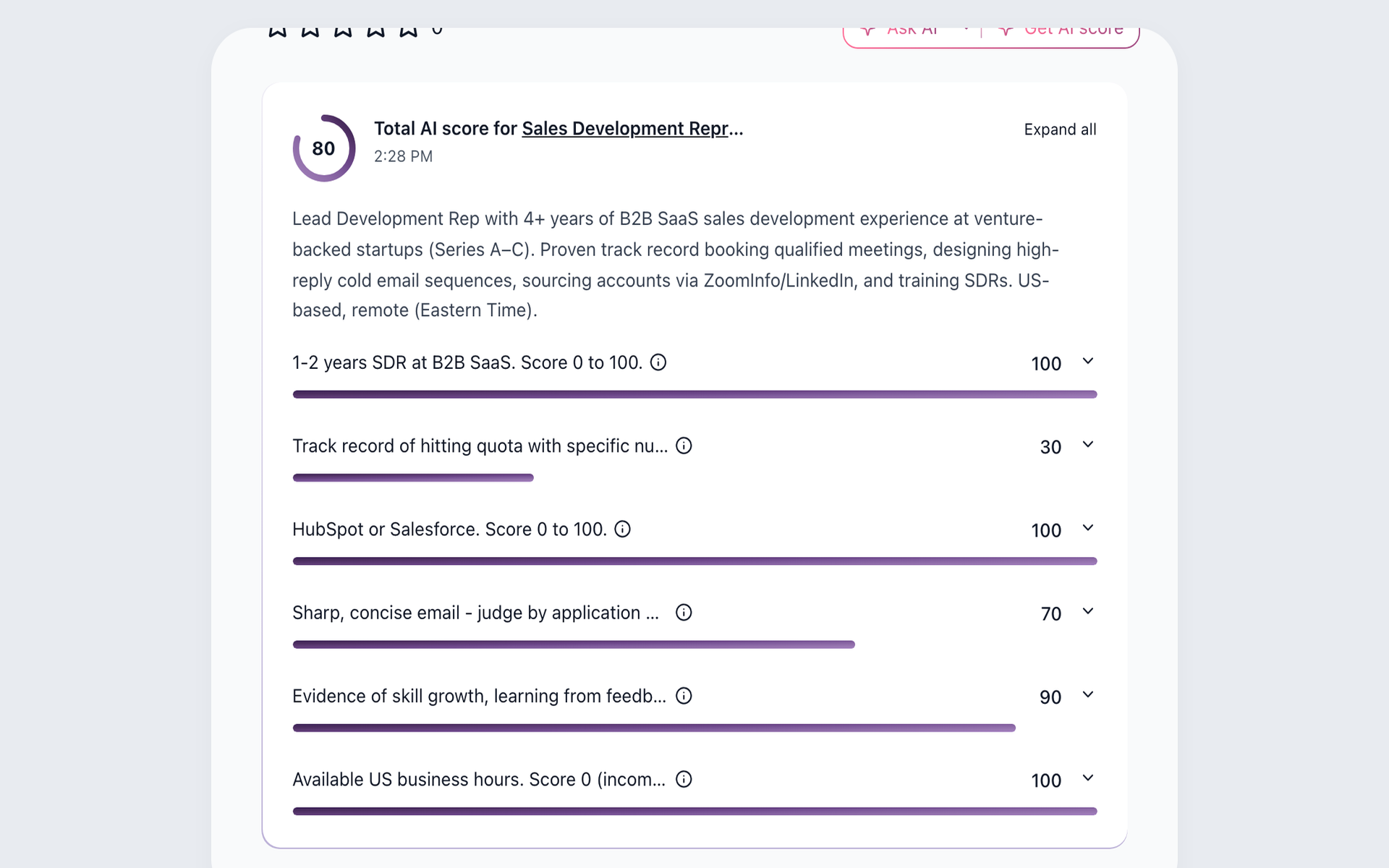
After a candidate has been added to 100Hires, a recruiter can run a role-specific AI Score. The result shows a 0-100 overall score and per-criterion scores for recruiter review, so imported candidates can be assessed against the open role rather than in the order in which they arrived.
- Role-specific criteria
- Per-criterion scores
- Recruiter review stays in control
Review the 100Hires AI resume screening workflow before deciding how the team will assess imported and newly added applicants. AI Score uses the information available in the candidate record and does not replace human hiring judgment.
Find the contact fields needed for outreach
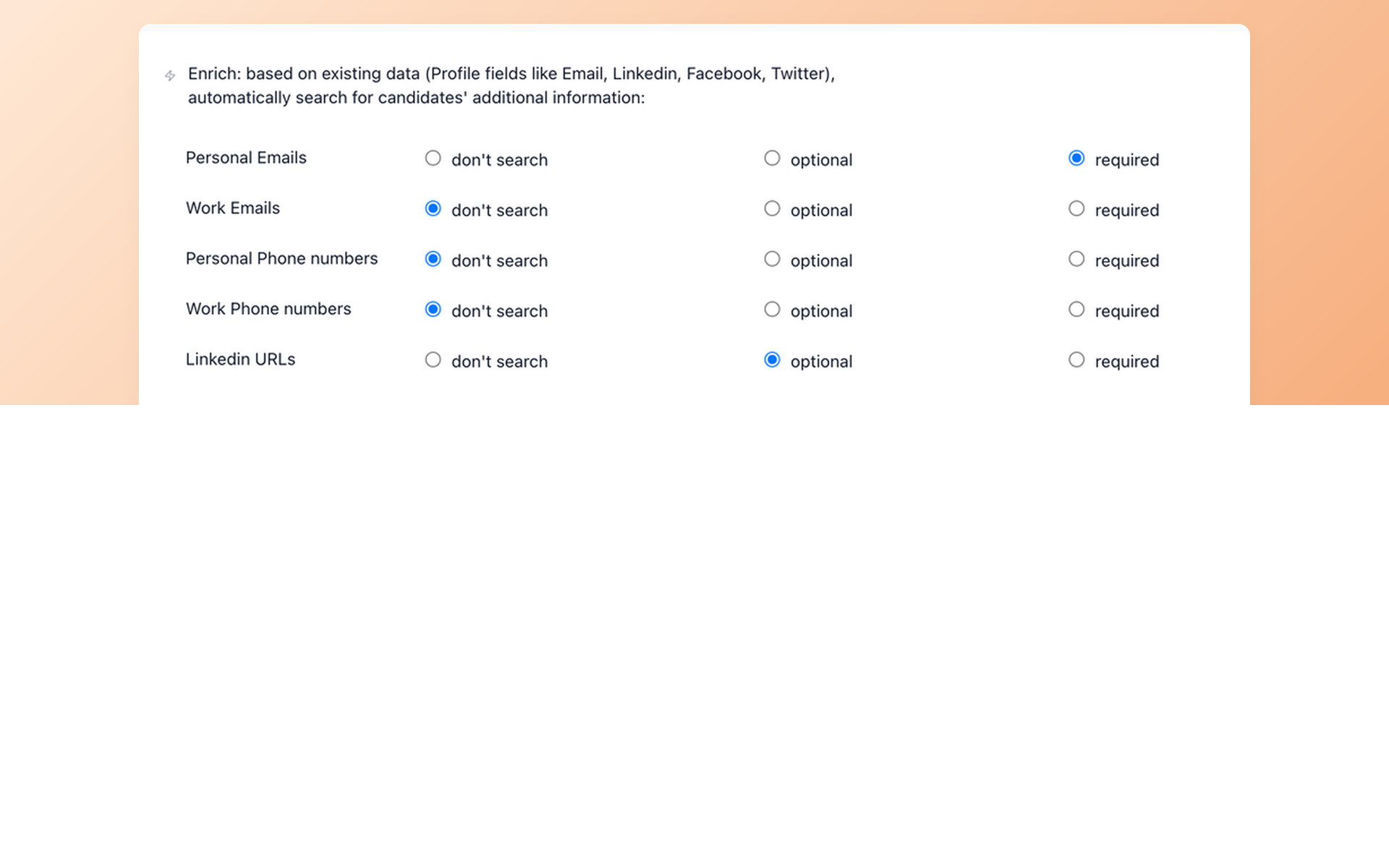
After the move, recruiters can use Contact Finder on eligible plans to look for selected contact fields on imported or newly sourced candidate profiles. They choose the required fields and decide which candidates to include in outreach.
- Choose contact fields
- Set search requirements
- Keep results in the ATS
See how recruiters can find candidate contact details within the sourcing workflow, subject to plan eligibility and whether a provider returns results.
Follow up with imported candidates
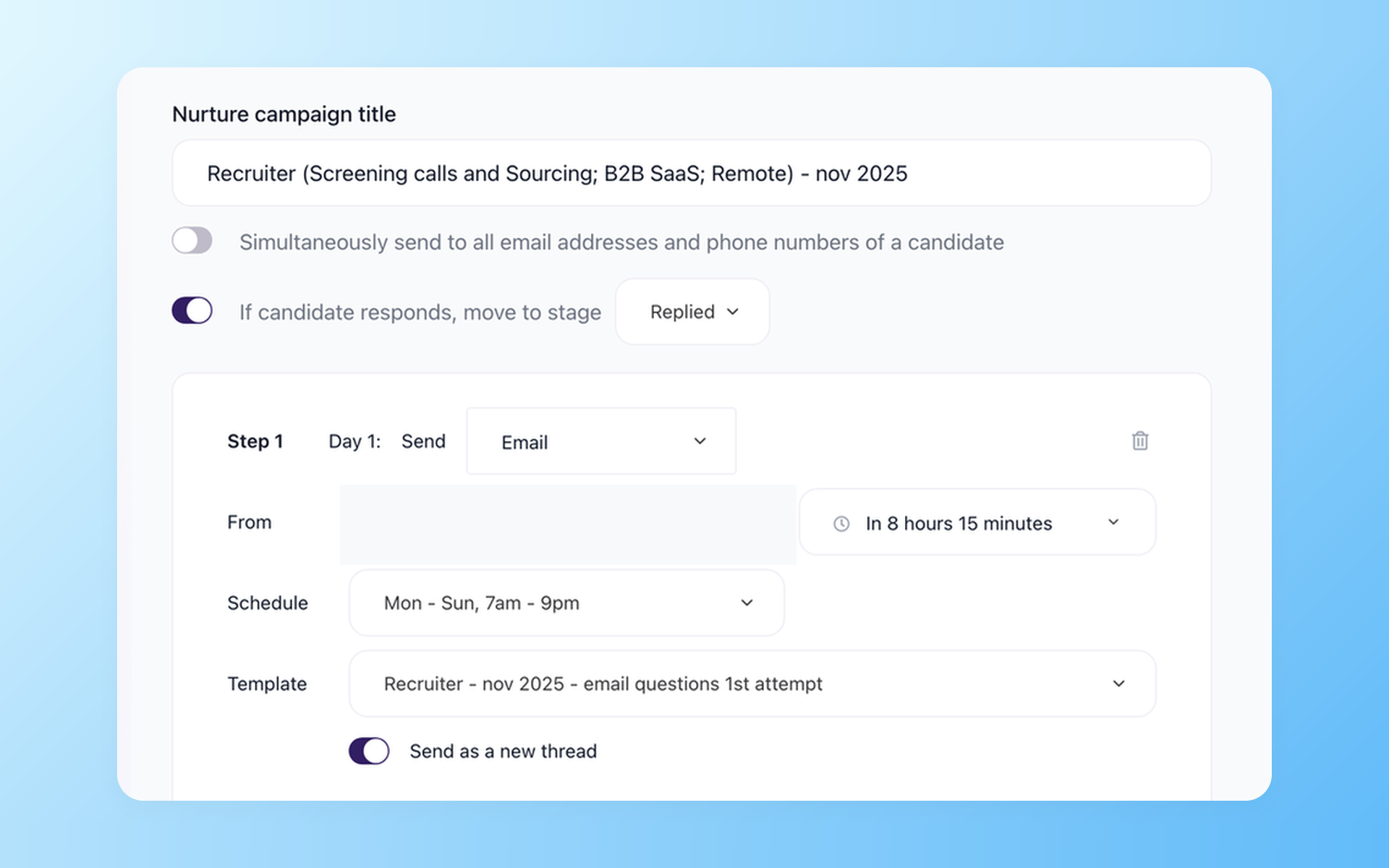
Nurture campaigns schedule follow-up with candidates and can move candidates who reply into the chosen pipeline stage. Email or SMS steps, timing, and reply rules stay connected to the candidate's record. The recruiter handles the next conversation.
- Scheduled follow-up
- Reply-based stage move
- Email or SMS steps
Keep live interviews in the hiring record
After the move, candidates can use self-scheduling links based on connected team calendars. Recruiters can then create a live Zoom interview through an integration and keep the meeting details in the hiring workflow.
This path does not promise native one-way video, automatic recording, or automatic transcription of every live call. It does not imply that previous VidCruiter recordings or transcripts will transfer.
Review the 100Hires interview scheduling software workflow to see how candidate booking works.
Managed migration eligibility and timing
For the smallest employee band shown, Pro is $499 monthly or $399 per month billed annually, so the derived annual total is $4,788. Selecting a larger employee band can change the price.
Free comprehensive managed migration is available to annual Pro customers after 100Hires reviews the source files and confirms the scope. Monthly Pro does not establish eligibility.
Processing typically takes 1-5 business days after the export files arrive and depends on volume and complexity. Confirm current terms on the 100Hires pricing page.
The hiring playbook, in your inbox
One email a week - benchmarks, AI screening tactics, and short interview templates from the 100Hires team. No product pitches.