
Migrate from Recruitee to 100Hires
Switching from Recruitee? Eligible annual Pro customers can request free managed migration after 100Hires reviews the export and scope. Then test scoring before cutover.






Eligible annual Pro customers can request free comprehensive managed migration after 100Hires reviews the available export, record counts, fields, and requested scope.
Free annual-Pro migration starts with a source review
Starting a free trial does not confirm migration eligibility, coverage, or timing. Managed migration is separate from self-service candidate CSV import and bulk PDF or DOC resume upload.
Candidates and contact data, resumes and attachments, jobs, application or stage history, tags and custom fields, notes and communication history, and evaluations may be in scope only where the source export supports them and 100Hires approves the mapping.
How the managed move works
- Review the Recruitee export routes, record counts, files, fields, requested objects, timing, and cutoff.
- Confirm the agreed mapping and exclusions.
- Run a small test import.
- Let your team review the sample. 100Hires completes QA and resolves flagged items.
- Proceed with the full migration after approval.
- Verify the result and cut over after review.
Timing depends on the source files, volume, mapping, and requested scope. Keeping Recruitee available during the transfer does not create a zero-downtime guarantee.
Prioritize imported candidates with AI Score
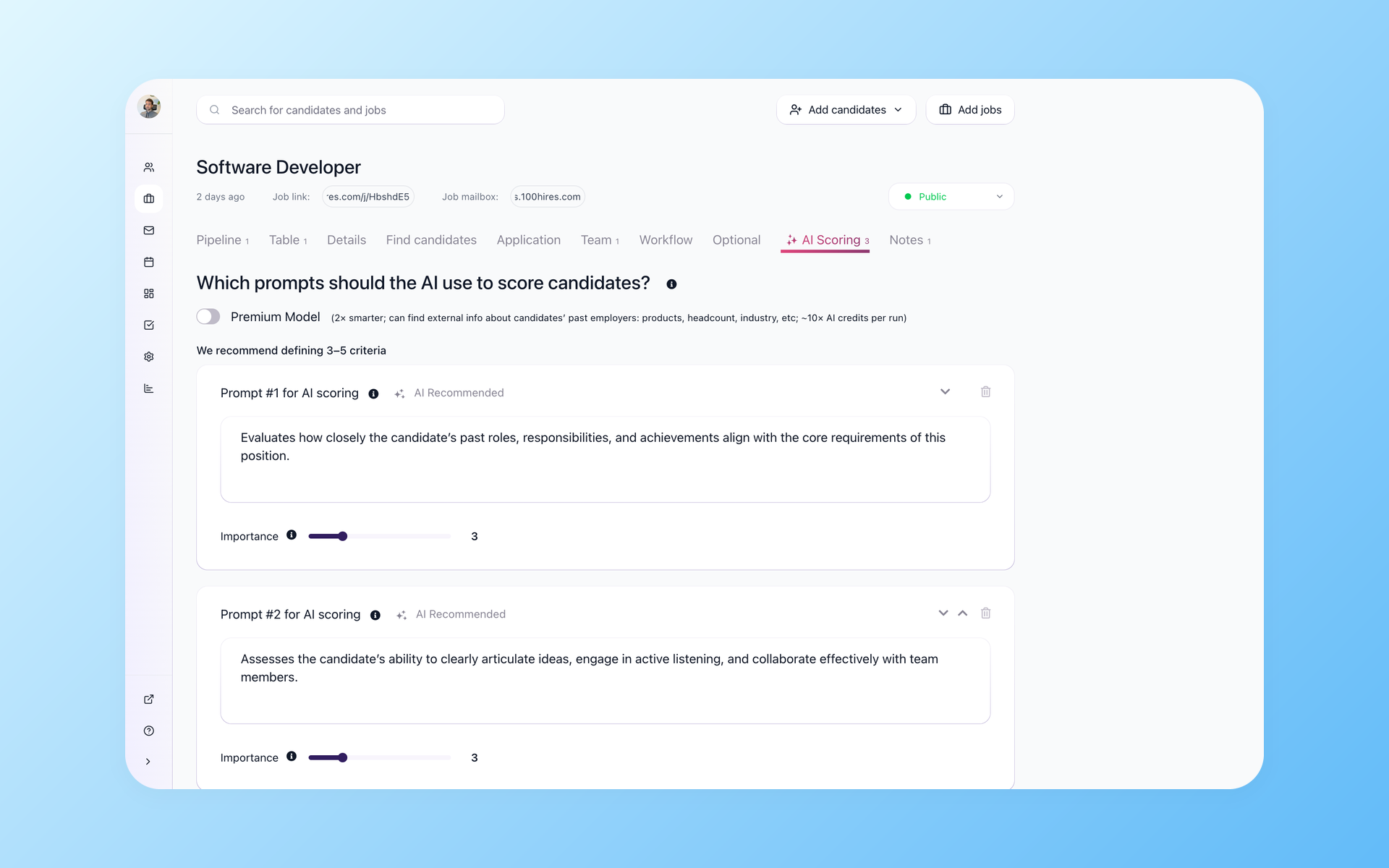
Apply role criteria after the records arrive
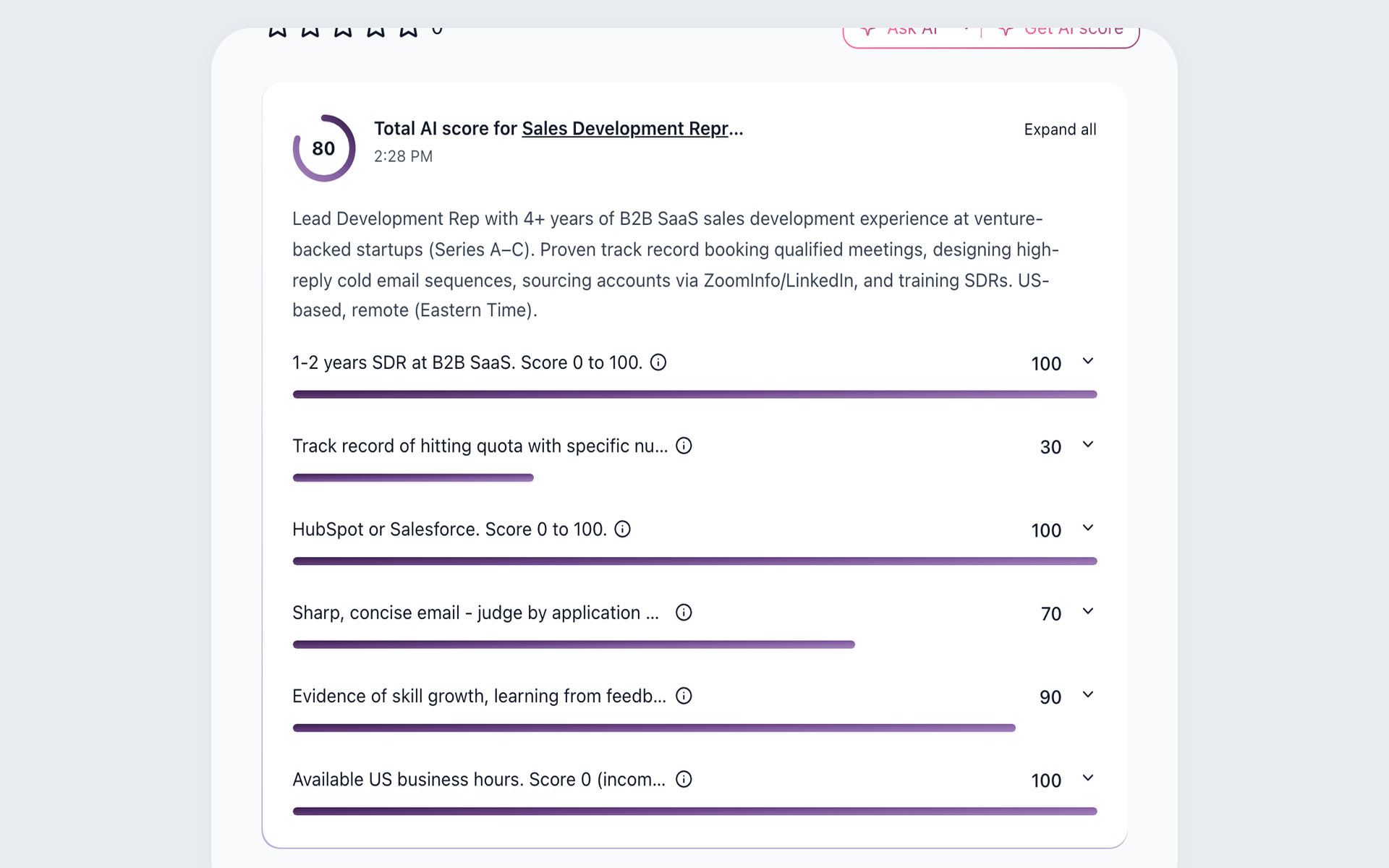
Turn imported records into a role-specific review queue. In 100Hires, set role criteria, assign 1-to-10 importance, and review a 0-100 total plus per-criterion results. Explanations and follow-up questions inform review; the recruiter decides. Plan and credit limits apply.
- Role-specific criteria
- Weighted importance
- Recruiter review
AI Score turns an imported database into a working review queue without deleting the underlying records. See how AI resume screening connects the score to recruiter review.
Complete contact records before outreach
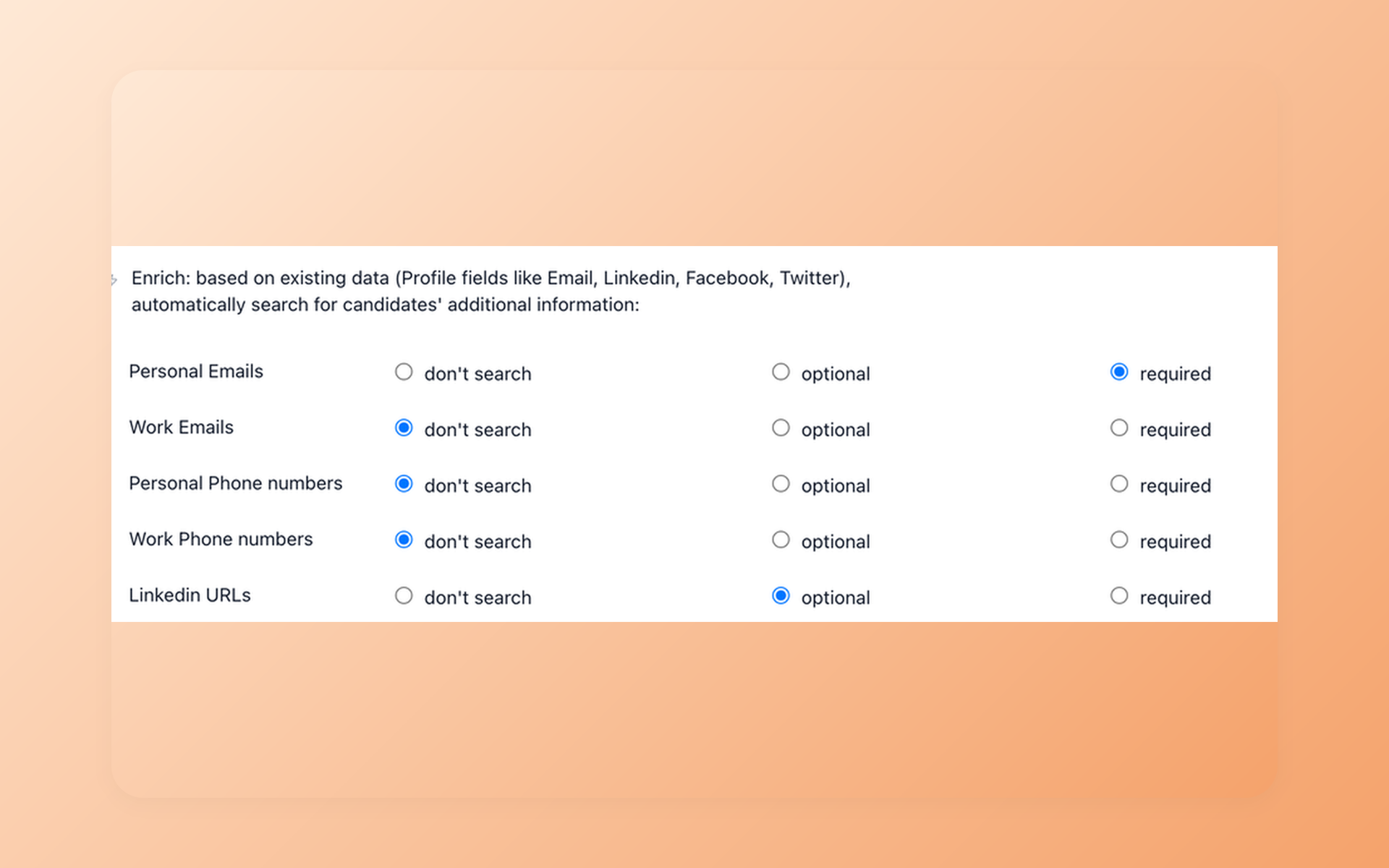
Reconnect with candidates after the move
Make approved imported profiles reachable before restarting outreach. Contact Finder uses a LinkedIn URL or email to look for selected personal or work email, phone, or LinkedIn fields. Availability varies, and plan or credit limits apply; a result is not guaranteed.
- Selected contact fields
- Results saved to records
- Plan and credit limits
Contact Finder handles contact enrichment after import. It is not the same workflow as Recruitee Matching Assistant, which searches stored talent pools and active jobs. Review candidate contact enrichment before planning outreach.
Restart follow-up with recruiter control
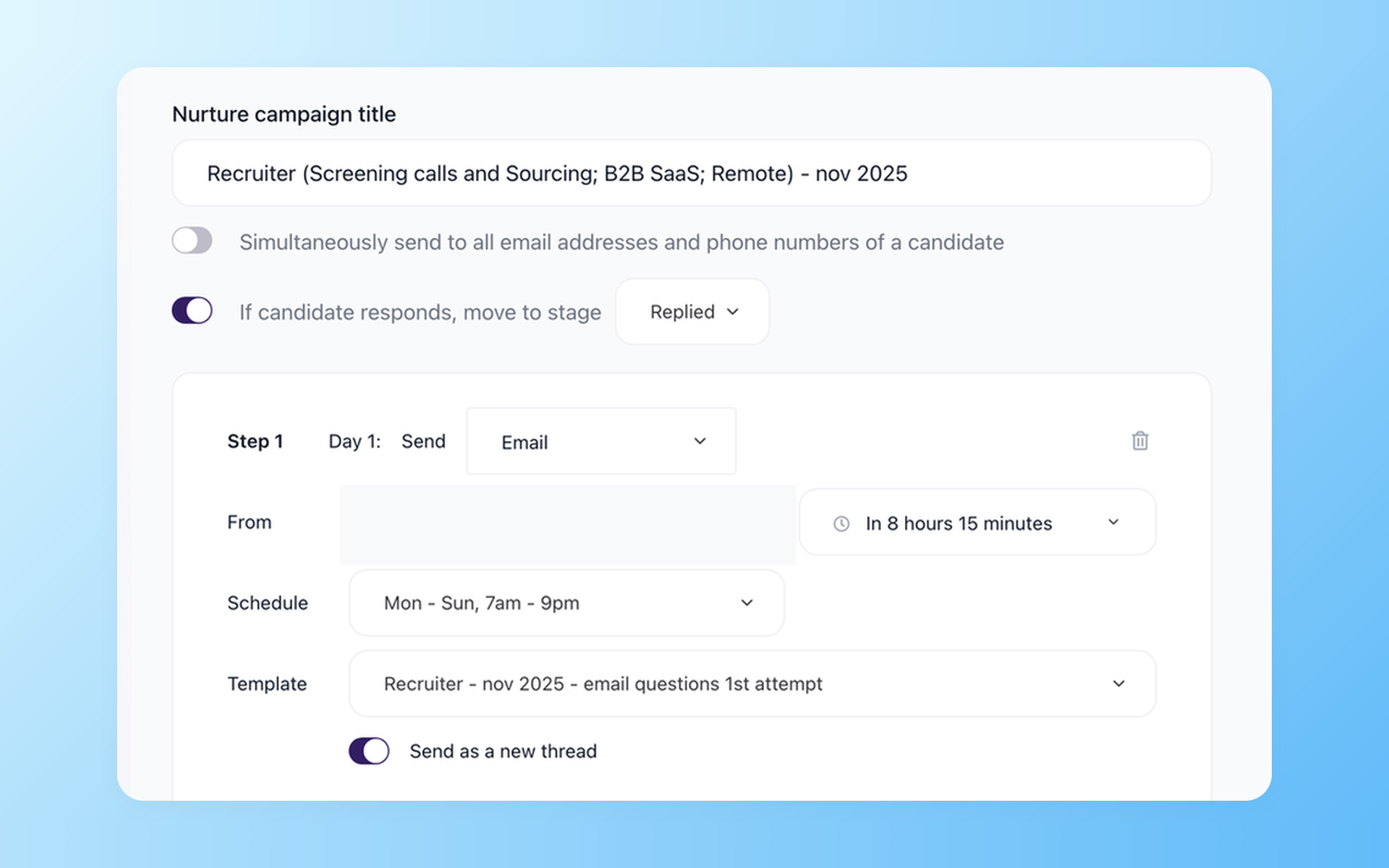
Move from imported records to active conversations
Move from imported records to active follow-up without hiding recruiter control. AI Copilot uses stored context, AI Email Composer drafts for review, Nurture schedules later steps, and Self-scheduling exposes available times. Plan and credit limits apply.
- Context-aware drafts
- Scheduled follow-up
- Candidate self-scheduling
AI Email Composer drafts for recruiter review; Nurture campaigns handle scheduled follow-up. The recruitment automation workflow keeps those steps visible and separate.
Compare source requirements with the destination workflow
Recruitee already supports screening, matching, collaboration, scheduling, and automation. 100Hires organizes scoring, enrichment, and follow-up as separate destination workflows.
Use the table to identify what must be scoped for the move and what your team can do after approved records arrive.
| Decision point | 100Hires | Recruitee |
|---|---|---|
| Managed migration | Annual Pro after export and scope review | Available export and requested scope must be reviewed |
| Scope confirmation | Mapping and exclusions are approved before a full import | Coverage depends on source files and fields |
| Self-service import | Candidate CSV import and bulk resume upload are separate from managed migration | Available source files and fields still require review |
| Scoring output | AI Score returns a 0-100 total and per-criterion rationale for recruiter review | Screening is criterion based; the documented workflow is not a ranked suitability list |
| Inbound screening setup | Role criteria use 1-to-10 importance plus explanations and follow-up questions | Screening Assistant reviews applications against configured criteria; plan and Screening credit limits vary |
| Recruitee matching | 100Hires keeps this separate from Contact Finder | Matching Assistant searches talent pools and active jobs; plan and search limits apply |
| Contact Finder | Enriches selected email, phone, or LinkedIn fields; plan and credit limits apply | Matching Assistant is a separate stored-record search workflow with plan and search limits |
| Candidate follow-up | AI drafts plus scheduled Nurture campaigns; recruiter review applies | Email, templates, automation, and talent-pool communication |
| Scheduling | Self-scheduling links let candidates choose available times | Scheduler and interview scheduling are documented |
| Destination trial | 14-day trial tests the workflow; migration approval is separate | 18-day Advance trial |
Recruitee is used here only to identify the source product. 100Hires is not affiliated with or endorsed by Recruitee or Tellent.
Prove the destination workflow before cutover
Use the 14-day trial as a destination-workflow test, not as migration approval. Create one representative role and define the evidence your recruiters expect before they compare candidates.
Add a small candidate set that your team is permitted to use. Review the candidate profile, role criteria, scoring rationale, selected contact fields, handoff of draft messages to recruiters, follow-up steps, and available booking times.
Record plan or credit requirements and the edits recruiters make before sending. Give hiring managers a short acceptance list for required fields, evaluation history, team access, and signoff.
Keep migration validation separate. The test import asks whether approved source fields landed as mapped; the workflow test asks whether recruiters can run the next hiring step in 100Hires. Finish both reviews before approving cutover.
During the trial, have one recruiter score the same small candidate set with AI Score and note where the rationale needs a human correction.
Have a second user run Contact Finder only on records the team is permitted to use, then note which selected fields return and which remain unavailable.
Next, approve one AI Email Composer draft and one Nurture campaign step. Test one Self-scheduling link to confirm that a candidate sees the intended available times.
Use the findings to decide which roles, permissions, plan limits, or credits need attention before cutover. This is a destination-workflow check, not confirmation that source data is accepted for migration.
What scope review can and cannot confirm
100Hires confirms a mapping only after reviewing the source materials and validation expectations. Source support and the approved mapping determine coverage.
No fixed duration, automatic transfer, every-object promise, perfect fidelity, zero-downtime guarantee, or no-loss guarantee is offered. Your team reviews a sample before the approved full migration proceeds.

It solved all of my recruitment problems and offered all of the features I was looking for. It can automate most of my recruitment processes.

I’d happily recommend it to my industry peers. I’m able to use the platform with ease and don’t have to think twice about which function to use.

The system is very user-friendly. Even people with no experience will find it easy to understand its functionality.







 4.7
4.7
 4.8
4.8
The hiring playbook, in your inbox
One email a week - benchmarks, AI screening tactics, and short interview templates from the 100Hires team. No product pitches.