RECOOTY MIGRATION

Migrate from Recooty to 100Hires

Switch from Recooty with free self-serve CSV candidate import for simple cases, then keep useful candidates available for faster review, reuse, and follow-up in one ATS.
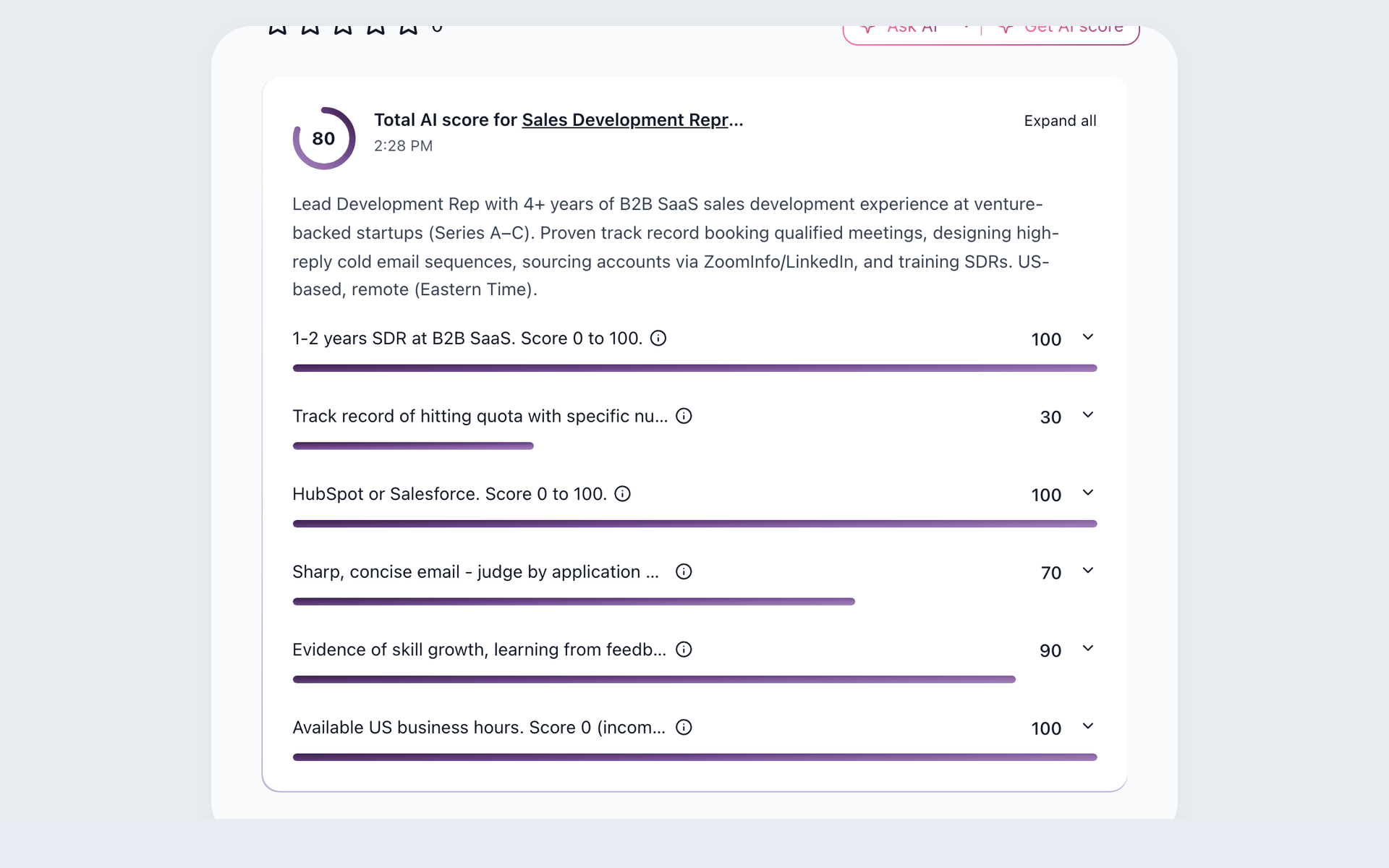

100Hires AI Score result available after candidate data is imported

Start with the data you can verify

You are switching from Recooty, and a simple candidate file should not become a migration project. Start by inspecting the export, then validate the mapped records before changing access to your old ATS.

Recooty export and 100Hires import decisions
Switch decision Recooty source to 100Hires handling
Simple import Recooty export → 100Hires self-serve CSV import
Field mapping Recooty export scope → 100Hires column mapping
Error review Compatibility unverified → 100Hires error review
Complex history History and files unverified → separate 100Hires scope review
Timing No verified or promised timeline

Recooty is a trademark of its respective owner. 100Hires is not affiliated with or endorsed by Recooty.
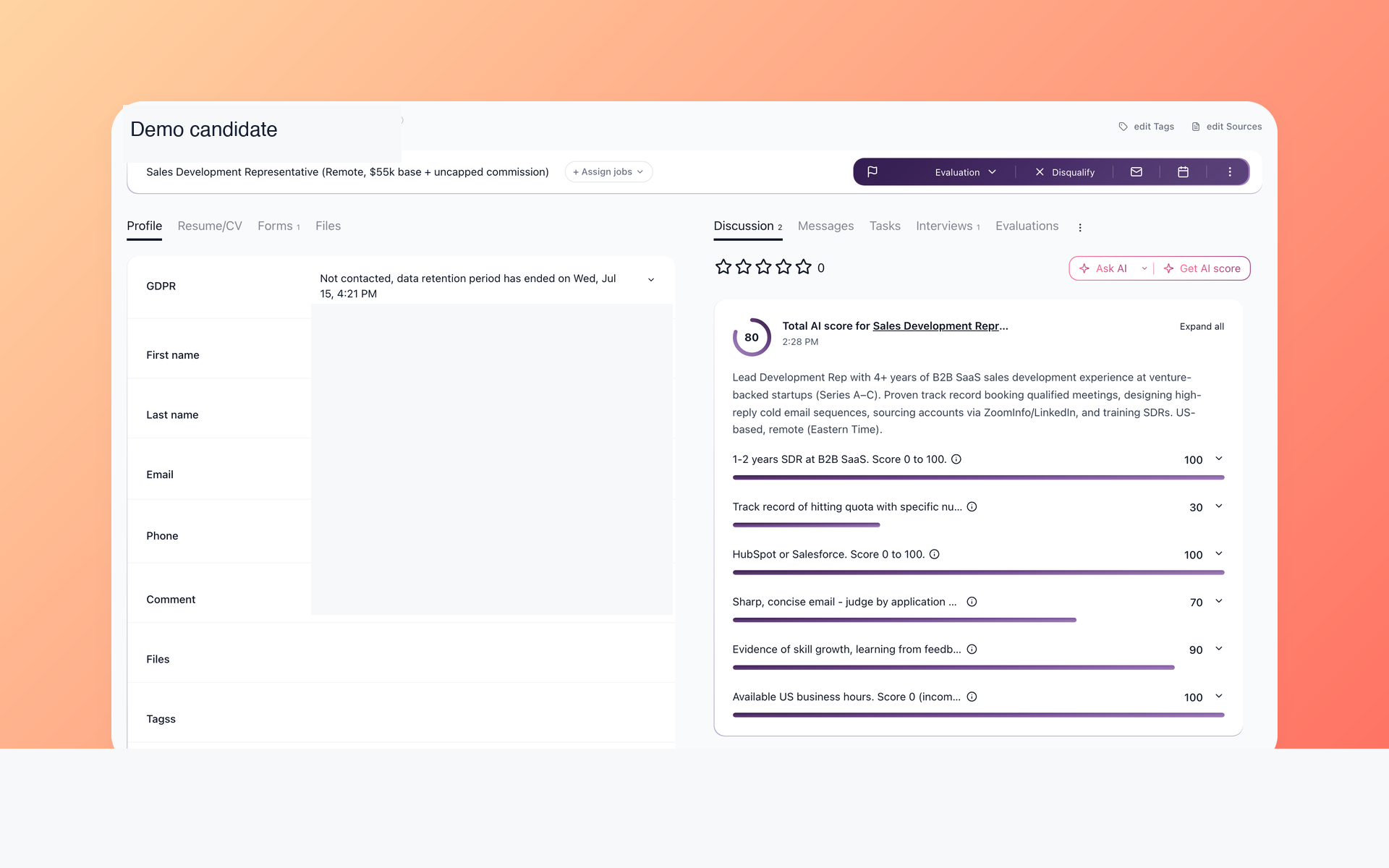
100Hires candidate record with AI Score after candidate data is imported

Turn imported candidates into a review queue

Prioritize the records that best fit the role, then review the evidence before deciding. AI Score evaluates available data and returns a 0-100 total with per-criterion results.

  • Role-specific review
  • Per-criterion results
  • Available data only
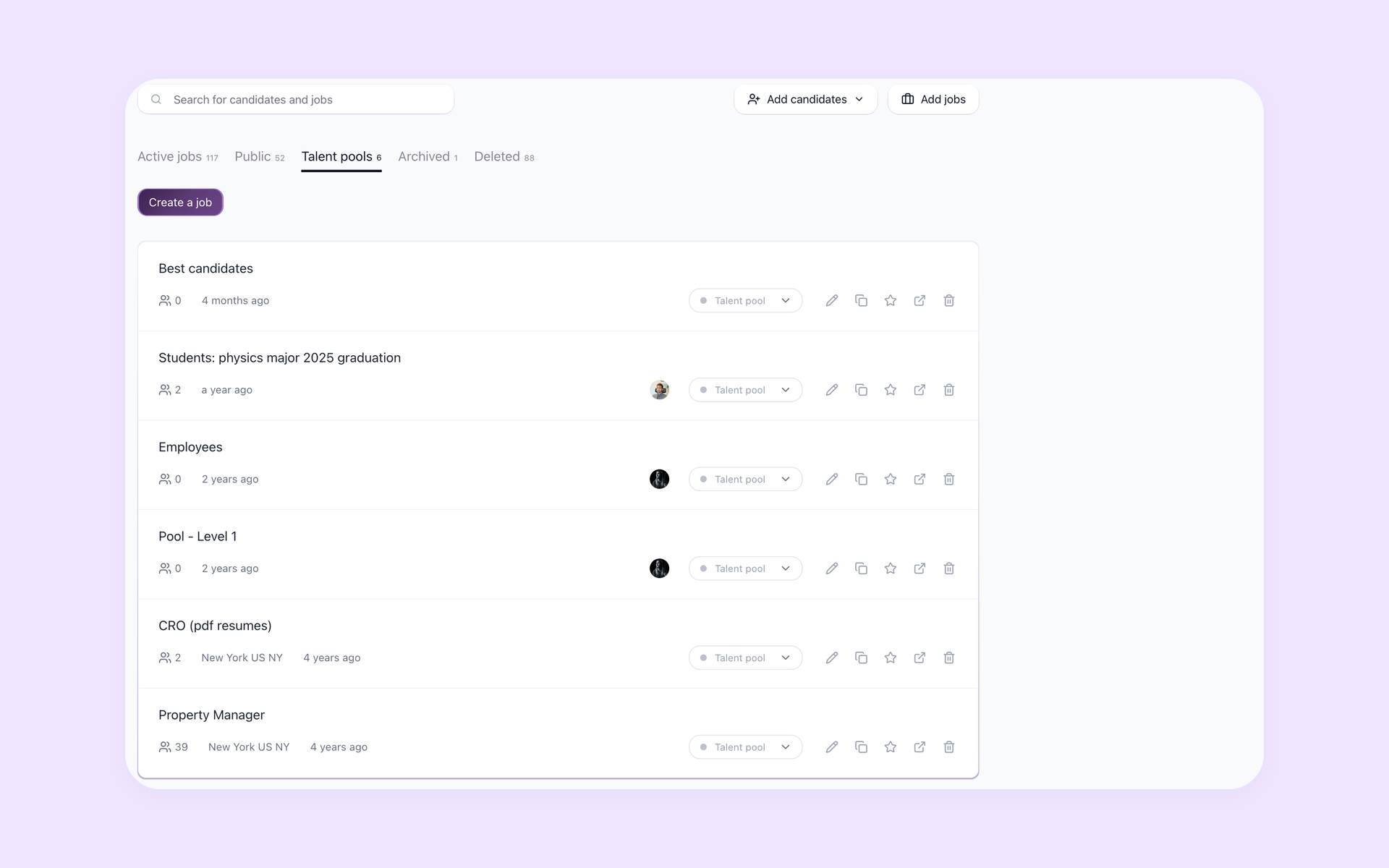
100Hires Talent Pools list for organizing reusable candidate records

Keep useful candidates ready for the next role

Reuse imported candidates when another role opens instead of sourcing from zero. Talent Pools keep those records in a named, searchable home.

  • Named candidate pools
  • Searchable records
  • Imported fields only
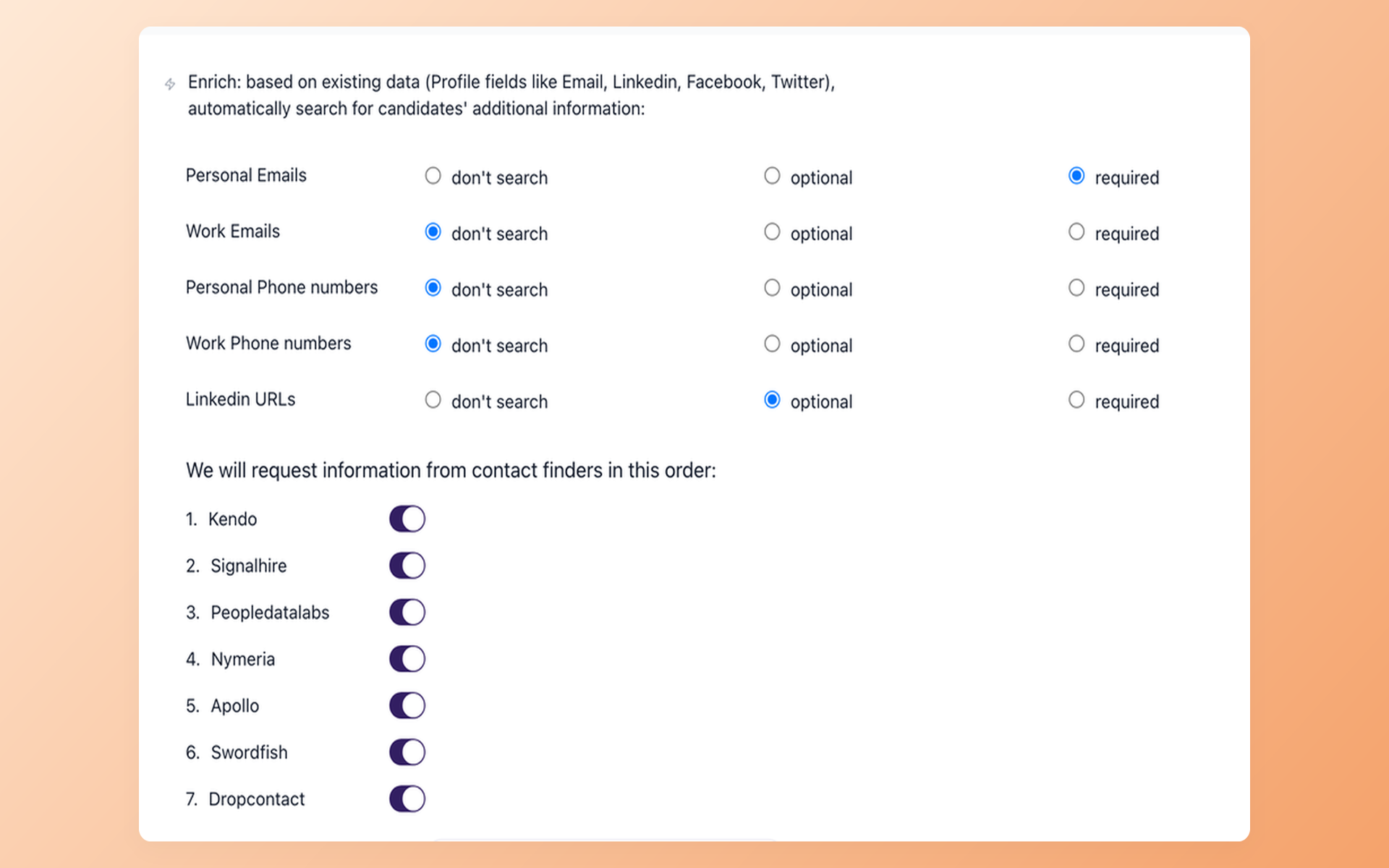
100Hires enrichment settings for selected candidate contact fields

Reach candidates without splitting the record across tools

Keep outreach on the same candidate record by looking for the contact fields your team needs. Contact Finder queries configured enrichment providers and does not guarantee a match. LinkedIn profile capture uses the 100Hires Chrome extension.

  • Configured enrichment providers
  • Selected contact fields
  • Results not guaranteed
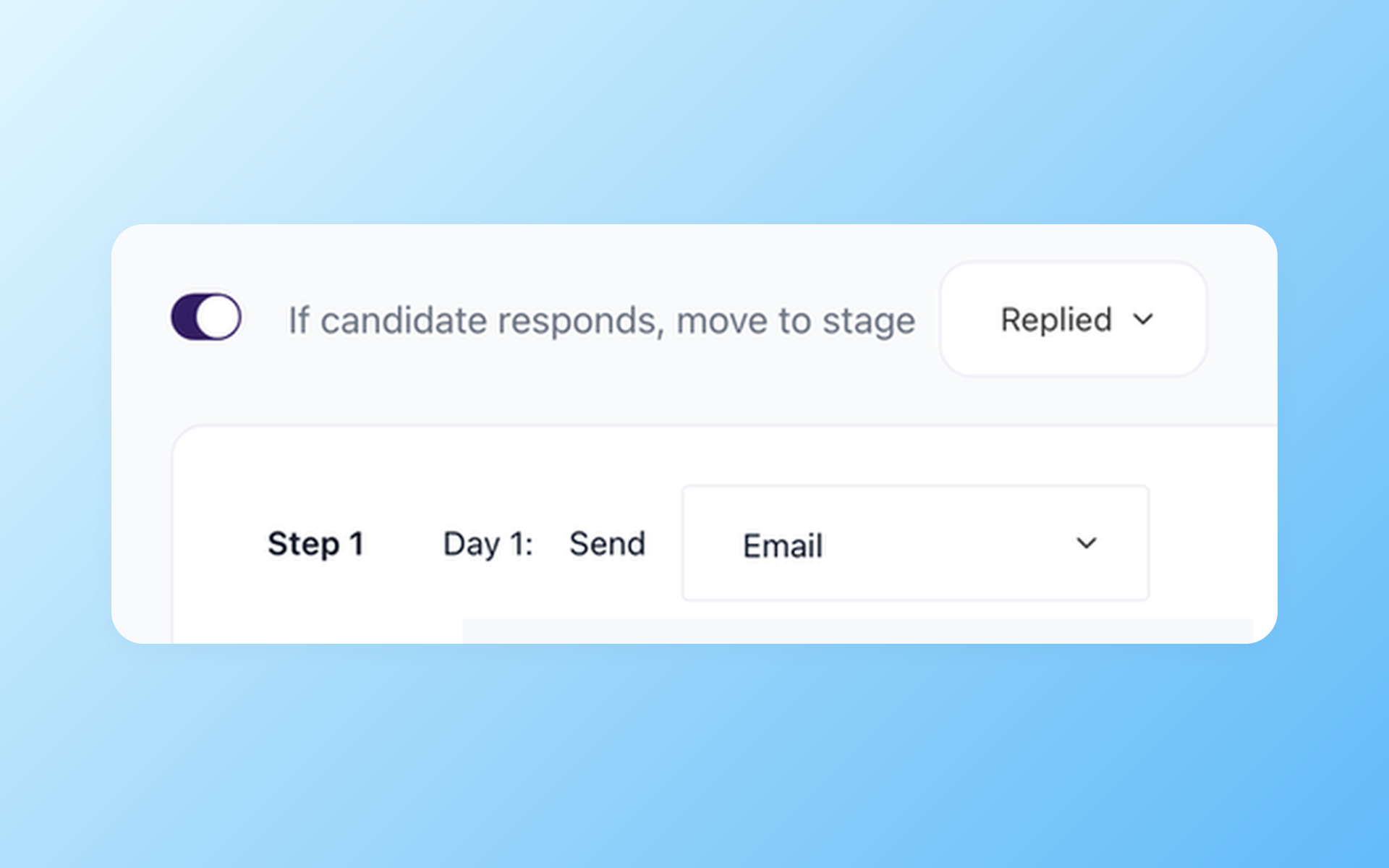
100Hires Nurture Campaign reply rule and scheduled email step

Restart conversations and keep the next touch scheduled

Keep the next touch visible after the first message with a scheduled multi-step Nurture campaign.

  • Multi-step campaign settings
  • Scheduled follow-up
  • Separate workflow from AI Email Composer

Test the destination workflow with a clean file

Start with a small candidate set and see how review, reuse, sourcing, and follow-up work together in 100Hires.

Avoid surprises before you import

Inspect the available Recooty export before mapping anything into 100Hires. The captured evidence does not verify the available formats, complete schema, full history, attachments, notes, custom fields, fidelity, or compatibility.

This page does not promise assisted work, migration of every record, full history, no data loss, no downtime, or a fixed timeline.

For complex files or history requirements, request a separate review through the 100Hires scope-review page. This landing does not promise assisted-migration availability, price, coverage, or timing.

Atiq Arshad
Technical Recruiter @Kidan

It solved all of my recruitment problems and offered all of the features I was looking for. It can automate most of my recruitment processes.

Source: G2
Philipp Maschelski
Talent Acquisition Partner @G42

I'd happily recommend it to my industry peers. I'm able to use the platform with ease and don't have to think twice what function to use.

Source: Capterra
Teodora Franich
HR Manager @TeachMeSkills

The system is very user-friendly. Even people with no experience will find it easy to understand its functionality.

Source: G2

Put your candidate data back to work

Test the 100Hires destination workflow with a clean candidate file.

Migrate from Recooty FAQ
+ Is moving from Recooty to 100Hires free?
100Hires provides free self-serve CSV candidate import for simple cases. This does not promise assisted or managed migration, and 100Hires does not state the availability, price, coverage, or timing of assisted migration on this page.
+ What can I export from Recooty, and which format should I choose?
Before bringing a file into 100Hires, open the Recooty job you plan to move and configure its application export. You can choose the file type, stages, and columns. Recooty exports only applications that are not locked. The available formats, full schema, history, attachments, notes, custom fields, fidelity, and compatibility have not been verified.
+ How does 100Hires import a simple candidate file?
In 100Hires, map the columns in the CSV, review reported errors or changes, assign a job where applicable, and complete the import. The fields that arrive depend on the source file and mapping.
+ Will notes, attachments, messages, custom fields, and full history move?
100Hires does not guarantee those records will move from Recooty. Their presence in the source export, mapping, and compatibility were not verified, so this page does not promise full history or full fidelity.
+ What if my Recooty data is complex?
For complex files or history requirements, request a separate 100Hires scope review. 100Hires does not state the availability, price, coverage, or timing of assisted migration on this page.
+ How long will a simple Recooty CSV import take, and when does complex history need review?
100Hires does not promise a fixed timeline on this page. A simple self-serve import and a complex scope review are different workflows, and timing depends on the file and desired history.
+ Does Recooty already have AI matching?
Yes. Recooty documents AI matching and ranking. The reason to test 100Hires is the job-specific evidence from AI Score, AI Copilot context, Talent Pools, enrichment, and follow-up workflow, not a claim that Recooty lacks AI.
+ Do I need to cancel Recooty before importing into 100Hires?
No contractual advice is given here. Preserve Recooty access until your team has checked the data it needs, verify the current Recooty terms, and validate the imported records in 100Hires before changing access.
23,000+ recruiters & business owners read this newsletter

The hiring playbook, in your inbox

One email a week - benchmarks, AI screening tactics, and short interview templates from the 100Hires team. No product pitches.

We use cookies to offer you our service. By continuing to use this site, you consent to our use of cookies as described in our policy