
Switch from Pinpoint ATS to 100Hires
Test 100Hires and confirm the migration scope first.
Know what the destination changes before you move
Switching ATS platforms is a data project and a product decision at the same time. Use the trial to test active jobs, Pipeline stages, reporting, and candidate communication before making a cancellation decision.
100Hires offers managed migration for eligible contracts after export and scope review. Candidate CSV import and bulk resume upload remain separate self-service paths. A trial tests the destination; it does not approve managed migration.
| Switch checkpoint | 100Hires after the move | What to verify in Pinpoint |
|---|---|---|
| Resume review | AI Score checks imported resume evidence against job criteria for recruiter review | Confirm candidate and resume exports cover the records needed for active jobs |
| Candidate context | AI Copilot works from the candidate and job context available in 100Hires | Identify the notes, evaluations, messages, and files recruiters still need |
| Candidate follow-up | Nurture campaigns support multi-step follow-up; plan allowances apply | Record active conversations and any workflow that must continue after cancellation |
| Reporting | Source, Pipeline, time-to-hire, disqualification, email, and Nurture reports | List the leadership questions, filters, permissions, and fields the new reports must answer |
| Self-service import | Candidate CSV import and bulk PDF or DOC resume upload | Check whether the available export can be prepared for the supported import paths |
| Managed migration | Annual Pro includes managed migration after export and scope review | The available export, field compatibility, data cutoff, and data quality define the supported scope |
| Employer brand and integrations | Career-site controls and integrations vary by plan | Validate every multi-brand, governance, security, and integration requirement before switching |






See current employee bands, monthly prices, annual billing options, and migration conditions on 100Hires pricing.
100Hires publishes entry pricing before the switch. Start is $99 month-to-month or $49 per month with annual billing for the smallest employee band. Pinpoint requests a custom quote. Price visibility helps budgeting; it does not prove savings.
100Hires is independent and is not affiliated with or endorsed by Pinpoint. Pinpoint is named only to identify the source ATS.
Move with a verified plan
For an approved managed move, 100Hires handles compatible data within the agreed scope. The team reviews a sample and validates the configured destination before canceling Pinpoint.
A field with no destination match, a damaged source file, or a record outside the cutoff may not move. 100Hires does not promise every object, every attachment, one-click transfer, fixed timing, no downtime, no data loss, or guaranteed completeness.
Start a self-service candidate CSV import
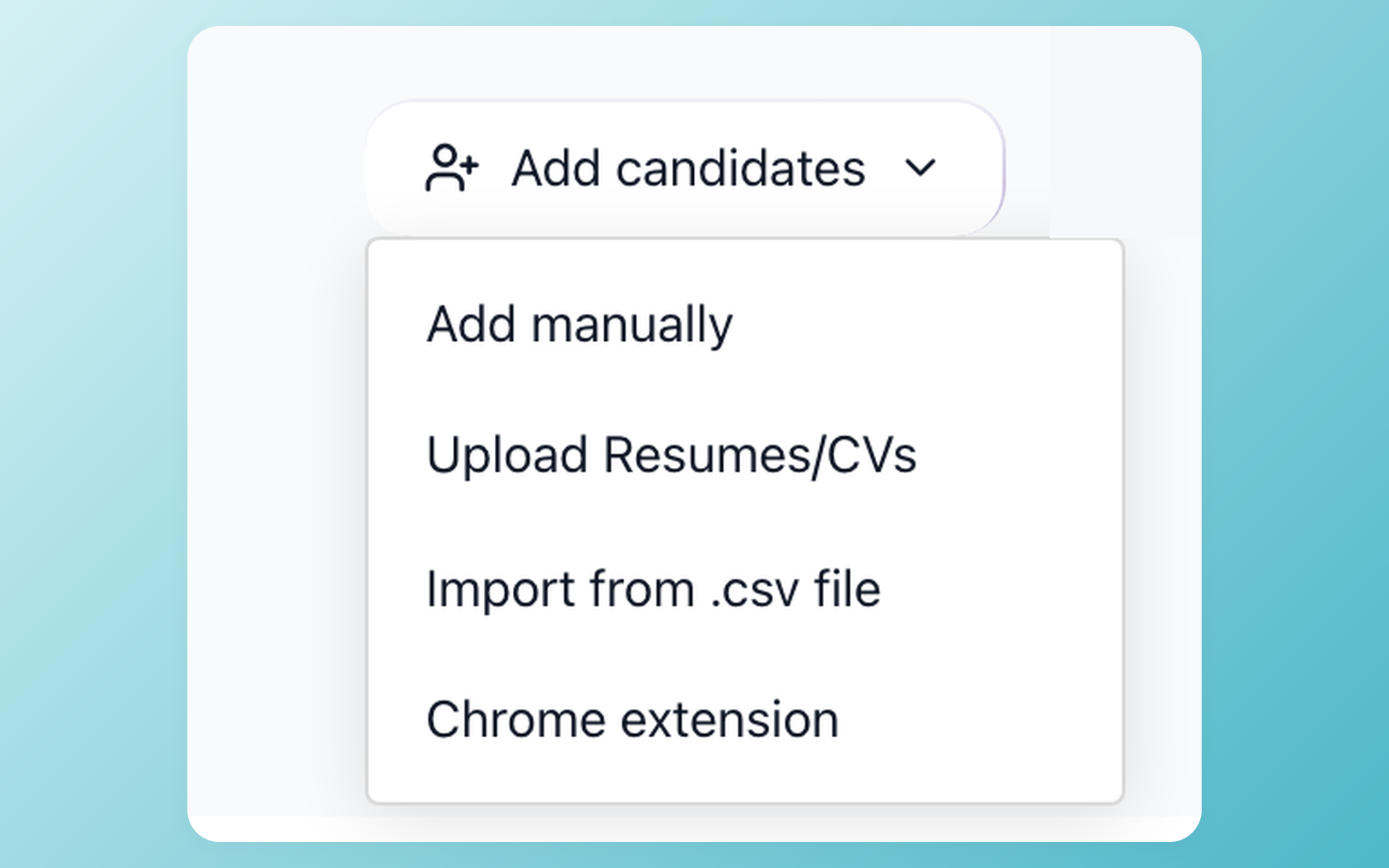
The Add candidates menu gives a team a self-service CSV import entry point.
- Candidate CSV files
- Self-service route
- Add candidates menu
Bulk PDF or DOC resume upload is a separate self-service path. Use it when a resume file is the primary source of candidate information, then check the parsed candidate profile before assigning that record to an active job.
Find the strongest evidence in the imported shortlist
Focus recruiter review on the strongest evidence
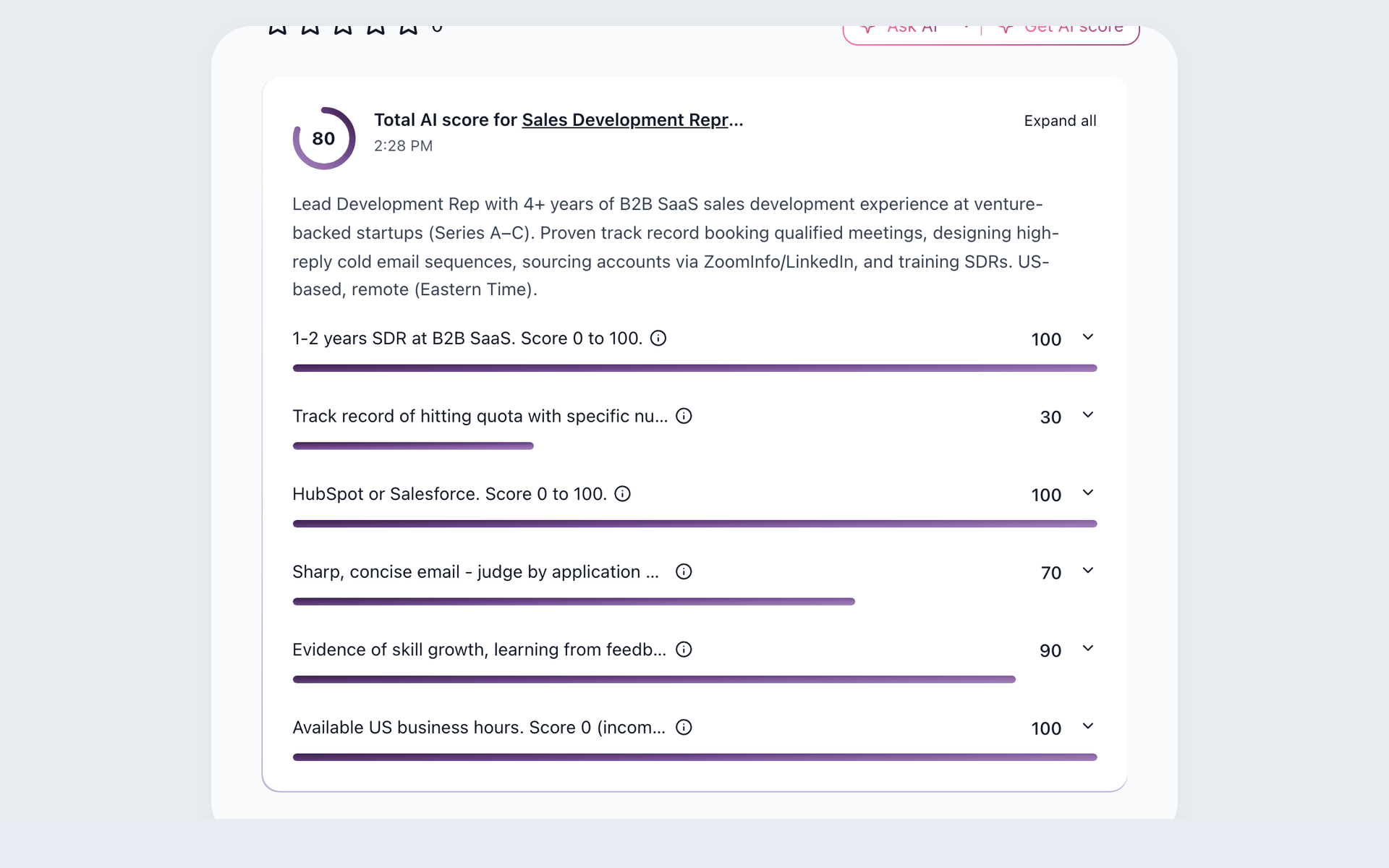
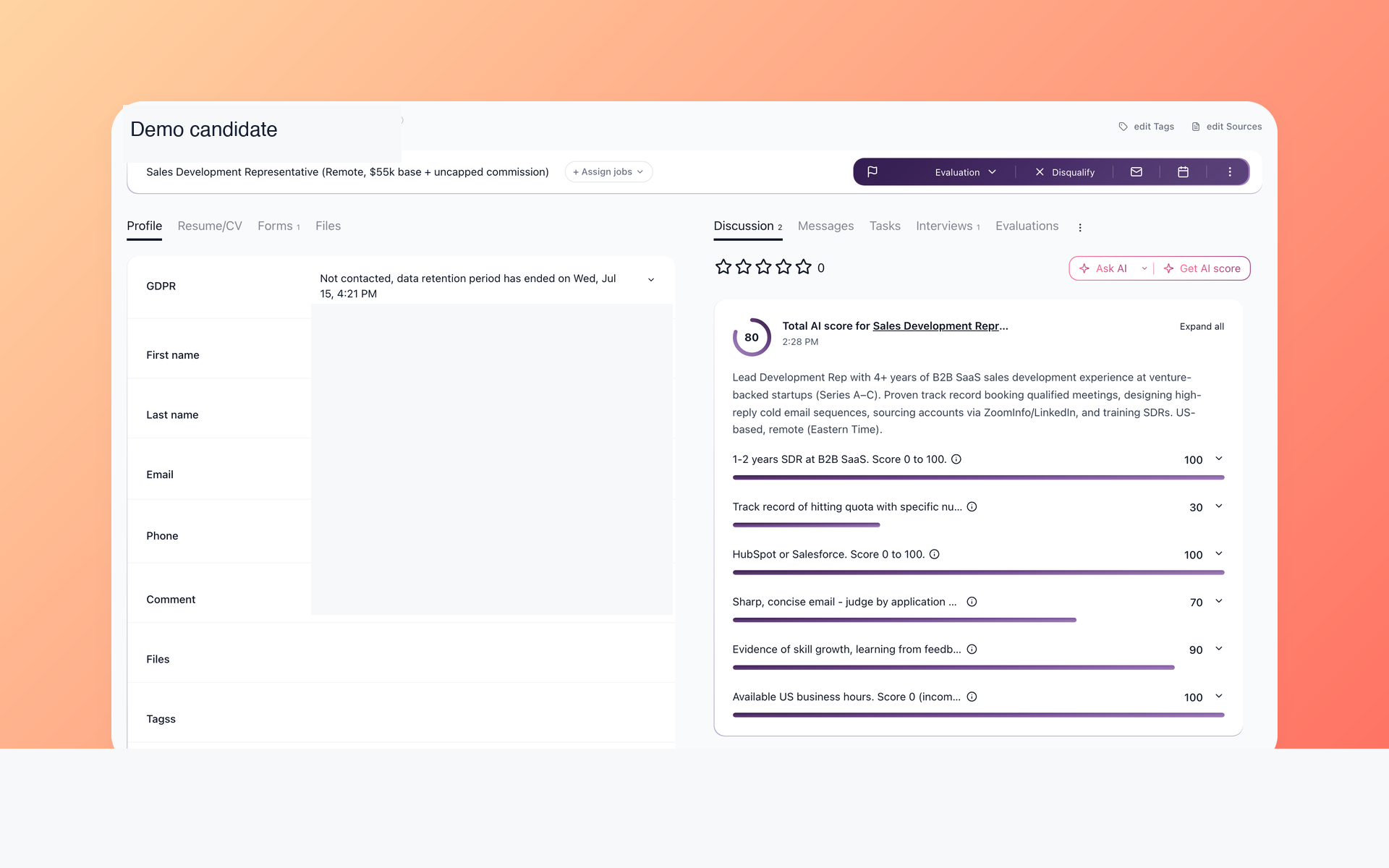
After supported candidates are assigned to the right jobs, AI Score checks available resume evidence against the role criteria. Recruiters can see total and per-criterion results, inspect the evidence, and make the final decision.
- Job-specific criteria
- Per-criterion results
- Recruiter decision
AI Score cannot recreate source history that was not imported. The AI resume screening page shows how evidence stays visible for human review.
Keep hiring context useful after the switch
Bring the candidate story back into focus
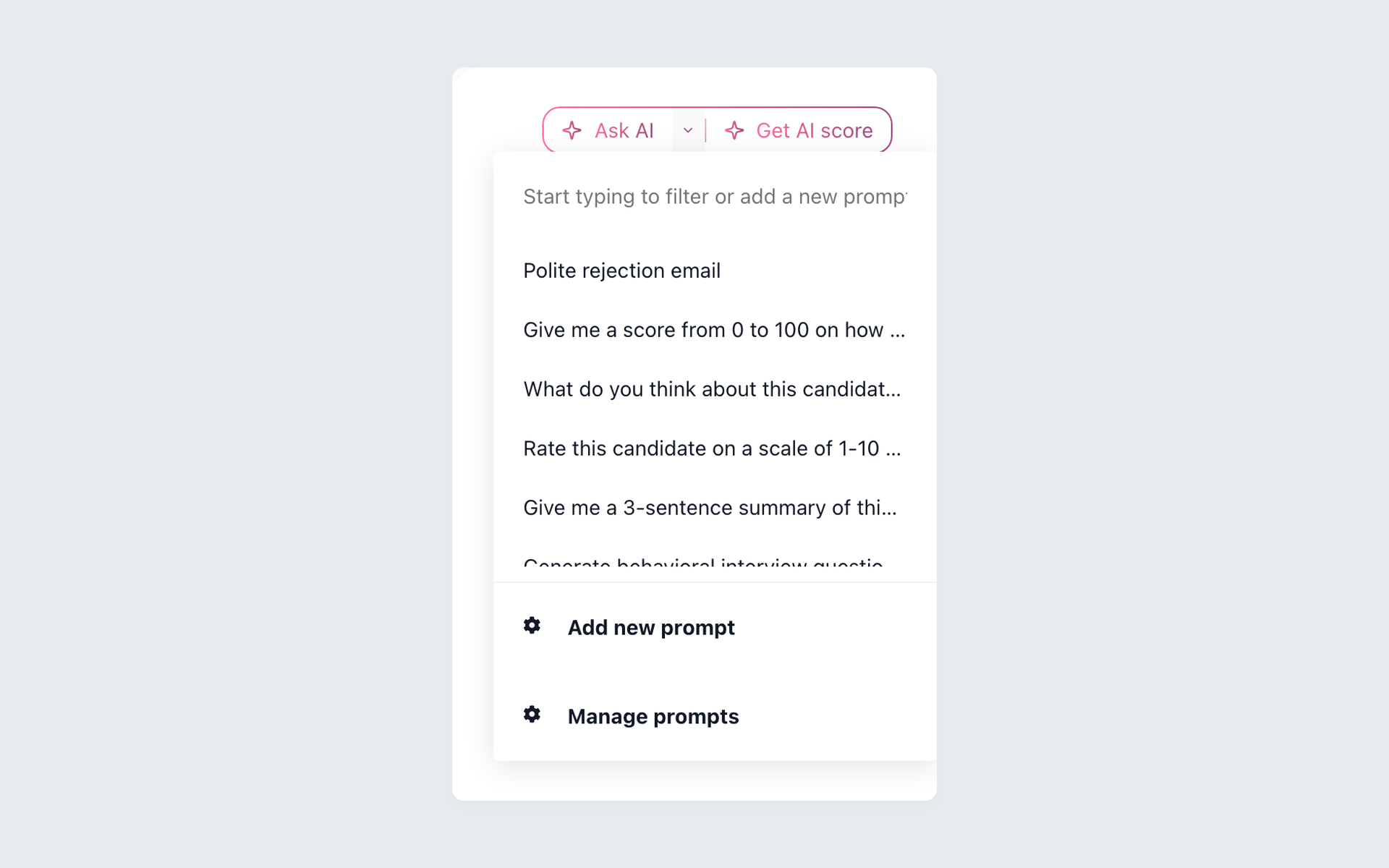
AI Copilot summarizes candidate context available in 100Hires, answers recruiter questions about the candidate and job, and supports recruiter assessment. The recruiter checks the record behind the answer before acting.
- Available candidate context
- Reusable recruiter prompts
- Recruiter review
AI Copilot works only with context available in 100Hires. It cannot create missing Pinpoint data or decide who should be hired.
Use the trial to ask three routine recruiter questions: why the candidate may fit, which criterion lacks evidence, and what communication is already recorded. Compare each answer with the source record. A gap points to the data path the team must fix before go-live.
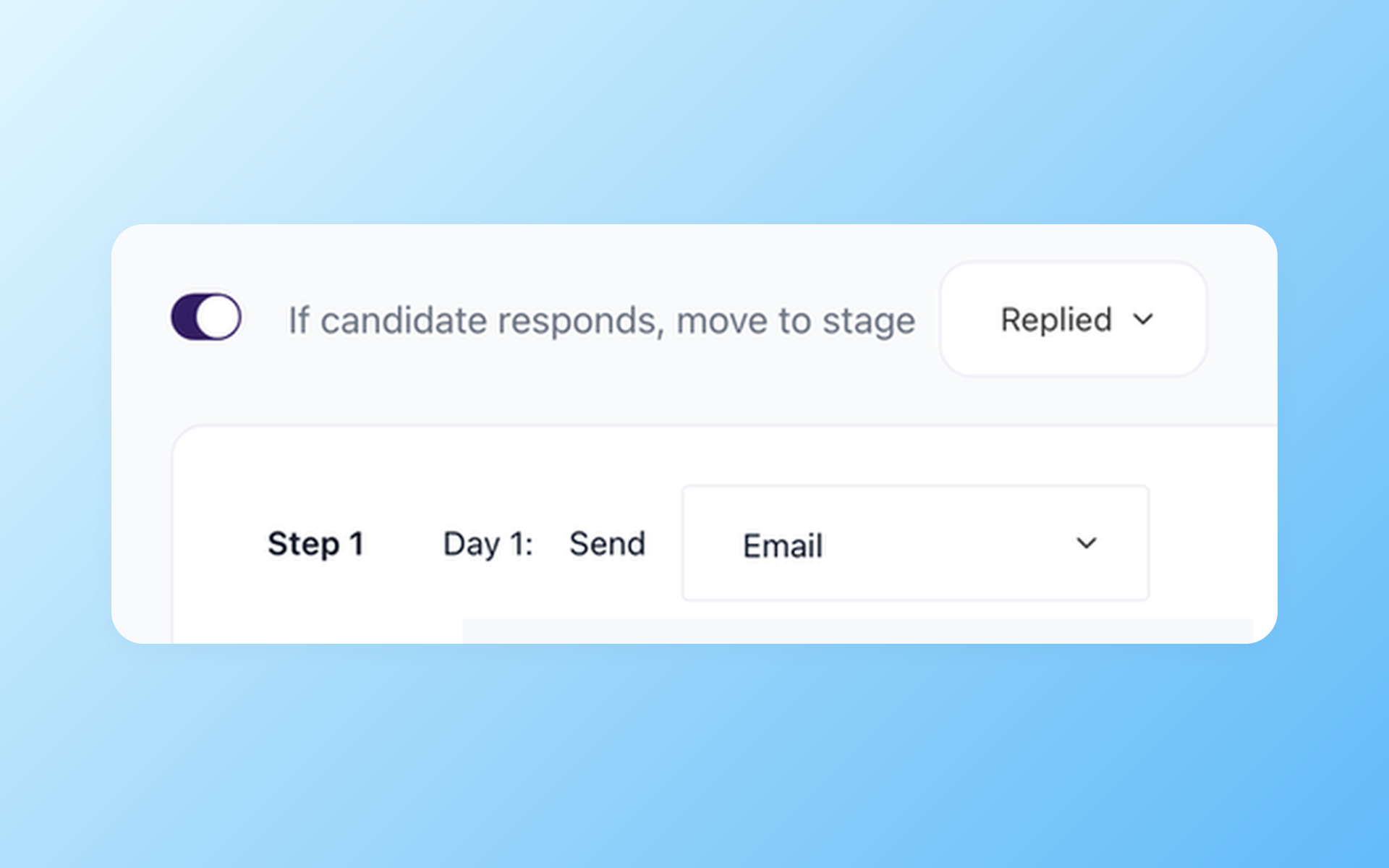
Keep candidates moving after the handoff
The Nurture campaign shown here pairs a reply rule with a scheduled email step. Recruiters can inspect the sequence and change it before it runs. Plan allowances apply.
- Scheduled email step
- Reply-aware rule
- Reviewable sequence
Plan allowances apply, and 100Hires does not guarantee delivery or replies. The recruitment automation page explains how drafting, follow-up, stage actions, and recruiter tasks stay separate.
Rebuild the operating view your team needs
A switch is easier to judge when recruiters and managers can see the same active work. In 100Hires, reporting covers sources, Pipeline, time to hire, time to disqualify, reasons, email, and Nurture campaigns.
Use the trial to check the reports against a real hiring question from finance or leadership. Confirm filters, permissions, and exported fields before treating the new report as a replacement for a Pinpoint view.
Include a recruiter, a hiring manager, and an administrator in the check. Test the same question after a sample import. A report is useful when the people who rely on it can find the answer and understand the underlying records.
Assign an owner to every failed check and record the evidence that closes it. A missing filter, permission, or follow-up step stays open until the same user can repeat the task in the trial. The switch then ends with an operating sign-off, not a feature demo.
Know when Pinpoint may still be the better fit
Keep Pinpoint if a branded, multilingual or multi-brand career experience, a required integration, SSO or SCIM, or a governance control cannot be validated in the planned 100Hires setup.
Switch to 100Hires after the trial proves the active-job workflow, AI Score and AI Copilot review, permissions, reporting, and candidate follow-up. Confirm the export scope separately before setting a Pinpoint cancellation date.
Check the destination through current customer signals
The testimonials and awards below describe 100Hires. Customer marks and ratings appear only in the designated customer-proof sections of this page. None describes Pinpoint, identifies a Pinpoint migration customer, or guarantees coverage, timing, or results.

It solved all of my recruitment problems and offered all of the features I was looking for. It can automate most of my recruitment processes.

I’d happily recommend it to my industry peers. I’m able to use the platform with ease and don’t have to think twice about which function to use.

The system is very user-friendly. Even people with no experience will find it easy to understand its functionality.







 4.7
4.7
 4.8
4.8
The hiring playbook, in your inbox
One email a week - benchmarks, AI screening tactics, and short interview templates from the 100Hires team. No product pitches.