
Migrate from JOIN.com to 100Hires
Switching from JOIN.com? Import free, or request annual Pro managed migration after review. Add AI scoring and sourcing.
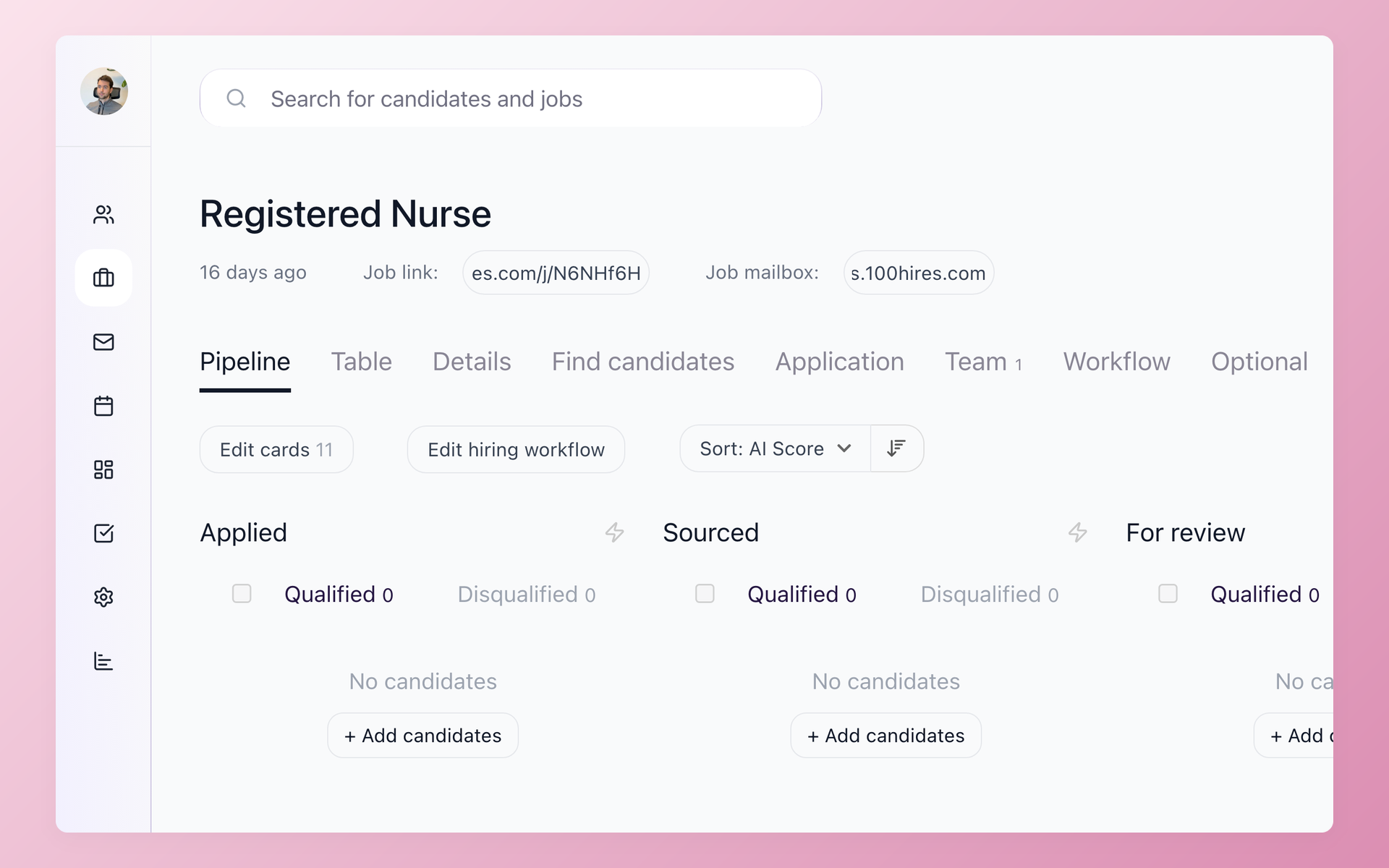






Choose the JOIN.com import path that fits your data
This page is for an employer moving recruiting work from JOIN.com to 100Hires. JOIN is a documented SMB ATS. 100Hires adds role-specific screening, passive sourcing, multi-step outreach, and configurable workflow controls.
This migration page was prepared by 100Hires from publicly readable current sources. 100Hires is not affiliated with or endorsed by JOIN.
- Self-service: map a candidate CSV, review errors or changes, and assign records to a job and Pipeline stage.
- Bulk resumes: upload supported resume files, preview parsed fields, and review the result before import.
- Managed: annual Pro includes scoped migration after review; other plans are quoted separately.
JOIN documents CSV or XLSX candidate-list export and a ZIP package with the list, CVs, and attachments on Advanced and Enterprise. Confirm the current plan and inspect a sample export before defining the destination scope.
Plan the move in five controlled steps
- Confirm source access. Check the JOIN plan, export options, and the candidates, resumes, attachments, jobs, tags, and history your team needs.
- Assign the work. Start a 100Hires workspace and confirm who owns each export, mapping, import, and review task.
- Map the records. Match available fields, jobs, Pipeline stages, sources, tags, and consent-related data that exists in the export.
- Validate a sample. Review errors, duplicates, parsed fields, and records that may change between export and the switch to 100Hires.
- Import, verify, and configure. Import the approved records, check key records, then set up AI Score criteria, Contact Finder, Nurture campaigns, Pipeline stages, and Talent Pools.
100Hires general help says typical migrations take one to five business days after export files arrive, depending on volume and complexity. That is general guidance, not a JOIN-specific service level or a guaranteed completion date.
| Switch question | 100Hires | JOIN.com |
|---|---|---|
| Candidate list | Free CSV import with field mapping and review | CSV/XLSX export on Advanced or Enterprise |
| Resumes and attachments | Bulk resume upload; managed scope reviewed separately | ZIP can include CVs and attachments |
| Managed migration | Annual Pro after scope review; quote otherwise | Source export is the documented handoff |
| AI screening | Role criteria, 0-100 evidence, and human review | Questions, scorecards, filters, and rules |
| Passive sourcing | Contact Finder on Pro; provider-dependent | Manual sourcing and LinkedIn extension |
| Outreach | Email, SMS, voicemail, tasks, replies, and stage moves | Messages, templates, schedules, and triggers |
| Pipeline | Per-job stages, automations, and bulk actions | Kanban, reusable or AI-built workflows, and triggers |
| Talent Pools | Search, import, source, and re-engage | Automatic or manual pools and consent-aware reuse |
| Job distribution | Multiposting; exact board parity not promised | 10+ organic boards; 250+ paid-board add-on |
| Pricing | From $49/month on annual billing or $99 month to month; tax excl. | Standard €20/€17 and Advanced €40/€34 per job/month; VAT excl. |
Put imported candidate context to work
Once records are in 100Hires, recruiters can review screening evidence, source prospects beyond the imported database, and connect follow-up to the Pipeline.
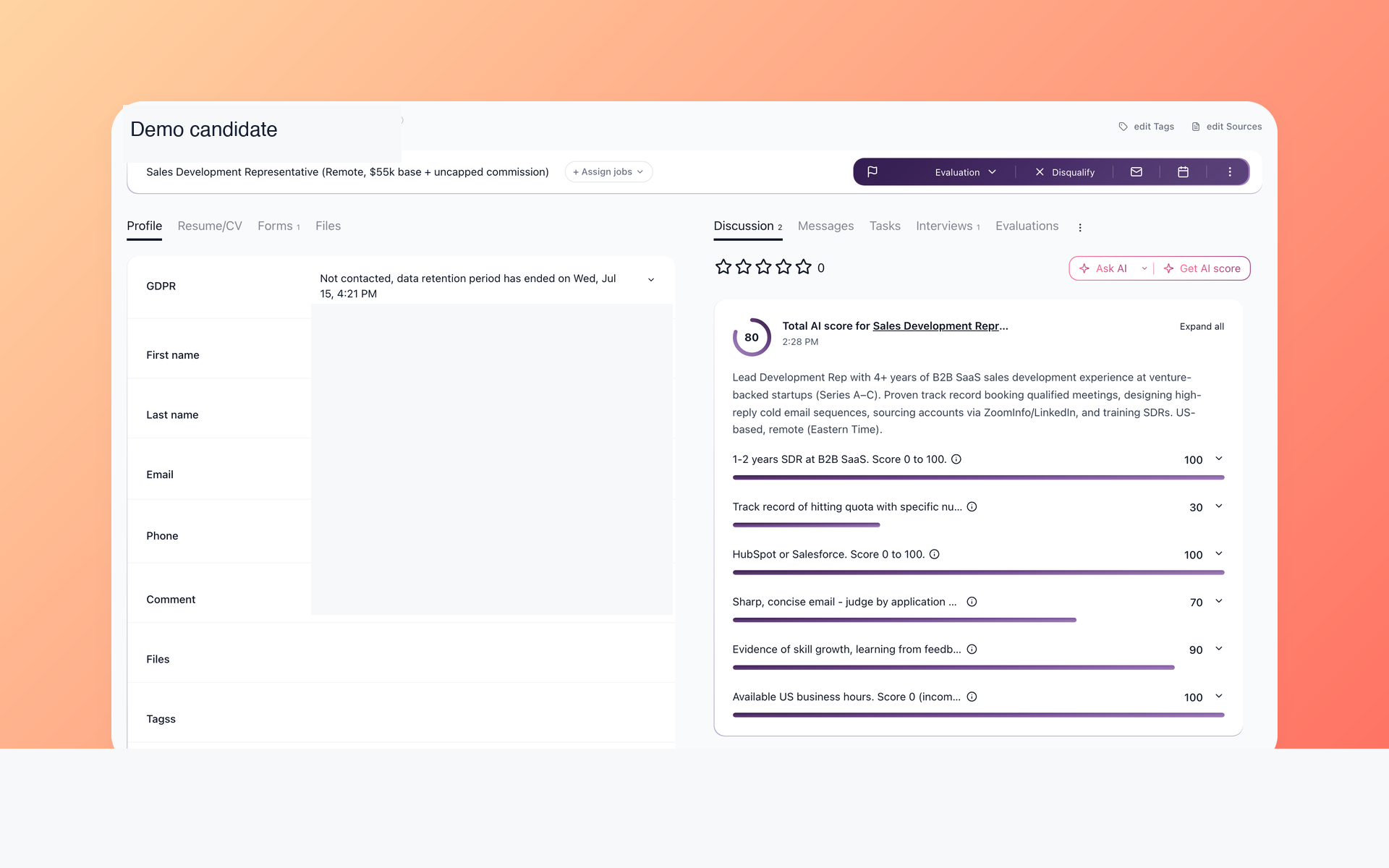
Review each AI Score before you act
Prioritize imported candidates without giving up human review. Apply role criteria, inspect the total and per-criterion evidence, and compare it with resumes and application answers.
- Role-specific criteria
- 0-100 result
- Per-criterion evidence
- Human review
Imported and new candidate records can use the same review method. The 100Hires AI Score workflow supports prioritization, but it does not verify unstated traits or make an automatic hiring decision.
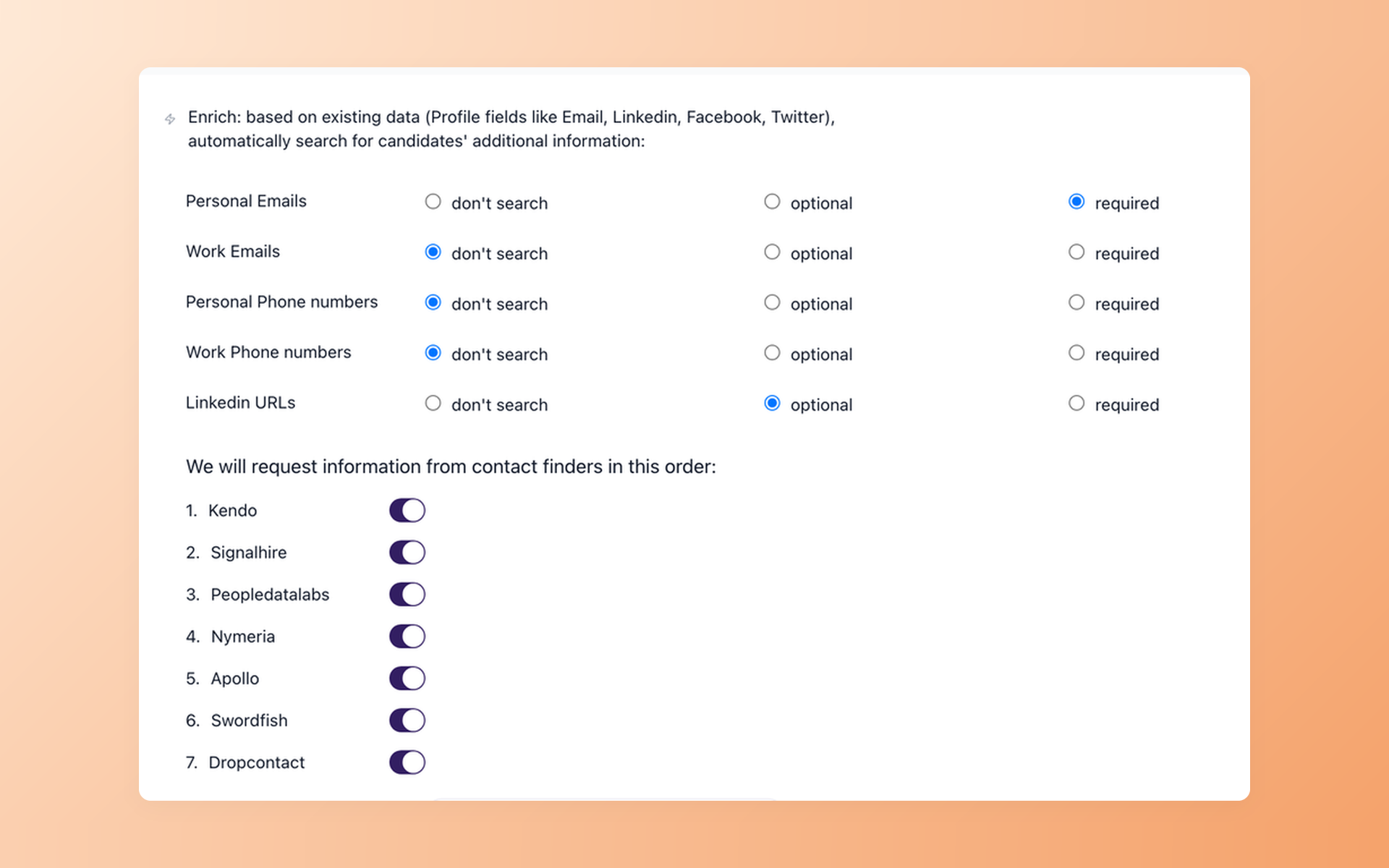
Add passive-candidate sourcing to the new workflow
Extend the new database beyond imported records. Contact Finder checks customer-owned providers for the email, phone, or LinkedIn fields you request and returns data where available.
- Pro plan feature
- Provider-based search
- Field-level controls
- Availability-based results
Contact Finder in 100Hires is a post-move sourcing workflow, not a promise that contact data will arrive in the JOIN export or that every provider will return every field.
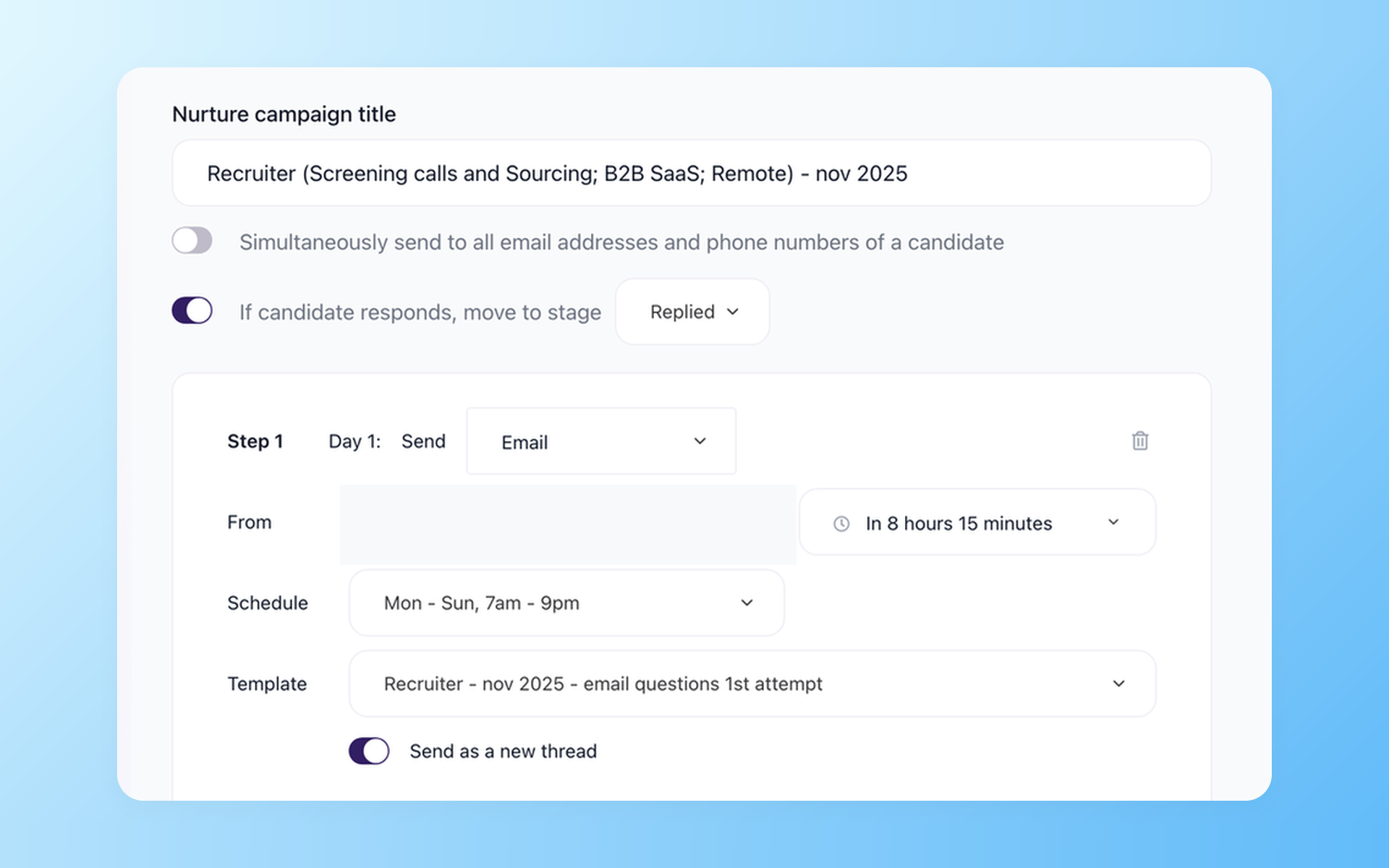
Re-engage candidates without rebuilding follow-up by hand
Resume candidate conversations without rebuilding follow-up from scratch. Nurture campaigns combine scheduled email, optional SMS or voicemail, tasks, replies, and Pipeline moves.
- Scheduled sequences
- Reply-based movement
- Pipeline-linked tasks
- Optional SMS or voicemail
Configurable Pipeline stages and searchable Talent Pools help organize imported, inbound, and sourced records. Explore 100Hires recruiting automation for the workflow after the file transfer.
Migration and workflow limits to confirm
The available JOIN export and a mapping review determine which data can be transferred. Manually added or extension-sourced candidates can have a consent-request state in JOIN, so consent-related fields need specific review rather than a universal transfer promise.
100Hires does not promise that every note, message, automation, integration, consent record, or history item will move. The page makes no one-click, zero-downtime, zero-loss, or fixed-timeline commitment.
AI Score supports recruiter review. Contact Finder is available on the Pro plan, uses providers paid for by the customer, and cannot guarantee that every field will be available. SMS and voicemail Nurture steps require Twilio.
Your team controls the JOIN account, access, contract, and billing. 100Hires does not cancel or modify the source account.

It solved all of my recruitment problems and offered all of the features I was looking for. It can automate most of my recruitment processes.

I’d happily recommend it to my industry peers. I’m able to use the platform with ease and don’t have to think twice about which function to use.

The system is very user-friendly. Even people with no experience will find it easy to understand its functionality.
The hiring playbook, in your inbox
One email a week - benchmarks, AI screening tactics, and short interview templates from the 100Hires team. No product pitches.