
Migrate from HiringThing to 100Hires
Planning to switch from HiringThing? Move into a direct AI-first ATS with a scoped import path and recruiter-reviewed workflows after the move.






screening candidates
response rates
time to fill
per hire
Plan the switch around the data you can actually move
This page is for an SMB employer with a HiringThing account that is evaluating 100Hires as the destination. It is not a white-label platform migration guide or a promise that every source object will transfer.
100Hires offers a free self-service path for candidate CSV import and bulk PDF or DOC resume intake. Managed migration is included with the annual Pro plan after source access, record counts, requested fields, files, and complexity are reviewed.
This migration page was prepared by 100Hires from publicly readable current sources. 100Hires is not affiliated with HiringThing.
Your HiringThing migration options in 100Hires
Use self-service import when you have a clean candidate CSV or a folder of resumes and do not need to migrate your full history. Candidate CSV import and bulk PDF or DOC resume parsing do not guarantee that messages, notes, stages, or attachments will be recreated.
Use managed migration when the move needs an agreed data scope. With the annual Pro plan, 100Hires reviews the source output, requested records, fields, files, volume, and mapping before confirming what is included.
Other plans are quoted individually based on volume and complexity. 100Hires provides a delivery estimate after reviewing source access, volume, requested fields, files, and complexity.
- Self-service: candidate CSV import and bulk PDF or DOC resume intake
- Annual Pro: managed migration after a source and scope review
- Other plans: custom quote based on the requested work
Match migration support to the 100Hires plan
For companies with 1–20 employees, Start is $49 per month on annual billing, or $588 prepaid for the year, and $99 monthly. It covers up to 3 jobs, 100 candidates, and 1 user.
For companies with 1–20 employees, Advanced is $199 per month on annual billing, or $2,388 prepaid for the year, and $249 monthly. It includes unlimited jobs, candidates, and users.
For companies with 1–20 employees, Pro is $399 per month on annual billing, or $4,788 prepaid for the year, and $499 monthly. Managed migration is included only with annual Pro after scope review.
Enterprise is quote-only. On other plans, migration work is quoted separately from the subscription based on volume and complexity. Review the current 100Hires pricing and plan limits before choosing.
The comparison below distinguishes documented source output from destination capability. Not publicly stated means the reviewed current sources did not state it. It does not mean HiringThing lacks the feature.
| Feature | 100Hires | HiringThing |
|---|---|---|
| ATS workflow | Direct AI-first ATS for SMB employers | Employer ATS workflows documented; public materials emphasize partners |
| Candidate records | Managed scope can include candidates after review | Standard export includes historical applicant CSV |
| Resumes and files | Managed scope can include resumes or attachments; self-service PDF or DOC upload exists | Standard export includes applicant files in a zip |
| Notes and messages | Managed scope can include notes where available | Standard export lists applicant message CSVs |
| Jobs and history mapping | Managed scope can include jobs and approved history fields after review | Optional job JSON or CSV is listed; comparable history mapping is not publicly stated |
| Self-service import | Candidate CSV plus bulk PDF or DOC resume upload | HiringThing documents a separate free applicant-data import into HiringThing for paying customers; it is not an outbound export |
| Included managed migration | Included on annual Pro after scope review; custom quote otherwise | Not publicly stated |
| AI Copilot after the move | Uses candidate and job context and saved prompts | Not publicly stated |
| AI Score and outreach | AI Score, AI Email Composer, Knockout questions, and automation documented | Not publicly stated |
| Scheduling and talent reuse | Self-scheduling links, Talent Pools, and sourcing documented | Not publicly stated |
Put imported candidate context to work in 100Hires
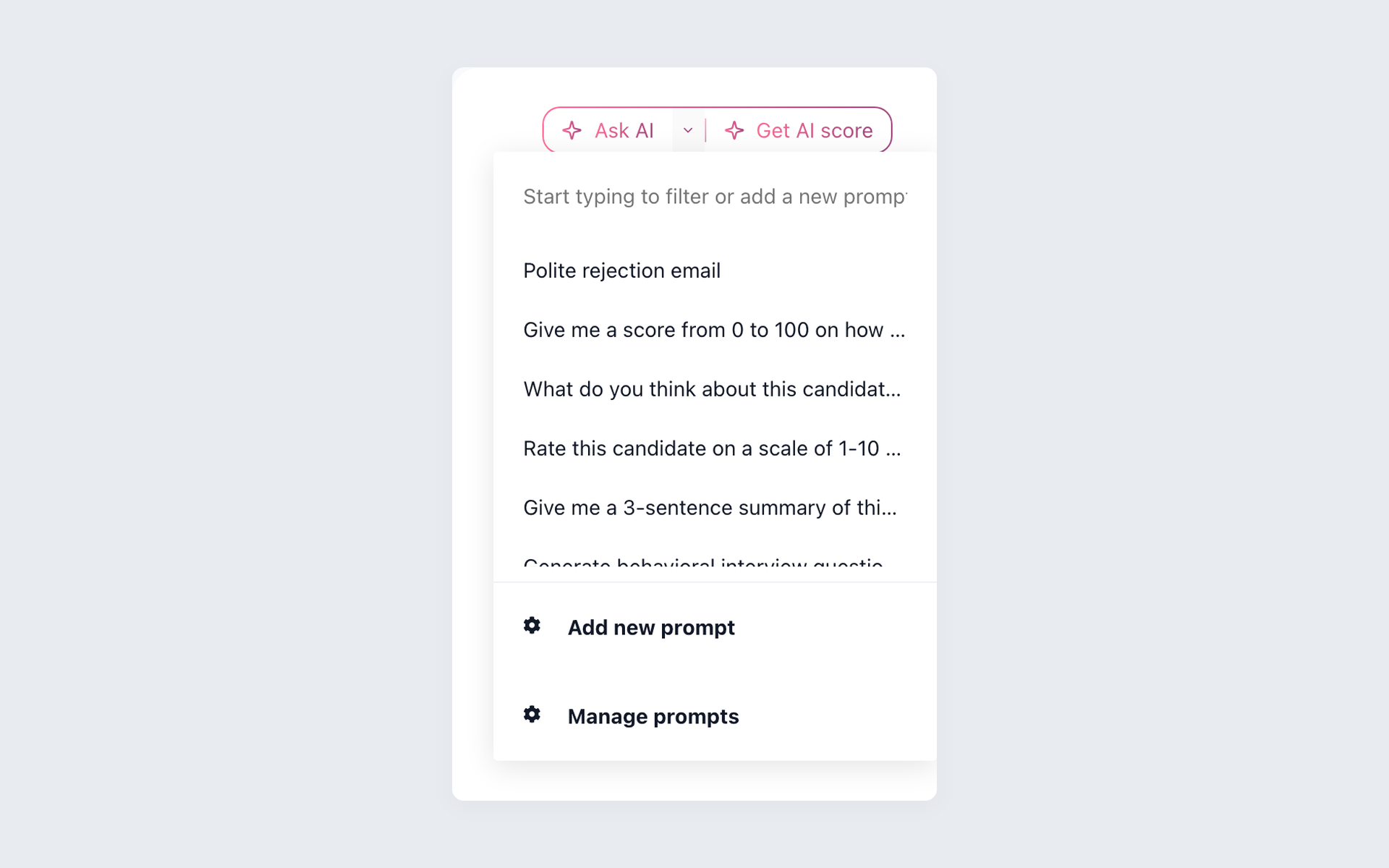
The destination matters after the file transfer ends. In 100Hires, recruiters can work from the candidate record, review the information that arrived, and use AI assistance without surrendering the final decision.

Turn present candidate context into a recruiter-reviewed summary
AI Copilot can use candidate information that is actually present in 100Hires, together with available job context, notes, messages, evaluations, profile data, and application answers. The recruiter checks the result.
- Present record context only
- Candidate and job information
- Recruiter-reviewed summaries
- Human decision stays final
AI Copilot does not automatically make every piece of imported data usable. Its answer depends on the fields and context present in the destination record, so source quality and approved mapping still matter.
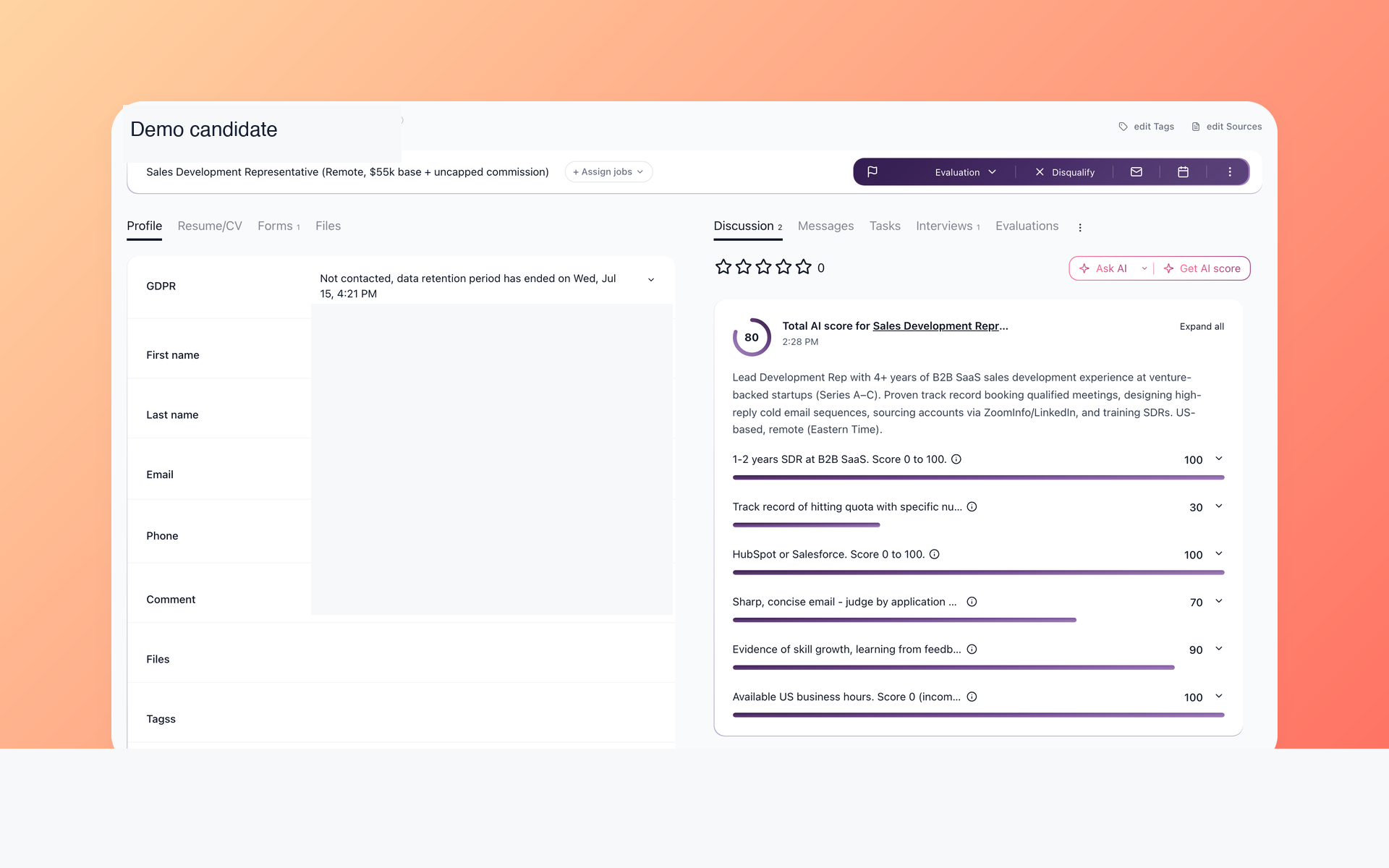
Screen imported candidates with evidence you can review
AI Score applies configured role criteria and returns an explanation the hiring team can inspect. Use it to organize review, then verify the candidate record and application evidence before taking action.
- Role-specific criteria
- Reviewable evidence
- Consistent shortlist support
- No automatic hiring decision
See how AI resume screening supports recruiter review. AI Copilot and AI Score both work from documented data and remain subject to a human check.
AI Email Composer can prepare follow-up from candidate context for a recruiter to edit. Knockout questions and recruitment automation help structure new applications and next steps.
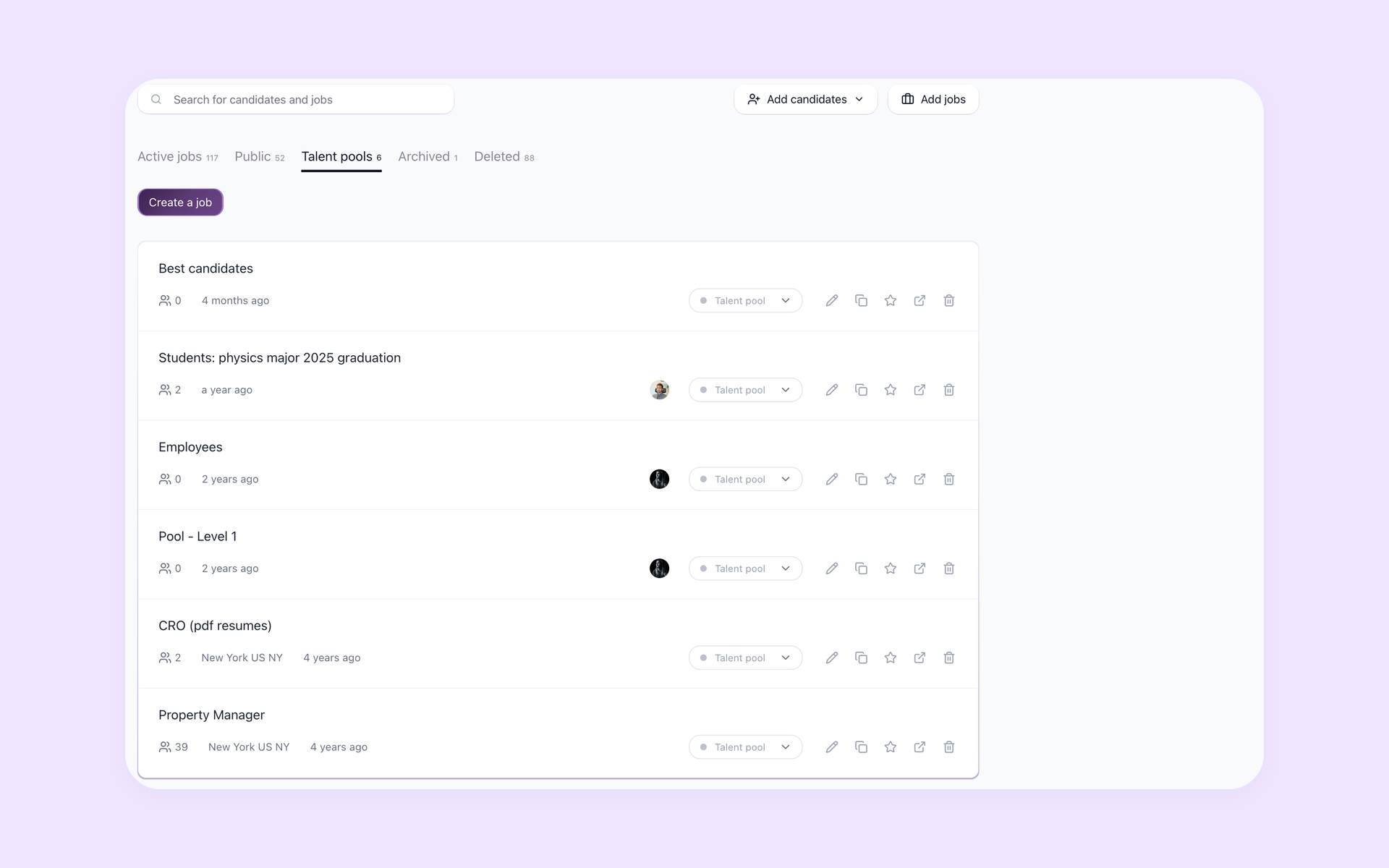
Re-engage candidates without rebuilding the pipeline
Talent Pools keep reusable candidate groups visible after the move. Recruiters can organize future-role prospects, prepare outreach, and use Self-scheduling links when a candidate is ready to meet.
- Reusable candidate groups
- Visible pool status
- Future-role outreach
- Self-scheduling when ready
For separate passive sourcing, teams can add prospects beyond the imported database. Candidate contact discovery depends on available identifiers, provider coverage, and plan limits.
Migration and AI limits to confirm
Managed migration is not included with every plan. Exact scope depends on the HiringThing output, source quality, requested fields, attachments, mapping, volume, and complexity.
Exact records, fields, and attachments depend on the source and approved mapping. The reviewed sources do not specify a delta sync, parallel run, zero-downtime commitment, or fixed total timeline. Confirm those requirements during scope review.
AI Copilot and AI Score work from documented data and do not make the hiring decision. Recruiters review output and underlying evidence before acting.
The 14-day trial does not require a card, but it has an AI quota. External job-board posting has verification and usage limits.

It solved all of my recruitment problems and offered all of the features I was looking for. It can automate most of my recruitment processes.

I’d happily recommend it to my industry peers. I’m able to use the platform with ease and don’t have to think twice about which function to use.

The system is very user-friendly. Even people with no experience will find it easy to understand its functionality.







 4.7
4.7
 4.8
4.8
The hiring playbook, in your inbox
One email a week - benchmarks, AI screening tactics, and short interview templates from the 100Hires team. No product pitches.