
Migrate from HireClick
Switching from HireClick? Start with a 14-day 100Hires trial. Free comprehensive managed migration is available on an annual Pro contract after your source data and requested scope are reviewed.






Customer adoption is one check on the destination ATS. These 100Hires customer logos do not make a claim about HireClick or guarantee a migration result.
Confirm what can move before you commit
100Hires offers free comprehensive managed migration on an annual Pro contract after the available source data and requested scope are reviewed.
The review covers source access or files, candidate and job counts, requested records, fields, mappings, and validation needs. Starting a trial does not confirm migration eligibility, coverage, or timing.
Choose the shortest path to usable candidate records
- Managed migration: 100Hires reviews the source and requested scope before confirming eligibility and supported coverage.
- Candidate CSV import: map columns, review errors, and import the candidate data available in the file.
- Bulk resume upload: upload PDF, DOC, DOCX, RTF, or TXT resumes and let 100Hires create candidate records from the available files.
The right path depends on what HireClick makes available and what your team needs in 100Hires. None of these paths proves that every source record or history item can move.
| Decision point | 100Hires after switching | HireClick evidence |
|---|---|---|
| Core ATS | Candidate and job records, pipelines, search, evaluations, and messages | Applicant tracking, rating, prioritization, sharing, and communication are documented |
| Jobs and career site | External-board distribution and careers-page options | External-board distribution and a mobile-friendly custom career site are documented |
| Scheduling | Calendar and scheduling workflows | Automated interview scheduling is documented |
| AI-assisted review | AI Score plus candidate- and job-context AI Copilot | AI job-ad creation is documented; candidate screening and a named copilot are not publicly stated in the reviewed official sources |
| Sourcing | Contact Finder where data is available; broader sourcing and outreach are tied to Pro | Career-site, social, and distribution channels are documented; a named contact-finder counterpart is not publicly stated in the reviewed official sources |
| Follow-up | Context-aware email drafts plus scheduled multi-step follow-up | Bulk applicant email is documented; a named multi-step counterpart is not publicly stated in the reviewed official sources |
| Moving data | Free comprehensive managed migration on annual Pro after source and scope review; CSV and resume self-import remain separate | Export, API, mapping, and migration support are not publicly stated in the reviewed official sources |
| Trial | 14 days, no card; account-wide external-board candidate cap and tiered AI quota | Not used to infer HireClick trial or plan limits |
HireClick is a trademark of its owner. This independent migration page is not affiliated with or endorsed by HireClick.
Turn approved records into an active recruiting workflow
A migration is useful when the destination helps your team act on the records. In 100Hires, role-specific scoring can guide review, candidate-record assistance can answer recruiter questions, and sourcing and follow-up stay connected to the ATS.
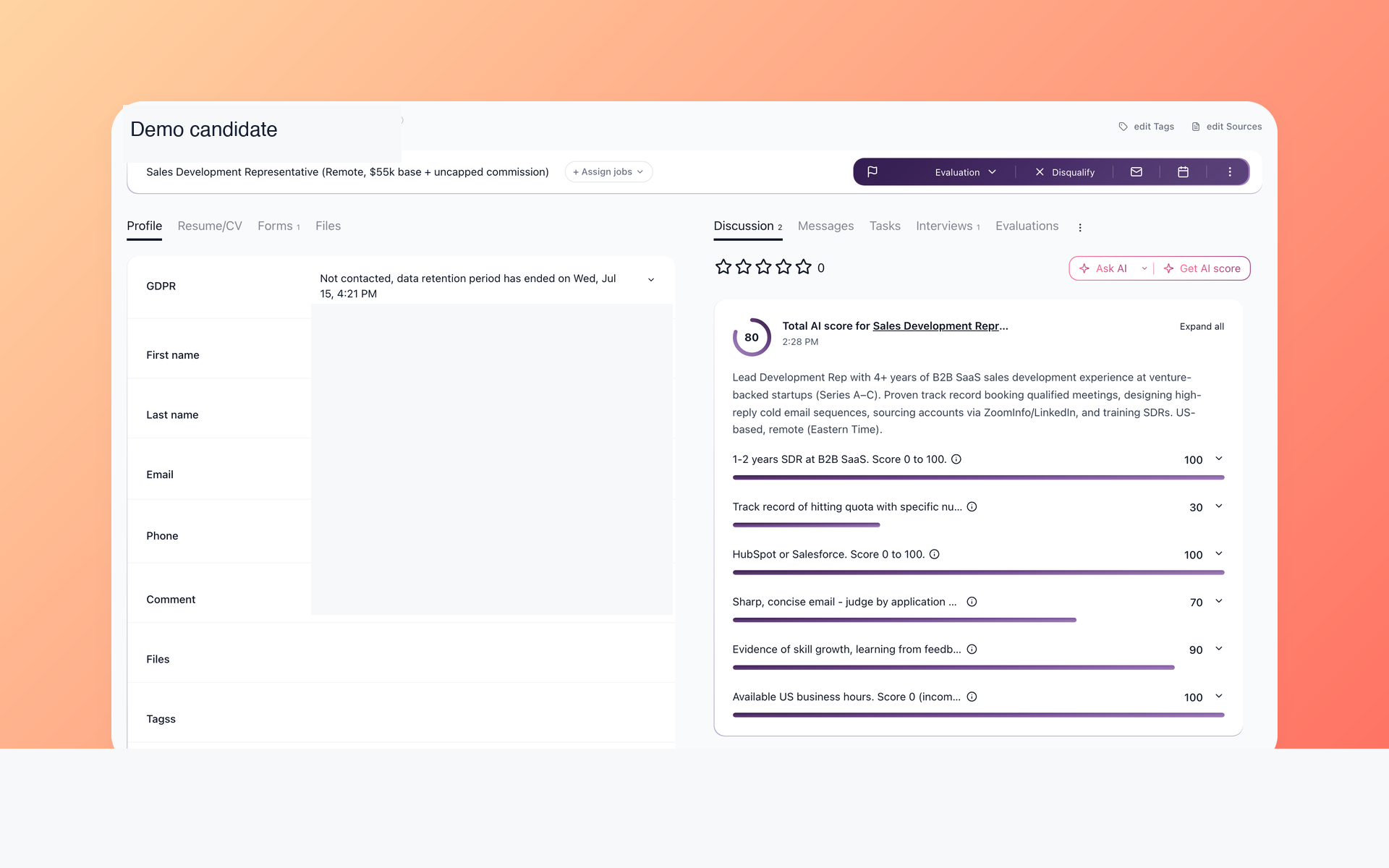
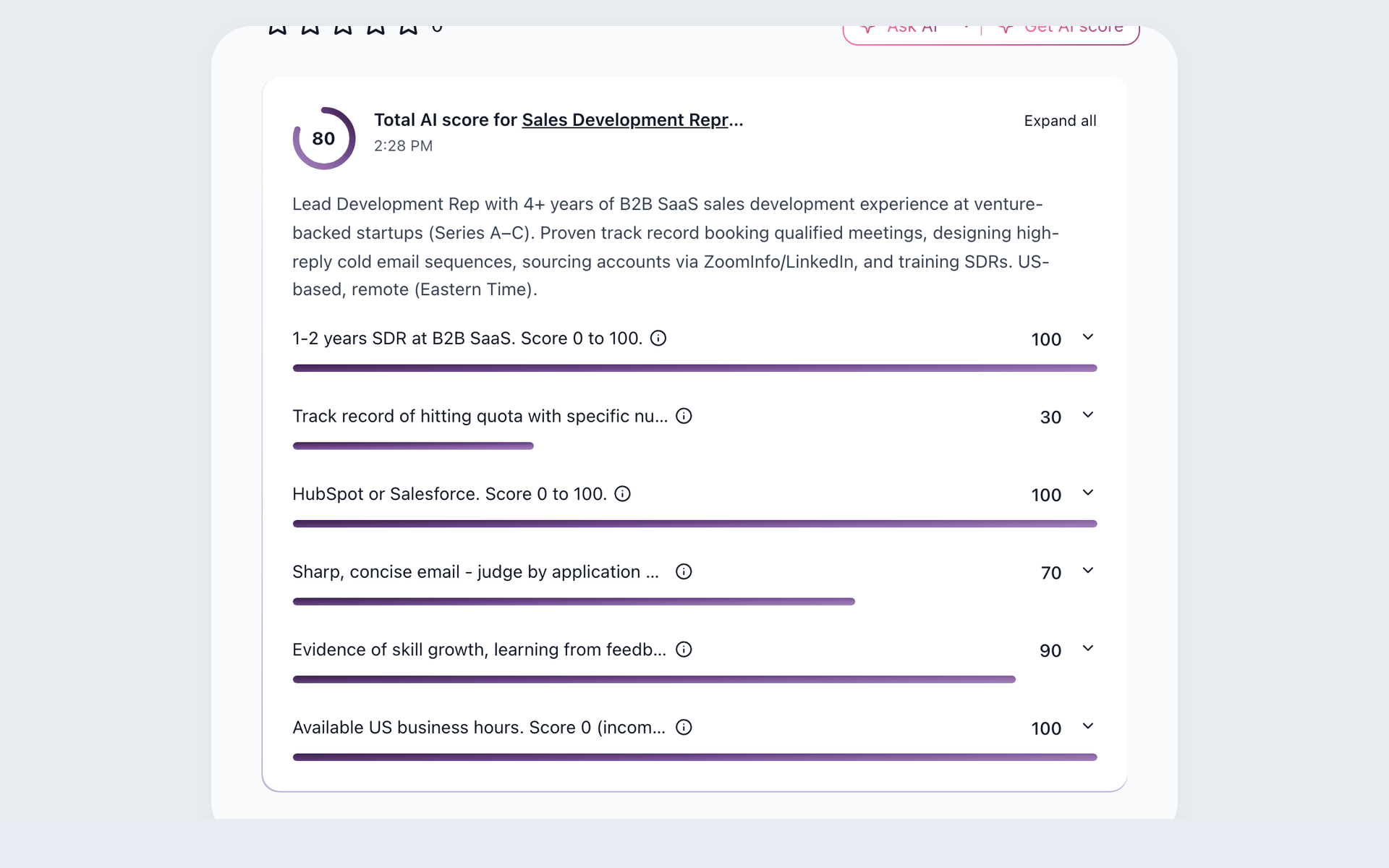
Rank the records that need attention first
Give reviewers a consistent place to start instead of reopening every resume from scratch. AI Score evaluates recruiter-defined criteria and returns a total, a summary, and per-criterion 0-100 results for human review.
- Role-specific criteria
- Per-criterion evidence
- Human review
The scoring workflow is quota-based and supports review rather than replacing it. See how 100Hires resume screening combines candidate context, scoring, and recruiter judgment.
Ask AI Copilot about the record in front of you
AI Copilot can use resume and profile data, application answers, notes, email history, evaluations, and job details. It helps a recruiter inspect the record without making the hiring decision.
Build a reachable pipeline beyond inbound applicants
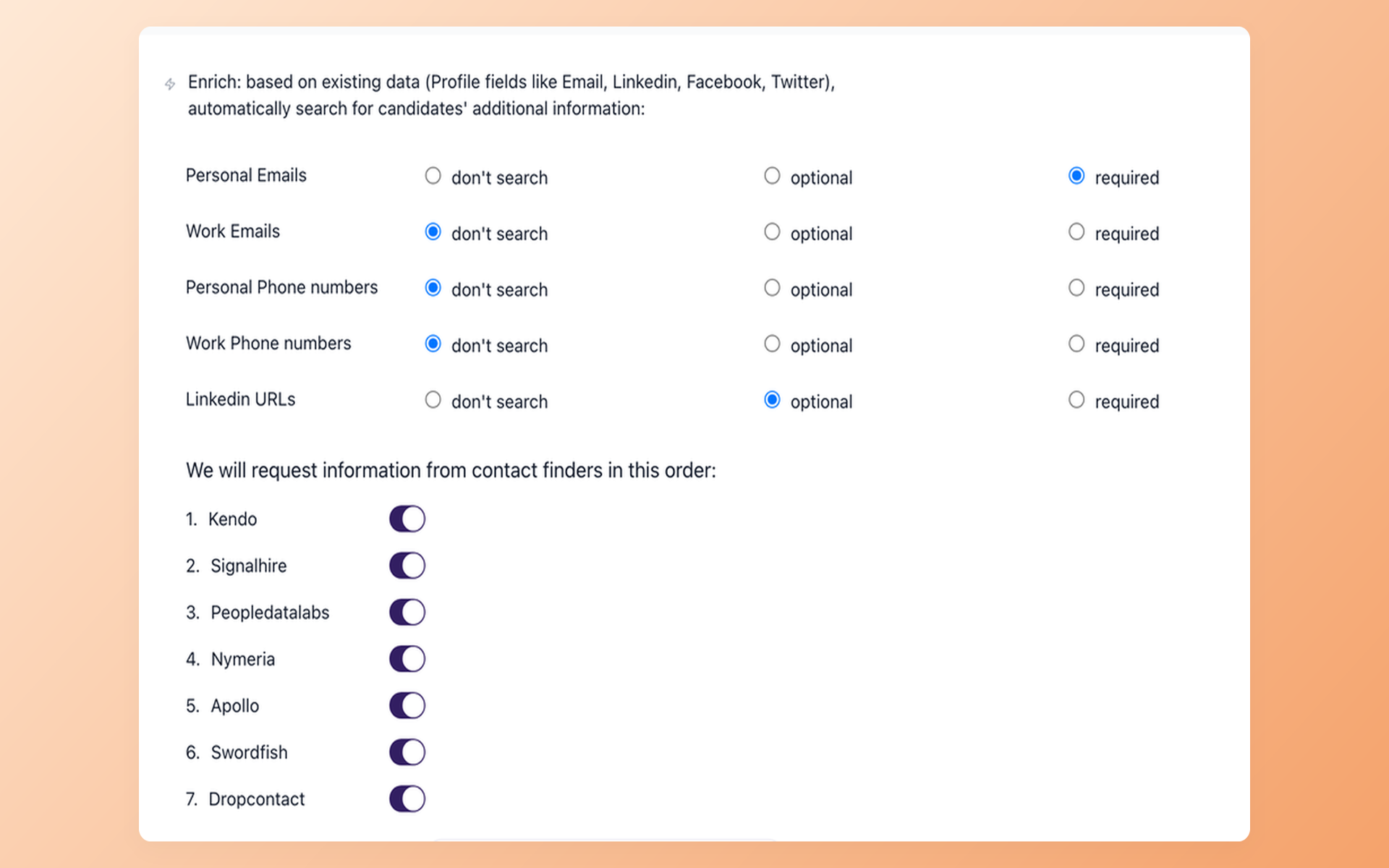
Avoid leaving a strong sourced profile stranded without a next step. Contact Finder is presented as a Pro feature and can attempt verified email enrichment where data is available; a result is not guaranteed.
- Selected contact fields
- Results saved to the record
- Match not guaranteed
This enrichment and the broader passive-sourcing and outreach workflow are presented as Pro features. Availability varies, so the workflow does not fill every record automatically.
Draft relevant outreach and keep follow-up moving
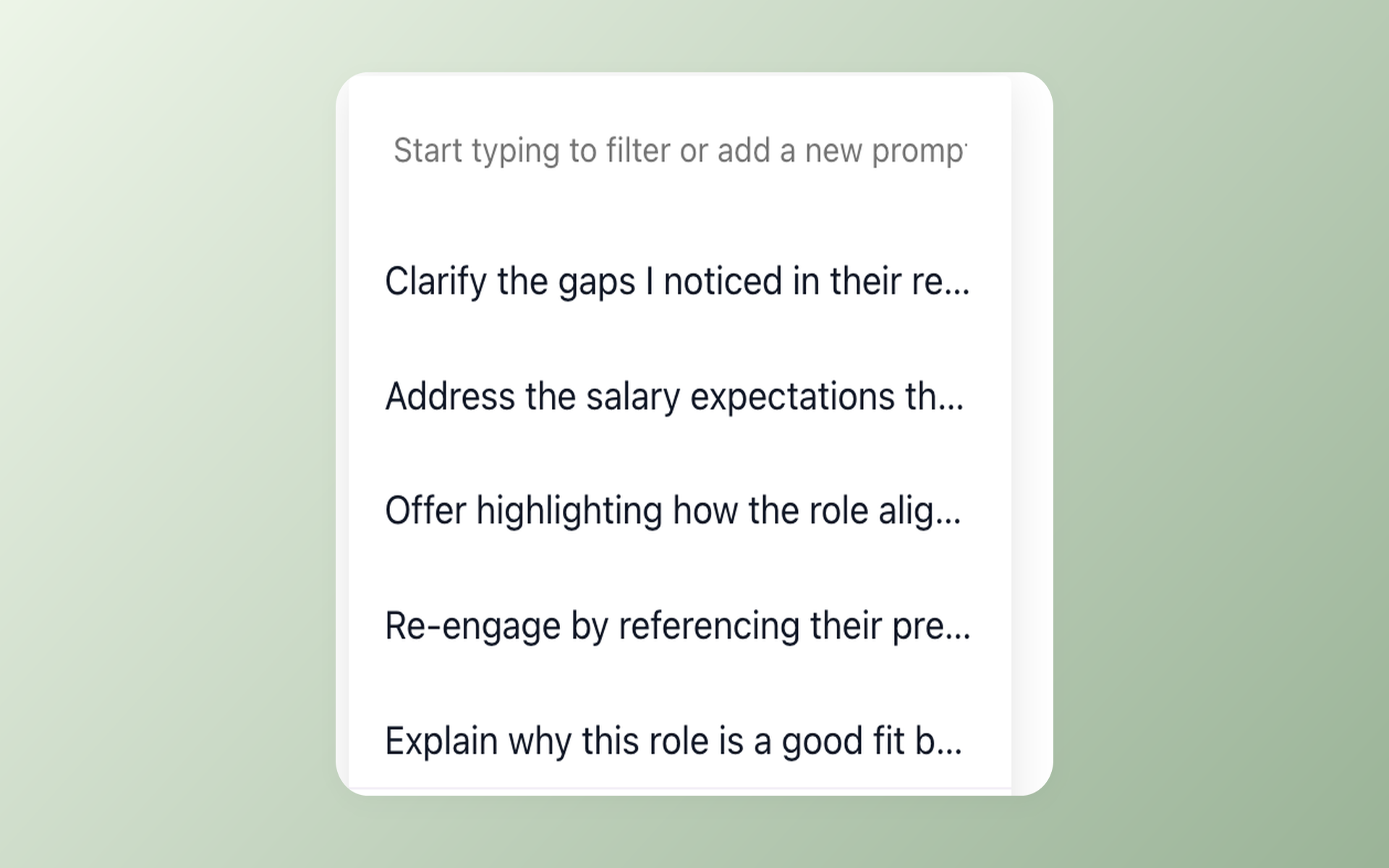
Keep candidate conversations moving without drafting every message from zero. AI Email Composer uses candidate and job context for a recruiter-reviewed draft, while Nurture campaigns run scheduled multi-step follow-up separately.
- Candidate-aware draft
- Recruiter edit and send
- Separate nurture sequence
Drafting and scheduled sequences remain separate. The 100Hires recruitment automation workflow shows how those steps stay connected without becoming the same action.
Staying with HireClick can still be the right decision
HireClick can fit a team satisfied with its documented applicant tracking, job distribution, mobile career site, bulk applicant email, automated interview scheduling, support and training, and AI-powered job-ad creation.
100Hires is the option to test when your team wants role-specific candidate scoring, candidate-record assistance, contact enrichment, contextual email drafting, and scheduled multi-step follow-up in the destination ATS.
That broader workflow has plan limits. AI use is quota-based, contact enrichment and broader sourcing and outreach are presented as Pro features, and the trial limits both candidates from external job boards and AI use.
Check the destination through current customer signals
The shared 100Hires reviews, current rating signals, and awards below help evaluate the product your team would use after the move. They do not describe HireClick or guarantee a migration result.

It solved all of my recruitment problems and offered all of the features I was looking for. It can automate most of my recruitment processes.

I’d happily recommend it to my industry peers. I’m able to use the platform with ease and don’t have to think twice about which function to use.

The system is very user-friendly. Even people with no experience will find it easy to understand its functionality.







 4.7
4.7
 4.8
4.8
The hiring playbook, in your inbox
One email a week - benchmarks, AI screening tactics, and short interview templates from the 100Hires team. No product pitches.